Forum Replies Created
-
AuthorPosts
-
 Moderator
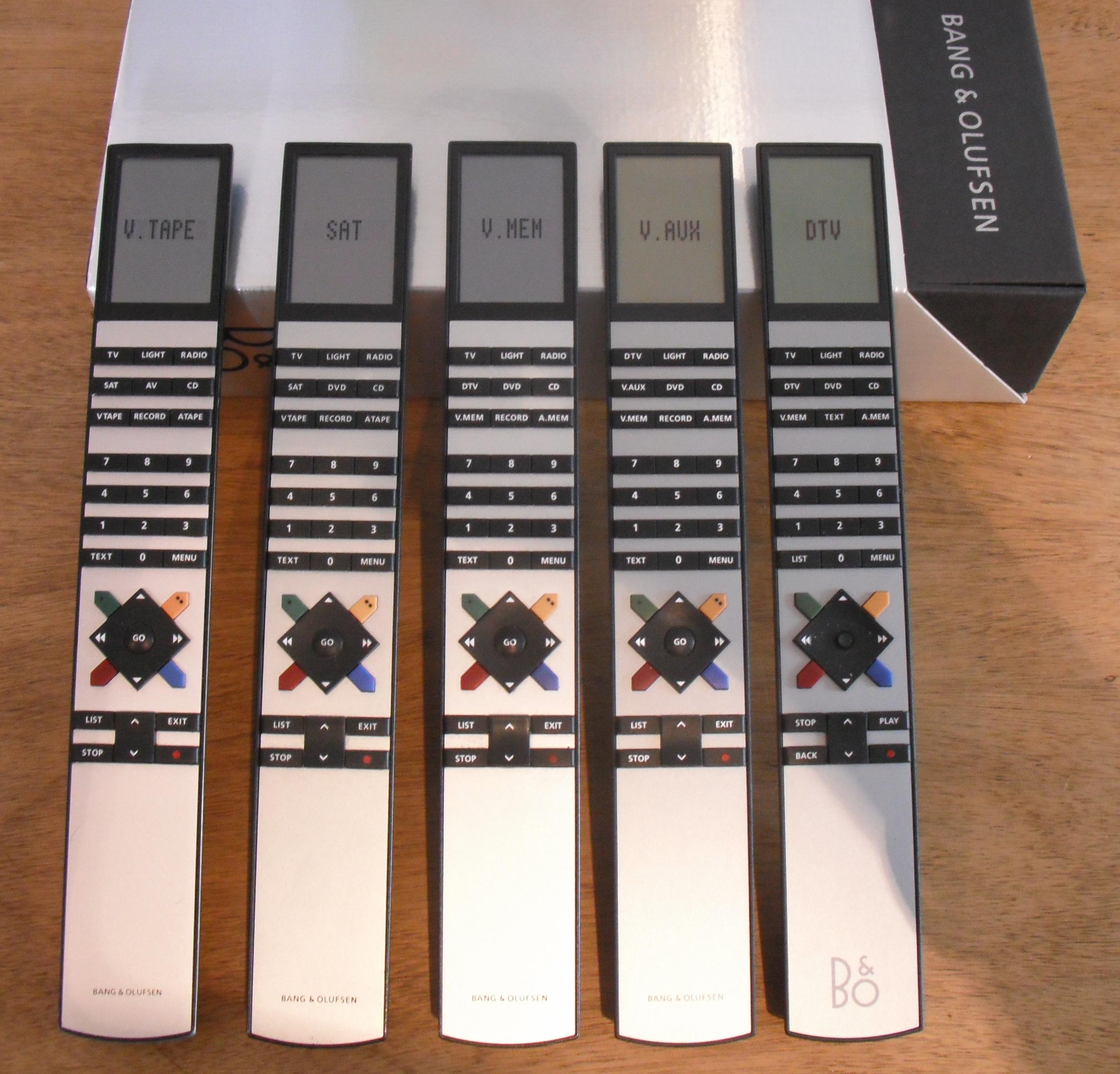
The one on the far right has a joystick, actually more of a ‘nipple’ in the centre of the arrow buttons.

Location: Warwickshire, UK
My B&O Icons:

Good luck all! ?
Location: Warwickshire, UK
My B&O Icons:
Apologies but the BLC converter service manual is not in either the old or new manuals library.
If your correct membership status is not showing please send Keith a PM asking him to update.
Location: Warwickshire, UK
My B&O Icons:
Sorry all. I was thinking of NL/ML converter. The earlier Beolink Converter manuals are indeed available here: https://beoworld.org/manuals_view.asp?pid=983
Location: Warwickshire, UK
My B&O Icons:
Following with interest still! It’s a shame that Timer selection didn’t make any difference as there was a glimmer of hope there!
(I also moved Peter’s BL3500 sensor questions to that other thread to keep this one from drifting again!)
Location: Warwickshire, UK
My B&O Icons:
Great news – glad that you got it working and thanks for letting us know how! ?
Location: Warwickshire, UK
My B&O Icons:
Hi and welcome to Beoworld!
Perhaps this old thread answers the question:
https://archivedforum2.beoworld.org/forums/p/4878/44026.aspx
Location: Warwickshire, UK
My B&O Icons:
It sounds like the 3v lithium battery supplying the microprocessor needs replacing – quite a common fault. It is soldered in place hence requires some technical knowledge and soldering skill to replace. Have a search of this and the archived forums for advice and/or join as a silver or gold member to download the service manual.
Location: Warwickshire, UK
My B&O Icons:
I have run out of ideas for the A.TAPE/A.MEM operation – perhaps other Beo5 users will be able to help!
It’s a little tricky, but I’m using Y-7DIN splitter to have BeoLink Converter and thirdpartyTV/Bluetooth adapter connected at the same time to BeoSound 2500. So when I choose TV to hear iPad from the masterlink I have to make sure tv and bluetooth are powered off? It seems that I have to use some AV switch instead of simple Y-splitter
Yes that’s the problem when using a Y-adaptor with the BL1611 converter. B&O did make a manual AV switch called an Aux Expander which has all 7-pins switched between 4 inputs. They seldom come up for sale – here’s a picture I found:

Location: Warwickshire, UK
My B&O Icons:
Firstly the A.MEM problem is strange – does Tape play when using the front panel buttons? And does it work with a Beo4 remote?
After activating Option 6 now iPad is seen as TV – by the way, is there any way to change this name?
No, but you can select using eg DVD if you would rather that showed. Or V.AUX.
Will it be possible to listen to iPad from zone 3 on BeoSound in zone 1? Which source should it be? It can’t be TV (like in zone 3 on BL3500) because choosing TV on BS2500 uses A.Aux. Is it possible to listen to a source from masterlink on BS2500 connected to masterlink via 1611?? Like this: source -> ML -> 1611 -> BS2500 -> BL4500? Or is it only one way BS2500 -> 1611 -> ML -> any ML Speaker ?
Selecting TV on the BC2500 should work, because its AUX socket is being used as the input from the BL1611 converter. The BC2500 needs to be in A.OPT 2 to receive the video IR commands. And yes it should be possible to listen to a source on the BC2500 from elsewhere on the masterlink system – it is indeed a two-way interface.
I am slightly surprised that there is not a conflict when you have both BL1611 converters connected to ML at the same time, but you has said that the second one is the ‘older type’ so I assume that it’s type number is 1161466.
Location: Warwickshire, UK
My B&O Icons:
Tape (tried A.MEM TP1 command also with PLAY – does not work)
What device are you trying to control with the A.MEM command?
DTV – when I use 1611 converter with iPad connected to it and BeoLab3500 on Masterlink I have to press AV and then SAT on my Beo4 remote to activate it. BeoLab displays DTV and I’m able to hear the sound – what command from Beo5 will do the same? Tried A_SAT, DTV, V_SAT and it didin’t worked… I guess it should be sequence of two commands like on Beo4, but what is the comand for AV and SAT from Beo4?
If you put the BL3500 in L.OPT 6 there should be no need to press AV first and you should be able to select your iPad using any video command (TV, SAT, DTV, DVD etc). This assumes that your iPad is connected to AAL input pins 3 and 5.
Location: Warwickshire, UK
My B&O Icons:
And what about BeoSound Ouverture (the one with tape and Masterlink socket)?
Ouverture is not N.MUSIC compatible either.
What if I’ll connect BeoPort directly to my BeoLab3500 witch reacts properly to switching to N.MUSIC source (there is N.Music on the display)?
Yes this should work fine as BL3500 is N.MUSIC compatible.
And why there is no sound from headphones socket of BeoPort after firmware upgrade (1.21->1.31)?
Not sure, but then I haven’t used BM-link SW. Is the last post of this old thread any use? https://archivedforum.beoworld.org/forums/t/29482.aspx
Location: Warwickshire, UK
My B&O Icons:
Just a quick post to bump this subject up because I have used my moderator powers to split it out from madskp’s BL3500 thread (to avoid thread drift) ?
Location: Warwickshire, UK
My B&O Icons:
Firstly, to avoid thread drift, I have moved Peter’s questions about his non-responsive BL3500 to a new thread here: https://forum.beoworld.org/forums/topic/bl3500-not-responding/
(I have PM’d Peter to explain)
Secondly I must apologize because I have not had time this week to experiment further with my BL3500 – hopefully next week!
Location: Warwickshire, UK
My B&O Icons:
My BC9500 is packed away at the moment so I can’t check the number of turns.
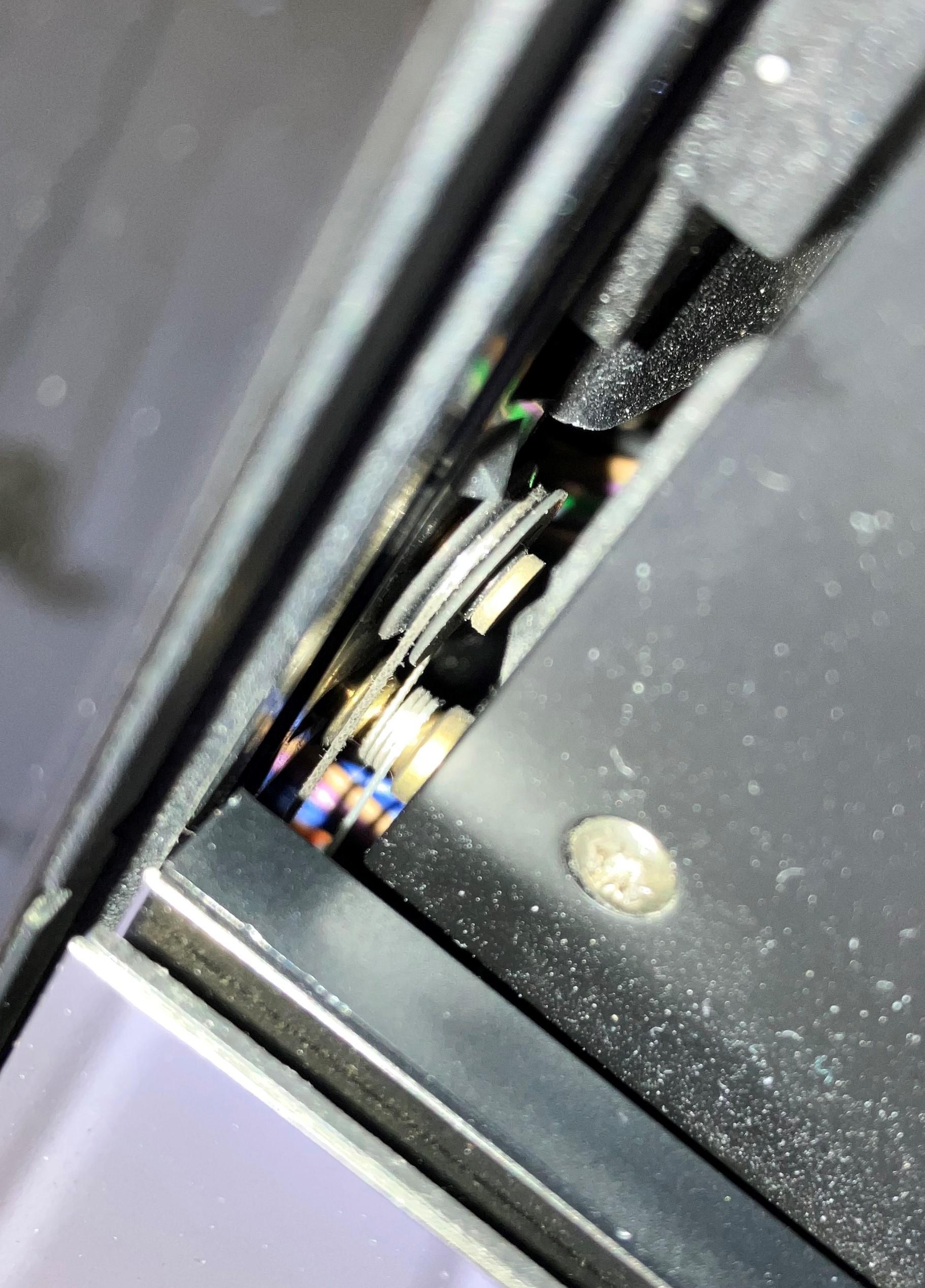
I just managed to access my BC9500 and open the box. There are three turns in each of the four locations – here’s a photo of the top of the CD door drive shaft:

Location: Warwickshire, UK
My B&O Icons:
With regard to the doors, did you fit new door motor drive belts yet? This is definitely worth doing so that the whole mechanism can operate as designed. Otherwise you may find that the third cord turn is compensating for (or causing) motor drive slippage.
The power down problem sounds like a loose connection in one of those many cables that has to bend through an extra 90 degrees when you put the system in the service position!
Location: Warwickshire, UK
My B&O Icons:
But here is a thought, assume that I could use a Y-cable to have both the Datalink and the incoming audio from the DAC-unit?
That should work – I used such a cable when I had both a Playmaker and BL1611 converter connected to the aux of my BC9500. The AUX socket is designed to be an input and output at the same time (so you can listen to the DAC over the rest of your system), and there will be no datalink conflict. This ‘use case’ gets a specific mention on Steve’s page here (see the ‘did you know’ paragraph at the foot of the link): https://soundsheavenly.com/bang-olufsen/11-312-7-pin-aux-splitter-dual-aux-tape-input-sockets.html#/20-length-02m
But as Steve notes, you may have to power down the DAC when not in use to avoid interference.
Also, I am not sure if it is any use to you here but with the BM6500 in A.OPT 2 then it should open the AUX input when you select a video source such as TV, DVD. This could be useful if you are running out of audio sources on your system. As I have said before, I have never used a NL/ML system so am not sure whether this would create problems elsewhere.
Location: Warwickshire, UK
My B&O Icons:
The BC9300 does not have an internal RIAA pre-amp, hence you need to get a Beogram with RIAA such as the Beogram 3500, 4500, 6500 and 7000, which all have RIAAs fitted as standard. The Beogram 9500 will not work unless you add a separate external RIAA pre-amp, which then complicates the ability to remote control the deck because the datalink will need to be connected separately.
See this link: https://www.beoworld.org/faq_view.asp?id=18
And the following thread suggests the BG4500 for the best visual match:
https://archivedforum2.beoworld.org/forums/p/35701/265112.aspx#265112
Location: Warwickshire, UK
My B&O Icons:
from which serial number the Beolab 8002 series begins, which was produced from 2010 to 2014.
It is not totally clear, but have a look at this old thread: https://archivedforum2.beoworld.org/forums/p/18791/162744.aspx#162744
Location: Warwickshire, UK
My B&O Icons:
I can’t help with much of the above because I only use my Beoport with a PC.
However, I do know that the BC2500 is not N.MUSIC compatible. Yes A.TAPE 2 (or SHIFT A.TAPE) is the same IR command as N.MUSIC (and PHONO is N.RADIO), but as far as I am aware this will not allow the BC2500 to control an N.MUSIC/N.RADIO device such as Beoport. Compatibility started with the BS3000, see here: https://beoworld.org/faq_view.asp?id=20
Also be aware that early SW versions of BL2000 do not support the PC or AUX command. I think this needs SW1.5 (SW 1.1 does not work).
Location: Warwickshire, UK
My B&O Icons:
-
AuthorPosts