Forum Replies Created
-
AuthorPosts
-
 Moderator
I think it’s worth a try with just ground, 5v and IR and I think it will work. I have had good results mixing IR sensor with just those connections: I have used both VX sensor (old rectangular shape) and a BS3 sensor (circular) with my Beoport, for instance. I also successfully connected both those sensors to a LC2 in place of the IR board and it worked.
With regard to the other two connections, maybe SCL to CLK and SDA to BUS? I would think there’s a low risk of damage (but equipment may lock up until power is recycled) but then it’s not my equipment!
Looking forward to hearing results!
Location: Warwickshire, UK
My B&O Icons:

Yes that works fine now and will be a great help – many thanks indeed!
Location: Warwickshire, UK
My B&O Icons:
Slight correction to above: After Power/LIST together, the Beo4 screen shows ADD. Press LIST until OPTION shows, then press centre button (GO) whereupon screen shows V.OPT. Press LIST until A.OPT shows, then press 1.
Location: Warwickshire, UK
My B&O Icons:
However, next time I visit my mother-in-law I need to change the door drive belts for her BC9500 so I will have a look at a working example there.
I checked my mother in law’s BC9500 last night and one of the CD door strings is loose inside! I’ll need to fetch it to my house in the coming weeks to give it a good clean and re-thread the strings. The upper glass panel is also loose so I will re-stick that to the plastic frame.
@Beitie – your video no longer works (says it is private), so could you possible re-post for reference?Location: Warwickshire, UK
My B&O Icons:
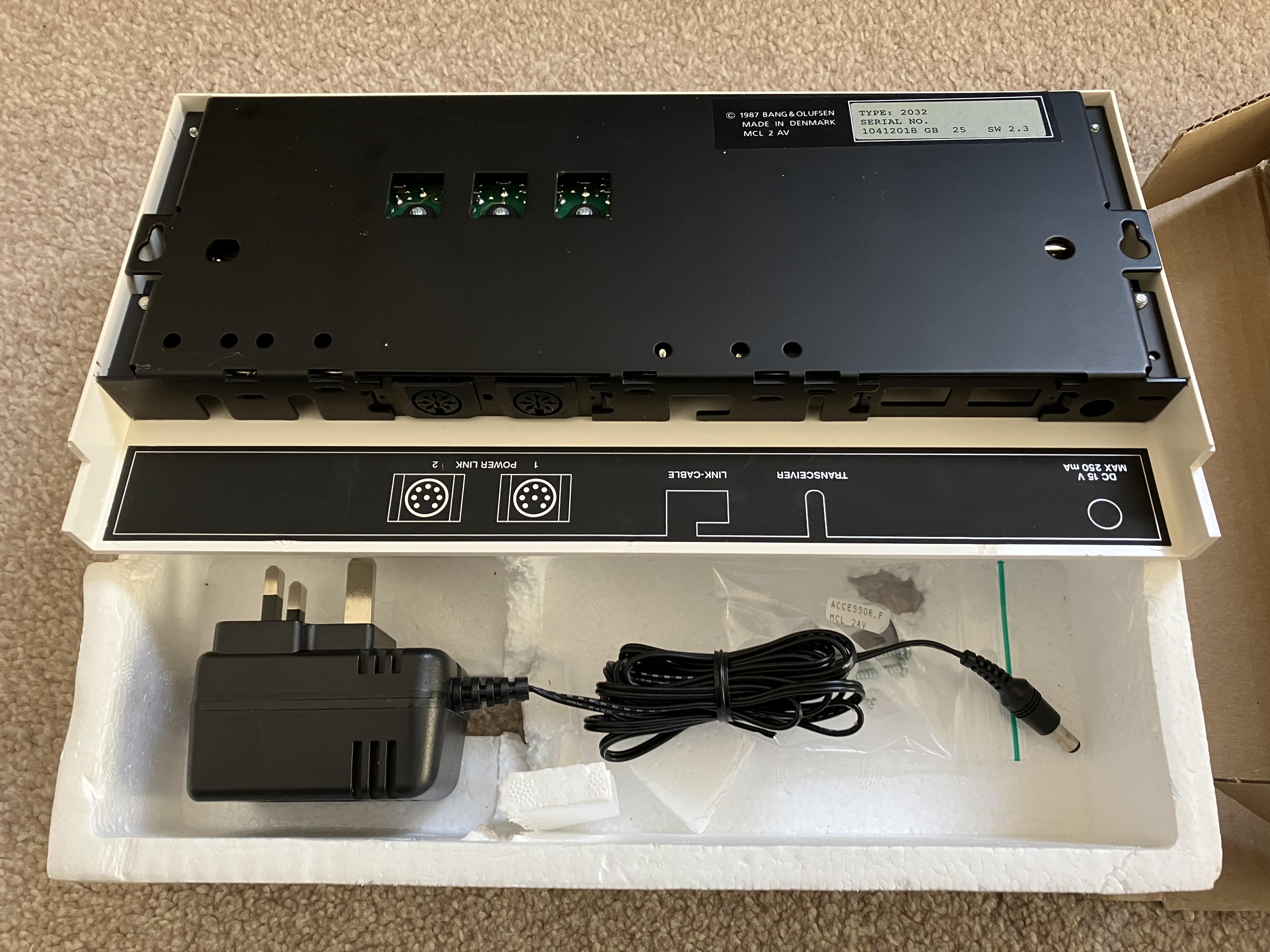
I wonder if the difference between type 2026 and 2032 could just if the were part of and extra active speaker kit or a extra TV kit, and maybe being preprogrammed for the correct options in theses setups
Yes that would make sense as the ‘Extra TV kit’ was supplied without the IR Transceiver.
A Type 2031 is mentioned in the old Forum also. Perhaps like mine but packaged with EU power lead.
Location: Warwickshire, UK
My B&O Icons:
@Guy: You have called one of yours type 2023 with SW 2.3 also. I wonder if its actually the same box just for different markets?
I did mistakenly call mine a 2023 earlier in the thread, but I just re-checked the photo and it’s actually a 2032. Looks identical to yours though:

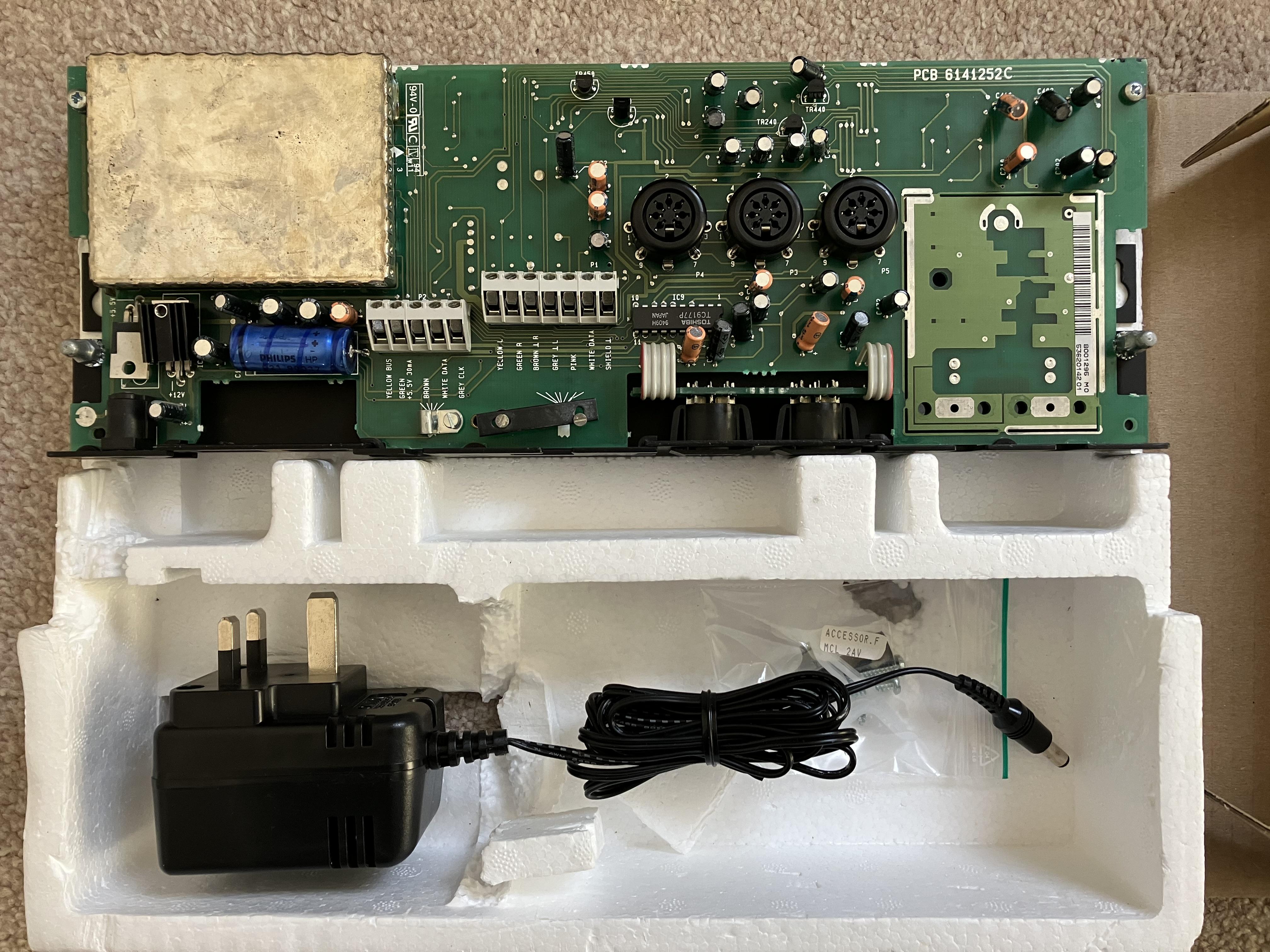
Yours appears to have a screw missing at the back of the CD socket – this probably makes the socket more secure when pulling leads out.
Location: Warwickshire, UK
My B&O Icons:
I just remembered that the type label is under the speaker grill/fret, not ‘on the rear’ as I said in my post. Best to get it right if trying to ask the seller where to look!
Location: Warwickshire, UK
My B&O Icons:
I’m safe to assume there is no way to turn off Hotel Mode, right?
I think that’s correct unfortunately. (Unless the CONFIG option throws up any other possibilities that you could have a play with, but it usually just adds various pre-loaded functions to the LIST button, if there was one!)
Location: Warwickshire, UK
My B&O Icons:
But ideally you need a standard (non hotel) B&O remote, for which you could use:
– BL1000 (or its predecessor the Audio Terminal)
– Master Control Panel 6500 (which would give two-way IR functionality)
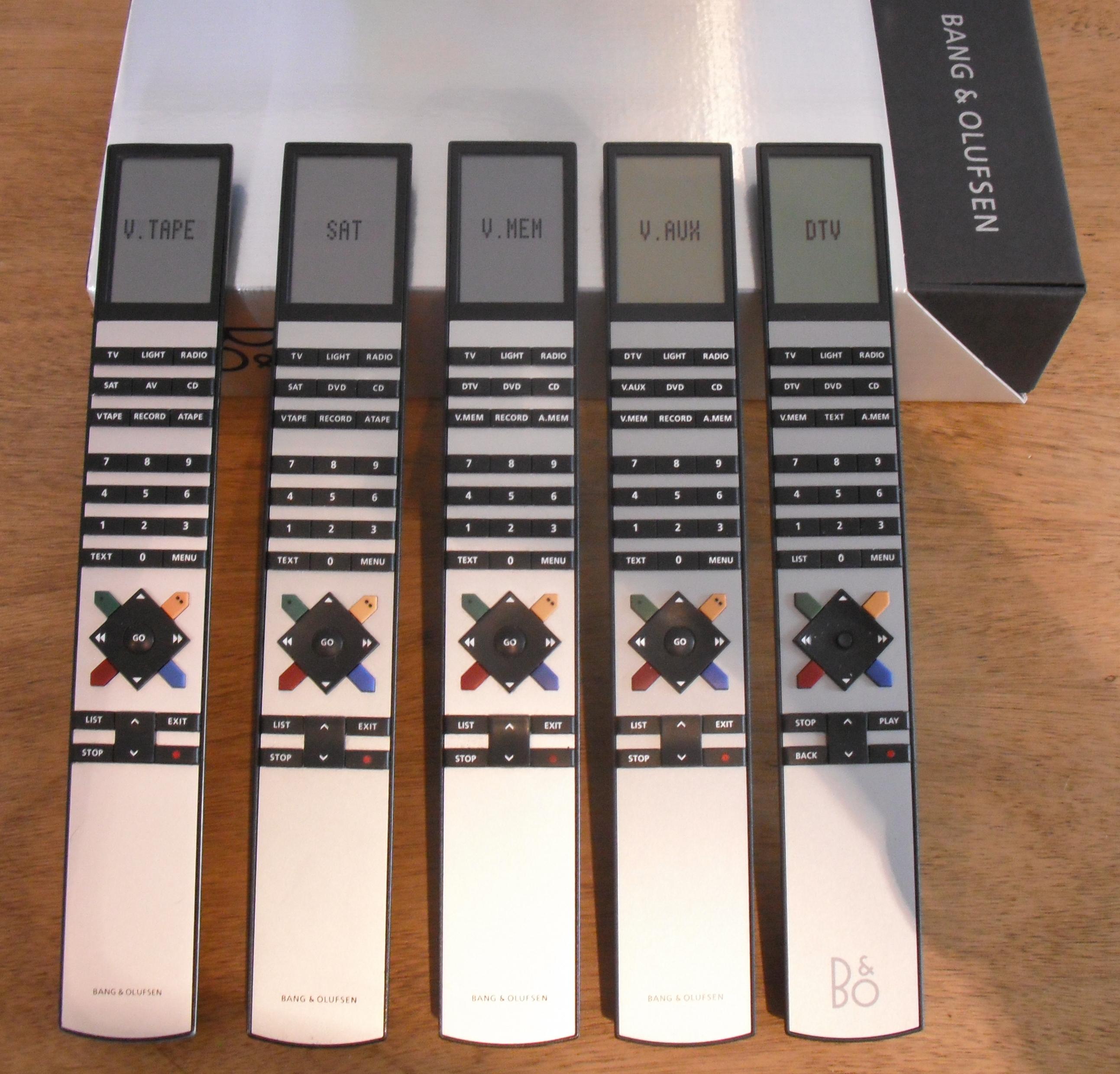
– Any of these more standard Beo4s:Apologies to those who see this photo quite often! ?

Location: Warwickshire, UK
My B&O Icons:
Ah yes that’s a hotel remote.
Putting the BM6500 in A.OPT 1 will just allow it to respond to Audio commands and your Beo4 doesn’t necessarily have any audio source buttons. Putting it in A.OPT 2 makes the BM6500 respond to both Audio and Video commands, hence gives you limited functionality. I assume Media is actually a Video source such as TV or SAT, which would open the BM6500’s aux input in A.OPT 2. I assume DVD opens AUX also.
STOP & OFF brought up the option menu
This is useful to know! After pressing STOP and OFF, does pressing the down arrow repeatedly give you an ‘ADD’ option? If so, can you ‘add’ any audio sources (press GO when displayed? These would then be accessed by pressing STOP until you see the command that you want and then pressing GO.
(GO is the faded button at the centre of the arrows)
Location: Warwickshire, UK
My B&O Icons:
Because the radio module was not a standard fit on the BC6-26, I would suspect it would be added to the label on the rear alongside ‘Acc’. My BC6-26 had no radio, and only showed ‘DVT’ under Acc.
Of course this won’t help if it’s a retro-fit. Perhaps the radio module can be seen through the rear casing but you’d have to know what you are looking for!
Location: Warwickshire, UK
My B&O Icons:
Perhaps the BM6500 is in A.OPT 0, where it will not respond to IR commands.
To resolve this, turn to standby/off.
On the Beo4, press the POWER button and LIST together. Then press LIST until OPTION is shown, press GO (centre button), and then press LIST to show A.OPT. Then press 1. I think that the power light on the BM6500 blinks to show that it has been accepted, or it may show a ‘1’ in its display.
Then try the remote again.
EDIT: Having looked more closely at your photo, you appear to have a non standard ‘hotel version’ Beo4. I am not sure if this has a LIST button so you may not be able to do what I described.
Location: Warwickshire, UK
My B&O Icons:
And if I’m sourcing plugs, is the 8-pin DIN plug physically the same as a Powerlink plug?
Yes it is. It’s quite fiddly to solder, hence could be worth getting hold of a ready made MCL cable second hand and extending as necessary.
Location: Warwickshire, UK
My B&O Icons:
Yes that should work fine as described – the MCL cable should be connected to the BC9500’s Speaker 2 sockets as these are the ones that provide the MCL data and hence control (and are not muted by the BC9500’s mute button).
If the BL3500 has previously been used with an ML connection there may be some menu commands to get it working correctly, and you will have to set the correct L.OPT setting, probably L.OPT 2 for the conservatory setup that you describe.
The only disadvantage of using an MCL (rather than ML) connection is that the volume wont be truly independent – large volume adjustments will affect both rooms.
EDIT: As I was typing I suspected that madskp may beat me to it! ?
Location: Warwickshire, UK
My B&O Icons:
I have a Beo4 with DTV, V.MEM and A.MEM
OK, so Option setting:
Turn TV and BC2300 to standby/off.
For BC2300: On the Beo4, press the POWER button and LIST together. Then press LIST until OPTION is shown, press GO (centre button), and then press LIST to show A.OPT. Then press 1. The power light on the BC2300 blinks to show that it has been accepted.
For TV: On the Beo4, press the POWER button and LIST together. Then press LIST until OPTION is shown, press GO (centre button), and then press LIST to show V.OPT. Then press 1. The power light on the TV blinks to show that it has been accepted.
would audio on the BL6000 from the BC2300 work in this case if the TV is off and only the 1611 powered?
If in V.OPT 2 (with BC2300 in A.OPT 0) the TV will turn on without the screen (effectively it will receive the IR commands and route the audio to the speakers.)
Location: Warwickshire, UK
My B&O Icons:
If as an alternative you connect the Beolab speakers to the TV’s Powerlink socket, then you need to add a powerlink cable between one of the the BC2300’s Powerlink sockets and the 1611 converter’s Powerlink socket. In this case, you would want the TV to be in V.OPT 2 and the BC2300 to be in A.OPT 0.
Location: Warwickshire, UK
My B&O Icons:
Hi and welcome to Beoworld!
You need to connect the Beolab speakers to either the TV or the BC2300 but not both. Let’s assume initially that you decide to connect them to the BC2300.
The Beolink Converter allows you to connect the BC6-26 to the BC2300 so that you can chose to hear TV audio through the BC2300 and vice versa. To use this, connect the TV by Masterlink cable to the 1611 converter, and then connect a 7-pin DIN to DIN cable between the 1611’s AAL socket and the BC2300’s AUX socket.
Once you have done this, the TV and BC2300 need to be in the correct Option Settings. You need the TV in V.OPT 1 and the BC2300 in A.OPT 1. Let me now what remote you have and I will tell you how to set this up.
The best way to get the hdmi audio into the BC6-26 is to use an hdmi audio extractor, as explained here: https://forum.beoworld.org/forums/topic/hdmi-connection-for-beovision-7-mk1/#post-1707
EDIT: Sorry I didn’t notice that your STB has an analogue RCA output! You should be able to connect this straight to your BC6-26 red/white audio input sockets (labelled AV3). This assumes that your STB can output hdmi and analogue audio at the same time.
Location: Warwickshire, UK
My B&O Icons:
Was this what you were thinking of:
https://archivedforum2.beoworld.org/forums/p/6433/57681.aspx#57681
Location: Warwickshire, UK
My B&O Icons:
Hi Noel,
I had a quick look at the service manuals (available here) and they state that the ‘Service Tool’ is required to change the region code, so unfortunately you will need to contact a service centre – perhaps ask them to visit you if they have the tool which could be easier than moving the TV.
It is strange that the code has changed, but I think I have read about this problem before on one of the archived forums. The service manuals do also explain how to check (but not change) the current codes.
EDIT: See also this thread about a special remote: https://archivedforum2.beoworld.org/forums/p/38034/289325.aspx#289325
Location: Warwickshire, UK
My B&O Icons:
And you should be able to do all the things that you require with the version of remote that you own.
Location: Warwickshire, UK
My B&O Icons:
-
AuthorPosts