Forum Replies Created
-
AuthorPosts
-
 Moderator
We discussed this back here: https://forum.beoworld.org/forums/topic/beolab-4-question/
… and I think I caused the initial confusion by saying (wrongly) that they go to stand-by when set to PC! You had discovered that I was wrong in your subsequent post.
I think if I set mine up with the computer again I will try using the Powerlink input and use a Powerlink trigger from one of the computer’s USB sockets.
Location: Warwickshire, UK
My B&O Icons:

Hi Paul and welcome to Beoworld,
BM3000-2 User Manuals, Service Manuals and Circuit digrams are available on Beoworld for Silver and Gold Members – see here for details: https://beoworld.org/membership/
Location: Warwickshire, UK
My B&O Icons:
Hi and welcome to Beoworld.
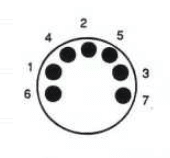
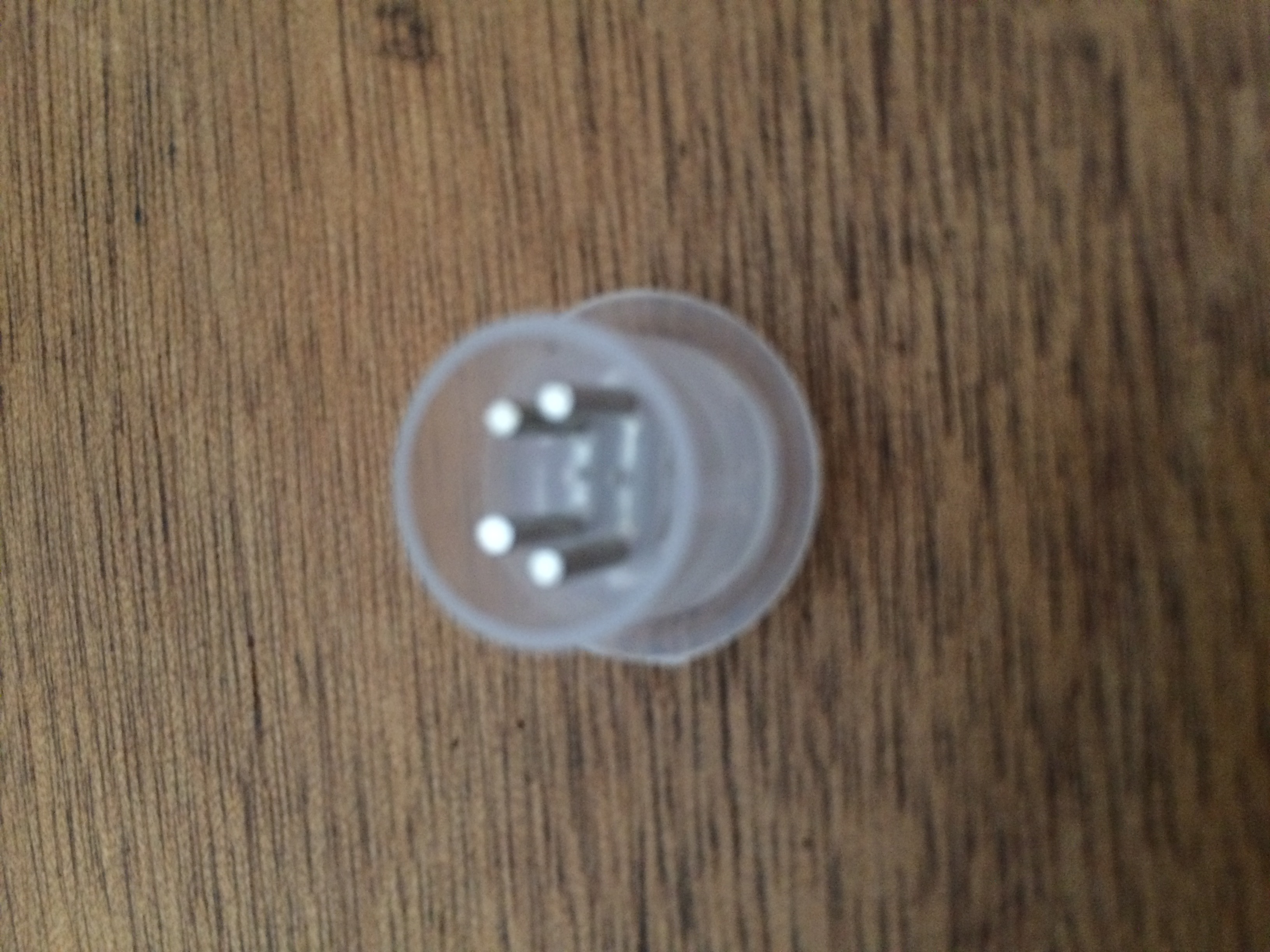
Yes a dummy plug is needed. If you make your own you need to connect DIN pin 1 to 3, and 4 to 5.
Pins are numbered as shown here: (7 pin DIN shown)
You can see the connections in the original plug in the photo: (click to enlarge – sorry it’s a bit blurred)
Location: Warwickshire, UK
My B&O Icons:
Further to the above, here’s a SW1.6 Active on UK eBay: https://www.ebay.co.uk/itm/227411996450
Location: Warwickshire, UK
My B&O Icons:
It’s great that the new RJ45 to ML cable worked – that was my suspicion because there are many variants out there.
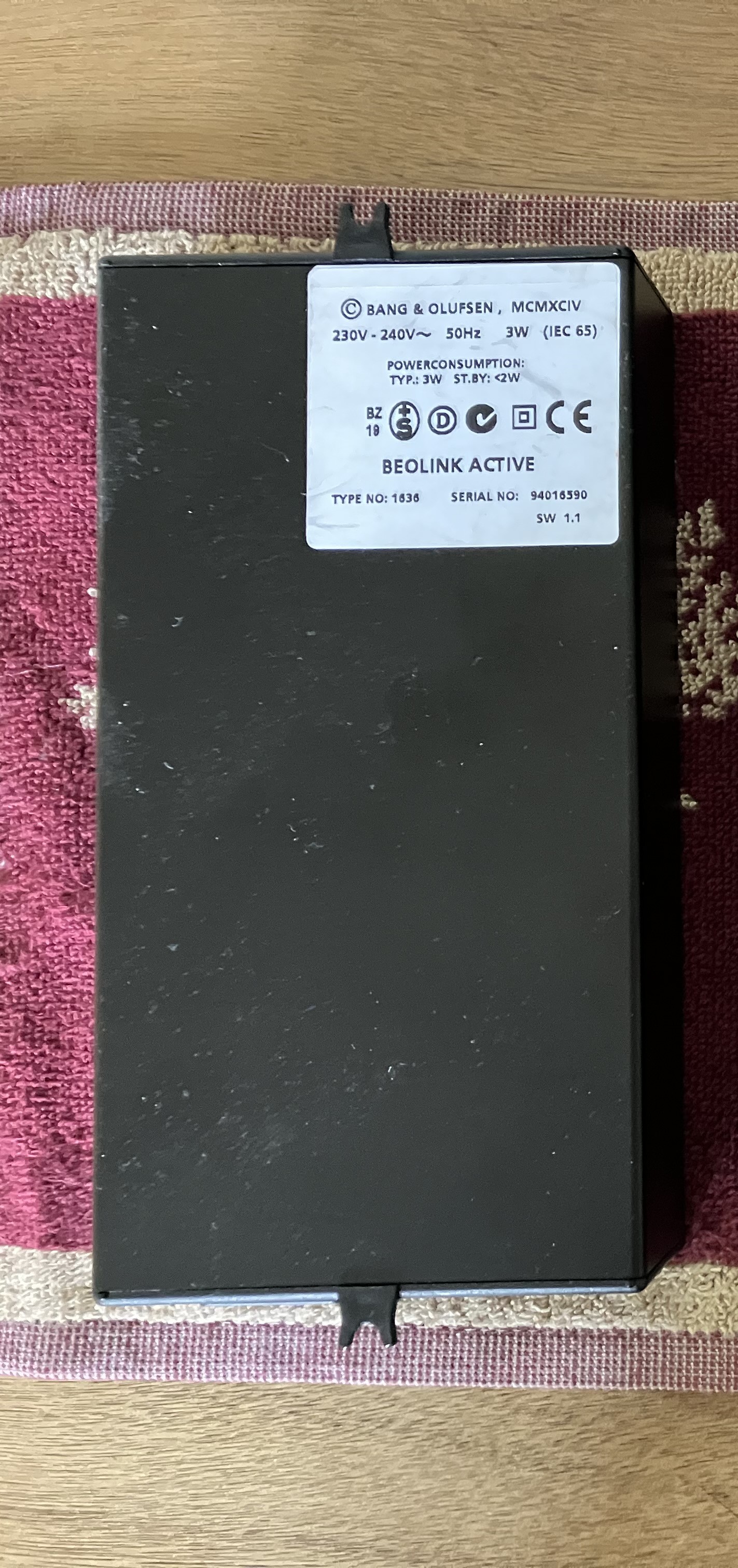
With regard to AUX. The problem could be the BeoLink Active – it needs to have a SW level of 1.5 or higher to respond to the A.AUX command. Check the label of the Active and see if it has the SW level written on it.
Here’s an example to show where the SW level is written – you can see it bottom right (SW1.1 in this case): (click photo to enlarge)
Sadly very few of the second hand available Active’s are SW1.5 – always look at the label to check.
There may well be a ‘workaround’, but let’s check the SW level of your Active first.
-
This reply was modified 3 months, 3 weeks ago by

Location: Warwickshire, UK
My B&O Icons:
If you select a video (BS3) source from the link room can you hear the TV audio there and control the TV?
If not, try replacing the original RJ45 to ML cable in the link room and repeat the above test. Leave BS9000 disconnected.
Location: Warwickshire, UK
My B&O Icons:
Are speakers connected to the BS9000, and if so is it in A.OPT 1?
Location: Warwickshire, UK
My B&O Icons:
I do remember once previously that the two masters did cause a problem but the technician solved this. Is it the case that now I have three masters: BC2, BS3 and Bs9000 in the same room? I wonder if there is some conflict here.
This is almost certainly the cause of conflict – you have two audio masters (BC2 and BS9000) and a single video master (BS3). You should only have one of each (in the main room).
Try disconnecting the BC2 from ML and see if the link room works. If speakers are connected to the BS9000 put it in A.OPT 1.
-
This reply was modified 3 months, 3 weeks ago by
Location: Warwickshire, UK
My B&O Icons:
I would check all cables and connections in the first instance.
- Check that both BL4000s are connected to the Active’s single PL socket – NOT the PC socket (assuming the Active is Type 1636). You may need to daisy-chain from one BL4000 to the other.
- If possible try new PL cables from Active to at least one of the BL4000s.
- Try an alternative cable between main room BS9000 and link room/active – preferably a Masterlink cable without RJ45 adaptors. If this works, check the ML/RJ45 have the correct pin assignments.
Also try disconnecting the BS9000 and just using BC2 as the main room source.
(Not sure what BC3 is. Do you mean BS3?)
Location: Warwickshire, UK
My B&O Icons:
Message sent – hopefully you can reply!
Location: Warwickshire, UK
My B&O Icons:
Two facing down, middle facing up is correct. The battery cover slides on downwards, and is removed upwards – some people get this wrong.
I just checked my ‘remote spares’ box and have a spare BL5000 battery cover – top left tab (lausvi’s photo) only has broken off but it should still work. PM me your address and I’ll stick it in the post.
Location: Warwickshire, UK
My B&O Icons:
I agree that it’s likely to be the transformer. When my BC9500 was starting to do the same I searched the internet and found sites/advice about relaminating or ‘potting’ a transformer: basically tightening up the plates that make up its core and re-coating them with resin – some processes involve then baking the core in an oven! Have a google and see what you think! I decided it was all far to much trouble, and although I did replace the bushes under the transformer I am not totally convinced that it made much difference. Mine was placed on a particularly resonant sheving unit at the time, which didn’t help.
I don’t think Danish Sound Parts supply bushes for the 3000-2, but could be wrong.
Location: Warwickshire, UK
My B&O Icons:
Good news that you are moving forward – I’ve used both those extractors in the past, but they are all packed away now that I have a BV10-32 with hdmi inputs.
Sorry I can’t help with the 5.1 problems; I was only ever interested in 2.0 outputs. Hopefully someone else can chip in.
Location: Warwickshire, UK
My B&O Icons:
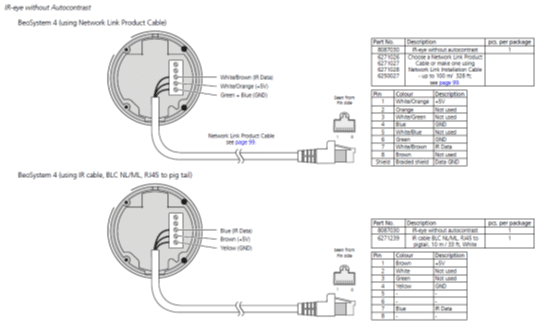
Ah, the link is to one of the manuals that we have stored away on Beoworld, only viewable by paying Silver/Gold users I’m afraid.
Here’s a little screenshot of the ‘IR eye without autocontrast’ page – hopefully it will tempt you to upgrade membership! Hopefully it’s readable if you click to enlarge.
Location: Warwickshire, UK
My B&O Icons:
I am pretty sure that most versions will work with the Beosystem 4 as long as you connect the correct IR, +5V and Gnd connectors correctly. However, the ‘auto-contrast’ version has additional connections.
The Beolink Handbook has wiring diagrams for IR sensors to RJ45 – see pages 121/122: https://beoworld.org/?a=download&key=051253a12a3abc36e98538e973b4862e
Location: Warwickshire, UK
My B&O Icons:
If the BS3200’s ML port is not in use (or is only connected to audio devices, not TV/video) then you could simply use a Beolink Converter 1611 to provide an extra Aux input.
Connect the BL1611 to the BS3200 by ML, and then connect the Spotify/streaming device to the BL1611’s AAL socket. With the BS3200 in A.OPT 2, the new source can be selected using any video source selection, TV, DVD etc.
I’m sure you could also do this with a NL/ML converter, but am not experienced with this converter enough to described exactly how!
Location: Warwickshire, UK
My B&O Icons:
17 June 2026 at 14:50 in reply to: BeoVision 7-32 MK1 – Beo4 loses control after pressing MENU #124054It could be a sticky MENU button on the Beo4 – i.e staying pressed.
View the end of the Beo4 with the selfie camera of an iPhone, then press MENU and see if the IR transmitters glow briefly. If they glow/flash constantly then the MENU button is sticking (which would stop any subsequent buttons from working).
Try that first, while I try to find a thread that describes how to dismantle the Beo4 and potentially fix the problem.
Location: Warwickshire, UK
My B&O Icons:
16 June 2026 at 12:44 in reply to: New here – Please can anyone help ? Turntable based system #124040No problem. Come back and visit once you have it all up and running. 😊
Location: Warwickshire, UK
My B&O Icons:
16 June 2026 at 11:36 in reply to: New here – Please can anyone help ? Turntable based system #124038Hi and welcome to Beoworld!
When you say a ‘refurbished’ Beogram 4002, has the Beogram been retro-fitted with a pre-amp, because it didn’t come with one as standard? It will need a pre-amp if you wish to connect to a ‘line’ input of most amplifiers. Some amplifiers will have a built in pre-amp, in which case the input is often labled as ‘phono’.
The Beoworld product page for the Beogram 4002 is here: https://beoworld.org/beogram-4002/
Beoworld has a FAQ about Beograms here (read the para ‘Which BeoGram will work with my System?’): https://beoworld.org/beogram/
If your Linn Sondek is using an external pre-amp, you could (with the right adaptor) connect the Beogram to that, and then to your Cyrus amp and Linn speakers.
There are two main types of B&O speakers:
Beovox: Passive speakers that need a seperate amplifier. Most non-B&O amplifiers can drive these, but you might need to be careful with impedance – keep volume levels low when first testing.
Beolab: Active speakers that have their own power amplifier built in, and require their own mains power supply. If part of a B&O system, there are usually connected by Powerlink cables (with 8-pin DIN plugs at each ed) from a B&O Beomaster or Beosystem with Powerlink outputs.
If your Beogram does not have a built in pre-amp, you could get a pre-amp with volume control and then drive Beolab (not Beovox) speakers directly. The site Sponsor SoundsHeavenly supply such a pre-amp, and will probably be able to offer further advice: https://soundsheavenly.com/products/volume-controlled-pre-amp-for-b-o-beogram-to-beolab-speakers
I hope this helps!
Location: Warwickshire, UK
My B&O Icons:
OK so the iPad 6 and adaptor have arrived and I have enlarged the slot so that the A1468 adaptor now fits. I don’t have a dremel hence used a nail file (for the flat bits) and carefully used a larger drill for the rounded ends of the slot – these worked fine.
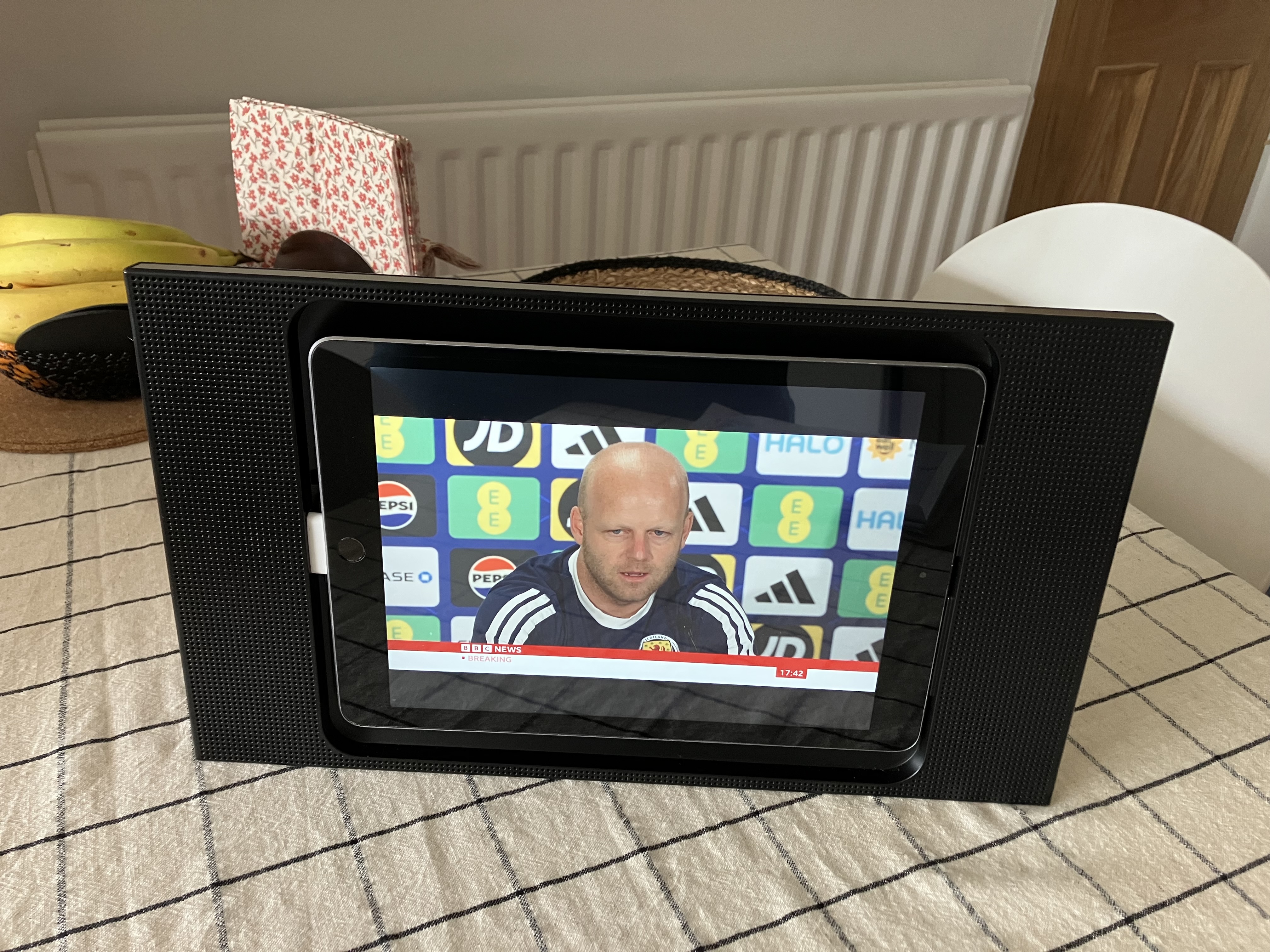
So here is the A3 with iPad 6 inserted (no velcro and no painting at this stage):
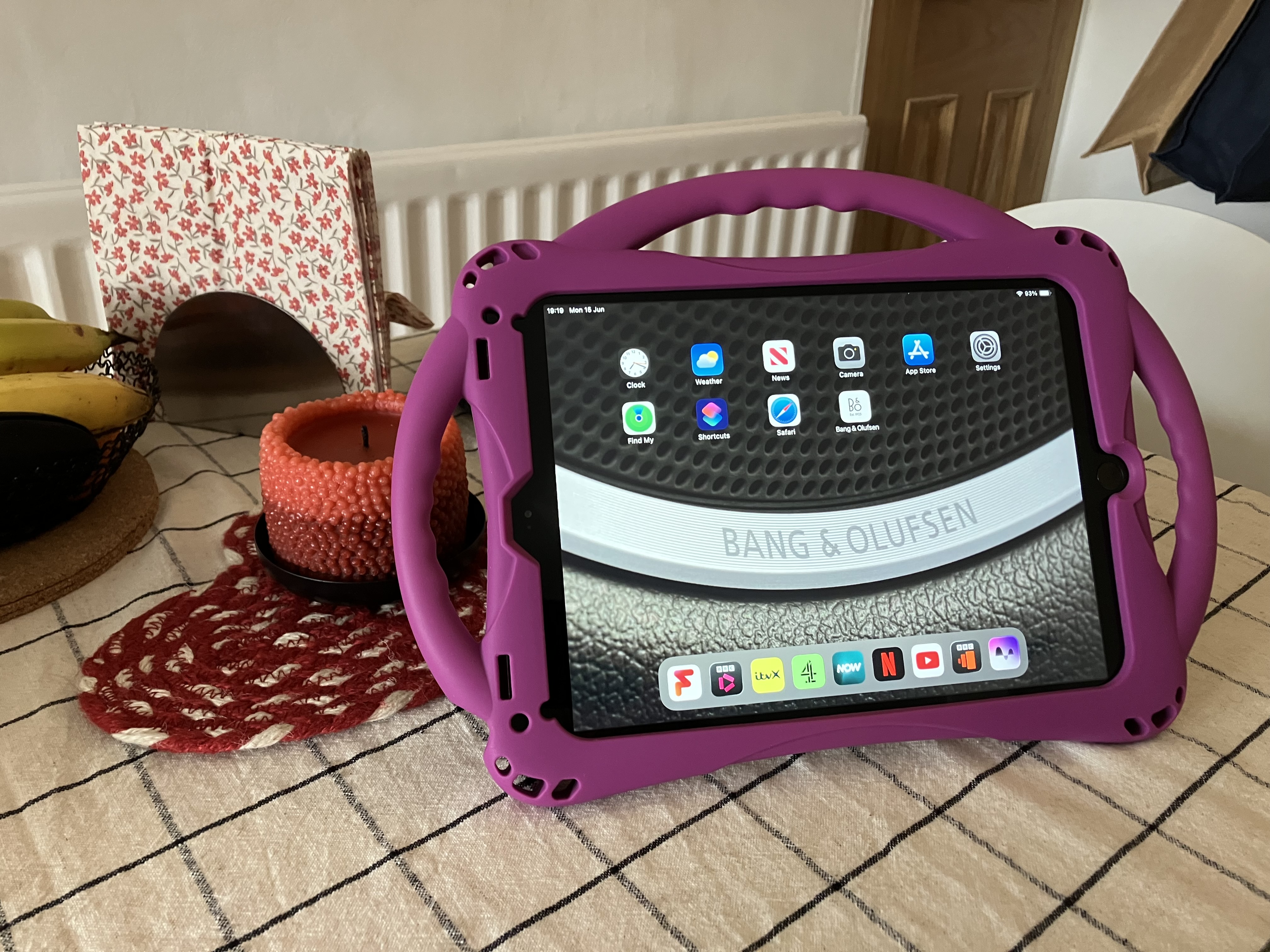
Knowing about the instability of the A3, one of my wife’s first questions was ‘can I remote control it so I don’t have to touch it?’ A quick bit of research tells me that you can use ‘accessibility options’ on an iPhone to control an iPad (on same network, with same Apple ID) but it is very limited – the only useful control was volume. (This may be more useful for music playback than TV, with next track, play, pause etc).However, here’s the problem: The second-hand iPad that I purchsed on eBay arrived on Saturday and also came with a children’s iPad holder in a rather fetching colour; I had intended to throw this away as not needed/wanted. Having received and set up set the iPad up on Saturday, I temporarily fitted it into the children’s iPad holder whilst waiting for the Apple A1468 adaptor to arrive. Here’s a picture:
Bearing in mind that I wanted to use the ‘new’ iPad in the A3 as an extra TV in the kitchen that could be moved around (table to worksurface etc) and generally ‘abused’, the pink children’s iPad holder is actually far more suitable! It’s very stable on any surface, can be hung from a hook, is easy to handle, easy to charge (lightning), and easy to operate. (It’s easy to find also because the garish colouring seems to stand out!) The only downside (apart from the looks!) is the sound quality.I’m not sure now how to move forward. I might get an iPad 1 and stick VLC on it as Matador suggested- it will be far more acceptable to the discerning viewer/audiophile. I could use it in the garage …Location: Warwickshire, UK
My B&O Icons:
-
This reply was modified 3 months, 3 weeks ago by
-
AuthorPosts