-
AuthorSearch Results
-
18 January 2023 at 11:49 #42847
In reply to: Beosystem 2300 mit Beovison 11 verbinden
 BRONZE Member
Exactly my thoughts too.
A BV11 definitely has the Mini-A/V port as shown……there is no other way to connect an analog source than this.Please tell us more about your actual BV model.
Your picture seems to show the connection panel of the BV Eclipse
In that case just use the method that Guy referred too.P.S.
Netlink is here not involved – that would be another method (which would include two Beolink Converters), that probably is way too complicated for your purpose.
A simple connection cable and some fiddling with the volume setting etc is all you need.MM
Location: Flensborg————Danmark
18 January 2023 at 10:04 #42846In reply to: Beosystem 2300 mit Beovison 11 verbinden
Are you sure that’s a BV11, and not a later model such as Eclipse or BV14? I thought that all BV11s had the Mini-AV input.
If that 3.5mm socket is indeed a LINE IN and OPTICAL, then you should be able to use Steve’s cable that you linked to on 16 Jan. This will connect between the BC2300’s PL output and that LINE IN socket.
You will probably have to set up the LINE-IN socket in the TV’s connections menu. You will also probably have dual volume control (i.e both the TV and BC2300 will be able to adjust the volume). You will need to experiment with levels, starting at a medium volume setting for both.
Location: Warwickshire, UK
My B&O Icons:
 16 January 2023 at 21:41 #42838
In reply to: Beosystem 2300 mit Beovison 11 verbinden
augsBRONZE MemberSorry for reply in English. I think Steve at Sounds Heavenly used to supply a cable to connect an aux output to the BV11’s Mini-AV socket. If this is still available (from Steve or B&O) then you could connect from the BC2300 AUX socket to the BV’s Mini AV. This would allow you to play the BC2300 through the TV’s speakers.
Thanks a lot for your answer. I just checked Steve’s website and found this cable.
Maybe I try this at first before buying expensive converters.
14 January 2023 at 18:48 #41700In reply to: What are the speakers, b&O lovers use?
Mr.MBRONZE MemberHi Living rooom: Pair of BL50 Fronts and 2 pair of BL8000 for surrounds (Eclipse + BS9000 + BG4000 + BS Core + BL CONV ML/NL + OPPO 203) Kitchen: Pair of BL20 (BS9000 + BG4000 + BS Core + BL CONV ML/NL + BC9000) Office: Pair of BL9 (BC9500 + BG95000 + BS Core) and pair of MS150 (BM8000 + BC8004) Bedroom: Pair of BL2500 (BC2500) Room: Pair of RL6000 (BS65000) Bathroom: Beoplay M5 plus a pair of BL Penta mk3 and 2 Beoplay M3 in storage
🙂
Location: Denmark
My B&O Icons:
13 January 2023 at 14:22 #42748In reply to: Beogram 4000 Service Multicare Electronics
 BRONZE Member
Not specifically Beogram 4000 related, but Multicare came and visited us last year to carry out a safety recall upgrade to our Beovision Eclipse and I got them to update our BL90s to the latest software version while they were there.
Excellent communication and service all round, so a thumbs-up from me.
They’ve also been very helpful in contacting B&O HQ regarding an issue I have on the B&O iPad app with the Lab 90 control, but this remains unresolved as yet.
9 January 2023 at 08:52 #38044In reply to: New product launch – beosound theatre?
 BRONZE Member
Very interesting! As a BL50 owner I would like to know which streamer do you use (BL50/90 owners) to bypass Theater / Eclipse / Harmony ?
It was counter intuitive for me to introduce another DAC in the loop but it seems that a lot of people benefit from an analog connexion to BL50/90 ?
Does the BSCore do the same ? Or I guess you have to go for a high level streamer ?
thank you for your help ?
8 January 2023 at 17:05 #42111In reply to: Harmony MKII – is it due?
NQVHNWIBRONZE MemberJust adding to my comments above. The real game changer for me with the Theatre (and why I’m smitten with it) is that from BV7-55 to Avant 65 to Eclipse 65, B&O was costing me probably a clear £2 to 2.5K per year in Beovision ownership. That is big cheddar. That is for technological issues, screen burn-ins, DVDs, ML then NL/ML then NL, now Mozart and the interconnectivity of everything else (speakers, sources etc…). Replacing the G2 screen – assuming all else stays the same every 5yrs cuts that cost to less than £400/year.
The Harmony is not going to be a cheap TV (even though the screen panel can be easily replaced) to make and sell. Sure, there is £2-6k in LG C2/G2 panel but then another £15/17/40k in motorised mount depending on chosen screen. There may be a lot more margin for B&O in selling big-screen Harmony’s but I’d wager that there are 20 – 30 -50 Theatres leaving Struer right now for every Harmony built?
Like Beoplay….volumes count.
8 January 2023 at 16:49 #42110In reply to: Harmony MKII – is it due?
NQVHNWIBRONZE MemberMy feeling is that an upgrade for the Harmony is not so complex as stated here. There is plenty of room in the wings to add upfiring speakers. Only challenge could be the woofers,
OK, but here’s the thing. Beoworlders keep saying these things are never complex but with the exception of (I think BL8002 to BL18), I don’t recall any B&O design getting a technological update. sure there’s a MK1, 2 and 3 on a few models – probably internal parts sourcing. So like where was the 32in Avant with LCD screen?, BC2 with BR?, BS5 with touchscreen, BS9000 with BR compatibility? Upgrade the BV7 with BR? Eclipse with interchangeable Panels?
Lots of great ideas here….but none of them ever happened. I doubt B&O will update or redesign the Harmony (other than for spares replacement). They are more likely to bring a whole new class of model out instead revamping old models looking at past form.
Also, with the so-called Cradle to Cradle philosophy, they may revamp but the Harmony was never designed that way. Then again, Cradle to Cradle may just mean modular servicing of swap parts for +10years rather than anything more dramatic.
8 January 2023 at 16:32 #38037In reply to: New product launch – beosound theatre?
NQVHNWIBRONZE MemberIm not 100% certain it is internal loudspeaker room correction. To me, playing music via the LG Media Player and the DNLA network, the music loses a good deal of edge and its like there is a bit of “fog” in the room, while playing via the Auralic is crystal. It may be the Powerlink doing the damage?
Consider three pathways:-
Melco Server >> DNLA Network >> Auralic Streamer (512)>> Auralic DAC >> XLR (Analogue) >> BL90 (ADC 192) = Superb.
Melco Server >> DNLA Network >> Eclipse/LG Media Player >> Powerlink (Analogue) >> BL90 (ADC 192) = “Meh”.
Melco Server >> DNLA Network >> BSTH/New LG Media Player >> Powerlink (Analogue) >> BL90 (ADC 192) = Much better than Eclipse/LG but not close to the Auralic pathway.
Its either BSTH improves the LG Media Player or the new LG Media Player is better than the old app and/or the Powerlink is better?
Finally, BL90/50/28 will most likely have been designed around a “true digital rendering process” and streamline. Older Beolabs 1, 6000, 8000, 9 etc…may have been better receiving from the old true analogue sources. The BSTH sorta bridges the gap between the generations improving older units but not doing as much as the pure digital loudspeakers?
8 January 2023 at 13:26 #38034In reply to: New product launch – beosound theatre?
NQVHNWIBRONZE MemberI think what you are experiencing with the BSTH and BL28 is what I have readily experienced with Eclipse/BL90 or latterly, BSTH/BL90. Direct feed to the loudspeaker is significantly “better” (clarity, image, tonal complexion etc..).
I have run room-sense on BL90 only (N/W/O) and BL90+BSTH+BL3 and BSTH Only.
- For TV only, I now mainly run BSTH and no surrounds
- For Films (Netflix/Amazon/Kaleidescape etc..) full 5.1 (Atmos capable next week!!)
- For non-critical music LG Player via the BSTH ro BL90 only
- For critical music (Music server or Qobuz), BL90 via an Auralic stack and XLR.
What is not clear from your post is the Source. I have always been of the opinion that the LG Media Player (DNLA) in the Eclipse was rubbish, less so via eArc/BSTH. Or if you are piping an external source into the BSTH and it is acting as a pre-amp? i.e. is the Media Player or the BSTH causing a degradation in sound quality?
In both our cases, piping music into the loudspeaker directly seems to be the highest quality option.
5 January 2023 at 22:39 #42106In reply to: Harmony MKII – is it due?
NQVHNWIBRONZE MemberI can see all Beovisions above 55in EoL soon because of the Theatre. Harmony is a very complex TV setup, the Eclipse with motorised stand slightly less so but rationalising to a single Beosound would save a significant operating cost I would assume?
I could also imagine the Stage going EoL in its current form with a new mini Theatre taking its place in the 48 to 55in range. Simplified and cheapened (no powerlink) but with similar mounting options.
All speculation on my part.
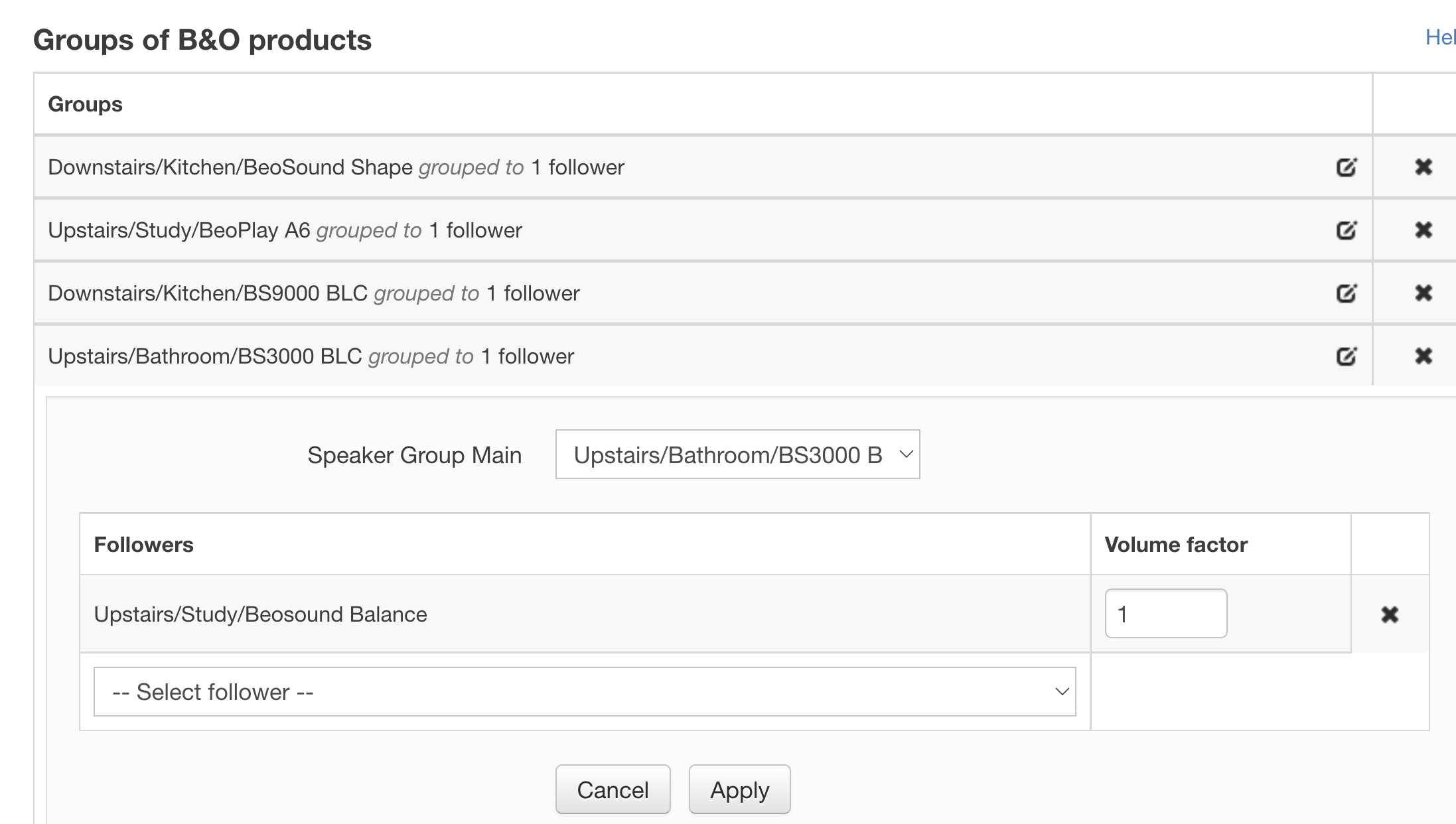
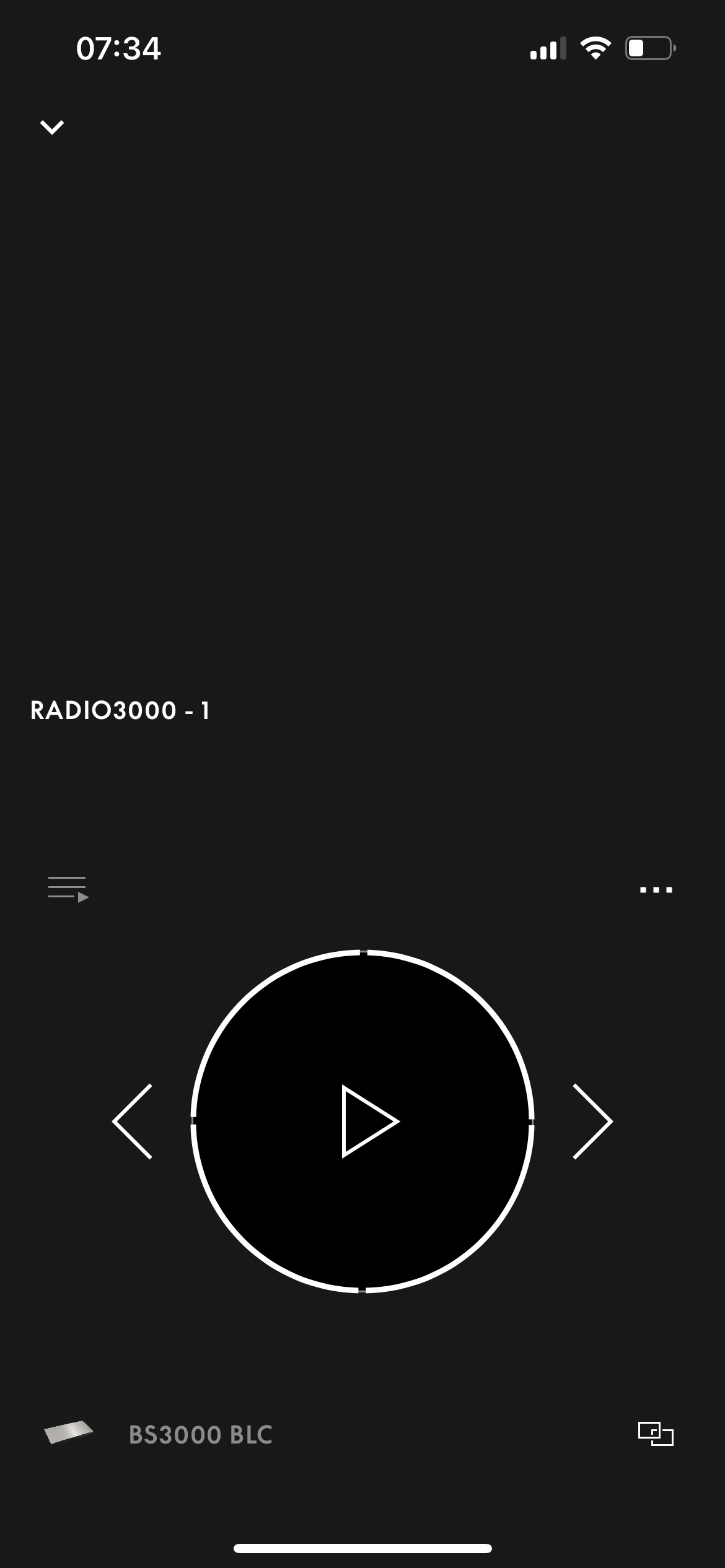
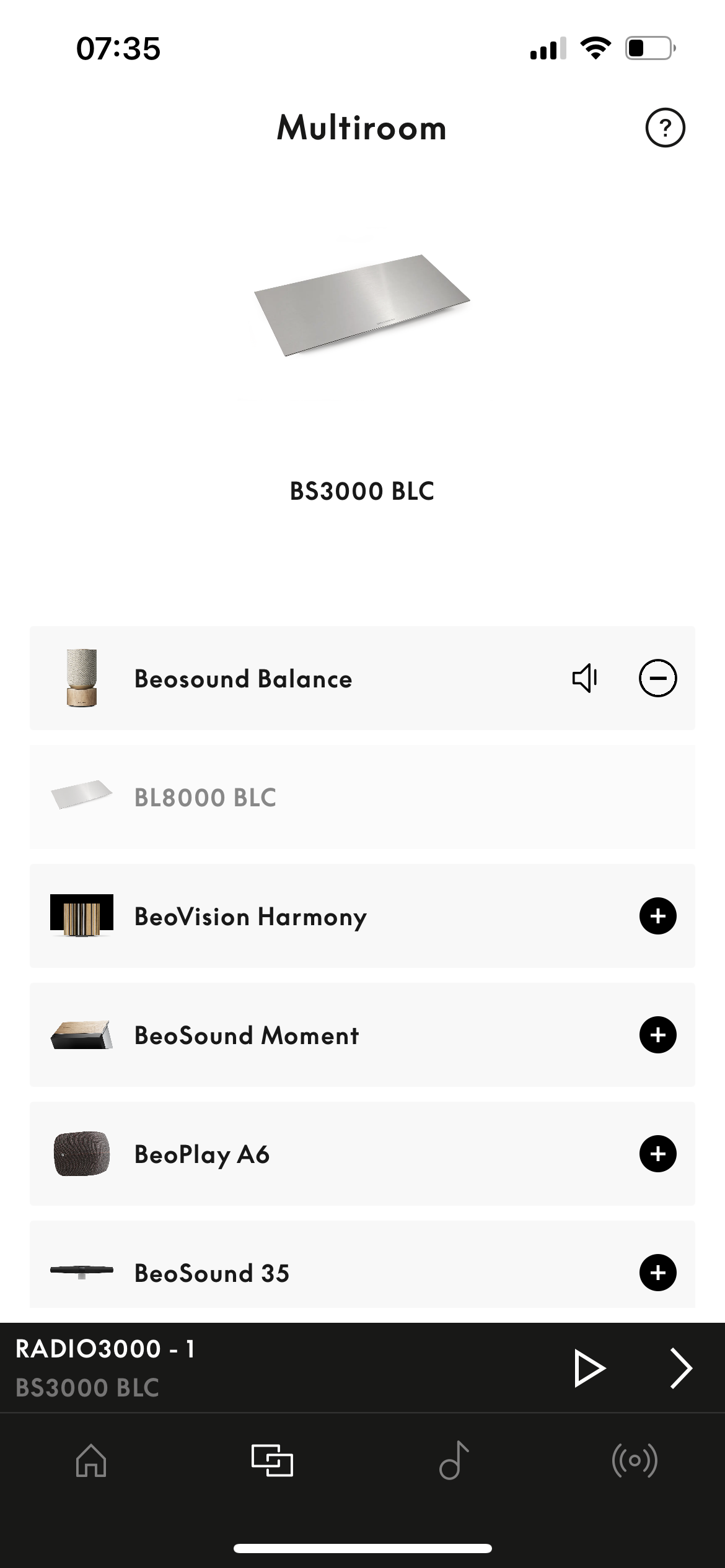
4 January 2023 at 07:51 #42101This method describes a way to “integrate” a BLC with a Harmony/Eclipse/Balance/(maybe Theatre) using an existing feature of the Beoliving Intelligence .
Program in the Beoliving Intelligence a group of B&o products with the BLC as main product:

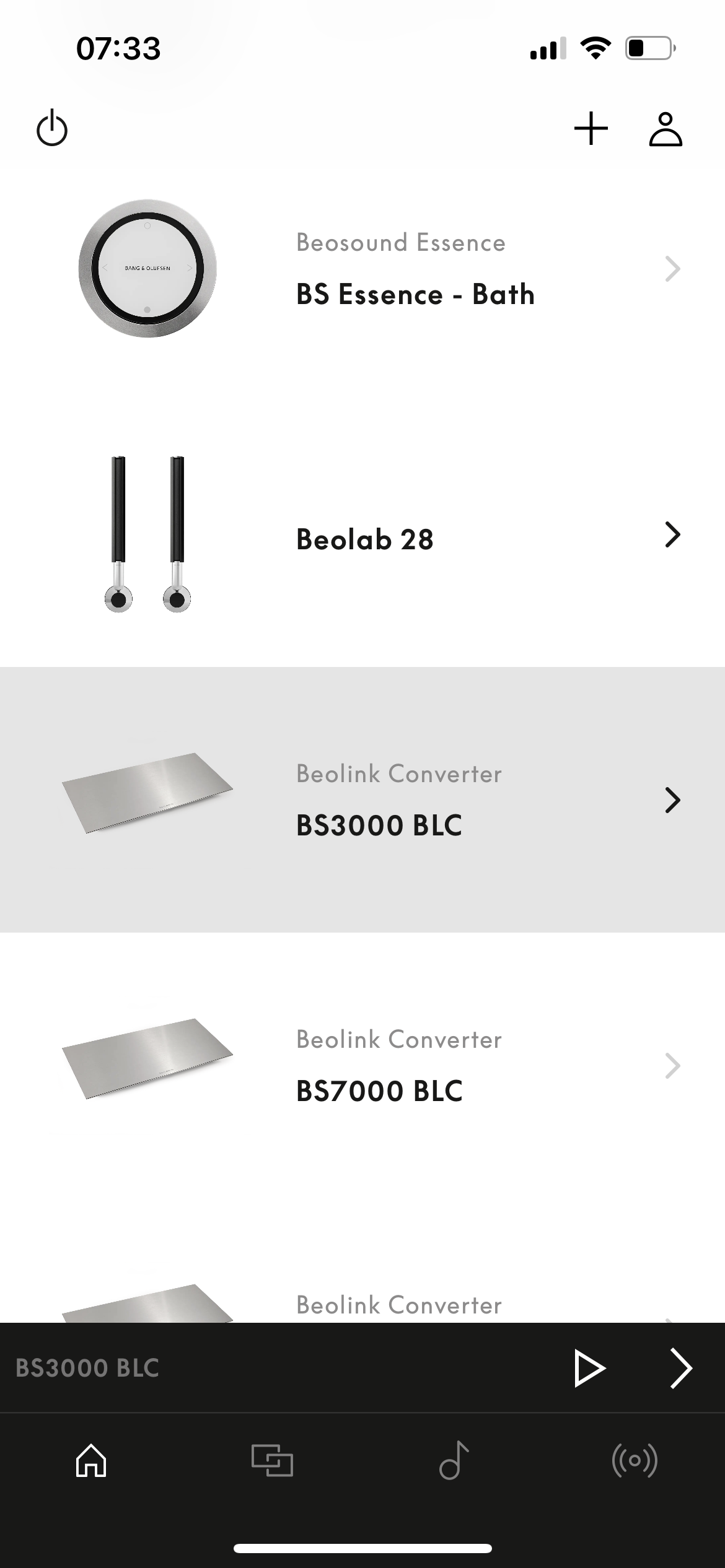
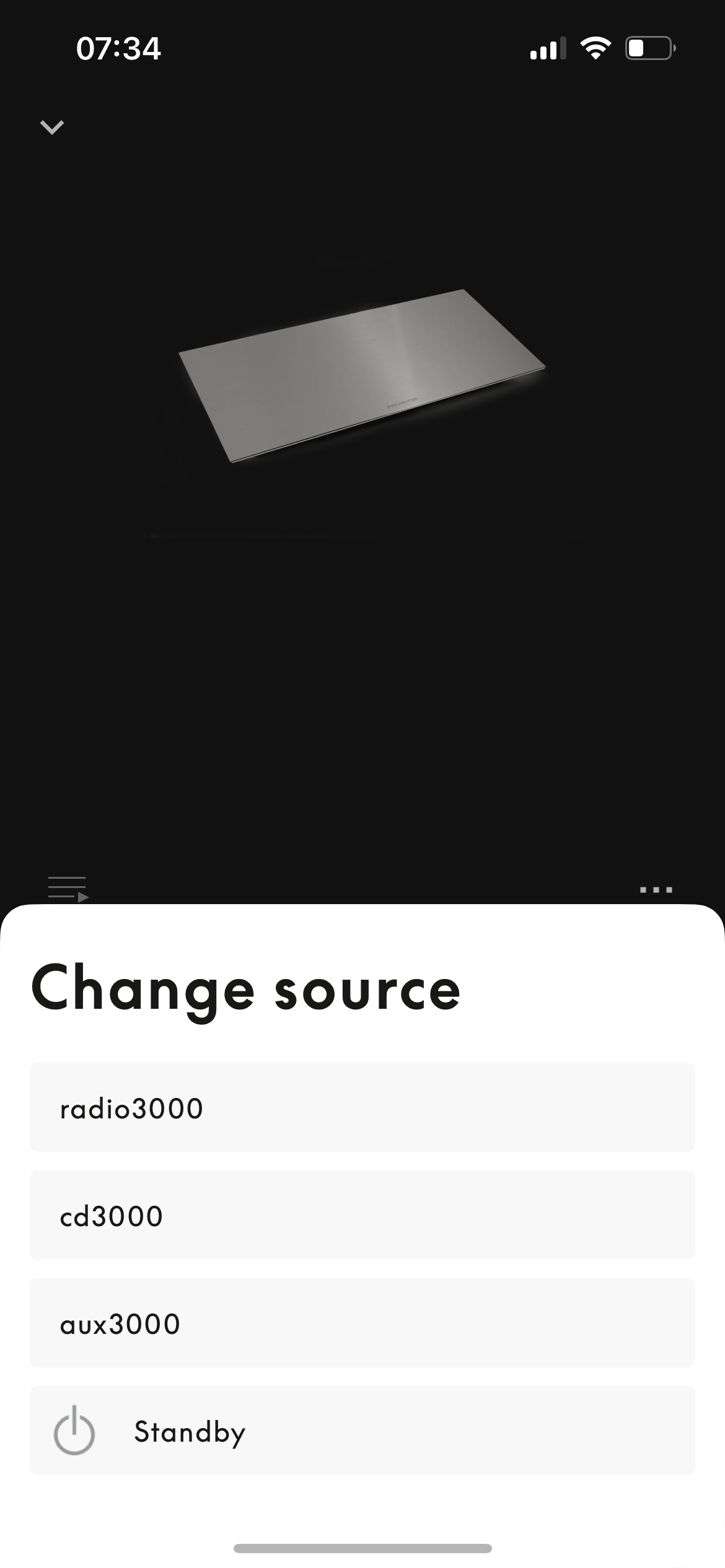
on this example the main is the BS3000 BLC and the follower the balance.To start the BS3000 Radio or CD, go to the BLC in the B&o app. Start f.e. the BS3000 radio on the Beosound Balance:


Note: my ML devices are connected as ASlave in the BLC. It would be interesting though what happens in other settings.
2 January 2023 at 18:44 #38014In reply to: New product launch – beosound theatre?
The player has a somewhat decent UI – however, I do not want to look at that screen the whole album through.
The BR1 “List” feature doesn’t show the command “Show Picture” (as the Harmony or Eclipse)?
Your player doesn’t have an “AUDIO only” setting?
1 January 2023 at 13:20 #38004In reply to: New product launch – beosound theatre?
I can’t imagine that a BLI should be needed – to me it seems more a function that has not yet been implemented with the Mozart platform. Let us keep asking them to do so! MM
to my knowledge, only if a BLC can be integrated, direct access to BLC sources is possible with a remote (for example BV11, Beosound Core/35/Essence mkII ); no integration then no direct access with a remote (for example BV Harmony/Eclipse, Beosound Balance, Beolab 28).
31 December 2022 at 10:22 #41905In reply to: Advice better use LG TV apps or Apple TV
Hi guys, I wonder what gives better picture and sound quality on my BV Eclipse when using streaming services: use the current LG apps or the latest Apple TV 4K? What would you recommend? Thx for the advice and Happy New Year!
You can – and should – tweak both the tv and the ATV (as was described in the previous post).
There are tons of articles and YT videos about both out there.
I doubt there will be much – if any – difference then…..in real life.The more important thing will be how you use the apps.
I’d say, if you already have the ATV4K box, use this – if you haven’t go for the tv apps.
One advantage of using the apps of the tv is, that you can access these directly from the BROne……if you need this.
An advantage of using the ATV box is, that you can access the same content at the place/time of video playback where you are, if you move to another room with another ATV box and you can have the same/syncronized home screen layout on all devices – should you have more boxes/more tv’s in the house.Personally I have used the ATV boxes previously with all my 3 tv’s and continue to use one on the Theatre setup – I never see the apps of the LG tv.
Either way you can have excellent picture and sound…..assumed that you have made the right settings.
MM
Location: Flensborg————Danmark
30 December 2022 at 14:54 #40139In reply to: Stream audio to Beovision without turning on screen
NQVHNWIBRONZE MemberWhen B&O had the MasterLink (ML) solution this is how it all worked. You could press N.Music or CD and then “Speaker 1” in the remote menu. Beosound music would play through the TV speaker. “Speaker 2” would activate any front stereo speakers and so on.
Turn on a music source and video sources would be killed and visa versa.
The BR1 and current-day web based products have an inherent linking of sources but which makes speaker selection difficult other than the default TV controlled speaker choice. I am sure it can be done….its just the infinite combinations which the manual does not tell you and only the most expert of installers will know how.
The last time I recalled using the BeoApp on a “true” Beovision (Eclipse), there were mybuttons on one of the back screens on the app. With the BS Theatre, this is now done a differently way.
30 December 2022 at 09:18 #41901Hi guys,
I wonder what gives better picture and sound quality on my BV Eclipse when using streaming services: use the current LG apps or the latest Apple TV 4K?
What would you recommend?
Thx for the advice and Happy New Year!
29 December 2022 at 17:32 #37958In reply to: New product launch – beosound theatre?
MarkBRONZE MemberWhat’s interesting is that the Harmony and Eclipse supports DTS but the Contour does not. DTS is not that big of a deal for me since I have an LG G2 that does not support DTS, but it would be nice to have it on the Theatre. I could plug the device directly into the Theatre which is a really nice option.
20 December 2022 at 03:35 #41592In reply to: David Lewis would be spinning in his grave
StanBRONZE MemberTimes change. Tastes change. I have a fair bit of b&o – bl4000, bl8000, bl1, bl2, bs1, bd2, bs balances, eclipse,bs9000, bs5. Add some headphones, and BT speakers. I don’t much use my 4000s or 8000s, but my kids don’t want them. Too flashy, Dad. I’d say if b&o had stuck with the Lewis design, they might not have many young customers. My 9000 is broken, and I’m seriously challenged justifying getting it fixed. While timeless, maybe it’s time has passed (for me).
16 December 2022 at 08:05 #37800In reply to: New product launch – beosound theatre?
NQVHNWIBRONZE MemberMy Theatre is on 2.3.4.15129 also. Bugfixes and stability Improvements.
I cannot ascertain what has been improved from the app or the device. I have made a number of requests to fix bugs etc…and these are under “consideration” by the development team for future improvement.
- There are some BL90 interactions which need to be joined-up with Theatre.
- Listening positions does not compress as you add more buttons/listening positions
- There is a issue with editing “TV” and “Music” lists repetitively
- Cannot move some LG apps (Music Apps) to the Music List button
- Source Levelling control (was in Eclipse/Harmony)
- A device-specific PUC add-on
-
AuthorSearch Results
-
Search Results
-
This method describes a way to “integrate” a BLC with a Harmony/Eclipse/Balance/(maybe Theatre) using an existing feature of the Beoliving Intelligence .
Program in the Beoliving Intelligence a group of B&o products with the BLC as main product:
on this example the main is the BS3000 BLC and the follower the balance.To start the BS3000 Radio or CD, go to the BLC in the B&o app. Start f.e. the BS3000 radio on the Beosound Balance:
Note: my ML devices are connected as ASlave in the BLC. It would be interesting though what happens in other settings.