so mein erster Post im “neuen” Forum, hoffe hier wird mir genauso gut geholfen wie im alten 🙂
Zu meiner Ausgangslage: Ich besitze einen Beovision Eclipse 65, Beolabs 8000 (am Eclipse) und ein Beosystem 7000. Nun möchte ich gerne beides verbinden, so dass ich meine Schallplatten vom Beogram über das Setup Eclipse & Beolab zu hören sind.
Von meinem vorherigen 10-46 habe ich noch einen Powerlink auf Masterlink Converter am Beosystem. Nun ist meine Frage was ich benötige um von Masterlink dann auf RJ45 für den Eclipse zu gehen? Genügt da ein normales Kabel, wie es auf Ebay angeboten wird oder brauche ich einen weiteren Converter, wie von Alamndo? Und wenn ja welchen?
But the differences may well be subtle and a bit semantic in the end.
The Theatre will most likely be separately marketed a bit more obviously than the Eclipse SC is / was. But I imagine it will be displayed in store with a panel and possibly stand. So it may not be obvious to some how it is any different a proposition than the Eclipse.
Unless the Theatre offers similar integration with other brands and not just LG, the Theatre+LG proposition may not be very different from an Eclipse.
I suspect that with the Theatre likely on the Mozart platform, it will effectively replace the Ellipse over time.
Many questions remain of course, stand and wall brackets above all.
I had a problem with my Eclipse while still under warranty. Opened a case with B&O, they said “go to your dealer” . I said “dealer no longer sells B&O”. They sent me to the Cincinnati store as it is the closest. Many emails and long waiting, parts were sent and a repair man showed up at my home and fixed it (replaced the screen). In talking with the repair guy, turns out he was a former trainer for B&O who lived in the area. So, in the end, they figured it out. If you’re not under warranty, I don’t know what they will do.
I have a BS9000 + BS5 that I’d like to integrate with my NL system (BS2, BS1, Essence, Eclipse). I currently have a Google Chrome audio connected to the BS9000 (which is the master to the BS5) but the Google Home multi-room capabilities have never worked very well for me. I’ve been on the lookout for a used core or essence mk2 to replace the Chrome audio, but they’ve all been priced too high (IMHO). It also bothered me to spend so much on a B&O streamer to replace a $40 device just to get multi-room (and not use it’s audio output capabilities except to drive a BS).
The thread about integrating a BS3000 with a core via a BLC caught my attention for a potential upgrade to my system. Instead of hijacking that thread, I am starting my own.
I owned a BLC years back when B&O was selling them, but a lightning strike killed it, and I went a different direction (more NL, less ML) since I could no longer buy one new. Prior to its untimely demise, I didn’t have much NL so I was focused on bringing my ML to the NL side. Now, I’m more weighted toward NL so I’m intrigued by the possibilities created by going in the other direction – bringing the NL to the ML side. I never really considered this in the past, but have a few questions:
Can I push Spotify to the ML side? This would be my main use-case. I sort of recall Spotify not being distributable, but also sort of remember there being a loophole that allowed this for the BLC. If not, what about Deezer?
Once the audio is pushed to ML, is it available to all ML devices? I have a BL3500 connected to ML and I’d like the NL audio to go there. I realize I’ll probably need to use a Beo4 to control the BL3500. This is my 2nd more important use case.
Is it correct that I can control the BS9000 to some degree with a Beoremote 1? Like turning it on to play NL sources (like Spotify)?
I don’t care so much about sending ML audio to NL, but it would be nice to have.
I sort of recall there being special stuff required for the BS5… that having a BS5 in the ML network limited some of the capabilities of the BLC, but the details are hazy. Is there something to this, or am I mis-remembering?
I do not have a ML TV. I realize this isn’t a question, but I recall this was a key point to the BLC configuration.
I would suspect that yes, over time this will lead to the Eclipse being withdrawn.
Just my guess though.
If this product can work with other brands, i.e not just LG, well enough, and does well commercially I can see (over time) Beovisions being withdrawn completely.
But that may not be a bad thing anyway, especially if the Theatre speaker / system offers you most of everything a BV does anyway.
Title says it. Horizon is discontinued and replaced by Contour. 2nd hand Horizon are around and not crazily expensive.
Contour has OLED (i.e., clearly a better screen). I find the Horizon design more appealing.
Both don’t have the “B&O curtain”, right?
I know people dislike the old Android OS on the Horizon, but I would likely anyways use an Apple TV. Do both Horizon and Contour have a place to slot in an ATV?
How is the webos on the Horizon/Eclipse? Is it modded to give me a B&O UI or will I see LG logo and ads?
I think they have to build it. If they continue to force their customers to buy their insanely overpriced TVs in order to fashion a proper home theater system with B&O speakers it will kill the brand.
The best move B&O could make would be to get out of the TV business entirely and sell center channel options based on the Stage, Eclipse, and Harmony. Let us buy any display we want, and put B&O speakers on it.
I have just sent you a full reply to your email, but basically I suggest using the Powerlink outputs of the 7000 instead of the Line socket, this generally works better as you have the option of adjusting volume from the Beo4 or the B&O app when switching sources on the 7000 (eg. as the Beogram is usually a bit quieter than other sources).
This cable will connect from one of the Powerlink outputs of the 7000 to the 3.5mm line inputs of your Core:-
Please set the Beomaster volume to a high level (50-75%) to give you the full range of volume control from the B&O app.
Kind regards, Steve.
Location: The cable workshop, England
Favourite Product: Beosystem 72-23
Signature: Cables, friendly advice and great ideas for connecting Bang & Olufsen! Ask any questions at https://soundsheavenly.com to get the best from your B&O! Please visit my B&O YouTube channel at https://www.youtube.com/soundsheavenlycables
Anyone heard anything new regarding the so-called ‘Stage NG’ which my dealer talked about back in January 2020! He was confident it was in development and was due later that year (obviously we all know what then happened after January 2020).
It makes so much sense for me. It could be a cut-down version of the Eclipse sound center, allowing someone with an LG wall-mounted panel, like me, to upgrade their Stage and buy a couple of external speakers!
Don’t get me wrong, the Stage is fantastic, but it still doesn’t match my old BV12-65 + BL3s + BL11 setup.
I’m assuming it got canned internally, maybe with an exec proposing it would affect sales of Eclipse, Horizon etc?
The virtual keyboard to allow to fill up text in search fields in the Eclipse and Harmony (and possibly the Stage) is still not implemented.
As a workaround, the LG ThinQ app provides this functionality (the older LG TV Plus app also). For the Eclipse Mk 1, just join it as it was a regular LG TV. However, just the part that is common to LG screens can be accessed. The B&O app must be used for the rest.
Since B&O now use stock LG screens, I think the LG ThinQ app is the way to type text now if you don’t want to fill character by character with the Beoremote 1.
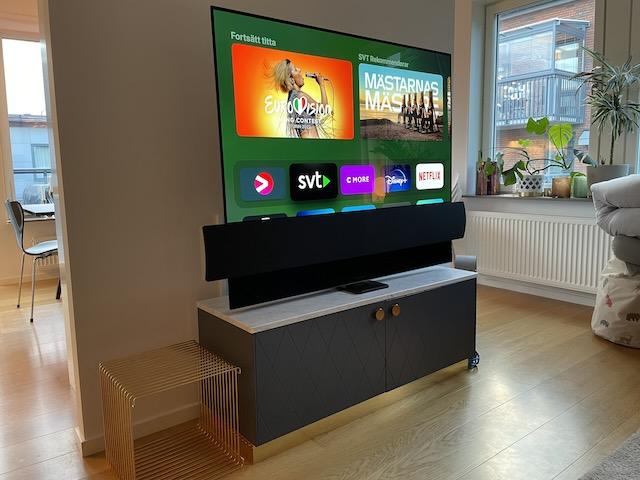
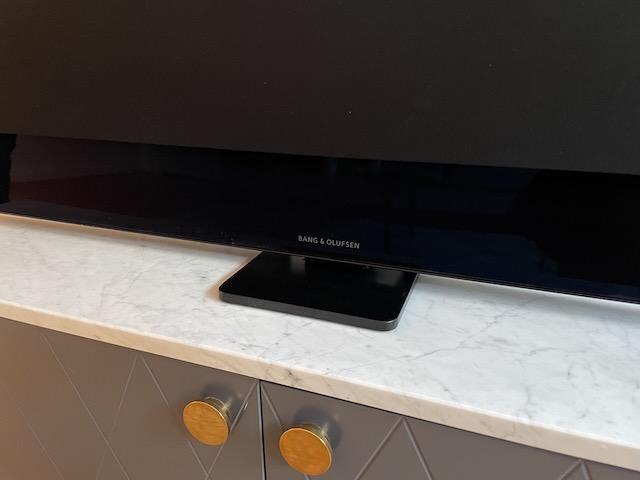
I have now finished my “Eclipse -55 1st Gen” project.
Firmware is now up to date. Missing panels from the back of the TV and Soundcenter has been purchased from B&O. Speaker cover received from a B&O friend.
Since the set is a prototype it has only quite crude aluminium (not anodised) back of the Soundcenter. It was very expensive to buy replacements so I don’t think its worth it, especially considering how the TV is placed.
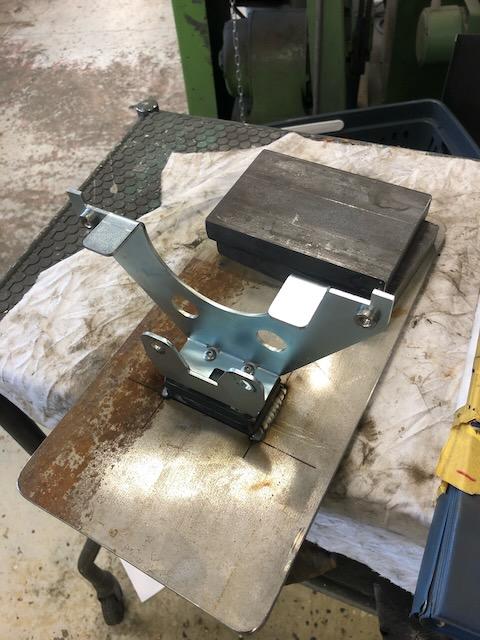
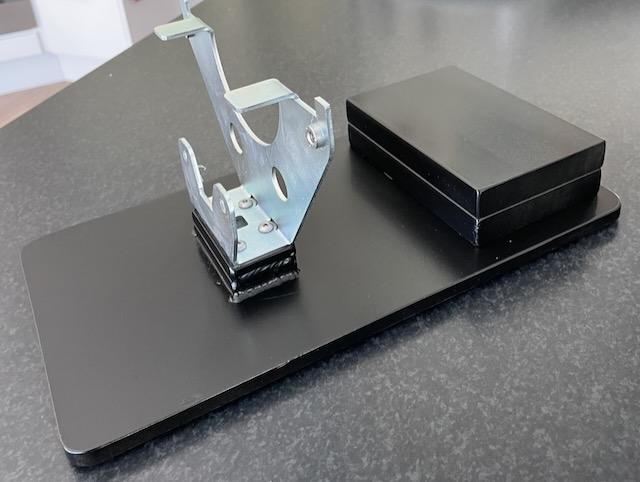
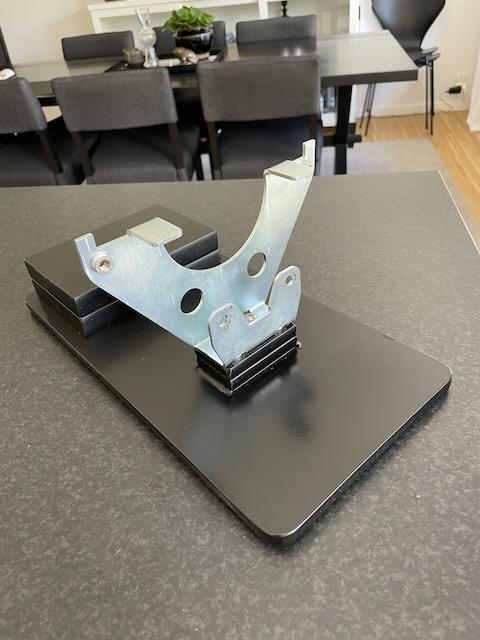
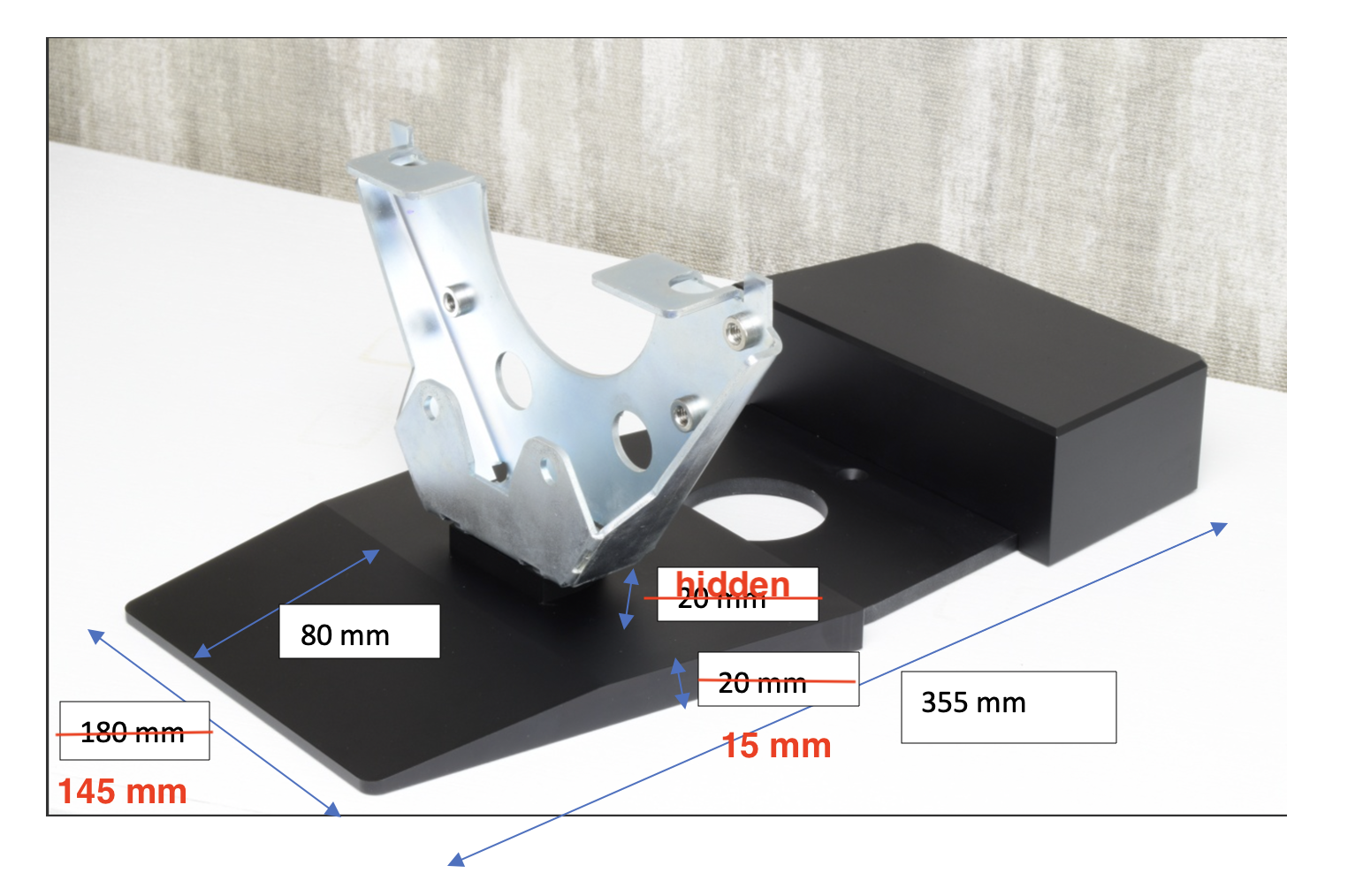
A desk stand has been manufactured at a local mechanics shop based on my drawings, using the bracket that was attached to the TV:
After that I did some polishing and painting and attached the “counter weights” with superglue:
TV installed:
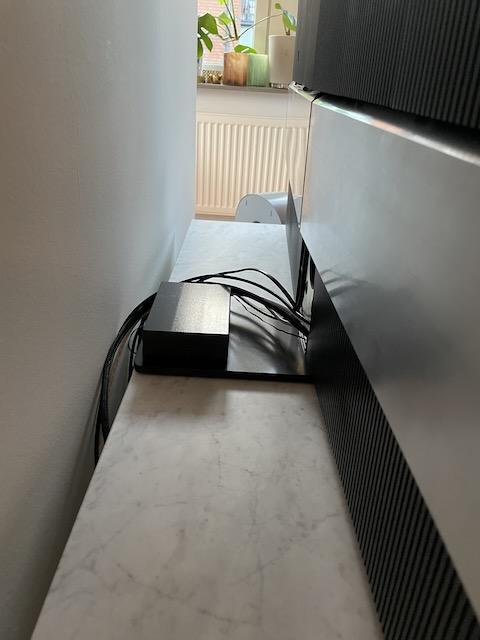
Will add a cable sock when we have settled on the connections 🙂
I am responding here since it seems that the personal message facility has a bug since the sent/received messages show empty. The corrected measurements for the STB Brackets table stand are on this picture. I was not able to measure the height of the support of the bracket as it is hidden inside the Sound Center (more exactly behind the covers) when it is mounted. The bottom of the Sound Center and the top of the base are separated by a gap of about 0,5 mm. So they are not touching together, allowing a manual rotation of the TV to access the back panels. Regards, Jean
Thanks Jean,
I got that in your original message. I have now talked with a local mechanics shop and discussed drawings. They will be do something that hopefully will work.
I have now picked up the loose back panels that where all missing I have ordered from B&O, so the back of the TV look really tidy. There where also missing a number of rubber bushings on the soundcenter where the speaker front attach.
Will post picture when all is complete.
The aluminium back panels on the sound centre are not anodised, and buying those as spares was too expensive and would be a hazel to change so I skip that. The way the TV will be placed they will not be so visible anyway.