Forum Replies Created
-
AuthorPosts
-
 Moderator
Great that it is all now working as you wish! Thanks for letting us know that it was something quite simple in the end – many people have made similar mistakes in the past and we never judge!
Enjoy your ‘new’ B&O setup! ?
Location: Warwickshire, UK
My B&O Icons:

I think that this is the thread that I remembered (about an older Beovision) with advice about changing the HPHASE setting for an RGB input: https://archivedforum2.beoworld.org/forums/p/42536/309485.aspx
Location: Warwickshire, UK
My B&O Icons:
HI and welcome to Beoworld!
There is some sort of phenomenon known as ‘RGB shift’ that has been discussed previously on this Forum – it sounds like what you are experiencing.
It was discussed a little here: https://archivedforum2.beoworld.org/forums/p/5006/45087.aspx
But there may be more threads if you do a more comprehensive search – look in AV forums also.
EDIT: Also mentioned here: https://www.avforums.com/threads/is-there-a-way-to-correct-rgb-shift.58589/
From memory I think it can be corrected in the service menu ( I vaguely remember trying), but will probably cause issues with other format (non-RGB) inputs, if you use them.
Location: Warwickshire, UK
My B&O Icons:
2 August 2023 at 18:22 in reply to: Issues with connecting Apple TV HD to Beovision 7 Mark 3 – please help #48035Two potential problems that I can think of:
Firstly, an incompatible resolution (between ATV output and TV input). Try this:
On Apple TV 4K or Apple TV HD, hold Menu and Volume Down for 5 seconds, then release. Your Apple TV will switch to a new resolution every 20 seconds. Select OK to choose a resolution or Cancel to quit.
Alternatively, it could be a HDCP (High-bandwidth Digital Content Protection – maybe google it?) problem, in which case you may want to try a different audio extractor (some of them strip out the HDCP).
EDIT: And welcome to Beoworld!
Location: Warwickshire, UK
My B&O Icons:
Hi and welcome to Beoworld!
Sadly a replacement part is difficult (impossible?) to find, but there are solutions available such as this: https://www.quality-dream-audio.co.uk/new-spare-parts/clip.html
Location: Warwickshire, UK
My B&O Icons:
According to the Service Manual, there’s a ‘Customer Service Menu’ but I don’t think it shows the ‘counters’. To access:
Press the MENU button on the remote control, choose ‘Setup’, and press the
Centre button. Press RED button and within 3 seconds press the Centre button.However, to get to the ‘counters’ (usage hours), I think that you have to connect a Service Tool.
And welcome to the Forum!
EDIT: On the older BV10 you got to the Service Mode by pressing MENU then 0 0 GO within 3 seconds, so you could give that a try!
Location: Warwickshire, UK
My B&O Icons:
@Guy Thanks for mentioning this method. However, most people I have helped, just use their Apple remote, instead of having to fiddle with teaching the ATV codes/using a random PUC entry. It probably will be easier for lesser nerdy SWMBO’s to use the original Apple remote. The nerdy ones – of course – do it that way. MM
?
And if they use an early (non-white circle) siri remote it will also be able to control TV volume, as discussed at length here: https://archivedforum2.beoworld.org/forums/p/34673/256188.aspx
Location: Warwickshire, UK
My B&O Icons:
This was also discussed here where I posted to give my experience of various audio extractors with a BV6. I never tried an audio extractor with a digital co-ax out because there was no need – I didn’t have a surround setup and was happy with analogue audio. I too think that the AirPort express adds unnecessary complexity compared to a cheap and readily available audio extractor.
Early (non-HD ready) TVs may have problems with HDCP but (as explained at my earlier link) often the audio extractor will also extract the HDCP.
Also notice, if you want to control the ATV with the Beo4, you must have the appropriate PUC installed on the BV7.
I would just add that the Apple TV can also be taught to respond to other IR signals, so even if ‘Apple TV’ is missing from the TV’s PUC list you may be able to teach it to respond to the PUC commands for a different device.
EDIT: Tim also mentioned my last point above – I also explained the process that I used back in this thread: https://archivedforum2.beoworld.org/forums/p/46321/334957.aspx#334957
Location: Warwickshire, UK
My B&O Icons:
Why the instruction above recommends connecting the analog (L/R) as well as the digital coax, I don’t know
I think that’s in case your TV is connected to further TVs in link rooms. Only the analogue signals would be distributed, whereas digital available in the main room for better quality/surround.
L/R should do it
I agree!
This sort of question makes me realise that SCART wasn’t so bad after all!
Location: Warwickshire, UK
My B&O Icons:
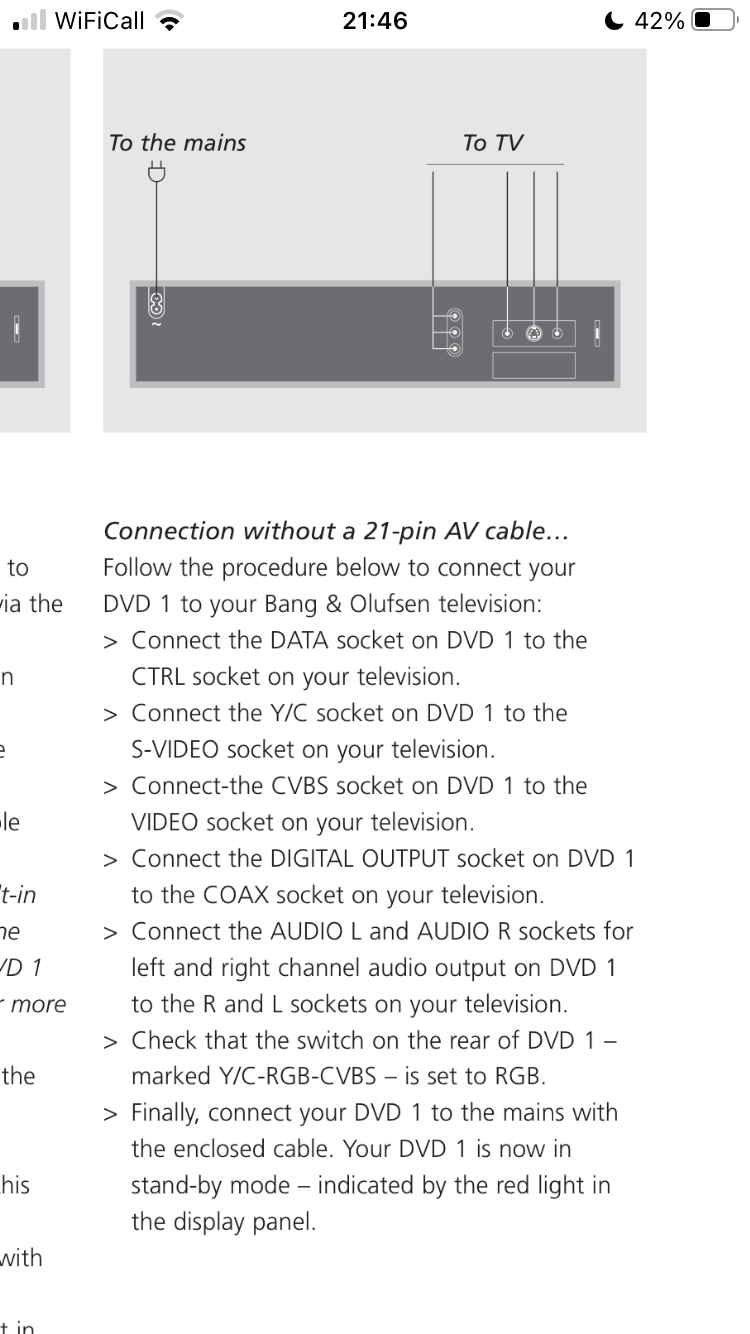
From the manual:

Location: Warwickshire, UK
My B&O Icons:
(Based upon my experience with BC2300s)
I would replace all the belts including the glass door drive also as that one has to work quite hard!
It could also be worth checking that the Ouverture recognises every button on the keypad, as these have been know to fail (usually a complete row or column if the trace cracks).
I am not sure about the CD laser parts – possibly worth giving the lens a good clean and then test on partial re-assembly before putting your tools away!
Location: Warwickshire, UK
My B&O Icons:
I found the thread here https://archivedforum2.beoworld.org/forums/t/26380.aspx
All the pictures (as attachments) work for me in that thread. I am using Win10 and Google Chrome, if that’s a factor.
Location: Warwickshire, UK
My B&O Icons:
Just checked. If I press CD it activates Spotify. Same as using Shift CD
Thanks – useful to know, but I do wonder if there is indeed a method of sending CD2 or JOIN on the DTV remote.
Location: Warwickshire, UK
My B&O Icons:
Found a Beo 4 with DTV and tried the Shift CD command. It didn’t join what was playing instead started up Spotify
Thanks for checking that. So if you just press CD do you usually get SPOTIFY, or is SHIFT CD a different command to CD?
Location: Warwickshire, UK
My B&O Icons:
A further thought: When CD2 was dropped from the LIST function of Beo4, perhaps B&O moved it back to the SHIFT CD sequence. (I think SHIFT CD is CD2 on BL1000 – the later Mk3 and 4 variants. On early BL1000, SHIFT CD gave DVD)
Can someone with a DTV (non-navi) Beo4 try adding SHIFT to the LIST button and see whether SHIFT CD works as JOIN?
Location: Warwickshire, UK
My B&O Icons:
Wow! Thank you petermc and Guy. I’m happy to report that both my Beo4’s have CD2 and that both activate the JOIN command on a JOIN-button IR Eye connected to BLC NL/ML: (1) “Go” 1997 Beo4 (AV Key, no N.MUSIC, no N.RADIO) has CD2 (2) “Go” 2000 or later Beo4 (DVD Key, N.MUSIC and N.RADIO) has CD2
Great that it works! I will now add JOIN to my list of Beo4 NAVI soft commands and their equivalent IR transmissions on older remotes. So far I have:
- APPLETV is the same as V.AUX2 (APPLETV not on all Beo4 NAVIs)
- USB is the same as A.TAPE2/N.MUSIC
- DOCK is the same as PHONO/N.RADIO
- JOIN is the same as CD2 (CD2 only available on early Beo4s such as AV and DVD version)
Location: Warwickshire, UK
My B&O Icons:
CD2 works as Join when turning on my Beosound 35’s
Is that with a Beo4, and if so which version?
As far as I am aware, CD2 was only available on older Beo4s, for example the ‘AV’ version. I am not sure about the later ‘DVD’ version, and I think it was removed prior to the ‘DTV’ version.
It is quite possible that the CD2 IR command was re-purposed as JOIN for the Beo4 Navi.
EDIT: Thought it rang a bell; ’twas discussed here: https://archivedforum2.beoworld.org/forums/p/23348/193313.aspx#193313
Location: Warwickshire, UK
My B&O Icons:
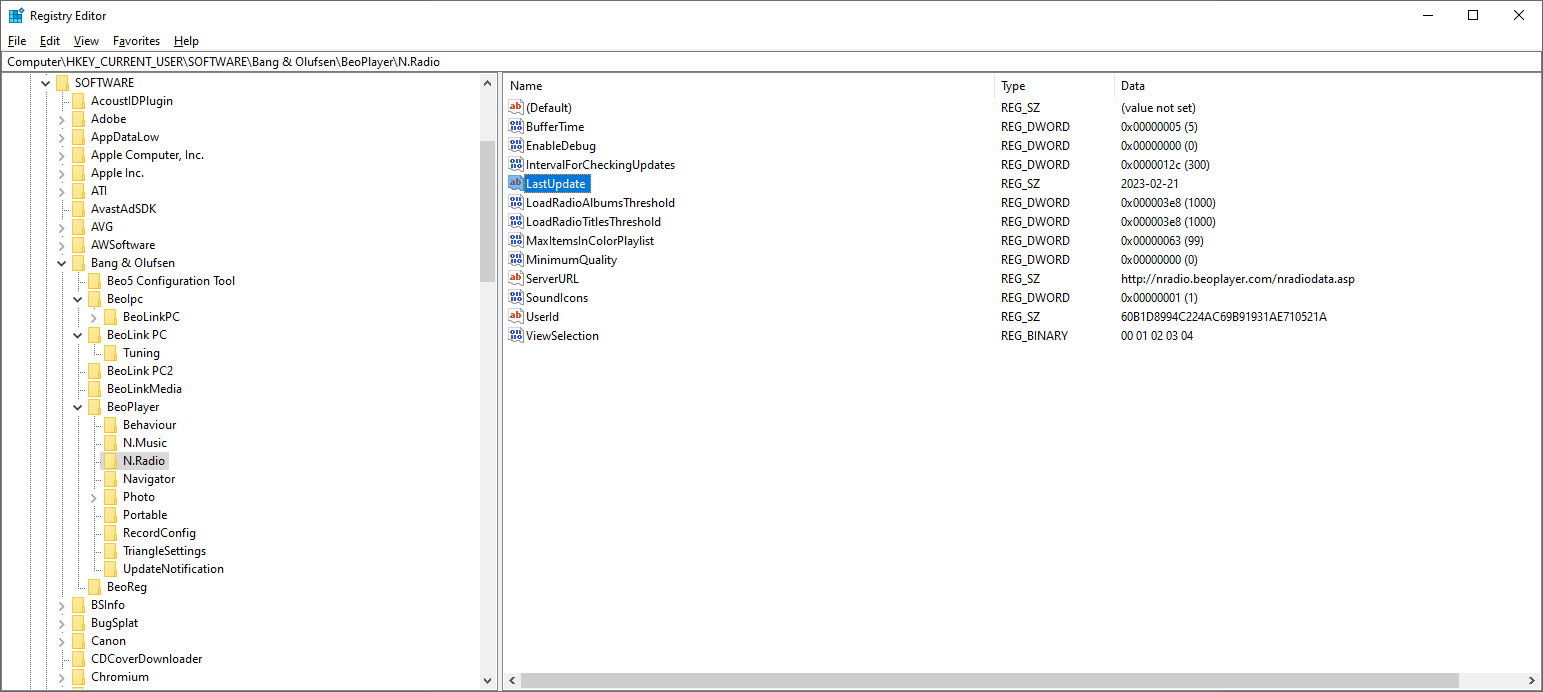
I checked the Registry and the ‘LastUpdate’ field is now showing ‘2023-02-21’. Previously it was showing ‘2021-11-15’.

I am not sure when it updated to my computer. I just ran the Registry updater again and it stayed at 2023-02-21.
Location: Warwickshire, UK
My B&O Icons:
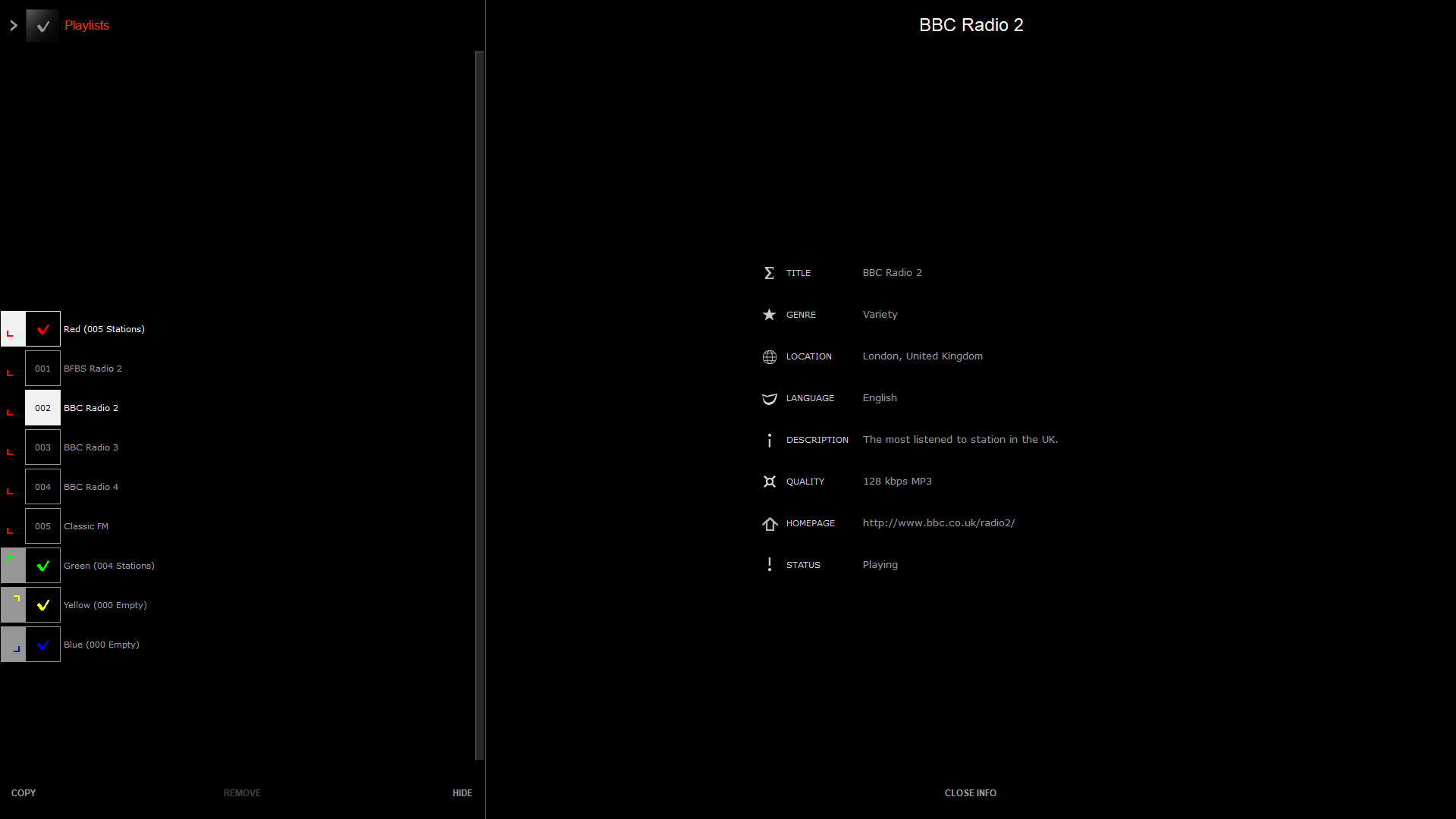
I just checked BeoPort and BBC radio stations are playing on N.RADIO – sort of…
However, they seem to play for a while and then cut out. If you look at the N.RADIO Info page it changes from this (with a status of ‘Playing’):
(as always, click to enlarge photos so that you can see the relevant text)

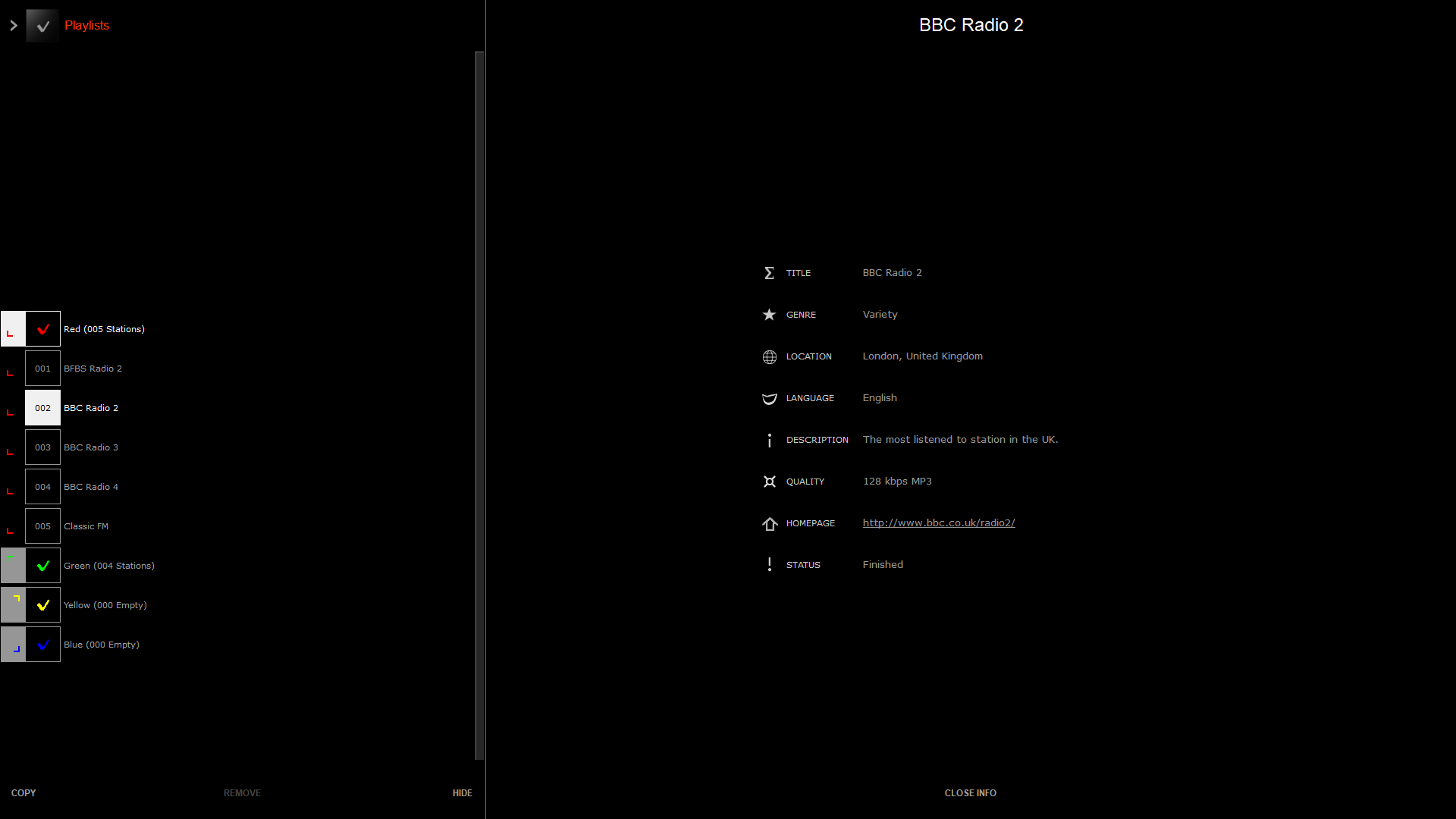
To this (with a status of ‘Finished’ – not seen that before!):
To re-start the station playing, you have to change to another station and then back.
Interestingly, the Windows problem where it used to ‘Mute’ when changing stations has also disappeared. (This is described here)
I will have a look at the N.RADIO databases and see if any have been updated. Perhaps either B&O or the BBC are fiddling with some settings.
Location: Warwickshire, UK
My B&O Icons:
Thanks for sharing – a great modification. Any plans to make the stand work, or does it already?
Location: Warwickshire, UK
My B&O Icons:
-
AuthorPosts