Forum Replies Created
-
AuthorPosts
-
 BRONZE Member
Please set the Quick Start Timers according to what you’d prefer.
See here – page 48
MM
Location: Flensborg————Danmark
This may help – at least as a start. Cheers – geoff
For sure interesting reading, but… doesn’t the Theatre have 27 output paths? Or do I mis interpreter the system?
8 plus 8 plus 11 is 27 ?
MM
Location: Flensborg————Danmark
I used to hate Giro 413, when I was a kid – it was music for the generation of my parents….old boring stuff.
This is something that belongs in a museum.
I find it nice that Geoff has collected the ‘real thing’.
MM
Location: Flensborg————Danmark
Another video – if you haven’t already gotten enough – with lots of close up pictures:
MM
Location: Flensborg————Danmark
Interesting question, indeed.
Looking forward to learn more about this!
I am not very keen on having to have my iPhone/iPad on the table, when using the combo for video.
But…..there is the physical remote as well – I guess all the basic stuff will be accessable via the Beoremote One.
MM
Location: Flensborg————Danmark
Agree with Guy and chartz.
However, since Sia43 wrote in the initial posting:
“I still have a few vinyl recordings left”,
I thought that I would offer him the more uncomplicated (and also cheaper) way of doing this….in addition to the ‘real thing’.
MM
Location: Flensborg————Danmark
Here is another video from Berlin:
You can skip the TCL add stuff, if you please.
N.B.
Towards the end you also can see some pics of the (mobile) app, that is used with the Theatre/LG combination.MM
Location: Flensborg————Danmark
1: Yes, it can….but you will not be able to (remote) control it……that was what you asked for in your initial posting.
2: Yes, otherweise you won’t be able to utilize the needed datalink connection (that it where the controlling happens).
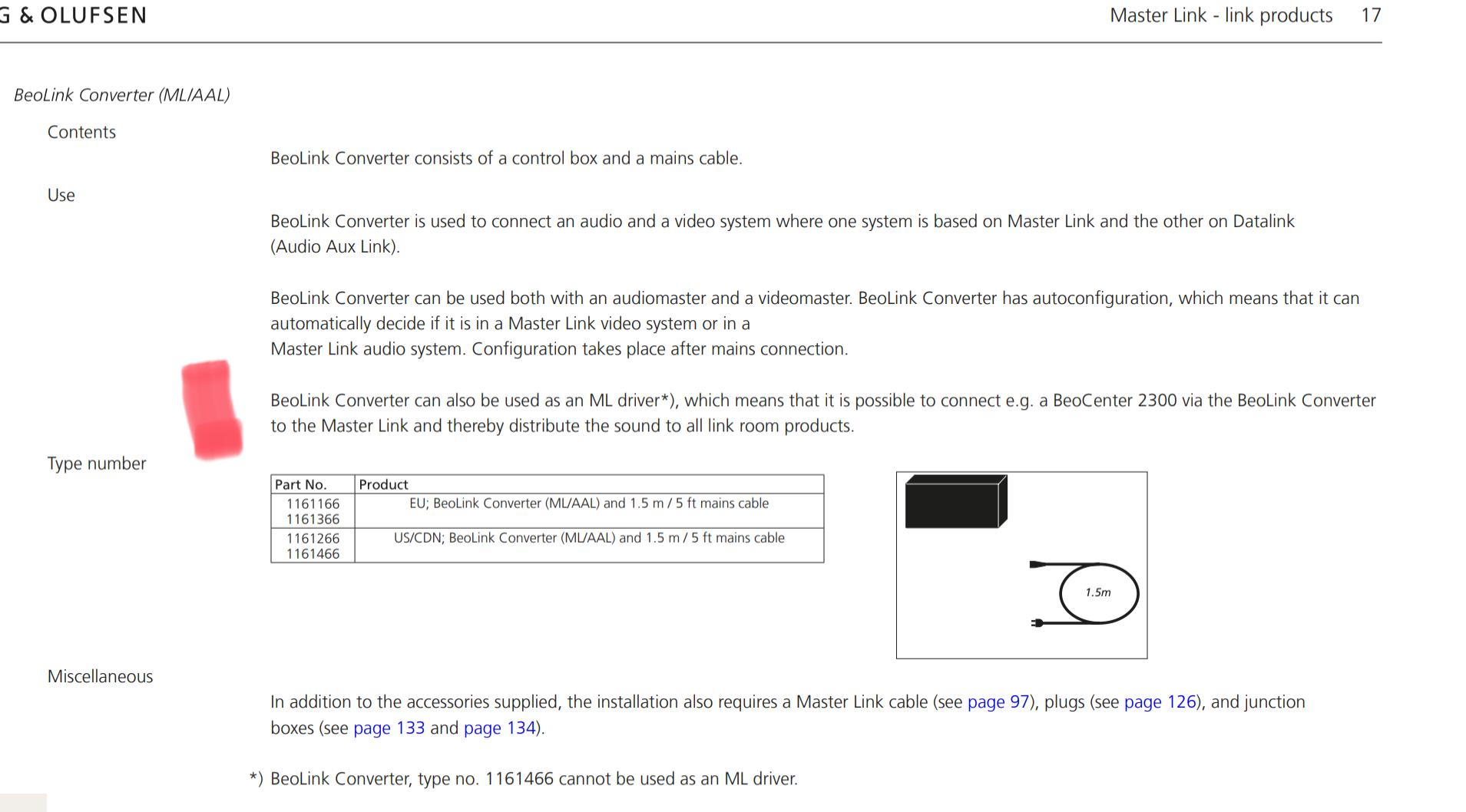
3: Yes, and furthermore any older master (e.g. a BM4500/6500….) that is connected to the ML chain using a 1611 Beolink Converter.
4: Hard to say – but you are limited to one with datalink (e.g. a 4500, 6500….), if it should be controlable via the NL devices.
Honestly – the easiest way would be to connect a turntable of your choice (you might need a riaa amp) to the line-in of a M3 or an additional Essence MK2 without connected speakers – this way it will be accessable in the NL chain……
….…you will need to place the vinyl disc physically on the turntable and turn it over after 20 minutes anyway ?
MM
Location: Flensborg————Danmark
You will need a Beogram with datalink connection.
If you want to be able to control and use it with the newer stuff (Essence MK2….), you will also need an audiomaster/Beocenter, that can connect to the NL/ML Converter via Masterlink.
This is how the do it in the Beo Home (in the video from Steve).
Here – in addition – it can also be accessed via voice control….MM
Location: Flensborg————Danmark
My “alternative” answer would be….…
…….choose the Beovision you like (or the BS Theatre once that is released) and just use the Powerlink connection.
There is no BV solution with a SPDif output!
MM
Location: Flensborg————Danmark
The BL12’s would work well there….and will look also very good ?
@Peter the biker
That will be an amazing upgrade – already looking forward to see pictures ?
MM
Location: Flensborg————Danmark
Yet another video from the launch:
MM
Location: Flensborg————Danmark
Sure – but you’ll need to activate and control the 3500 to get sound.
The 1611 can be hidden away once the connection is done.

MM
Location: Flensborg————Danmark
R.E.M. NEW ADVENTURES IN HIFI
The 5.1 version on the Bluray/25th anniversary deluxe edition

MM
Location: Flensborg————Danmark
Technical Sound Guide, here we come!
————
You could start here:
https://www.tonmeister.ca/wordpress/2022/08/31/bass-management-in-beosound-theatre/
MM
Location: Flensborg————Danmark
1 September 2022 at 11:36 in reply to: Comibning BS-wirless speakers in a system with old Beolink speakers #37198Looks ok.
If your network is ok (it seems that you want to use cabled connections), you could use the ISP and skip the other.
Why use a switch? Maybe your router has not enough ports?
Just place it where you need it in the setup.I do not see a need for the delay box at all (as I already wrote).
As for media server – there are many out there….just do a google search.
Personally I run the built-in server on an old Synology NAS, which I probably won’t change since I hardly use my stored files…..I am streaming ?MM
Location: Flensborg————Danmark
In the setup of the Level there should be a ‘Connected To’ setting.
Also you should be able to use one of the MyButtons.
(Rather deep) in the settings of the M3 you can choose the sensitivety.
Easiest way to listen to the turntable already playing on the M3 I guess will be just to ‘Join in’ on the Level.
Note!
If you just want to use the M3 for the distribution – and not for listening there – you can change the startup volume of it to zero.MM
Location: Flensborg————Danmark
A YT video, that shows real life pictures of the BS Theatre:
Not that most of you will understand much, but it is nice to see the product at the launch event.
MM
Location: Flensborg————Danmark
That works well!
A lot of people have their turntable connected to the line-in of an M3 – just like I did a while ago.
Dependent on how you use it, it must be configured in the app for easy access on the Level.
MM
Location: Flensborg————Danmark
If I understand your question right…..
You don’t!
The 1611 was created to convert the old MCL system to the (then) newer ML system.
The BL3500 is a dedicated link speaker that needs a master (audio or video) to be used.
If setup right, you can draw on the sources from e.g. an audiomaster/the sources there (radio/cd……).
You control the BL3500 with the remote – have a look here:
https://www.beoworld.org/prod_details.asp?pid=373
MM
Location: Flensborg————Danmark
-
AuthorPosts