Forum Replies Created
-
AuthorPosts
-
 BRONZE Member
Hallo Erik
Guter Plan…..aber der Beolink Passive macht nicht so ohne weiteres mit!
Er braucht einen ‘triggersignal’ vom PL-Ausgang um ein- und auszuschalten.
Der ist bei den neueren RJ45 Powerlink-anschlüssen nicht vorhanden.
Es gibt aber dafür eine ‘externe Triggerlösung’ – Steve @ Sounds Heavenly bietet sowas an.Ich habe gerade – beim googeln – gesehen dass Almando einen Wireless Receiver anbietet.
Der soll – wie ich es verstehe – einen DIN PL-ausgang haben.
Ich habe damit aber keine erfahrung…da muss du selber mit den Almando-Leuten Kontakt aufnehmen.Vielleicht klapp das so.
Berichte gerne hier, wie es weitergeht.
MM
Location: Flensborg————Danmark
Thanks
As I wrote I haven’t any personal experience with the Lydbro One….…..so thanks for providing more/the correct details.
MM
Location: Flensborg————Danmark
I do not have any experience with Lydbro…..not yet.
However, I noticed that Mark – in a recent mail – has offered a Lydbro One as the 4th prize in the upcoming december prize draw.
That sounded interesting, so I looked it up on the website.
Seems to be an interesting product, indeed.
You will need some Home Assistant skills for setting it up….but that should be learnable 😉I hat a couple of questions, wrote to Lydbro Support and soon became an answer from Richard there.
if you have any questions, I am sure he will gladly answer.Personally I do not need a Lydbro One, as I already have a full B&O setup at home.
But if I at some point will need to replace one of my older Beovisions, that surely is something, that I would consider for a solution.
Might even be worth ‘a little experiment’ soon 🤣….especially if I should be the lucky winner of the 4th prize (once I have paid my dues for the Gold Membership 😇).in any case….a product that deserves more attention.
MM
Location: Flensborg————Danmark
Good work, Mark 👍
MM
Location: Flensborg————Danmark
Looks great!
Could you post a link for that display or just the name?
Showing what is playing/the cover art is a great idea.
MM
Location: Flensborg————Danmark
Of course you can do that.
However, how the result will be is hard to say.
As height speakers it will not be that critical.How about making a test setup….before you tidy up the cabling.
The sub can be connected with the RCA to RJ45 cable – using the left channel (like shown in the picture) and set to ‘line’.
Dialing in the sub will then have to be done in the processor/the Marantz.
Will be interesting what the built-in room calibration sw and the bas management of the Marantz will do.Personally I have always found it a bit complicated mounting the 14 satellites for heights.
There really is no option for wall mounting with the speakers pointing somewhat down against the listening position (maybe some DIY can do it).
Mounting the satellites direct on the ceiling (firing downwards) – like Dolby advices – might be possible.
But then, hiding the cables can be a problem 🤔It is all doable – the most important thing is, that you are pleased with the overall result.
Let us hear how you get along.
MM
Location: Flensborg————Danmark
Hi newies
The BL14 set is supposed to be used as is.
This means that the amps in the sub must be used for the satellites (this will give you the best result).If you want to use the set with a non-B&O surround processor, you will have to connect it to the pre-outs there.
Have a look here for how to.
However, I guess it will be difficult to get the needed breakout cables.I would advice against using the satellites on their own as ‘passive speakers’.
The are tuned to work with the crossover in the BL14 sub.MM
Location: Flensborg————Danmark
30 September 2026 at 21:37 in reply to: BeoSound 5c – Open source revival of B&O’s BeoSound 5 #125707Hi Tlali
Depending on where you are located you can use a device like
thisShould also be available via Amazon or alike.
MM
Location: Flensborg————Danmark
Convince you of what?
I am asking a question? ‘Looking for answers?
Of the overwhelming qualities of using ‘Apple Atmos BT’ 🤣
You asked many questions in your posts – but started out with writing, ‘end of the road now?’.
Obviously it is not…since you are returning.MM
Location: Flensborg————Danmark
Please do not try to convince us/me anymore.
I though it was the end!
MM
Location: Flensborg————Danmark
Standard Bluetooth does not have the bandwidth to support the amount of data that’s needed to transmit lossless music.
Instead, it will downsample the signal into a lossy one en route to your speakers or headphones—which is annoying if you’re paying a streaming service extra for the privilege of better quality music.
The APT-X codecs does support higher bandwith.
However, the BCC does not support APT-X.Spotify Connect works differently than transmitting sound via Bluetooth.
The ‘source device’ (typically an iPhone/iPad with the Spotify app installed) is just a controller – the stream is fetched directly from the playing device via the network.
Spotify Connect makes lossless streaming (in ‘CD-quality’) possible – however, only with devices, that have support for it (the BCC does!)The support for lossless quality streaming must be configured in the Spotify app – and you need a paid version of Spotify for this.
Very few people – that I have come across – would rate the quality of a music stream submitted via BT higher than the lossless variant of Spotify.
Apple Music Behavior: When casting Apple Music via AirPlay 2, the stream is typically re-encoded to 256 kbps AAC (lossy), even if lossless settings are turned on in your app.
You can stream higher quality via AirPlay, but only if your sending device and the receiving device are regular AirPlay/AirPlay 1 devices.
The BCC is an AirPlay 2 device – which limits the quality of a stream that might be available in the Music app in a higher quality.MM
Location: Flensborg————Danmark
It is always nice to know as lot as possible about a setup, when trying to advice….otherweise you can easily go blind.
As Carolpa I am looking forward to hear about the ‘new’ setup.
MM
Location: Flensborg————Danmark
I agree completely with carolpa.
Using the power of the audioengine in the BV11 for creating different Speaker Groups is the best way to go.
And please configure the sub as a sub in the Sound Settings on a separate PL connection – this will give you the best results watching content with multichannel sound.The bigger question here is….how to get the sound from the BS9000 into the tv?
The far best way to do it, is to use a NL/ML Converter – here you also in addition get full control of the BS9000.Another solution however, might be what Steve describes here: https://soundsheavenly.com/products/9-pin-av-cable-for-beovision-11-12-new-generation-avant-v1-and-beosystem-4-powerlink-input#/5-length-5m
You can get the cables from him.
By the way….if you configure some QuickStart timers, your tv will start much quicker.
For how to – and much more – please read the manuals here:https://support.bang-olufsen.com/hc/en-us/articles/360041518852-Beovision-11-Beo4
MM
Location: Flensborg————Danmark
Thanks for the update – indeed it could be helpfull for other users in the same situation.
👍
MM
Location: Flensborg————Danmark
@Beofile 7
You may have done it in other threads – but could you describe your current setup….including the network in your home.
And what you expect from it?
Which router are you using, wired and/or wired connections?Maybe also where you are located – there might be someone nearby, who could help you onsite.
How about your relationship with a/your dealer….if that is an option?
MM
Location: Flensborg————Danmark
Great – can you join in from/expand to ASE products, if you have only one Mozart product in the mix and start from there?
By the way – the regular Bang & Olufsen app works fine on any modern Mac computer.
MM
Location: Flensborg————Danmark
I use my old Beoplay A8 for different test setup’s from time to time.
Once I had an Essence MK2 connected – a nice little setup!
The line-in there has autosense….it turns the A8 on, when there is sound coming.
It works well – some times it is a bit tricky, though.
.Basically you have two volume controls (maybe even 3, if you also have a source connected to the projector).
Best thing to do is to set the volume of the projector to fixed output or to a high start up volume…if possible.
And then control the volume of the A8.
Maybe you are lucky to get the small remote for it as well – or you can use a Beo4.The A8 is a good sounding ‘speaker’.
P.S. The original Beosound 8 does the job as well.
MM
Location: Flensborg————Danmark
The question is:
How much difference does it do?
MM
Location: Flensborg————Danmark
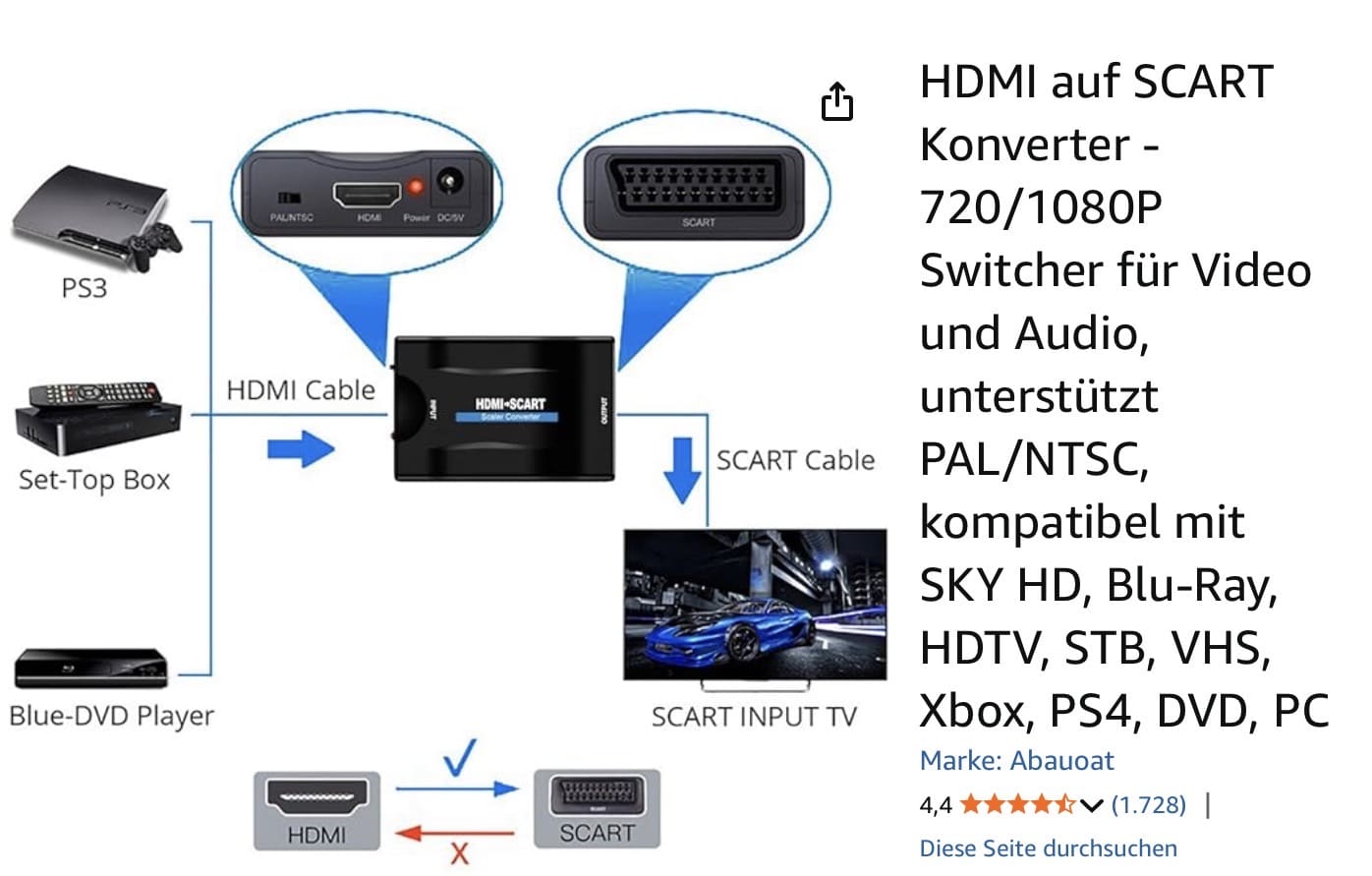
I used a ‘HDMI to Scart Converter’ back in the days, when I had that tv.
 MM
MMLocation: Flensborg————Danmark
-
AuthorPosts