






Home › Forums › Product Discussion & Questions › BeoVision › B&O Avant DVD CRT TV HDMI to RGB SCART connection?
- This topic has 6 replies, 3 voices, and was last updated 2 months, 3 weeks ago by


-
AuthorPosts
-
4 August 2026 at 07:52 #124821
I’ve just got hold of a near mint B&O 32″ Avant DVD CRT TV. Everything working and came with the BEO4 remote that also works.
I’d like to create a HDMI to RGB scart connection to the TV but know from searching the web in general that it’s not straightforward and that HDMI to S-video is simpler via the TV’s camcorder input.
However, does anyone know if there is a simple way to do it?
I’ve been reading that HDMI to VGA to RGB scart is one solution or HDMI to component to RGB scart. However, most information I can find seems to indicate that people who have tried this find it doesn’t work and end up using the HDMI to S-video method. These methods are also rather convoluted.
I actually want to connect a Firestick to the TV with the best possible quality via RGB scart.
I’d be really grateful if anyone can help, even if it’s confirmation that it’s not possible and that connection via the camcorder inputs is my only option.
IF HDMI to RGB SCART isn’t an option then…
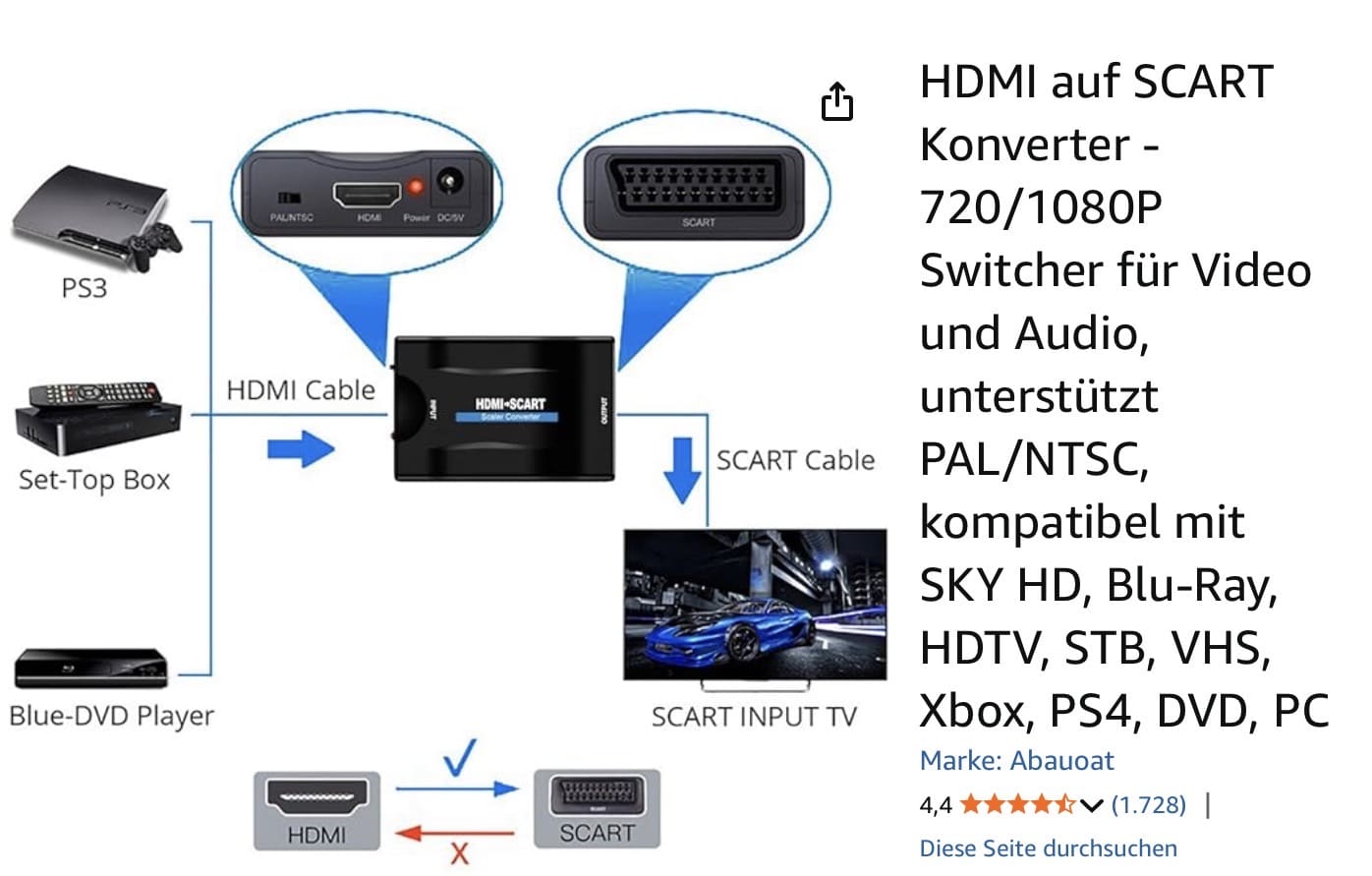
There are quite a few well reviewed HDMI to S-video converters on Amazon that look like they’ll do the job. I’m looking at this one:
I’m assuming that connecting one of these to the TV’s camcorder S-video and L/R audio will work? I’ve found something that says when the Firestick is connected up to press the rewind and up buttons on the Firestick remote and it’ll cycle through resolutions until it finds the right one.
Many thanks…
Location: United Kingdom
Favourite Product: B&O Avant DVD 32" CRT
4 August 2026 at 08:24 #124823 Moderator
The TV’s camcorder input will accept composite signals, so the adaptor that you linked to should provide Composite video, Left and Right audio via the yellow, white and red phono/cinch output sockets. The camcorder input should also accept S-video, which should give better picture quality than composite.
But I think (from searching AI) that the Bang & Olufsen BeoVision Avant did also support S-Video signals via its SCART connections. Hence if you want to use SCART and want to use the adaptor to which you linked, you will also need a further S-video to SCART connector. As far as I know, the SCART pins used are an industry standard, but you may need to check which of the TV’s SCART sockets will accept S-video input – from memory I don’t think that they all do.
Hopefully someone else will add more specific advice – I only have distant memories of trying similar with a Beovision 3.
Location: Warwickshire, UK
My B&O Icons:
 4 August 2026 at 08:54 #124825
@Guy
Thanks for the reply. I really do appreciate it.
Yes, I think the TV does in fact support S-video over SCART but I’m not sure which of the three Scart inputs is compatible? I don’t know which one supports RGB either?
I will prefer using the camcorder inputs as they’re more accessible. I also read that the camcorder inputs switch automatically when they receive a signal?
I only got the TV on Saturday. It needed a clean so have been in every nook and cranny with a very soft brush. I’ve cleaned the cabinet too and it’s come up like new. The BEO4 remote is almost mint too. The only cosmetic issue are a few marks on the contrast glass that look like smudges but will not wipe off. They’re not very noticeable and can only really be seen in direct light.
I’m guessing the HDMI to RGB SCART is going to be a very convoluted option if it’s even possible at all?
On a side note, I notice you’re from Warwickshire. I’m from Leamington Spa but we moved to Tetney near Grimsby about eighteen months ago.
-
This reply was modified 2 months, 3 weeks ago by
-
This reply was modified 2 months, 3 weeks ago by
-
This reply was modified 2 months, 3 weeks ago by
Location: United Kingdom
Favourite Product: B&O Avant DVD 32" CRT
4 August 2026 at 09:46 #124830I used a ‘HDMI to Scart Converter’ back in the days, when I had that tv.
MMLocation: Flensborg————Danmark
4 August 2026 at 09:59 #124831@Millemis
Thank you for the reply.
As I’ve discovered, I don’t think that converter supports RGB SCART… I think it’s just composite?
There doesn’t appear to be a HDMI to RGB SCART converter available on the planet???
It seems you have to go HDMI>VGA converter>RGB SCART converter or HDMI>COMPONENT converter>RGB SCART converter and even then I’ve not read of anyone who has done this successfully?
Conversely, there are converters that do RGB SCART>HDMI but NOTHING that does it the other way.
-
This reply was modified 2 months, 3 weeks ago by
-
This reply was modified 2 months, 3 weeks ago by
-
This reply was modified 2 months, 3 weeks ago by
Location: United Kingdom
Favourite Product: B&O Avant DVD 32" CRT
4 August 2026 at 10:21 #124836The question is:
How much difference does it do?
MM
Location: Flensborg————Danmark
4 August 2026 at 11:31 #124837From memory when I last had a CRT… I think quite a noticeable difference.
But that was in 2005.
Location: United Kingdom
Favourite Product: B&O Avant DVD 32" CRT
-
This reply was modified 2 months, 3 weeks ago by
-
AuthorPosts


- You must be logged in to reply to this topic.