






Home › Forums › General Discussion & Questions › General Discussion & Questions › BEOTOOTH 5500 : A Datalink Bluetooth Receiver
- This topic has 62 replies, 17 voices, and was last updated 5 months ago by

-
AuthorPosts
-
25 April 2026 at 16:56 #123372
 Alex KomarovBRONZE Member
stumbled upon this – awesome work!
I would love to buy one from you – from the looks of it it should work with beomaster 5000 – i’m slowly restoring the set i’ve got.
Thanks!
-
This reply was modified 6 months ago by
 Alex Komarov.
17 May 2026 at 16:38 #123639 BRONZE Member
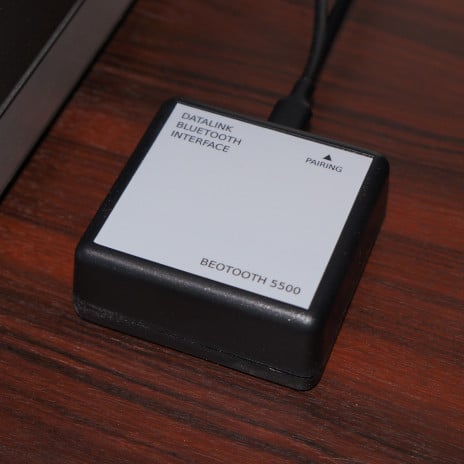
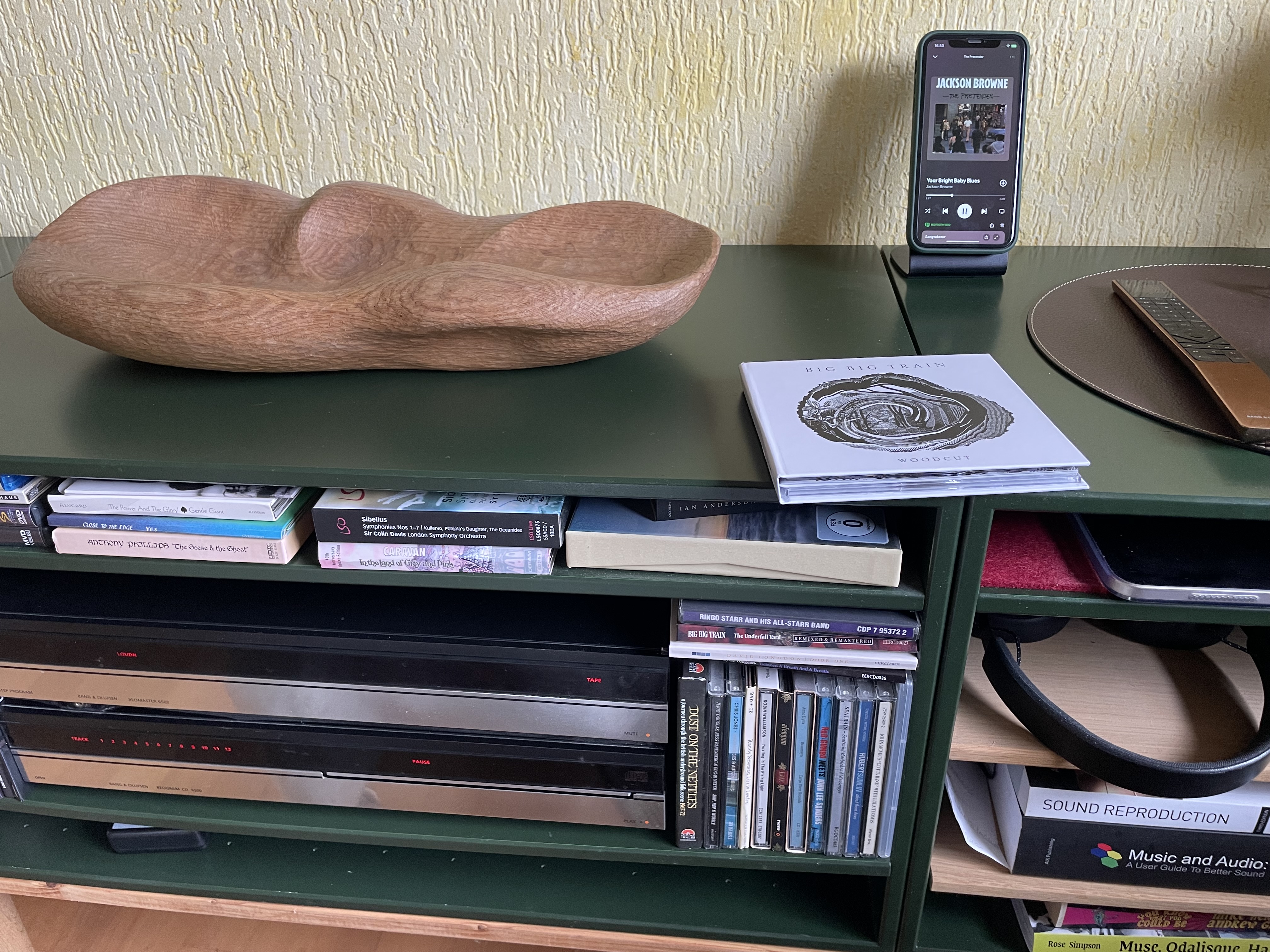
Finally I managed to setup the Beotooth 5500, that I received from pilatomic 4 weeks ago.
Not an easy job, when you are a friend of hidden cabling and the setup is rather complicated – and done ages ago ( you know….which cable goes where 🤔)
The setup of the Beotooth was indeed the easiest part of the job.My setup is somewhat different than most of the buyers and that of pilatomic himself, I am sure.
My BM6500/CD6500 combo is connected to a 1611 converter and into my NL/ML Converter.
The rest of the setup is exclusively NetworkLink based in 6 rooms, the BV Theatre setup being the main part.So not that I was in need of the Bluetooth option…..
…..but I thought that the Beotooth was a fun project and wanted to try it at home.
To see if it works (which I supposed) – and primarily to see, if there are some benefits in a setup like mine.And I must say, that there are!
Not that I would need it, but it seems to be a nice to have option.
And now I know that I can recommend it to friends.Since my 6500 system has no speakers connected – it just pipes the sources into the NL/ML Converter and from there into the multiroom setup – the daily use/controlling is different than with the ‘normal setup’.
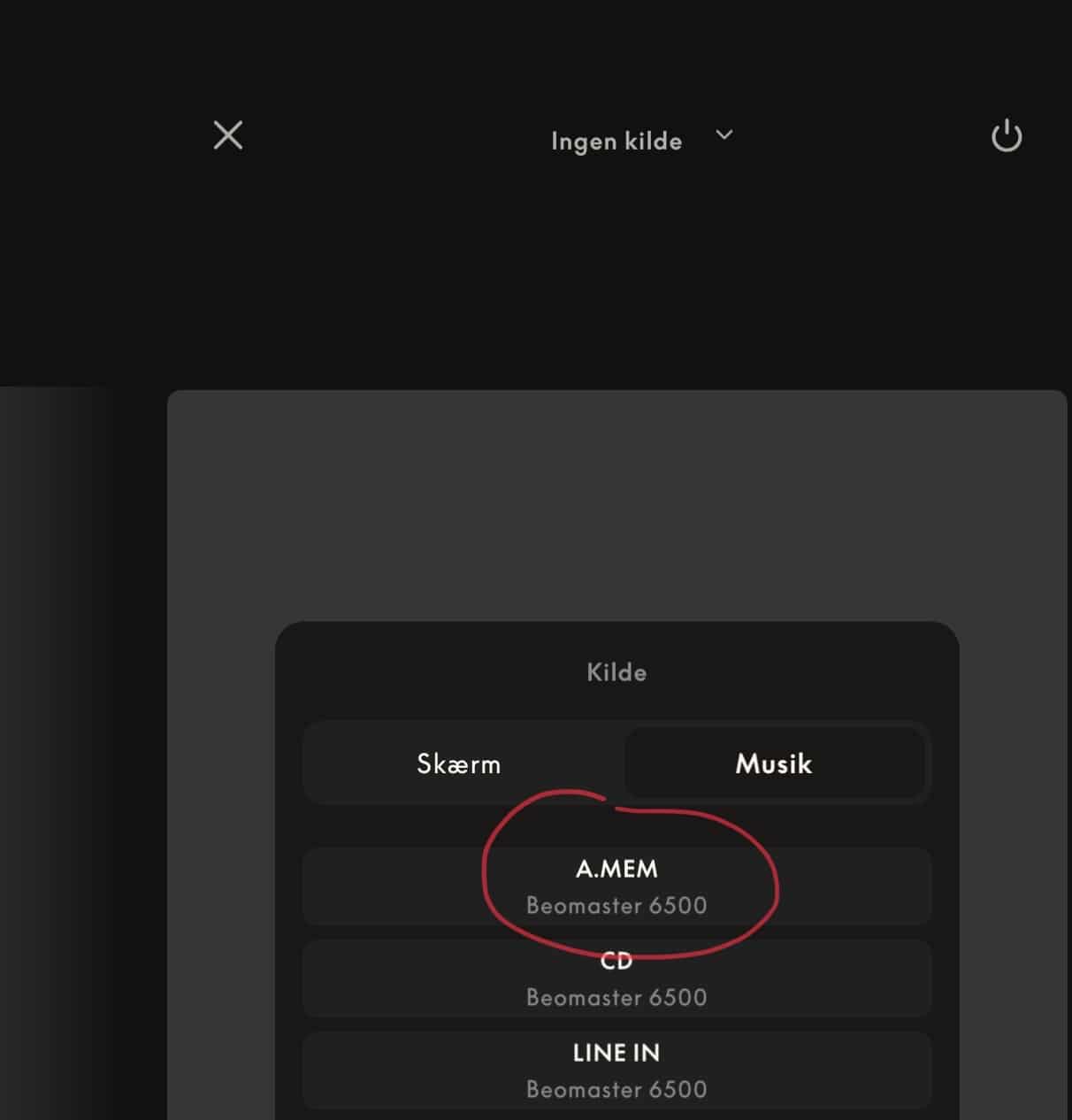
Starting playback on my iPhone – of course – activates the A-Tape input on the Beomaster.
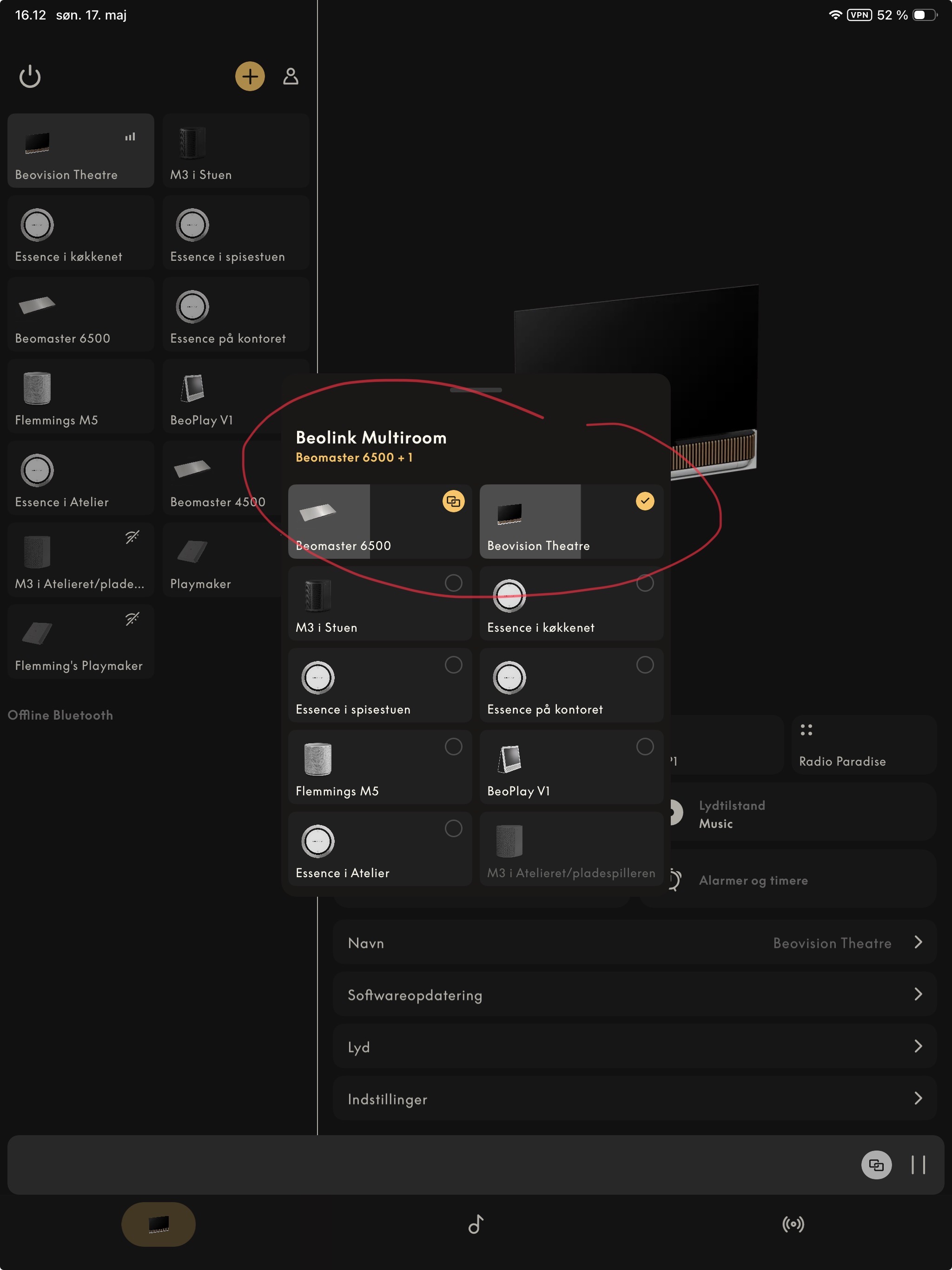
To get sound in whatever room I need it, I hit JOIN on the Beoremote One or use the Bang & Olufsen app to expand to the room, I want playing (or the rooms).From there (every room playing) I can Pause and Play and skip track.
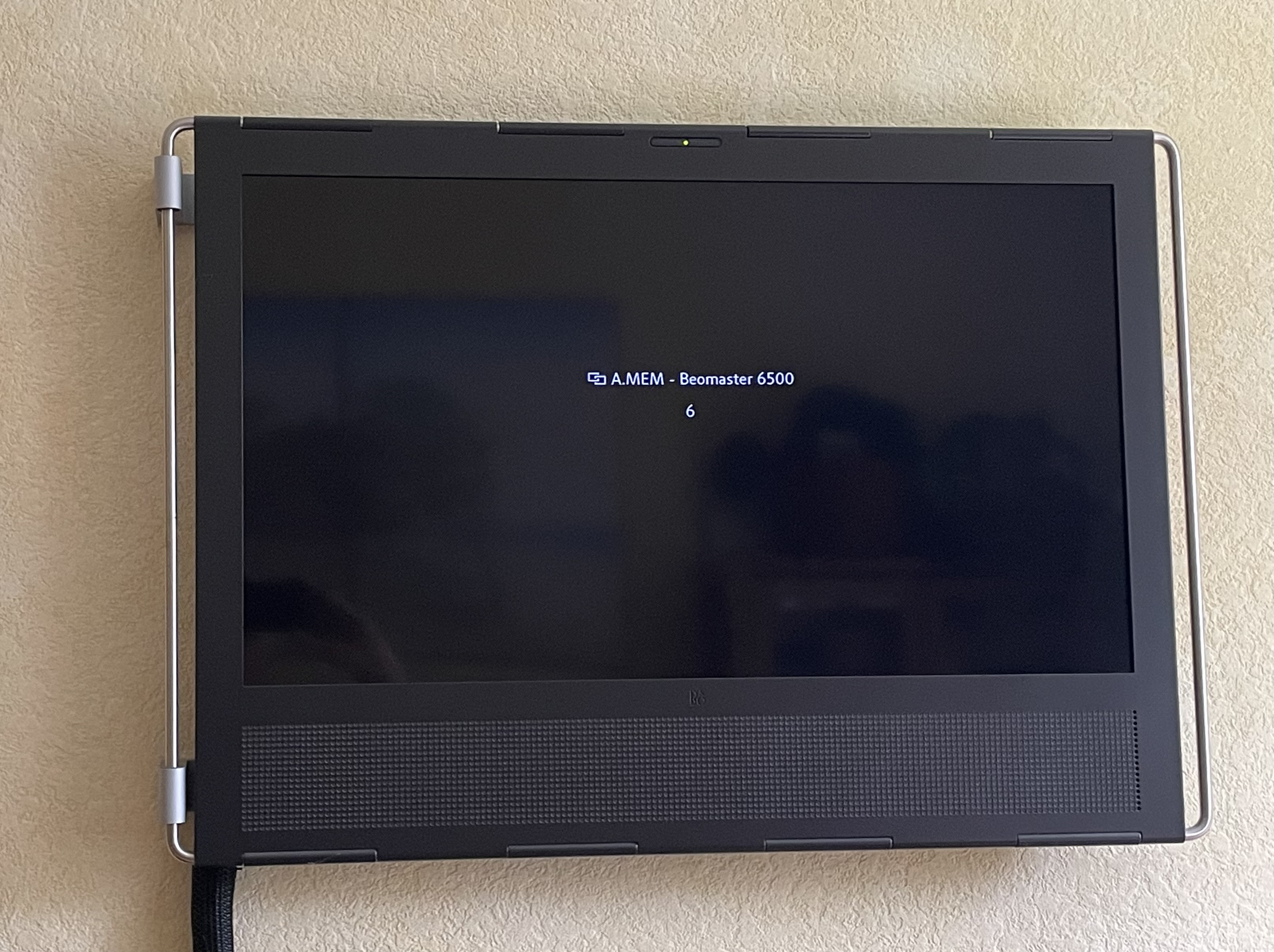
My trusted old Beoplay V1 tv even shows the source – in this case A.Mem – and the track number.
Switching between Beotooth/A.Tape and CD playback also works as intended.
I can even start Playback of the iPhone directly from the given room, using the app or the Beoremote One.It is fun 😃
And this again shows the power of the B&O setups – here a combination of device generations spanning from the 1990’s to recent B&O Mozart-based products….
….combined with the skills of someone like pilatomic.
Which other brand can do this!So, thank you pilatomic – and I hope this may be an inspiration for other B&O enthusiasts.
MM

Location: Flensborg————Danmark
24 May 2026 at 13:06 #123730Wow, that’s an extensive system !
The B&O Datalink (starting from the 80′ variant used by the Beocords / Beograms, but especially the ’86 variant that powers the MCPs, Beolink remotes, and AAL connection) were indeed very forward thinking !
Having 2 ways communication between the different elements of the system, making them able to respond to state changes of other elements really gave the whole system an incredible flexibility.
Bringing together devices from late 80′ to today is indeed a testament to that flexibility.
Up to that point, I don’t think anybody had tried the Beotooth in a multiroom setup (and I don’t think anybody had), but being meant to impersonate a Beocord 5500, it’s no surprise it just works !
In the near future, I might get a Masterlink-based multiroom setup. I have been acquiring a bunch of Masterlink devices, to play a bit with that system. And from some early look to how the Masterlink operates, there is a lot of fun incoming !
Location: France
My B&O Icons:
-
This reply was modified 6 months ago by
-
AuthorPosts




- You must be logged in to reply to this topic.