






Home › Forums › General Discussion & Questions › General Discussion & Questions › Update APP of the B&O 7.0.0.
Tagged: DLNA
- This topic has 47 replies, 14 voices, and was last updated 2 months, 1 week ago by
 Stephen.

-
AuthorPosts
-
13 February 2026 at 11:52 #73671
 BRONZE Member
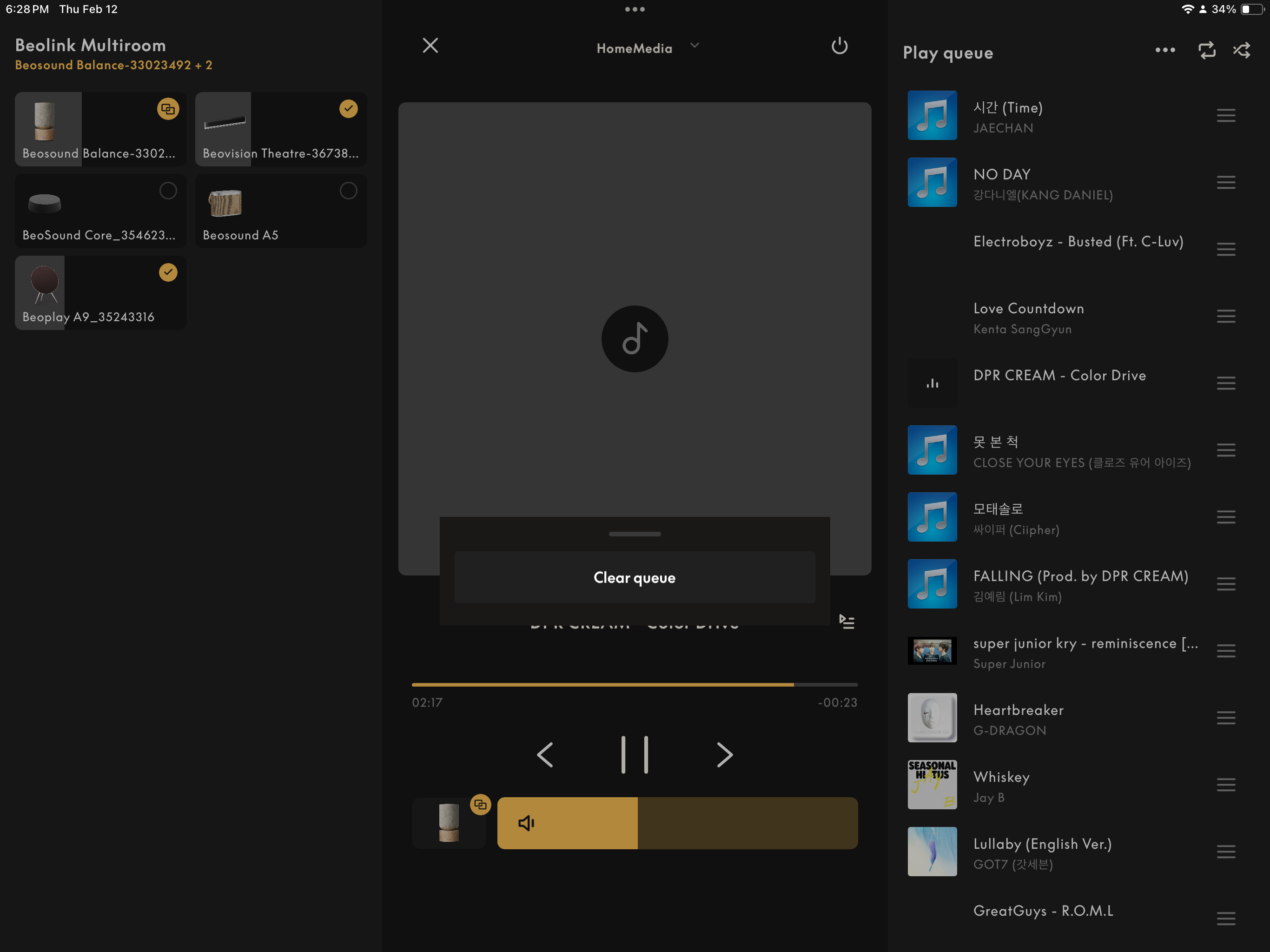
Ability to clear DNLA Que is available in 7.4.1. Woo hoo and thank you B&O. Tap the ellipsis … above the Que List to reveal button in image below

Joe M in WVMy B&O Icons:
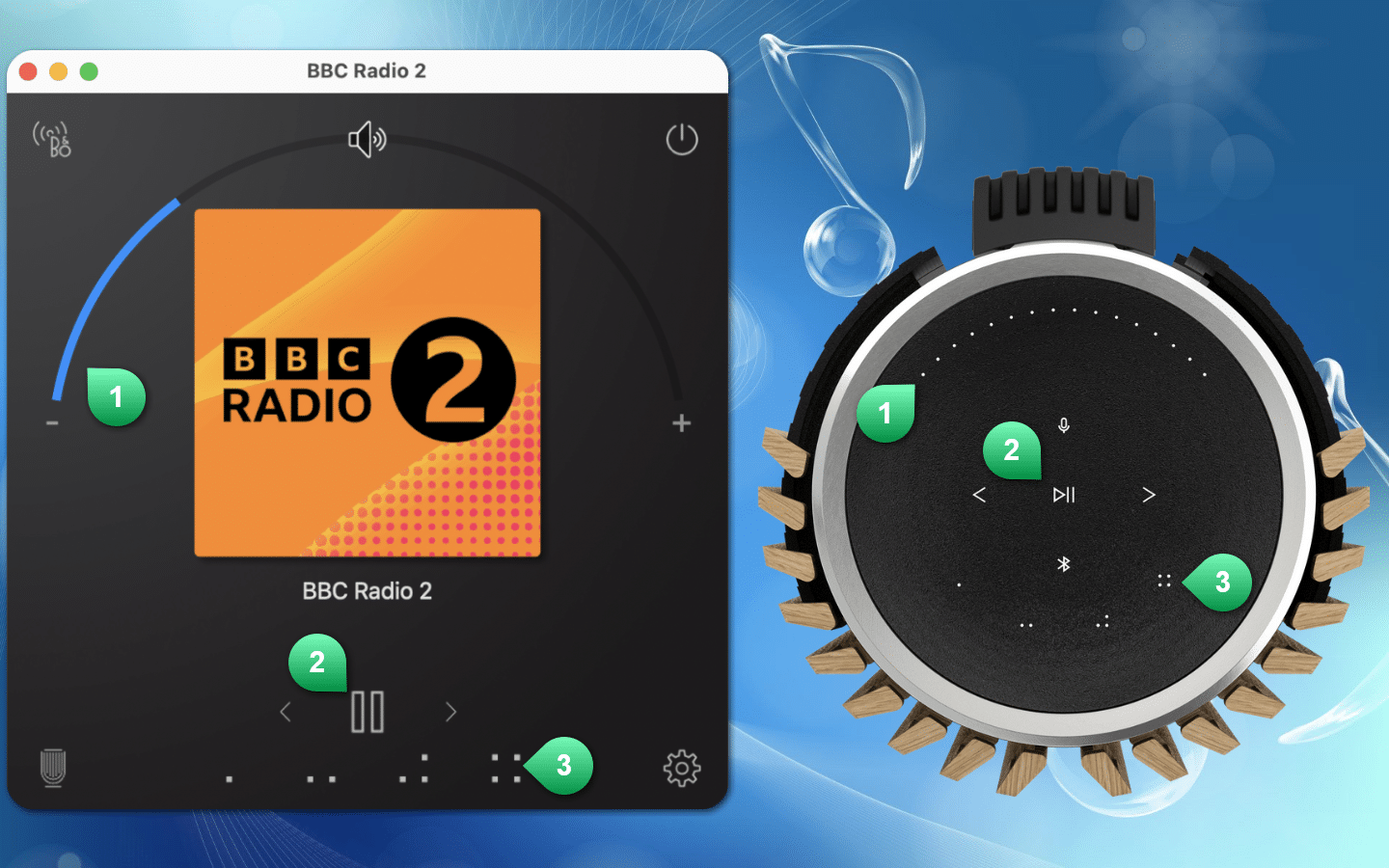
10 August 2026 at 22:59 #124938For anyone who’s using a Mac in combination with Mozart speakers (Beolab 8/28, Beosound Balance/Premiere/Theater etc.), there is now a free alternative desktop app available:
https://forum.beoworld.org/forums/topic/windows-app-for-connected-speakers-2/
Location: Salzburg/Austria
11 August 2026 at 08:43 #124942Great – can you join in from/expand to ASE products, if you have only one Mozart product in the mix and start from there?
By the way – the regular Bang & Olufsen app works fine on any modern Mac computer.
MM
Location: Flensborg————Danmark
11 August 2026 at 09:31 #124943Multiroom not yet. That’s on the wish list, together with sound settings for individual speakers and a better DLNA playlist selection than the B&O app offers. DLNA/HomeMedia playlists is rather urgent, because I use a Twonky server myself and the B&O app is really bad at creating and handling playlists.
Location: Salzburg/Austria
11 August 2026 at 09:54 #124944StephenBRONZE MemberBy the way – the regular Bang & Olufsen app works fine on any modern Mac computer.
MM
Not on my MacBook it doesn’t, where the app is basically useless. I contacted B&O Support who told me that the App does not support use on a mac. I deleted the B&O App a few months ago as I was fed up with the constant problems. In fact I got rid of it from my iPhone too and now simply use Airplay to the Beosound Core. Deezer for streaming and my Apple Music library for my personal collection. It works just fine… without the clunky inconsistencies of the B&O app.
Location: Switzerland
12 August 2026 at 11:16 #124949Bill LumberghBRONZE MemberIt is strange. The iPhone/iPad app did not work on my MacBook Pro M1 either for a long time, I tried reinstalling it several times without any luck. However, since spring it works flawlessly on my MacBook Pro. Not sure what made the difference, think it was after an update to MacOS but I’m not sure. Perhaps worth to try again.
I think the B&O app now is really good on my iPhone. not up to Sonos standard but significantly better than for example KEF’s app. The dependence of the app naturally depends on what B&O equipment you have and if you like to work with different sound profiles, or not.
My B&O Icons:
12 August 2026 at 13:44 #124951StephenBRONZE MemberThanks for commenting. It’s interesting as the B&O app, v5.3 which I retained on my MacBook Air M1, worked flawlessly for several years (and two different MacBooks). After v5.3, I neither liked the design of the app nor its use. And it became increasingly crap on my Mac.
I don’t like what they’ve done with the iPhone app either. It’s just not as user-friendly and has annoying features, for example, assuming that the user wants to list artists or albums according to the most recently added rather than alphabetically. Also, the handling of my DLNA Twonky library is unstable and inconsistent.
However, based on your remarks, I may reinstall the app on my MacBook. See what happens. I will let you know how that goes. As I have mentioned previously, I wish B&O would produce an app specifically for Mac iOS as I personally don‘t like using my phone to play music at home.
Location: Switzerland
12 August 2026 at 13:55 #124952StephenBRONZE MemberUpdate. I just installed B&O app v7.6.2 on my MacBook. It still doesn’t work. It displays the various Deezer lists but, if I click on the ‘Favourites’ icon in the Music section I get a blank screen. Zilch! If I click on Music Settings icon, zilch! Another blank screen so it’s impossible to access the DLNA.
Deleted! Back to Airplay. It works…
Location: Switzerland
-
AuthorPosts






- You must be logged in to reply to this topic.