Forum Replies Created
-
AuthorPosts
-
 Moderator
I’m not really sure if they are useable without an AV9000, but I will of course try to test a few things with them
Looking forward to it! ?
Location: Warwickshire, UK
My B&O Icons:

Really? I believe that this “1-2-3” switch is already hitching you, right?
I will admit that is my favourite feature; could be so useful for something …
Location: Warwickshire, UK
My B&O Icons:
Oh goddamnit, you caught the Warwickshire flu! ;-D
Even I haven’t got it that bad! ??
Location: Warwickshire, UK
My B&O Icons:
Hi in my personal use I try to use the Beolink passive with the powerlink but its no work, do you know if I need to program the Beolink passive with Beo 4?
This should work fine without any programming of the Passive. Make sure that nothing is connected to the ML socket or IR socket of the Passive, and you should also use a fully wired MK2 PL cable.
EDIT: I just saw that both Steve and Matador had commented in the other thread – at least we are consistent with our advice!
Location: Warwickshire, UK
My B&O Icons:
not even with BEO4 remotes?
Ah but they are all hidden away in boxes so I don’t have a clue how many there are!
from left to right 1614, 1615 and 1610 some of them without official labels, and some in different software revisions.
I hadn’t seen 1610s before, hence had to find additional info here: https://archivedforum.beoworld.org/forums/t/39163.aspx
I don’t think I need one …
Location: Warwickshire, UK
My B&O Icons:
You said earlier that your BL3500 was SW1.2, so either you have upgraded it or got hold of another! I am looking forward to seeing further experiments and hopefully results!
Location: Warwickshire, UK
My B&O Icons:
Hi and welcome to Beoworld!
According to the service manual the transformer can be re-wired for 12oV.
Location: Warwickshire, UK
My B&O Icons:
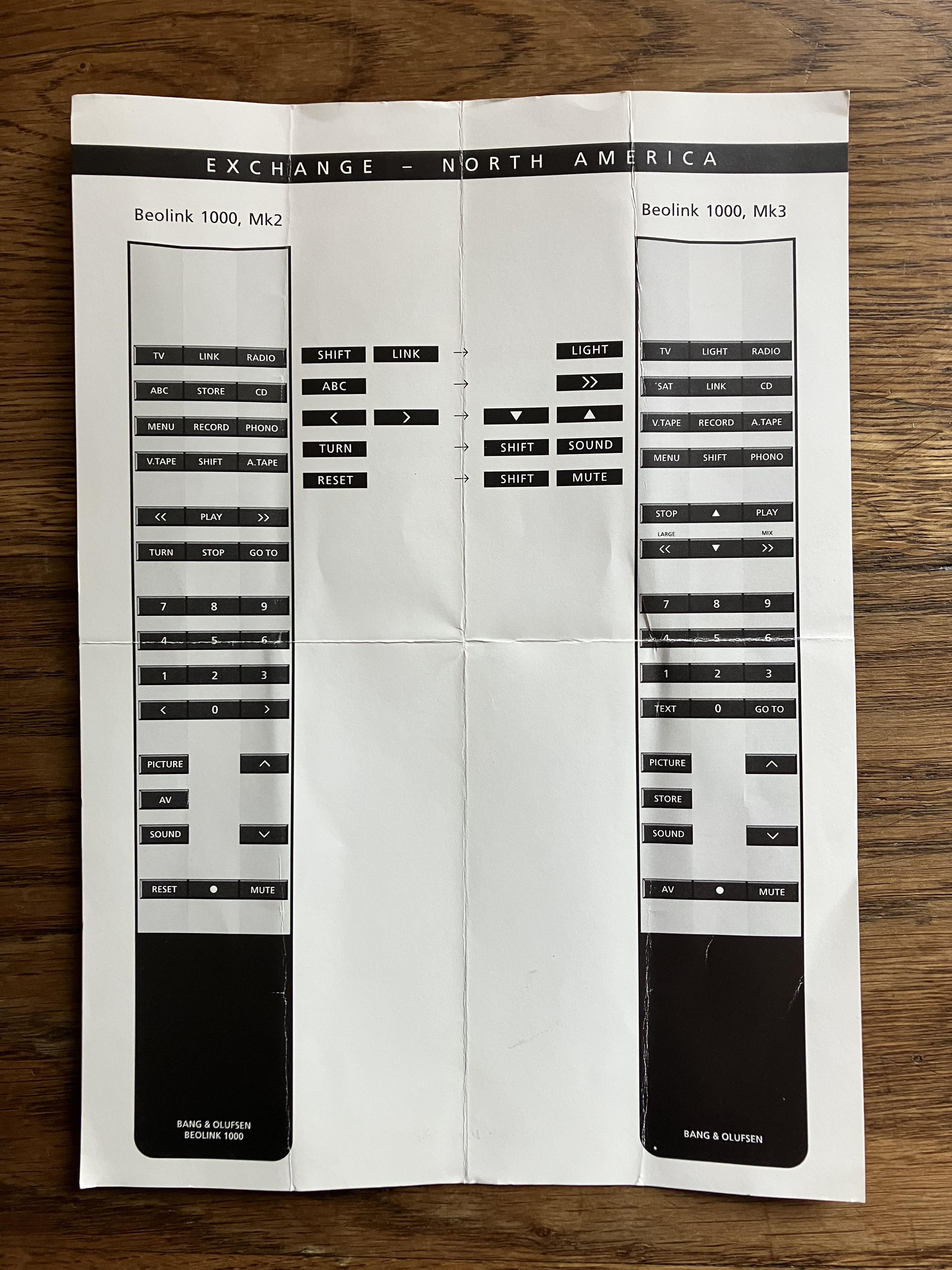
Nope, at least not to a BeoCenter 9500: >> fast-forwards, and ABC does nothing. But SHIFT-ABC seems to do the same thing as the “Programming” touch control.
Thanks – so SHIFT ABC behaves differently to MENU (Shift TEXT being MENU on the non N.American one without a MENU button)?
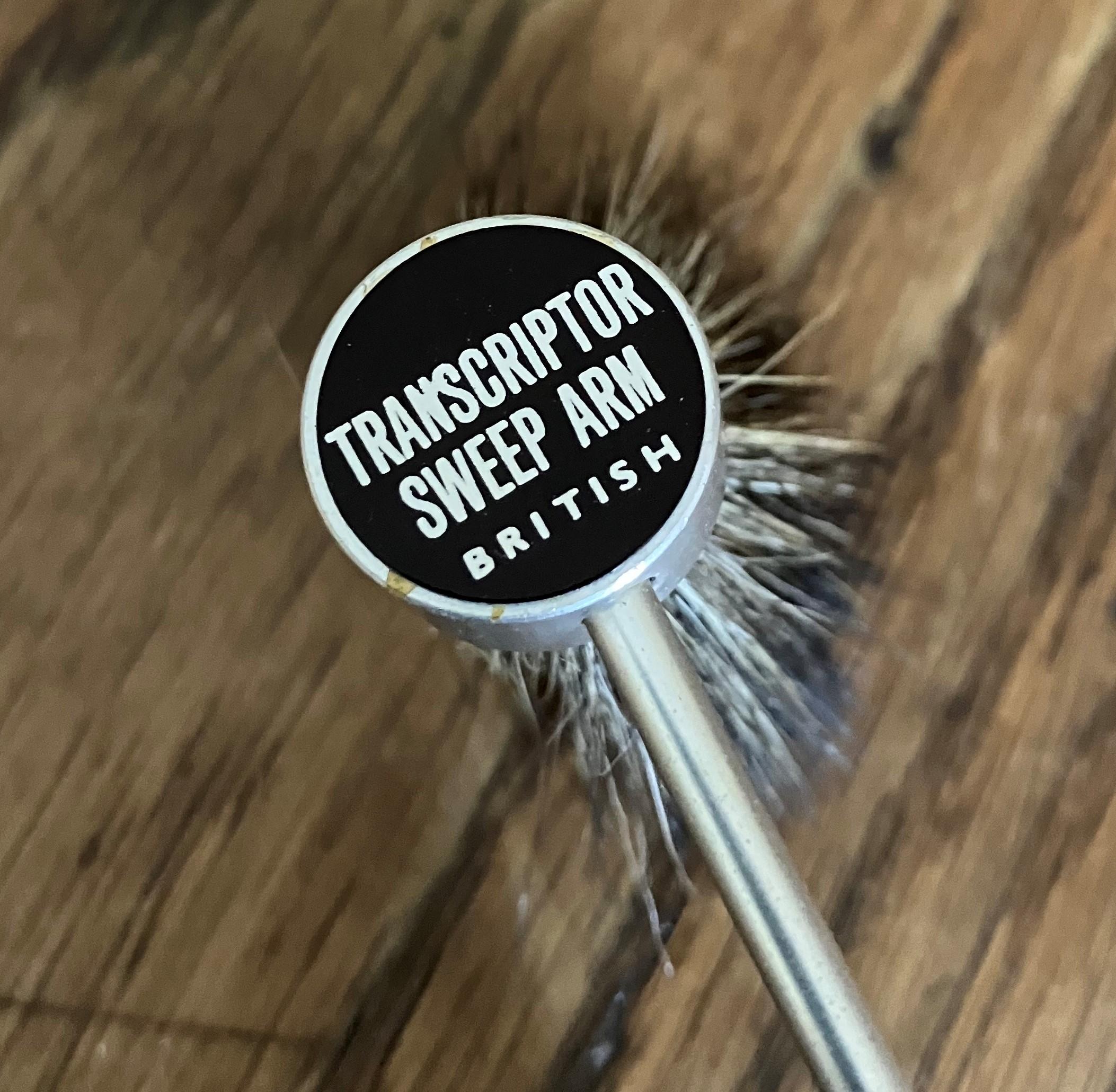
That “Transcriptor Sweep Arm” was a fancy substitute for the old Watts “Dust Bug”. Supposedly one could hear the front nylon bristles of a Dust Bug scraping away (so the following velvet roller could pick up the dislodged crud better) — thru the stylus & cartridge!
Thanks – these fancy turntable accessories are a whole new world of learning!
Location: Warwickshire, UK
My B&O Icons:
ABC instead of TEXT? Whatever ABC is?
Yes strange, and maps across to >> on the Mk3. So on the N.American Mk2 do both ABC and >> send the same command? It’s unusual for B&O to duplicate functions.
Also the N.American one has a MENU button in lieu of SAT (as just mentioned by trackbeo!)
Location: Warwickshire, UK
My B&O Icons:
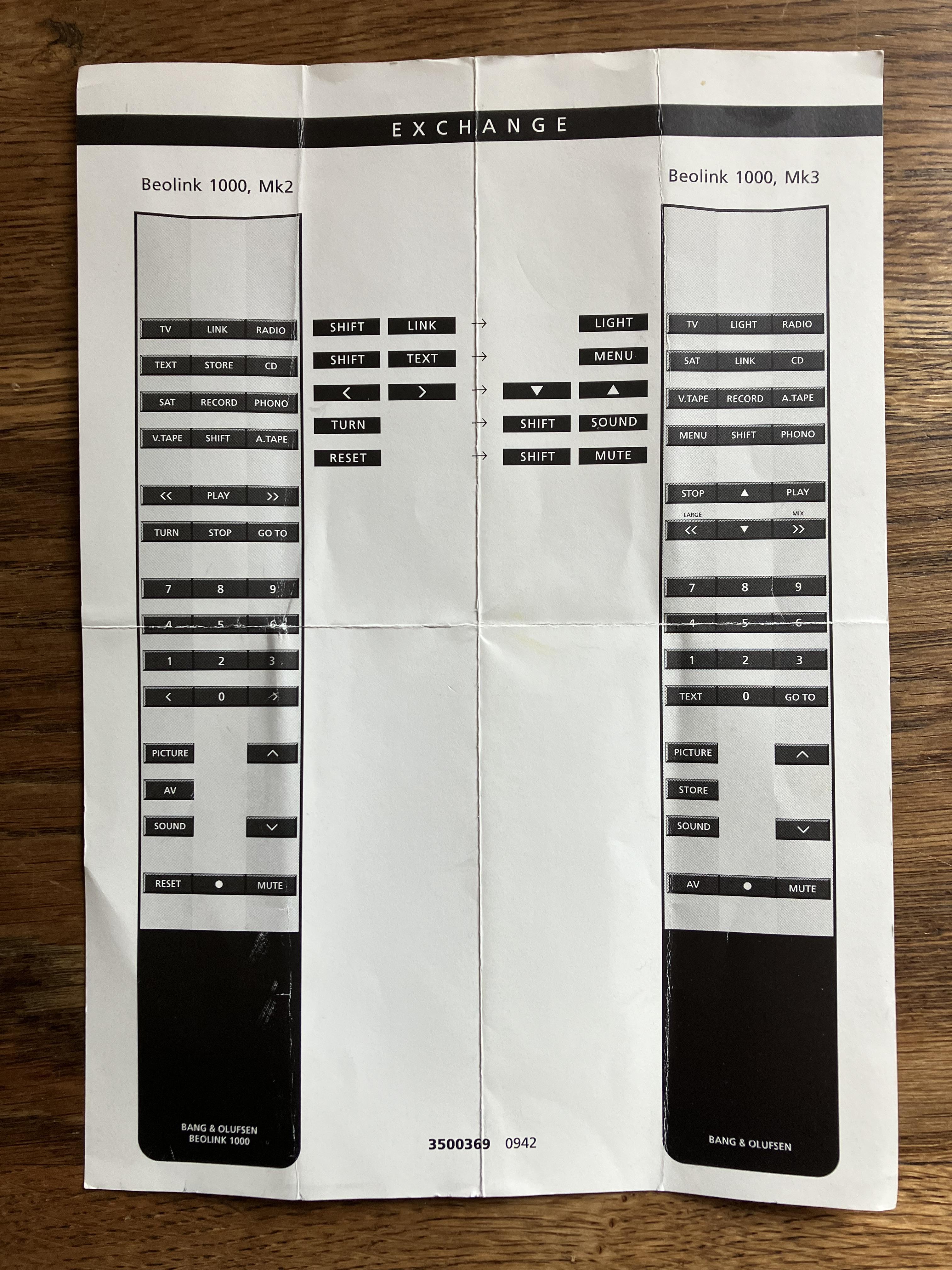
Almost forgot – also included was this piece of paper that I have seen before but never really studied, showing differences between the Mk2 and Mk3 BL1000.
I have photographed both sides of the guide to show the interesting thing (to me, anyway!) – that the BL1000 Mk2 was subtly different in the North American market.
If you are still awake and remotely (?) interested, I’ll let you spot the difference!

Location: Warwickshire, UK
My B&O Icons:
Some of you may have seen my thread about cleaning up an eBay purchase BL1000 and Video Terminal here: https://forum.beoworld.org/forums/topic/what-are-you-working-on-now/page/3/#post-20831
As part of the same eBay ‘win’ came a few other bits and pieces:
Firstly, what I now know (from Google) is a ‘Transcriptor Sweep Arm’ – read all about it here: https://www.transcriptors.audio/accessories/
I think mine has been modified so that it can either stand alone or slot into a space on a particular turntable. I was quite surprised at the new price – and very surprised to read somewhere that the brush may be squirrel hair!


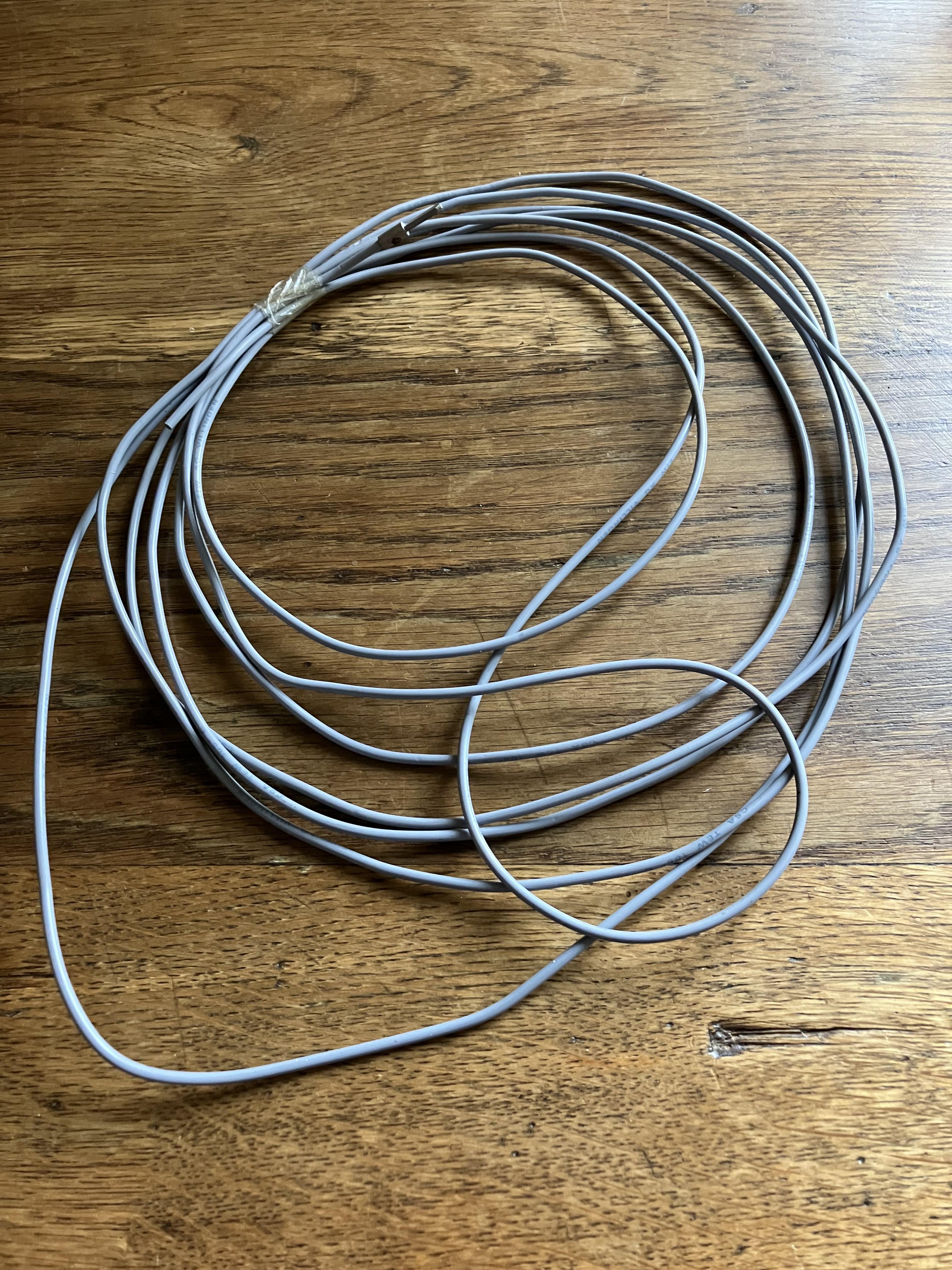
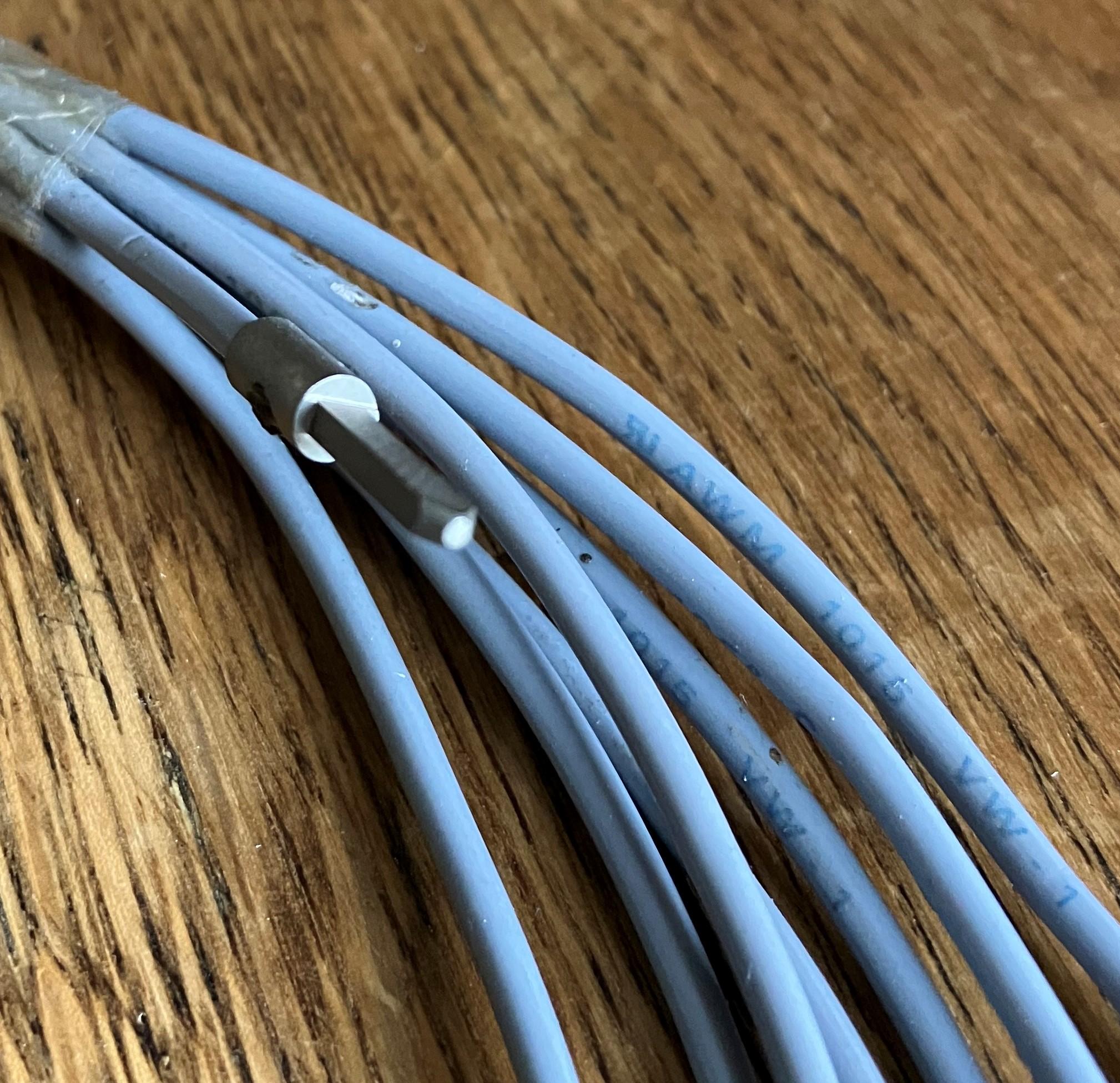
Secondly an unknown cable which I presume is an antenna of some kind – possibly B&O? It has a single square connector on one end.

It’s always quite fun when you are not quite sure what you are buying and it turns out to be something of interest ?
Location: Warwickshire, UK
My B&O Icons:
I just wanted to let you know that I am still following this thread with interest, although I am no closer to digging out the equipment to repeat your experiment with a BL1615. Our Grandson keeps coming to stay and taking up valuable space in my study/workshop! The recent BL1000 restoration had to take place spread across the kitchen surfaces whilst my wife was out – this gave the added bonus of trialling many different kitchen degreasers to clean parts of the remotes!
Location: Warwickshire, UK
My B&O Icons:
Setting the IR eye to option 1, and covering the BM5500’s IR eye full control is possible.
That’s very interesting. It maybe worth trying the MCL sensor connected directly to pin 6 of your Beocord 3500, or even a turntable!
Location: Warwickshire, UK
My B&O Icons:
Wouldn’t it be possible to transfer the display from a BEO4 with another defect, or are the different versions of the display?
Yes I have often swapped components between different versions of Beo4 to fix faults – they share most components (apart from main PCB and the keyboard/dome foil for the NAVI version). Trouble is that I cannot resist then buying new spares to fix the leftover broken donor ones – it’s like an addiction!
Location: Warwickshire, UK
My B&O Icons:
the title reads “AppleTV 4K dolby vision issues” ; are you seeing something different?
It does now, after I changed it! ?
Location: Warwickshire, UK
My B&O Icons:
The “lead” is what remains of an original indoor AM antenna.
In reality merely a plug with a 3m lead.Here, most of the plug has gone missing, leaving only yhe lead and the pin.
Thanks Martin – in that case I will put it in a box with my other AM antennas! ?
EDIT: Thanks for the photo. I just went to said box (actually a tin) and found that exact antenna complete with plug, albeit not in a bag. So why do some of my other AM antennas (possibly not B&O) also have a wire connected to the second (earth?) pin?
EDIT 2: I think it may be because the others are actually FM antennas??
EDIT 3: I think this useful page answers most of my questions! https://technical.beoworld.org/Aerial/default.asp
Location: Warwickshire, UK
My B&O Icons:
We got one of these video terminals at home when I was a kid, and I remember wondering what the Print button was for. Now I may even wonder more that it it equal to the PC command. What equipement was it for?
According to this thread:https://archivedforum.beoworld.org/forums/p/38215/317414.aspx
… it was supplied with the with the LX2800 and 2500 TVs amongst others. And the PRINT button may have been for printing out Teletext, although B&O never supplied a printer.
Location: Warwickshire, UK
My B&O Icons:
I can’t really add much but have you worked your way through the suggestions on the Apple site here: https://support.apple.com/en-gb/HT208074#:
Also I have changed the title of your thread to say ‘dolby’ instead of ‘don’t’. I assume it was an autocorrect typo ?
Location: Warwickshire, UK
My B&O Icons:
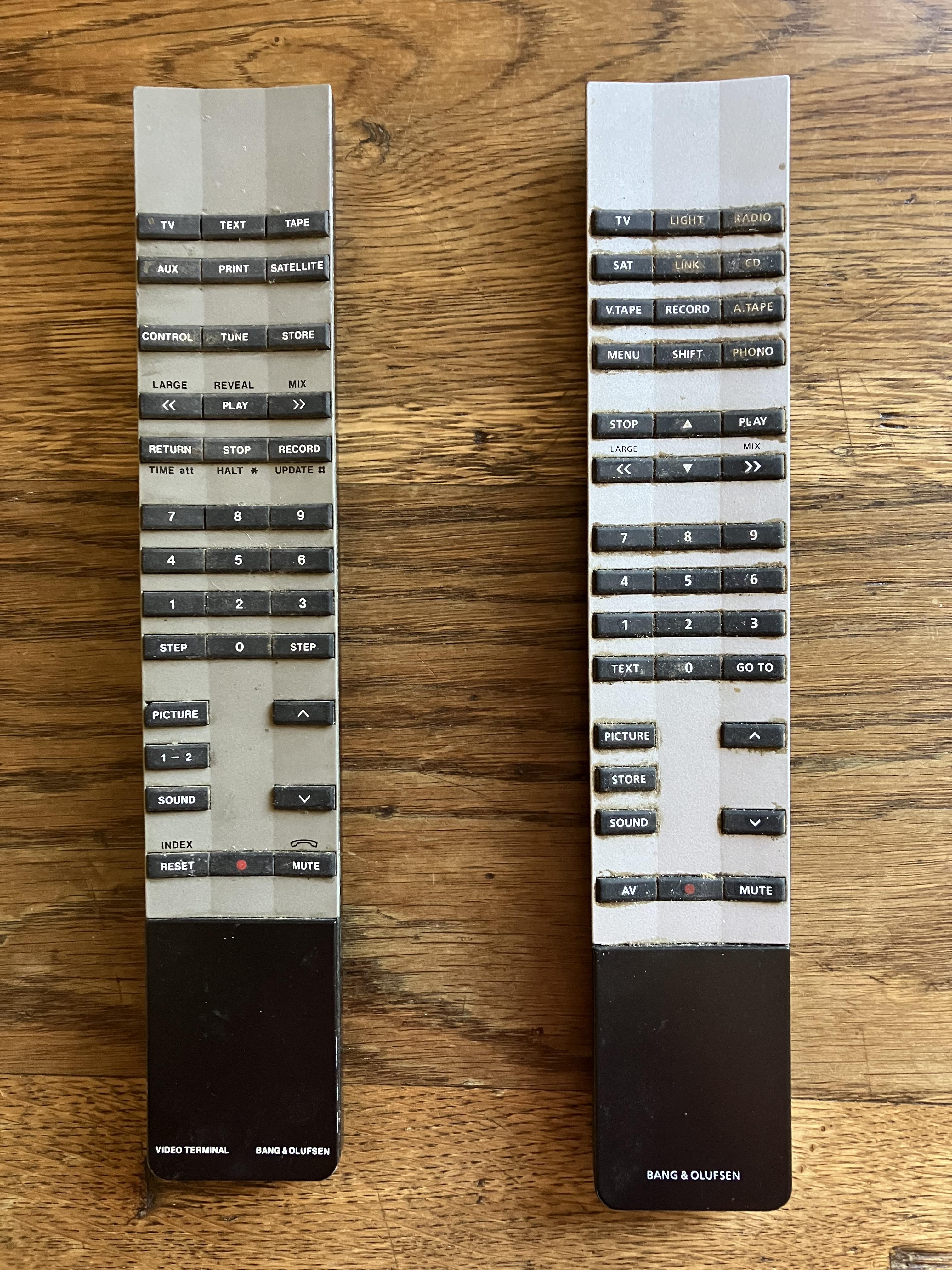
I just got hold of a pair of remotes, both listed as ‘spares or repair.
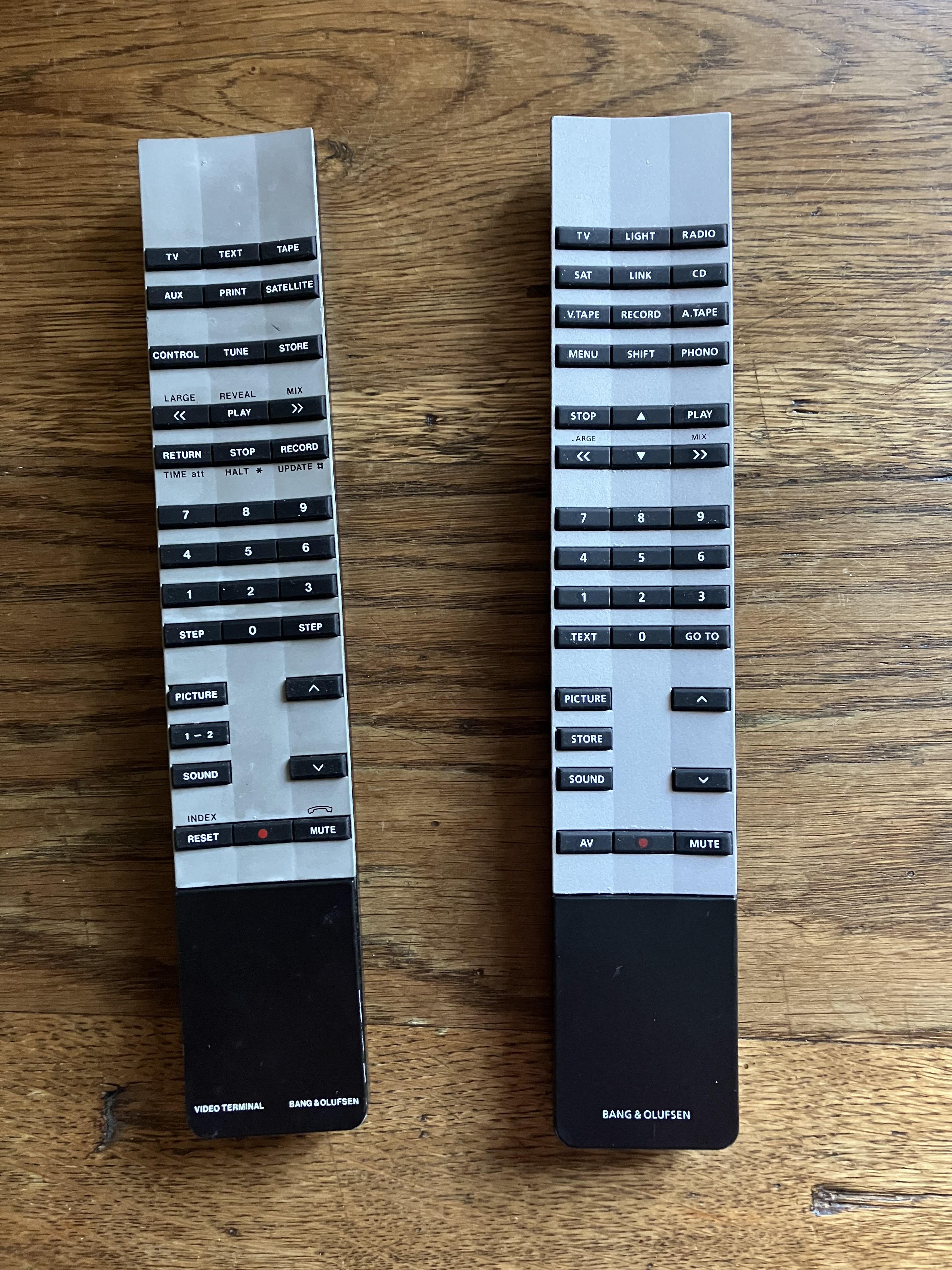
I have spent the last couple of hours stripping them down, removing the dirt and grease and re-assembling. As expected (hoped?) they both work perfectly, but I thought I’d post ‘before and after photos’ for those who want to zoom in and see the grime. Rest assured that the inside was far worse than the outside, and took quite a bit of hot water and scrubbing to remove the grease!
After:
As you can see they clean up quite well as long as you are careful not to damage the rubber keyboards. The trick is to remove/assemble when they are warm, and a hairdryer may help. There was a bit of battery acid in the Video Terminal but a little dab of vinegar dissolved this.
The Video Terminal is interesting. Initially I tried to test the AUX and TAPE button with my BeoSound 1, but then realised that it will only control video equipment, hence AUX is actually V.AUX (or DTV2) and TAPE is V.TAPE (or V.MEM). I also discovered from an old thread that PRINT sends the PC command.
Anyway it will go nicely with my Audio Terminal in a future setup.
Location: Warwickshire, UK
My B&O Icons:
The tape deck problem could well be the belt which is well worth replacing anyway. You can get new belts from Beoparts but it is important to check which of the two types of tape deck is fitted – this is explained on the Beoparts site.
With regard to cleaning the outside, I always fight the temptation to use any chemicals such as Isopropyl Alcohol! I would first dust the unit using a gentle, clean feather duster, plus maybe an air duster (compressed air can) for any groves. Then simply use water and a new, clean microfibre cloth. I use a small spray bottle to spray a very fine water ‘mist’ over the BeoCenter and then wipe very gently until dry. Don’t be tempted to press hard to remove marks – simply repeat the gentle wiping process until they fade.
Location: Warwickshire, UK
My B&O Icons:
-
AuthorPosts