Forum Replies Created
-
AuthorPosts
-
 Moderator
Is it worth me trying this:
The with the Beosound Century at standby (red light showing, but turned off), point the BL1000 at the Beosound and press STANDY (Red Dot) then SOUND then 1 then STORE. The digit ‘1’ should briefly be displayed on the Century’s screen. It should then respond to remote commands.
That is simply the A.OPT setting process when using a BL1000 remote to carry out the process that I described for the Beo4. It sends exactly the same command to the Century.
Your problem seems to be the Century, not the remote.
Location: Warwickshire, UK
My B&O Icons:

ok thanks so much for all your help, is this the right remote for the Century ??
Yes the one that you pictured is a fairly modern Beo4 remote and will usually work fine with the Century.
Location: Warwickshire, UK
My B&O Icons:
Yes the display on the remote stays on unless the batteries are removed.
I think the IR sensor on the Century is faulty – here’s a thread about repair:
https://forum.beoworld.org/forums/topic/bo-beosound-century-remote-control-troubleshooting/
Location: Warwickshire, UK
My B&O Icons:
Thanks – I have got it to say link off as it was on but still doesn’t work, is there a way to reset the remote or anything ?
No it should work as it is. I think that the remote is fine.
If the ‘A.OPT’ setting procedure that I first mentioned does not work then sadly Dillen’s repair suggestion may be required.
Did the previous remote work OK before you lost it?
Location: Warwickshire, UK
My B&O Icons:
If my earlier suggestion doesn’t work, there is one other possibility: the Beo4 could be set up in permanent ‘link’ mode, which will not work correctly with the Century.
To check this:
On the Beo4, press Standby (red dot) and List together
Press List till CONFIG appears
Using remote keyboard, enter 2 0 0 2 , the display will read LINK ON (or LINK OFF)
Press Exit
If necessary, repeat the process to get the remote to say ‘LINK OFF’, which is the option that you require.
Location: Warwickshire, UK
My B&O Icons:
Thanks so much Guy, do you mean do this on the remote or the stereo itself as I tried it and it still doesn’t work, I checked the IR an that works ok.
Thanks for all your help
Yes you do this on the remote. The Century itself should be at standby while you press the button sequence on the remote.
Thanks but the remote seems to be working with the camera test, am I correct in saying that the BEO 4 is the right remote for the Century ?
Yes the Beo4 should work fine with the Century.
Location: Warwickshire, UK
My B&O Icons:
Hi and welcome to Beoworld!
The Century may be in A.OPT 0, where it will not respond to IR commands.
To resolve this:
Turn to standby/off.
On the Beo4, press the POWER button and LIST together. Then press LIST until OPTION is shown, press GO (centre button), and then press LIST to show A.OPT. Then press 1. The power light on the Century may blink to show that it has been accepted. (EDIT: The digit ‘1’ should briefly be shown on the Century’s display)
Remote control should then work.
If the above procedure does not work, check that the Beo4 is actually transmitting IR signals by viewing the end of the remote with a mobile phone camera (selfie camera if iPhone). You should see the IR transmitters glowing when buttons are pressed.
Location: Warwickshire, UK
My B&O Icons:
Hi and welcome to Beoworld!
Are you sure that the cables are not faulty? Have you tried swapping them out/around and/or trying both powerlink sockets?
If you have a multimeter, check the continuity of the PL cables – pin 6 is data and pin 7 is data ground. Make sure that pin 6 isn’t shorted to one of the other connections.
It’s also worth disconnecting anything else from the BeoSound (Masterlink and Aux socket) to rule those out as part of the problem.
Location: Warwickshire, UK
My B&O Icons:
Sorry. I forgot to mention that pin 6 and 7 on the CD connector on the MCL2AV is connected with a little piece of wire by a former owner. Therefore I could just connect the Beogram 2000 even though it has datalink on pin 6
Makes sense – thanks for the clarification.
Location: Warwickshire, UK
My B&O Icons:
A further thought:
For datalink, we had discovered that Tape and CD use pin 7, whereas Phono uses pin 6, unless RIAA is built in (to the Beogram) in which case it uses pin 7 also. We had also thought that the MCL2AV circuit diagram was incorrectly showing datalink to Tape/CD pin 6 instead of 7.
From the service manual, your BG2000 uses pin 6 for datalink.
So does this mean that pins 6 and 7 are connected inside the MCL2AV, or has your BG2000 been modified?
Location: Warwickshire, UK
My B&O Icons:
Great news – I’m very glad that it worked and many thanks for letting us know.
Location: Warwickshire, UK
My B&O Icons:
Setup: BL3500 -ML – 1611 – datalink – MCL2AV – datalink – BG2000 (connected to CD input) Control og the BG2000 was fully possible from the BL3500 with the use of CD command.
Excellent – a very useful configuration! I am sure that I will be making use of this in the future with my BG6500 (which of course already has built in RIAA/pre-amp). Out of interest, could you also control it using PHONO (N.RADIO)?
Also looking forward to seeing this connected to the BLC to the NL world beyond!
Location: Warwickshire, UK
My B&O Icons:
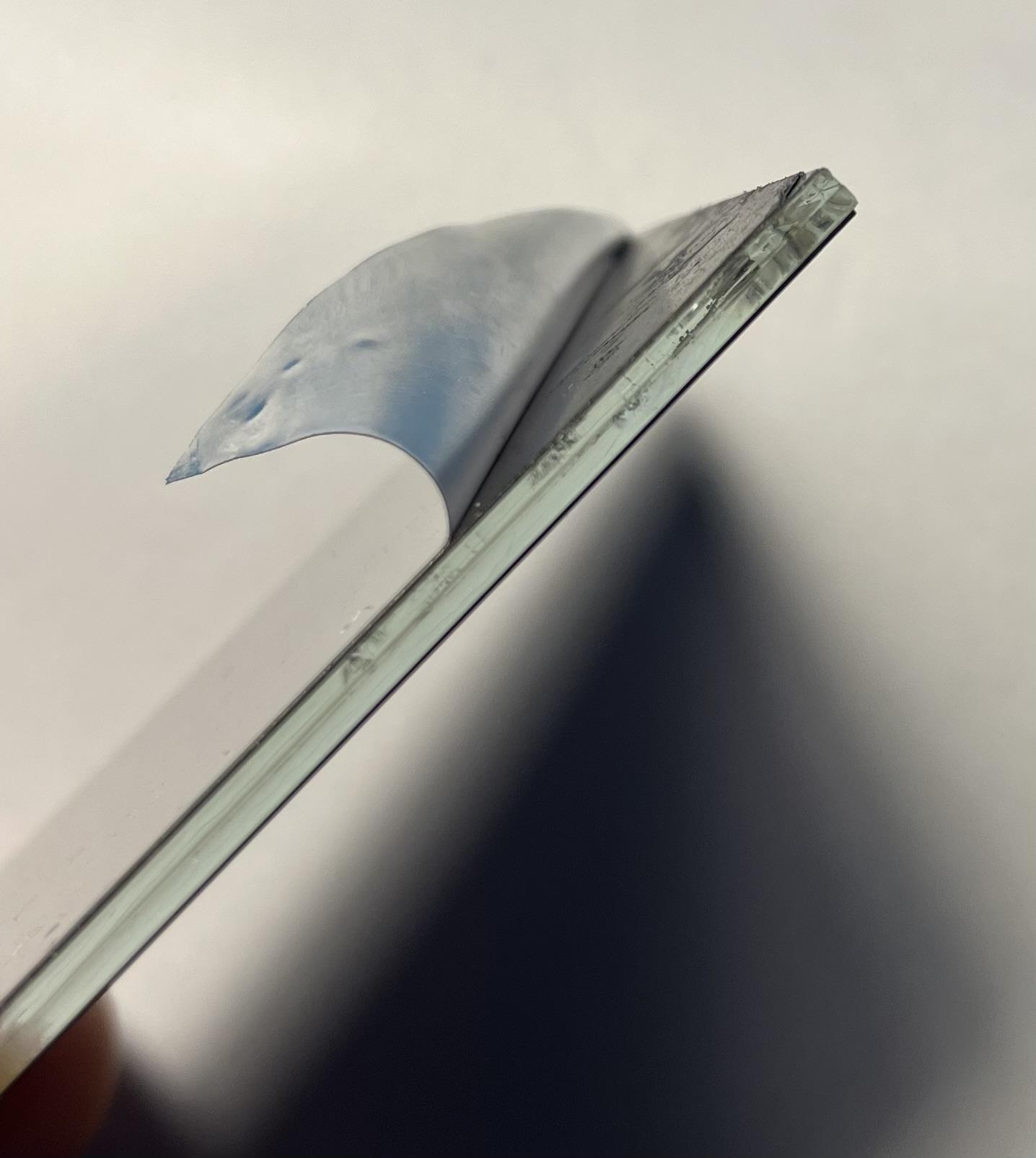
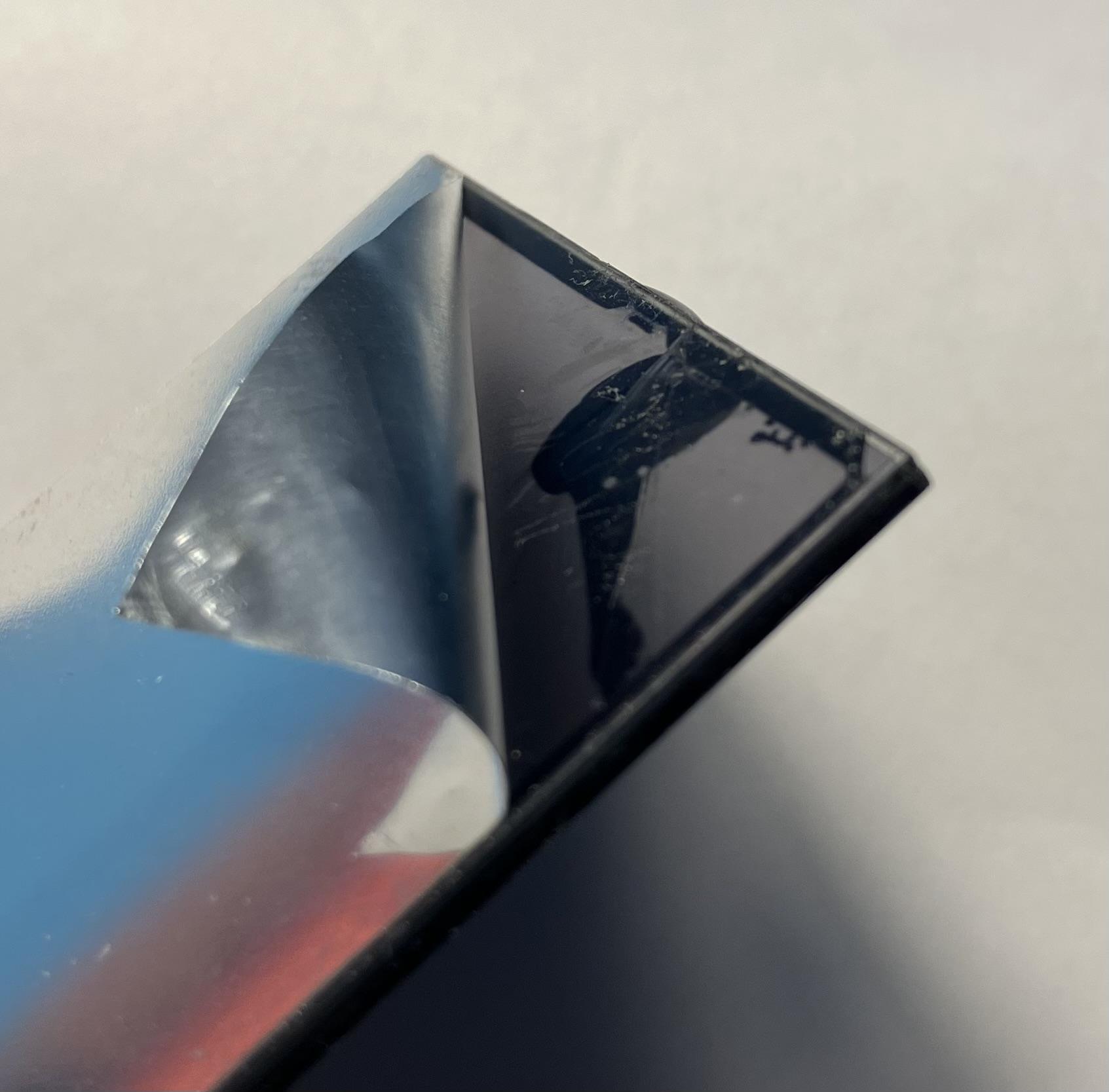
LCD leakage is starting to spread between the glass sheets now anyway – time to give up and open a beer! ??

Location: Warwickshire, UK
My B&O Icons:
Wouldn’t it be possible to repair the screen? I don’t remember well how they’re made and what cause the leaking, but if it can be removed and the glass repaired, that would made a better remote that one with a missing line of pixel or very dimmed digits.
Looks like thin sheets of glass sandwiches together. I can peel the silver foil off the back and it seems that the rear sheet of glass is broken – this must have taken the shock when it was dropped or whatever.


I hesitate to try heating to separate the glass because I may well render it useless. I do have a tatty Beo4 (with lines missing from the display) on my desk (to answer random questions on Beoworld!), so I will probably fit in into that so that I can read the text more easily. If I can find some shiny black material I may blank off the area above and below the text to hide the damage.
Location: Warwickshire, UK
My B&O Icons:
I bought a ‘spares or repair’ Beo4 on eBay and the only fault was a damaged screen – it displayed fine but had damage in the corner. Despite arriving loose in a jiffy bag, I was surprised how ‘new’ the Beo4 felt on arrival, with a nice positive click when pressing buttons.
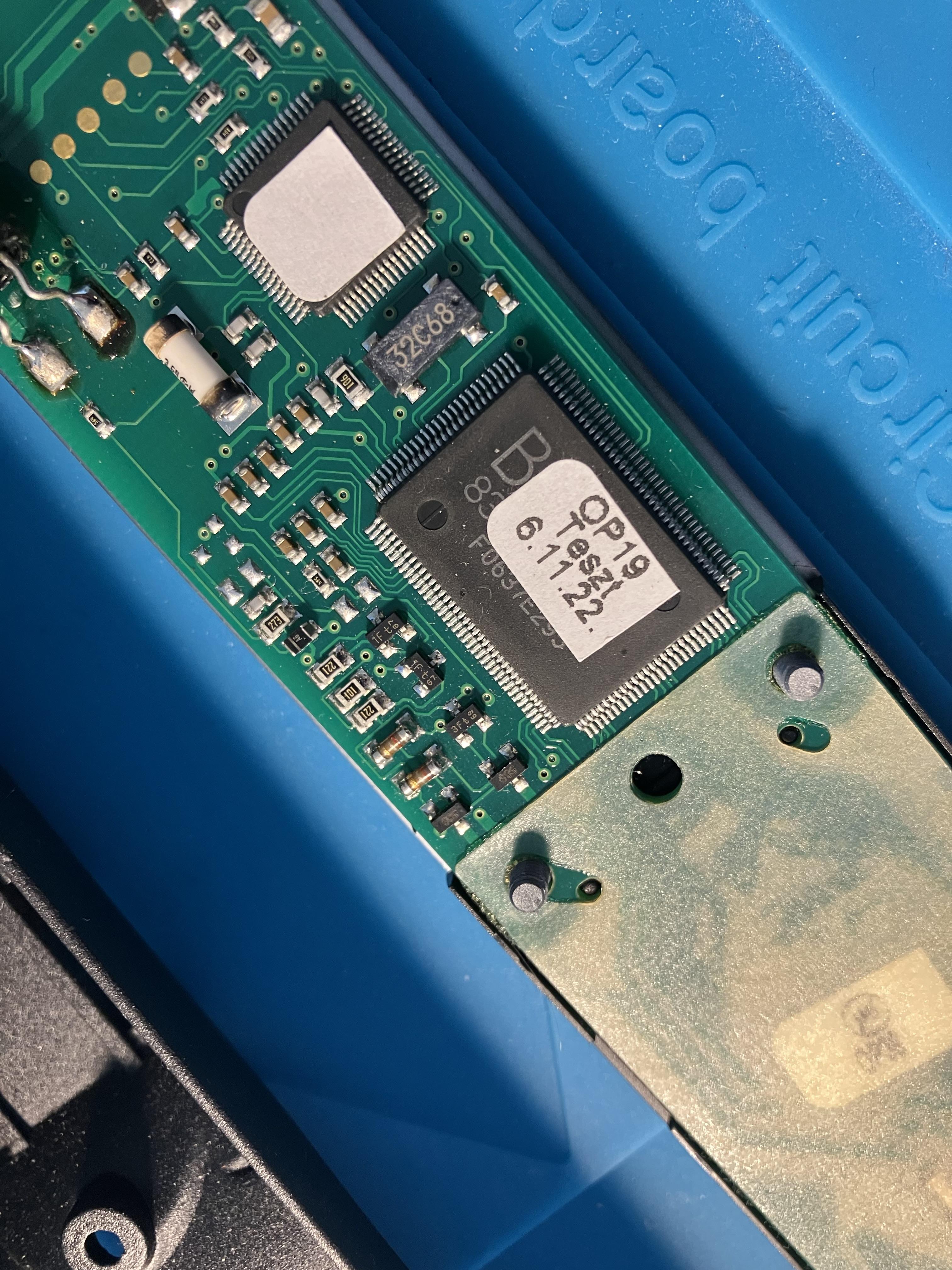
On opening to replace the screen I noticed the test date on the chip – if I am interpreting it correctly it’s only 6 months old! Also ‘Teszt’ is Hungarian for ‘Test’ – is that where they are now made?
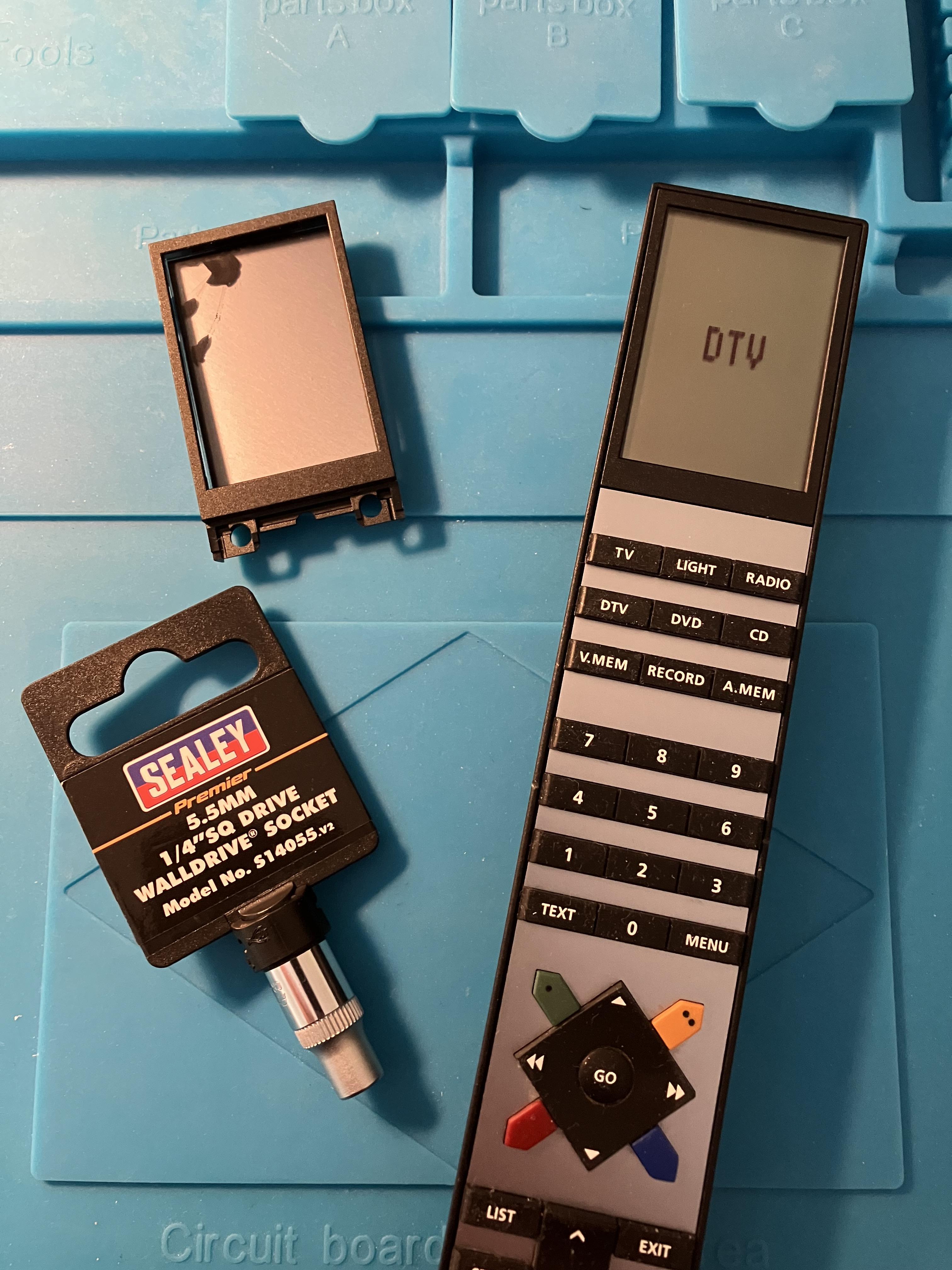
Picture below also shows the damaged screen and the 5.5mm socket that I keep in my desk draw so I don’t have to keep going out to the garage to get my socket set when fixing remotes!
I am not really sure about the cost effectiveness of such repairs: The Beo4 was about £20 incl P&P, a new screen about £25 and a new battery cover £4. In the past I have bought equally nice condition Beo4s for much less than £50, even a V.AUX version. Never mind, there’s a certain satisfaction in such a simple repair!
Location: Warwickshire, UK
My B&O Icons:
Maybe – even if it is in danish – this thread from the late Peter Pan could be of interest for the viewers of this thread.
Thanks MM – I had seen the first part of the thread about SW variants for traditional Beo4s, but not the useful ‘Navi specific’ info.
It would appear that APPLETV was added (along with other ‘soft’ functions) in early 2013 with SW8.0.
Location: Warwickshire, UK
My B&O Icons:
11 May 2023 at 14:45 in reply to: Beo4 and Beolink 1000 Remote Shortcuts and Equivalent Button Presses #35844I earlier worked out a few Beo4 NAVI equivalent IR commands:
- APPLETV is the same as V.AUX2
- USB is the same as A.TAPE2/N.MUSIC
- DOCK is the same as PHONO/N.RADIO
(Where APPLETV*, USB or DOCK can be added to the LIST button)
* APPLETV is not available on all Beo4 Navis.
Location: Warwickshire, UK
My B&O Icons:
So I just did another test of my DVD1 connected to the BL1611 AAL socket. I left the audio pins at 3&5 (video source) and the SCART ‘data’ pin 8 to AAL pin 6. I used BL3500 as link speaker, in L.OPT 6.
As before, selecting DVD did nothing, although (once manually started) a long press of the power button still turned the DVD1 off as before.
I then tried all other video and audio sources (including CD), and including those that had to be added to Beo4 using LIST. Most had no effect.
However, selecting either V.TAPE (A.MEM) or DVD2* would start the DVD1 playing Track 1, but further control (numbers, arrows or STOP/PAUSE) was impossible. A long press of the power button was still required to turned the DVD1 off.
* DVD2 is the same IR command as V.TAPE2, and displayed as such in my BL3500 display. It can also be access using [SHIFT] [V.TAPE] on the BL1000.
So, I seem to have demonstrated limited direct use of AAL data, albeit not very useful!
I will do further DVD1 experiments with MCL2AV when I can extract it from the box pile.
Location: Warwickshire, UK
My B&O Icons:
No response from the BL passive when activating the MCL2AV. Disconnecting ML from the PL passive and then it works, but the IR eye seems to be disable apart from the red LED.
Looking at the Passive’s circuit diagram, there’s an ML-sense (ML pin 12) that triggers IC305 to switch from PL to ML. As discussed before, it’s a pity we don’t have the BL Active’s (1636) circuit diagram to compare.
Location: Warwickshire, UK
My B&O Icons:
-
AuthorPosts