Forum Replies Created
-
AuthorPosts
-
 Moderator
I assume that you are using the digital tuner.
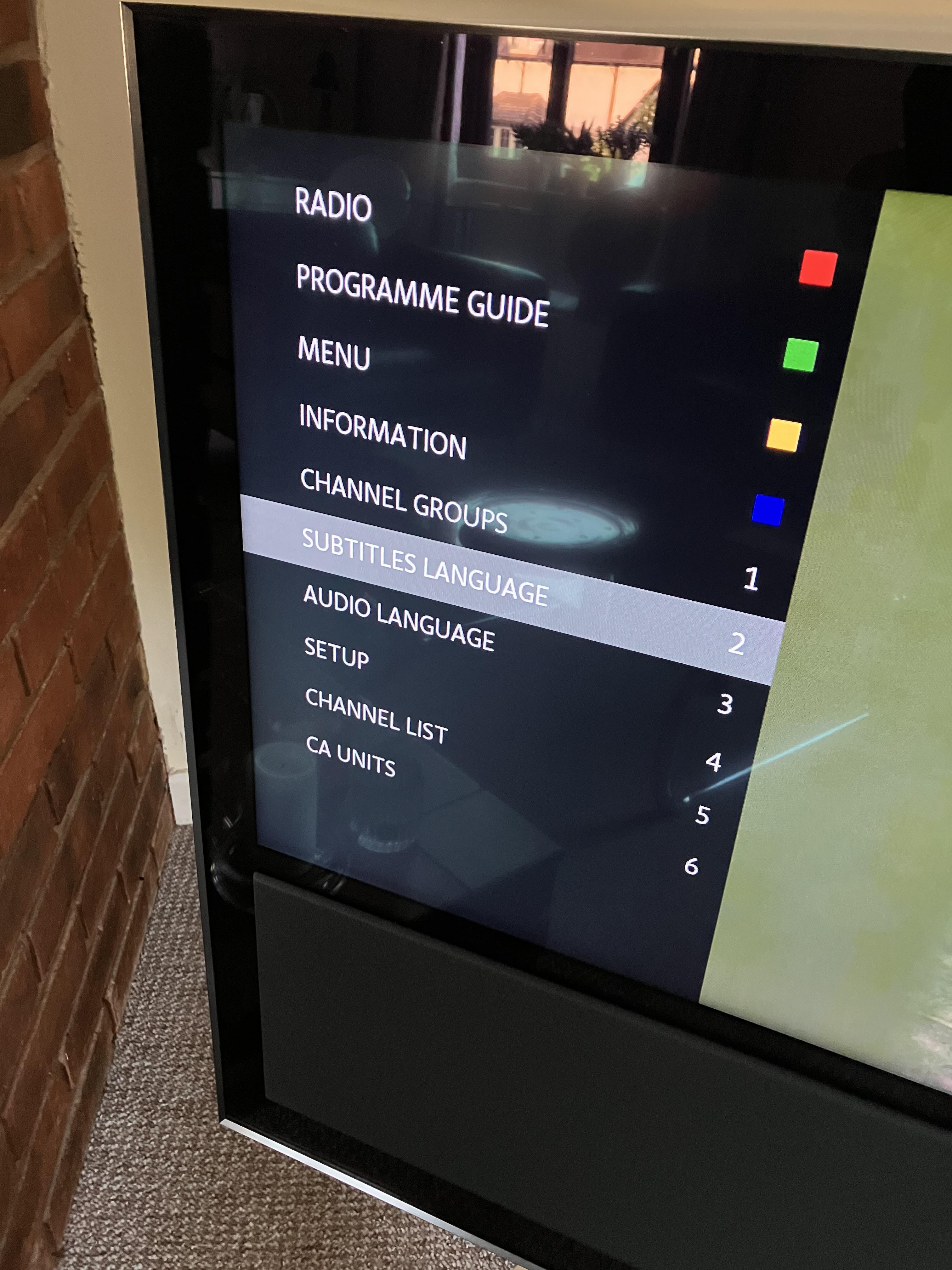
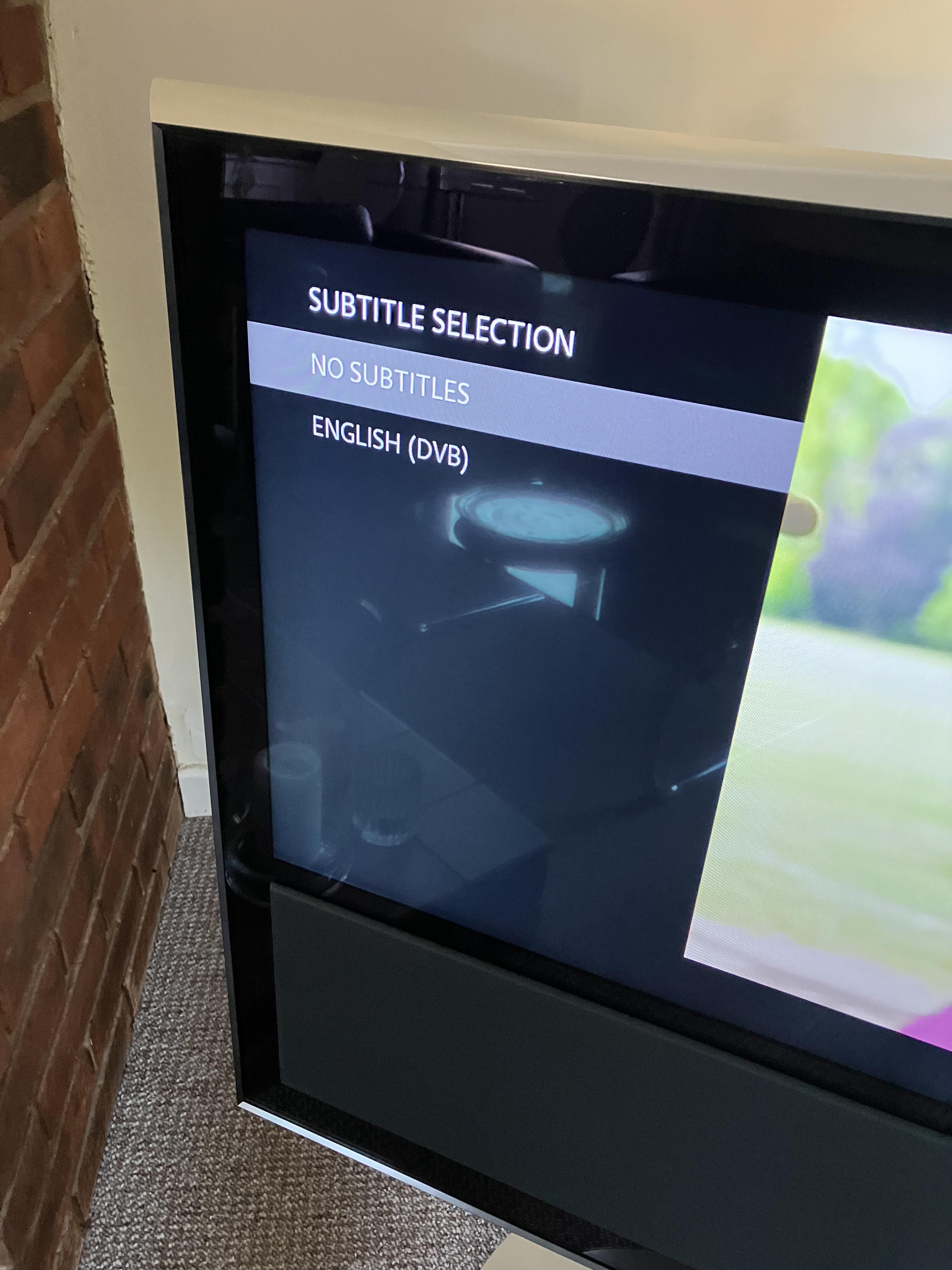
On my BV10 I press MENU 2 (for Subtitle Language) and then select subtitles to off.
Location: Warwickshire, UK
My B&O Icons:

Hi and welcome to Beoworld!
Check that the lead is sending the L & R audio to DIN pins 3 and 5 respectively. Pin 2 is ground.
Viewing the socket:

Location: Warwickshire, UK
My B&O Icons:
Further stream details from my Frontier Nuvola Smart Radio interface:
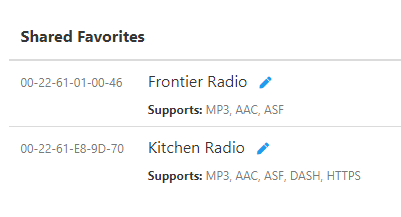
This shows what my two devices support – the top one being my OneRemote radio that does not work with BBC. Kitchen Radio is Hama IR110.

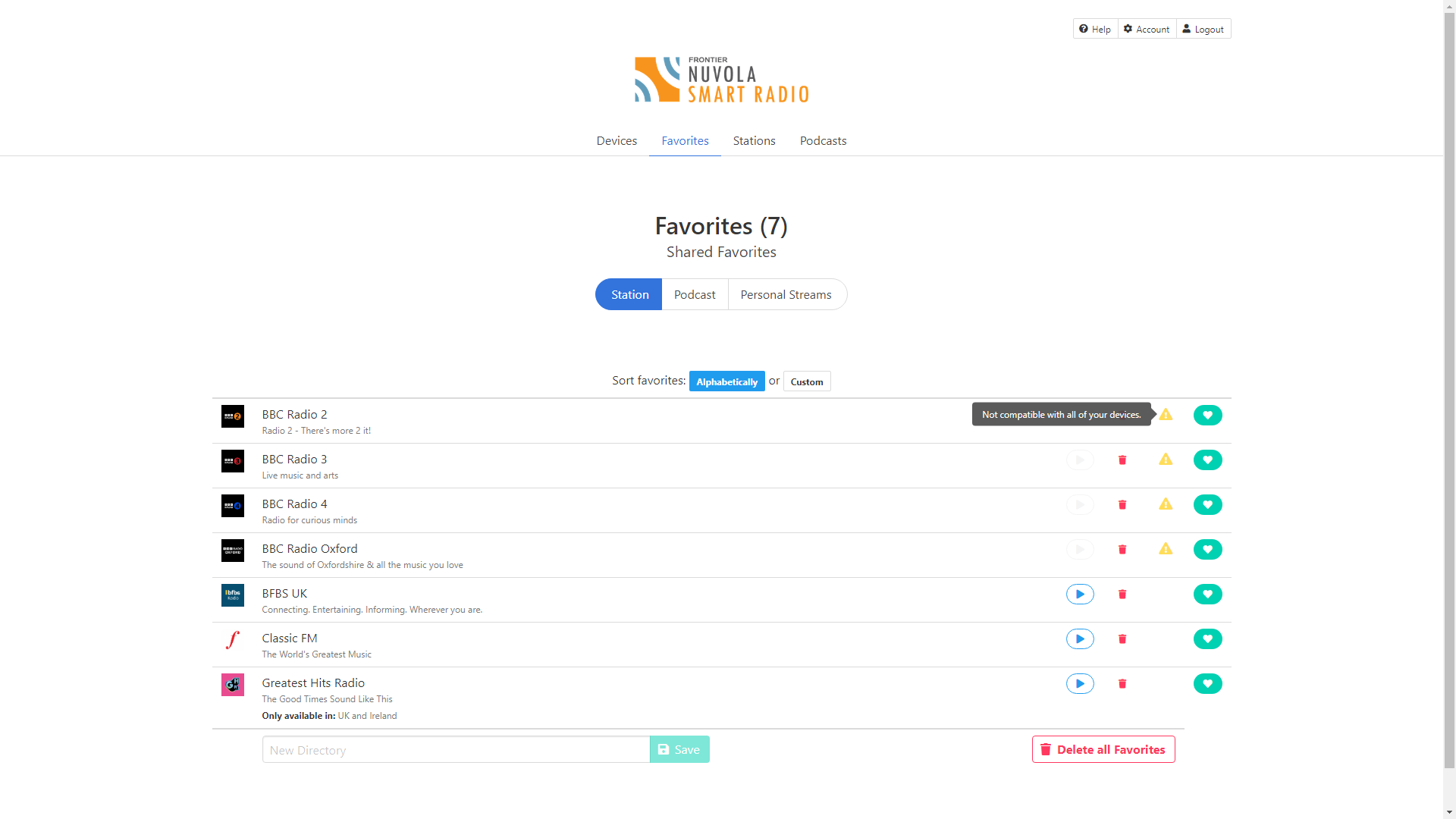
And this shows the available streams from the BBC (click to enlarge):

Location: Warwickshire, UK
My B&O Icons:
I thought iPlayer (definately) and sound needed a link to your licence? Fair-enough.
iPlayer has no direct link to your TV licence – when you log in and start to stream it just asks whether you have a TV Licence and you click ‘yes’. I suppose they could track fairly easily using ip address etc. There is no such question/requirement for BBC Sounds.
Lets dust-off this discussion in a years time and see if it still holds true or not?
?
Can’t imagine it changing before the general election; assuming that they have a say, current govt wouldn’t want to upset all those older voters who rely on radio for company!
I am hopeful that BBC FM will continue until at least 2030, and still be free!
Location: Warwickshire, UK
My B&O Icons:
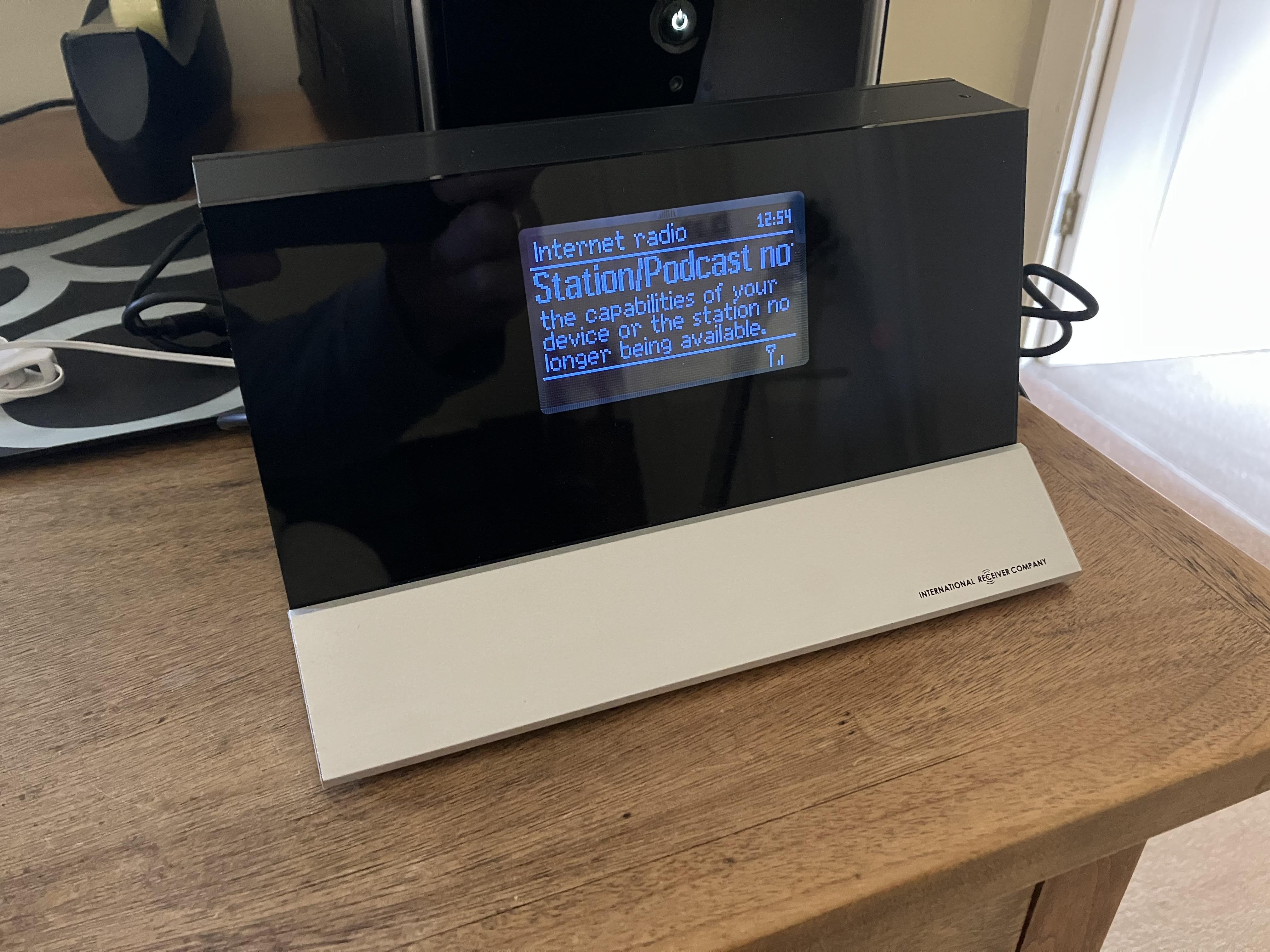
Not really related to N.RADIO or Net Radio (as the thread title) I today thought I’d check whether my OneRemote (International Receiver Company) radio can still receive BBC internet radio. I bought this when I lived overseas to access BBC radio, hence haven’t used it recently because here in UK I can listen to BBC on FM.
Anyway, here’s the outcome:

So clearly the answer is ‘no’. I confirmed this by logging into the Frontier Nuvola Smart Radio interface, which controls the stations that I listen to on both this and my kitchen radio (a Hama IR110). As you can see, the interface knows that one of my devices is incompatible with the listed BBC stations, although the Hama kitchen radio still plays them without problem. (click to enlarge)

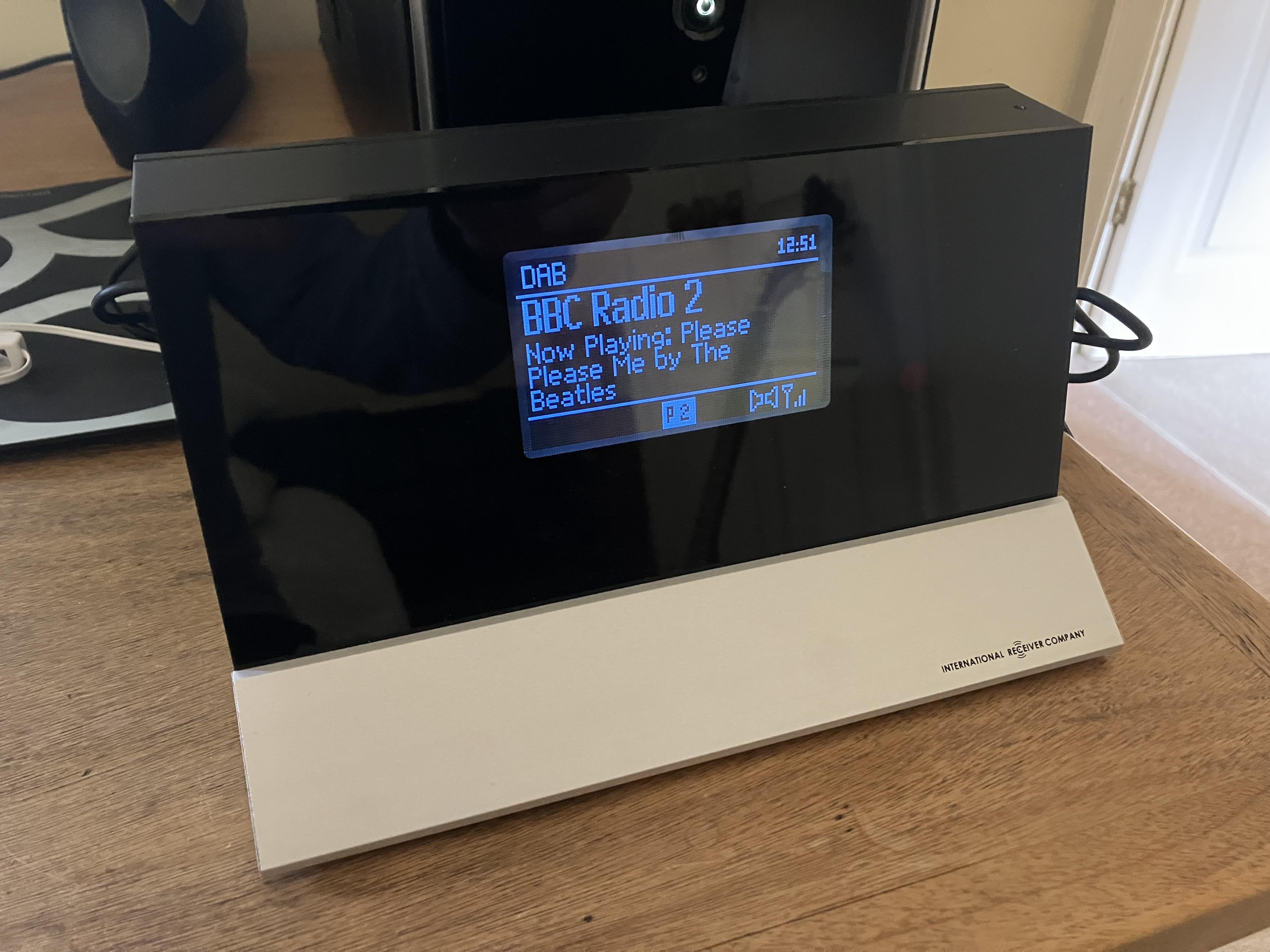
Luckily (for when UK FM is switched off) my OneRemote radio has the option to play DAB, albeit the quality is lower compared to the previously available BBC internet stream. I just tested and it works well with full (direct or indirect) Beo4 control.
So yes this BBC stream re-shuffle is causing a few headaches (more than just N.RADIO and NetRadio) but nothing insurmountable so far!
Location: Warwickshire, UK
My B&O Icons:
BBC are withdrawing free services.
BBC Sounds (radio) is still free and there are no plans to change that! You do not need a TV Licence to listen to BBC radio (FM or DAB) or BBC Sounds (internet). Increasingly you do need to ‘log in’ to listen, but there is no payment involved.
Location: Warwickshire, UK
My B&O Icons:
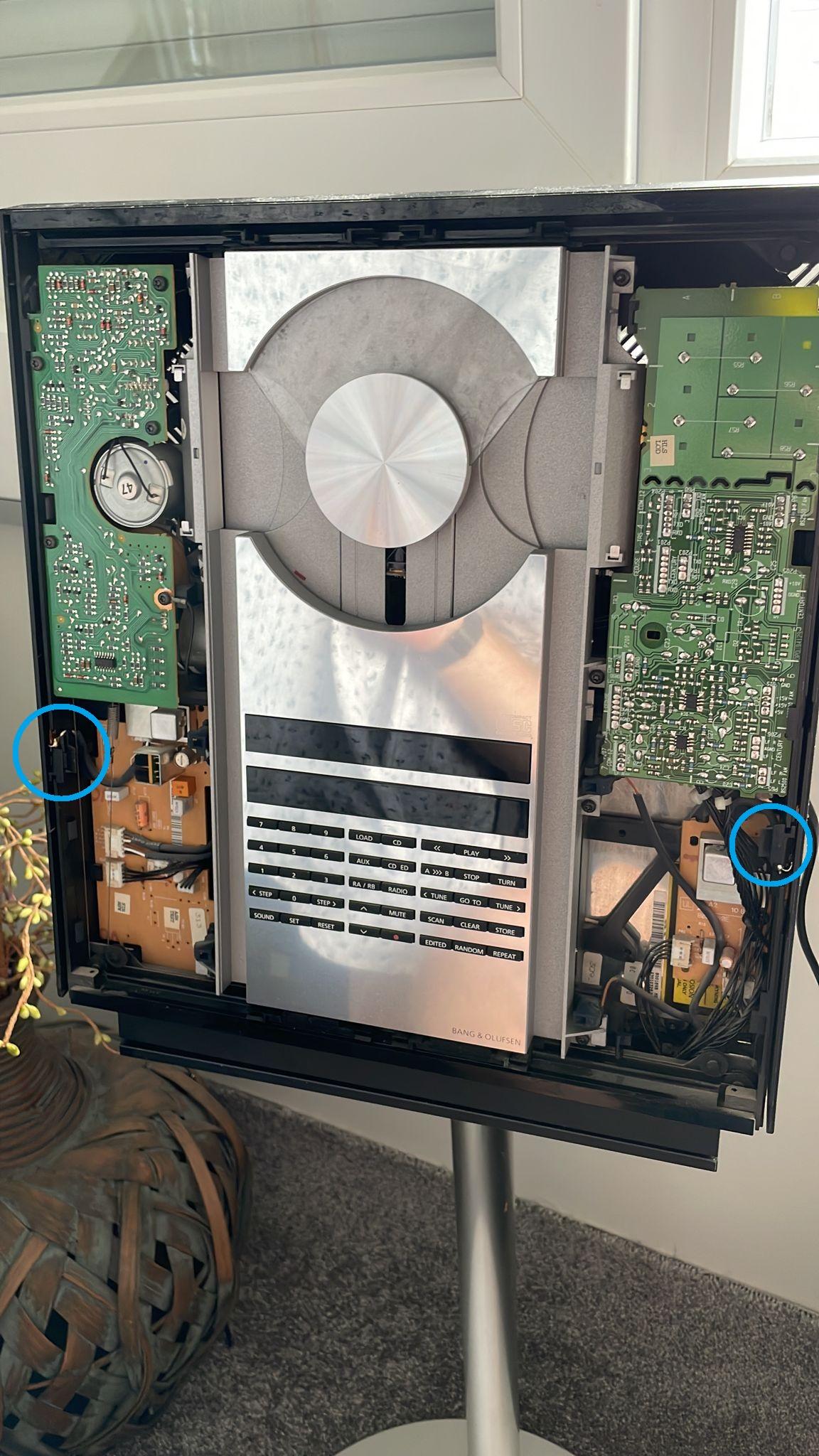
21 June 2023 at 10:35 in reply to: BeoCenter 2300: where is the motion sensor for the doors located? #47235Question Are there also 4 IR-receivers, 2 on each side? Are the IR-receivers the ones marked in light blue? If so, are the IR-receivers in the right side in the mirrored position to the ones in the left side?
There is just one receiver each side (two in total), in the blue circles below:

Location: Warwickshire, UK
My B&O Icons:
Great result finding and fixing the ML fault – looking forward to seeing developments on the other thread!
Location: Warwickshire, UK
My B&O Icons:
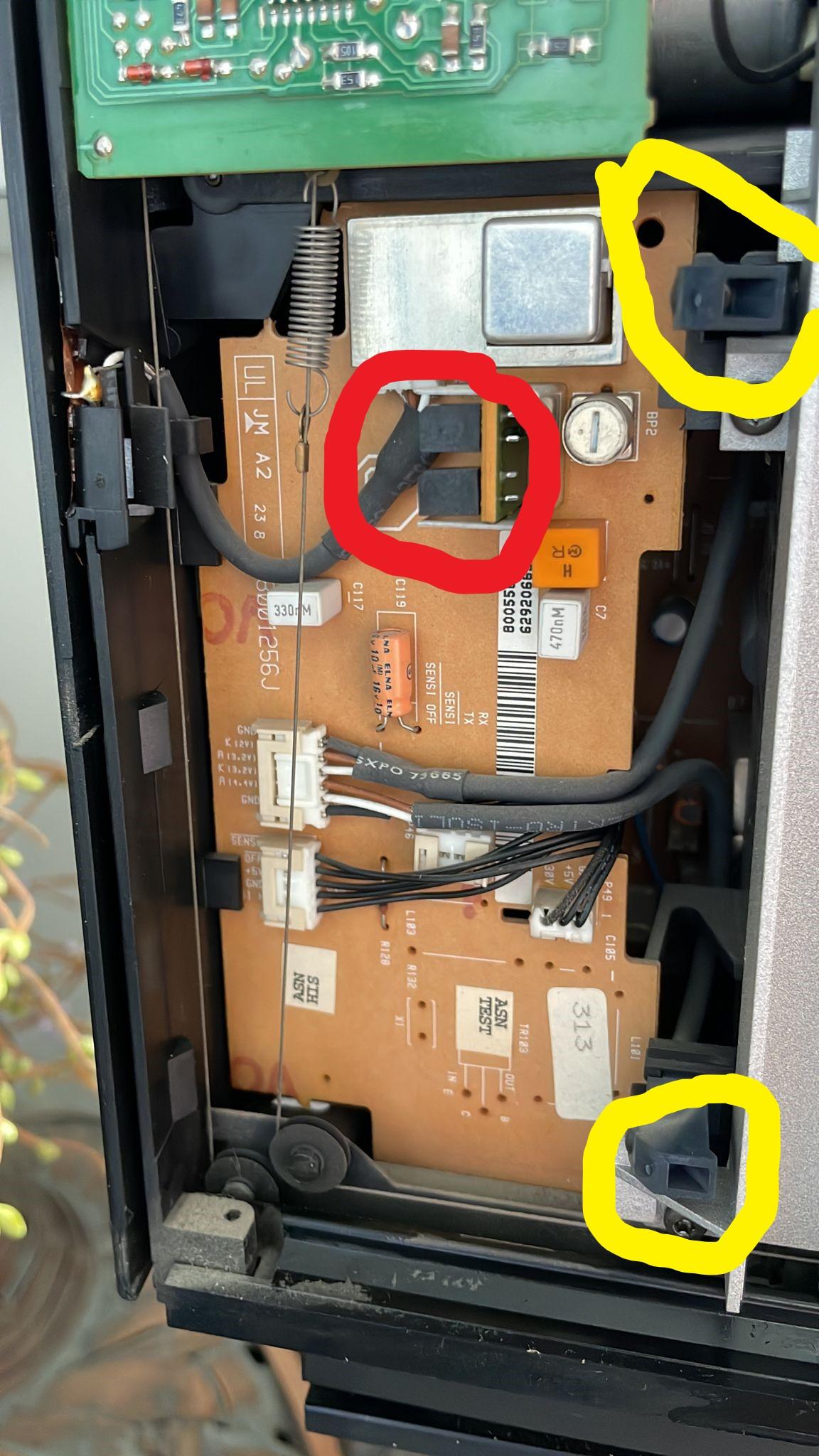
19 June 2023 at 12:09 in reply to: BeoCenter 2300: where is the motion sensor for the doors located? #47232OK so I have had a more in depth look at this! Looking just at the left hand side, the following is the circuit diagram for the door sensor part of PCB6: (click to expand)

The sensor receiver is OD1, and is remoted from the PCB using connector P47, which is the 3-wire connector just above the red circle in my annotated picture. Follow this wire to find the receiver on the left edge.
The sensor transmitters are OD2 and OD3, which are remoted from the PCB using connector P50, which is the six wire connector that splits into two and supplies the two yellow circled emitters.
The right hand side is similar with connectors P80 (receiver) and P81 (transmitters) respectively.
The plastic cover allows the IR light to pass through for both the door sensors and the remote transceiver.
EDIT: Just for info, this subject was discussed with Leslie on the old forum but sadly the pictures are missing. He experienced problems when painting the black plastic covers, which stopped the IR light from passing through and stopped the doors from working. His thread is here: https://archivedforum2.beoworld.org/forums/p/1118/9340.aspx#9340
EDIT2: You can see the connector numbers and board components very clearly in this Beoparts listing: https://beoparts.com/2020/02/11/beosound-ouverture-ir-receiver-and-door-sensor-pcb-8001753/#jp-carousel-8261
EDIT 3: And this eBay listing still has the IR receiver attached: https://picclick.co.uk/Bang-Olufsen-BO-Beosound-Ouverture-255201529341.html#&gid=1&pid=1
Location: Warwickshire, UK
My B&O Icons:
18 June 2023 at 17:50 in reply to: BeoCenter 2300: where is the motion sensor for the doors located? #47227Having stared at the circuit diagram a bit longer I think I was a bit wrong above!!
I think that the red circle is the IR receiver for remote control (the IR transceiver).
I think that the silver square at the top of the board is the door sensor receiver, and you can see a similar silver square on the smaller board on the right hand side.
Location: Warwickshire, UK
My B&O Icons:
18 June 2023 at 17:25 in reply to: BeoCenter 2300: where is the motion sensor for the doors located? #47226According to the manual, each side has two transmitters and one receiver (the receiver is actually two sensors collocated) EDIT: The receiver is just one sensor each side, see next post)
In my annotation below (of the left hand side), the yellow are the transmitters and the red is the receiver. In your photos I can’t find the receiver on the right (but the transmitters are similar to the left). EDIT See correction in next post.
Location: Warwickshire, UK
My B&O Icons:
that is perfect as a IR command converter then
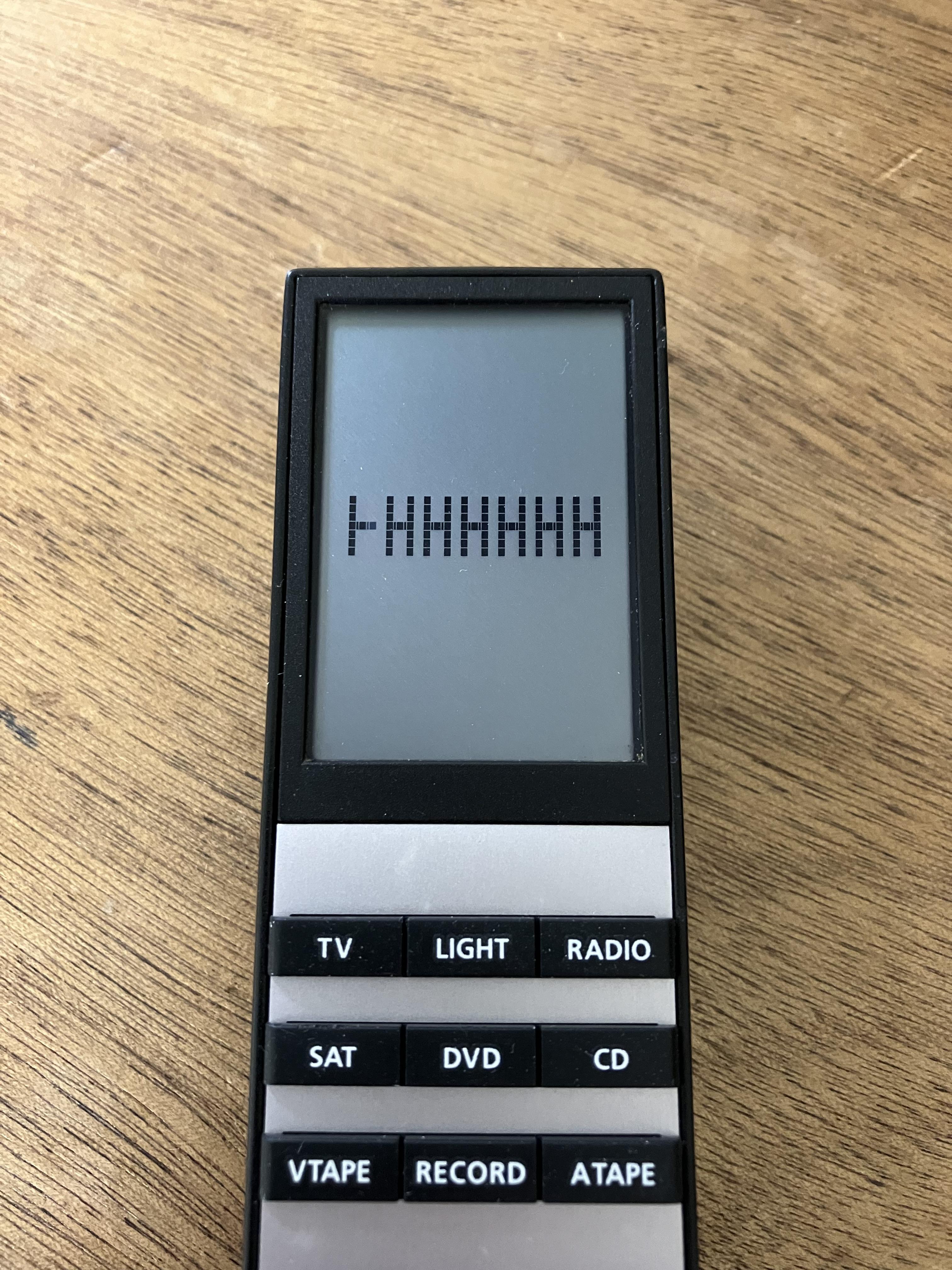
Ha ha! My OCD won’t let me leave it like that! I replaced the keyboard because a previous owner had picked away at the volume button and that was annoying me. It’s actually a tatty one that I leave on my desk to check my answers to Forum Beo4 questions. It also has a missing pixel line on the screen but it’s over to the left hence rarely appears.

Location: Warwickshire, UK
My B&O Icons:
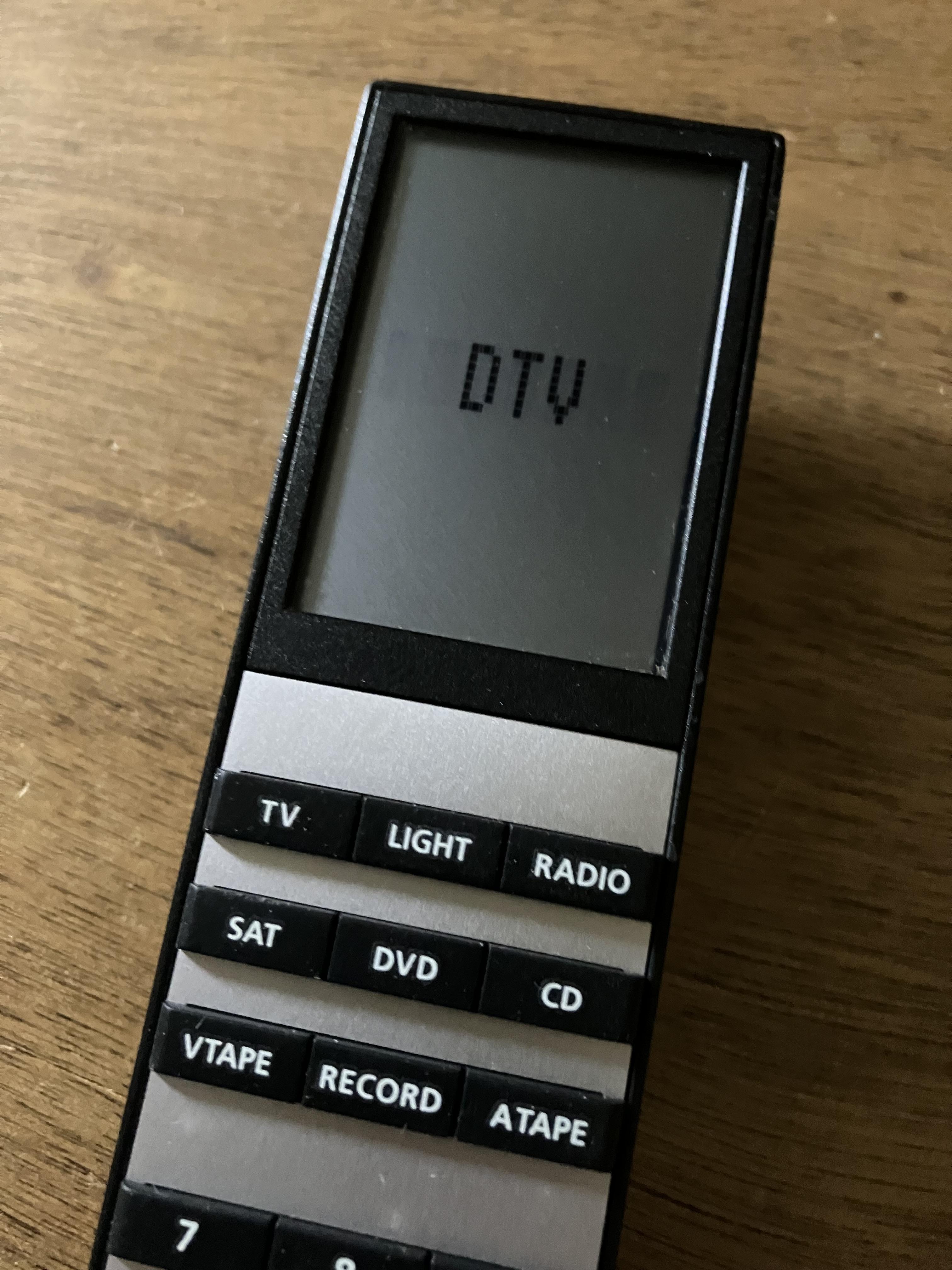
Then cleaned up yet another Beo4 remote and must have been on auto-pilot because I didn’t spot the obvious mistake until re-assembled!
Location: Warwickshire, UK
My B&O Icons:
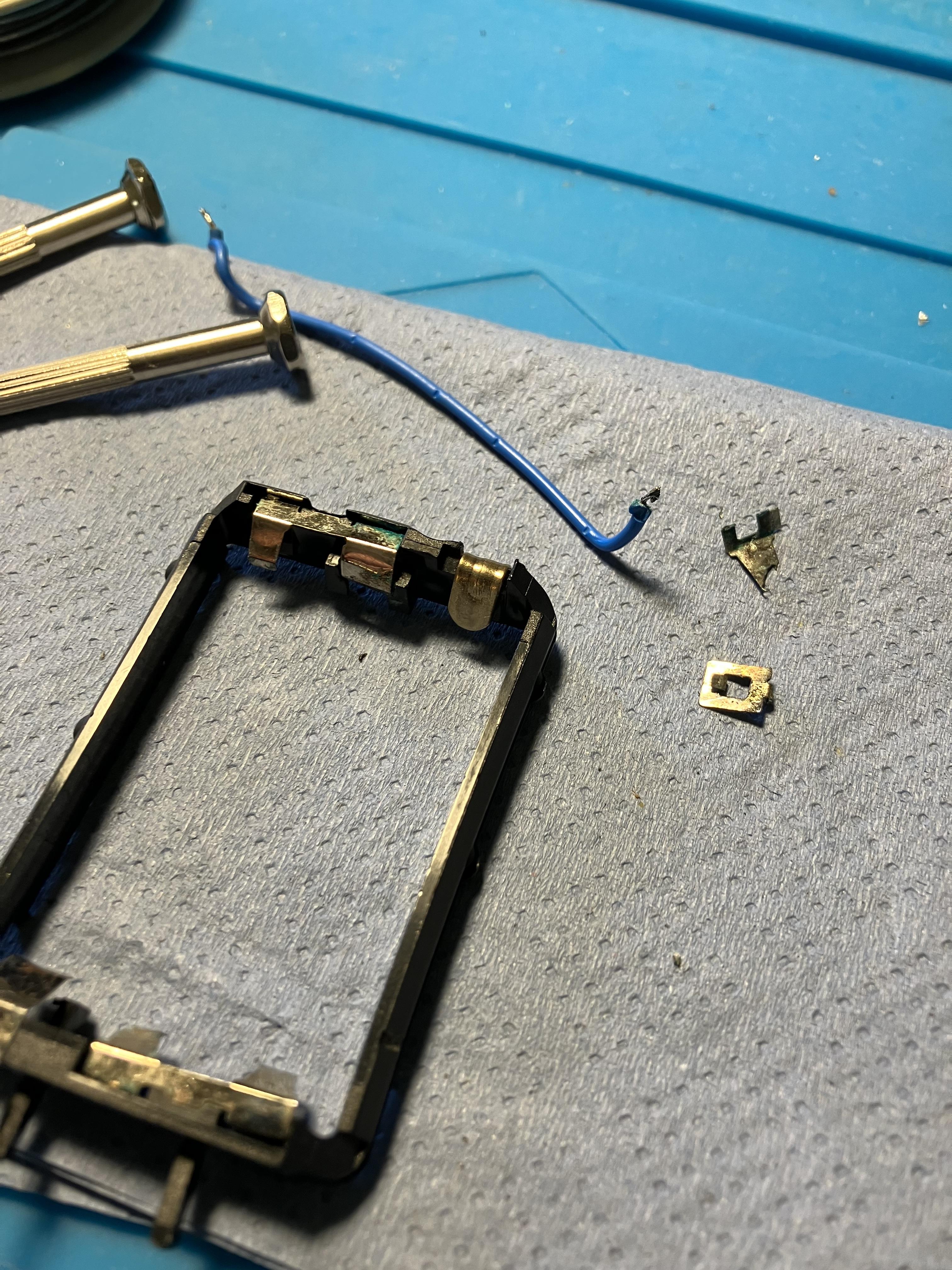
Battery acid corrosion had broken the negative terminal in my Video Terminal’s battery compartment, so I made a new terminal using a re-purposed picture hook.
Location: Warwickshire, UK
My B&O Icons:
Maybe other forum members already have some experience in this topic and want to share their ideas and hints?
Hi and welcome to Beoworld!
It’s beyond my knowledge, but there was some stuff on the archived forum about the use of Arduino with B&O IR codes so you may wish to search there.
Here’s an example: https://archivedforum2.beoworld.org/forums/p/11816/103211.aspx#103211
Location: Warwickshire, UK
My B&O Icons:
We got one of these video terminals at home when I was a kid, and I remember wondering what the Print button was for. Now I may even wonder more that it it equal to the PC command. What equipement was it for?
According to this thread:https://archivedforum.beoworld.org/forums/p/38215/317414.aspx … it was supplied with the with the LX2800 and 2500 TVs amongst others. And the PRINT button may have been for printing out Teletext, although B&O never supplied a printer.
Ok that makes kind of sense as teletext was kind of the Internet of the 80’s, even though I’m not sure how such a printer would connect to a Beovision. Might have been preparation for future use though.
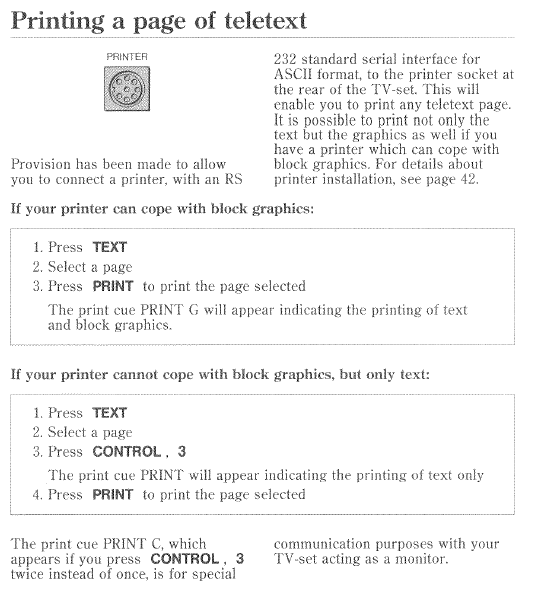
Back on the subject of the Video Terminal, I just found more about the PRINT button in the LX2800 manual:

I was actually also searching for the purpose of the ‘1 – 2’ button between ‘picture’ and ‘sound’. It is mentioned in the same manual, and was used for a few purposes:
- Switching between stereo and mono.
- Enhancing the stereo sound image.
- Switching between languages, if available.
In the back of the LX2800 manual there is also a quite complicated two-page table explaining use of the AUX and CONTROL buttons in conjunction with the ‘1 – 2’ button.
The manual also has further details of printer installation.
Location: Warwickshire, UK
My B&O Icons:
Just wanted to add to this Beoport thread to say that my Beoport can no longer play the BBC stations – as highlighted by Frog here: https://forum.beoworld.org/forums/topic/n-radio-and-netradio/
I will test Beoport a few times in the coming days but I don’t expect the BBC streams to return.
Location: Warwickshire, UK
My B&O Icons:
I just checked N.RADIO on Beoport and the BBC stations will no longer play (they were working a few weeks ago), so it looks like this could be a result of the end of their ‘Shoutcast’ service which was due to be switched of mid-2023.
EDIT: You have probably seen that I added a post about this on an older thread for completeness, but as you have also mentioned NetRadio it is worth keeping this new thread too!
Location: Warwickshire, UK
My B&O Icons:
Hi and welcome to Beoworld!
I am guessing that the previous set-top box also had a SCART connection between it and the BV7. As far as I am aware, the BV7 will not distribute digital (hdmi) signals to remote televisions. Therefore if the new set top box only has a hdmi connection to the TV, then the signal will ot be sent to the BV6s.
If you can confirm that the above is indeed is the case there may be a workaround involving an hdmi splitter and hdmi to SCART converter. However, it would be a bit pointless doing this if you can’t then control the main TV channels from the BV6 link rooms, so see below.
As far as controlling the new set top box goes, the TV has to be pre-programed with the IR codes that will then be sent through the IR blaster lead to be received by an IR sensor on the front of the STB. Programming the BV7 is a B&O dealer/technician task. If you have the TV manual it may show you how to check if you TV already has the Ocilion IR codes in its database, but I doubt that it will be there unless you have used Ocilion devices in the past.
Location: Warwickshire, UK
My B&O Icons:
It’s a long shot but the behaviour would be similar if the Beo4 was in permanent LINK mode with the BL3500 in non-LINK mode – I seem to remember that you can still change L.OPT settings but that is about all. Is there any change in behaviour if you put the BL3500 in L.OPT 4?
But given that you are getting error codes I think the problem is more complex.
Location: Warwickshire, UK
My B&O Icons:
-
AuthorPosts