






Home › Forums › General Discussion & Questions › General Discussion & Questions › What are you working on now?
- This topic has 271 replies, 65 voices, and was last updated 5 days, 11 hours ago by


-
AuthorPosts
-
21 March 2026 at 06:54 #99487
 MadskpGOLD Member
Received a complimentary Form1 with another purchase, it the usual condition – without foam. After reading the archives on the issues everyone was having with the original foam, I bought a cheap set of Logitech 150 foam replacements for $10-for-2-sets, and affixed them with trim adhesive. Not ideal nor exact replacements, but serviceable given the time and effort I was willing to put into it. If someone ever has a better solution, I can always shave them off. Unit seems to work fine without the upper cushions, but then, I’m not overly concerned with comfort, fit and finish of this particular headset. Hopefully someone else can find this information useful to repair their sets without foam.
Nice quickfix to get the useable again.
I was recently looking into a LOT that among other things also contained a set of Form 1, so did some research and found this old thread where different solutions where tried https://archivedforum2.beoworld.org/forums/t/2514.aspx?PageIndex=2
In some of the latest post’s in the thread Matador has posted several pictures of his solution, and in a later post also attached instructions for how to make them
Location: Denmark
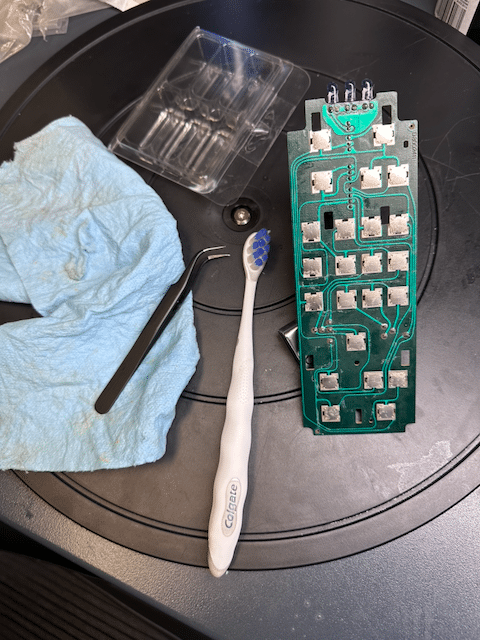
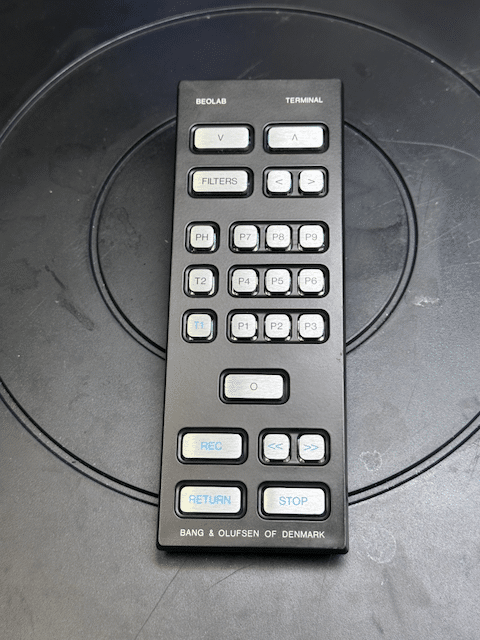
22 March 2026 at 02:43 #100845TKBRONZE MemberA Beolab Terminal that I bought for $50 had lost a battle with a glass of some sort of sticky cocktail. Half the buttons were non-responsive, so I took it apart and bathed the components in Iso. Luckily all the traces were undamaged and tested fine.
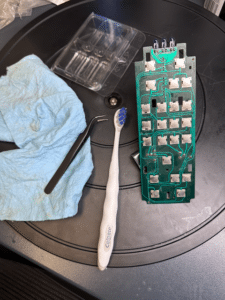
Everything looked and worked great after re-assembly.
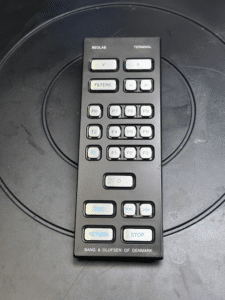 I still need to re-tape the button pad. The original is very much a one-time-use material. Does anyone have a “favorite tape-medium” they use for this purpose? I was just thinking clear or perhaps thin black packing tape would work fine, and provide a bit of protection.9 April 2026 at 06:47 #123244TKBRONZE Member
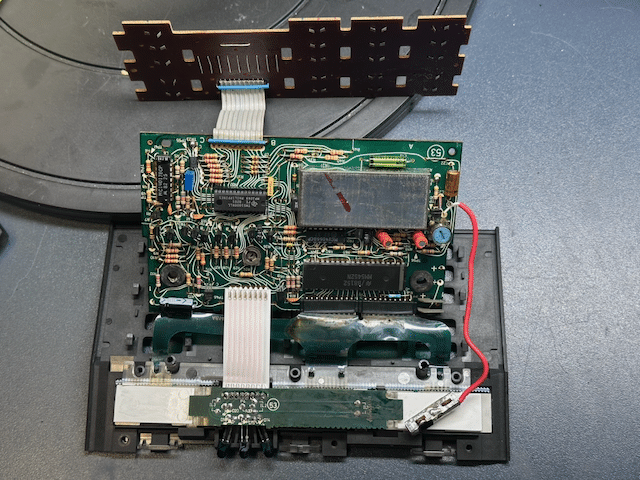
More “remote” work – today it’s a Master Control Panel 7700, which may have been living in a moldy attic for a few decades. Seems to mostly function, with a few non-working buttons. I thought I’d try my hand at ribbon replacement, given the crusty and brittle original ribbon cables. I did the easy one first, just to see how it would go.

On to the more complex cable controlling the LCDs … big mistake. One dead LCD later, I concluded that there’s no obvious way that I can see to replace the connection to the LCD screens except to splice into the existing ribbon cable. The LCDs seem to be connected to the ribbon cable using some sort of random membrane that I cant make sense of. Oh well – thankfully this was just a poor-condition unit I acquired to verify the MCL output, which still works.
18 April 2026 at 04:28 #123328ShinBRONZE MemberHello everyone, this is my first post on Beoworld.
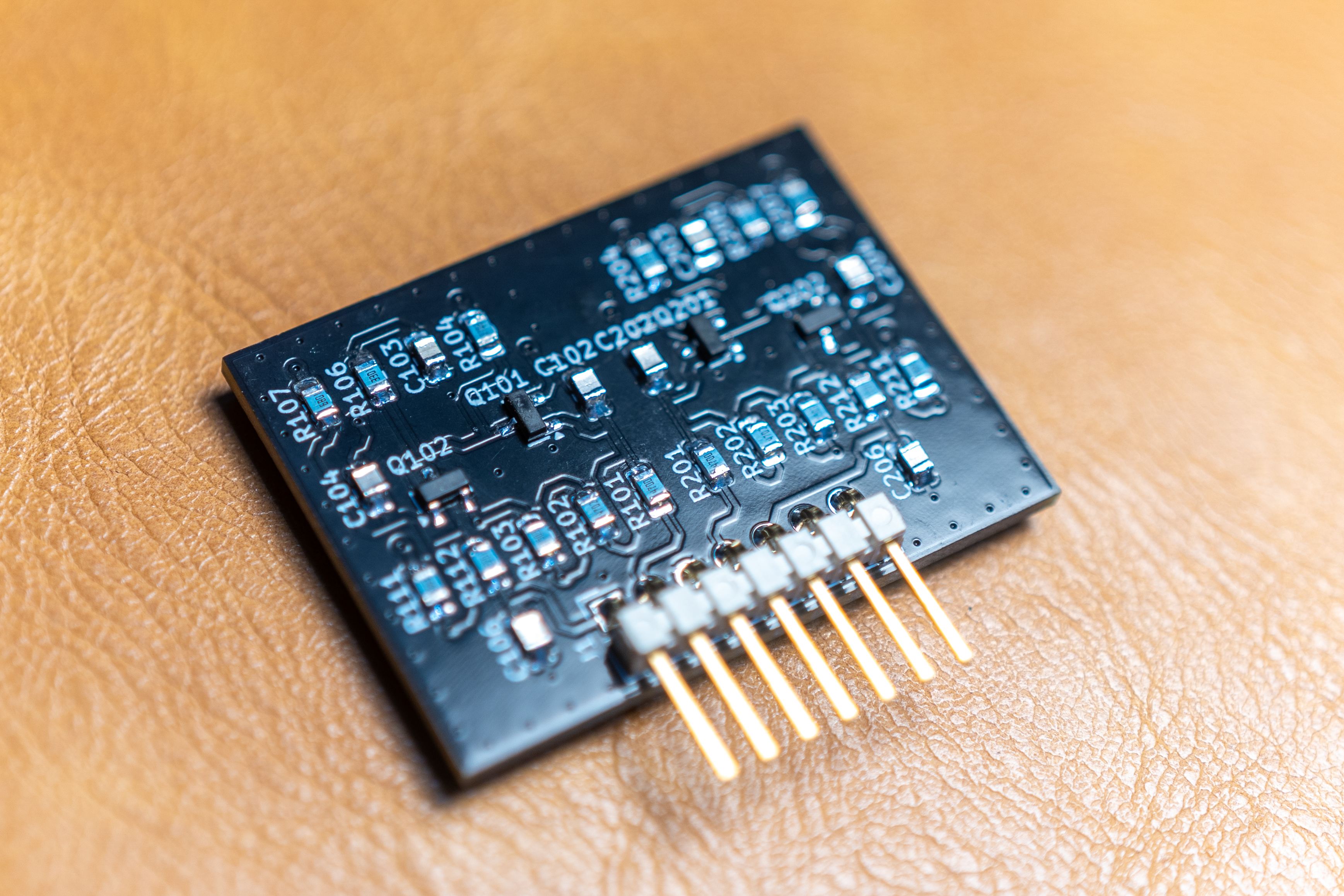
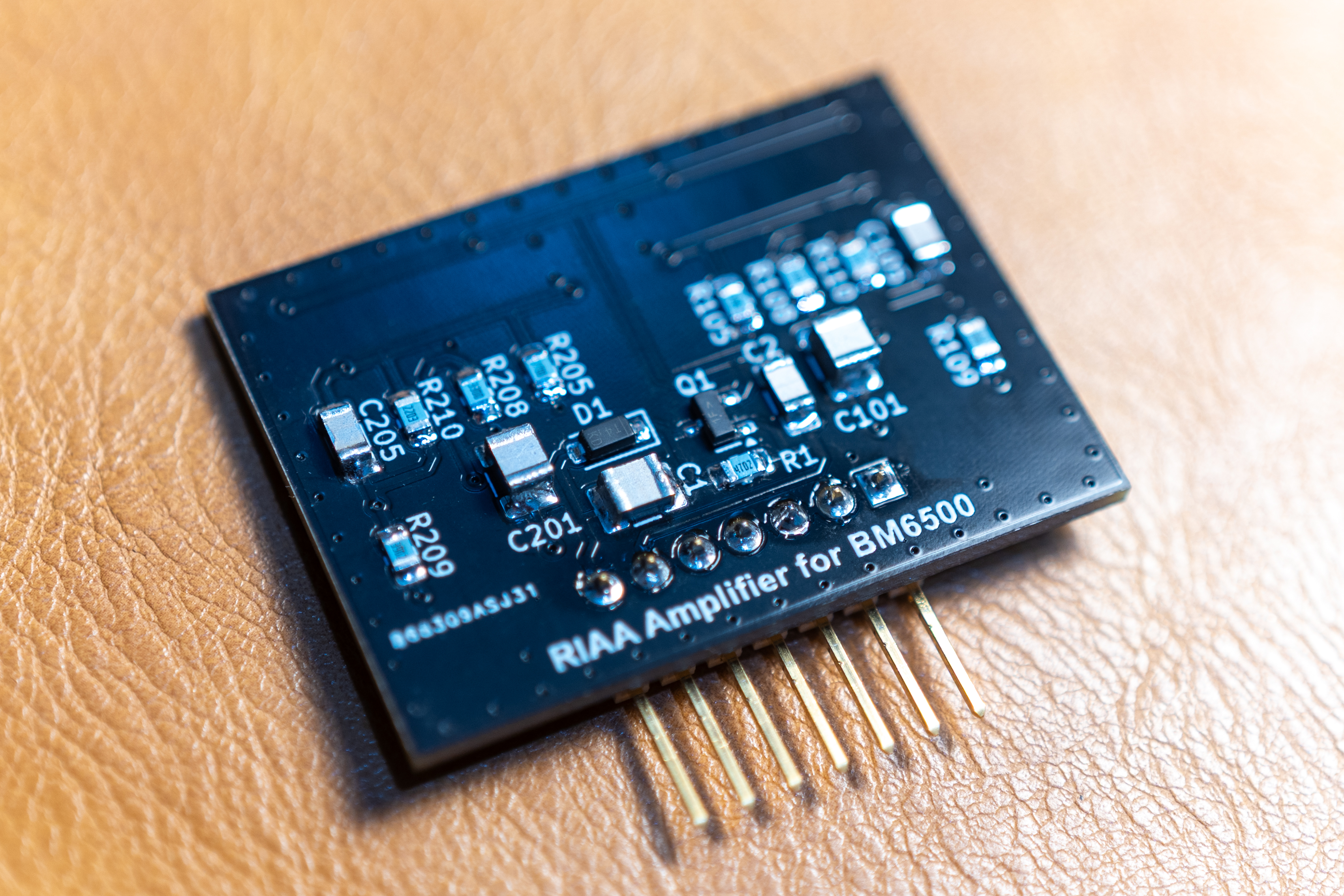
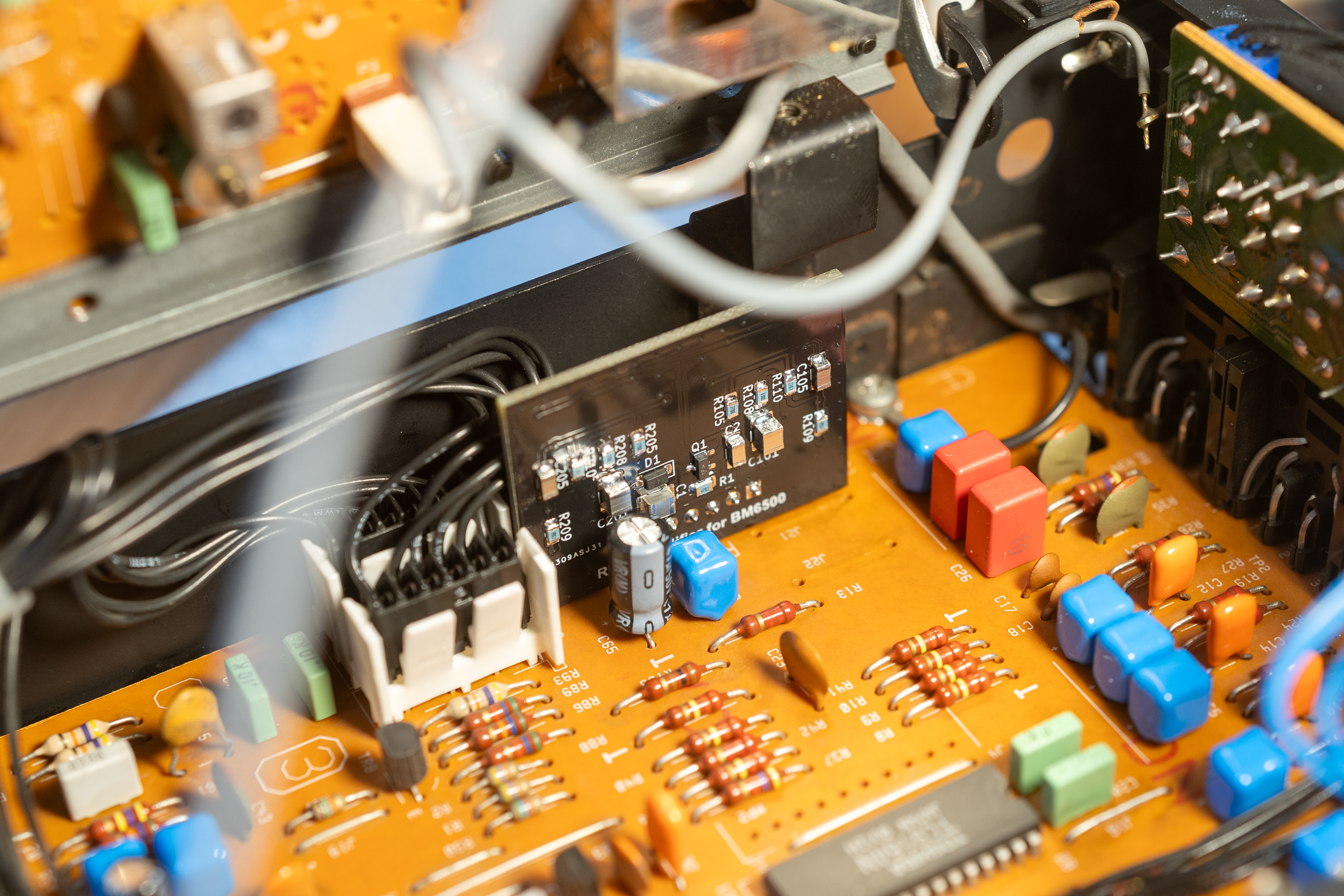
I would like to share a small project I have been working on: a built-in RIAA phono preamp for the Beomaster 6500/7000, using the original circuit. I have just installed it, and after a quick initial check, it seems to be working properly so far.
Location: Japan
Favourite Product: Beosystem 6500
18 April 2026 at 08:45 #123330That is impressive, super clean!
Welcome Shin.
Regards, Johan
Location: Netherlands
My B&O Icons:
28 April 2026 at 20:01 #123398Shaun EadyBRONZE MemberHi Everyone
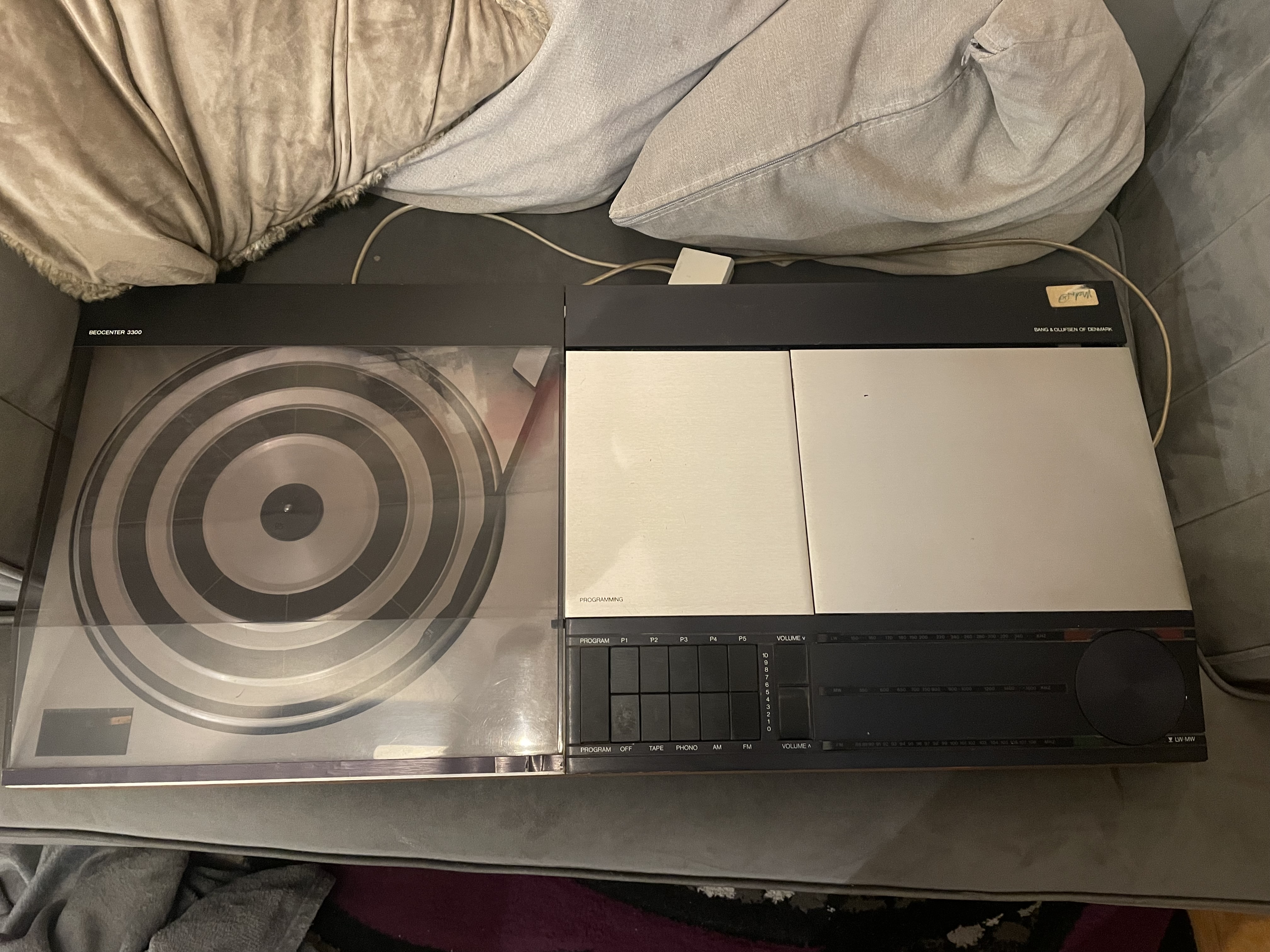
first post here looking for a bit of help if possible I’ve recently purchased this beocenter 3300 as a non functioning machine I’ve stripped it down and replaced the spring on the power switch and now have it powering up and the record deck working with a bit of messing about, was just wondering if there’s anywhere to find spares for these or if anyone knows of a complete non working system I can make a good one out of the two from if that makes sense
28 April 2026 at 21:18 #123399Hi Shaun and welcome to Beoworld!
Great work so far on the Beocenter 3300. A number of spares are available over at one of our site sponsors here: https://www.dksoundparts.com/product-category/beocenter/beocenter-3300/
I am not an expert on the older systems, but there may be a number of other models that share parts. For example, apparantly the same amplifier sections are found in Beomaster 2200 and Beocenter 4000 (I discovered this from this very old thread, so have a search about on the forum: https://archivedforum.beoworld.org/forums/t/5810.aspx)
Location: Warwickshire, UK
My B&O Icons:
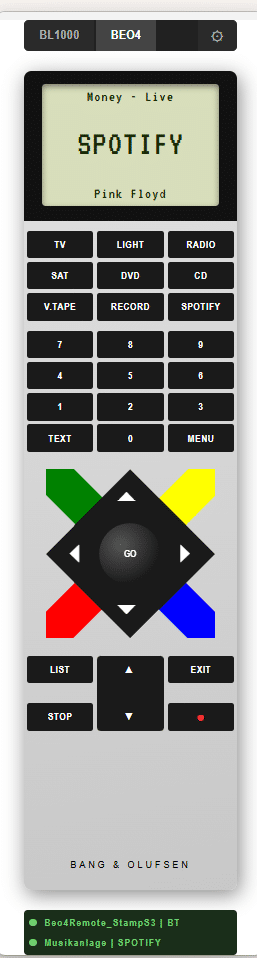
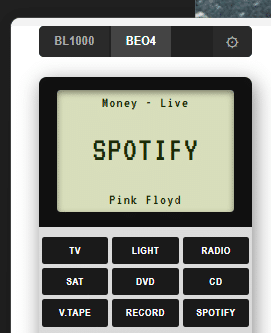
21 May 2026 at 10:39 #123700swoGOLD MemberAd Spotify to BeoControl
A .NET 10 control system for Bang & Olufsen audio equipment via the Masterlink bus. BeoControl bridges legacy B&O hardware with modern software, supporting both USB PC2 controllers and ESP32-based Beo4 remote emulators over Serial/USB or Bluetooth LE.
wolfgangschneider/BeoControl: Unified B&O controller (ESP32 serial · ESP32 BLE · PC2 Masterlink)
31 May 2026 at 16:52 #123775ZebedeeBRONZE MemberHi Didier,
The recovering of the speaker looks great.
I’ve recently refurbished the ABR panel in both my RL60s and my next job is to recover them. I wondered if you completely removed the old fabric first? I’m guessing that unless the original is removed first the forming of the B&O raised logo would not be possible?
How did you approach this job please and how did you form the raised logo?
I’ve got the fabric and replacement RL straps already.
Thanks in advance.
Location: Leicestershire
Favourite Product: 5000 system
My B&O Icons:
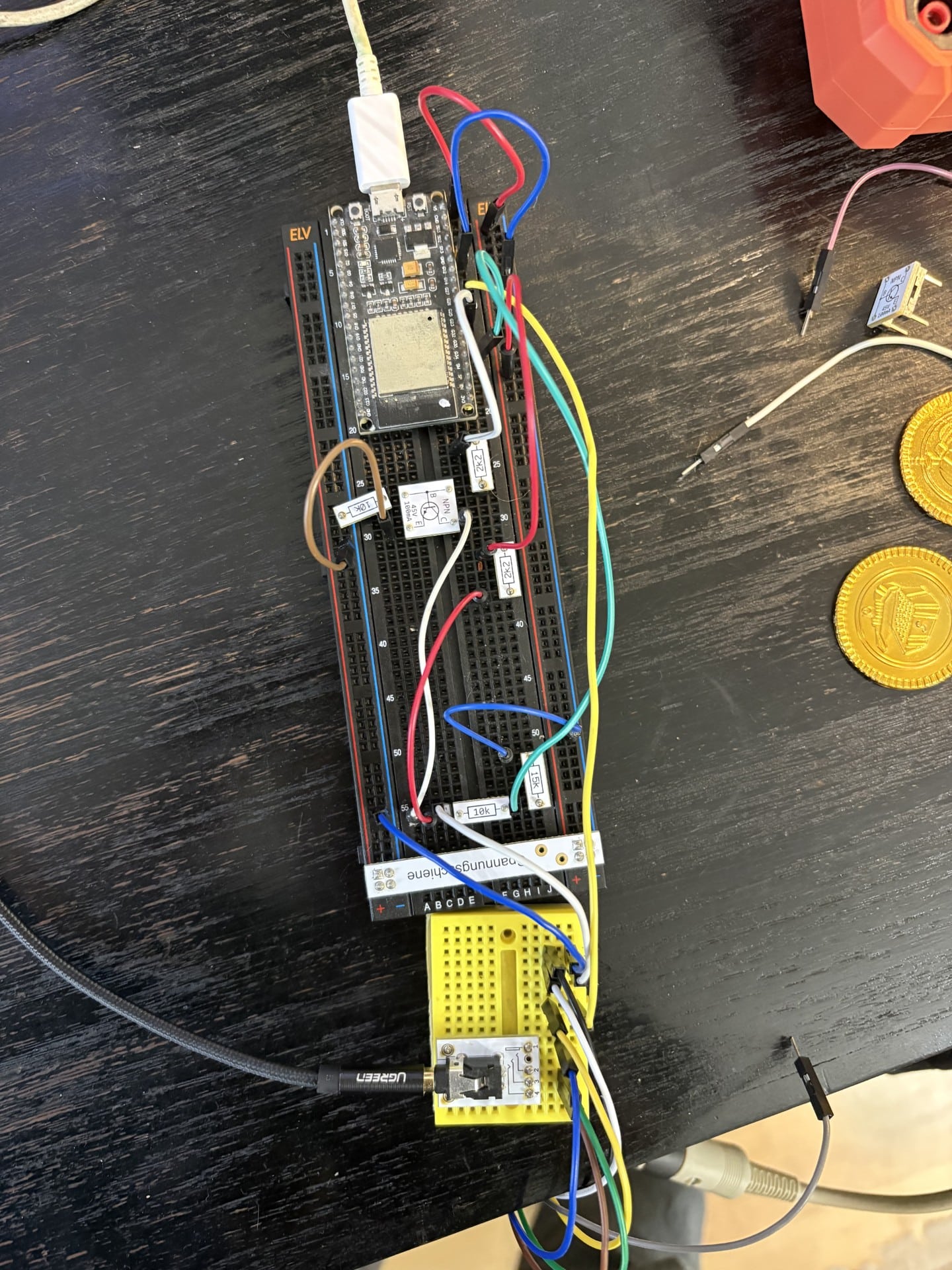
21 August 2026 at 13:42 #125119swoGOLD MemberAn ESP32 firmware that lets a Bang & Olufsen Beolab 3500 (MkI & MKII) satellite speaker activate a source without its real Master unit present. Unlike the Menu-0-0-4 trick, this stays permanent even after a power loss — and on MK I it also gives more possibilities, like selecting different sources.
Next steps
- Use the M5Stack Stamp as the microcontroller
- Soldering it on a PCB
Optional Include a Bluetooth audio module
27 August 2026 at 22:23 #125276gmichaelBRONZE MemberIntegrating my BL 3500 into HomeKit via HomeBridge. The controller calls macros from BLGW that activates Radio (BeoRadio from Essence MK2) Music (Deezer from Essence MK2) CD (from BS9000) and TV (audio from Cable source BeoPlay V1). Leverages BLC to integrate ML/NL sources.
Attachments:
You must be logged in to view attached files.My B&O Icons:
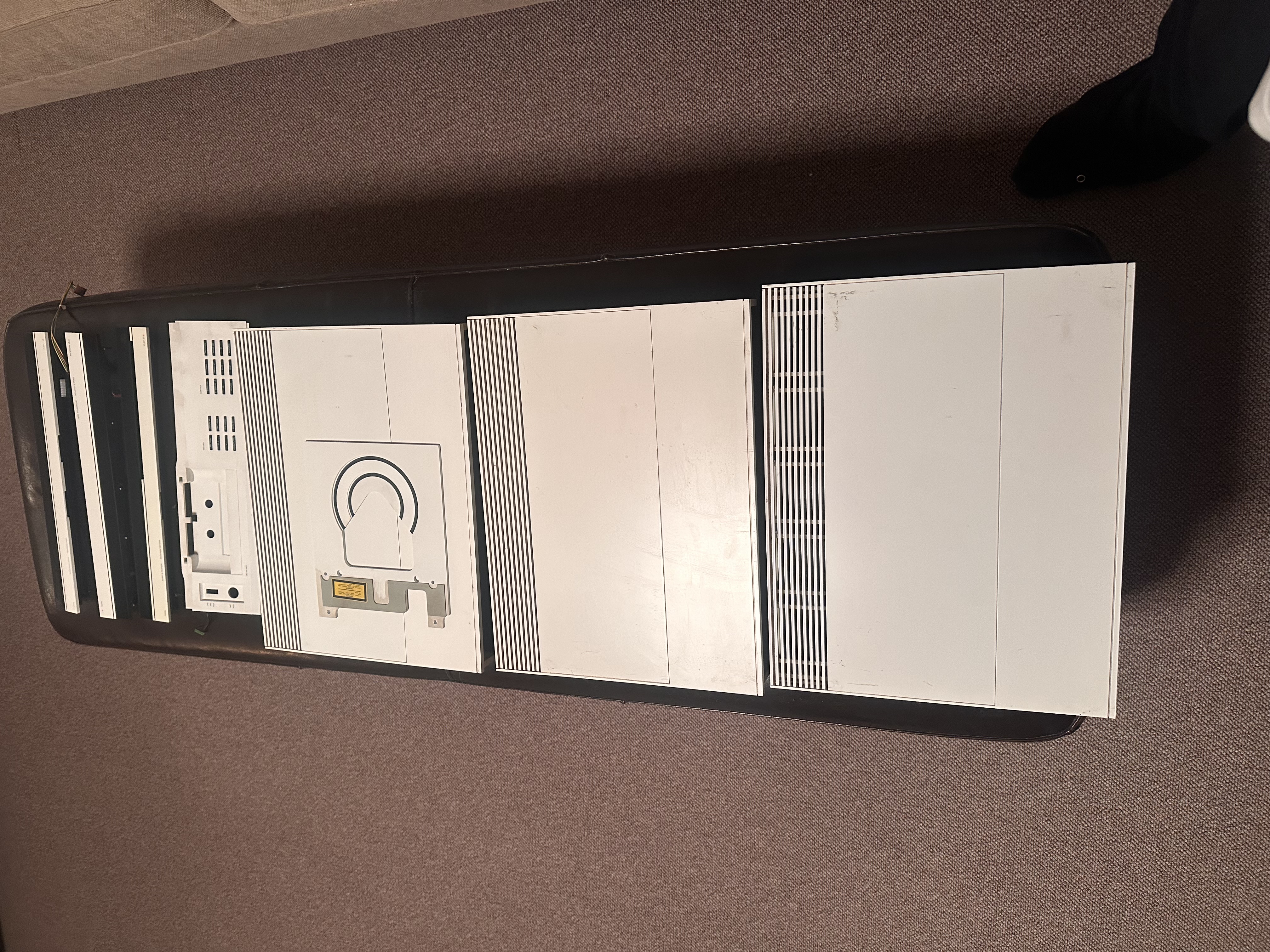
24 September 2026 at 00:12 #125644TKBRONZE MemberPulled these white pieces off of a nonfunctional Beosystem 5500 in prep for packing them in my suitcase for the trip home to USA. On the whole, they are not in the prettiest condition, but I’m confident I can make them look decent. Im planning on retrofitting a silver 5500 system for personal use. I’ll still need to paint the Beocord tray white, but apart from that, the color change should hopefully be fairly straightforward.
Yeah, yeah, I know – the stickers on the back will reveal my slight-of-hand. That being said, I’ve never come across a white 120v 5500 for sale stateside, so this was the next best thing I could think of.
5 October 2026 at 20:10 #125765tb59427BRONZE MemberI have had Philip Voigt‘s fantastic MDTv2 for some weeks now (no, not related to him, just a happy customer). I have since started to add a some functionality to the software driving the box. Most importantly:
- added sendspin (e.g. Music Assistant) and MPD as audio providers
- added the option to use several providers per B&O source — e.g. Sendspin and AirPlay sharing N.MUSIC, whoever starts last plays
- added music recognition for the turntable: identifies what’s on the record via Shazam (shazamio) from the audio alone and shows title, artist, album and cover – yeah, I know, one could get up from the couch and look at the record cover. This way it‘s more fun, though 🙂
- created Home Assistant integration: the Pi reports what each source plays (including AirPlay straight from an iPhone, with cover art, and the recognized record), plus HA automations and one dashboard card for it all (relies partially on the Masterlink Gateway integration – see below)
- built a small web UI: configure sources, providers, turntable, Home Assistant and LIGHT keys in a browser — validated by the bridge, comments in the config kept
- implemented MasterLink Gateway emulation: the Pi can replace a B&O MLGW for Home Assistant’s mlgw integration — devices, Beo4 commands, ML events. I reverse engineered the functionality from the Masterlink Gateway integration for Homeassistant – so pretty sure it only implements a fraction of MLGW. But enough for homeassistant‘s Masterlink Gateway integration to recognise it as an MLGW.
All of this definitely not for the faint at heart. People familiar with Linux and Homeassistant should be able to get it working, though.
-
This reply was modified 3 weeks, 3 days ago by tb59427.
-
This reply was modified 3 weeks, 3 days ago by tb59427.
-
This reply was modified 3 weeks, 3 days ago by tb59427.
My B&O Icons:
10 October 2026 at 12:56 #125823tb59427BRONZE MemberMy project is progressing. My ML based setup is now fully integrated into Homeassistant. Sources / Devices can be controlled via Beo4 or Homeassistant or both. Using Philip Voigts MDTV2 board I have a reliable connection now between Homeassistant and MasterLink. I have heavily changed Philip’s software and cloned it to a separate repo. Most importantly I have added
- sendspin (Music Assistant default streaming protocol) and MPD as music receivers
- the ability to map more than one streaming protocol to a B&O source (e.g. sendsping and airplay to N.MUSIC)
- a logic that stops the currently playing source if MDTV2 receives a new music stream (e.g. playing something from Music Assistant and then deciding to stream something from your iPhone)
- MasterLink Gateway functionality to the extent that the MasterLink Gateway integration for Homeassistant recognises MDTV2 as an MLGW – this allows extensive automation and control both ways between homeassistant and Masterlink (e.g. close the shutters in the living room with LIGHT + Down)
- added album / now playing info to be sent to Homeassistant so that whatever source is playing (not limited to e.g. N.MUSIC and N.RADIO) can be displayed in Homeassistant
- added music recognition to Masterlink Sources PHONO (N.RADIO) and CD – in other words, if you play a record or a CD and shazam can recognise the music, album and title information gets sent to Homeassistant
- Built a tailored media_player card for Homeassistant to display all of this
- … tons of other shit 😅
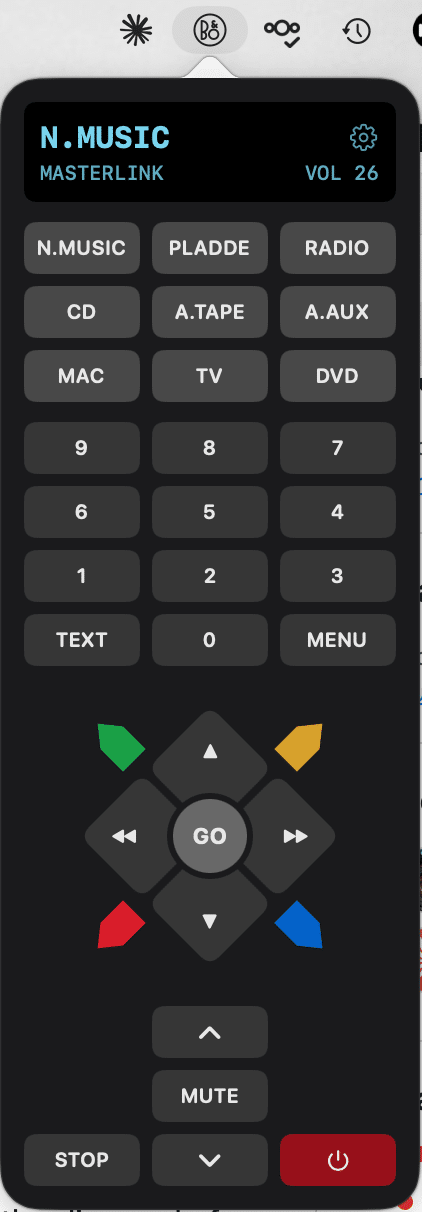
Once I got into the flow, I thought why not get your old Beolink PC2 working again. Stumble accross Wolfgang’s (@SWO here on Beoworld) fantastic Beocontrol package which luckily (for me) runs on a Mac, too. But since Mac people love GUIs (BeoControl has a really nice webfrontend basically projecting a Beo4 or Beo1000 and allows controlling stuff on ML this way) I added BeoBar – a little piece of SW that adds a Mac MenuBar item allowing you to control your Masterlink and of course a BeoLink PC2 connected to the Mac. It requires Beocontrol and really only is a kind of remote control for BeoControl. In order to get this working I had to change some bits in BeoControl. If Wolfgang decides to integrate these changes, you can (and should) use his version of BeoControl. While this is not the case, I have set up a copy of it on github containing my changes.
Currently working on a small ESP32 based 4″ display that shows what’s playing (or shows the weather if nothing is playing). Once this runs well, I’ll post a follow up here.
The whole stuff works well in my Masterlink network. Your mileage may vary. If you feel comfortable setting up a pi, installing packages on Linux and enjoy playing with code that connects cleverly designed 1980s 1990s technology to todays music world: give it a try. I have tried to document as much as I thought would be needed (which is probably still not enough).
Added a few screenshots displaying how it all looks…
cheers
Torsten
Attachments:
You must be logged in to view attached files.My B&O Icons:
10 October 2026 at 13:22 #125828silpouBRONZE MemberHello Torsten,
Nice job ! I got the first version of this interface and had some exchange with Philip.
But I wrote him many times without any answer 🙁
I got a little stuck due to a lack of information and my own lack of knowledge, so I gave up on this interface.
But I hope to revisit it someday because it’s a really nice product for “ML lover”. (I would have loved to be able to send and receive commands via RS232 and integrate a PicorPlayer or something similar.)
Cheers
10 October 2026 at 13:32 #125829tb59427BRONZE MemberRS232 should be relatively straight forward with the board. All the information is there – just need to add a piece that talks to some serial port (or USB using a converter)
My B&O Icons:
12 October 2026 at 14:57 #125860silpouBRONZE MemberHello
Has anyone redesigned a PCB for the BEO4, using the BEO4’s keyboard and case but with homemade electronics (e.g., an ESP with a new display)?
12 October 2026 at 15:51 #125861Hello
Has anyone redesigned a PCB for the BEO4, using the BEO4’s keyboard and case but with homemade electronics (e.g., an ESP with a new display)?
If anyone has done that then it hasn’t been reported on this forum, as far as I am aware (I joined approx 20 years ago!).
Some companies do provide extra PCBs to increase the functionality of the remote: https://shop.oneremote.dk/stb-controller-for-beo4/
Location: Warwickshire, UK
My B&O Icons:
13 October 2026 at 12:02 #125872silpouBRONZE MemberI’ve seen these extra PCBs before.
That would be a nice/crazy project; the BR1 has a nice display, but the keyboard is small and hard to use at night, and it’s still very fragile compared to a BEO4.
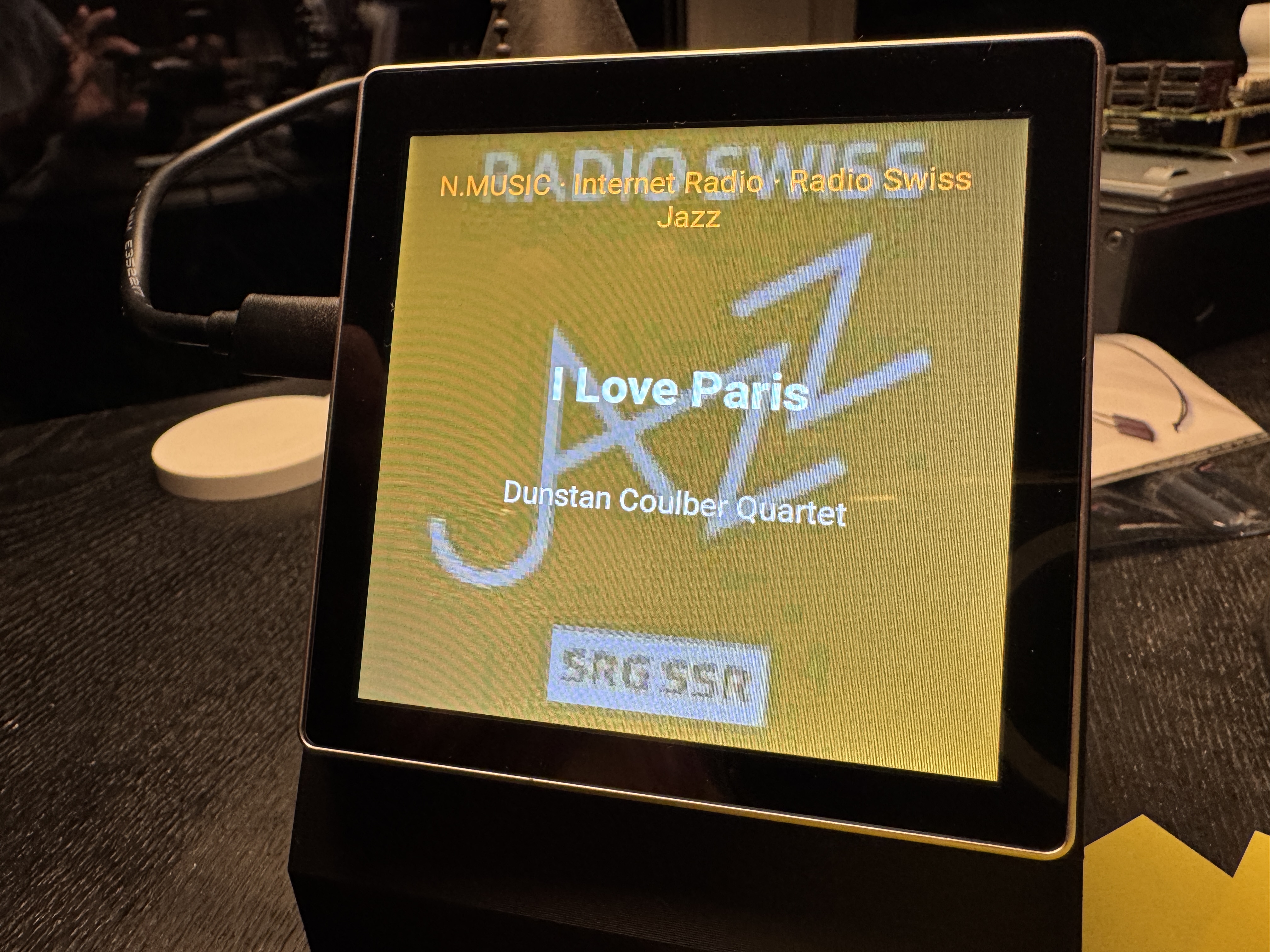
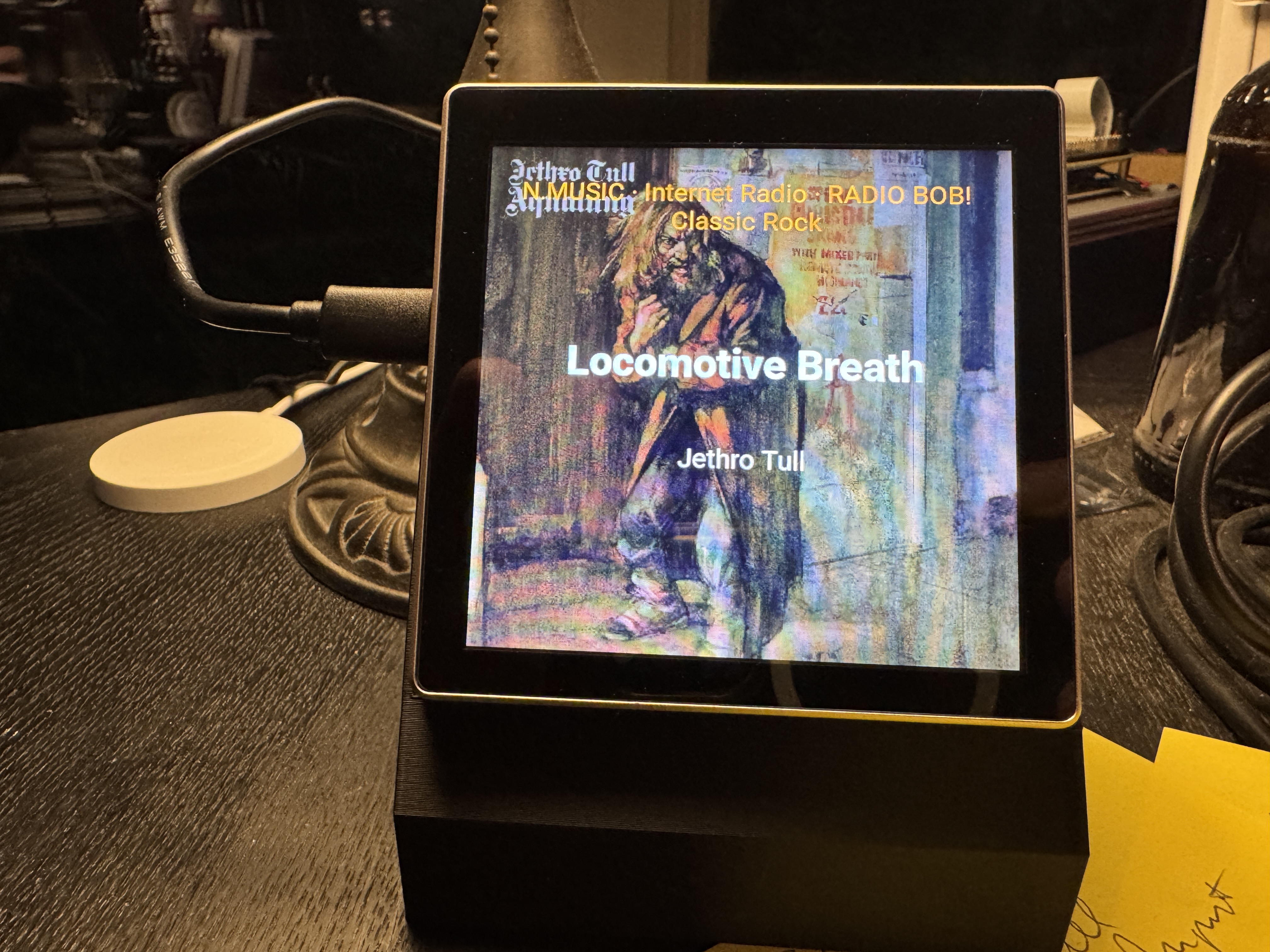
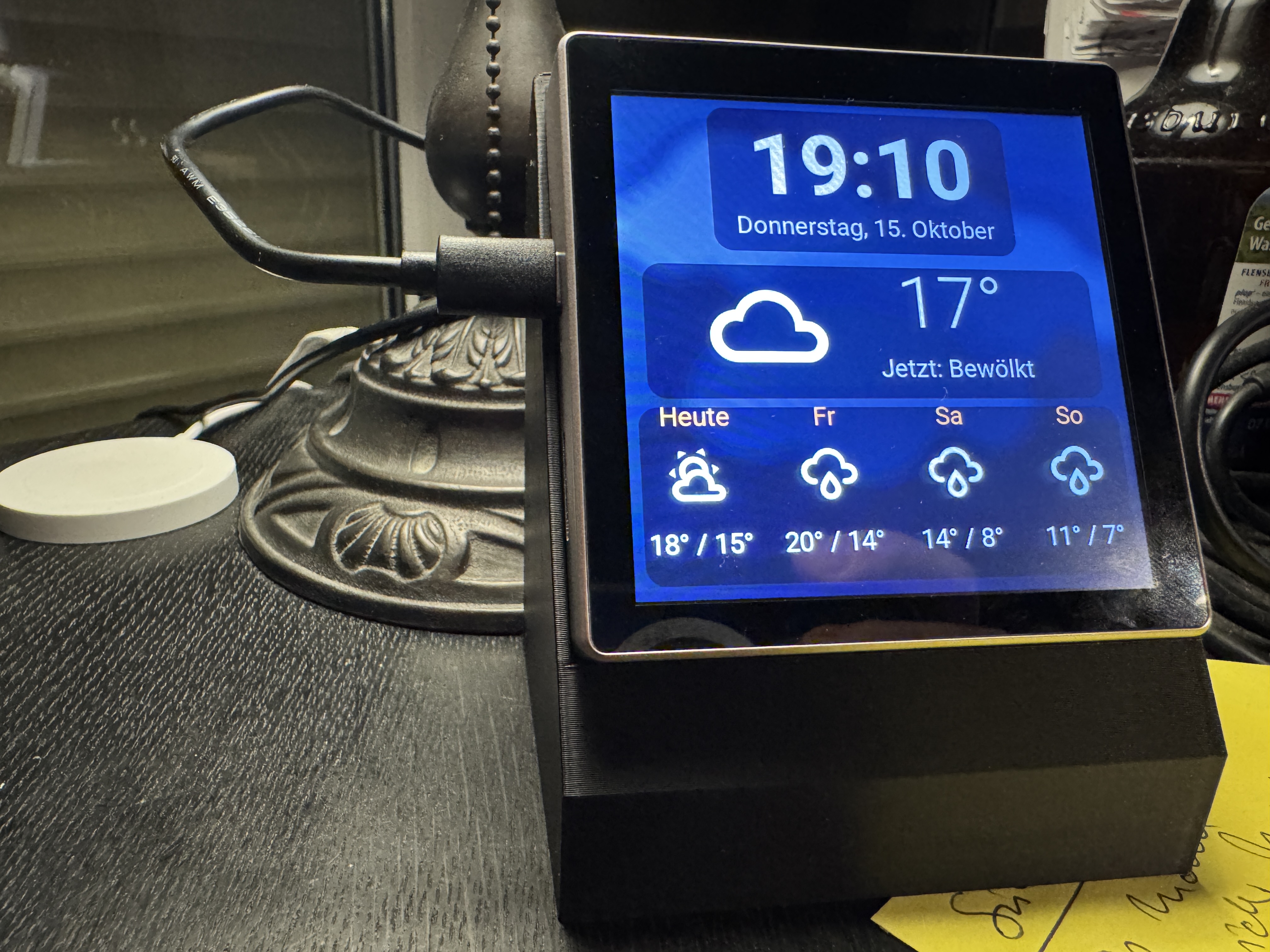
15 October 2026 at 18:30 #125928tb59427BRONZE MemberFollowing up on my integration of MDTV into my Homeassistant / Masterlink setup, I built a little display (4”) that either show’s what’s playing (CD, PHONE, N.MUSIC,A.TAPE usually in my case – with music recognition for all sources). The prototype is shown below:
The power connection will move to the back (waiting for the Chinese to ship me the appropriate plug). If nothing is playing it shows the weather (which is also visible if you tap on the display if something is playing). These displays are less than EUR 30 and can easily be connected to Homeassistant (via ESPHome). In Homeassistant you can tell the display which room it is in and it will only display music info, if players in the room are playing. I intend to have a few scattered around the house. Adding player control is easy and I may add that soon. If you want to play with it, the code is here.Also improving my BeoBar front end for BeoControl. Looks like this now:
If you want to try it, feel free. All code repos are linked. Beware: requires a little bit of Homeassistant and Unix/MacOSX know how. Works beautifully in my house – may fail miserably where you live 🙂My B&O Icons:
-
AuthorPosts










- You must be logged in to reply to this topic.