Forum Replies Created
-
AuthorPosts
-
 Moderator
Somebody out there for answering?
You need to be a little more patient with a specialist question overnight! ?
I assume that you saw this thread and went for 80mA: https://archivedforum.beoworld.org/forums/p/36370/301613.aspx#301613
… but if they don’t work then I recommend Beoparts!
Location: Warwickshire, UK
My B&O Icons:

Hi and welcome to the Forum!
I don’t know the exact spec, but if you get them from here you won’t have to worry: https://www.beoparts-shop.com/product/lamp-kit-beomaster-800-901-1100-1700-beocenter-1400-1500-1600-1800/
Location: Warwickshire, UK
My B&O Icons:
Further to the above I just noticed that Lintronic are now recommending that Users download the ‘offline’ version of their configurator – clearly planning ahead for shutting down of their servers etc.
I know that there are a few Lintronic users on the Forum, so they may want to have a look here: https://www.lintronic.online/configurator
Location: Warwickshire, UK
My B&O Icons:
30 October 2022 at 23:15 in reply to: Beosound overture 2637 with beo4 remote – spares and repairs #40333To add to the above regarding the other questions:
The tape player plays for two seconds and then flips to the other side and repeats. Any ideas on what that might be before I risk taking it apart?
Quite possibly the tape drive belt – get a new one here: https://www.beoparts-shop.com/product/tapedeck-belt-2/
I did buy a cheap bluetooth receiver but the sound quality isn’t great and it kind of defeats the purpose of having such a beautiful system, Any recommendations on quality wifi receivers?
If you are an Apple user then I recommend looking for a second hand Airport Express, the later A1392 version with Airplay 2.
Location: Warwickshire, UK
My B&O Icons:
30 October 2022 at 23:10 in reply to: Beosound overture 2637 with beo4 remote – spares and repairs #40332Hi and welcome to Beoworld!
Also I have the Beo4 remote. The display is fine and the buttons cycle through the remote options but it doesn’t operate the stereo? Do I need to pair it or is there a fault?
Perhaps the Ouverture is in A.OPT 0, where it will not respond to IR commands.
To resolve this, turn to standby/off.
On the Beo4, press the POWER button and LIST together. Then press LIST until OPTION is shown, press GO (centre button), and then press LIST to show A.OPT. Then press 1. The power light on the Ouverture blinks to show that it has been accepted.
Then try the remote again.
Location: Warwickshire, UK
My B&O Icons:
29 October 2022 at 19:39 in reply to: Wanted! Guide for setting up and controlling Light with the Beoremote One/BT. #40221It is a pity that one has to buy an expensive device/the BLI just because you want to (read: have to) exchange your old bulbs
I’m keeping some of the old systems and bulbs – they help to heat my house! ??
Location: Warwickshire, UK
My B&O Icons:
Firstly are you sure that the remote is working? View the end with a mobile phone camera (iPhone selfie camera works) and see if you can see the IR transmitters glowing.
Otherwise, perhaps the TV is in V.OPT 0, where it does not respond to IR commands. To resolve this:
With the TV at standby/off.
On the Beo4, press the POWER (Red Dot) button and LIST together. Then press LIST until OPTION is shown, press GO (centre button), and then press LIST to show V.OPT. Then press 1. The power light on the TV should blink to show that it has been accepted.
Now try the remote and see if the TV will respond
Location: Warwickshire, UK
My B&O Icons:
One question — Is your Beoport connected to your MasterLink system? The advanced tab is mainly associated with the MasterLink.
I don’t have Masterlink connected, but it worked well previously without anything connected to the ML socket.
As you said when you registered a very long time ago via the registration URL it would have provided you with an encrypted username which is stored in the registry. So if you have a backup of your old system or of your old registry those items could be restored.
I just checked my registry backups and sadly they don’t go back far enough! ?
Back in June 2018 I had to reinstall Beoport PC on a Windows 10 PC and it wouldn’t register. This was the response from B&O support at the time.
Actually, that service has been discontinued some time ago. So instead kindly follow the below procedure:
– Exit Beoport SW (rightclick icon in taskbar)
– Please download this file and doubleclick it: https://www.dropbox.com/s/42r2je36ibmujp0/N.Radio.reg?dl=0
– Start Beoport SWRegards Paul
Hi Paul – thanks for the input. Yes I saw that Registry fix in the old forum and have tried applying it with no success. I assume that they meant you to ‘Exit Beoplayer …’ because there is no specific Beoport SW.
Adding to Paul’s input the following are the registry entries
Yes my Registry entries match those!
Maybe I’ll try again tomorrow … ?
Location: Warwickshire, UK
My B&O Icons:
Many thanks Keith – it’s useful to know that it’ll probably work if only I can get it installed and configured properly!
As mentioned, it would seem that the lack of registration means that the Beoport itself is not recognised, thus once Beoplayer is installed my CONFIG menu is missing the ‘Advanced’ tab where you would set up the hardware (Option settings etc). I get no response whatsoever from Beo4 operation either .

If I run that .reg file that I mentioned, all the radio stations appear within about 30 seconds (many don’t work, as you have observed). So Beoplayer itself seems fine, even on Win 10 32-bit.
So I suppose it’s possible that the Beoport Registration process itself is no longer possible – i.e no longer supported by B&O’s servers. Since I last had Beoport working properly I have carried out a fresh Windows install (after fitting an SSD) , so it makes sense that I need to re-register.
So my supplementary question is: When was the last time that anyone successfully carried out a fresh Beoplayer/Beoport installation with the registration process included? Does anyone remember?
(And clearly I’d recommend anyone that is still using Beoport successfully not to carry out a fresh windows install, or to move to a new computer without checking that it works first!)
Lastly, if anyone out there does have a working Beoport and can test a fresh Beoplayer/Beoport installation on a separate computer (preferably Win 10) and report back then that would be much appreciated.
Location: Warwickshire, UK
My B&O Icons:
I have re-attempted Beoplayer installation with all the firewalls disabled – no change.
During installation there is still no prompt to connect the Beoport USB. If I ignore the lack of prompt and connect the Beoport anyway (after Beoplayer installation), Windows installs the ‘device’ (driver etc) but then the Beoplayer black RHS sidebar appears but with no text, buttons or labels! This suggests a compatibility problem but I have trialled numerous options, including earlier Win7 compatibility modes and various display settings.
There is still no Beoport/Beoplayer ‘Registration’ prompt either. (I think that I once had a Username and/or Password as part of a Registration many years ago, but I cannot see a way of entering this.)
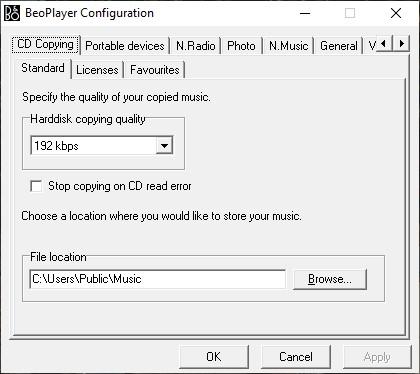
There is still no ‘Advanced’ tab with Beoplayer running, hence I cannot configure the Beoport even if the software recognised it.
Any ideas before it goes back in the box for another day? Is anyone actually using a Beoport successfully based upon a (much) earlier Beoplayer install?
Location: Warwickshire, UK
My B&O Icons:
I’ve never heard the original BeoSound 1 but this is motivating me to do so. I’ve always loved the antenna and button design.
Make the most of it while we still get FM radio here in UK (even in Wales!) And you can make the antenna rise and fall remotely with the Green button on the Beo4 – what fun! ?
Location: Warwickshire, UK
My B&O Icons:
Is there a APPLE MAC equivalent please?
I don’t think that BeoPlayer was released for Mac, but have a look here: https://www.odlund.se/bmlink/index.html
Perhaps some Mac/Beoport users can confirm?
In the meantime, I will be re-attempting Beoplayer/Beoport PC installation later today! ?
Location: Warwickshire, UK
My B&O Icons:
I do have internet connection (obviously!).
Do you also have a firewall? Glitch
Thanks for the suggestion. I tried temporarily disabling the Windows firewall. I need to check/try the modem/router next.
Location: Warwickshire, UK
My B&O Icons:
Tried again a few different options with/without driver pre-installed, and accepting non-signed.
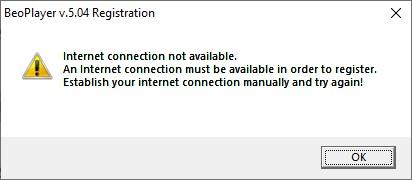
I keep getting this message at the end of Beoplayer installation:

I do have internet connection (obviously!).
I read somewhere in the archived forum about a potential DNS conflict – if so is there any possible workaround?
Location: Warwickshire, UK
My B&O Icons:
Thanks Yann – I’ll give that a go! (although I don’t think it’s actually getting to the driver installation phase, unless that is part of the Beoplayer install before the Beoport is connected, who knows??)
Location: Warwickshire, UK
My B&O Icons:
Sorry but I don’t have anything else to suggest with regard to getting the extra radio stations to show!
However, I have now dug out my Beoport (Beolink PC2) and have tried setting it up with my PC (Windows 10 32-bit). I think that last time I had the Beoport working was about 2014 with my desktop running Windows 7.
I uninstalled Beoplayer, cleared the Registry entries and then re-installed Beoplayer. The installation notes say that you should wait until prompted to connect the USB cable from the Beoport to the PC. However, this prompt never happened, nor did the B&O Registration request that I remember from first setup. Consequently the computer does not seem to be recognising the Beoport, and the all-important ‘Advanced’ tab is missing from the Beoplayer CONFIG menu.
My first thought was a driver issue, but of course the PC won’t even try to download a driver until the USB connection is made. I did find a Beoport PC2 driver online, but it made no difference.
My second thought was a Windows 10 compatibility issue, so I tried setup with an old Vista powered laptop. This didn’t work either.
I suspect that there is supposed to be some sort of ‘handshake’ between the Beoplayer and a B&O ‘Beoportal’ that it no longer running, prior to connecting the Beoport. This could of course be related to the N.RADIO issue experienced by Beomaster11 above.
So does anyone have any expert knowledge about whether Beoport can be made to work in 2022?
(Please no comments about how it would be much better to use a more modern digital media system – I do have QNAP NAS and AirPort express for that – I am just trying to satisfy my curiosity!)
Location: Warwickshire, UK
My B&O Icons:
The conclusion: everything works perfectly!
That’s good to hear – thanks for letting us know!
Location: Warwickshire, UK
My B&O Icons:
So today I dug out the LC2 again. Co-incidentally I had also found my Beoport (Beolink PC2) in order to investigate further for the Beoport thread.
With the Beoport I had packed what I think is a Beosystem 3 sensor (I don’t think I had used it with the Beoport because I used a VX sensor instead).
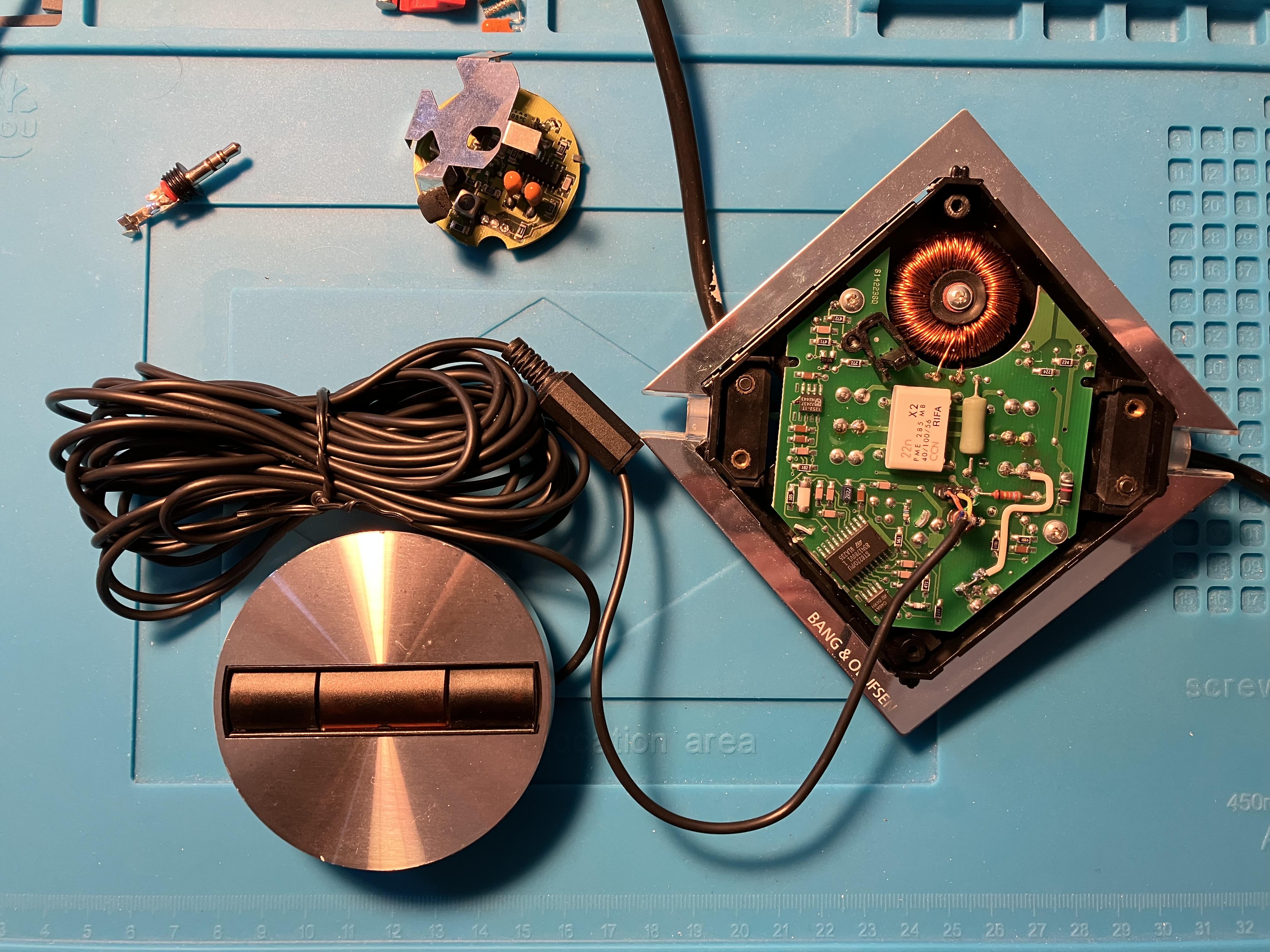
Anyway, just as an experiment I thought I would try replacing the LC2’s IR board with the Beosystem 3 sensor. After a false start (where I got the IR and +5V wires reversed), I soldered it up and the IR control works very well.

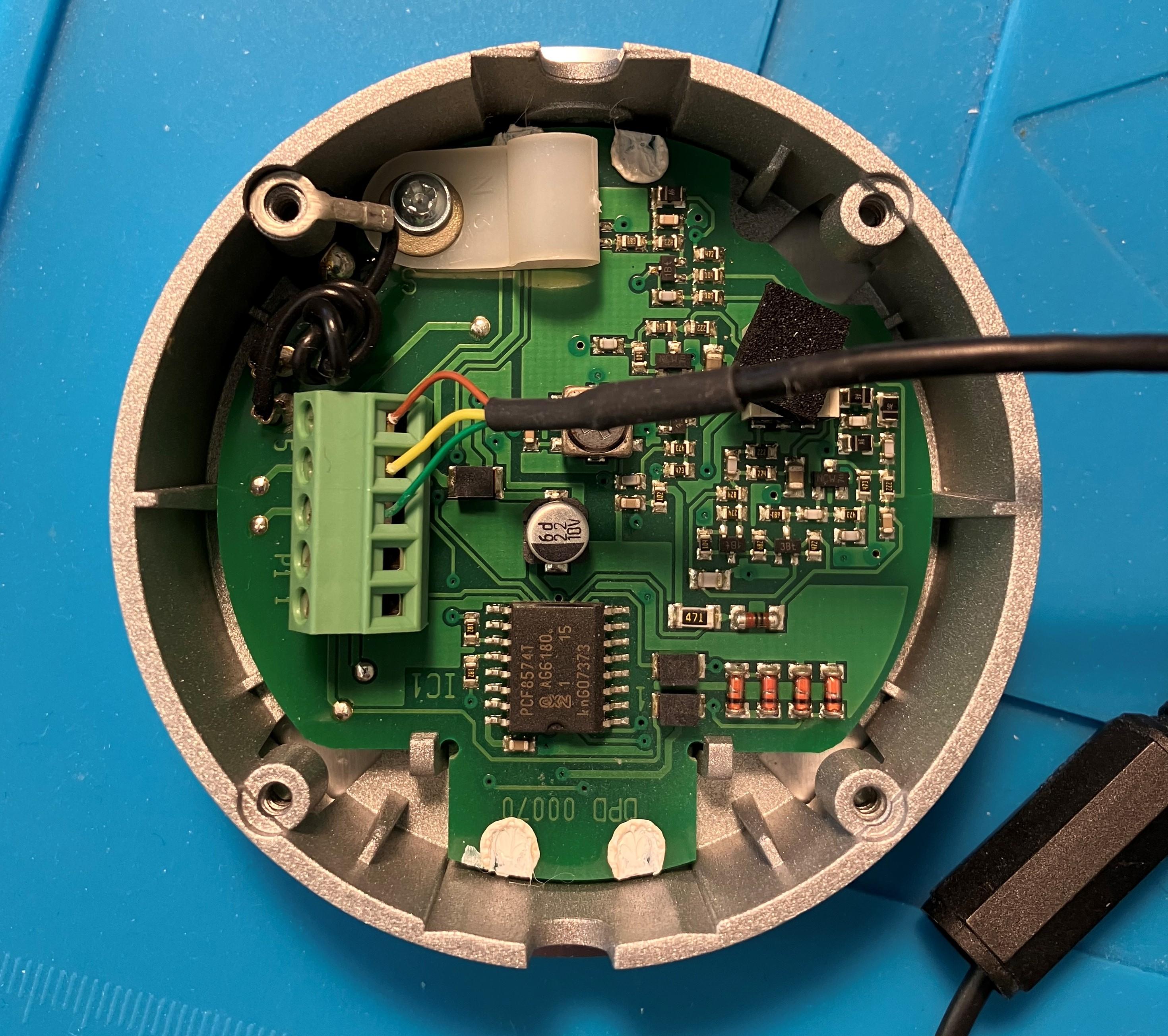
Just for interest, here’s the inside of the Beosystem 3 sensor:

Location: Warwickshire, UK
My B&O Icons:
No simple way to edit as far as I know.
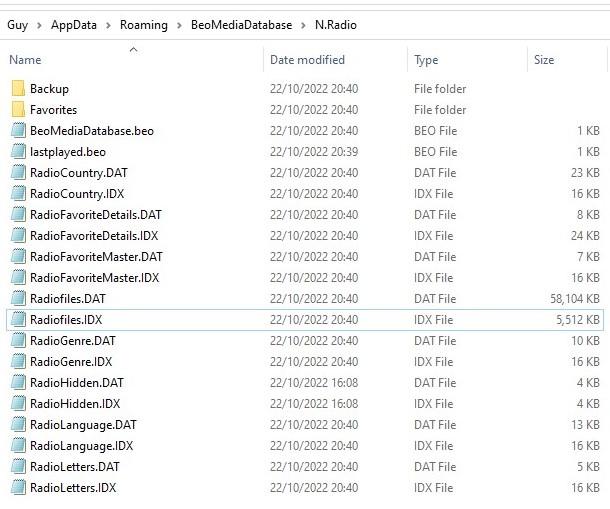
You could try navigating to: C:\Users\’User’\AppData\Roaming\BeoMediaDatabase\N.Radio
When I ran the .reg Registry update just now – at 2040hrs (on a fresh Beoplayer install) most of those files updated, and the Radiofile.DAT and Radiofile.IDX increase in size greatly.

If you open the Radiofile.DAT in notepad you will see the links to individual radio stations, but I am not sure how you would amend or add to them.
Location: Warwickshire, UK
My B&O Icons:
Sorry but I have run out of ideas!
Have you also connected any B&O hardware (Beoport?) – previous threads have said that this will initiate the increase in Radio stations visible.
I will experiment with Beoport/PC2 connected in the next few days – just for my own interest. Will leave feedback here.
Location: Warwickshire, UK
My B&O Icons:
-
AuthorPosts