Forum Replies Created
-
AuthorPosts
-
 Moderator
It doesn’t appear to be a cable issue. When I switch the speakers to „L“ and turn the volume up I can hear the channel faintly. Looks like it might be in the amp.
Have you tried headphones? If they work L and R correctly you cannot yet rule out cable problems.
How are the speakers connected? Does each have it’s own PL cable or are they daisy chained?
Location: Warwickshire, UK
My B&O Icons:

Thanks for the hint. There is no sound coming out when the switches are set to „R“. Guess that means the right channel is defekt. Is there a fuse that I could check?
You need to check point 1, 3 and 4 of Matador’s suggestions first and report back!
Location: Warwickshire, UK
My B&O Icons:
Check the Left/Right switches on the speakers are correct.
Location: Warwickshire, UK
My B&O Icons:
So I have spent quite a few hours getting the BC9500 up and running.
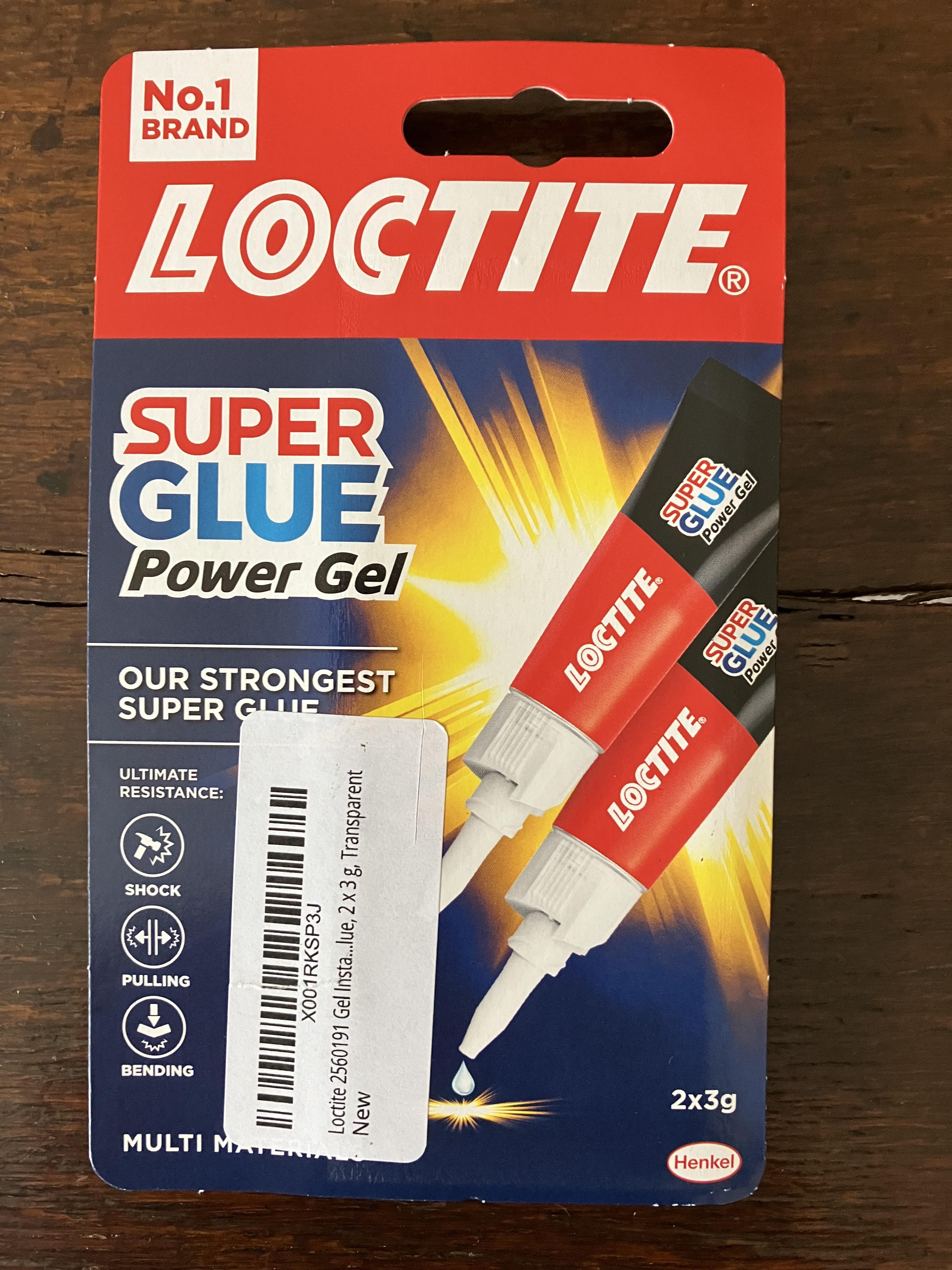
I first re-stuck the upper glass panel. I used the ‘gluing’ technique as this has worked well for me in the past. I cleaned up the panel and plastic surrounds, leaving the old 2-sided tape in-situ and merely brushing off the loose bits of perished tape. I then placed the glass panel face down on a totally flat surface. I fixed the two end (U shaped) pieces of plastic first, because this enables you to then centre the middle strips and leave an equal small gap each side. I simply spread a thin bead of Loctite Super Glue Gel along the centre of the tape on the reverse of the glass panel, and then firmly pressed the plastic strips into place, holding each for about 30 seconds. When you do the centre strips it is important to note that they are not interchangeable – the one closest to the centre panel has a chamfer along its edge.
Here’s the glue that I used – I needed both 3g tubes to glue the complete upper glass:

I then moved onto the CD door strings. First I tried simply replacing the broken plastic slider from the earlier photo. Although I managed this successfully, the door would stick when opening and closing. I then removed both strings and gave the entire system a good clean – rollers, drive shaft and sliding grooves. Upon re-assembly it still stuck!
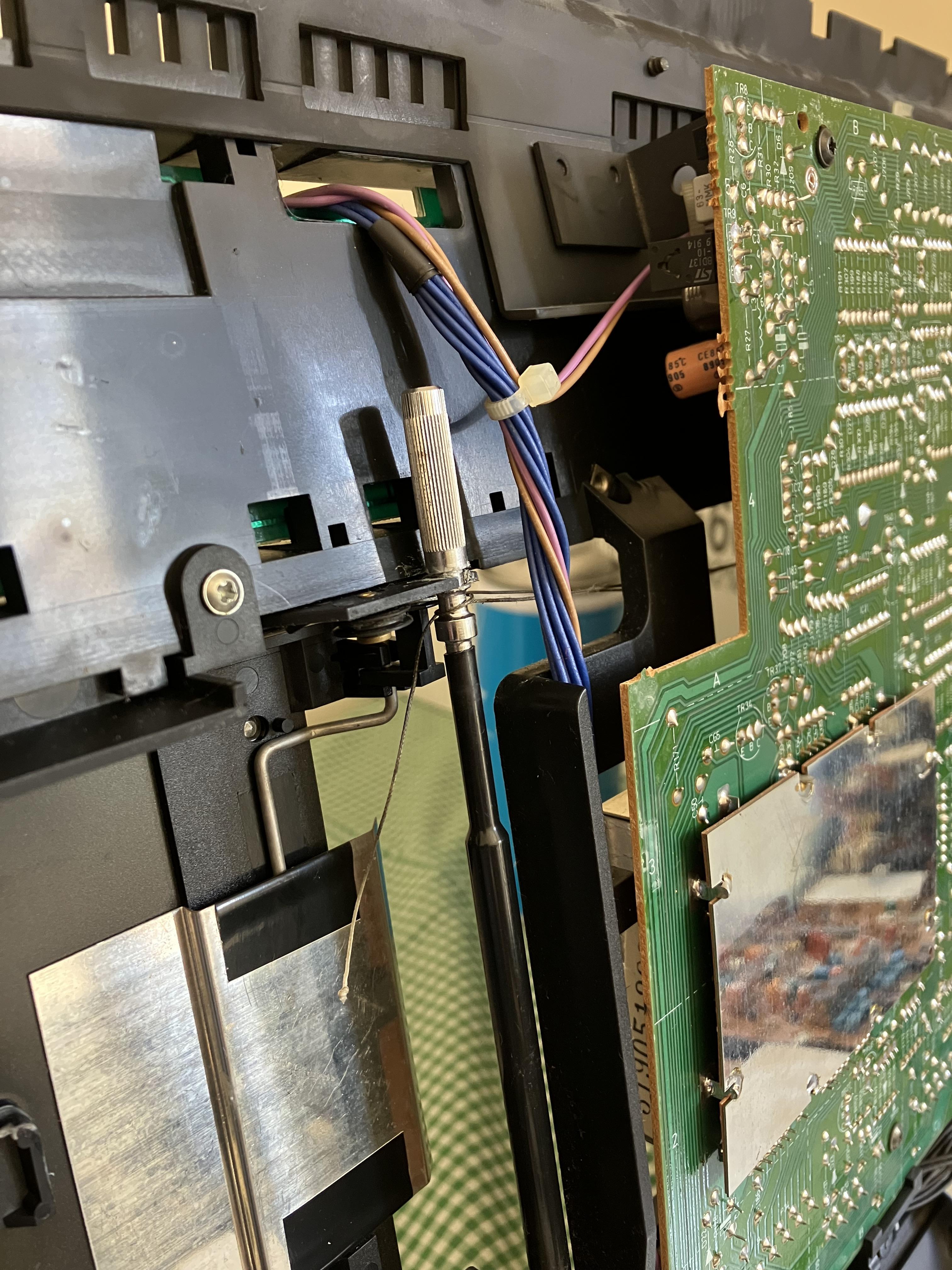
Whilst observing the door opening and closing with the BeoCenter in the service position, I then noticed that the upper CD string was fouling on the drive shaft. I think the string was sticky/greasy (perhaps it had been ‘lubricated’?) and was sticking to the drive shaft. Basically it couldn’t slide axially, hence the three loops moved to the outer edge of the drive shaft and then started wrapping over itself and jamming.
Anyway, I decided to replace the strings and thankfully this cured the fault. The door is still slower than the tape door but this is to be expected because the door also moves the CD clamper mechanism in and out. I also cleaned and lubricated this mechanism to make the door’s task easier.
Many thanks to Beitie for the inspiration and also for his invaluable tip about painters tape which is very useful for holding ends of the string in tension whilst re-threading the rollers.
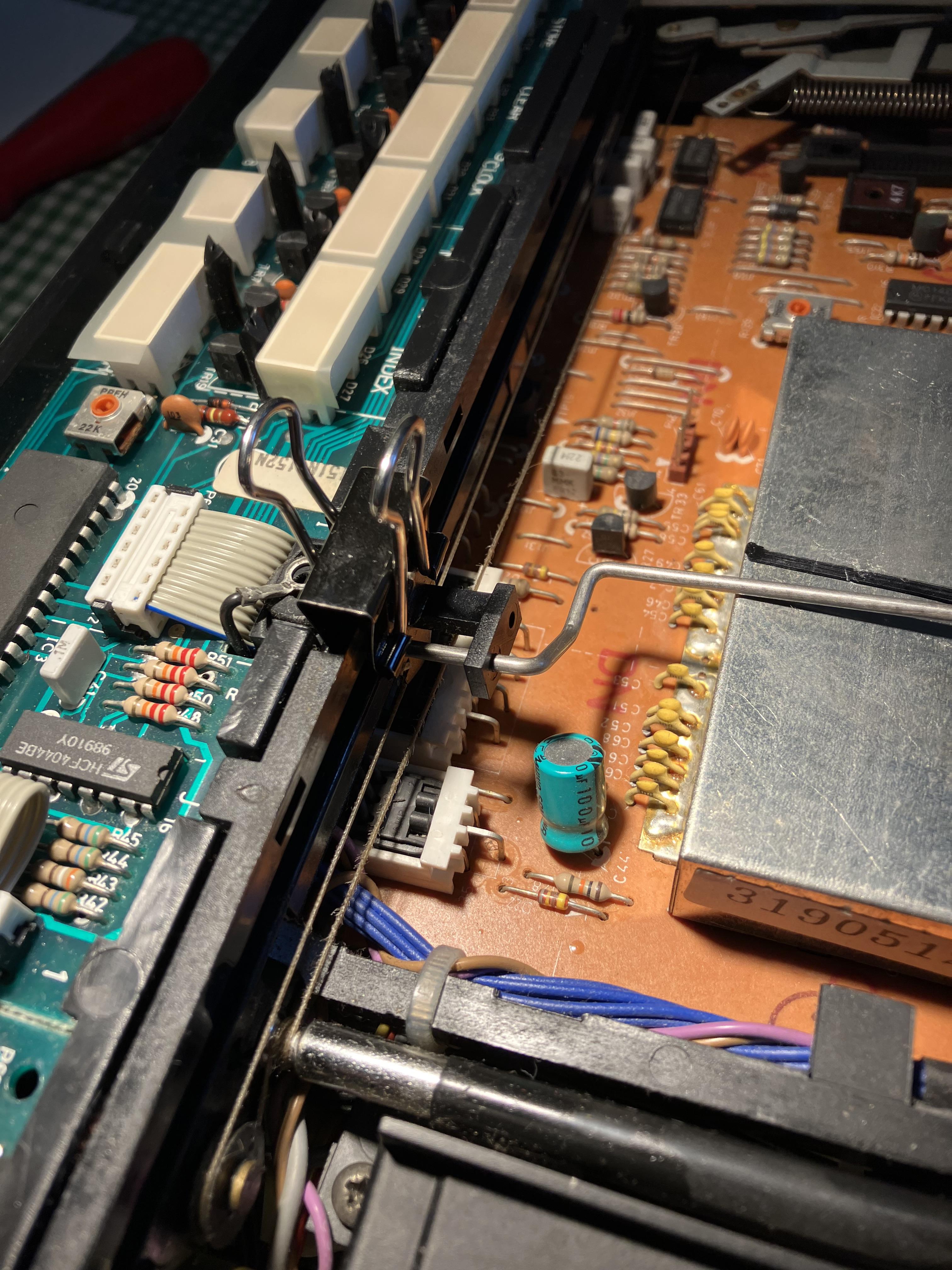
One other thing I found useful was using a small bulldog clip to hold one of the sliders in place whist re-threading the string on the other side. You can see it in this photo:
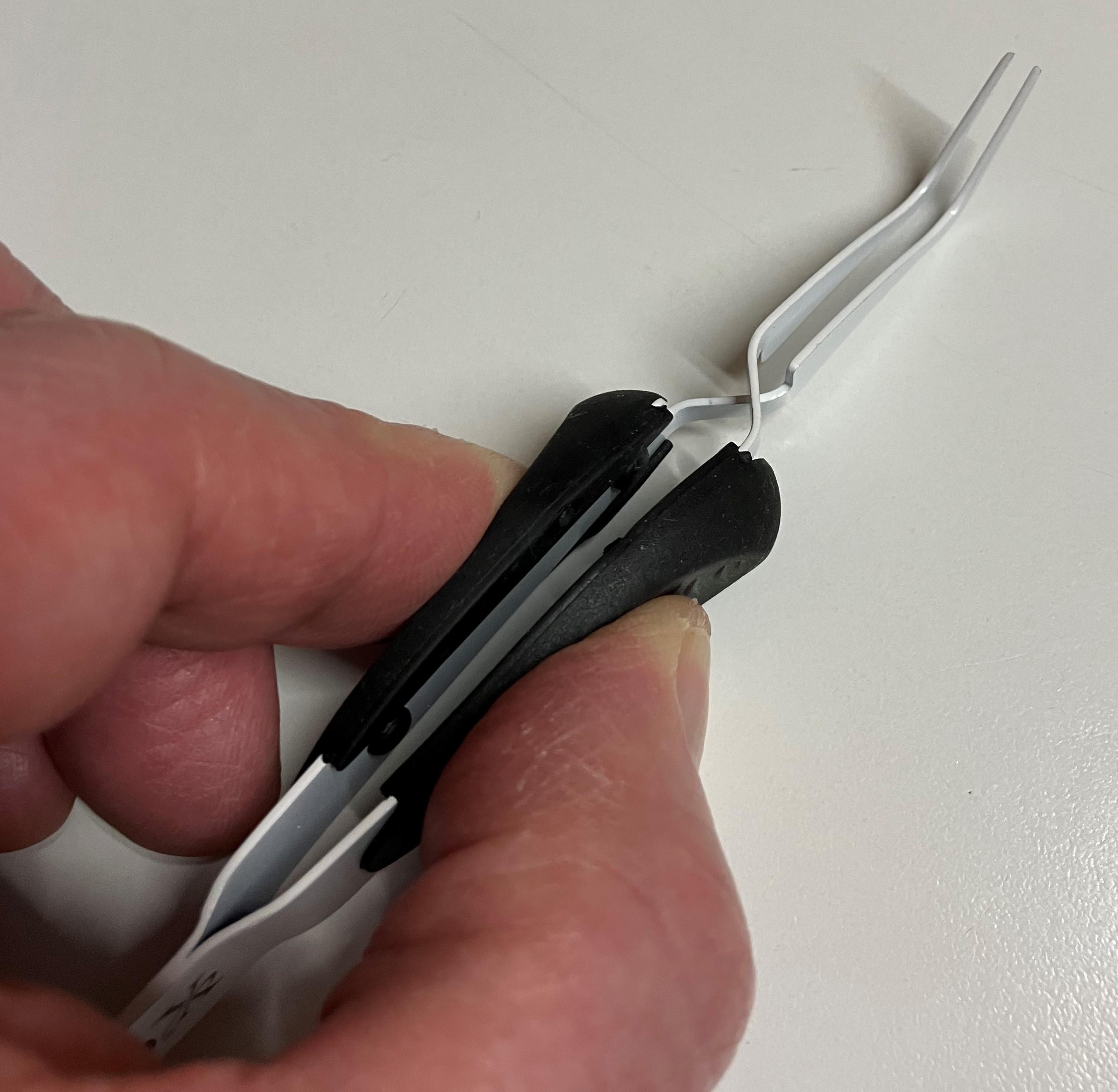
Also, just as I was finishing my wife noticed the difficulty of the task, went upstairs to her craft box and came back with these ‘crossing lock’ tweezers, which would have been very useful several hours earlier to move the tiny knotted ends of the drive cord into place! I will use these next time!

Anyway, it’s now all re-assembled and up and running, but I will test it over the next few days before taking back to my mother-in-law. I am using the A2 Active as a speaker connected to one of the Powerlink sockets.

Location: Warwickshire, UK
My B&O Icons:
Excellent – control of a datalink device from NL without a datalink audiomaster! I am sure NL users who want remote control of a BeoGram turntable will be very interested.
I am looking forward to the new BLC thread. I did ask a few NL/ML converter questions here, so perhaps you’ll be able to provide new information once you investigate more: https://forum.beoworld.org/forums/topic/app-control-of-masterlink-products-using-beolink-converter-nl-ml/
Location: Warwickshire, UK
My B&O Icons:
Hpefully it wasn’t all disapointment looking through the boxes?
Not at all! I found lots of useful stuff that I look forward to unwrapping again when we eventually find a house to buy. I am not sure whether I have more phones or remotes …
Anyway, off to the pub! ???
Location: Warwickshire, UK
My B&O Icons:
interesting that they kept the pinout on the minijack the same for the VX and BS3/Beoport sensor even though the wire coloring is different
Indeed – I have learnt never to expect B&O wire colours to be consistent!
Location: Warwickshire, UK
My B&O Icons:
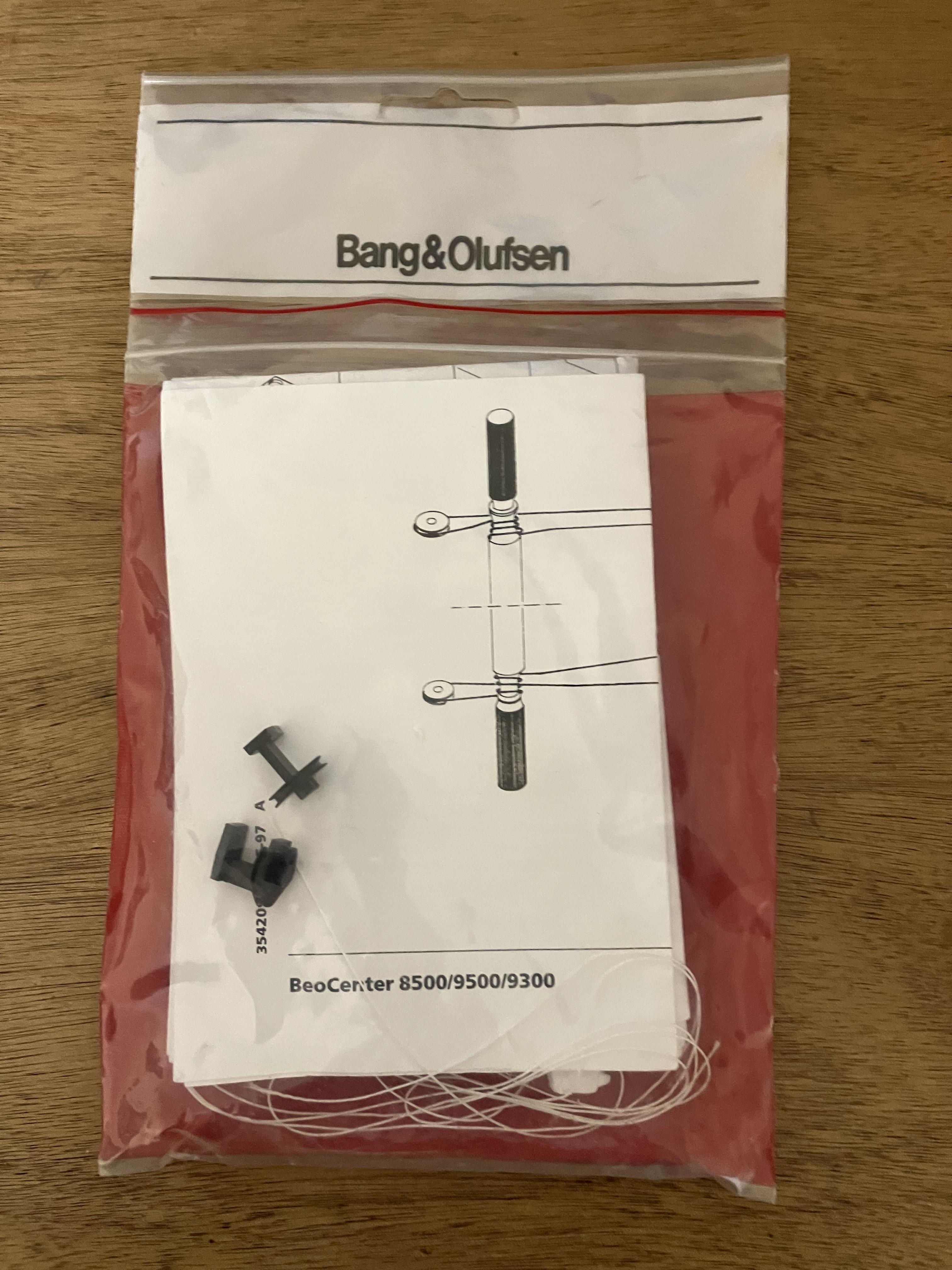
I have attached the door string fitting instructions that were included with the kit – basically they are an extract from the service manual.
I will also upload to the manual library.
Location: Warwickshire, UK
My B&O Icons:
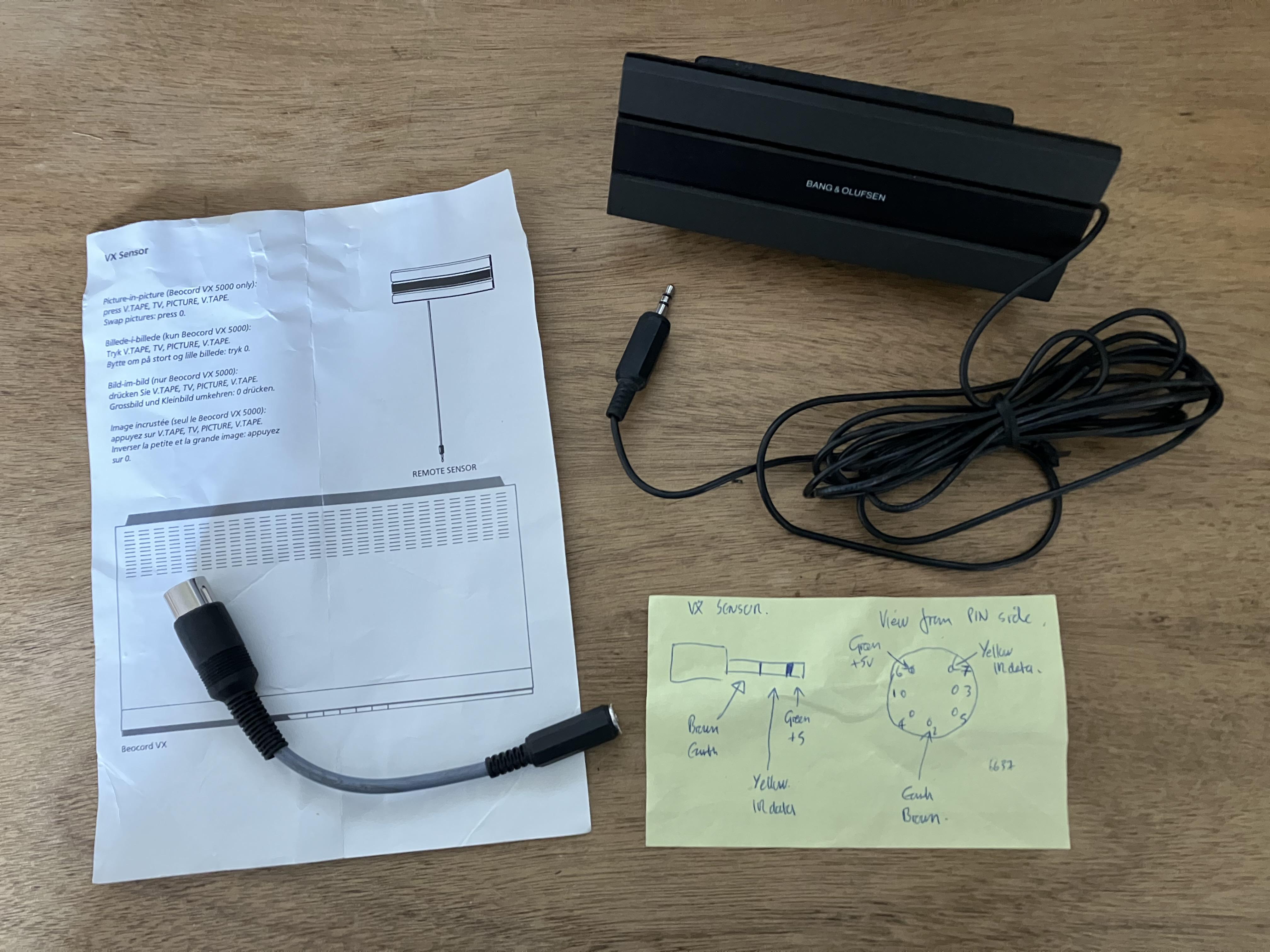
I also found this in a box – the VX sensor that I had previously used with my Beoport (see earlier photo). It seems that I also kept the useful yellow Post-it from when I made the little adaptor. I think that the connections are even correct!
Location: Warwickshire, UK
My B&O Icons:
So despite hurting my back yesterday mowing the lawn I have today commenced the great box search!
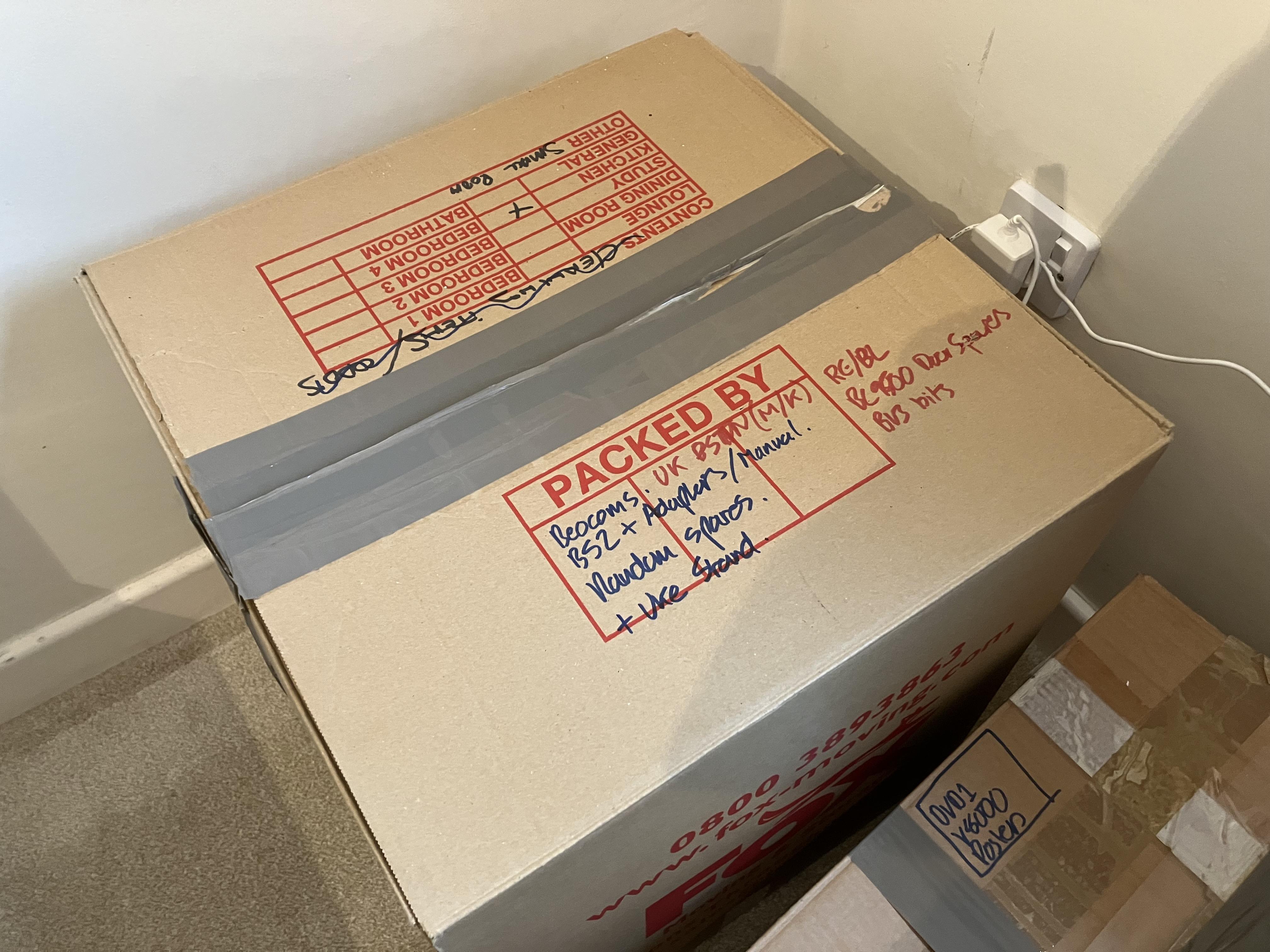
After four hours of careful extraction, unwrapping and disappointment, I have uncovered the very last box and saw this red writing on the top: (I was organised after all!)
And in a little box inside the box I found this:
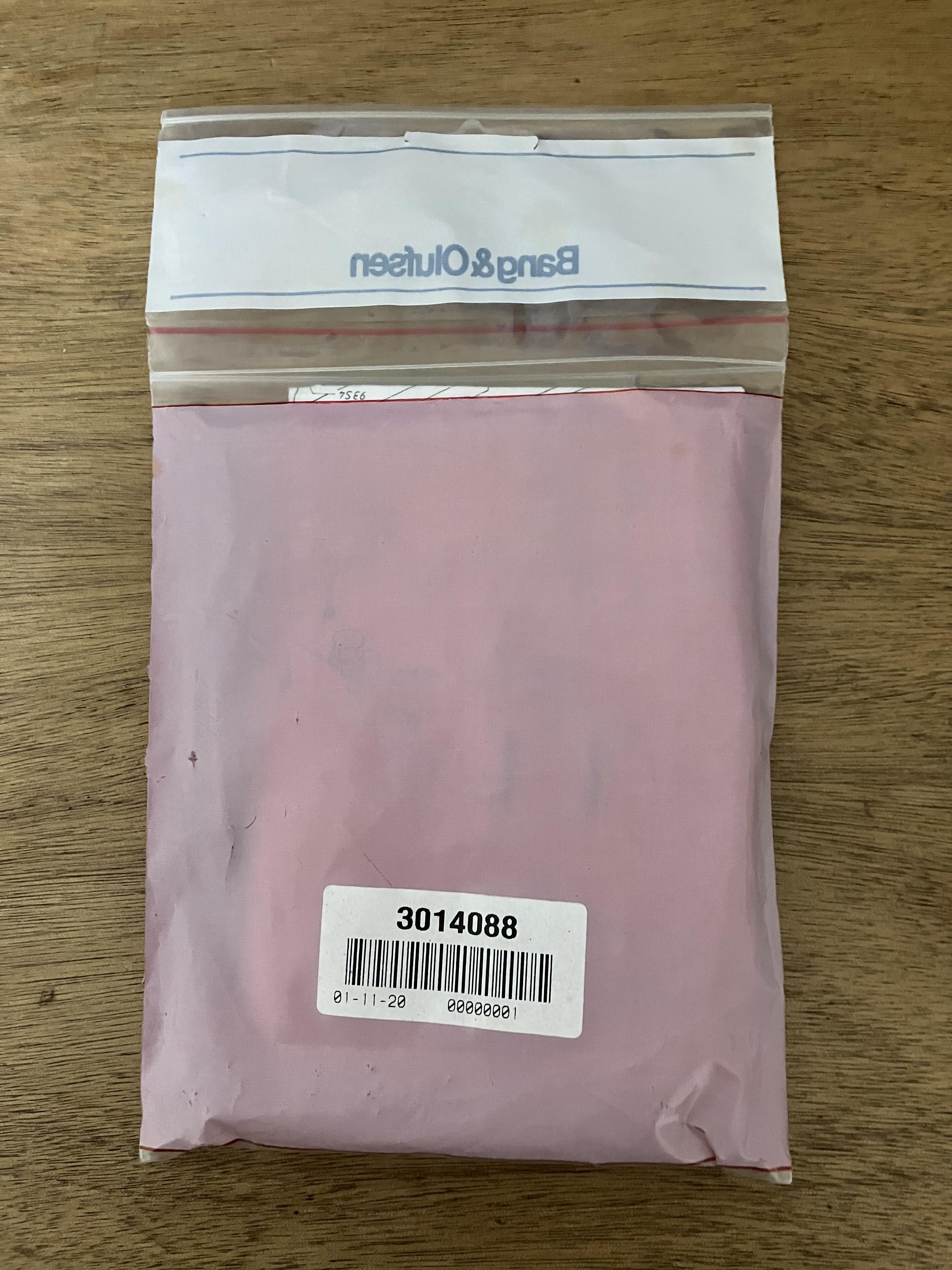
Reverse view, just in case anyone else finds the part number useful!
I am so relieved – I was beginning to doubt myself and had even searched out the eBay confirmation email from when I bought it. (this confirmed that it cost me £4.10 exactly ten years ago!)
Anyway, I need to rebuild the box pile and then go out for a meal to celebrate the find. I will start the CD-door re-stringing exercise in the next few days and will let you know how it goes!
Location: Warwickshire, UK
My B&O Icons:
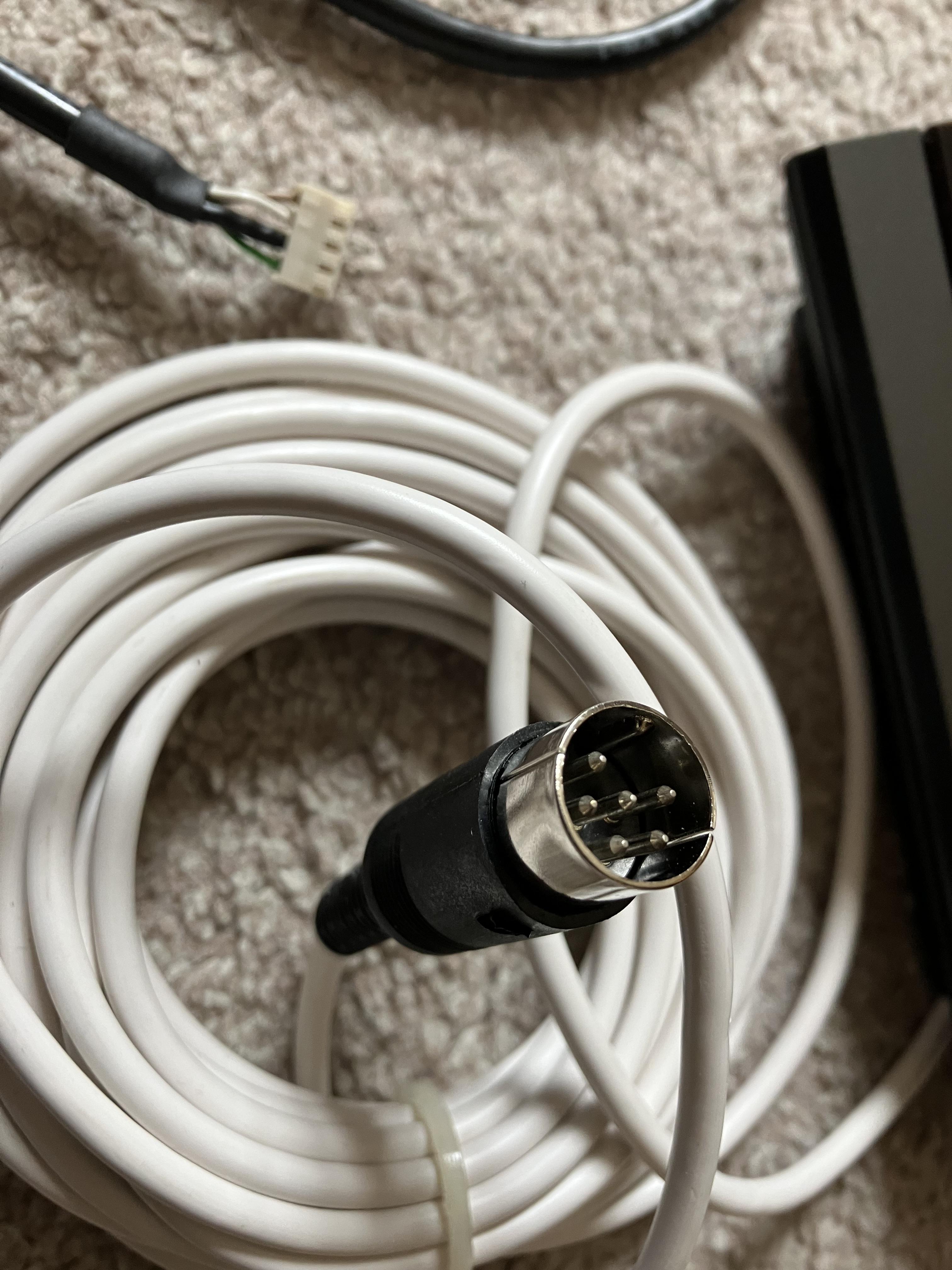
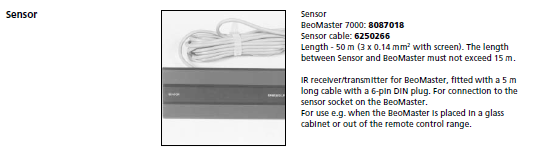
I have the kit somewhere including the fly lead with socket for hard wiring into BM7000.
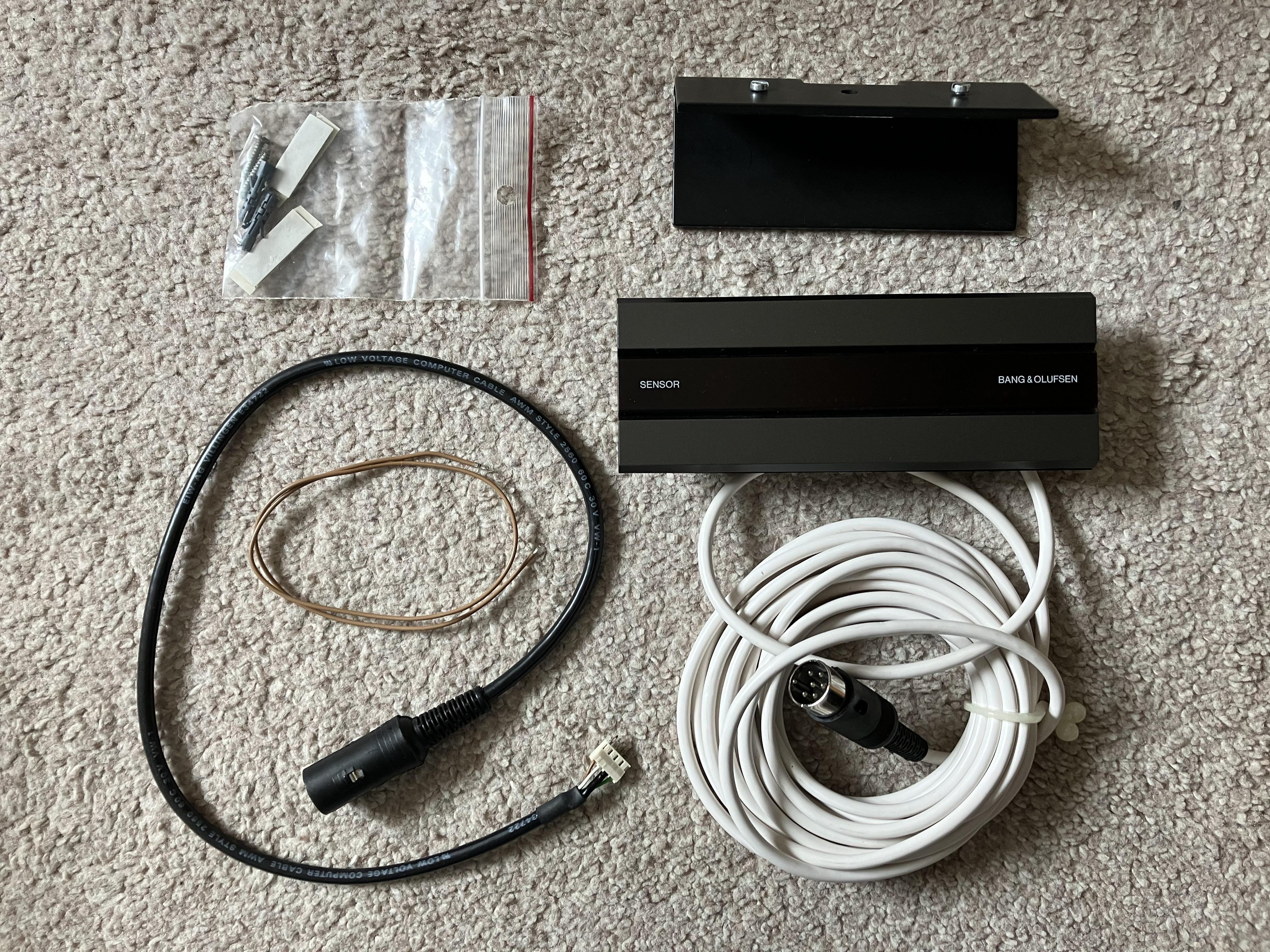
Found the BM7000 sensor kit (whilst searching boxes for BC9500 spares – not yet found!)
Weird 6-pin DIN connection visible:
Location: Warwickshire, UK
My B&O Icons:
Thanks Madskp – I think it’s a rainy day job, hence I can put it off until tomorrow and crack on today with all the other jobs I normally avoid: lawn mowing, vacuuming etc.
Any unboxing photos will be of me sat in the middle of a pile of cardboard and wrapping with my head in my hands, wishing that I had been far more organised when I packed it all away! ?
Location: Warwickshire, UK
My B&O Icons:
The first thing I would try is the old cartridge, if you still have it – did the fault start immediately on fitting the new cartridge? If so, and you don’t have the old one, simply remove the cartridge, check the contacts are clean and refit.
Then try another amplifier, just to rule that out (or try another line input on the same amplifier).
There could be a break in the cable inside the DIN plug. Either try moving the cable around where it enters the plug, or it may be possible to prise the plug open (sliding the plastic cover away from the pins) and see if there is a loose connection inside.
If none of the above finds the problem, the fault is probably within the BG6500 or the cartridge, hence specialist knowledge may be required to investigate.
(PS: I’ll delete your previous thread/post – just reply within this thread once you have an update or require further advice)
Location: Warwickshire, UK
My B&O Icons:
Great news that the input now works with the re-soldered lead – thanks for coming back on the site and letting us know.
also, I followed the instructions for the List button and that worked too. Oddly the A.Mem button no longer shows A.Aux, it now shows A.Tape. Any tips on how to change this?
It’s quite strange that the display has changed from what you previously saw – I don’t actually have a BS3000 so perhaps another Forum Member will confirm the behaviour of theirs? Perhaps the software in the BS3000 is designed so that a ‘remote-initiated’ selection of A.AUX tells the system to assume that future selections of other audio sources are specifically not A.AUX.
Adding a function to the Beo4 LIST button should not change anything on the BS3000. Maybe try disconnecting anything from the Aux socket, then turn the BS3000 off and temporarily remove mains power. Then power it up and see if there are any changes (with the aux still disconnected).
What is displayed when you press AUX on the BS3000’s keypad?
A.MEM is just the updated name for A.TAPE as a B&O source – the IR command is identical. The BS3000 does not have datalink so it cannot control a B&O tape deck via the aux socket anyway.
Thanks, by the way, for being a great resource! I live in the desert area of central British Columbia in Canada, where no-one has even heard of this equipment, so to have access to an international team of experts from multiple time zones is pretty nice
Many thanks for the compliment! Beoworld is indeed a great worldwide resource and it’s always nice to see new Members.
Location: Warwickshire, UK
My B&O Icons:
I once had an IR sensor for BM5500 with a 6 pin DIN plug. It was looking like the VX sensor, so it might be the same type, but with more connections.
6-pin DIN rang a bell, and I found this:

I have the kit somewhere including the fly lead with socket for hard wiring into BM7000. The fitting instruction show some strange DIN socket pin numbering: https://forum.beoworld.org/wp-content/uploads/2023/02/Beomaster_7000_IR_sensor_mounting-instructions.pdf
4 wires are used, but pin 6 does not appear to be connected to anything in the BM7000.
Location: Warwickshire, UK
My B&O Icons:
25 April 2023 at 15:16 in reply to: The Future of BeoWorld Membership Levels – Your Thoughts? #45917You and your black boxes…
Ha ha! Actually fashionably very dark grey ?
Location: Warwickshire, UK
My B&O Icons:
25 April 2023 at 14:50 in reply to: The Future of BeoWorld Membership Levels – Your Thoughts? #45915when he daily drives a Dacia
Me too! (I sold the VW on the left ?)
(and apologies to the moderators for thread drift … ?)
Location: Warwickshire, UK
My B&O Icons:
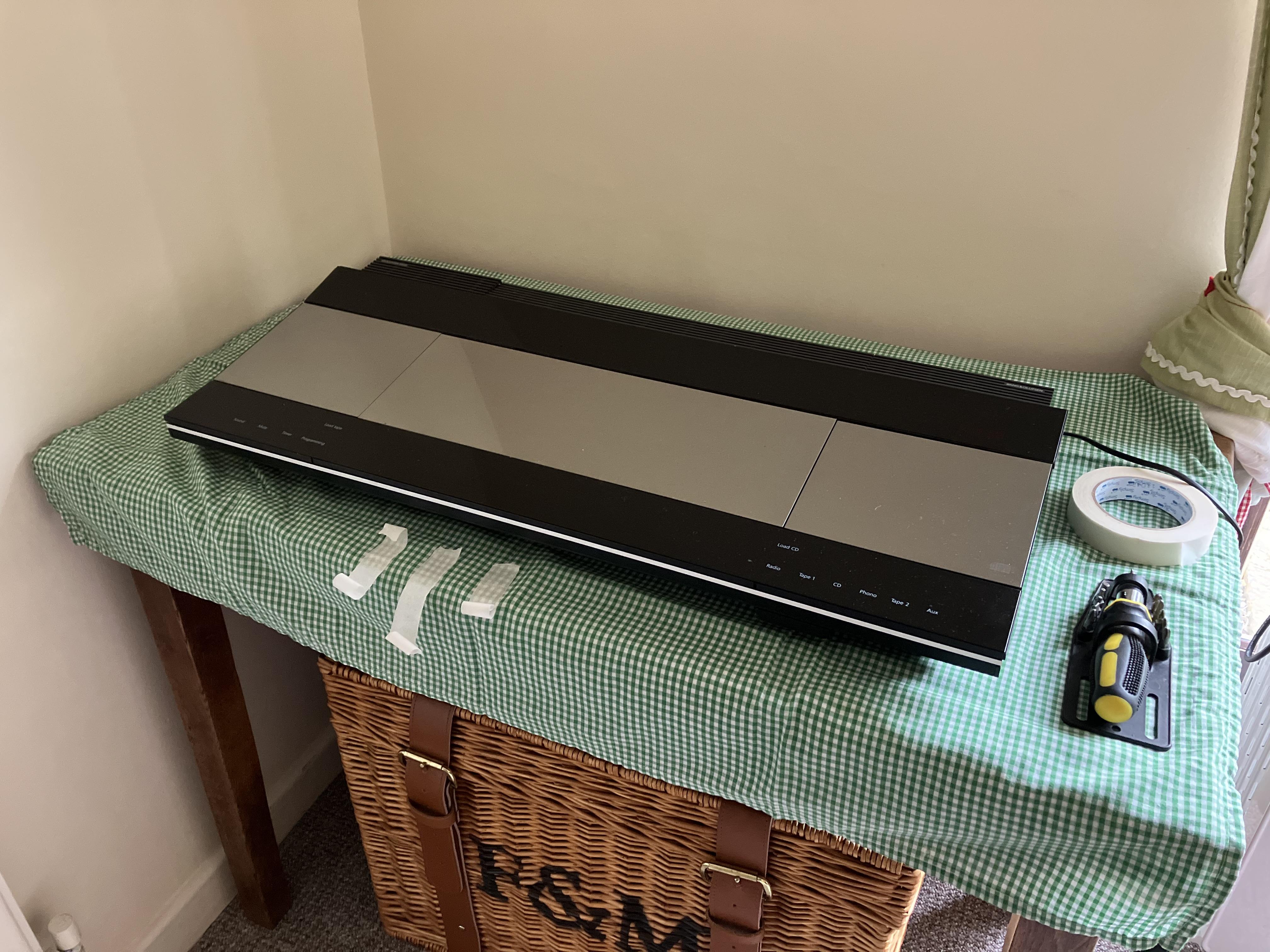
So as promised I am hijacking Beitie’s thread to described repair of my (Danish!) mother-in-law’s BC9500, collected yesterday. I merely fitted the CD transit screws, taped down the loose glass panels and placed it carefully in the boot of the car in the centre of an old cot mattress that I keep for just such purposes (unless more grandchildren arrive!)
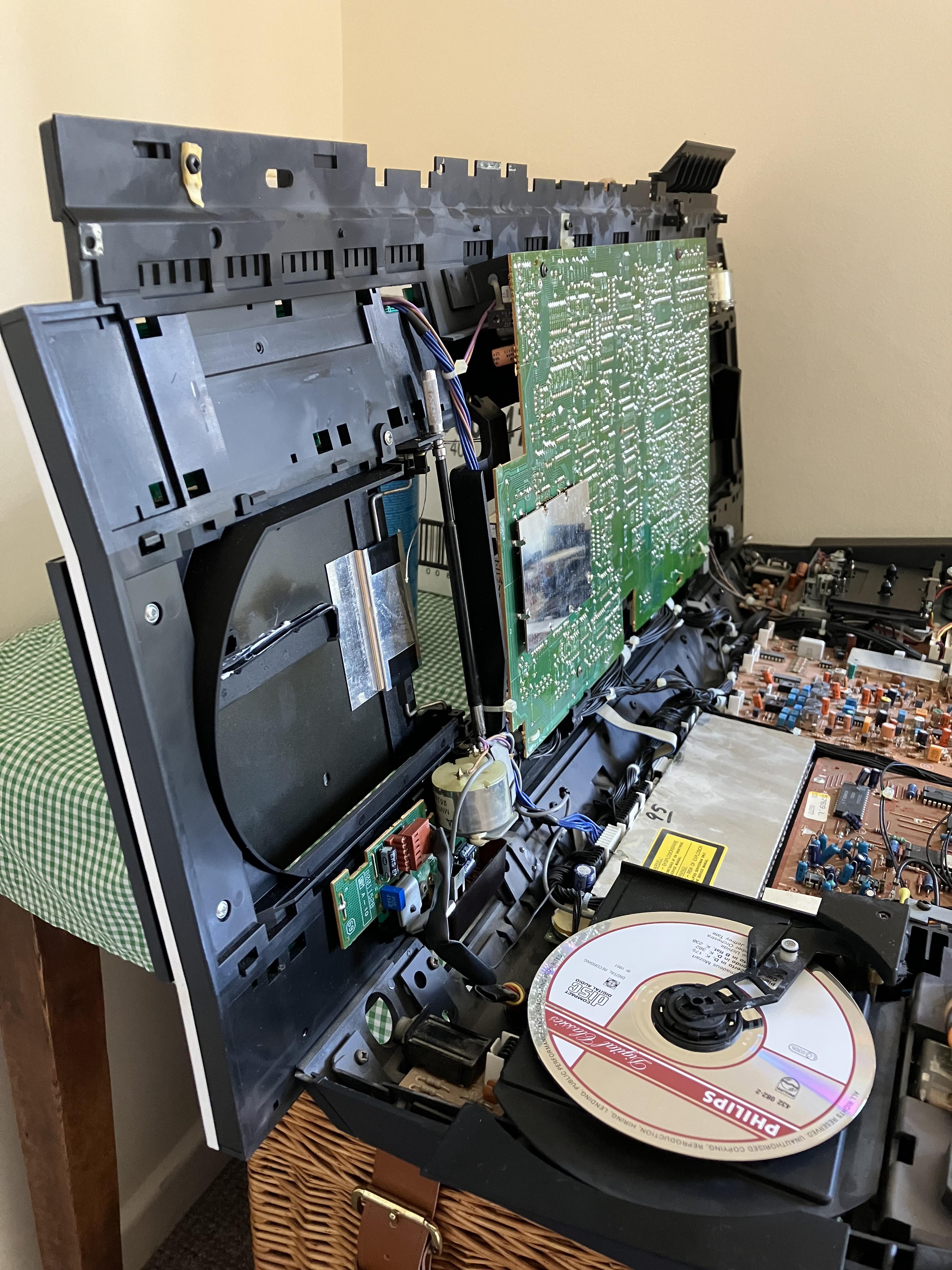
The faults are a sticking CD door and loose top panels (I re-glued the lower panel approx 10 year’s ago and it is still secure). I removed the glass panels and centre panel, then opened the unit up and realised that the service position support arm is missing, hence had to prop the lid against a box to work on it! You can see the loose CD door string hanging down:
Close up:
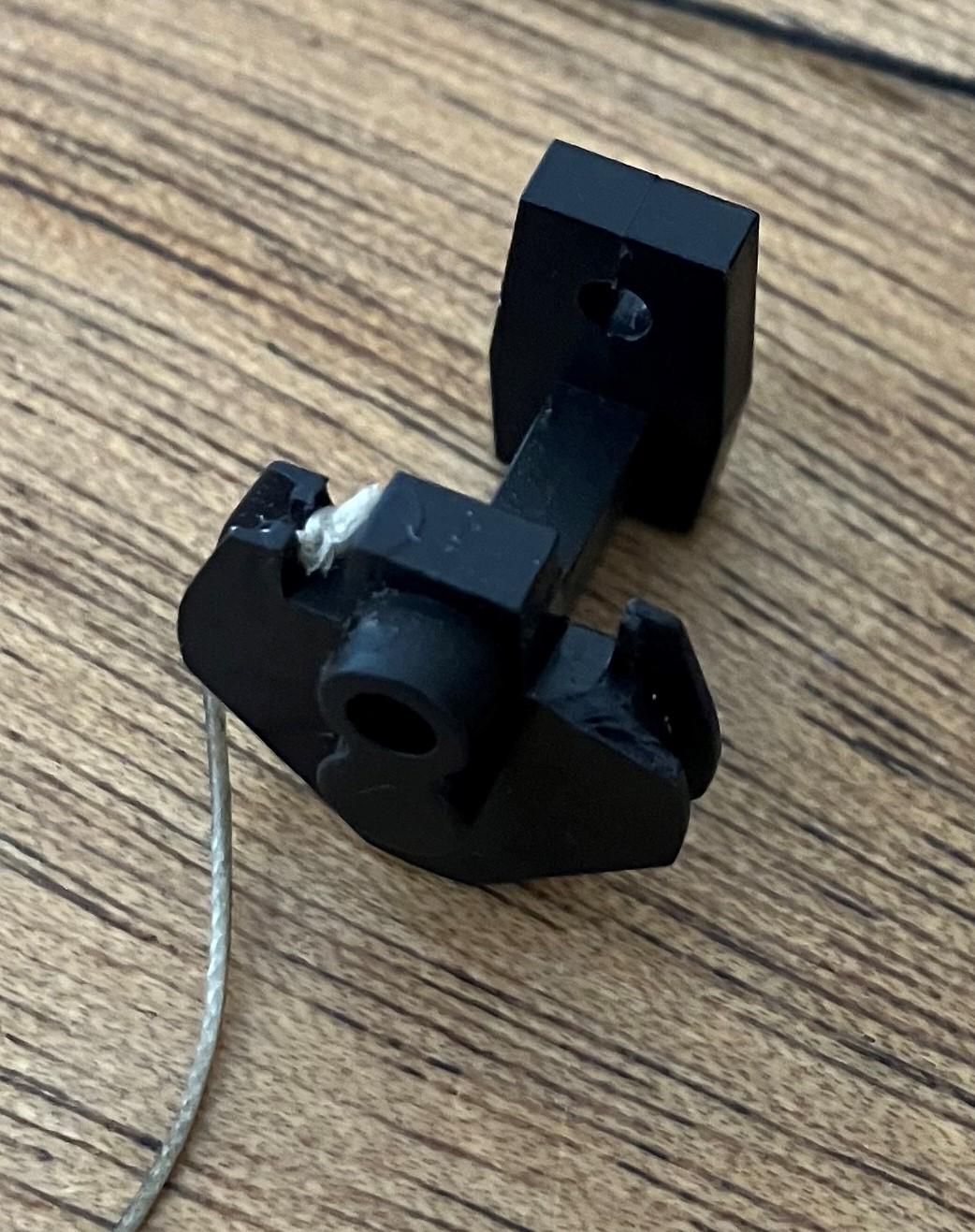
I then removed the CD door to make access easier, and realised that the little plastic sliding clip is broken where one end of the CD door string should attach! I left the other end of the string in place so you can see how it should look.

So clearly this repair is a bit trickier than I anticipated!
Two immediate thoughts:
- I wish I had kept the donor (‘Christmas tree’) BC9000 that I got rid of a few years ago – I could have transferred parts across.
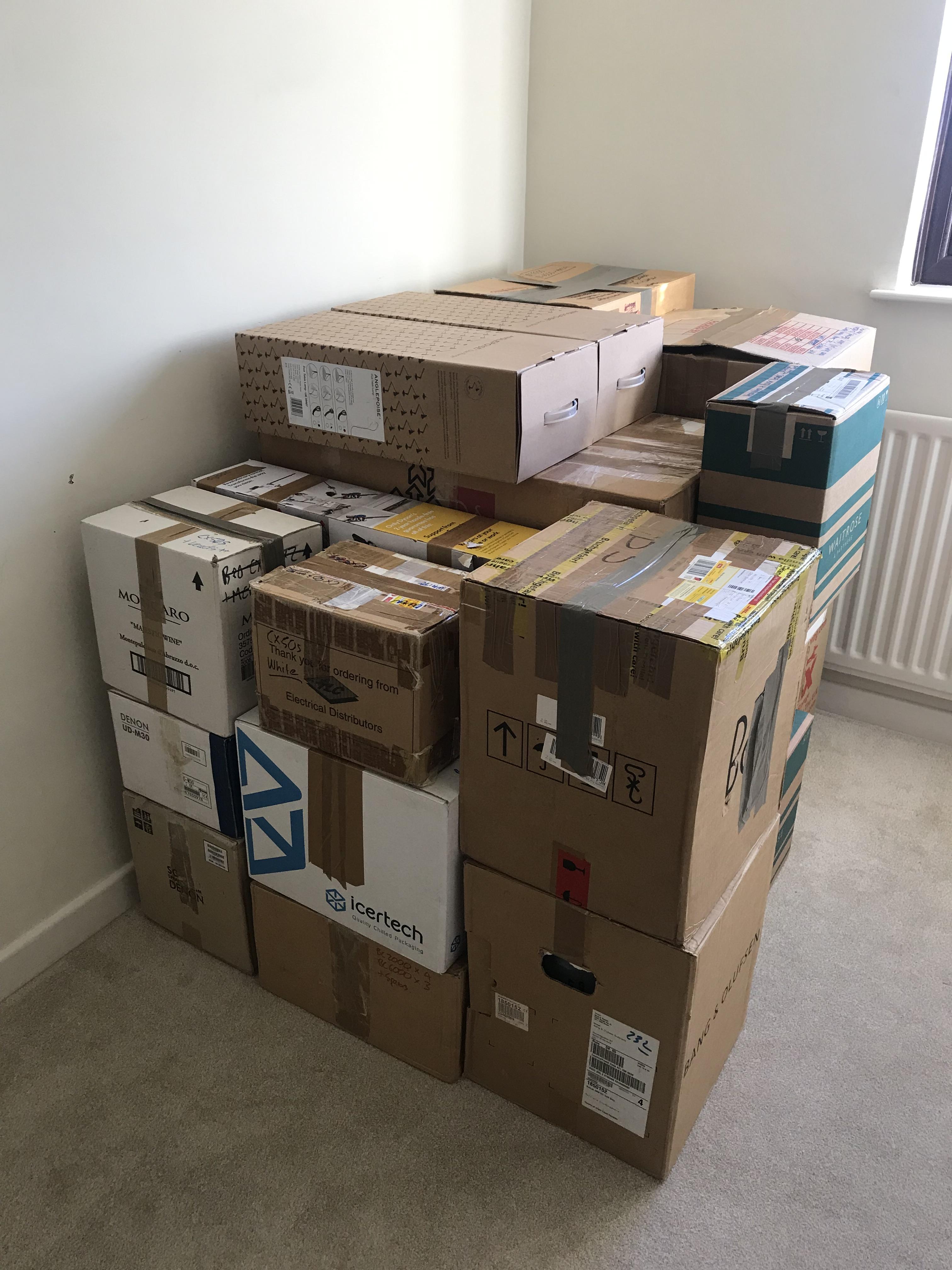
- Again several years ago, I remember purchasing (on eBay) a ‘BeoCenter 9500 door string replacement kit’, thinking that I would be sure to need it one day. I think it even included new plastic sliders. The problem is that it is in one of these boxes:
What the above photo doesn’t show is that there are now several more boxes on top and all around (not all B&O) plus a precariously balanced BL3500, BL2000 and a partially dismantled Beoplay V1-32 propped against the side. I can barely enter the room!
So I will try to muster the energy to delve into the boxes again – I really must label them in much more detail.
I am also waiting for ‘super glue gel’ to arrive to re-stick the upper glass panel, so I can’t even crack on with that task while I procrastinate about the boxes.
To be continued ……. timeframe uncertain! ?
Location: Warwickshire, UK
My B&O Icons:
In conclusion my BL Passive / Ml-MCL converter seems to work for all functions
Good conclusion – if I do try anything similar with the BC9500 as a source I’ll post it here, but it’s only really the ‘timer’ functionality (with rectangular sensor) that may be worth testing. I vaguely remember having problems trying my BC9500 with a BL1611 and Passive many years ago but can’t remember what sensor I used. Performance may be related to the SW version of the BC9500 source of course, so I’ll check the config tool to see if there are any relevant notes.
It may be worth deciding terminology/names when talking about IR eye/sensor types. I tend to think of the four main types as follows:
– MCL sensor (normal rectangular type with Timer and Mute buttons – 5 connections hard wired)
– VX sensor (as MCL but no buttons – 3 connections only to 3.5mm plug)
– ML sensor (normal round type with Timer, Vol and Play button – 5 connections – usually via 7 pin DIN)
– BS3 sensor (as ML but with no button markings – 5 connections possible but only three used to 3.5mm plug)I haven’t mentioned newer ones with fancy ‘join’ buttons and RJ45 connections etc. Nor special hardwired types like the BM7000 sensor which will be a variation of the above (probably VX with DIN plug).
Next subject is my new NL/ML converter, and I probably will test the IR receiver with that also, but that’s for another thread
Looking forward to the new thread! I expect experimentation with all the above sensor types and full MCL/ML/NL integration – just think of the number of permutations once you add in Converter configuration settings!! ?
PS: It could be worth getting hold of some of these if you do want to try different sensors: https://www.amazon.co.uk/PENGLIN-Terminal-Ethernet-Extender-Connector/dp/B0BTYH9726
Location: Warwickshire, UK
My B&O Icons:
Agree about the timer function not nesesarely working just because the light is on. I don’t think I can test that as I don’t have the MCP 5550 to program timer settings.
However If you take a look at the diagrams for the MCL2A only the yellow wire is in use (for the speaker on/off circiut), and on the MCL2AV the yellow and the grey wire seems to be connected on the screw terminal (will have to double check that on the actual unit), so a little in doubt about the actual function of them
Ah yes I had forgotten about that. I suppose for the MCL2A, the Mute just needs to ‘directly’ operate a relay on the same circuit board (only sending data for a long press), whereas in an MCL2AV everything is done with data? Linking yellow and grey ‘tells’ the IR sensor that it is connected to an MCL2AV, not an MCL2A.
Also, looking at the MCL2A circuit diagram there are two way arrows on the IR data (white) wires, and in the circuit MCL2AV it shows data in/out (connection B4), so two-way data would allow for any timer or indeed two-way IR functionality.
Location: Warwickshire, UK
My B&O Icons:
-
AuthorPosts