Forum Replies Created
-
AuthorPosts
-
 Moderator
BL Passive – ML – 1611 – datalink – MCL2AV – datalink BC3500
Got it! I was just being a bit slow about the 1611 -> MCL2AV connection from earlier trials!
Location: Warwickshire, UK
My B&O Icons:

That sounds hopeful – come back and let us know if it works!
By the way, if you are using a Beo4 remote you can add A.AUX as a source to the LIST button.
To add it, on the Beo4:
– Press Power (On/Off button) and LIST together, the display should read ADD?
– Press GO.
– Press LIST until the display shows A.AUX. then GO.
– A.AUX should then be listed under LIST.To use it, press LIST until A.AUX shows then press GO. A.AUX should appear on the BS3000’s display.
(Alternatively, just use the single button press A.TAPE or A.MEM as mentioned earlier!)
Location: Warwickshire, UK
My B&O Icons:
I can control my Beocord 3500 through 1611 + MCL2AV (with no IR eye)
Sorry a further question from your earlier post: How exactly is this connected – and where does the Passive fit in?
Location: Warwickshire, UK
My B&O Icons:
Ok, I might have to correct myself. Reading the instruction manual for the Beolink Passive again I can read that a press on play should turn of the passive, and a press again should activate the last played source, and that is working as it should when the BM5500 is used as Audio master.
? that makes sense. And it’s easy to get confused with the number of permutations that you are testing!
Going back a few posts, it’s interesting about the functionality of the extra two wires on the rectangular IR eye. Being required for two-way IR would make sense, and potentially for the ‘timer’ function. I suppose that just because the timer light goes on, doesn’t mean a message has been sent to the Passive via the IR data connection – the IR sensor may still need to be interrogated by the system before the Passive responds to a Timer event.
I am collecting my mother-in-law’s BC9500 for repair later today and will have it for at least a week, so once I have ‘serviced’ it (doors and glass panels) I might have a play with some BL1611/Passive/MCL2AV/Converter options!
Location: Warwickshire, UK
My B&O Icons:
But the Mute button will put the whole system in standby with a single press regardless of the two setups.
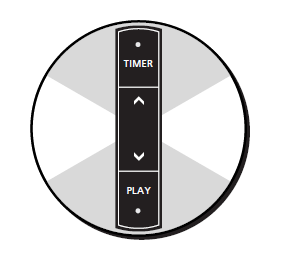
So is the (round sensor) ‘Mute’ button actually the ‘Play’ button, or am I confused?
Here’s the front of a normal ML sensor:

Location: Warwickshire, UK
My B&O Icons:
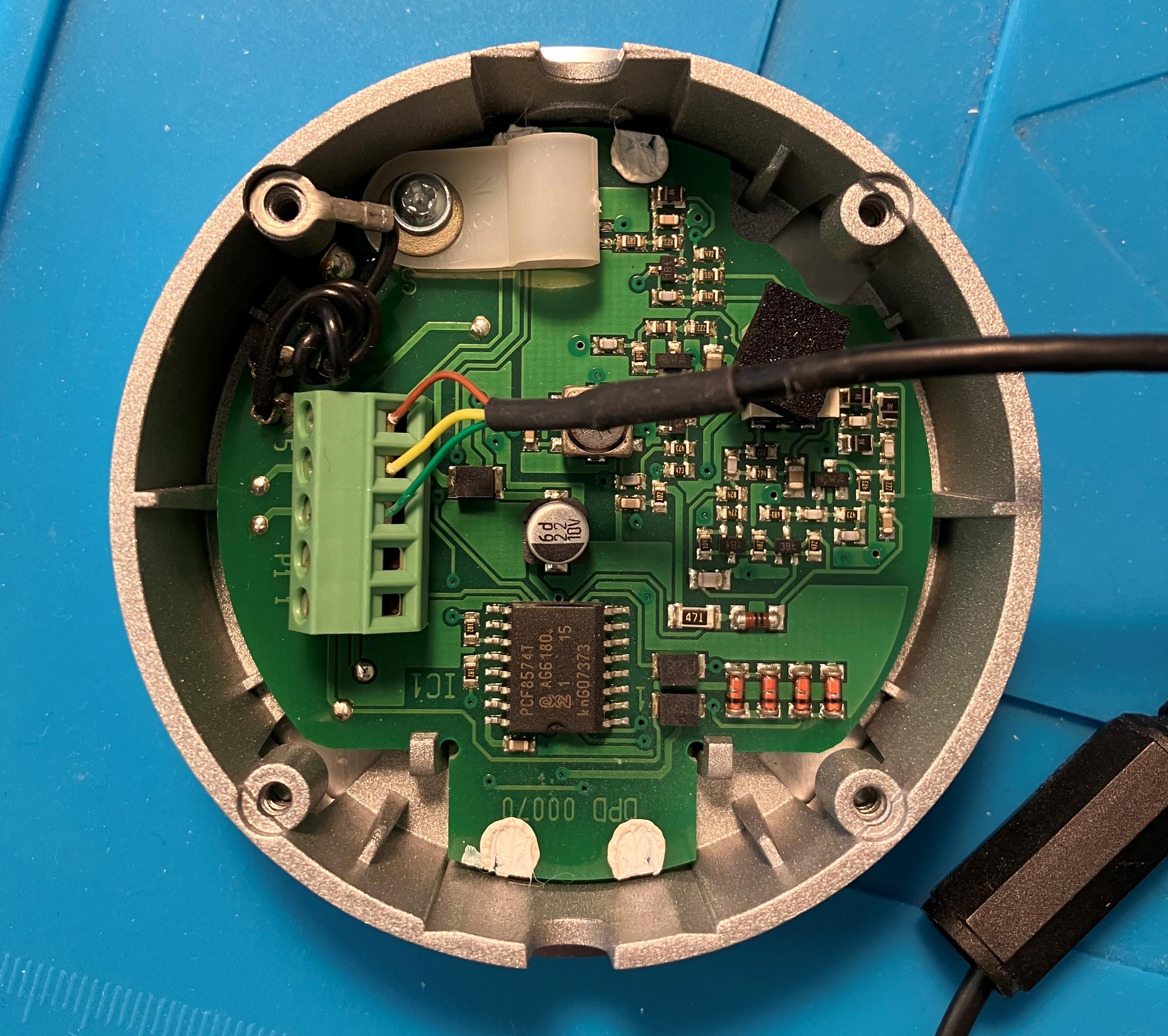
Interesting stuff! So the ’round IR eye with no markings on the buttons’ is internally probably just a normal ML sensor, which usually has Timer at the top and Play at the bottom. I have one, and just thought of it as a BS3 sensor (or Beoport sensor), although the buttons did indeed click I didn’t realise that they might work!
Here’s mine inside: (picture previously posted in my LC2 repair thread)

EDIT: Just for reference, Yellow and Grey would be the (missing) connections 1 and 2 in my sensor.
EDIT 2: And connection 4 would be White, in a ‘normal’ ML sensor.
Location: Warwickshire, UK
My B&O Icons:
Have a look at the very first diagram in this excellent thread ?: https://www.hifi4all.dk/forum/forum_posts.asp?TID=32157&PN=1
Location: Warwickshire, UK
My B&O Icons:
Sad news indeed – thank you for letting us know MM, and for giving us some heartfelt background information about Peter’s life and loves.
I really enjoyed Peter Pan’s hifi4all threads and visited his posts many times (albeit with Google Translate) to check correct cabling whilst experimenting with new setups, as well as looking for new ideas. I too was impressed that gave extensive help to those with the much newer products, whilst remaining (understandably) set-in-his-ways regarding his legacy, BV7-based system.
He’ll be missed, but I look forward to making use of his excellent work for many years to come.
Location: Warwickshire, UK
My B&O Icons:
Have you treble-checked that you have the leads connected to the aux input rather than output????
There were a couple of people in the archived forum (2012-22) who had problems with BS4 aux inputs – unfortunately the threads that came up in my search don’t resolve the problem, but there is potentially a fault.
If you BS4 is faulty, there is a workaround using a BL1611 converter and the masterlink connection, but let’s hope that you can get it to work without.
Location: Warwickshire, UK
My B&O Icons:
Asa madskp says above, assuming it’s a BS3000 (check here) then it should work as described. The usual problem is that people use a DIN output lead rather than input, but given that it works with another amp (with 5 pin DIN input?) then that should be ruled out.
If a BS3000, it could have a faulty keypad*. Does the display actually show A.AUX when you press the keypad AUX button? However, a faulty keypad shouldn’t stop the remote working, whereupon the display should show A.TAPE (or A.MEM) and open the aux input if you press that button on the remote.
* With a faulty keypad, it is usually a complete button row or column that stops working, so it would be unusual if just the AUX button were faulty.
Location: Warwickshire, UK
My B&O Icons:
Great news about the easy fix. Those wires between boards are becoming more and more of a problem as the equipment gets older and more delicate/brittle. I worry every time I put my BC9500 into the service position – there are just so many connections that could fail!
Location: Warwickshire, UK
My B&O Icons:
22 April 2023 at 12:18 in reply to: The Future of BeoWorld Membership Levels – Your Thoughts? #45910Hi Lee, Keith and all Beoworlders,
Firstly, happy with an Annual Draw – good decision!
Ref membership, how about just ‘Basic Member’ and ‘Premium Member’?
I agree with MM that archived Forums should be available to all registered members for free.
Additional benefits of ‘Premium’ status should include:
- Annual Prize Draw
- Manuals, where available
- Ability to Buy/Sell and post ‘Wanted’ ads – we need to tighten up on this, as there are very few places that you can ‘trade’ (private sales etc) within a respected enthusiast community.
Finally I think a flat fee to pull, scan and upload hard copy manuals is a very sensible way forward – there’s quite a lot of work involved hence I am sure that whatever fee is chosen will be very good value for the paying Member.
That’s all for now! Have a good weekend all ?
Location: Warwickshire, UK
My B&O Icons:
Great – come back and let us know how you get on with it, as I am sure that others will have a similar requirement one day!
Location: Warwickshire, UK
My B&O Icons:
I have a Beolink 7000 and Beolink 5000. Both of them worked before I recapped the Beomaster. Highly unlikely that both of them would fail at the same time – especially since I repaired their 2-way communication module 1-2 years ago.
Ah OK that makes sense. I have to replace the caps in my BL5000 a couple of years ago when the two-way suddenly stopped working.
Location: Warwickshire, UK
My B&O Icons:
What remote are you using, and have you checked its two-way functionality with another Beomaster?
Location: Warwickshire, UK
My B&O Icons:
Just wondering, with the active speakers, how do they know which is the left or right speaker? I have the right one on power link 1, the left one of power link 2. It does seem like it’s separating right now, just wondering if it’s correct.
Powerlink cables carry both Left and Right channels, hence each speaker should have a Mode switch on which you select L or R.
Now that you can remote control, you can adjust the balance to check that they are correct, and also store the preset start up volume on the BM7000.
Location: Warwickshire, UK
My B&O Icons:
Hi and welcome to Beoworld!
I think that you will need to use an hdmi extractor that also incorporates CEC volume control (so that the TV’s volume control can control the device’s analogue audio output volume) . I found something on AV Forums that points to a device called the SHARC eARC audio converter. It is described here but listed as discontinued: https://www.thenaudio.com/product/sharc-earc-audio-converter/
Perhaps you can find one second hand, or someone else knows of a similar device.
EDIT: I just noticed that the newer device also has analogue out, but it’s a bit pricey: https://www.thenaudio.com/product/sharc-v2-8k-earc-audio-processor/
The description states:
Supports CEC switching and command passthrough using the TV remote and the source remotes.
- Use AppleTV / Roku / Xbox / other remote controllers to control the volume level, mute and source switching.
- Volume control applies to the audio system connected to the HDMI output, line-level RCA outputs, and the headphones output.
Location: Warwickshire, UK
My B&O Icons:
I just found a Type number 2076 on UK eBay: https://www.ebay.co.uk/itm/255750627132
From reading the instruction page in the advert, it seems to have been originally packaged with a mains adaptor and a wall unit/transceiver that also served as a charging unit for a BL7000. I vaguely remember reading about this rare item in the old forum.
Location: Warwickshire, UK
My B&O Icons:
Many thanks for the tip! I must admit that I am not looking forward to the repair – she has had the BeoCenter since new and it has about 34 years of dust and dirt inside, and that’s despite me replacing the backup battery in it about 10 years ago! (I was in a rush and didn’t have time for a fuller service.)
I will put some photos in this thread when I get around to fixing it.
Location: Warwickshire, UK
My B&O Icons:
Digging back through my photos and the old forum I remembered that I had already mentioned using a VX sensor with ML devices:
This was the thread: https://archivedforum2.beoworld.org/forums/t/5529.aspx
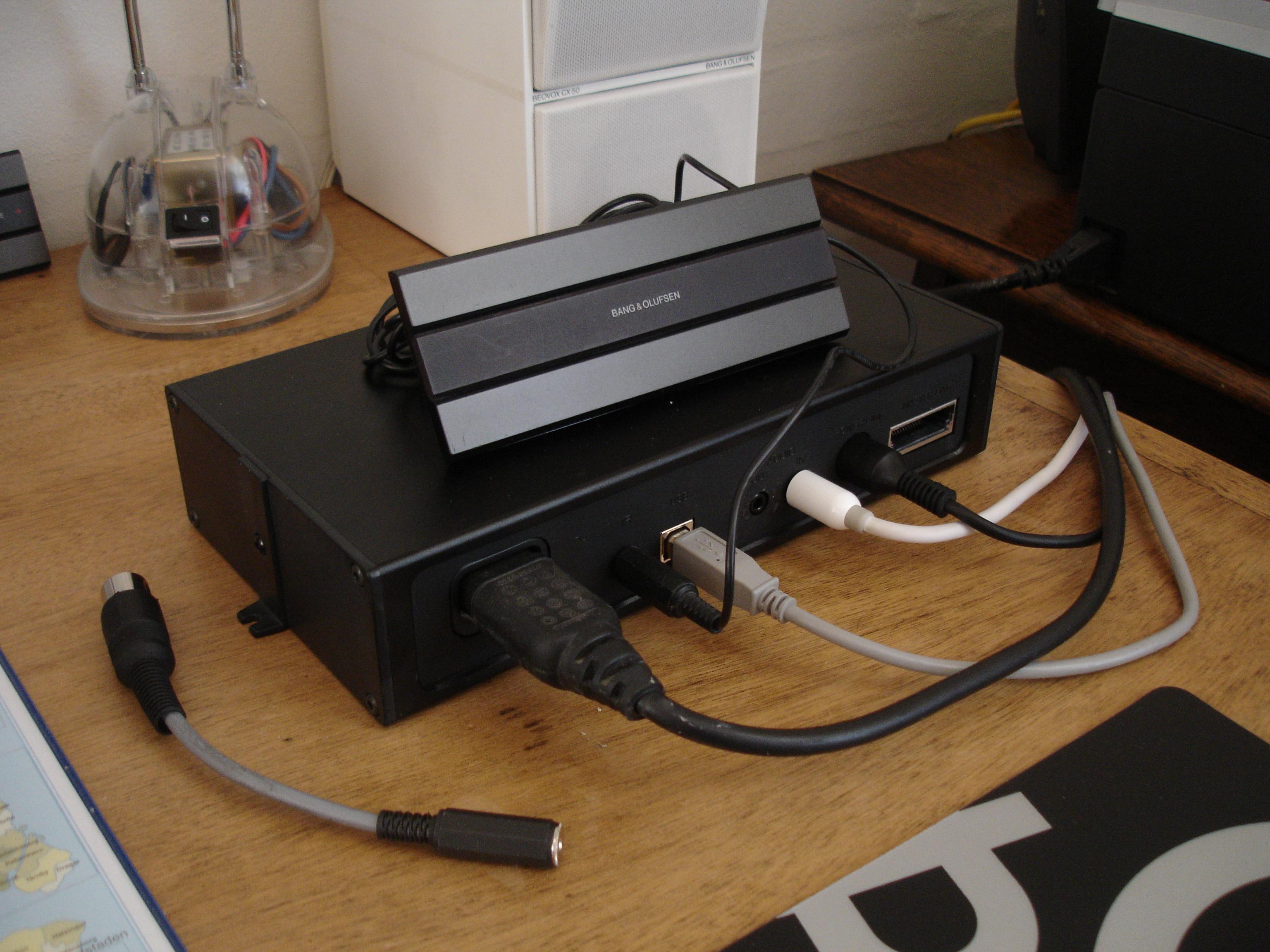
Where I stated: The VX sensor works very well to allow remote control. (And the little adaptor lead at the front allows me to use the VX sensor with newer ML devices without removing the 3.5 jack plug).
Of course the VX sensor only has the ground, +5v and IR connections.
And this was the photo that has since disappeared, showing the adaptor that I had made:

Location: Warwickshire, UK
My B&O Icons:
-
AuthorPosts