Forum Replies Created
-
AuthorPosts
-
 Moderator
P.S. Thread title should be changed to “Beosound Century from AirPlay 2″, which is what was asked. Going the other direction is more trouble.
? Done!
Location: Warwickshire, UK
My B&O Icons:

^ Good old SCART leads!! I keep a large box of them just in case! (also for temporary connection of DVD1 and/or V8000 to amuse my grandson ?)
Location: Warwickshire, UK
My B&O Icons:
I just checked this as I am here. There are two different version numbers. The APP version is 2.5 and the OS version is 1.0.
So your parents’ is the newer model with clock.
I doubt that the aux/data connections are any different on my APP1.X versions (both OS1.0), but it wouldn’t be the first time that features had disappeared from newer models!
The Beosound 1 is still a great bit of kit, so I will continue to use mine with FM, Airport Express (for AirPlay 2) and of course the occasional CD to check that the laser module still works!
Location: Warwickshire, UK
My B&O Icons:
I would hope the BBC would keep broadcasting on DAB for a while yet but I might be buying a white elephant with the BS4.
Don’t forget that you still have BBC on FM until at least 2030! That’s my main source – an added advantage that it is always ‘in sync’ between radios in different rooms. You might need a decent external antenna (or loft antenna) to make the most of FM, but it’s well worth it for sound quality typically superior to most DAB, or even DAB+, broadcasts.
Location: Warwickshire, UK
My B&O Icons:
2nd hand Apple AirPort Express
If you do go for this option (which I recommend if you are an Apple user) make sure that you go for the latest A1392 version as the latest firmware update gave it AirPlay 2 (rather than just Airplay). I use one with my BeoSound 1 (FM/CD).
You’d need a cable like this to connect to the Century: https://soundsheavenly.com/bang-olufsen/67-298-minijack-to-aux-in-ipod-to-beosound-beomaster-beocenter-using-aux-din-socket.html#/2-length-1m
Location: Warwickshire, UK
My B&O Icons:
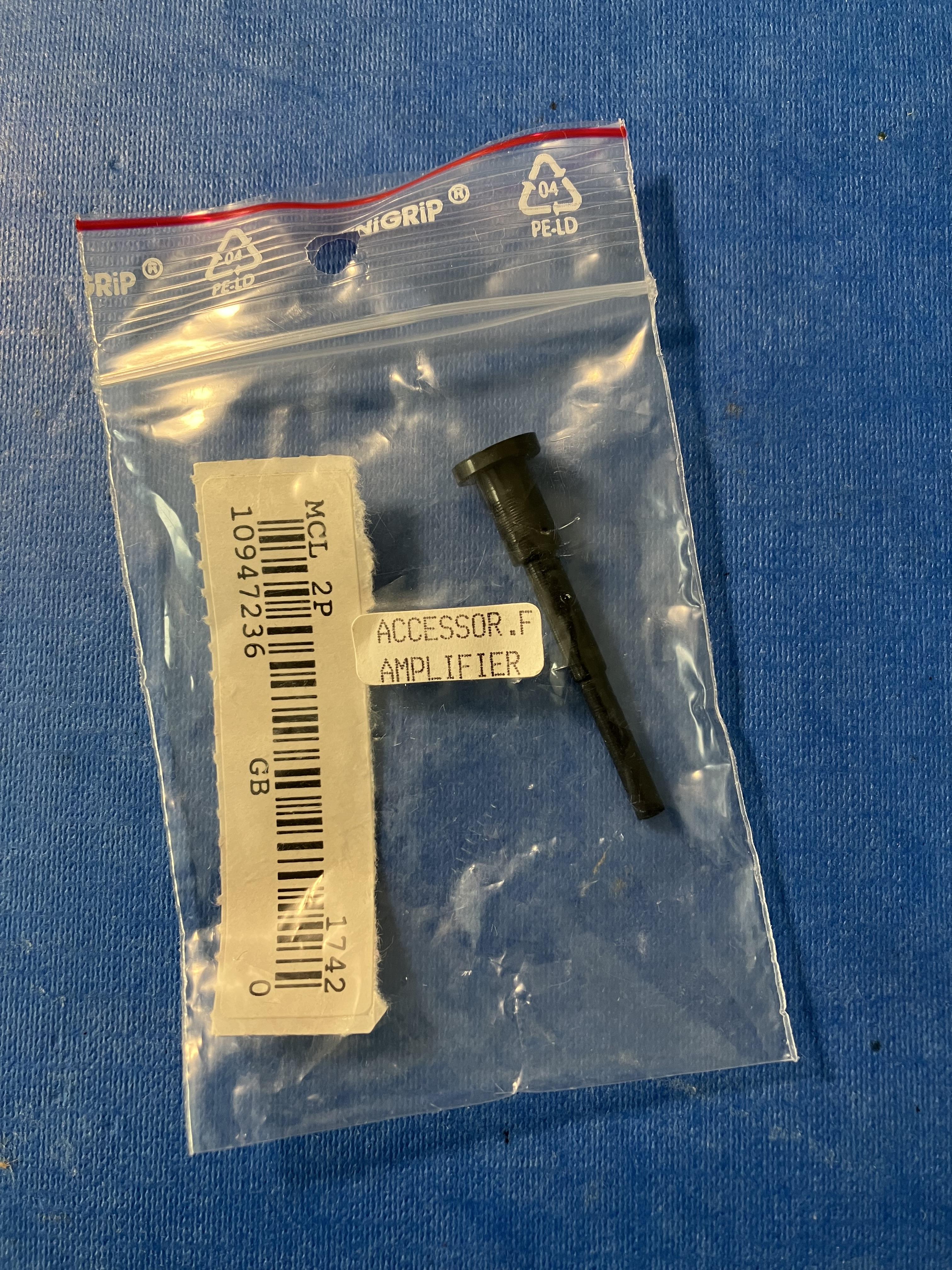
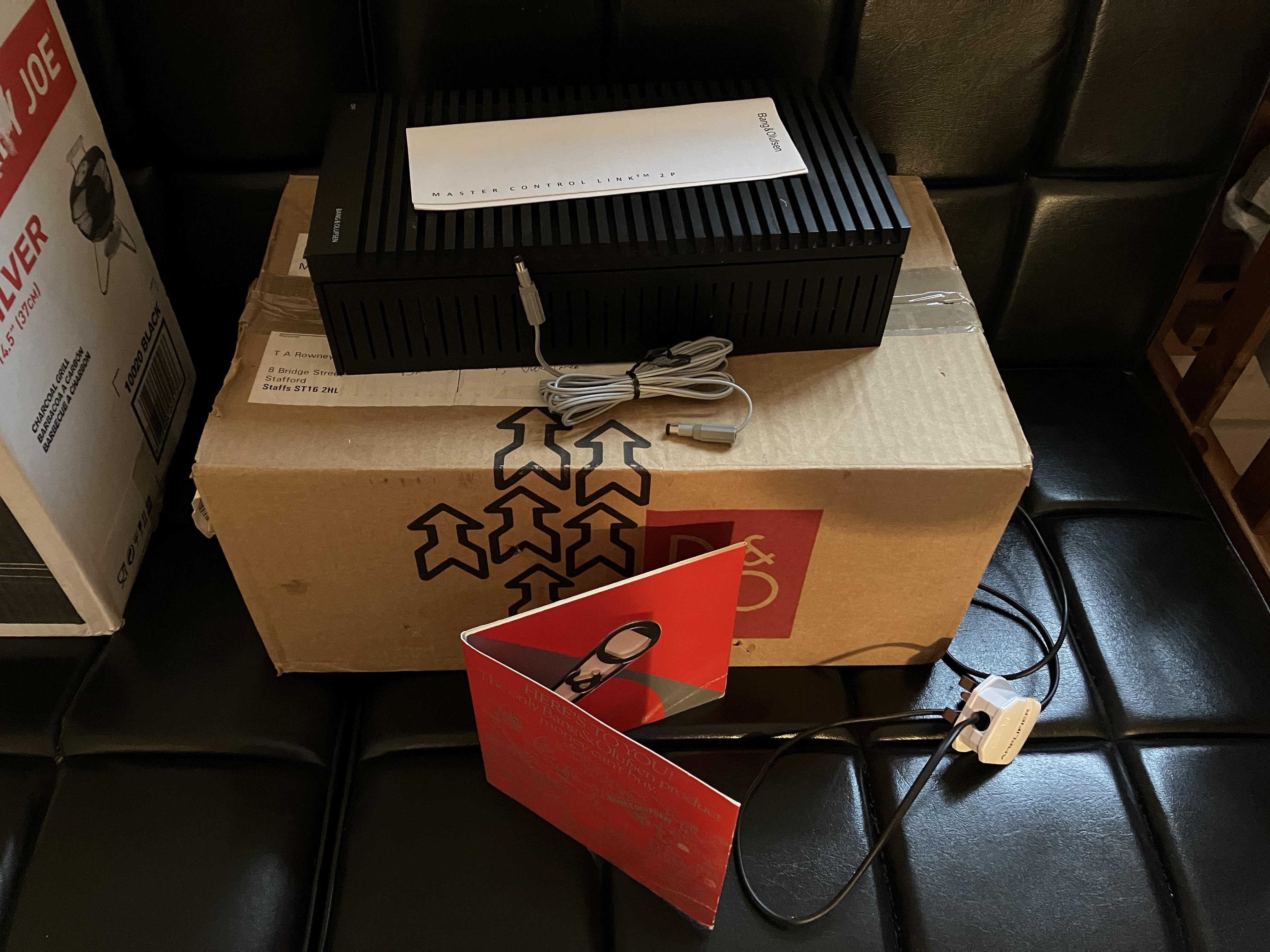
26 January 2024 at 16:31 in reply to: Stored/Unused B&O Equipment – Potential Deterioration of Components #52286Also in the MCL2P box – solid plastic plug 42mm long. Any ideas what for?

Perhaps the unused type number label is the MCL2P ‘accessory’, and the plug from elsewhere – the BC2300 perhaps?
Location: Warwickshire, UK
My B&O Icons:
26 January 2024 at 15:30 in reply to: Beocenter 9300 after replacing CD doors it behaves crazy #52423It sounds like you have the cords wrapped around the drive shaft in the wrong direction. They initially go over the top, then under. There are some pictures in this thread:
https://forum.beoworld.org/forums/topic/my-beocenter-9500-restoration/
Do you have the service manual? The door cord arrangement picture there should be followed carefully, and note that diagram shows the view from under the drive shafts.
EDIT: And the door cord mechanism is the same for all 9000 series BeoCenters – 9000, 9300, 9500.
Location: Warwickshire, UK
My B&O Icons:
It seems that maybe either the chart above isn’t correct, or the dealer has put the IR emitter in the wrong place! Actually I don’t think it’s the latter, because it works fine.
All the teardown and internal photos that I have seen of the Apple TV3 (both A1427 and A1469 versions) have the IR sensor almost central (opposite the hdmi socket). Perhaps there is internal reflection of the IR signal in your case?
EDIT: Yours looks like it’s actually covering the status light – or can you see it?
Final issue: Can anyone point me at some used B&O/parts suppliers where I could look for a spare back cover for the V1-32… I’ve tried a few of the usual places with no luck but maybe there’s someone I don’t know about but someone here might?
Have you tried AVA Services? https://www.avaservices.co.uk/
Location: Warwickshire, UK
My B&O Icons:
I also used that video a lot when I disassembled the Ouverture. Very good althoug a few details I couldn’t see so had to find info elsewhere.
Yes there are a few bits where he seems to skip some important detail! I did find it strange that he hadn’t also removed the rear cover, because I am sure that would have made CD removal/replacement easier – eg reconnecting suspension springs to chassis.
Thanks for your further feedback – I think I will do the SMD caps first (because they will fail eventually anyway) and see how it goes from there. I’ll post updates but it probably won’t be for a couple of weeks.
Location: Warwickshire, UK
My B&O Icons:
I just wondered if there was any further progress on getting the CD working on your Ouverture?
As mentioned in this thread, I thought this would be a good place to also raise CD problems with my BC2300, as the fault sounds related and I think the CD module is similar if not identical. I am getting the CD ERR 2 Focus error.
Looking at various service manuals last night, I realised that CD module removal on the later BC2300s with linear CD motion is similar to BS3000, in that the CD module is removed from the front rather than rear as on earlier ‘curved laser movement’ BC2300s. I also found a YouTube video that may be useful, here: https://www.youtube.com/watch?v=0tmWOhNxZpI
(The video also shows display contrast adjustment as mentioned in the other thread)
As I see it I can try three potential fixes:
- Deep cleaning of laser
- New laser kit
- Replacement of SMD caps on CD driver board
I don’t have any time until next week at the earliest, but my current plan is to dismantle CD module and clean, and order/fit replacement capacitors. Based on experiences earlier in this thread, I will try to avoid replacing the laser at this stage.
Any thoughts?
Location: Warwickshire, UK
My B&O Icons:
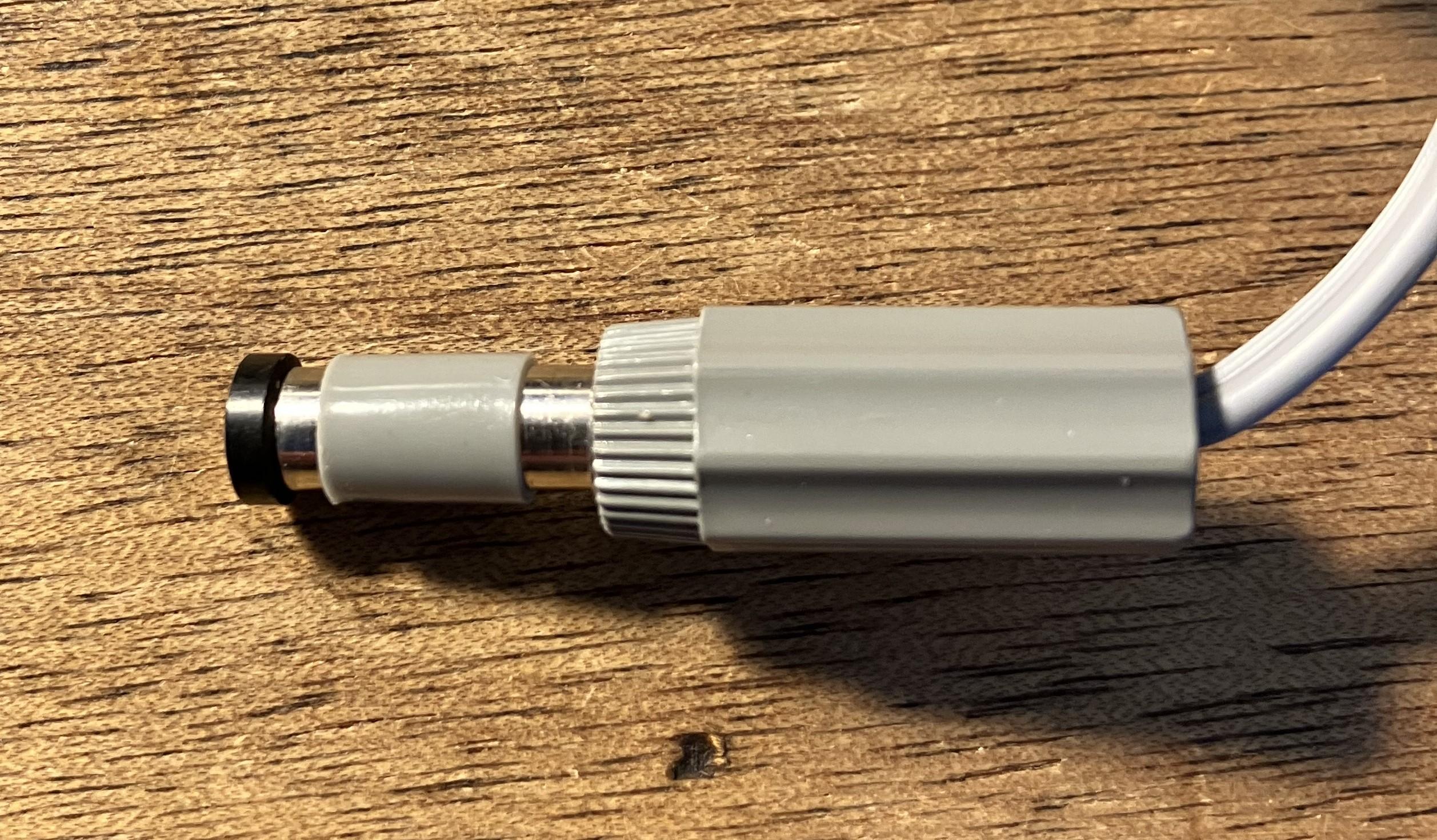
26 January 2024 at 12:21 in reply to: Stored/Unused B&O Equipment – Potential Deterioration of Components #52284I did not expect the 15V cable to be gray, but what do you know. On the other hand these connectors was also used on the Beolit power supplies so they might have had plenty in stock.
The connectors are actually a little strange – the external contact has a small plastic sleeve on it that will slide up and down. I am not sure of the purpose, but it does need a bit of force to push it into the MCL2P socket, whereupon there is a positive ‘click’ once fully inserted:

I had a quick play with the BC2300 last night. It’s a Type 2612 SW1.4 version (one-way IR) with the linear (straight line) CD laser movement. Mixed results:
- Door opened and closed fine first time – very smooth and small gap between panels when closed. Door motion sensors are working fine – less sensitive than my older 2-way BC2300.
- All keyboard buttons work fine – this was my first ever B&O fix when I fitted a new contact foil back in 2010.
- FM and AM radio work fine – FM presets were still stored from 12 years ago and no problems with FM offset (checked with known stations).
- Display a bit dim – but I have seen how to adjust contrast in a YouTube video, hence may attempt this.
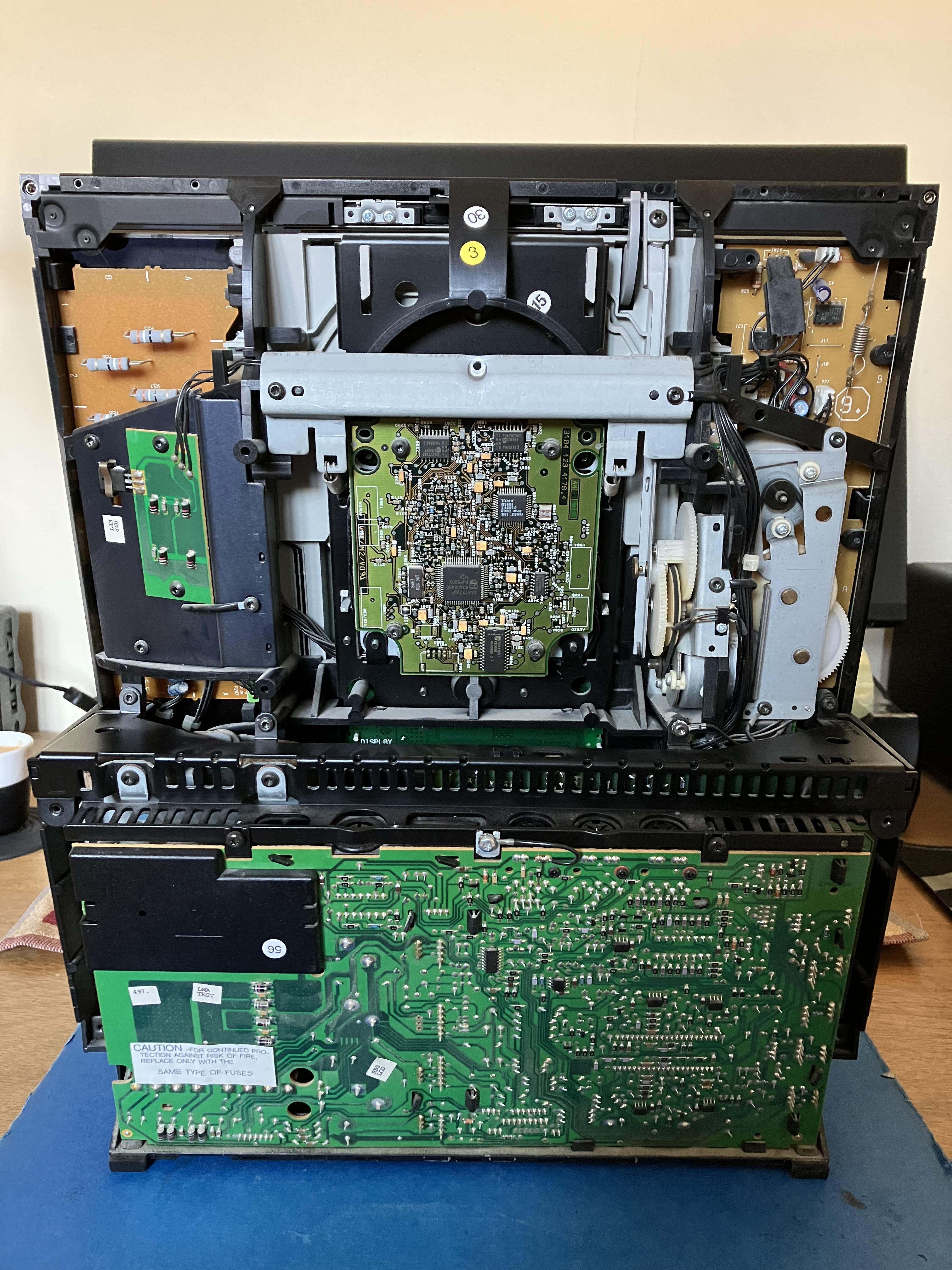
- CD not working!!! It tries to play and then I get the < > (no disc) display. I took the back off and put it in test mode. The CD tests all run smoothly will the laser coming on, trying to focus and full linear movement up/down. Trying to play CD in TESTMODE then gives a Focus Error 2. I’ll investigate further but possibly hijack your Ouverture CD thread, as I think it’s the same CD module. In the meantime here’s a picture with the rear cover removed:
Very intererested to hear about the testing of the bottle opener and if that will bring interesting findings
Sadly this will have to wait a few days due to my engaging in a silly concept known as ‘Dry January’! ?
Location: Warwickshire, UK
My B&O Icons:
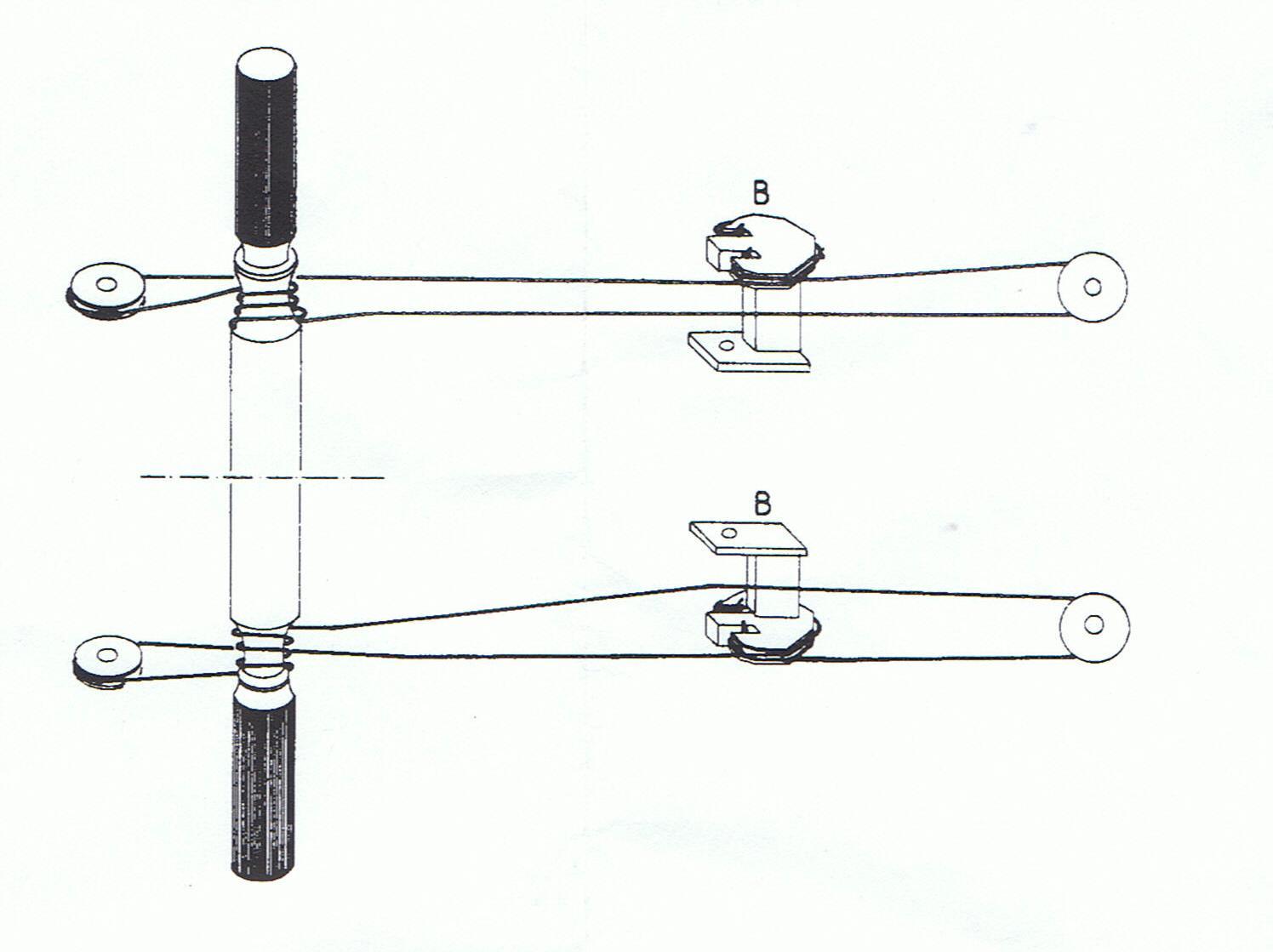
26 January 2024 at 04:52 in reply to: Beocenter 9300 after replacing CD doors it behaves crazy #52425I can give you just the cord diagram – as viewed from under (inside) the BeoCenter:

The full manual is on the site available to gold and silver members – see here: https://beoworld.org/what.asp
Location: Warwickshire, UK
My B&O Icons:
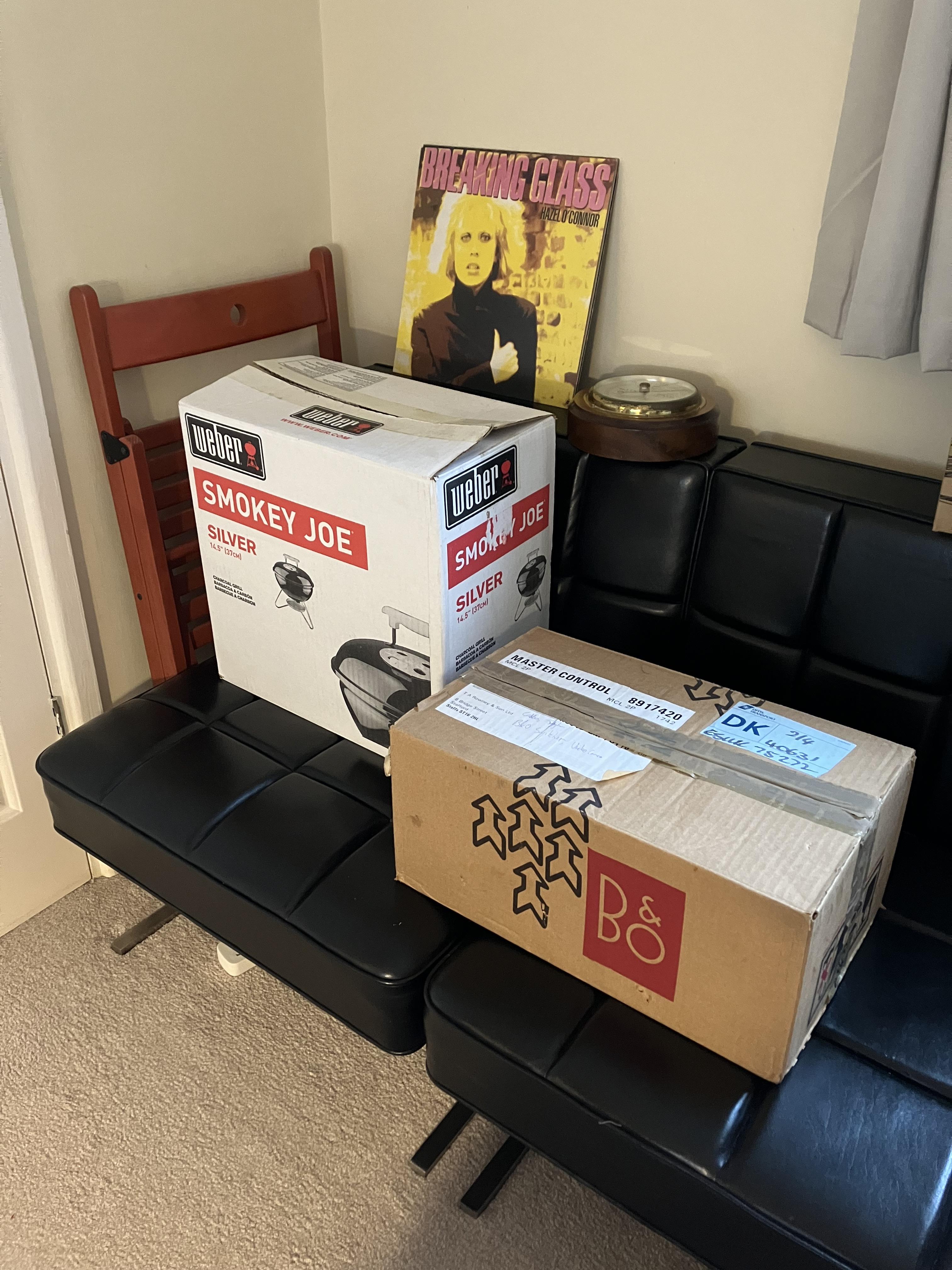
25 January 2024 at 17:21 in reply to: Stored/Unused B&O Equipment – Potential Deterioration of Components #52282So yesterday on a visit to my Mother-In-Law I ventured into the loft and retrieved just a few of the 12-year storage items – they actually all belong to my son but there’s no room in his current flat: (ignore the barometer, that’s from another loft!)
And inside the boxes found:
MCL2P with Original Instructions and the 15v cable for powering MCL2AV, plus bottle opener!

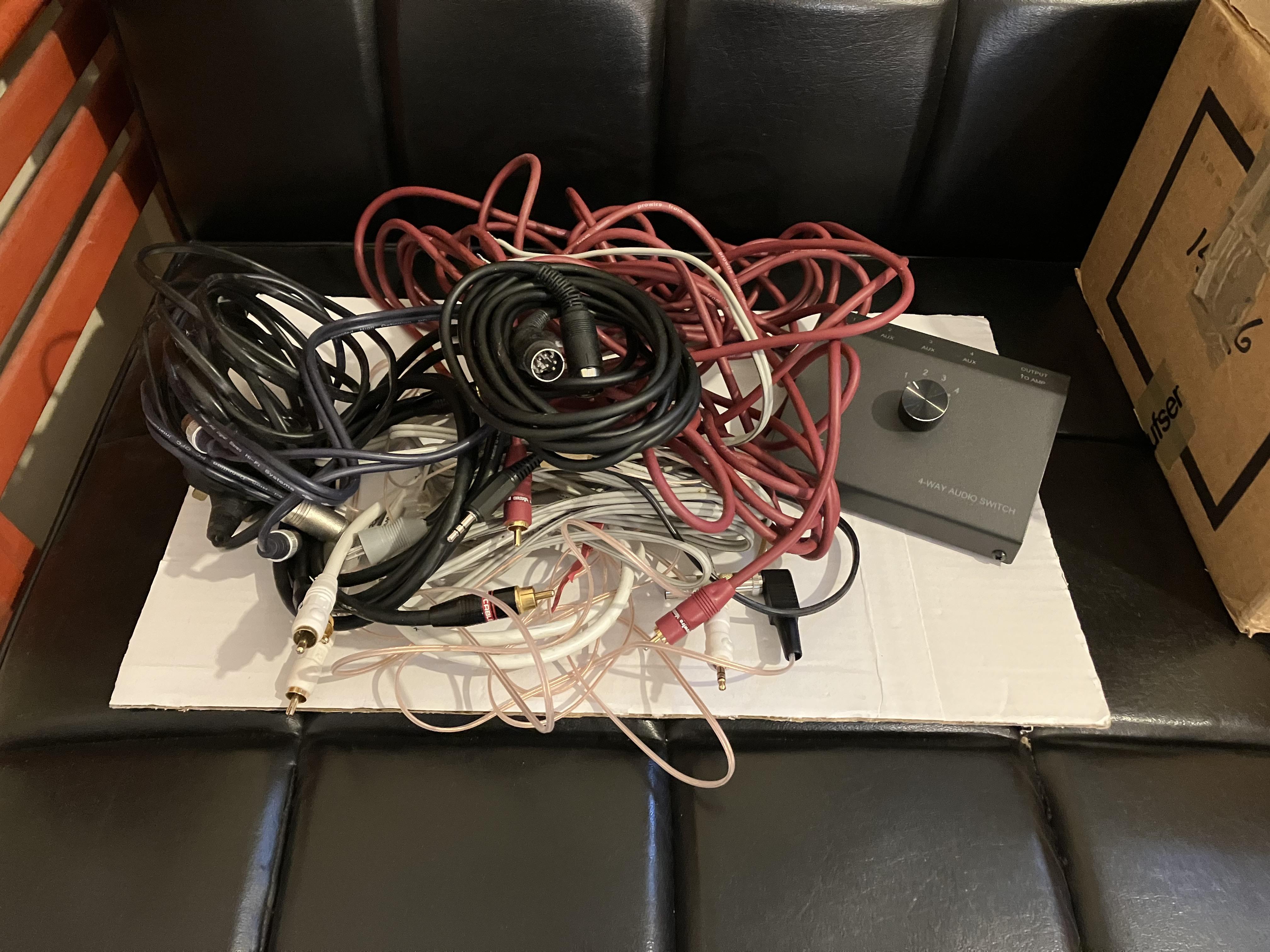
Some cables!
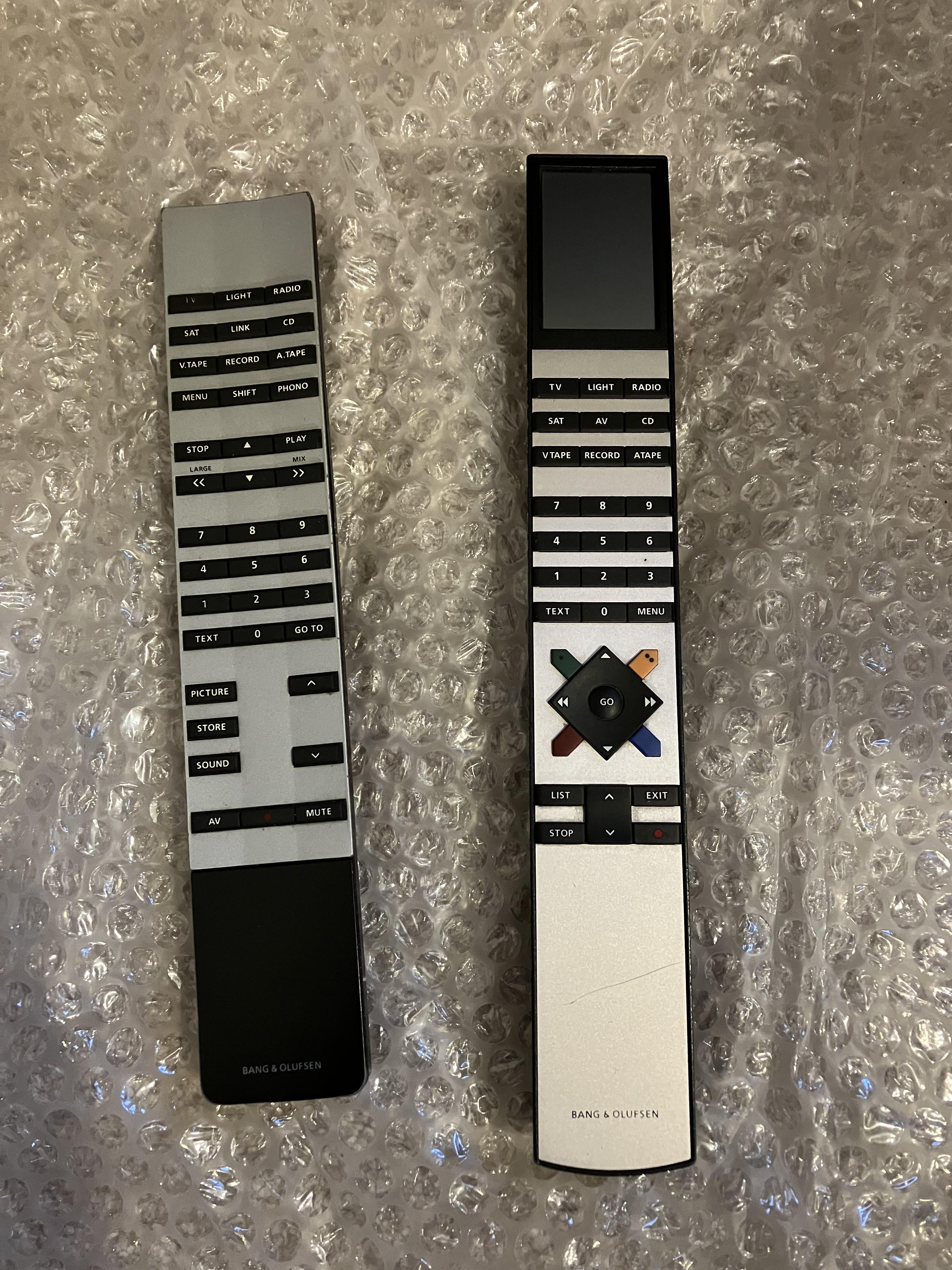
Some remotes (needed more of those! ?)
Plus the BC2300 in great external/cosmetic condition
All will be carefully tested over next few days and I will report back any interesting findings!
Location: Warwickshire, UK
My B&O Icons:
Another way to modernise your system is to add a OneRemote product. Have a look at their offerings here: https://shop.oneremote.dk/shop/69094-digital-radio-solutions-for-bo/
I used an older OneRemote Radio with my BC9500 which was connected to a link room with MCL. My OneRemote radio could use datalink for control, so I could control the radio from the link room. I think that their newer radios may require direct IR control from a B&O remote in the main room, but I am not totally sure on this! If you send them an email and explain your current setup and what you want to achieve, they are very helpful and will let you know what is possible. Their latest Radio PL7 would add DAB+, Internet Radio, Spotify and lots more features, all controllable from a Smart Phone and B&O remote.
Location: Warwickshire, UK
My B&O Icons:
First of all, the BS4 does not support Dab+.
However, if you are in the UK (which I presume), that should not be a problem….as far as I know there are several Dab stations available there (?).
Most UK radio broadcasts are DAB rather than DAB+. However, there do seem to be a few stations migrating to the newer DAB+ format; ‘Classic FM’ did so on 1 Jan 24 (I still think it’s funny that they have ‘FM’ in their station title, but they do broadcast on FM as well.) And for some reason the BBC use DAB+ in the Channel Islands of Guernsey and Jersey, plus parts of Cumbria.
Location: Warwickshire, UK
My B&O Icons:
What do you think?
I had a quick look at some (Ifixit) teardown images and I agree – central for both ATV2 and 3. But perhaps @greg could confirm what position he is ‘unsticking’ his Apple TV3 IR emitter from?
There’s some confusing information out there, not helped by 2nd/3rd gen nomenclature referring to earlier and later (4K) models!!
Location: Warwickshire, UK
My B&O Icons:
Do you think this is about right?
Looks good to me thanks – I have stored a copy for future reference! I have just slightly amended my earlier post because I originally thought the ATV4 HD was slightly less thick than the 4K Gen 1/2, but your Apple-sourced dimensions are indeed correct.
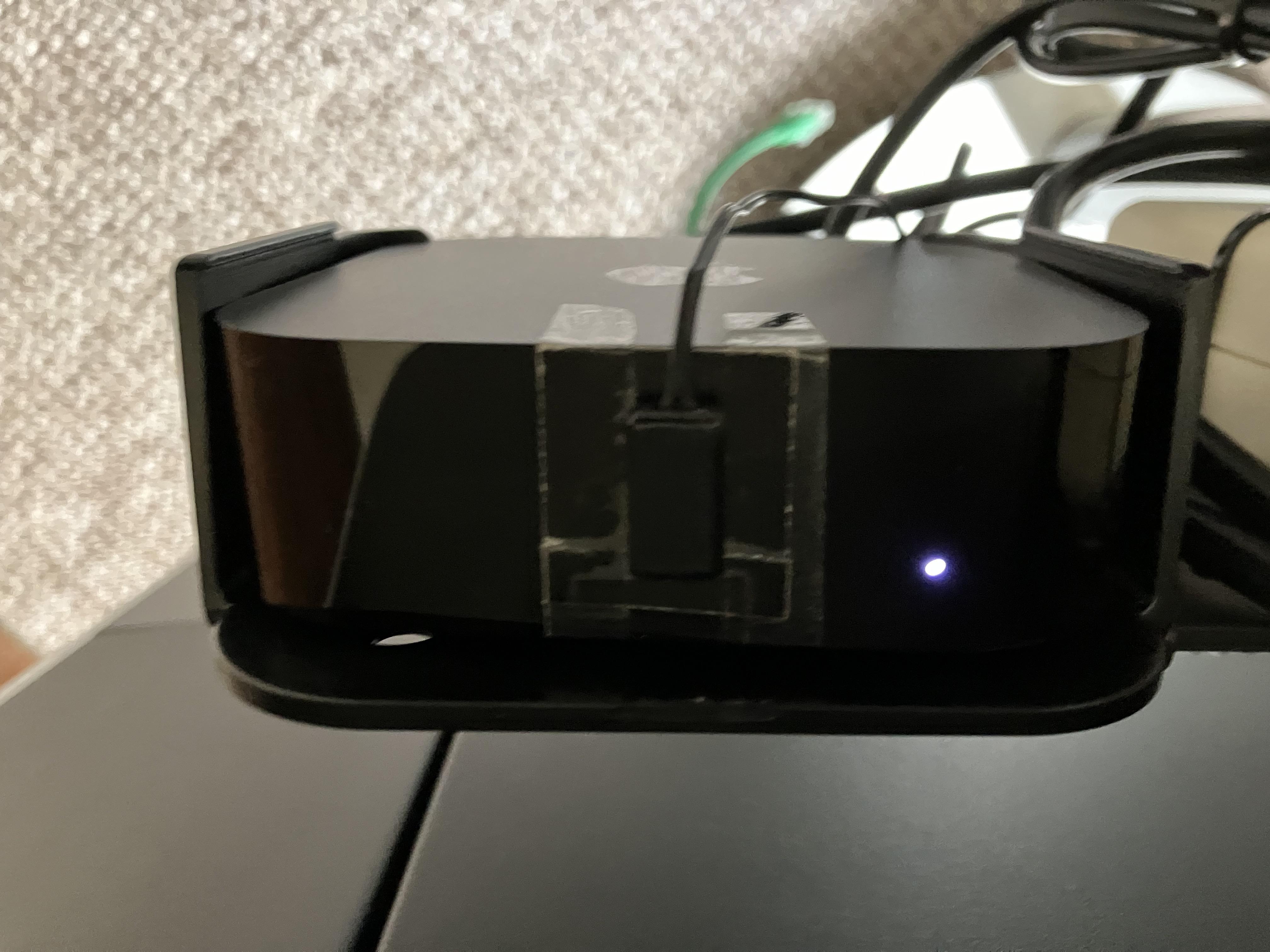
Here’s a picture of my ATV 4K 3rd Gen with IR emitter fitted and status light glowing. It’s loosely lodged in the ATV4 HD bracket, since replaced:

EDIT: In case anyone’s wondering, the IR emitter is actually stuck to a piece of black card with a small hole in it to let the IR transmissions through. The card is then taped to the ATV. I did this because in a previous use of the IR emitter I had it attached to one of two Humax set-top boxes and needed to shield/block IR signals from the ‘wrong’ remote, if that makes sense!
Location: Warwickshire, UK
My B&O Icons:
Apple tv 4:
Height: 1.2 inches (31 mm)
Width: 3.66 inches (93 mm)
Depth: 3.66 inches (93 mm)Apple TV 4 (HD, 4K 1st Gen and 4K 2nd Gen) were in fact larger than Apple TV 3 (12mm thicker). It is only the very latest 4K 3rd Gen that has shrunk, but is still thicker than Apple TV 3, as your comparison shows.
Location: Warwickshire, UK
My B&O Icons:
The question was mainly about if a Tape Out signal can be used to send around the house with a Core.
In that case, yes! ?
Location: Warwickshire, UK
My B&O Icons:
That’s right, sorry, both are integrated amps. The one I am currently looking at (and its mainly aesthetic) is a Holfi audis, which as far as I can see only has a Tape Out as potential connector to the Core.
There’s not much documentation around for those amps, but I am 99% sure that the Tape Out will be fixed volume. Hence you will have to control volume using the Core.
If you did want to use the volume control on the Holfi, you could try something like this: https://soundsheavenly.com/line-in-connection/33-power-amplifier-to-beolab-line-in-attenuated-convertor-kit.html
… but I would check with Steve first that the converter is suitable.
Location: Warwickshire, UK
My B&O Icons:
-
AuthorPosts