Forum Replies Created
-
AuthorPosts
-
2 February 2024 at 13:34 in reply to: Stored/Unused B&O Equipment – Potential Deterioration of Components #52294
 Moderator
As the Beolink passive also use pin 1 for powering up I would expect the same result for that, but interesting to hear what you are going to find out when testing it.
I tried the BeoLink Passive with the BC2300 today, and there is indeed no muting.
Location: Warwickshire, UK
My B&O Icons:


 2 February 2024 at 12:15 in reply to: BeoLab 3500: sometimes responds to remote control, sometimes it doesn’t ? #52561
Who has experienced something like this, or has an idea for solving this issue?
I just wondered if you have tried IR control of the BL3500 in a normal setup (connected to an Audio/Videomaster via ML). I ask this because I have have such intermittent problems with ‘Test Mode’ with other products, using cleared by removing power. The MENU 04 GO command is effectively such a Test Mode. Perhaps IR sensitivity is reduced in Test Modes – this would make sense in a workshop where several B&O products are placed.
I would probably attempt a more ‘normal’ IR test before stripping it down.
Location: Warwickshire, UK
My B&O Icons:
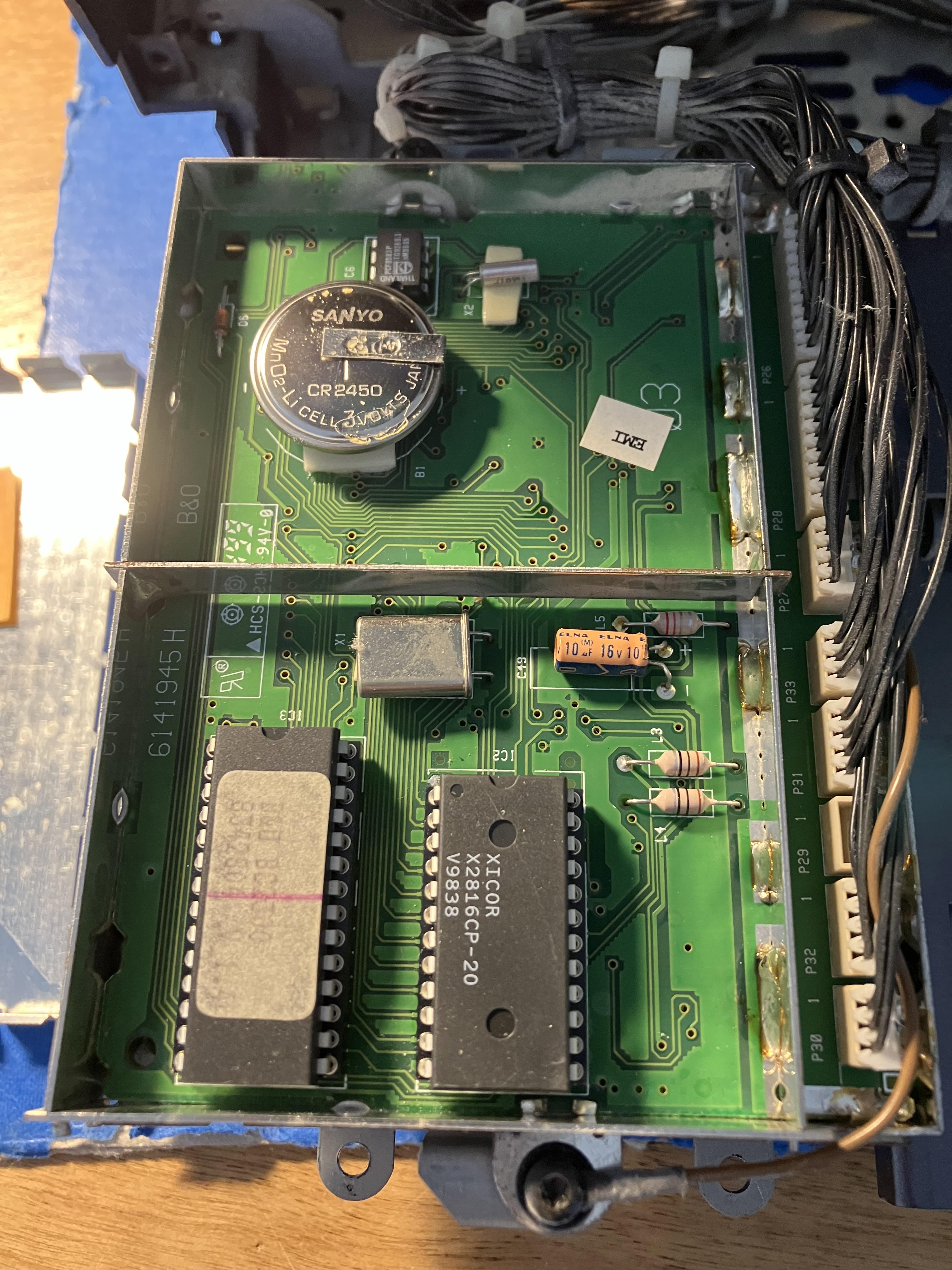
Where is this CR2450 battery located? I don’t think I have noticed one while working on my Ouverture.
Under the cover on the left of the photo above:
(Will be replacing with this one from Farnell: https://uk.farnell.com/renata/cr2450-nfh-lf/cell-lithium-button-2pin-3v/dp/1319731
EDIT: The battery is not leaking below – it had a protective sticker on top and you can see the remnants of the glue.

Location: Warwickshire, UK
My B&O Icons:
Excellent outcome – thanks for letting us know that it worked! ?
Location: Warwickshire, UK
My B&O Icons:
I have only just seen this. I posted about an eBay seller of these parts in the BC9500 restoration thread. There are still some available (and second hand parts in his other listings): https://www.ebay.co.uk/itm/166490397618
Location: Warwickshire, UK
My B&O Icons:
I removed the old capacitor holding them with pliers, pushing down and twisting them back and forth. This method is described a lot of places, and seems to be a very safe vay to remove the caps without damaging the PCB traces. After the removal the component legs has to be desoldered, but that is quite easy, maybe with some added solder.
Thanks for that. I had read about the twisting method in one of those other threads, but wasn’t sure whether heat was applied at the twisting stage. I take it that you replaced with standard (non-SMD) caps?
Last night I was comparing the BC2300 CD test modes with the same tests on BeoSound 1 and convinced myself that the BS1 laser was brighter! Possibly my imagination as difficult to compare without risking looking directly at the laser. If I had the knowledge I’d probably be measuring laser current draw or something more advanced than trial and error!
Anyway I think I may order a replacement laser as well as the caps, rather than have to wait for delivery again if the cap replacement doesn’t work. If not needed I will keep as a spare for other B&O eqpt. Might also get some spare belts and a few BL1000 feet from Beoparts …
Location: Warwickshire, UK
My B&O Icons:
1 February 2024 at 12:05 in reply to: Stored/Unused B&O Equipment – Potential Deterioration of Components #52292Always read the manual Was looking for some other MCL2 related stuff and came upon this in the MCL2 installation manual Is seems to have a very specific purpose for the wall anchors supplied with the MCL2P
Ah, brilliant – thanks for that! I will sleep easier tonight!?
Location: Warwickshire, UK
My B&O Icons:
Thanks both!
My other BC2300 (older two-way, curved laser model) arrived in the middle of a Bavarian winter and I think had been dropped in transit. Inside was a mess and I spent a great deal of time rebuilding the plastics inside. I posted about it here: https://archivedforum2.beoworld.org/forums/p/189/148906.aspx#148906
This newer BC2300 plastic seems less brittle; I put PCB1/2 in the service position earlier today to give it a good clean inside, but when re-assembling those self-tapping screws that go into the plastic frame are always a worry!
I have included a couple of fresh belts in my Beoparts order, and a new CR2450 battery will arrive with the capacitors!
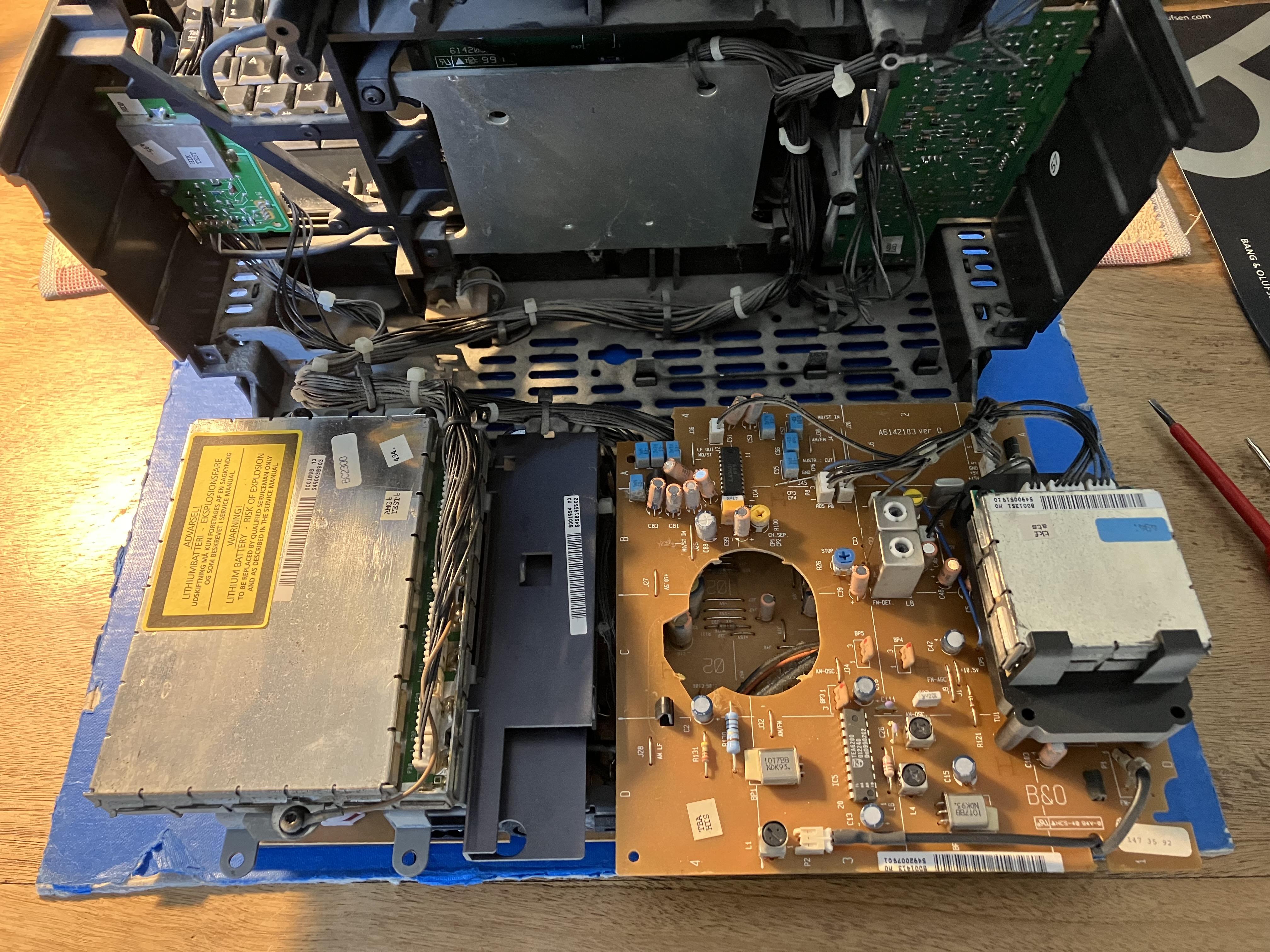
EDIT: Photo prior to start of cleaning with paint brush and vacuum cleaner:

Location: Warwickshire, UK
My B&O Icons:
So I took the BC2300 apart today, mainly to check the CD version and the SMD capacitor values. I may do a fuller write up at a later stage, but here’s a few photos of what I have to play with:
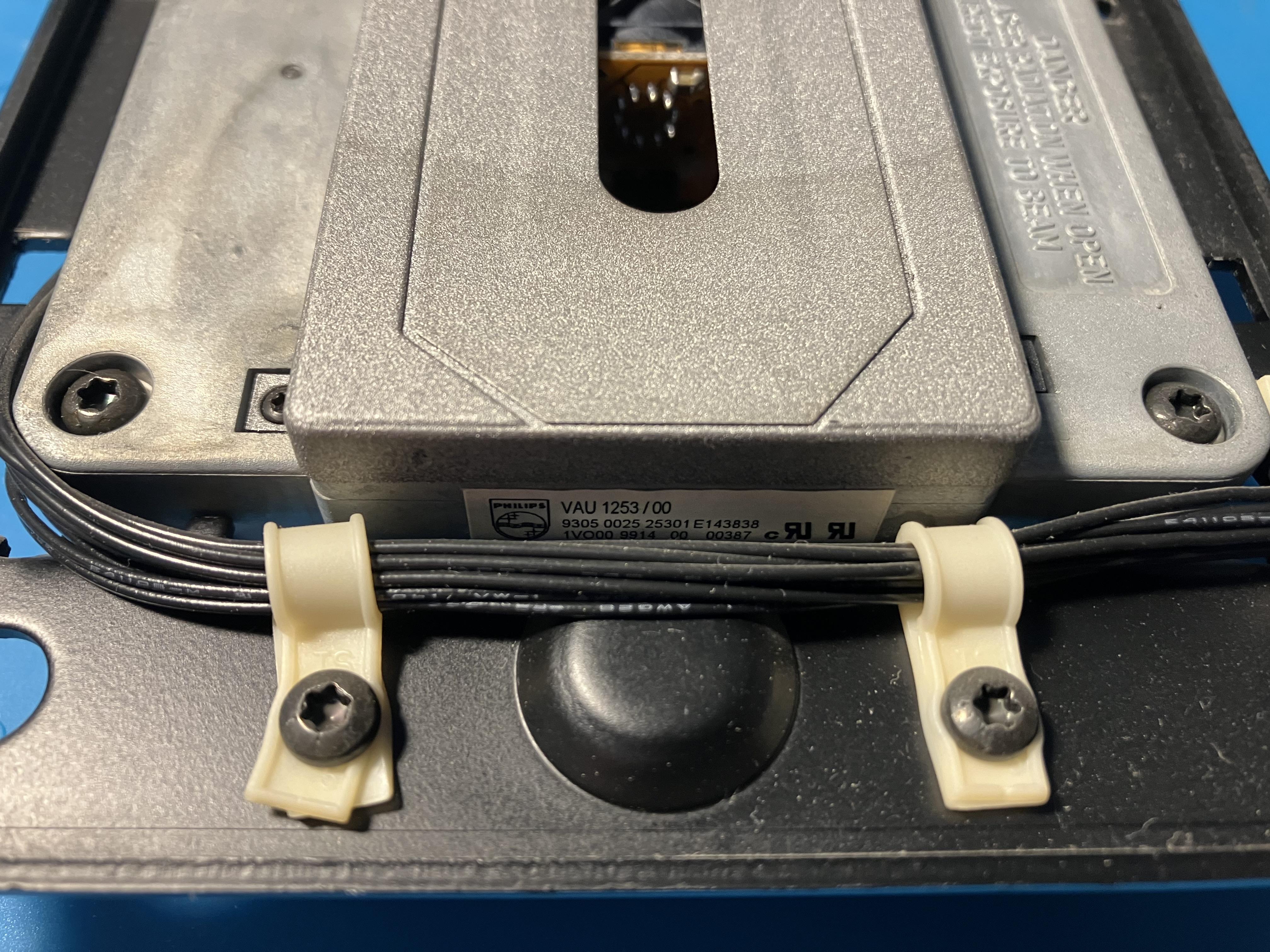
CD mechanism label shows Philips VAU 1253/00:
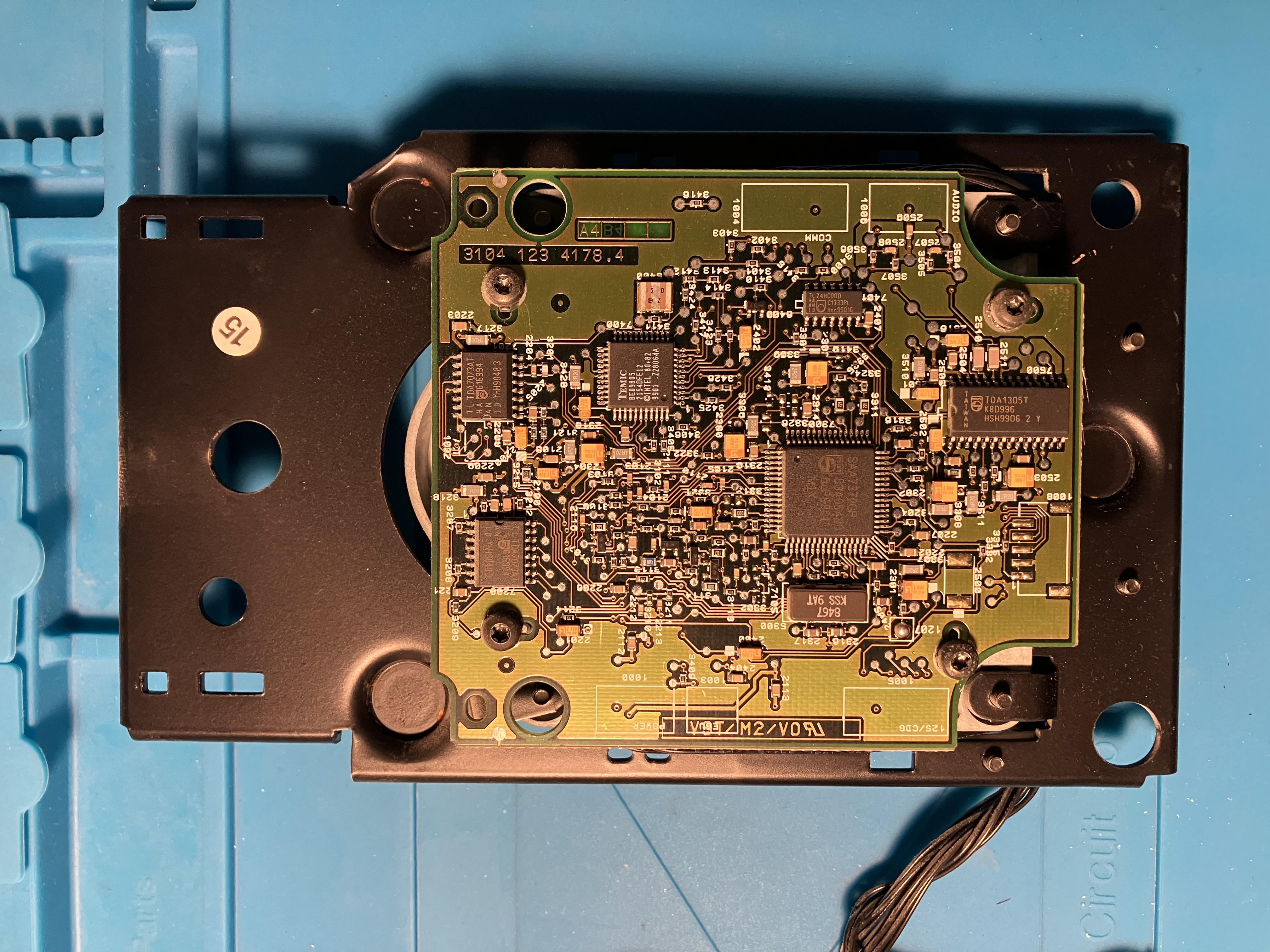
Servo board ‘chip side’ – search identifies as CD Pro (also called CD Pro 1, apparently this was fitted with the SAA7372 chip to perform both decoding and servo):
And Servo Board SMD capacitor side – no doming of SMDs or leakage visible. Label states CDM12 IND, where I understand that ‘IND’ signifies ‘industrial’ supplied by Philips to other OEM manufacturers, such as B&O.
And finally reverse of CD mech with servo board removed:
I have partially re-assembled the BC2300 now to check that I didn’t break anything else, and the CD still fails as before.
I had a look through a few Beoworld service manuals and can’t find a CD Pro PCB diagram that exactly matches mine (in terms of chip layout), but I will go ahead and order replacements for the SMD caps based upon observed values, which is probably the safest option anyway!
If SMD replacement doesn’t fix the fault I will probably try a replacement laser from Beoparts, as I think theirs will be compatible.
Comments/suggestions welcome!
Location: Warwickshire, UK
My B&O Icons:
Great video Steve!
Regarding your comment at 3m45s that it was the only B&O radial tracker with remote control: Beogram 2400 pre-dated Beogram 2000 this by 5 years, was radial tracking and had remote control (as did BG2402/2404) – the remote was of course the earlier ultrasonic version. I only know because my father had one ?
I think BG2000 may be the first datalink-controlled turntable.
EDIT: On second thoughts I think BeoGram 6000 (a BG2402 with new electronics) may have been the first datalink beogram.
Location: Warwickshire, UK
My B&O Icons:
30 January 2024 at 20:54 in reply to: Beocenter 9300, after replacing CD works ALMOST perfect. #52499Does anyone know if these drive mechanisms are interchangeable, or if other components and/or software versions are required for that to work?
The last post (by joeyboygolf) in the thread I linked to above suggests that the CD interface board would also need to be replaced. It wouldn’t surprise me if there was also a Beosystem/Beocenter software update required.
So each mech requires its unique respective controller and decoder.
I assume ‘controller’ = ‘CD interface board’
Location: Warwickshire, UK
My B&O Icons:
30 January 2024 at 11:24 in reply to: Beocenter 9300, after replacing CD works ALMOST perfect. #52494Hi Guy: What is your experience with the Philips CDM12 linear pickups? I used to have Beocenter 2500 (Radial Pickup) and a Beocenter 4000 (Linear Pickup). I found that the radial pickups will play anything… pressed CDs as well as CDRs with no problems. The linear lasers seem to be more picky. My BC 4000 plays pressed CDs fine. It doesn’t do well on CDRs even after laser change. It seldom plays CDRs perfectly from beginning to end. Some CDRs are unreadable others will skip near the outer tracks. Derek
Hi Derek – similar experience for me: Both mine and Mother-in-Law’s BC9500s CDs have always played fine with all CDs, as has my early model radial laser BC2300. The linear tracking late model BC2300 that I took out of storage last week is the first CD that I have had major problems with, and I am about to dismantle and investigate further. Also both my BeoSound 1s initially had CD problems but are both now playing well after a light clean and running CD test modes to ‘exercise’ the laser pickup!
Location: Warwickshire, UK
My B&O Icons:
30 January 2024 at 11:19 in reply to: Beocenter 9300, after replacing CD works ALMOST perfect. #52493@guy I found some service manual for beo9000, but its lacks service mode for CD. Have only for FM and Deck.
The service manual for BC9300 is available on Beoworld for paying Gold and Silver members – see here for details of membership status: https://www.beoworld.org/what.asp
The main BC9300 service manual on Beoworld gives details of the CD test mode operations. However, this manual is actually for the earlier CD mechanism with the radial (curved track) laser pickup. The site also holds a document describing the CD Pro laser mechanism (linear track) that is fitted to your later BC9300. There are no new test mode procedures listed, hence I think that test mode process in the earlier manual still applies.
This thread may be useful: https://archivedforum.beoworld.org/forums/t/35325.aspx?PageIndex=1
Location: Warwickshire, UK
My B&O Icons:
30 January 2024 at 09:22 in reply to: Stored/Unused B&O Equipment – Potential Deterioration of Components #52290This might be related to the fact that the MCL2P only use pin 1 in the powerlink connector for powering up. This thread https://forum.beoworld.org/forums/topic/powerlink-power-up-vs-speaker-on/ mentions pin 1 as powering up and pin 4 as a mute function on older powerlink speakers.
Yes I think you are right – I was just working my way through the service manuals to remind myself of the powerlink pins. I also just checked two different PL leads with the multimeter – one was fully wired and the other had all except pin 8 connected.
I’ll let you know when I check the Passive
EDIT: And I just found my 14-year old post on the same subject!
https://archivedforum.beoworld.org/forums/p/35573/295082.aspx#295082
Location: Warwickshire, UK
My B&O Icons:
30 January 2024 at 08:49 in reply to: Beocenter 9300, after replacing CD works ALMOST perfect. #52498The BC9300 never came with a radial laser.
According to the Service Manual, early ones did. Hence the addendum to the Service Manual when the linear CD was introduced (from Serial 13289412)
See also this thread which discussed both types: https://archivedforum.beoworld.org/forums/t/12146.aspx
And here’s one in the flesh: https://www.youtube.com/watch?v=ZI0pcJs6W64&start=120
Location: Warwickshire, UK
My B&O Icons:
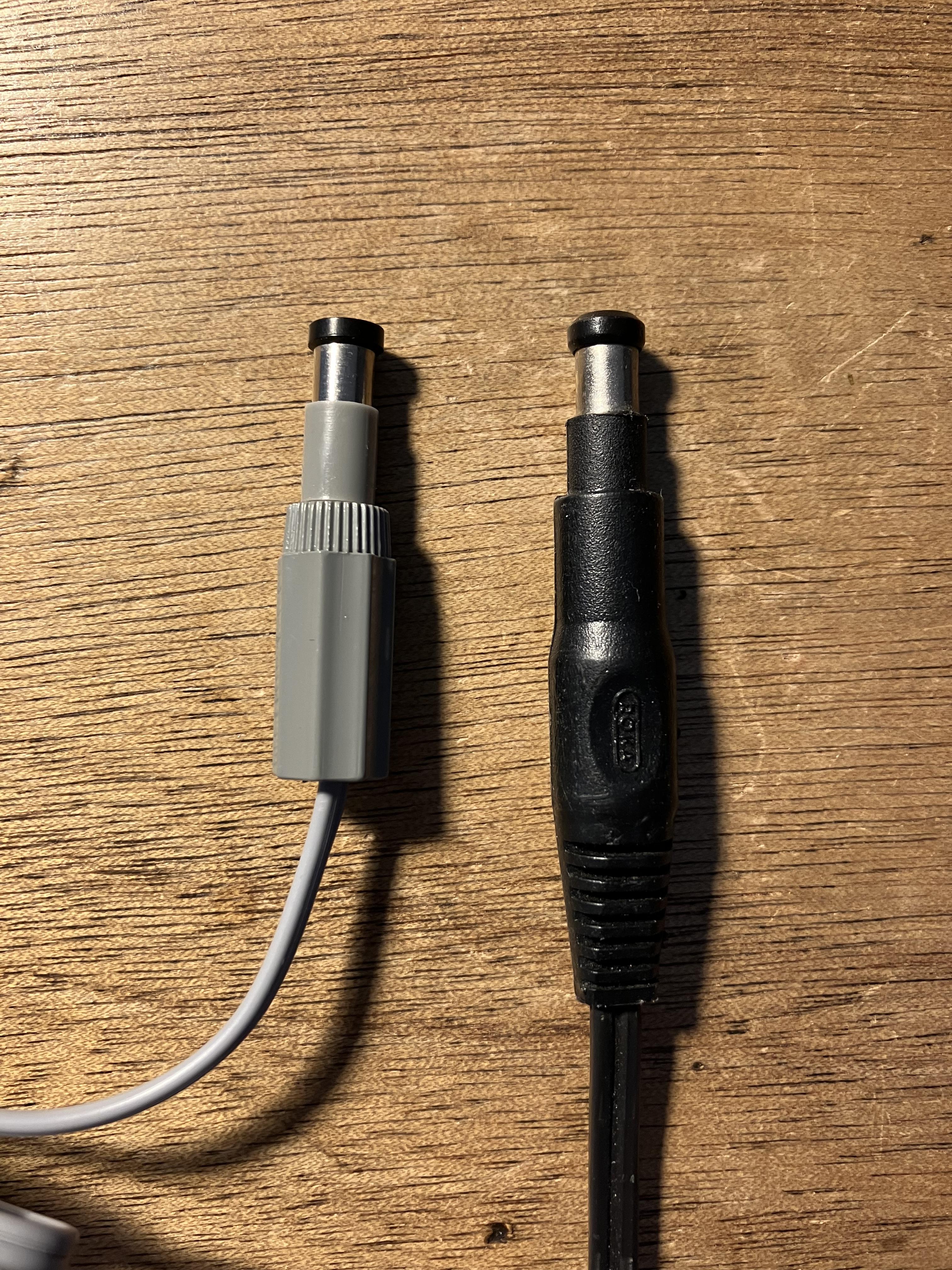
30 January 2024 at 04:19 in reply to: Stored/Unused B&O Equipment – Potential Deterioration of Components #52288I seem to remember seeing something similar in white before, but can’t remember what it was for.
It’s familiar to me too! Perhaps used to push a hidden reset button, or as a depth guide when drilling holes?
I actually discovered that I have one of these connectors, so I might as well put it on my power supply for the MCL2AV to help secure the connection better.
It’s also the same size as the connector on the Remote Switch, although I replaced mine with a PL plug, I kept the plug, and just managed to find it in my ‘small spares’ box. The ‘extra’ black plastic sleeve is in a fixed position on the remote switch plug:

Have you tried testing the MCl2P yet? I was wondering if the 15V output for the MCL2AV is always on? I guess I has to be on in standby for the MCL2AV to be active, and then the MCL2AV can wake the MCL2P from standby via powerlink.
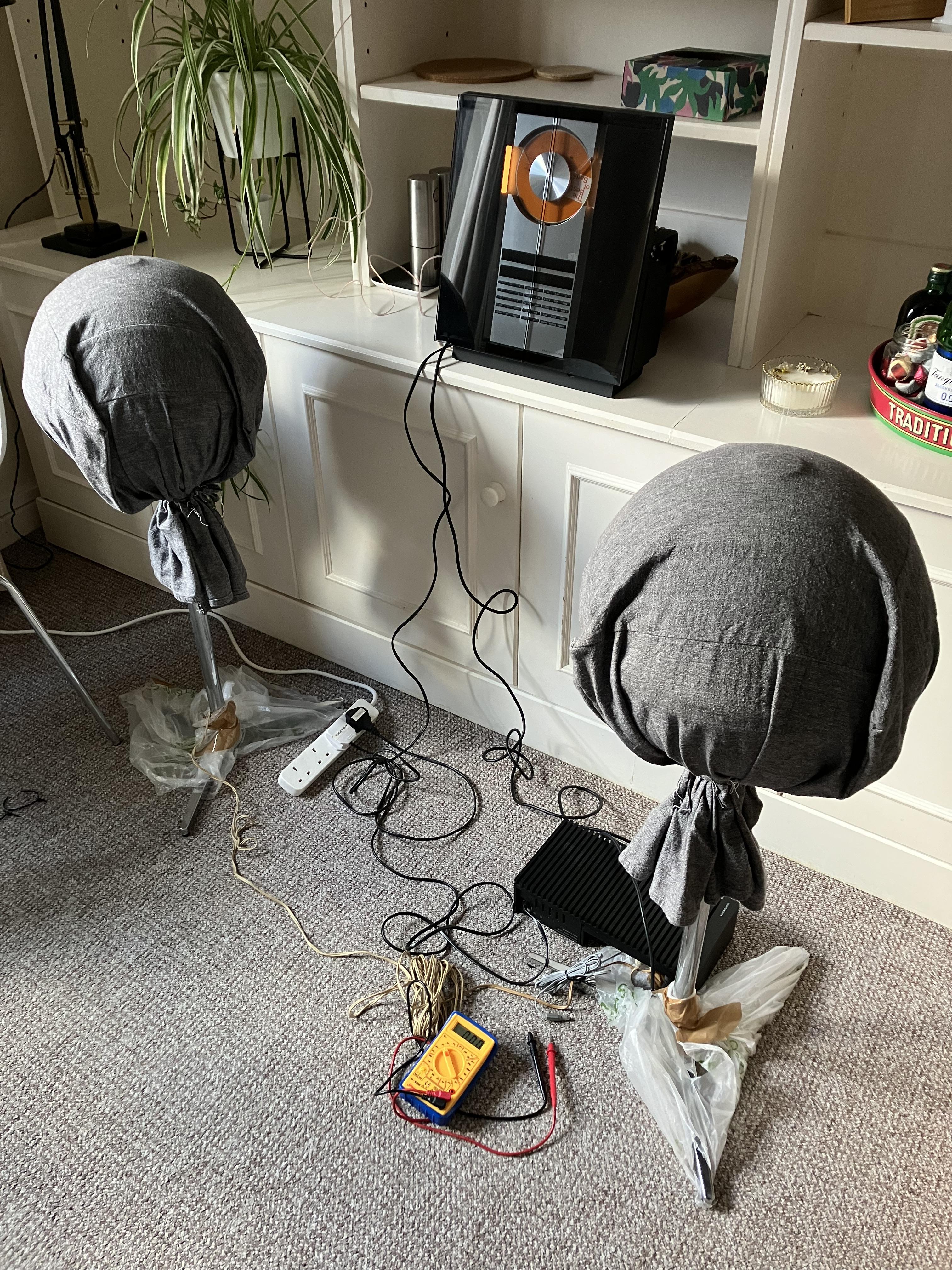
Just testing it now (prompted by your post, and the fact that my wife is out so I can use the living room!) Yes the 15v (measured 14.75V no load) is always on. One thing that I remember from before is that the BC2300 will not ‘mute’ the MCL2P, despite using a fully wired PL cable. I have a(nother) Passive arriving in the next few days so I will check mute with that also.
Easiest passive speakers to access for test were my Audiorama 8000s, still in their Winter blankets!
CD still not working – must crack on with that task …
Location: Warwickshire, UK
My B&O Icons:
29 January 2024 at 19:32 in reply to: Beocenter 9300, after replacing CD works ALMOST perfect. #52487I have also just posted the following reply in a thread about a BS3000!
There seem to be lots of CD player problems on Beoworld at the moment – all with very similar era equipment with what may well be the same CD player components. All have the linear (rather than curved) tracking laser head, moving in a straight line across the radius of the CD.
Have a look at this thread for ideas: https://forum.beoworld.org/forums/topic/beosound-ouverture-cd-not-working/
… but the four areas I would probably look for a solution are:
- Running the built in Test Modes to see if that ‘frees up’ the CD mechanism (focus and/or tracking) – this worked for me with a BeoSound 1. Test Modes are listed in the Service Manual.
- Deep clean of the laser – advice is given elsewhere on the forum.
- Replacement of SMD capacitors on CD driver PCB.
- Replacement of laser (last resort?).
EDIT: When I got hold of my first BeoSound 1 a couple of years ago, that would only play ‘older’ CDs. After a few weeks of use it’s happier playing newer ones – strange behaviour indeed!
Location: Warwickshire, UK
My B&O Icons:
Hi and welcome to Beoworld!
There seem to be lots of CD player problems on Beoworld at the moment – all with very similar era equipment with what may well be the same CD player components. All have the linear (rather than curved) tracking laser head, moving in a straight line across the radius of the CD.
Have a look at this thread for ideas: https://forum.beoworld.org/forums/topic/beosound-ouverture-cd-not-working/
… but the four areas I would probably look for a solution are:
- Running the built in Test Modes to see if that ‘frees up’ the CD mechanism (focus and/or tracking) – this worked for me with a BeoSound 1. Test Modes are listed in the Service Manual.
- Deep clean of the laser – advice is given elsewhere on the forum.
- Replacement of SMD capacitors on CD driver PCB.
- Replacement of laser (last resort?).
(I am going to repeat this post in another very similar thread, about a BC9300!)
Location: Warwickshire, UK
My B&O Icons:
28 January 2024 at 20:20 in reply to: Beocenter 9300 after replacing CD doors it behaves crazy #52428Guy, thanks for hour help. This picture helped me a lot! Door are now fixed. Thank you very much!
No problem – glad to help! And welcome to the BeoCenter 9000 series door re-stringers club – it’s a tricky task!!
Location: Warwickshire, UK
My B&O Icons:
@MM would you qualify that by saying ‘only if the Playmaker could be connected to a wired network’? Many people (including myself) have had problems with the Playmaker’s wireless connection.
Other than that, Playmaker is a great solution – I had forgotten about the line-in auto-sense even though I own one and have kept it for precisely that functionality!
(Not many on UK eBay currently however!)
Location: Warwickshire, UK
My B&O Icons:
-
AuthorPosts