Forum Replies Created
-
AuthorPosts
-
 MadskpGOLD Member
I have now edited the first post with updated info.
@Guy can you confirm if the Apple TV setup scree still loks like the screenshot in the post? And please let me know if I forgot to add something to the first post
Location: Denmark
MadskpGOLD MemberFirst of all very interesting project even though it might not become more than what it is now.
Some use cases for a light version from the top of my head:
- as an interface to activate a Beolab 2000/3500 or Beolink Active when sound is detected from analog audio input (Airport Express, Chromecast audio etc.) That said this already exist as a product from Almando.
- As an interface for controlling and relaying sound from a Beogram/Beogram CD/Beocord to an airplay/chromecast device
Probably better splitting it up in a dedicated DL and a dedicated ML version. Both at the same time isn’t necessary anyway.
One use case for both DL and ML could be to actually control a Beogram from a Masterlink only product (BS Ouverture, BC2, BS4, BS5 and Beovisions with ML). Would probably need the use of some alternative source commands to make this work,
Location: Denmark
MadskpGOLD MemberUnfortunately I cannot be sure about the earlier remote firmware. To be honest I didn’t expect it to update so quickly hence am not sure when it did! When you check your parents’, perhaps check the remote FW first – maybe it hasn’t updated because it hasn’t been connected/used in their setup.
Fair enough. I also guess that most will eventually end on the latest firmware if they are being used. But I will check it on my parents setup.
I forgot to mention yesterday that the siri remote Mute button also works to mute the TV by IR. (Older siri remotes did not have a mute button).
Great info. I will also put that in the first post.
No excuses required! I bought another Beolink Converter 1611 this week on a whim, because it was cheap!
Always useful to have some of these. But I guess you can still not compete with my mountain of converters https://forum.beoworld.org/forums/topic/beolab-3500-and-1611-converter-settings/page/19/#post-20974 🙂
I sold the white circle remote on eBay and replaced it with the more useful ‘non-white circle’ version. However, I found this useful site that confirms the latest release as 0x0118: https://appledb.dev/device/ATVRemote1,2.html It may be worth copying their naming convention, as they call the white circle version ‘Siri Remote (1st generation, Rev A)’. The site also shows that the non-white-circle remote is still at FW 0x0257. All remotes are shown here: https://appledb.dev/device-selection/Remote.html
Ok I wasn’t expecting the firmwares on these older ones to have had updates, but good to know.
I will look into their naming convention and maybe also use the Axxxx numbers to avoid any misunderstandings.
I just connected my older 1st gen (no white circle) siri remote to the new 3rd gen Apple TV 4K. It works fine including IR volume control of the TV. However, when I then connect the 3rd gen siri remote back to the 3rd gen Apple TV, the 1st gen siri remote stops controlling volume, even when the Apple TV is turned off and the Beovision playing normal off-air TV. I worked out that you need to get the 3rd gen Apple TV to ‘forget’ the 1st gen remote. I re-connected the 1st gen remote to my 3rd gen Apple TV, and then put the remote in the garage where is was out of range. I then used my iPhone to control the Apple TV, went to the ‘remote’ option and there was an option to ‘forget’ the 1st gen siri remote. I then re-connected the 3rd gen siri remote. Bringing the 1st gen siri remote back into the room, it would control B&O TV volume again without being connected to the Apple TV. A bit confusing but I hope this makes sense!
Ok a little odd behaviour, but might also be a combination that will seldom be used.
Location: Denmark
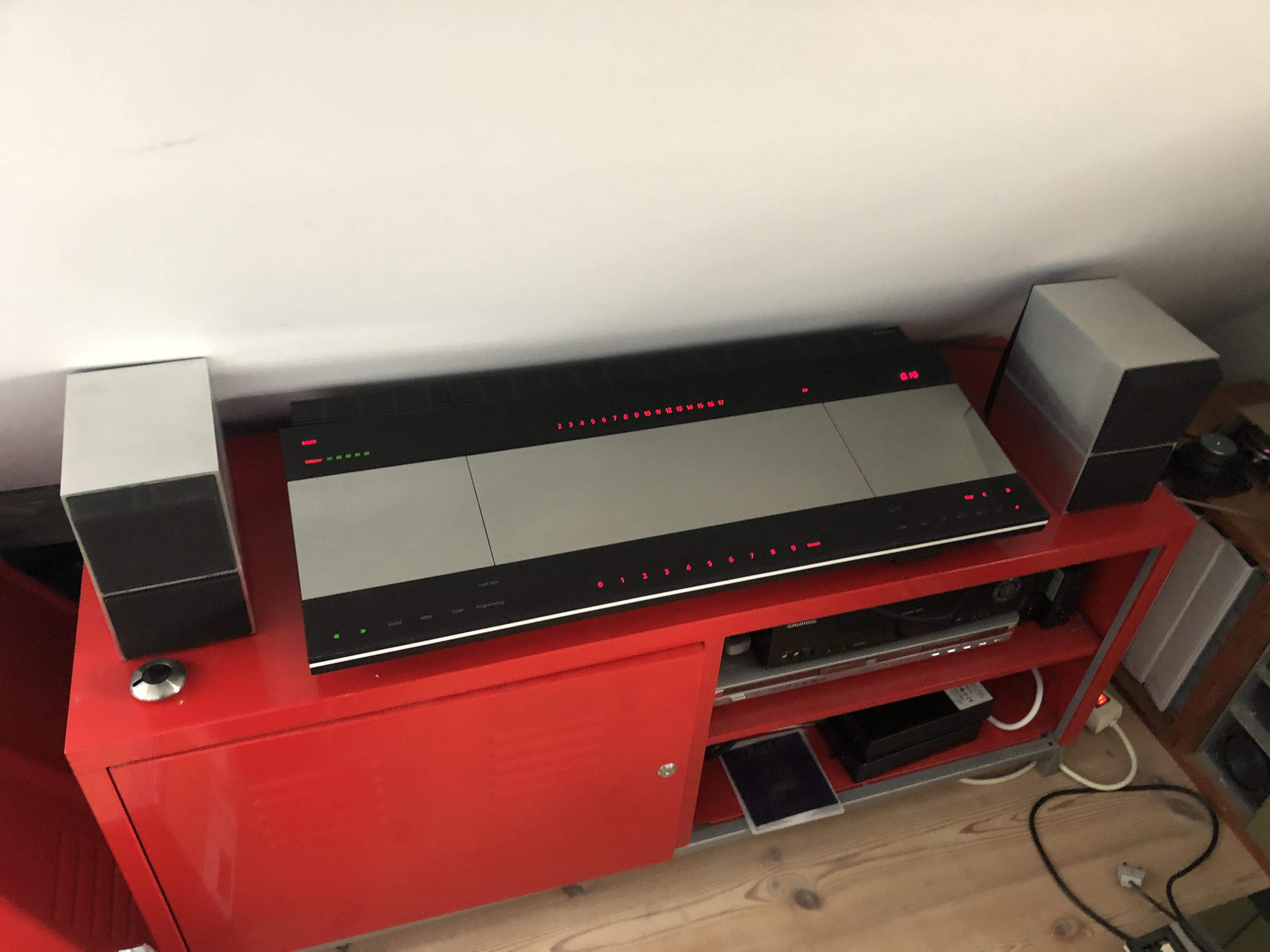
MadskpGOLD MemberI have been working on a non working CD and tape player in a Beocenter 9300 and have now finished it with both sources working again. It has been a dream for me for many years to get one of these Beocenter systems, and here it is all lighted up and ready to play all of it’s sources 🙂

The CD player go a new laser as described in this thread
https://forum.beoworld.org/forums/topic/beocenter-9300-laser-replacement/#post-24961
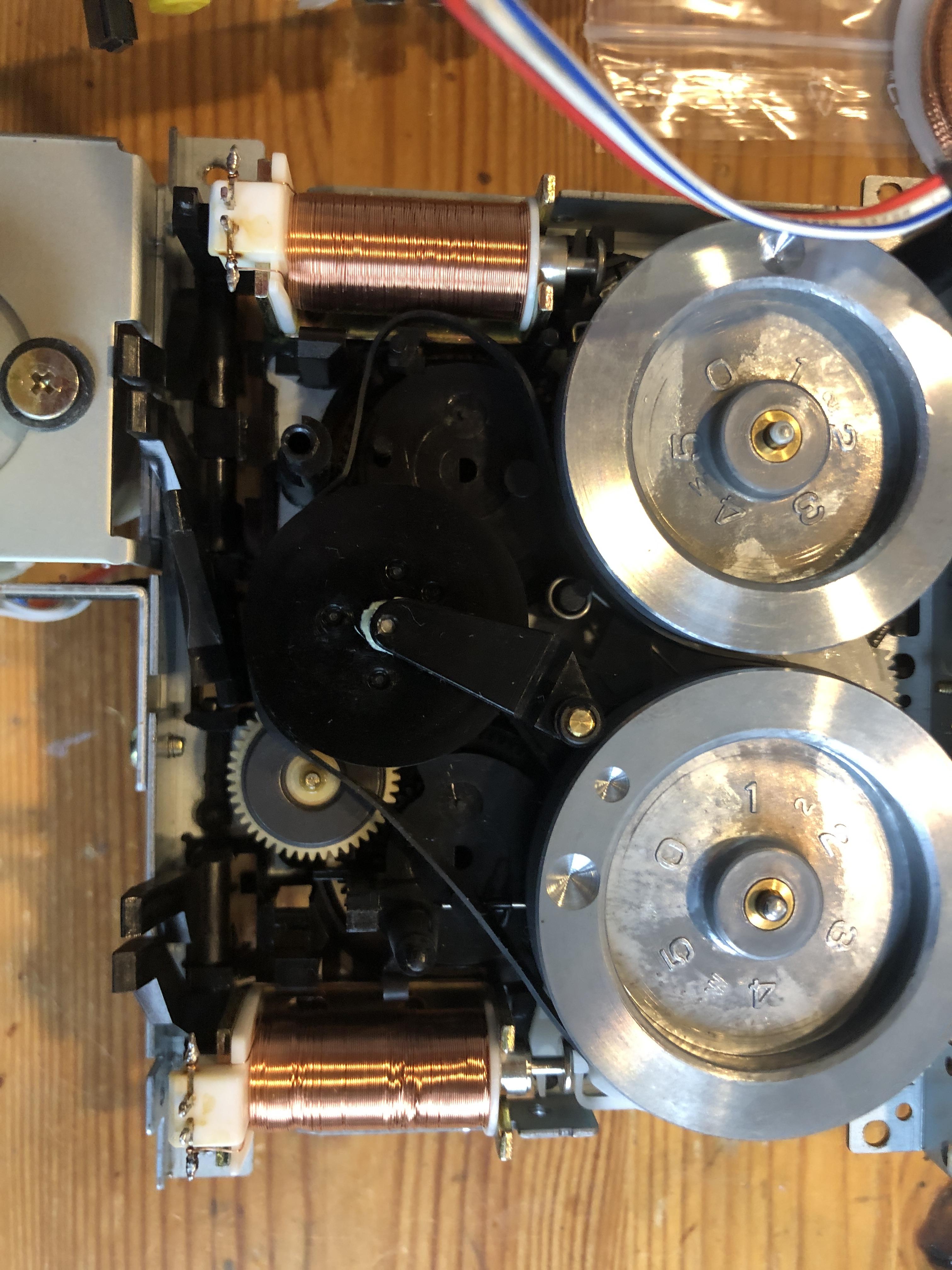
The casette section needed 3 new belts.
This picture shows one of the old belts in the mechanism, and you can almost see that it has to much lenght and bends away from the straight line it should have.
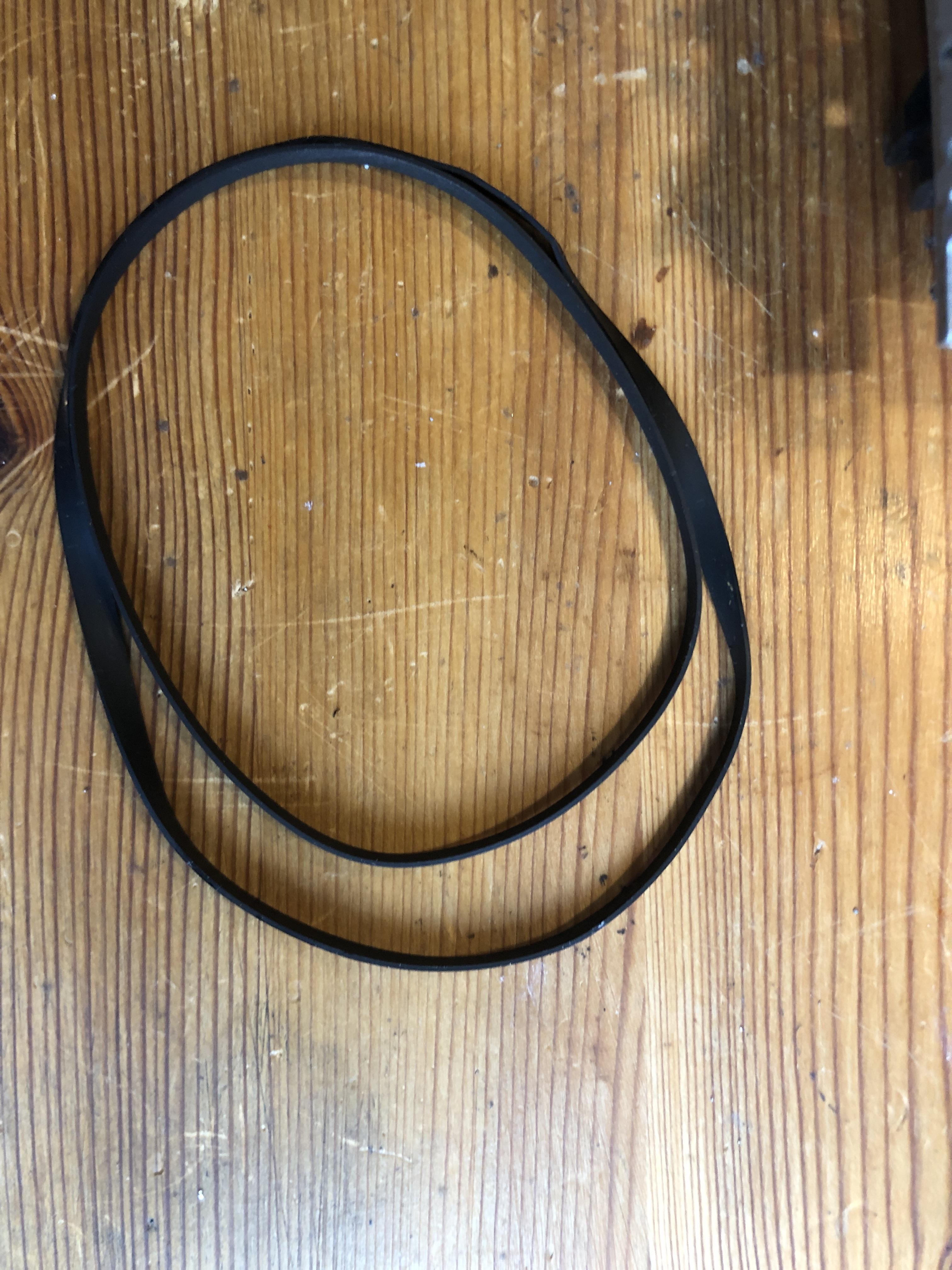
 Also for comparison here the old belt and the new put on top of each other
It’s not without reason that new belts make a difference. One of the smaller ones was also cracked and perished.
Location: Denmark
MadskpGOLD MemberOkay so today (prompted by Maskp’s posts above and to satisfy my curiosity) I purchased an Apple TV 4K (3rd Generation) with Wifi and Ethernet (the A2843 model) to use with my ageing BV10-32.
Nice 🙂 And great to get some extra testing 🙂
So it would appear that B&O have re-introduced the B&O IR codes to the latest 3rd generation siri remote. I did a quick check of the remote’s firmware version – it was initially 0x21 but later updated automatically to 0x33 – both worked fine for volume control.
Can you confirm whether it’s only volume control or also the TV command that works with both firmware versions?
So many thanks to madskp for spotting the return of this useful functionality and giving me an excuse to buy myself an early birthday present!
If you need other excuses to buy stuff let me know and I’ll try to make a thread about it 😉
I hope this is useful – @madskp it will be interesting to hear whether your parents’ siri remote is the same version with USB-C charging, and also how well it works with the much more modern Beoplay V1!!
Very usefull, and I will post back when I have tested my parents setup, and confirmed wheether it’s the 2nd or 3rd gen remote they have.
On another note are you able to check if the 1st gen remote with the white cirkle still has the same firmware version as in the old post 0x0118? I have checked on mine without the white cirkle and it is still the same.
I will try to make an update of the first post with your observations, and also update the version naming of the Siri remotes.
Location: Denmark
MadskpGOLD MemberIf sound, operation and backlight of the panel are OK, then a BV10-32 has almost always a defective Pcb. 15 MEMC (Part 8005458) and not a defective Panel. This module is responsible for the image feed to the panel.
Ok, sounds like good. What would this mean in terms of reparability? I’m ignorant in that matter but I suppose any TV has a module that is responsible for the image feed to the panel. So would it be possible to replace the electronic from there? Dont know if I’m clear…
Looking at the servicemanual it seems like replacing this part is a matter of unscrewing the back panel of the tv, disconnect three cables, unscrew 6 screws and replace the PCB with another and put it all back together.
Without research my guess would be that getting the new part could be the hard part.
Of course the function of the backlight has to be confirmed before getting into this
Location: Denmark
MadskpGOLD MemberThe white gear wheel is just snapped on the axle. Either pull it or use a small needle to open the snap…
Succes. It just needed the right amount of force to come of. Thanks for the tip. Always great to know beforehand if use of force is a good idea or gonna break think.
Installation of the new laser module vent smooth and now the CD part of the BC9300 is running smooth again ?
Thanks to everyone for inputs
Next up is changing belts in the casette deck
Location: Denmark
MadskpGOLD MemberOne quick question: When you say 3rd Gen siri remote, do you mean the very latest version with the USB-C charging port (rather than the second generation with the lightning port?) Wiki says they are identical other than the charging port, but as we know there may be hidden SW changes! See wiki here: https://en.wikipedia.org/wiki/Siri_Remote (Looking at that wiki naming convention – we may need to rename the ‘2.gen’ siri remote in your picture as Gen 1.1 . They call the new shape (with Lightning) siri remote Gen 2)
Thanks for your input
Did not notice what connector type was on it, but will have to look at it next time I’am there, so it might as well be a 2. gen then. Also I will have to check the SW version.
I will dive into that naming convention and update the first post accordingly.
Location: Denmark
MadskpGOLD MemberAnd use ESD-protection! These things are highly sensitive to static electricity. Many owners experience that new lasers don’t work, – and while it is correct that many asian “counterfeits” won’t work, or only work for a few hours, many lasers are damaged by static electricity, – either during shipping, if shipped without shorting clamp and/or ESD-shielding or by handling without taking proper ESD-precautions. I have seen many of both cases. Martin
Hi Martin and thanks for the warning. I have a grounded antistatic mat and wristband ready so I hopefully won’t fry the new module in the proces
Location: Denmark
MadskpGOLD MemberHi: Watch this video
Go to 5:45 mark. DerekHi and thanks for the video link. It seems though that on the unit he is working on in the video he is removing a plastic bracket which gives acces to the other guide rail. But on the on from the BC9300 that both the guide rail and the overhanging “bracket” is part of cast metal, so there is no way to get the laser module up in that side of the mechanism.
As I see it the only way is to remove the white gear, but I am very open to other suggestions
Location: Denmark
MadskpGOLD MemberYesterday I was visiting my parents, and short before I had to leave I helped them force quit an app on their Apple TV 4K (3rd gen). They have never used the Siri remote as the control the ATV via PUC from their Beoplay V1. But in order to force quit the app I had to use the Siri remote.
First thing that happened when I touched the home button on the Siri remote was that the Beoplay V1 switched to source TV (their apple TV is on V.MEM). I tried again a couple of times and the same thing happened. When I covered the IR eye on the Siri remote this did not happen, so it seems that the IR control with B&O remote codes are back in the 3rd gen Siri remote.
Unfortunately I was in a hurry to get home, so didn’t have time to do more tests. I will do more testing the next time I visit them and in the meantime I hope that other members are able to use this. My guess is that the functionality is much the same as in the 1st gen siri remote as described in the first post in this thread and in the old post.
Location: Denmark
MadskpGOLD MemberHowever, this is only so, if the ‘3 black boxes’/the Beolink Passives have a SW 1.5 or higher. Please see Guy’s post in this thread: #14907
The solution with the 1611 converter should still work even if the Beolink Passives are SW 1.3 with the only exception being that the A.AUX command will not work.
All other audio and/or video commands listed on the diagram in Guy’s post in this thread should activate the Audio Aux Link port on the 1611 converter for Audio or video sound respectivly.
Location: Denmark
MadskpGOLD MemberIf you want to dig into it using an MCU I can recommend starting here. It supports IR and datalink so should be usable for PL data as well I guess. https://github.com/Arduino-IRremote/Arduino-IRremote/blob/master/src/ir_BangOlufsen.hpp#L4 In the end you don’t have to understand or reverse engineer the data protocol at all. Just record and replay what comes out of the W1 PL data pin. So any software that can record and send raw IR data will work. For the sending part just make sure to switch of any carrier frequency.
Thank you, I will try to dive in to that when I have some time on my hands. Always great to have a starting point to learn from.
Location: Denmark
MadskpGOLD MemberHello and thanks for the input.
I don’t have any experience with logic analyzers but might try to dip my to into it.This project might actually have a tool I can use (bullet number 3):
https://github.com/jensjoachim/B_and_O_Projects
It might take some time before I get to it as I have some other projects going at the moment and not much spare time.
thanks again for the input
Location: Denmark
MadskpGOLD MemberSlowly reverse engineering the Datalink protocol used between the BeoMaster / BeoCord / BeoGram 5500, for a secret project.

sounds very interesting. Looking forward to more info.
Are you avare of these two projects?:
https://github.com/jensjoachim/B_and_O_Projects
https://github.com/toresbe/datalink
Location: Denmark
MadskpGOLD MemberSo my guess is that to use the BM4500 as a slave unit it should be conencted to a Master unit via the AUX socket. However a normal Audio Aux cable can not be used as this will connect Audio in to Audio in and Audio out to Audio out. I have to make a crossed cable and do some more testing. update will follow
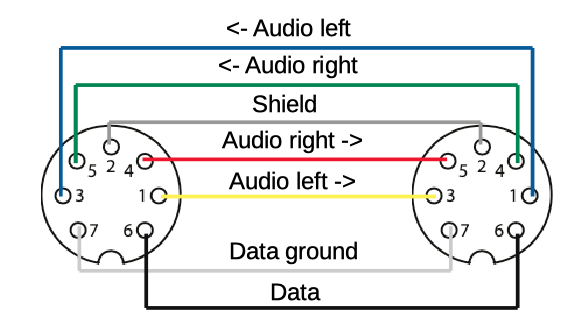
Finally got some time on my hands to make a Crossed Audio Aux cable to be able to test the BM4500 as a slave with another non Masterlink Beomaster.
The cable pinout looks like this:

The inputs and the output are switching places whereas the data and the ground pins all connects to the corrosponding pins on the other connector
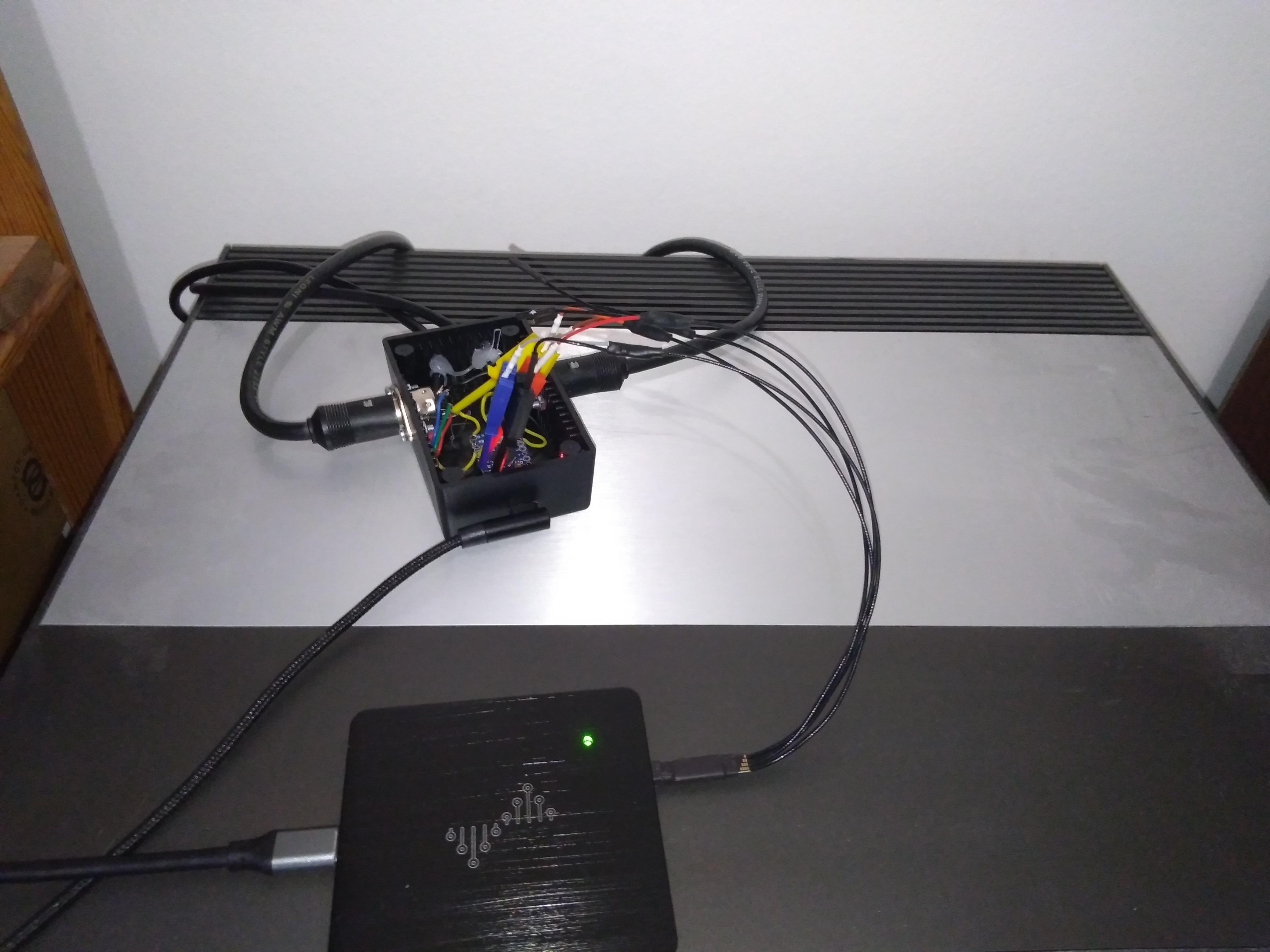
I used a Beocenter 9300 as the Master unit (set to option 1) and the Beomaster 4500 as the slave unit (set to option 1.6).
A picture of the setup
And it works :-). I can control the radio channels on the BC9300 from the BM4500 when I use Link + commands.
Next up I wonder how it will work if MCL2 link rooms are connected to the speaker 2 connectors on the BM4500. I guess there must be some kind of limiting factor somewhere since B&O says that option 6 must no be used.
Location: Denmark
MadskpGOLD MemberJust to let you know a fellow Beoworlder offered to take over the project in exchange for some spare part to other projects, so I have choosen to focus my time on these instead of trying to revive this BM5500 myself.
But thank for the input
Location: Denmark
MadskpGOLD MemberYou may check the sw version of your BM. Talking about options 5 and 6, those were only available in earlier 1-way versions. 1-way function only had been included in the BM 4500 with a sw version below 2.1.
Thanks for responding. I was not aware that the BM4500 also had been in a one way version initially. Interesting.
Mine is labeled SW 1.6 on the back, and looking at old forum post I can see that when the 2 way communication was introduced in SW 2.1 the ability for the BM4500 to act as a ML slave was removed. Thus I’m pretty sure mine is a software 1.x even if it has had a software upgrade along the way.
This fits me fine as I have no 2 way remotes, and for my use case it could be great to have it act as a link room in the setup.
Jus to see that this function actually worked I connected it to a BS Ouverture via a Beolink 1611 converter. With the BM4500 in option 1.6 and the Ouverture in option 1 I cold start the sources on the BS Ouverture from the BM4500 with the use of link + Audio commands while both units would still use local sources with normal audio commands. Great 🙂
Location: Denmark
MadskpGOLD MemberI wonder how the BM4500 should be able to work as a slave in a MCL2 system connection wise as it does not have the MCL input as the MCL2AV has? It sees wierd to be mentioned in the manual if the product is not hardware wise ready for it.
A quick test to see what happens when using option 1.6 or 2.6.
When the BM4500 is in option 1.5 or 2.6 it will not react to Link + audio commands.
But when I set it to option 1.6 or 2.6 all Link + Audio commands activate AUX on the BM4500.
Further more the schematics in the service manuals show the data pins on the AUX socket and the speakerlink (MCL2) sockets are connected so all signals are passed between these two sockets.
So my guess is that to use the BM4500 as a slave unit it should be conencted to a Master unit via the AUX socket. However a normal Audio Aux cable can not be used as this will connect Audio in to Audio in and Audio out to Audio out.
I have to make a crossed cable and do some more testing. update will follow
Location: Denmark
MadskpGOLD MemberOk that makes sense. just being curious about the usecase for that connection
Location: Denmark
-
AuthorPosts
 Also for comparison here the old belt and the new put on top of each other