Forum Replies Created
-
AuthorPosts
-
 MadskpGOLD Member
Hello again
I have just installed new belt for the CD tray loader as you can see in this post https://forum.beoworld.org/forums/topic/beocenter-2-cd-tray-belt/#post-30185 and the disc is now playing fine.
Hope this can help fix your BC2 also.
Location: Denmark
MadskpGOLD MemberI have yet to test this as the door mechanism as expected also has some issues which is certanly the rubber band giving issues.
This was solved with a new belt from Beoparts shop. The doors are now moving smootly as they should.
Also the CD clamper might need some adjustments as well as the clamper mechanism which dos not seem to reach the bottom and has problems getting the CD to land on its spindle. This might also be related to a rubber band for this mechanism.
I replaced the belt for the CD clamper mechanism with 25×1.5mm round belt and the tray now falls into place as it should.
The Head unit was advertised as having difficulties with playing CD’s.
The BC2 now seems to play both CD’s and DVD’s just fine, so I guess that this issue was related to the CD clamper not securing the disc on the spindle.
The coating on both the head unit and the socket unit is still in ok condition, but it might be a matter of time.
I think I will remove this just in case, and also the bottom of the head unit might be a little sticky.
But all in all a succes, and a quite easy fix 🙂
Location: Denmark
MadskpGOLD MemberHave now received and installed the new belt for the CD tray. I used the 25×1.5mm one as the 26×1.5 was the same size as the existing one in the BC2.
The CD tray now works just as it should, and the BC2 can also play both CD’s and DVD’s
Location: Denmark
MadskpGOLD MemberHow do I change to A-Option 1 to run the 9000 in linked rooms? What happens to ML connection at the BV7? I control with a Beo4 remote.
The BS9000 should be in standby while setting options
On the BEO4 press standby and list at the same time
The display on the BEO4 should now sho ADD?
Press list until the display shows Option and press GO
Press list until the display shows A.OPT
Press GO and the 1
The Beosound 9000 should now be in option 1
The ML Cable to the BV7 could just be left unplugged, or disconnected in the junction box where it is connected to the other ML cables
Location: Denmark
MadskpGOLD MemberYou mention that you also have link rooms.
If you just wan’t the new TV to run standalone the BS9000 can still run the link rooms.
You might have to change the option setting on the BS9000 to be able to operate it with a remote in the room where it is located as this might have been going on through the TV’s IR sensor in the current setup.
Location: Denmark
MadskpGOLD MemberWhen an FM or DAB radio is fitted to a BC6-23 which it was if purchased in the UK, then if you press “Radio” on the remote it would play using the audio master via the masterlink. If you wanted to play the radio fitted in the BC6-23, then you use “LINK” found in the “LIST” followed by “Radio”
Thanks for the info. seems that not all use cases has been described in the manual for the BC6.
Location: Denmark
MadskpGOLD MemberHello Keith
Thanks for letting us know about the proces, and great that a sale agrement that won’t affect. us users has come to place.
Thanks for all the great work you have done over the years.
After the transfer, everyone’s accounts will remain the same as today because all the databases will have been transferred as part of the process.
One thing which is not mentioned is if it will affect the member status/payment?
The reason for asking is that my membership renewal is coming up, and I would like to know if there should be any reason for not paying before the transfer to the new ownership?
Thanks in advance
Location: Denmark
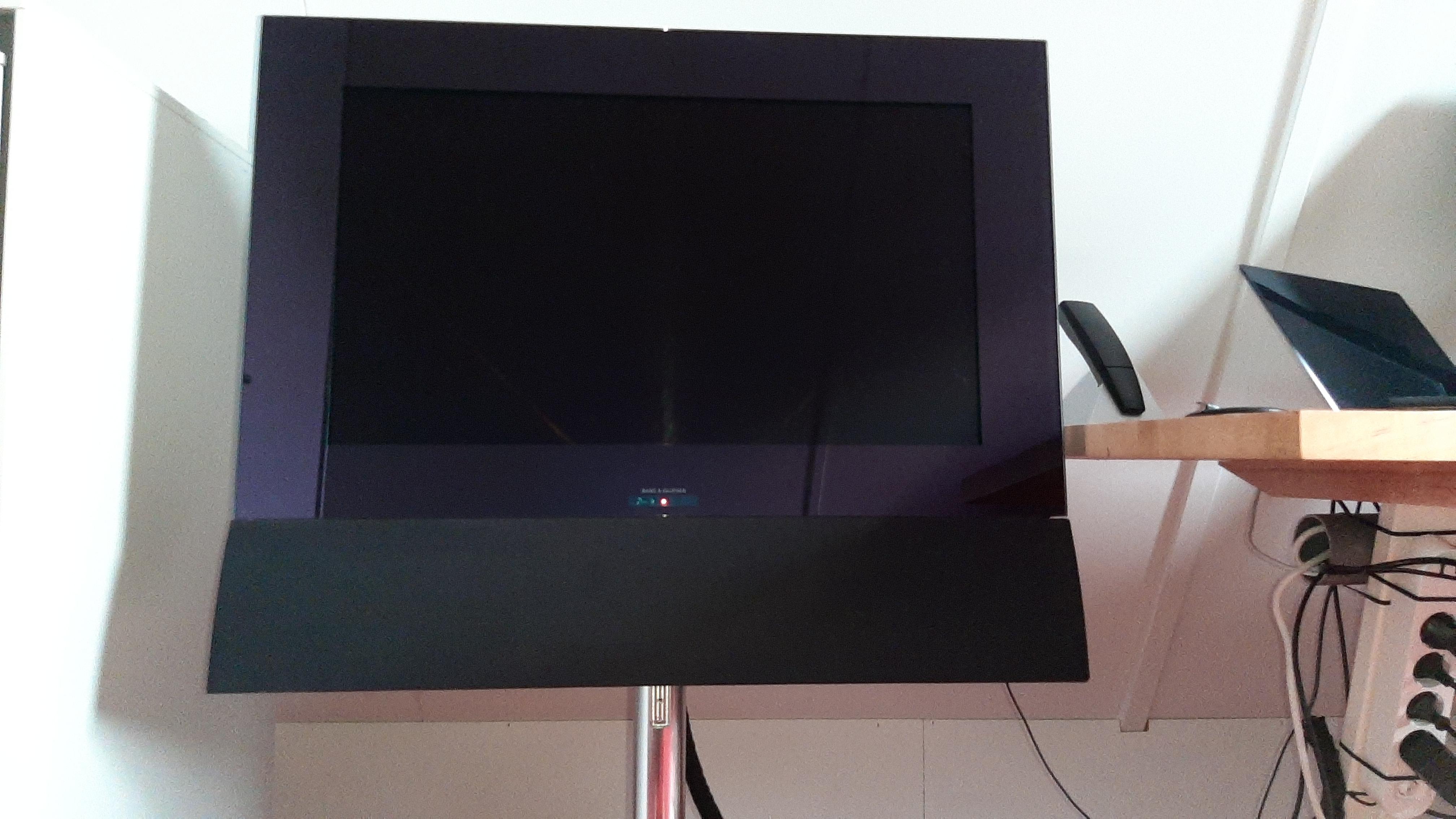
MadskpGOLD MemberHi Madskp, hi Guy, the BC6-26 does just not cover the BeoLab bracket cavity. It is very unobtrusive though. See below image of my 6-26 on a BV7 motorized stand. I sat on the floor taking the picture.
 Hopr this helps, J.
Great picture to show this, thanks ?
And I guess that on a table stand it would be even less noticable.
Location: Denmark
MadskpGOLD MemberHave a look on the back of the BV26 Service Manual. This has diagrams of all the stand options with Type numbers. However, I can’t recall ever seeing one in person!
Yes I found that diagram when you first posted the type number. But might not have been a very used stand option judging by the lack of pictures of this setup type.
EDIT: I am pretty sure that the same table stand is used for the BV7-32. It has attachment holes for the Beolab bracket, although I think these are covered when the BV6-26 is mounted.
That might also be an option. Was not sure about the BV6 would be the covering the Beolab bracket holes though.
Location: Denmark
MadskpGOLD MemberThat’s a shame. But a good exercise in Beovision stand disassembly! How about trying to find a BV6-26 table stand, Type Number 4092? That’s significantly shorter.
Ok I was not aware that existed. Haven’t found any pictures of it (or sales adds for that matter)
Thought that the only table stand for the BV6 was the non rotation one with the raised feets.
Location: Denmark
MadskpGOLD MemberOk so I got it disassembled. Pretty easy when using your instructions.
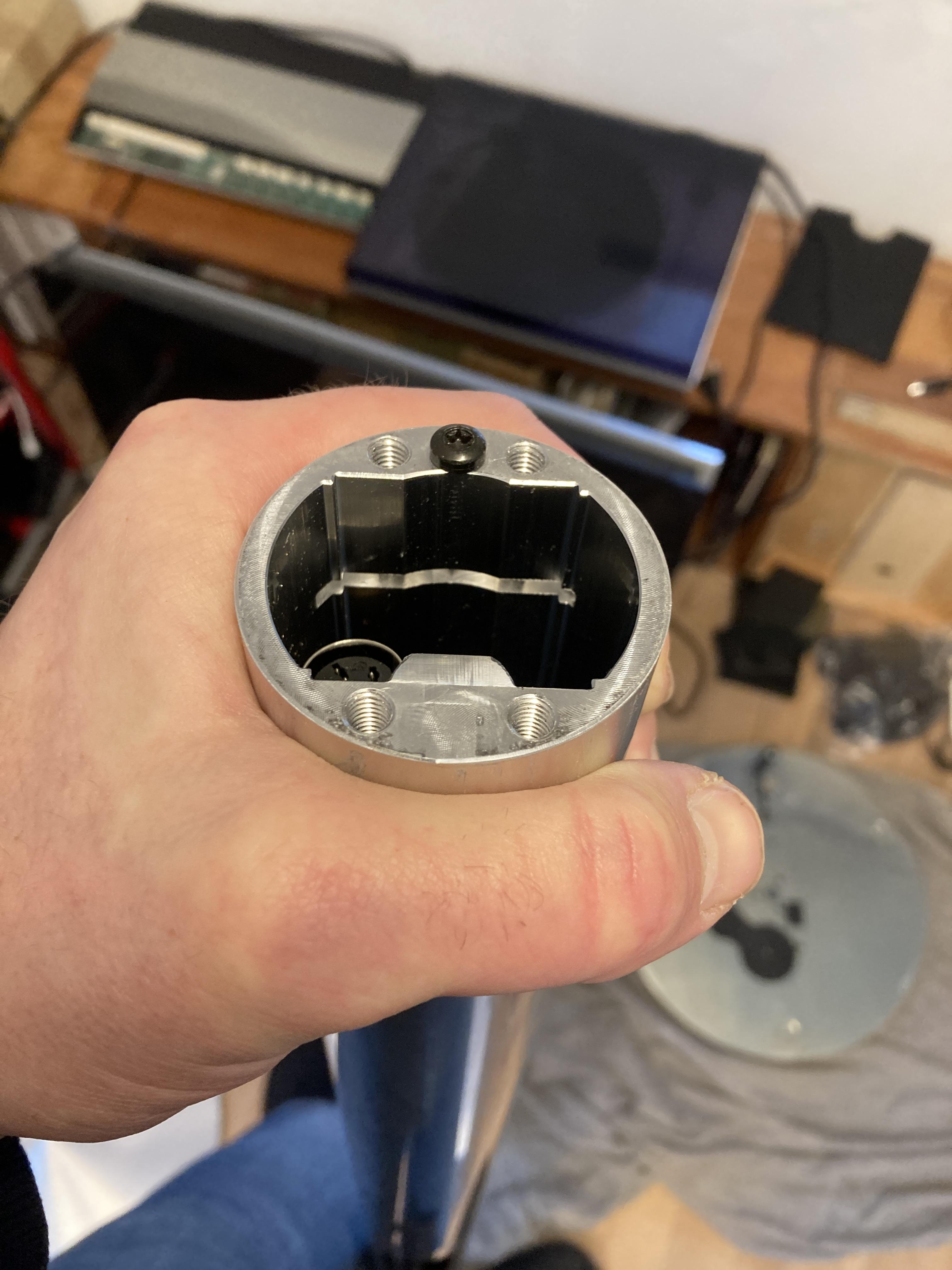
But I can see that even though the cross section is the same in the entire lenght of the pole the threaded holes is only about an inch deep and stops where a reces is cut into the cross section

So in order to cut down the lenght of it new holes will have to be drilled and threaded at the place where it is cut.
This would require some drilling equipment that I do not have, so I guess this will not be the way to go.
The reason for investegating this option was that I have the stand and might as well use it if possible. However I might look into other placement options, and/or maybe the smaller BC6-23 as an option
Location: Denmark
MadskpGOLD MemberWhen upside down you will see an opening (hole), possibly covered by a sticker. Rotate the stand on its base until the hole lines up with the pole and you will see the four screws. As you can see in my photo, there is usually a DIN connecter within the pole to lengthen the motor control cable for the floor stands.
Great info when tI’m going to take it appart.
My photo was from a job lots of 5 stands (plus wall mount) that I bought from ‘cashconverters’ for about £40. The 5th stand was for a BV10-32 which was all I wanted, so I sold all the others, got a ‘free’ BV10 stand and made a small profit!
Yeah sometimes you can be lucky. My BV6 stand only cost me 10€ in a trift store and it have som scractches in the big round plate so no gonna cry if this is not going to end up well
Location: Denmark
MadskpGOLD MemberThanks for that.
I am thinking about a 10-20cm reduction to make it usable under an angled roof.
Great if the screw situation is not a problem. I will try to disassemble and look into it
Location: Denmark
MadskpGOLD MemberHi
I have the same problem with my BC2. I have just updated my thread about the same issue
https://forum.beoworld.org/forums/topic/beocenter-2-cd-tray-belt/#post-29800
I will report back when I receive the belts and tell if they make a difference
Location: Denmark
MadskpGOLD MemberHaving dismantled the whole CD tray to get a more precise measurement of the Belt I have now measured it to 29mm outside diameter.
I have found an Ebay seller who has belts in the right thickness with both 25mm and 26mm inside diameter.
Have ordered some and will see if the will work.
Location: Denmark
13 February 2024 at 14:17 in reply to: BeoLab 3500: sometimes responds to remote control, sometimes it doesn’t ? #52575MadskpGOLD MemberVery nice writeup of the procedure.
I will indeed save that for further reference
Location: Denmark
MadskpGOLD MemberI have the cable but the wires are black, red, yellow, white and shield
I don’t think you can rely on the colors of the wires in this case.
It might be an “unofficial” cable mounted on your IR eye, so you might have to open it up to check the placement of each wire.
Do note that there are several versions of the round IR eye shown above, and while +5V, IR and ground are compatible between the different versions the other signals are not.
Edit: The diffrent versions are shown in the Beolink Handbook (the above drawings are from that) which can be found online.
Location: Denmark
MadskpGOLD MemberI have now bought both the heat unit and the socket unit from the same seller. I ended up paying a resonable price for both including shipping.
The Head unit was advertised as having difficulties with playing CD’s.
I have yet to test this as the door mechanism as expected also has some issues which is certanly the rubber band giving issues.
Also the CD clamper might need some adjustments as well as the clamper mechanism which dos not seem to reach the bottom and has problems getting the CD to land on its spindle. This might also be related to a rubber band for this mechanism.
The display is not having issues, and the PIN code that was set is now disables so hopefully that might not give me issues.
The coating on both the head unit and the socket unit is still in ok condition, but it might be a matter of time. The CD tray was also coated in this and was very sticky, This I have now removed to preserve the discs I put int it.
To be continued
Location: Denmark
MadskpGOLD MemberOne extra note. The control of the CD only works when the BS5 is in opt. 6 (probably also 5), but not in option 2.
So my guess is that when in option 2 working as and audio master it can not take extra sources from other audio masters.
But when in option 6 it is working as a link room and can get the source from the Audio master ( in this case the 1611). I can also control a Beocord 3500 by using the Link + A.MEM command which makes sense as the A.MEM command is in use for internal source (spotify) on the BS5.
Location: Denmark
MadskpGOLD MemberJust remembered that N.music was = A.MEM when I first started the BS5. Tried to bring back that setting, and now I can control my Beogram CD4500 via MCL2AV and 1611.
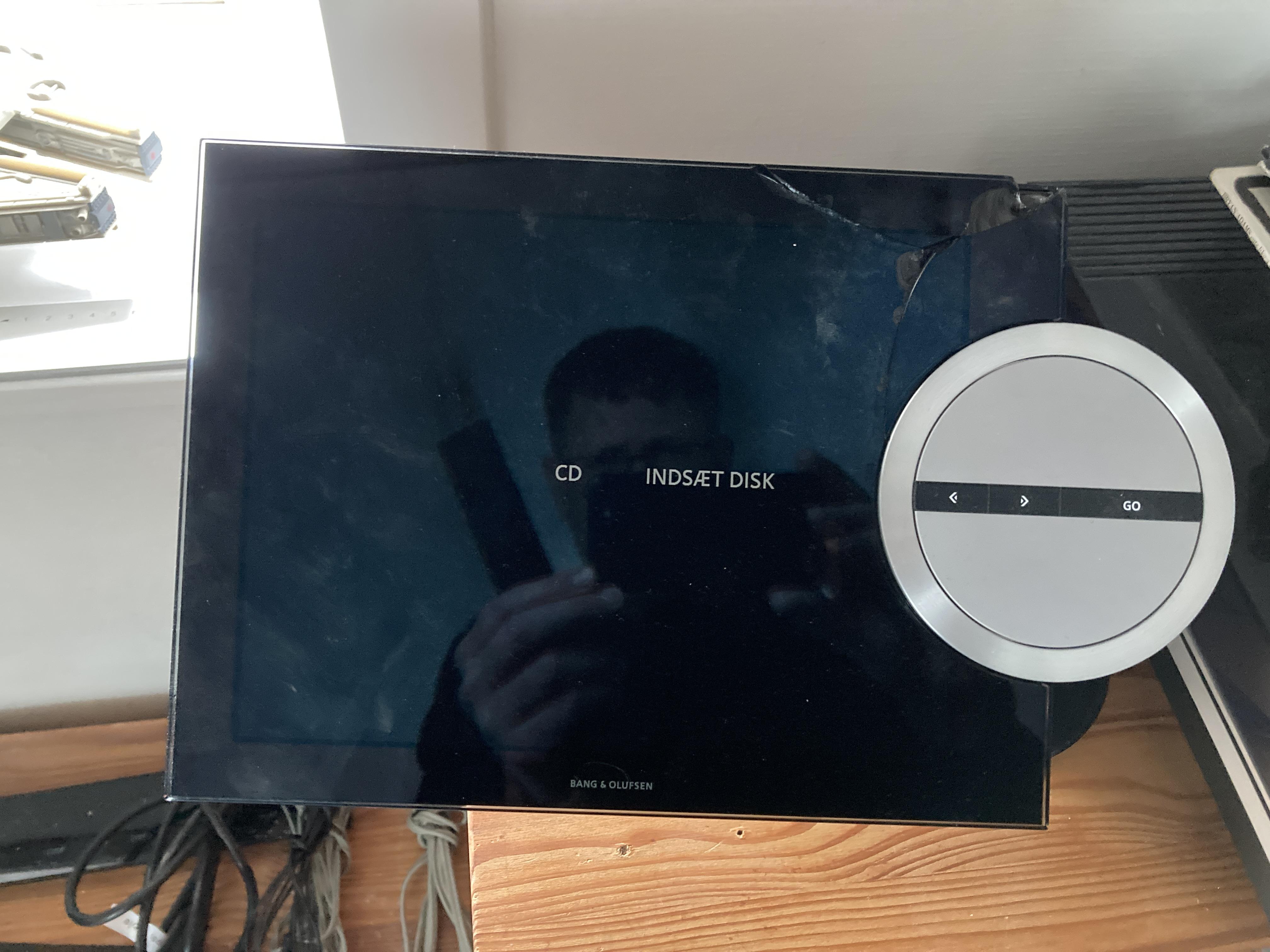
The BS5 even tell you to insert a disk in the CD player (text on the picture is in danish

Location: Denmark
-
AuthorPosts