Forum Replies Created
-
AuthorPosts
-
 MadskpGOLD Member
Btw do you see any corrosion on other components arround this capacitor on the board?
Hopefully it did not damage other things than itselfLocation: Denmark
MadskpGOLD MemberBased on the markings on the plastic 0.22uf 5.5V ina Google search it is not a battery but a super- / backup capacitor.
It seems to be widely available and at a fair price
Very interesting if replacing it actually solves the problem. The on you have seems fairly corroded indeed
Location: Denmark
MadskpGOLD MemberAnother possibility for testing the TV is if you have an Apple TV with one of the confirmed working remotes mentioned in this thread https://forum.beoworld.org/forums/topic/apple-tv-siri-remotes-and-ir-beovision
you could be lucky that would start the TV although limited to turning on and volume control
Location: Denmark
MadskpGOLD MemberHi all, Please let me know if there are any issues since the site transfer
Hello Mark.
It lools like the member status has not been transfered correctly on the forums. In the posts I have been looking at I only see bronze members where I know more than one of them were Gold members including myself.
On the main web site my member status seems to be correct.Location: Denmark
MadskpGOLD MemberUnfortunatly it doesn’t solve the pin situation. Right after clicking STOP I am at the snowscreen again.
I Hve tried to acces the Pin code menu on my Beocenter 6 Bey pressing Menu + << + << + stop, and that seems to work fine, so the command is right.
To reproduce the Behaviour you have I tried to set a new Pin code and let the TV be with out power for 30 minuttes. After that I used the service Pin code 11111.
When I did that I get the same behaviour that you are experiencing.
I have not been able to find anything that documents why this is so, but my best guess is that the only reason for acesing the Pin code menu is to change a pin code or to delete it.
This can only be done by having the correct pin code or the Master pin code, so no need for this to function when the service pin code is used.
So You will have to get the right pin code or the Master pin code from a dealer to get it working. The service pin code can only be used for 12 hours according to the service manual.
EDIT: I solved this by going into the TV with the Master Code 11111 and then with 0 0 and go to enter the system menu and reset to factory settings. Strangely I got back the option for TUNING.
Great that you got that part working.
Location: Denmark
MadskpGOLD MemberWow, who knew this soldering thing would be so difficult! Ive melted the plug! think I need a finer, smaller soldering iron and finer solder…
Sound like it. Those plugs can be quite fidely to work on
Location: Denmark
MadskpGOLD MemberJudging by the Peter Pan thread it was a way to keep legislation. I guess a cheaper way than to reconstruct the products
Location: Denmark
MadskpGOLD MemberTry pressing menu twice in the sequence.
If I remember correctly you have to be in the menu before doing what the manual saysRegarding scarts you have to assign a source (V.tape/DVD etc.) in the connection menu
Location: Denmark
MadskpGOLD MemberIf I get it working I was going to buy a beomaster 2000 to go with it
Then the datalink connection on pin 6 will be relevant
Location: Denmark
MadskpGOLD MemberLast question, honest… do all of these wires have to be soldered into the plug?
If you not gonna use it with a datalink compatible Beomaster the yellow wire is not needed.
The rest is mandatory
Location: Denmark
MadskpGOLD MemberThank you again. just for an idiot guide and to be totally clear, you mean shield are the bare wires that surround the coloured wires inside the cable when I cut it back? there is no other bare wire or wires so I guess that’s what you mean?
That is correct
Location: Denmark
MadskpGOLD MemberShield is the bare metal wire
Take a look at this post fo the pinout. On some connector the numbers are engrave in the plastic
https://forum.beoworld.org/forums/topic/wiring-diagram/#post-25003
Location: Denmark
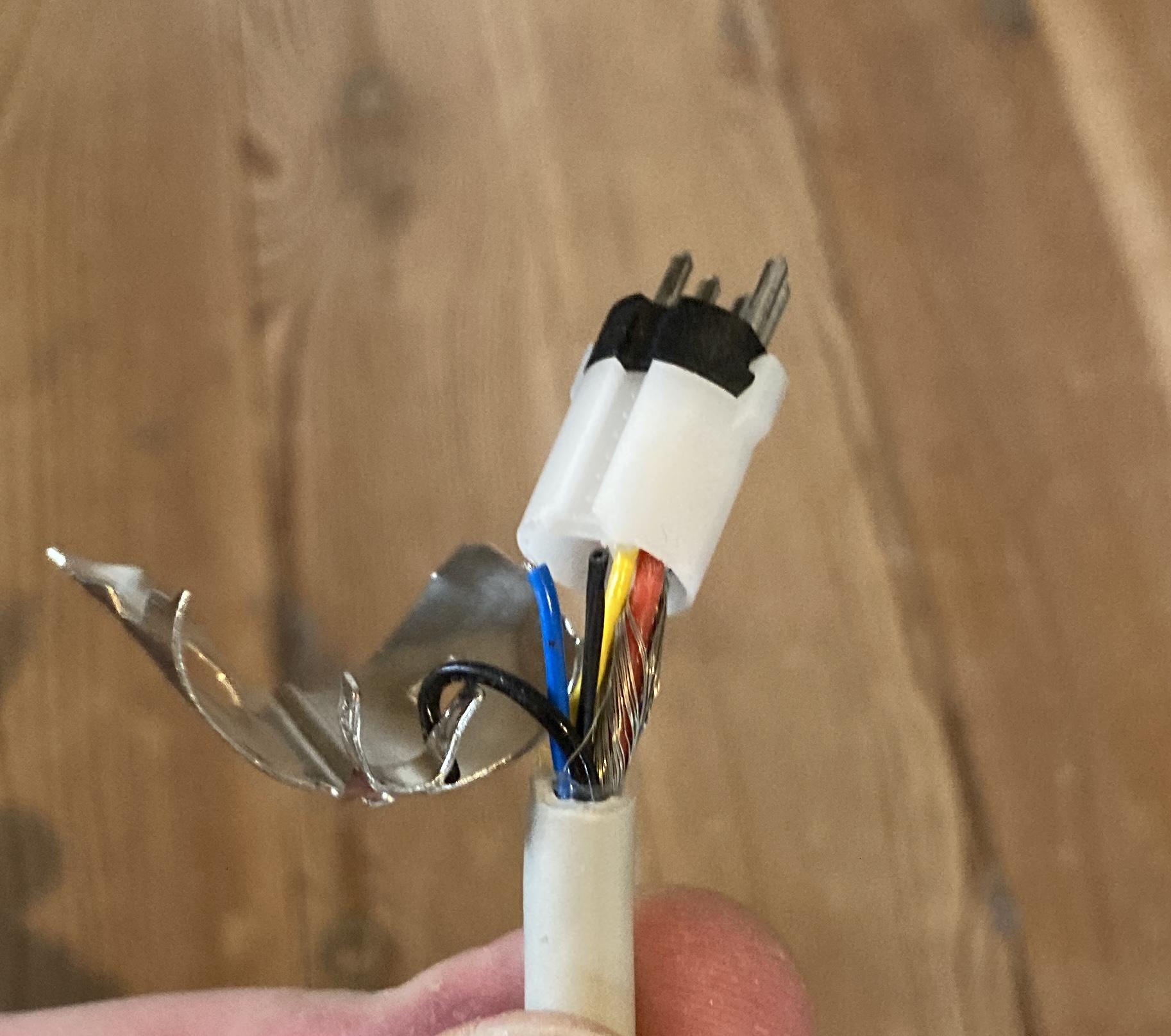
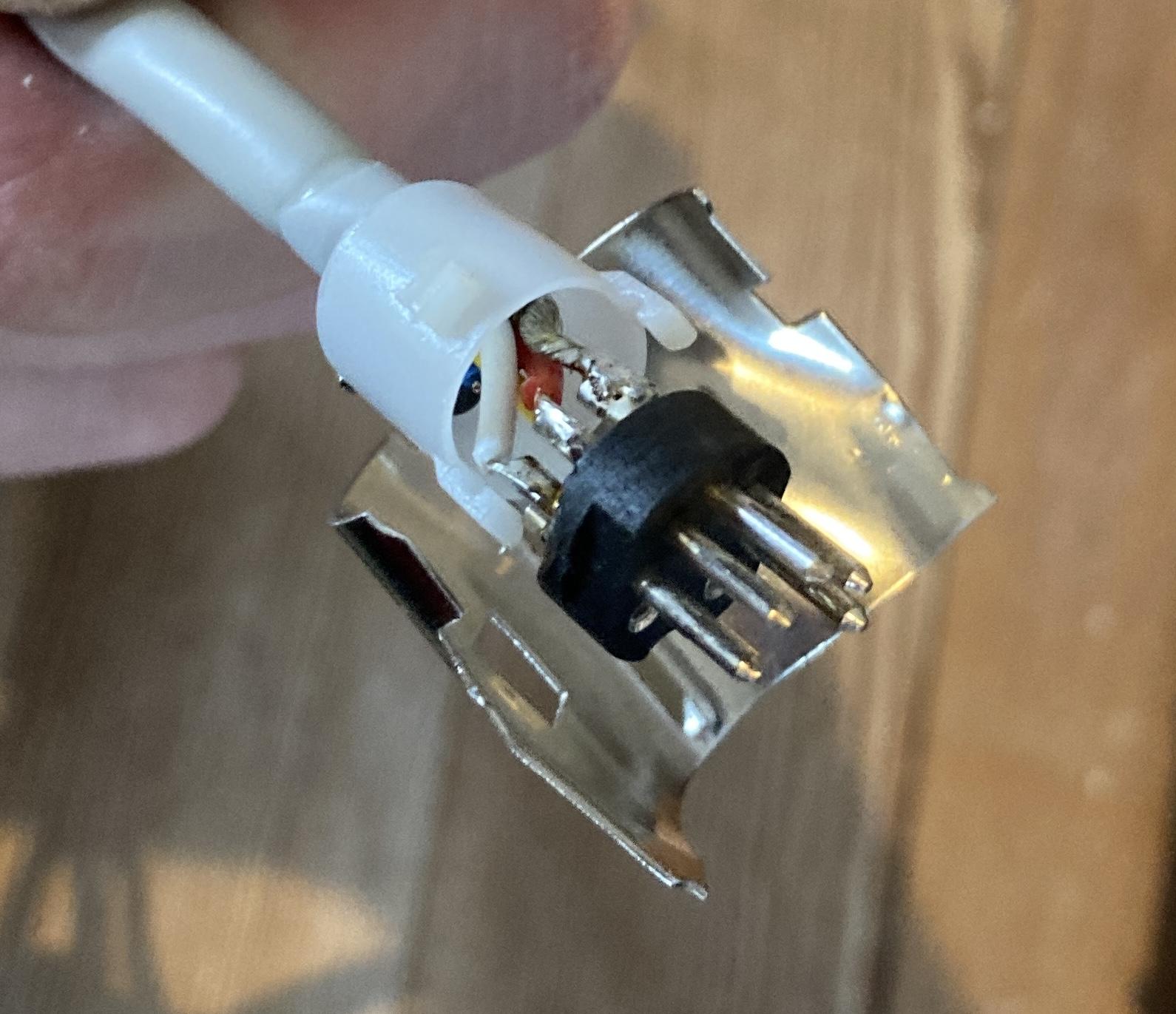
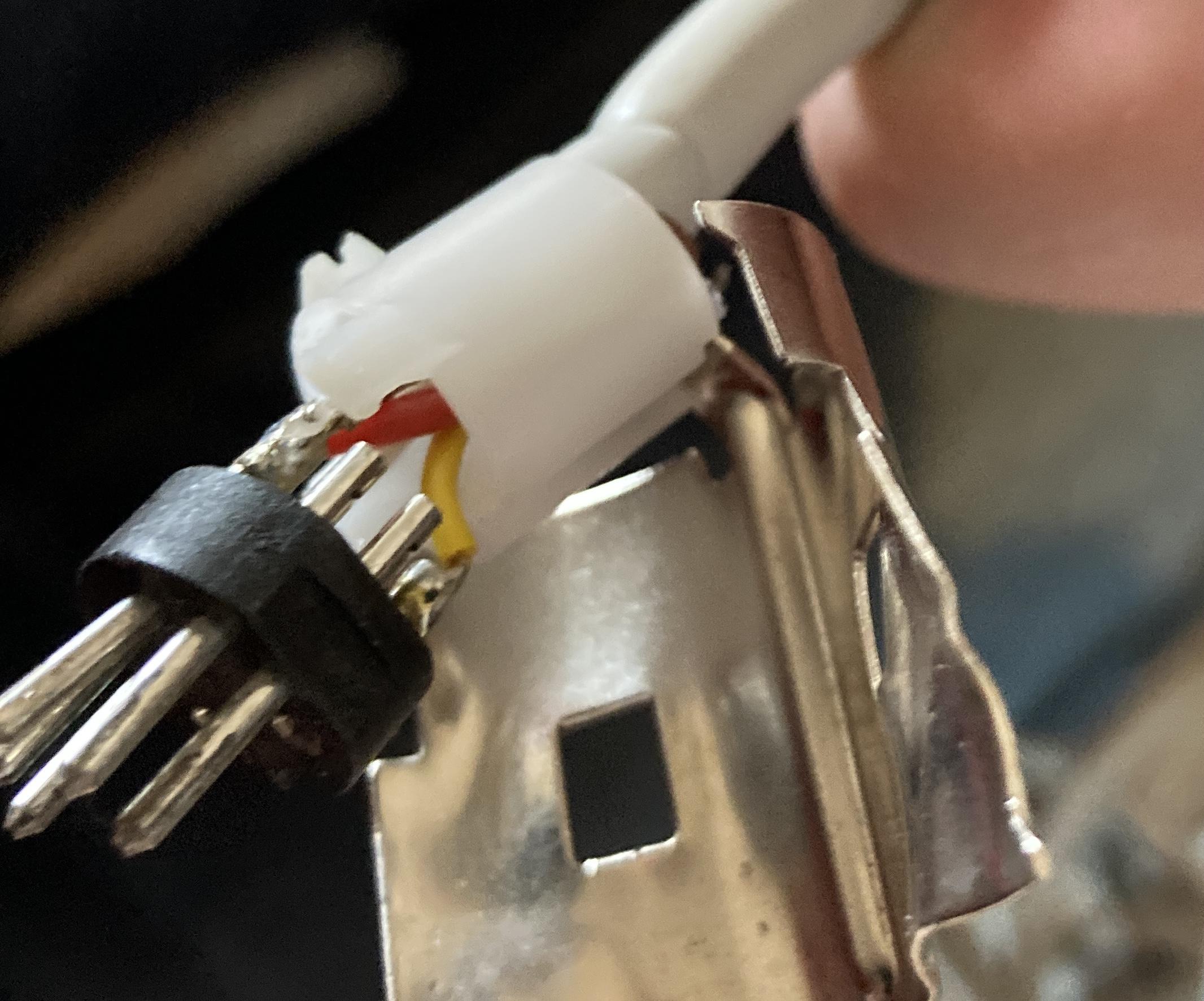
MadskpGOLD MemberI have opened up the DIN connector on a broken Beogram 2000 I have and these are my findings:
Blue and thin black wire is not connected. Thick black wire is connected to the metal part of the plug

Shield is connected to pin 2 in the DIN connector, red to pin 5 and white to pin 3 (note that pin 6 and 7 is unscrewed in this connector)

Yellow is as you have noted yourself datalink and is connected to pin 6

Hope this helps in getting the Beogram functional again
Location: Denmark
MadskpGOLD MemberIt’s thread drift for this thread, but I am helping a relative sort out some tech/AV gear and have a Google Chromecast HD for a few days. I just tested it with my BV10-32 and realised that you can setup the Google Chromecast remote to control the TV’s volume in the same way that a siri remote does! The Chromecast menu also offers the facility to turn the TV off/on (I could only get ‘off’ to work) and to change inputs, but I couldn’t get the latter to work. I am quite impressed that such a cheap device (£35 in UK) has the IR codes to control a Beovision!
It is indeed quite interesting how both Apple and Google are integrating these B&O IR codes. Maybe they are just using common libraries of IR codes that are available. However in case of B&O they also need the transmitter to be able to transmit 455Khz IR codes that other brands are not using, so I guess the hardware must also be made for it.
Sound like the Google Chromecast is not perfectly working though which was also the case with the 1st. Gen siri remote.
Location: Denmark
MadskpGOLD MemberJust read your post again, and can see that I did not get the turntable in the cabinet in my first reading.
It could be a Beocenter 7700 wich also fits the description of the remote
https://www.beoworld.org/prod_details.asp?pid=407Location: Denmark
MadskpGOLD MemberBang and Olufsen really have had many systems with smoked glas and red LED lightning. Just a few examples here that might hint something more:
Beosystem 6000
https://www.beoworld.org/prod_details.asp?pid=1253
Beocenter 9000
https://beocentral.com/beocenter9000
Beosystem 4500
https://www.beoworld.org/prod_details.asp?pid=419
Location: Denmark
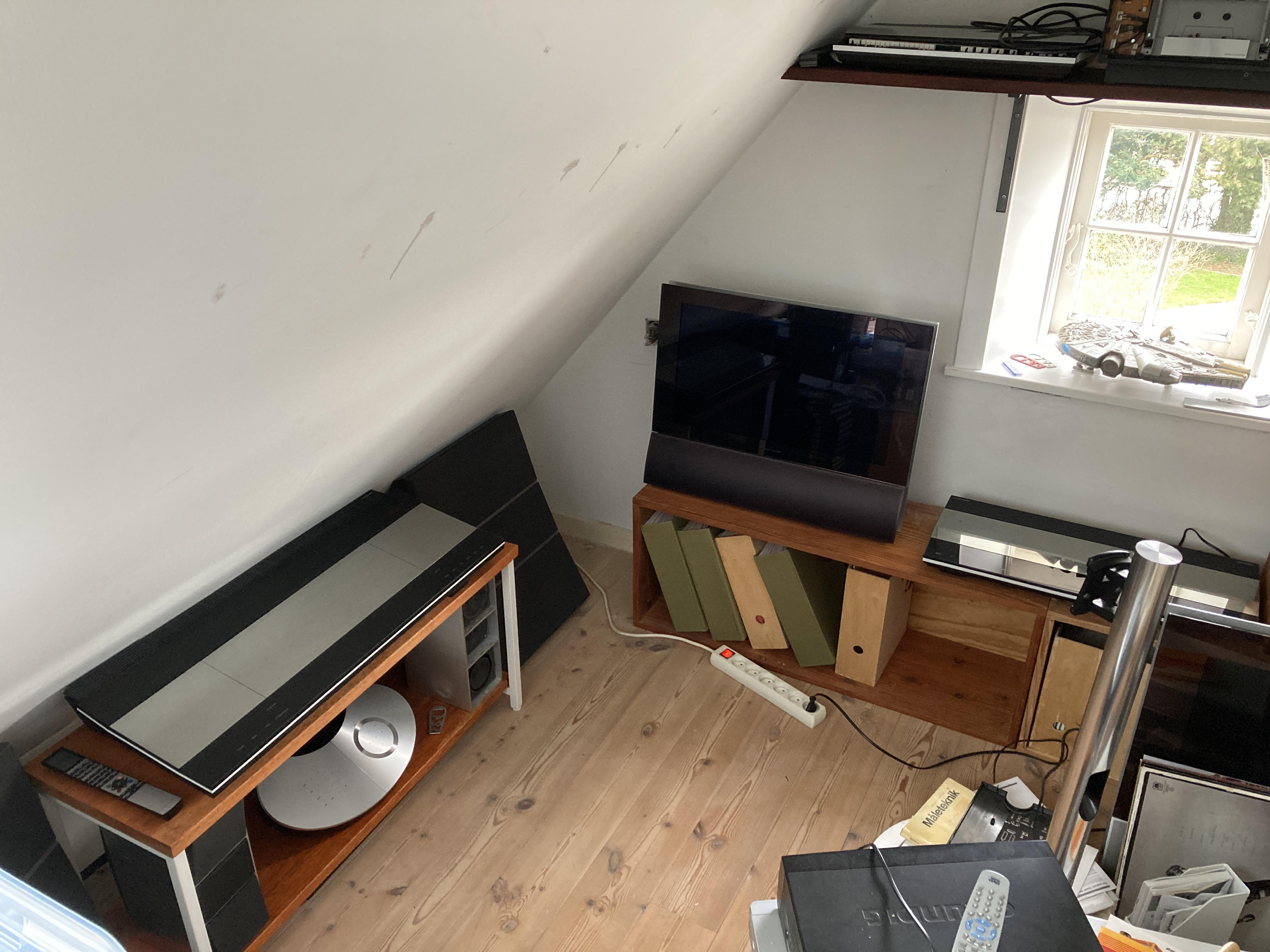
MadskpGOLD MemberBeo-museumSomething like that 🙂 my little limited space for toying with those beatifull things.
According to service manual of BC6-23 MK1 type 9212-9218: Softwareprogrammering – Programmet M2 – STB-C-tabeller NB: Anden software end ovennævnte kan opdateres ved at udskifte EEPROM’erne i hovedmikrocomputerens modul 6.
Doesn’t say much about functionality though. I wonder what the program M2 is?
Location: Denmark
MadskpGOLD MemberSpace constraints. From 26″ to 23″ – that must be a tiny space. Sorry for the off-topic answer. Couldn’t help it.
Yes it sounds weird I know, but here the 23″ is placed. The 26″ would be crammed in between the window and the angled wall

Since these TVs are worth 0 now a days… It might be easier and cheeper just to get another Beovision 6-22 or Beocenter 6-23 …
Thats true. Not many available on local adds at the moment though, but I might keep looking.
If anyone else have insights regarding the updates I am still interested to hear about it
Location: Denmark
MadskpGOLD Memberyes, the beogram has a 7-pin Din connector and the cable looks original and cannot be unplugged. But you are right, the problem is somewhere at the beogram. Attached are two oscilloscope traces from the overture aux/pin 7. It sends 2 times the same ‘start’ signal. Interestingly, it is the same sequence – once triggered by pressing AUX in the overture or PHONO on the Beo4…. Looks like I have I have to open the Beogram……
Have you also tried to measure at pin 6? Pin 6 and 7 should be interconnected at the Ouverture, but just to be sure.
A beogram without RIAA use pin 6 for data.
Location: Denmark
MadskpGOLD MemberThanks, I added Phono to the list on the Beo4, but still, the beogram 5500 does not react. Pressing AUX on the overture shows AUX on the display and I can hear sound when starting the BG anually – connection is OK. But from what I read in other posts, the overture should then show PHONO as it recognizes the beogram…..correct? IMHO – very strange, as it is reported to work. Arguably an HW defect…i.e. the cable does not have the datalink pin connected – but it looks original and is not removable from the BG.
Do the DIN connector on the Beogram have 7 pins or are some of them missing? Normally the 2 pins in the button can be unscrewed, and one of these carries the data control signal
Location: Denmark
-
AuthorPosts