Forum Replies Created
-
AuthorPosts
-
 Moderator
ok so the conclusion on the 1615 based on your tests must be that it will only work with a Beovision with datalink I guess.
Yes I suppose that both the BL1615’s AAL socket and the MCL2AV’s AUX/TV socket are expecting to communicate directly with a TV, hence cannot pass commands to each other.
It’s a shame that the stand-alone BL1615 can’t be used to extract the audio from masterlink. Looking at the circuit diagram, there seems to be a couple of points where the ML ON/OFF could be by-passed, but I think that the TV would still need some sort of data command to turn its ML output on (even when the TV is already turned on).
Location: Warwickshire, UK
My B&O Icons:

which commands did you use? With the 1611+MCL2AV combination it was the AV+Video source command or shift+radio+1 that made the sound from the tv come to the MCL2AV
I was mostly trying AV-TV*, but have just tried shift-radio-1 and that doesn’t work either, even if the TV is already on. AV-TV does turn the MCL2AV on (the sensor LED goes out) but the TV does not react either from standby or when already on.
*EDIT: I tried all other audio/video commands also!
Location: Warwickshire, UK
My B&O Icons:
So I just tried adding the MCL2AV (and IR sensor) and it didn’t work – I tried several option settings on both TV and MCL2AV. But looking at the MCL2AV circuit diagram, pins 1 and 4 are only an output hence effectively I have two audio outputs connected, which cannot work.
TV source for this and earlier test was the TV’s internal tuner (which worked over ML before with the BL3500).
Regardless of the lack of audio, the BL1615/MCL2AV setup will not even pass control commands to the TV to turn it on etc. So this looks like a non-option!
Location: Warwickshire, UK
My B&O Icons:
I just tested a BL1615 connected to BV10-32 with ML – unfortunately there is no line output from the AAL. I checked AAL pins 1 & 4, and then 3 & 5 (the latter just in case the service manual was wrong).
So it looks like some form of AAL trigger is required. When I get a chance I will see if the MCL2AV (with IR sensor) can provide this.
EDIT: I suppose that the TV needs to receive some form of trigger in order to activate audio over the ML, but it needs to receive this via AAL -> 1615 converter -> ML data.
Location: Warwickshire, UK
My B&O Icons:
@Guy: did you have a 1615? then maybe it can be tested with your Beovision or your beoport if you are up for it?
Yes I will give this a try with my TV later today, basically just to test if the active ML source is passed through to the BL1615’s AAL socket.
(I suppose we could also investigate connecting the BL1615 to the MCL2AV’s TV/AUX socket to see if control is possible, but this may have to wait a few days and my MCL2AVs are packed away again at the moment!)
Location: Warwickshire, UK
My B&O Icons:
It would be great to see the setup that madskp has explained up and running, so hopefully you can get hold of a BL1611 and MCL2AV and give it a try!
Here’s a thread that confirms that the MCL2AV will control a Beogram using CD source-selection: https://archivedforum2.beoworld.org/forums/p/44963/325703.aspx
Unfortunately Gregg never answered whether PHONO would work but I doubt it. Also, in that linked thread the Beogram was a ‘local source’ but I would hope that the BL1611 would make if available across the whole system.
Location: Warwickshire, UK
My B&O Icons:
Ok, new belts fitted, and, it works, well, there’s a minor victory!!!
Great news – I think I know the YouTube video that you followed and agree about the longwinded-ness! ?
Location: Warwickshire, UK
My B&O Icons:
Try clicking the link, then go to the browser’s address bar and manually add ‘archived’ before the word ‘forum’, and ‘2’ after.
Not ideal but it works!
Edit: Here’s the working link: https://archivedforum2.beoworld.org/cfs-file.ashx/__key/CommunityServer.Components.UserFiles/00.00.00.24.70/lg_2D00_tv_2D00_2012.zip
Location: Warwickshire, UK
My B&O Icons:
Ok, bought the belts, opened up the beast, strangely the tape belt drive, the long/wide one was perished broken, no idea why! So has anyone out there got a sketch /picture of the way the belt is mounted before I start backside scratching etc?
If you bought it from Beoparts they usually come with instructions.
Location: Warwickshire, UK
My B&O Icons:
There is no datalink on the BS3000 aux port (pins 6 and 7 are not used):

As an alternative, maybe have a look at a Beolink Converter 1611 connected to the BS3000’s ML socket. You would need to investigate the Audio Aux Link input to the BL1611, or add an MCL2AV to use datalink. Have a read of this extensive thread to find out more: https://forum.beoworld.org/forums/topic/beolab-3500-and-1611-converter-settings/
Location: Warwickshire, UK
My B&O Icons:
one buying advice for the MCL2AV is try to get one with the original power supply to be sure it has the right polarity on the power connector
I took the ‘OnTop’ model number on my MCL2AV adaptor (A31530B), did a search on UK eBay and found this: https://www.ebay.co.uk/itm/401496703764
Although I haven’t purchased one, I think it’s the same adaptor but from Sino American. If I needed one I would give it a try.
Hence you may be able to search for the ‘OnTop’ model number of the EU (2-pin) MCL2AV adaptor and find similar.
EDIT: Other UK eBay hits (for A31530B) show what looks like the same adaptor, but the polarity of the output pins is reversed (the MCL2AV needs centre-negative) so you would need to be a bit careful!
Location: Warwickshire, UK
My B&O Icons:
Did we have other combinations in play?
Have you tried these pins with ML both ‘off’ and ‘on’, using MENU MENU 0 9 GO and up/down arrow? I suppose it could make a difference (not that I noticed any with mine, but mine is SW2.0, and your SW1.2).
Location: Warwickshire, UK
My B&O Icons:
And there you go. an extra input that can be chosen by any audio command that is not used for a datalink unit connected to the DIN inputs.
That’s useful! So as a ‘stand-alone’ the MCL2AV can have 4 selectable inputs if you include the AUX/TV socket (using ‘AV TV’). And the MCL input is a one-button-press selection.
Does your test above have the AUX/TV socket connected to BL1611 etc, or is that to follow?
Location: Warwickshire, UK
My B&O Icons:
Great news indeed – many thanks for coming back and letting us know the solution!
Location: Warwickshire, UK
My B&O Icons:
Excellent purchase – and a long ML cable as well which will help with two-room setups. Looking forward to seeing some test results!
Location: Warwickshire, UK
My B&O Icons:
I have fixed the glass panels on two BC9500s using super glue gel, with no problems after approx 10 years. Edit: I meant to add that I didn’t remove the old tape; just applied the gel over the top.
And you can get the new belts etc from Beoparts. https://www.beoparts-shop.com/product-category/beocenter/beocenter-9300/
Location: Warwickshire, UK
My B&O Icons:
One thing I noticed though is that the relay is clicking every time I move the unit just a little bit. I haven’t thought about that before, so it might also have done it before but the unit was always laying still when powered on. I might have to look in to that one of the comming days. Could be a loose connection of some kind
Yes my relay only clicks (twice about a second apart) when I power up the MCL2AV.
Location: Warwickshire, UK
My B&O Icons:
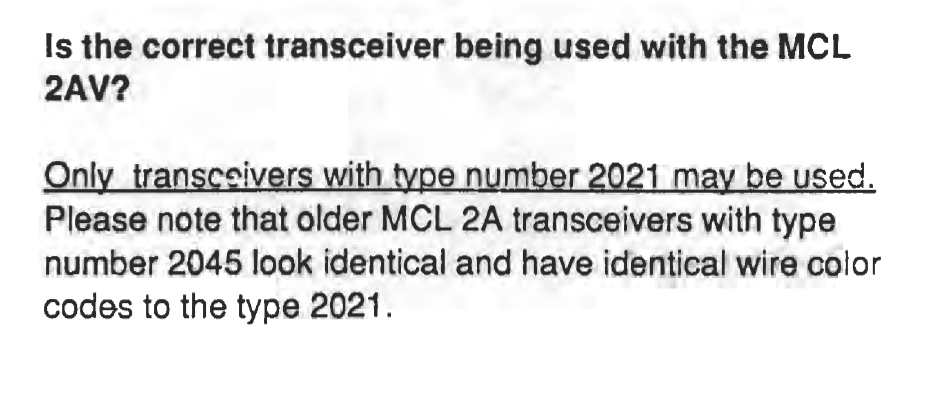
Yes I think we should ignore the transceiver numbers from now on! Mine are all 2046 or 2047, but all show SW2.0 so let’s suppose they all work the same with MCL2AV (except 2045).
Ok, tried this now with both of the IR eye’s and the MCL2AV being stand alone or connected to the 1611 and the BC6. No way in any case will it respond to the timer + reset command or timer + AV for that matter. so no wiser on this matter. Of course my MCL2AV arrived with defects, so it might as well have other defects.
I just tried removing the transceiver grey and/or yellow connectors to my MCL2av to see if I could replicate your mute fault. It works fully with grey and/or yellow disconnected – I just lose the ability to store start up volume (and it starts quietly each time). With those wires disconnected there is continuity between the grey and yellow terminals as shown on the circuit diagram.
Given that your other MCL2AV fault was a 5v supply problem, and the muting circuit seems to use a 5v supply, perhaps whatever damaged TR13 also damaged TR100? Perhaps someone connected an incorrect power supply (or incorrect polarity) in the past.
Location: Warwickshire, UK
My B&O Icons:
We might be going down a deep rabbit hole here…..
I agree!
Have you tried putting the MCL2AV in MCL2A mode (by holding down the TIMER button and pressing RESET (SHIFT MUTE) on the BL1000? If I do this with mine, then use SHIFT RADIO 6 to turn it on, the LED stays on and no sound comes out of the PL speaker. However, pressing the sensor’s MUTE button I can hear the MCL2AV’s relay clicking on and off. Perhaps this works for your mute button?
I have then put the MCL2AV back in ‘2AV’ mode by holding down TIMER and pressing AV.
Location: Warwickshire, UK
My B&O Icons:
I cant find any mention og them in the service manual. trying to analyse a little about it: At J1 on the diagram Option 5/6 there is a dash over 5. Coild that mean option 5 if connected and option 6 is broken? However according to the Older MCL manual option 5 and is programable via remote. Could make sense if used without IR eye of course. But what does option tv on J4 mean then?
I am not at all sure about any of this – but I don’t think it has anything to do with the mute problem.
I did, however, find this in the MCL Handbook Troubleshooting Guide:

I think the type label is inside the back cover – any idea what type yours are? Of course, it was only valid when written hence I would suspect that later transceiver versions may well work!
EDIT: You have already mentioned all this and said earlier that yours are Type 2027 – sorry I forgot!
EDIT: I just checked and the one connected to my MCL2AV is a Type 2046 and seems to work fine!
Location: Warwickshire, UK
My B&O Icons:
-
AuthorPosts