Forum Replies Created
-
AuthorPosts
-
 Moderator
Another thought – check first that the MCL cable is connected to the Speaker 2 sockets on the BM7000. (Your symptoms suggest that they may be in speaker 1 sockets!)
Location: Warwickshire, UK
My B&O Icons:

You say that you have tried a different MCL cable – does that mean that you have also checked the connections inside each MCL2A and MCL2AV box – I would check that all the connections are secure.
Second thing that I would check is the option settings, for the Beomaster and each link room – re-do the whole system with the correct options, and make sure you do so with the system powered down.
EDIT: If no video products also connected, options should be set as follows:
Main Room (BM7000) – A.OPT 1
Link rooms: L.OPT 2.6 (set L.OPT 2 then set L.OPT 6 afterwards) – check that each transceiver blinks to acknowledge setting. An additional requirement may be to hold time the Timer button on each transceiver and send an AV command with the remote – I think that the transceiver should again blink to acknowledge.
Location: Warwickshire, UK
My B&O Icons:
What about. BeoSound 3000? It would keep the same aesthetics alongside the Beolab 2500s.
I would also try harder to fix the Ouverture. Is the repairer experienced with vintage B&O?
Location: Warwickshire, UK
My B&O Icons:
Try this link for the manual – you should be able to view as a Silver Member: https://beoworld.org/?a=download&key=6bbded9353242b53701819d219f48699
EDIT: Sorry, that was the Reference Guide – this should be the manual: https://beoworld.org/?a=download&key=11cd18ccf1894f3bde4ebd45642b98e8
Location: Warwickshire, UK
My B&O Icons:
I have another question, in the BC930 Is there a function that turns the unit on to radio when there is a news broadcast? Sometimes I find the device turned on on the radio and no one has turned it on. does it have a life of its own?
There is no function that will deliberately turn the radio on for a news broadcast, so there must be another cause. Either:
- The remote radio button is transmitting on its own – unlikely but not unheard of, but you can test by putting the remote in another room and see if re-occurs.
- There is a timer set. On the BC9300 press Programming and then Call. If the top right display just shows ‘?’ then there is no timer set. If it shows a source (Radio) and start time then a timer is set – this will have a ‘-‘ before the start time if it is set to repeat as yours may well be. When a timer start time is showing, simply press Clear to cancel/clear.
Location: Warwickshire, UK
My B&O Icons:
The B&O store at Bicester Village still have new Beoplay M3s in stock and are selling them for £225. Both colours are available.
(This was my first trip to Bicester village for about 20 years, and I only nipped in for a quick coffee whilst dropping my wife off. Shocked to pay £3.80 for a cappuccino!)
Location: Warwickshire, UK
My B&O Icons:
The Beoport/PC2 will be good fun to experiment with whatever. To avoid the conflict mentioned by madskp, you could always have two independent ML networks – one with Beoport/PC2 and TV, the other with BC8500 and BL3500/BL2000. Or have a ML Distribution box in the middle and swap it around as you see fit!
Location: Warwickshire, UK
My B&O Icons:
As for the HDMI sound, in my setup, even if the TV is playing an HDMI source, you cannot get the sound from that source to play via the AV command on the Beocenter at all. It will play sound from the TV’s tuner, or from inputs connected via Scart or YPpPr, but not those connected via HDMI. Probably not surprising given that these 1611 and 1614 converters predate HDMI.
While I had my cables out, I thought I’d look further at this. I added a BL1611 and BC2300 to the mix. I put BV10 and BC2300 in V.OPT 1/A.OPT 1. If the TV is playing the hdmi source I can still get it to play through the BC2300 by pressing AV SAT (actually AV DTV on my remote).
So I reckon the lack of hmdi sound distribution over ML is probably a BV8 limitation rather than a BL1611 limitation. BV8 pre-dates BV10 by a few years.
(Sadly the BC2300 that I am using isn’t my earlier two-way version with a built in clock and timer, so I can’t check the BL3500 clock display. Last time I had the clock working on my BL3500 I think it was connected to my Beoport by ML)
Location: Warwickshire, UK
My B&O Icons:
I just connected my BL3500 to my BV10 and the time is NOT shown; I tried changing the time zone and daylight saving, but no change. Perhaps videomasters just don’t send out the time signal over ML.
I also tried to play an hdmi source from the TV to the BL3500. I could turn on the TV from the BL3500 but couldn’t get the source to play unless the same source was also playing on the TV (which you could then mute). It would seems that the ‘link’ speaker (or in your case the BC8500) needs the TV to be playing the same source in order for the hdmi Digital to Analogue conversion to be running. You could do the same test by playing the same hdmi source on your TV and then muting – see if sound comes out of the BC8500 speakers.
(However, my BL3500 will play the audio from the TV’s built in HD digital tuner without problem)
EDIT: As an aside, I just realised that I can control and listen to the TV’s built in HD digital tuner on the BL3500 whilst also watching (and listening to) Apple TV (via hdmi) on the BV10 – surprising!
Location: Warwickshire, UK
My B&O Icons:
There does not appear to be any way to set the time on the BV8. It does display the correct time when you view the programme guide, so I assume it is simply getting the time from the digital terrestrial tuner. The only time settings I can find in the menus relate to time zone, daylight savings, and the play and sleep timers – no way to actually set the time manually.
That’s annoying. If I get time later I will connect my BL3500 to my BV10-32 and see if it displays the time.
One strange thing though – it won’t play HDMI inputs via AV on the Beocenter. Other inputs will play through the Beocenter (Scart, YPBr), but not the two HDMI inputs. I’ve messed around with the very complex input settings on the BV8 for a couple of hours but I can’t find an option to make those HDMI inputs work via AV.
Typically, Masterlink will not distribute HDMI sources – I am not sure of the logic behind this, and some people have managed to get it to work regardless.
EDIT: I found an earlier thread where I talk about distribution of hdmi sources with limited success. https://forum.beoworld.org/forums/topic/beovision-10-and-new-apple-tv/#post-51987
Location: Warwickshire, UK
My B&O Icons:
An excellent find – I am looking forward to hearing about lots of experiments with your new acquisitions, in particular the Video Link 1 😀
The table stand for the BL3500 is particularly hard to come by, worth €150 on it’s own to some people! The DVD2 is a fantastic piece of engineering but just so very complicated in use – I had one for a while but gave it away free when I sold my BC6-23. I now just use the far simpler DVD1.
What’s the plan with the Playmaker? (The main reason that I keep mine is in case I want to use the aux-in auto-sense to trigger PL speakers, perhaps for a non-B&O TV)
Location: Warwickshire, UK
My B&O Icons:
Try changing the time on the source device (the BeoVision) – this may force the time signal to be sent over ML as it is updated.
Location: Warwickshire, UK
My B&O Icons:
My vote would be for an ML distribution box – so much easier to use especially if you like experimenting with different configurations and testing new equipment. There’s a couple on UK eBay at £50 , but you can probably get for less if you are prepared to wait for a bargain. Those ML junction boxes look a bit fiddly to use for my liking, but could be worthwhile if you intend to leave the connections alone. You could also make your own junction box with a suitable strip of terminal block and an enclosure – if you do so be aware that apparently the blue/white and pink cables have to be shorted somewhere in the ML network. EDIT: DIY was discussed briefly here: https://archivedforum2.beoworld.org/forums/t/15785.aspx
I just ran your proposed setup through the B&O Product Configuration Guide and it stated that either BL1611 or 1614 is suitable. There was a note to say that the TV ‘must be equipped with software Build 109b or higher, in order to be compatible with the Beolink converter’, but you’ve already tested it with the BL1611 so I doubt that you will have any problems.
Location: Warwickshire, UK
My B&O Icons:
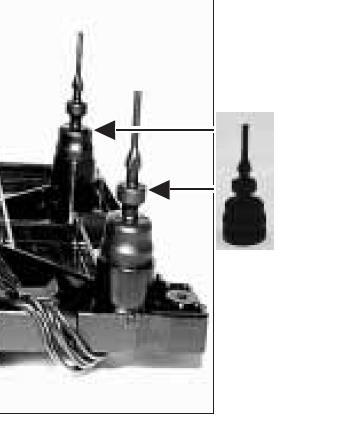
To add to the above, from reading the service manual I have realised that the plastic dust cover should be held in place by the rubber CD suspension mounts. These should pull up through the holes in the dust cover on assembly, and hold the complete unit together:

My BS1’s suspension mounts have clearly been cut too low during a bodged repair, and the dust cover secured with glue. I will have to find an alternative way to secure it when I get to that stage!
Location: Warwickshire, UK
My B&O Icons:
Adding to this earlier thread, I have just bought a third 😀 BeoSound 1 advertised with a faulty CD player. It’s silver, whereas my other two are Blue and Red, so it’s totally different!
Anyway, this new one is SW version 2.5 which means that it is a later model and has the built-in clock and wake-up alarm function. I hope to fix the CD player, but figured that as an alternative I could take the CD module from one of my other two players and have a fully working Sw2.5 model.
It arrived late last week and included the PIN code (now changed). It’s in pretty good condition and worked well apart from the CD – this would just attempt to play, spin briefly and then eject. I tried all the CD test modes to see if that freed up the CD mechanism, but to no avail. Time to dismantle, making full use of the Service Manual.
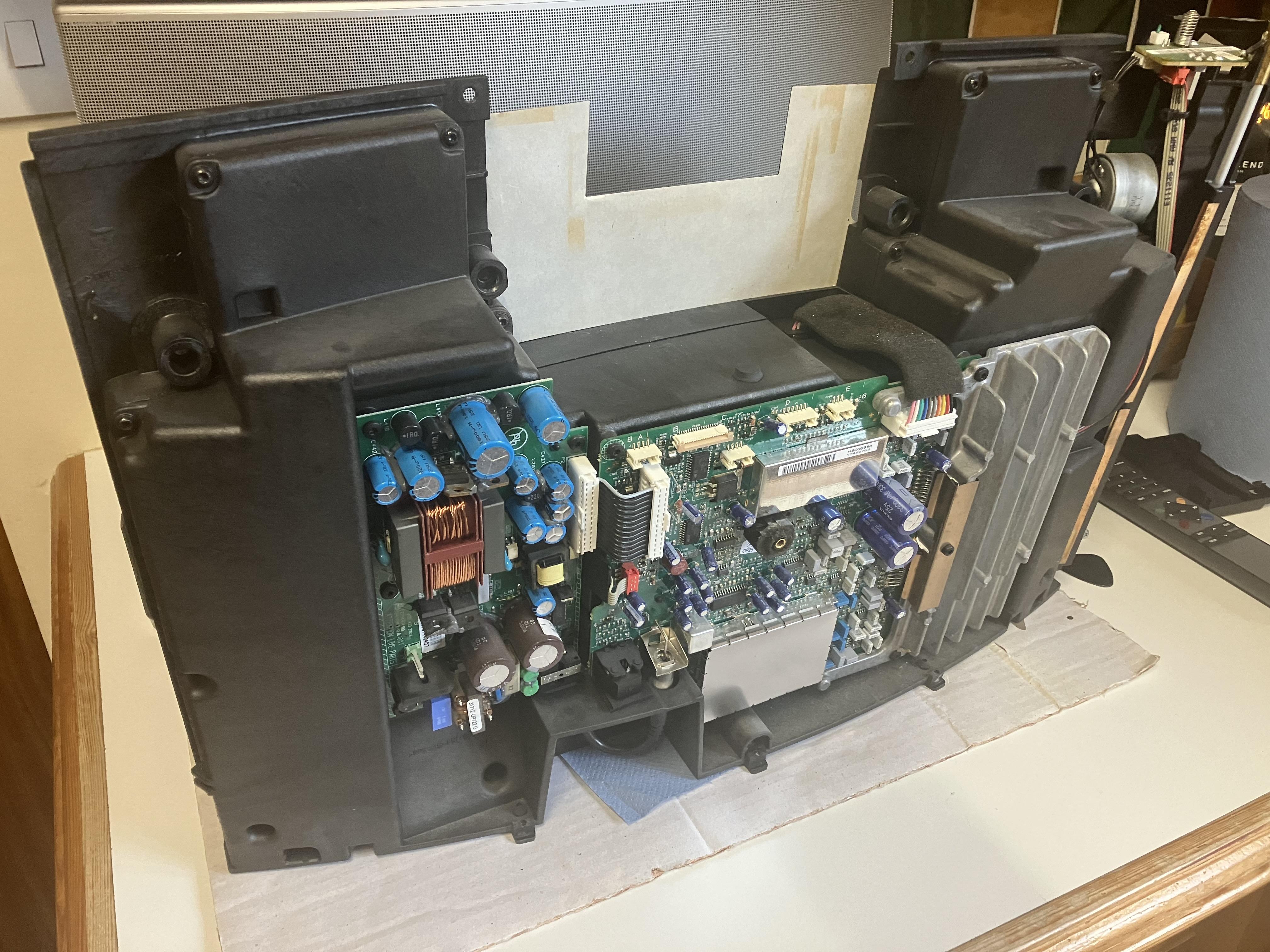
CD unit removed – the hardest part was actually removing the little cover for the LED display – I realised that there are two little clips that can be released from the back when the CD is fully open:

(Incidentally whilst open I thought I’d have a look for a backup battery so I opened up the silver cover at the base of the main PCB – no battery visible – perhaps it doesn’t have one?)
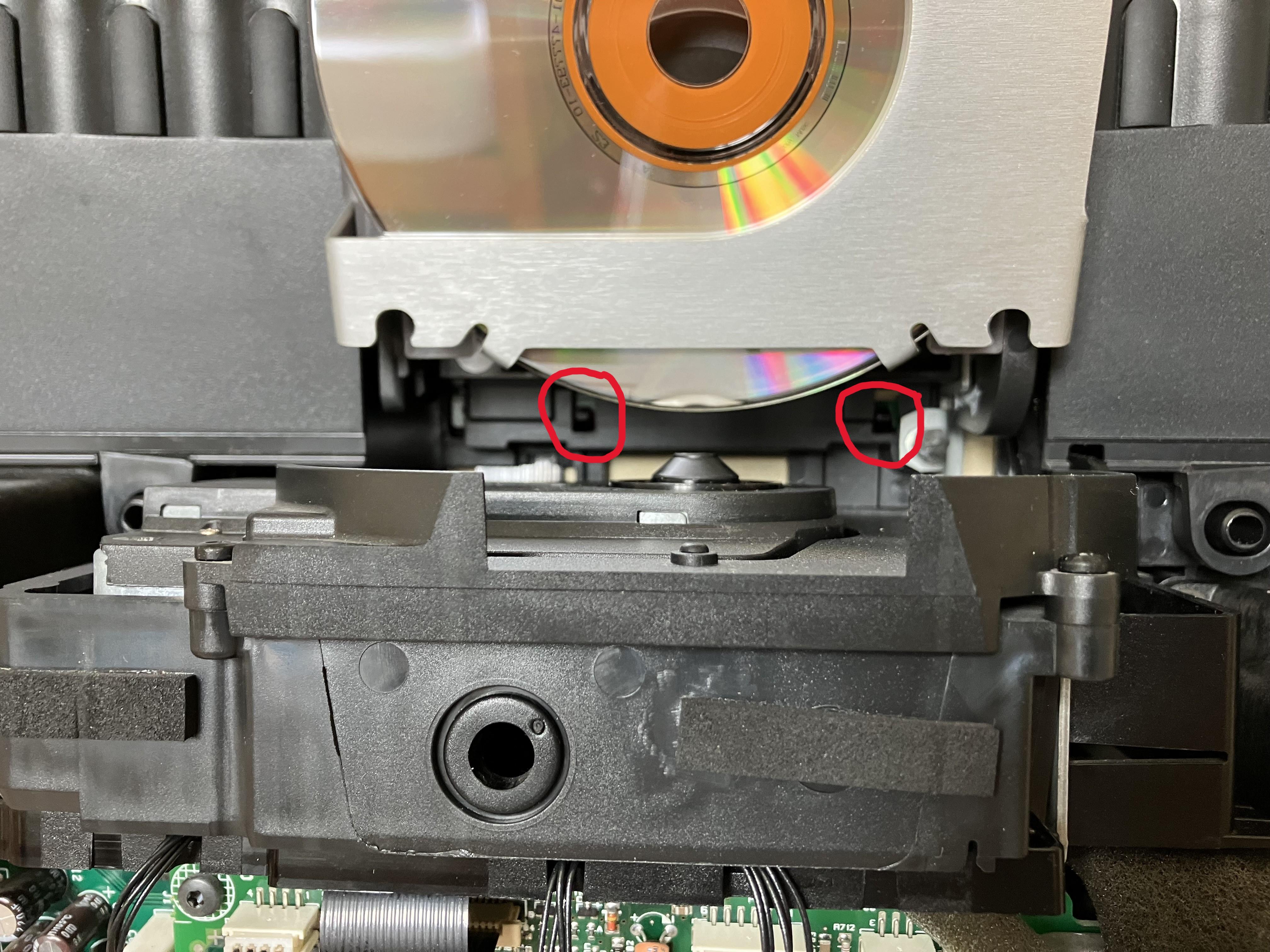
LATE EDIT: Whilst re-assembling I took a photo to show those two little clips that will release the little front panel – circled in red in the photo below. They just need pushing down slightly with a flat bladed screwdriver, and then the front panel rotates outward from the bottom and unclips:

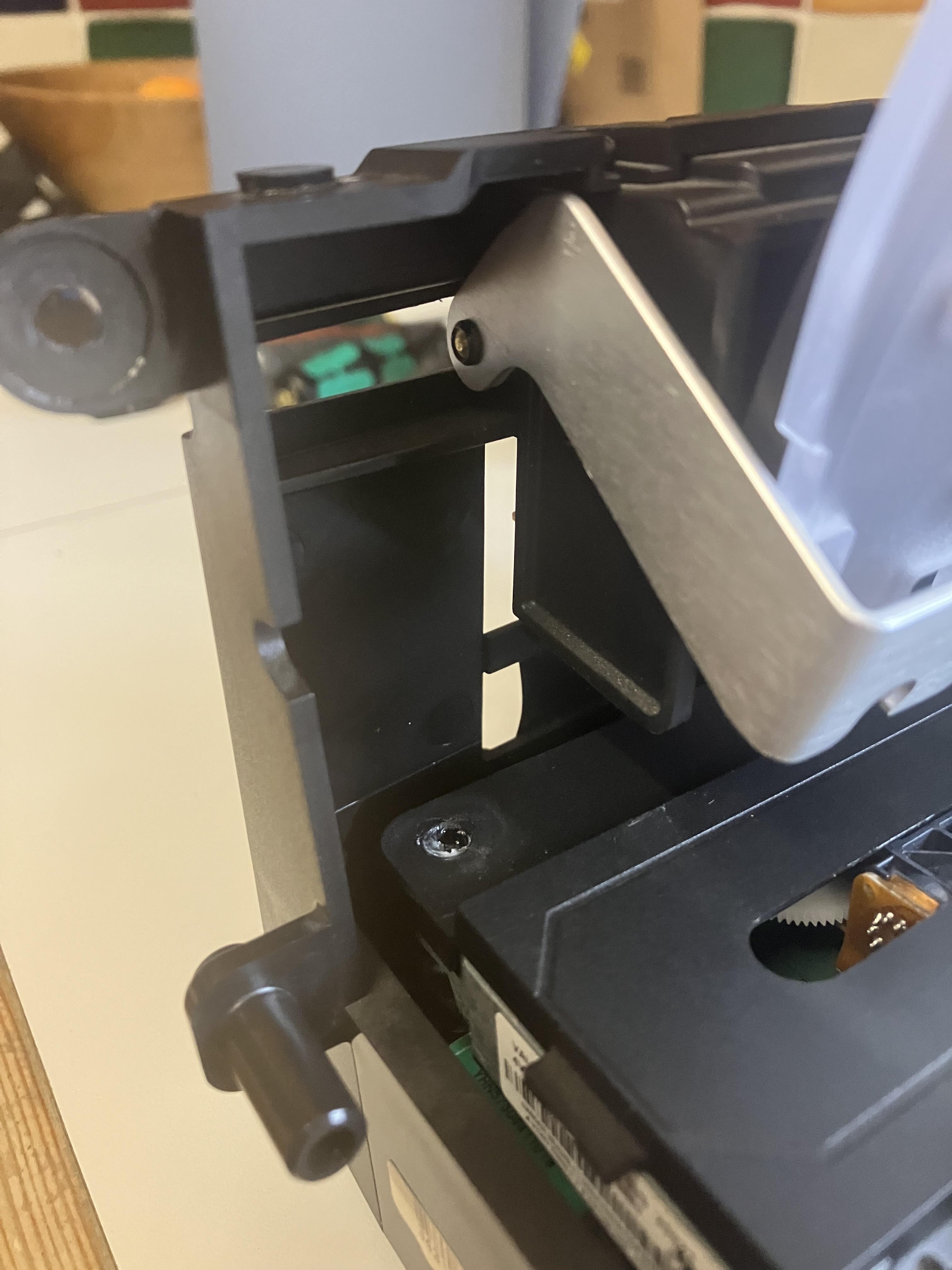
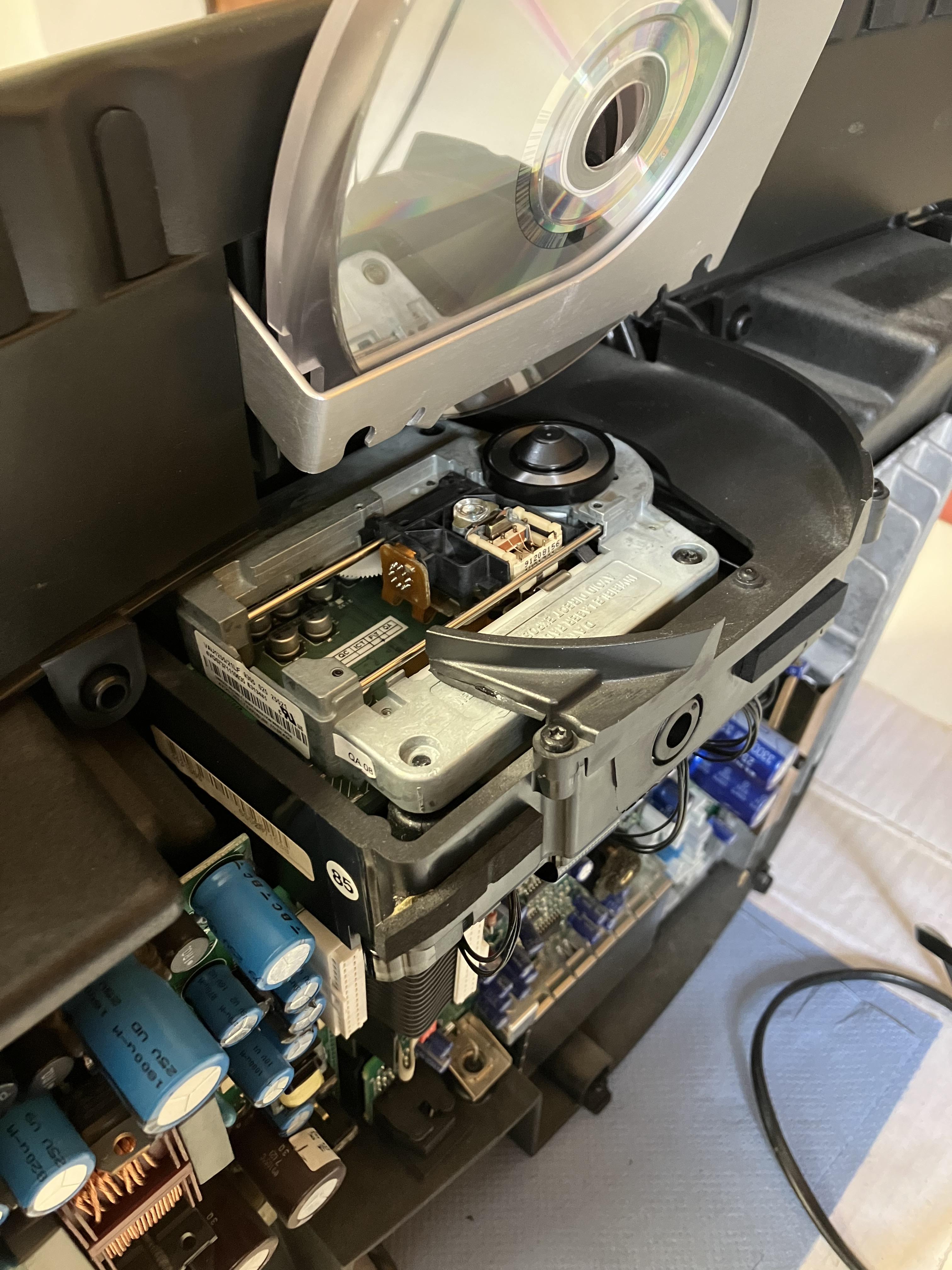
I found two immediate faults with the CD mechanism: Firstly the left hand pivot of the aluminium CD lowering arm had come unclipped from its pivot. This was easy to move back into place – there is no sign of any missing circlip or whatever so I suppose someone simply dislodged it when trying to fix the CD. Secondly, the plastic dust cover that sits on top of the laser mechanism was sitting slightly proud of the metal below, such that CDs where rubbing against it as they turned. You can just see some residual glue that has oozed out from the circular recess – I assume that this was not original B&O hence seems to indicate that someone has attempted to fix in the past.

I wondered if the CD rubbing on the plastic had slowed it down and prevented playing, hence removed the plastic dust cover (finding more excessive glue underneath) and re-assembled to test again:

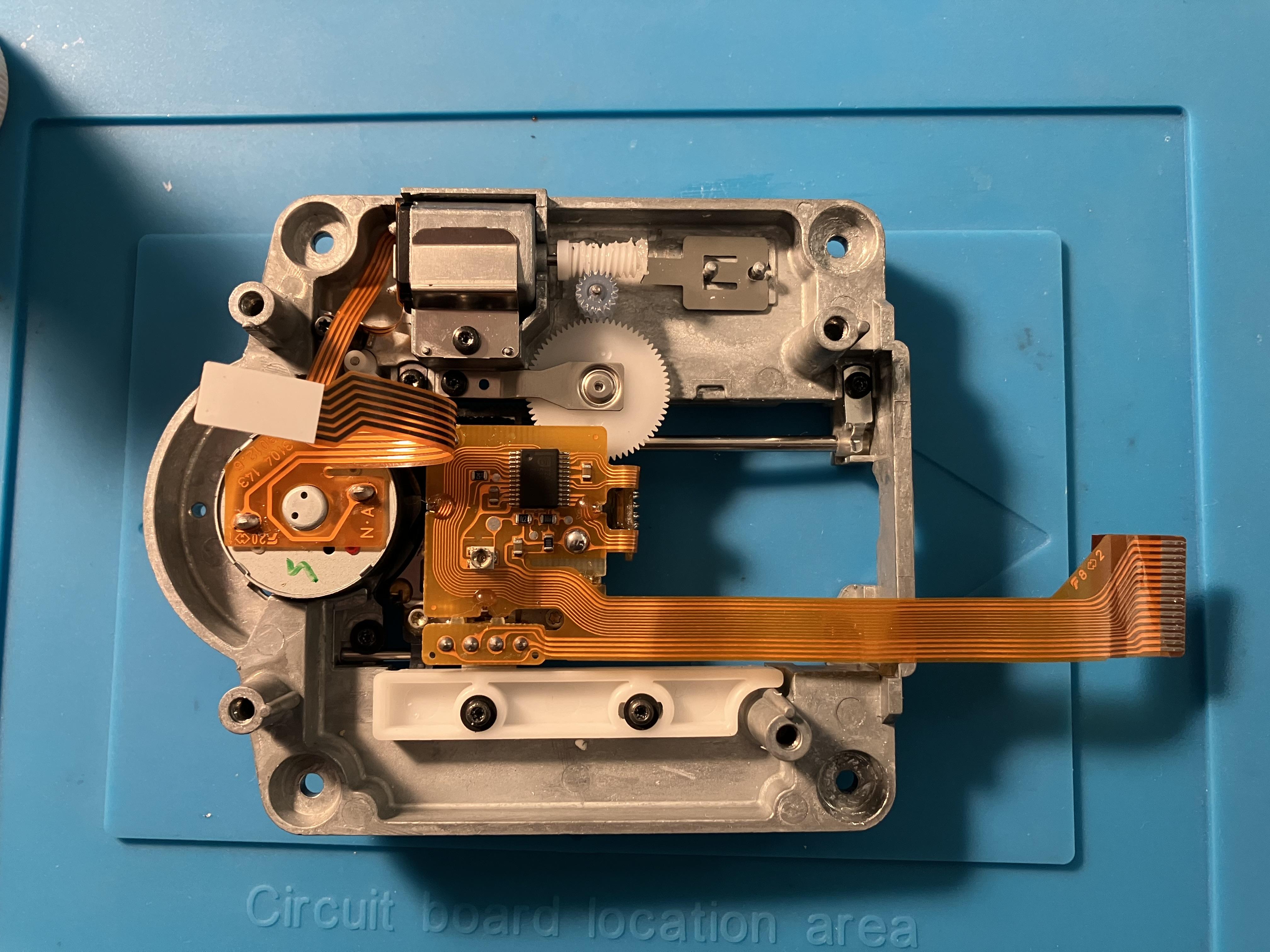
It still didn’t work, so I have now stripped down the complete CD mechanism. I had hoped that the laser (posssibly working) removed from my BC2300 could be used as a replacement, or potentially I could attempt another capacitor replacement. However, the CD module is actually a VAU1255/21LF (CD Pro2 LF) and as such the laser is incompatible and there are far more capacitors to replace if I want to go down that route, which I don’t!
Here’s the laser – sadly the one sold by Beoparts (now: Danish Sound Parts) in incompatible:

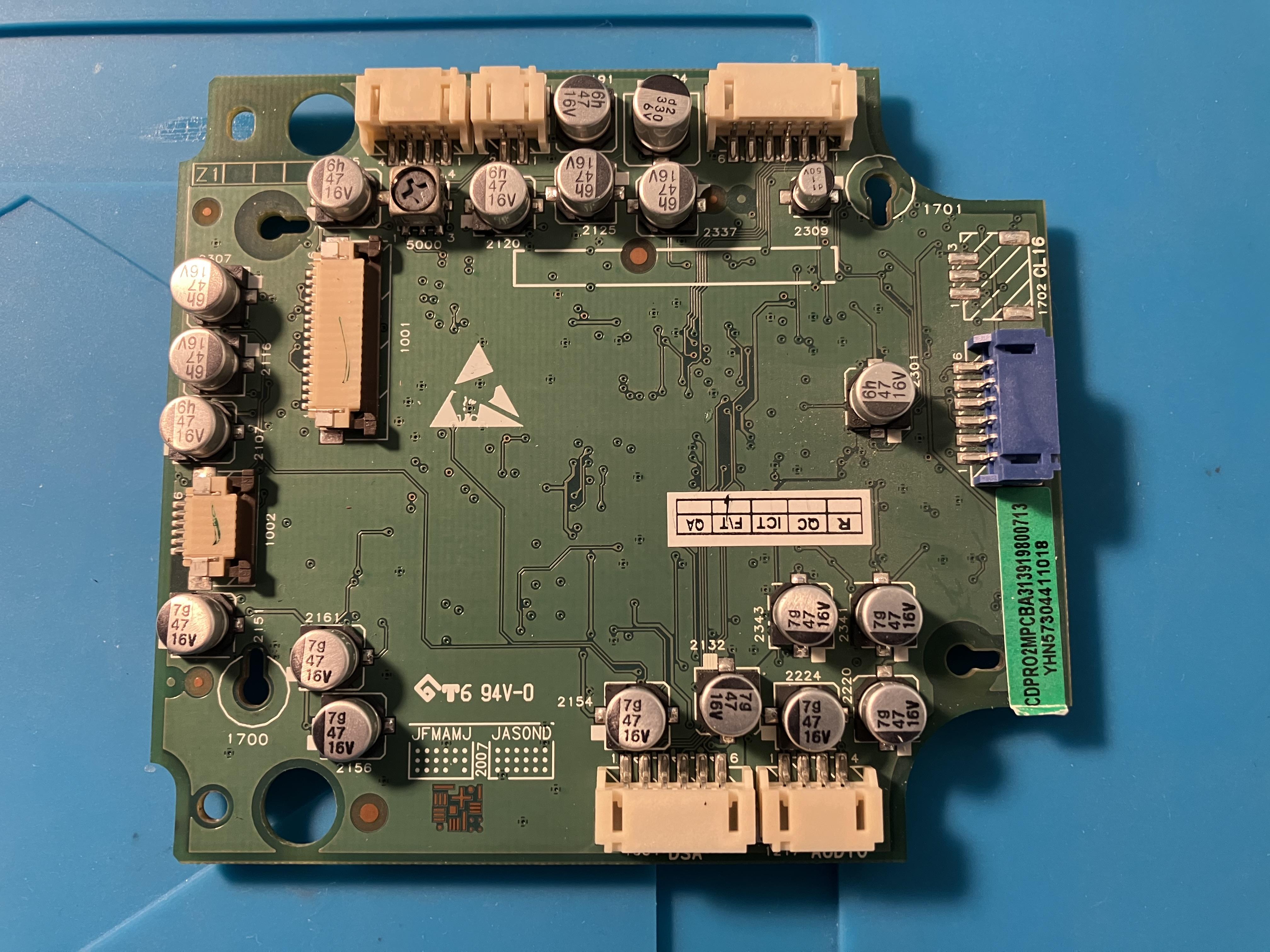
And the PCB (for comparison, the CD board in the BC2300 only had six capacitors, hence much less daunting)
To be honest, there’s a bit less space between the PCB and the rest of the laser mechanism on this VAU1255, so I would struggle to squeeze regular (rather than SMD) capacitors into the gap. Also, based upon a limited internet search I think it may well be the laser rather than the capacitors that tends to fail first in the BeoSound 1 – but I may be wrong!
So my plan is to find a replacement laser – probably from Amazon like the originator of this thread. If anyone knows of a reliable UK supplier I’d love to know!
To be continued …
Location: Warwickshire, UK
My B&O Icons:
Here’s a useful ‘Lexicon’ of the extra Beo4 buttons – for example you may want to make use of A-N.MUS when you connect you TV (i.e to listen to A.TAPE2 through your TV speakers).
Location: Warwickshire, UK
My B&O Icons:
15 June 2024 at 12:55 in reply to: Beogram CD 50 – How to Select Proper Setting For ‘Master Voltage Switch’? #56513Great work – I would stick with Beoparts to make sure that you get a belt that works!
Have you seen this site? It may be useful: https://beolover.blogspot.com/2021/06/beogram-cd50-typical-restoration-steps.html
Location: Warwickshire, UK
My B&O Icons:
Nice work Guy, I have a few of these waiting for a winter project.
Many thanks. I have just ordered a new battery, and I may drop AVA Services an email to see if they stock any Beocom 2 spares – it would be good to get the proper track/point joystick if it’s still stocked. I will report back here if they have it.
Location: Warwickshire, UK
My B&O Icons:
14 June 2024 at 19:53 in reply to: Beogram CD 50 – How to Select Proper Setting For ‘Master Voltage Switch’? #56497Your image didn’t upload – try saving it as a jpg first.
(And welcome to the Forum!)
Location: Warwickshire, UK
My B&O Icons:
I have sent you a PM with the instructions that I had – please make sure that you give Beoparts the business otherwise I will get in trouble! 😀
(other tape belt suppliers are usually inferior products and they probably don’t include instructions, hence I haven’t shared more widely!)
Location: Warwickshire, UK
My B&O Icons:
-
AuthorPosts