
Forum Replies Created
-
AuthorPosts
-
 tom.peggSILVER Member
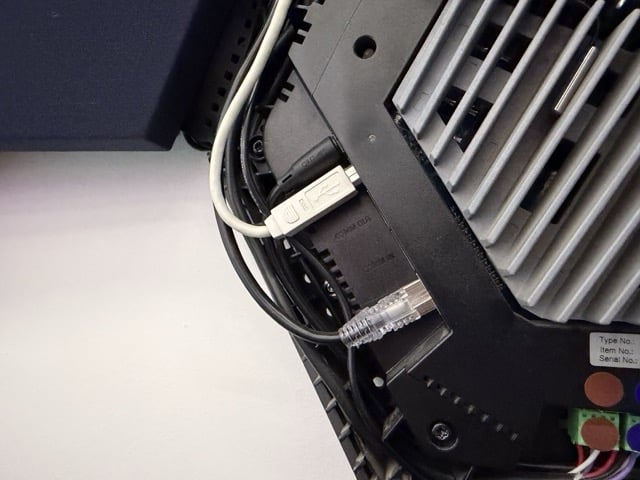
The amplifier tile of the Shape has a Powerlink connection

My B&O Icons:
tom.peggSILVER MemberFrom the Theatre manual:
There are different ways to connect external speakers to your Beosound Theatre:
1. Use wired Powerlink (PL) to physically connect your external Bang & Olufsen speakers through the PL1-PL4 connections in the back connection well of your Beosound Theatre.
You can then use your Bang & Olufsen app to select the type of speakers you would like to connect and add them to your Beosound Theatre.
When I connected mine, I had settings on the TV to assign the Shape speakers as L/R and which type of speaker. I was advised to set them as “Beolab 17”. I don’t have a Theatre, but would imagine the app will ask you how you’d like to assign them and placement. There were no settings needed for the Shape.
Attachments:
You must be logged in to view attached files.My B&O Icons:
tom.peggSILVER MemberThis is how I have my Horizon setup, with the Shape as part of the surround setup. I was sent the attached document which explains the behaviour of the Shape when connected and used as a Powerlink speaker.
In your case I’d imagine its as easy to use a Powerlink cable between the Theatre and Shape Amplifier
Attachments:
You must be logged in to view attached files.My B&O Icons:
13 October 2026 at 09:53 in reply to: Send Beo4 commands from Home Assistant through an IR proxy #125870tom.peggSILVER MemberGreat, I’ll get the thingy and have an experiment!
That was my thought, to have HA use its beoplay integration to control the Horizon. A very round about way of adding IR to the Horizon, but it’ll make him happy to have his gimmick Magicians Wand turn it on!
My B&O Icons:
11 October 2026 at 10:02 in reply to: Send Beo4 commands from Home Assistant through an IR proxy #125837tom.peggSILVER MemberWhat an interesting and perhaps (for me) timely post
My husband recently got a ‘toy’ Magicians Wand which you can programme with IR commands to turn on TV, etc… Only to be disappointed when I told him it wouldn’t work with our Horizon!
We already have HA running with some of the mentioned beo additions. We’ve also a BLGW and BLI, so perhaps there’s a way of using HA to receive IR commands to then send as NL to turn on the Horizon, etc?
My B&O Icons:
tom.peggSILVER MemberThe v1 can do the decoding, so I don’t think the Almando is necessary or helpful as the speakers still don’t have Powerlink inputs.
Option 1 I is the simplest, and whilst potentially not ideal, you could use a power link to line-in cable on any of those Beosound speakers you have. I think that’s the only/easiest input into them from the V1?
As usual, I’m sure Steve @ Sounds Heavenly would be able to advise and make up the cables you’d need.
My B&O Icons:
24 August 2026 at 18:32 in reply to: Beolab 8000 grille cloth replacement (Norah Batty’s tights?) #125201tom.peggSILVER Membertom.peggSILVER MemberWhat a wonderful project and reuse of the BeoSound 5!
I wondered if its possible to also start music streams from ASE products like a Core or Essence? I think I understand this currently does similar, but to the Sonos/BluOS devices currently?
My B&O Icons:
9 June 2026 at 15:06 in reply to: BeoVision Horizon 40 Google Update / Play Store / Chromecast Update #123973tom.peggSILVER MemberDid you have any luck updating these to later versions?
My B&O Icons:
tom.peggSILVER MemberJust a quick update on this in case this helps others in the future, its fixed!
Several of the capacitors on the internal PSU in the Amplifier Tile were failing, photos attached showing the ‘pregnant’ capacitors. I friendly local TV/electronics repair guy replaced the capacitors and all is well again! I guess like most modern electronics, there is a need for stable and clean voltages which the PSU was no longer able to give consistently.
Internally the PSU (green board) is seperate from the amp/DSP boards (blue boards) so it was easy to take out to send for repair, there are just a few cables to disconnect. Photos attached, again to help anyone else with similar issues.
Tom
My B&O Icons:
-
AuthorPosts