Forum Replies Created
-
AuthorPosts
-
 MadskpGOLD Member
n my configuration, Aux-In directly into the BLC NL/ML automatically turns on the PL speakers and sound starts playing from standby. Also, if a CD was already playing on BS3000, the CD stops spinning and the BS3000 goes into stby, or if an AAC file was playing on BS5, it goes into stby. If my A6 was already joined into the BLC NL/ML soundstream, when sound starts playing on the PL speakers, it also plays on the A6. But if the A6 was on stby, one must manually join it via the B&O app.
Thanks for that thorough explanation of how this function works. I could see the benefit of that as it would probably be used in a combination with an existing Sonos system were it would be great if it could be sued without interaction with two apps, and it sound like that should be possible.
Let me know if any additional questions.
I don’t know if you can answer this as it doesn’t seem like there is a Beovision in your setup. But I wonder if it is possible to use a NL Beovision (in my case a Beoplay V1) joined/integrated permanently with the BLC so the sound is coming out of the TV setups speakers?
Thanks in advance
Location: Denmark
MadskpGOLD MemberHello again. I don’t have much experience with the different B&O active speakers, but most of them should work with your TV. Im sure some other members here can give you some advice regarding that, but you might want to create a new topic with that as a question to get the right people to answer
Location: Denmark
MadskpGOLD MemberSounds like this is actually beginning to be a usefull setup. I havent tried the LP software since I got a BL3500, but I might give it a go again with that just to see If I have better results than I had when connected to the BC6.
I will repport back
Location: Denmark
MadskpGOLD MemberHello and welcome to Beoworld
A very great system you got there. I had one myself for several years and was very satisfied with it.
As for remote a BEO4 will also work. There are many different versions of this remote, but I think the only ones you should avoid are the hotel versions that are limited. You will know them by the lack of print on some of the keys.
Location: Denmark
MadskpGOLD MemberGreat to hear 🙂
One question about the Google Home App and the V1, what can you do from the Google Home APP? Can you control some functions on the TV?
Location: Denmark
MadskpGOLD MemberThat should work fine. The powerlink connectors do have both left and right speaker channels in both connectors, as well as a 5V trigger signal and data signals for display, for the Beolab Active speakers. But with an adapter to RCA with just te sound signals you should be just fine
Location: Denmark
MadskpGOLD MemberA quick thought maybe try to change the IP settings to manual, and apply and afterwards change back to automatic. Other than that it a reset to factory setting is also something to try, but you will loose all other settings
Location: Denmark
MadskpGOLD MemberThat’s a shame the timer didn’t work. The Almando Masterplay is connected via masterlink though, could this Reddit chap be putting the voltage onto the masterlink pins rather than the DIN? Rob.
No, according to the picture Matador got from him in this thread https://forum.beoworld.org/forums/topic/beolab-3500-and-1611-converter-settings/page/10/#post-14503 it’s clearly the MCL connector he is using. That said it might be possible that the ML connector could be used for activating somehow
Location: Denmark
MadskpGOLD MemberCongrats to the winners ??
Location: Denmark
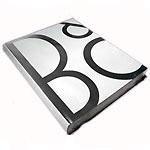
MadskpGOLD Member10th Prize – an B&O Official Spark to Icon Book First out of the (rather heavy) bag this Spring sees a return to massage therapy for your poor postman and his aching back. Yes, it’s the literary leviathan that goes by the name of “Spark to Icon”. An official Bang & Olufsen publication charting the creation and rise of Bang & Olufsen from the Eliminator through to BeoLab 5 taking you on a multi-page journey through the history of the company we all know and love. A great read, and now something of a collectors piece. All yours if you win our 10th Prize… Mr H. Sørensen (square4) from Fredensborg, Denmark Jolly well done to you – and Happy Reading!

A great read indeed. Have it myself in the Danish version
Location: Denmark
MadskpGOLD MemberParticipants are awaiting in exitment ?
Location: Denmark
MadskpGOLD MemberSounds like the physical network connection is lost. Have you tried connecting something else, like a laptop to the network connector used for the TV just to rule out if its the TV or the network connection.
regarding Google Home, have you been able to see it there before? My V1 cannot be found by the google Home App.
Location: Denmark
MadskpGOLD MemberThanks for all the input, its really great and usefull info.
unfortnuatly the seller that I have been in touch with thinks its way to difficult to find the version info which I fully understand if he has no knowledge of IP adresses and network.So I think Ill wait for another on to come for sale
Thanks again for all the info
Location: Denmark
MadskpGOLD MemberAll on my 3 BLC are on the same and latest software version which is: Version : 1.4.3.19864 Date : Dec 11 2015 I would assume that all boxes for sale would be on the same version and if not, I would recon that it would download the latest and update the box. At least I’m not getting any errors when I ask the units to check for software update; just get that I have the latest version already.
thanks for info. It could be great if it could be verified if a not up to date BLC actually gets updated. Looking at a cheap unit right now but the seller has never used it him self but got it in a LOT of other things, so has no idea of software version
Location: Denmark
MadskpGOLD MemberHi Madskp, look here, please, that thread will help you: Beolink ML/NL version number? 1.4, 1.3 Kind regards, Rolf
Thanks a lot, great info, might have overlooked that thread while searching for it.
Does the AUX input have audiosense for automatic playback when a source is playing?
Yes.
The manual states that this function is for the powerlink connectors, but has the software been updated since the manual was written so it also works for audio distributed to ML and NL?
Location: Denmark
MadskpGOLD MemberOk so software is an important issue. What is the latest software version for the BLC?
Location: Denmark
MadskpGOLD MemberDid a test with the BL3500. and the 1611 where I tried to inject 5V on pin 2 and 4 on the powerlink connector on the 1611 while the BL3500 was set to timer. No reaction regardless of option settings, but I noticed some lock up’s of the BL3500 once in a while where I had to power cycle the system. I thin Guy also experienced that in the 1611 converter thread.
Location: Denmark
MadskpGOLD MemberFollowing with interest still! It’s a shame that Timer selection didn’t make any difference as there was a glimmer of hope there!
Yes I was just beginning to see something that might be what we were looking for in the first place. I thin I will try to test with the 1611 and the Powerlink connector on that again in combination with the timer thing the newt time I have time to do a test
Location: Denmark
MadskpGOLD MemberHi again Madskp I have also had the thought, that the BL3500 in my absence has been connected to a BEO-Amp via a masterlink cable, and that the BL3500 somehow has been disconnected to the remote control, so that the BL3500 does not respond to any command via the Beolink 1000? Could that be the reason to the fact that I can’t deactivate the speaker to be an inactive speaker with the command MENU, 0,4,PLAY to the state “MCL SEL” ore any other command MENU 00-01-02-03-06 ore -09, PLAY ?? Have a Nice day / Peter
Hello again. I have a hard time imagining that the remote function should disappear because it was disconnected from another Masterlink product. You should always be able to do the basic functions like changing the options settings on a working unit.
Location: Denmark
MadskpGOLD MemberNew test. In this thread https://forum.beoworld.org/forums/topic/beolab-3500-and-1611-converter-settings/page/18/#post-18025 user ebnrob mentioned that the manual for Almando Masterplay box (for use with the BL3500 via Masterlink) requires the timer function on the BL3500 to be activated for the Almando Masterplay to activate the BL3500.
That made me think that it might be the missing link in activating the BL3500 with a 5V trigger signal. Also it makes sense as this is the only use case in a normal B&O MCL/ML system I can see where the master system activates the link room.
With ML turned off (Menu+0+9+GO) I tried activating the timer, and injected 5V on Pin 6 (data) and 7 (data ground), but without no luck. No response at all.
Also tried injecting the 5 V on pin 1 and 7 as this was previously mentioned by the Reddit user who has this working. But again no response at all.
Will try to think further about this and also think if there is a way to replicate it via Masterlink.
Location: Denmark
-
AuthorPosts