Forum Replies Created
-
AuthorPosts
-
 MadskpGOLD Member
However, selecting either V.TAPE (A.MEM) or DVD2* would start the DVD1 playing Track 1, but further control (numbers, arrows or STOP/PAUSE) was impossible. A long press of the power button was still required to turned the DVD1 off.
Interesting that it would react to V.Tape commands, but not to DVD, but might be an anomily because it’s another link protocol than its made for.
So, I seem to have demonstrated limited direct use of AAL data, albeit not very useful!
Agree, no great usecase there for now
I will do further DVD1 experiments with MCL2AV when I can extract it from the box pile.
The dreaded mountain of boxes … 🙂 Looking forward to the testing though
Location: Denmark
MadskpGOLD MemberI had done limited testing of DVD1 to BL1611 here: https://forum.beoworld.org/forums/topic/beolab-3500-and-1611-converter-settings/page/8/#post-14333 But I was trying to select using DVD command rather than CD, but in order to do the latter (and get sound) I would have to move the audio pins from 3&5 to 1&4. Of course I could just test control without audio.
Test without audio could be fine just to see if it does anything at all.
Seems like it didn’t respond to the DVD commands in the test you linked to. interesting to see if it could react to CD commands
Location: Denmark
MadskpGOLD Memberbut next time I have the MCL2AV equipment out I will try it connected to the CD socket and see what happens.
Great 🙂
It could be that the DVD1 only responds to AAL commands rather than Datalink commands?
Yes maybe, Could be interesting to see how it responds to either command when connected to the 1611 converter also
Location: Denmark
MadskpGOLD MemberDVD1: Note: Madskp has just reminded me that I tried the following back in Jan 2021 as reported here: https://archivedforum2.beoworld.org/forums/p/45162/326789.aspx#326789 I then tried connecting my DVD1 (with modified SCART to 7-pin DIN) to the AUX socket. Witht the MCL2AV in L.OPT 1.X, the DVD1 could be selected using AV DVD (or AV SHIFT SAT on BL1000) and full control was possible to skip through CD tracks. It did however need a long press on the remote Off button to ensure that the DVD player went to stand-by. (Note: SHIFT RADIO 4 did not open the AUX input or start the DVD1 – I hadn’t tried this before).
@Guy: Just a thought. When you tried testing with the DVD1 did you ever try if it would react to the CD command?
Location: Denmark
MadskpGOLD Memberalthough it would be more simple if the beolink passive had an input.
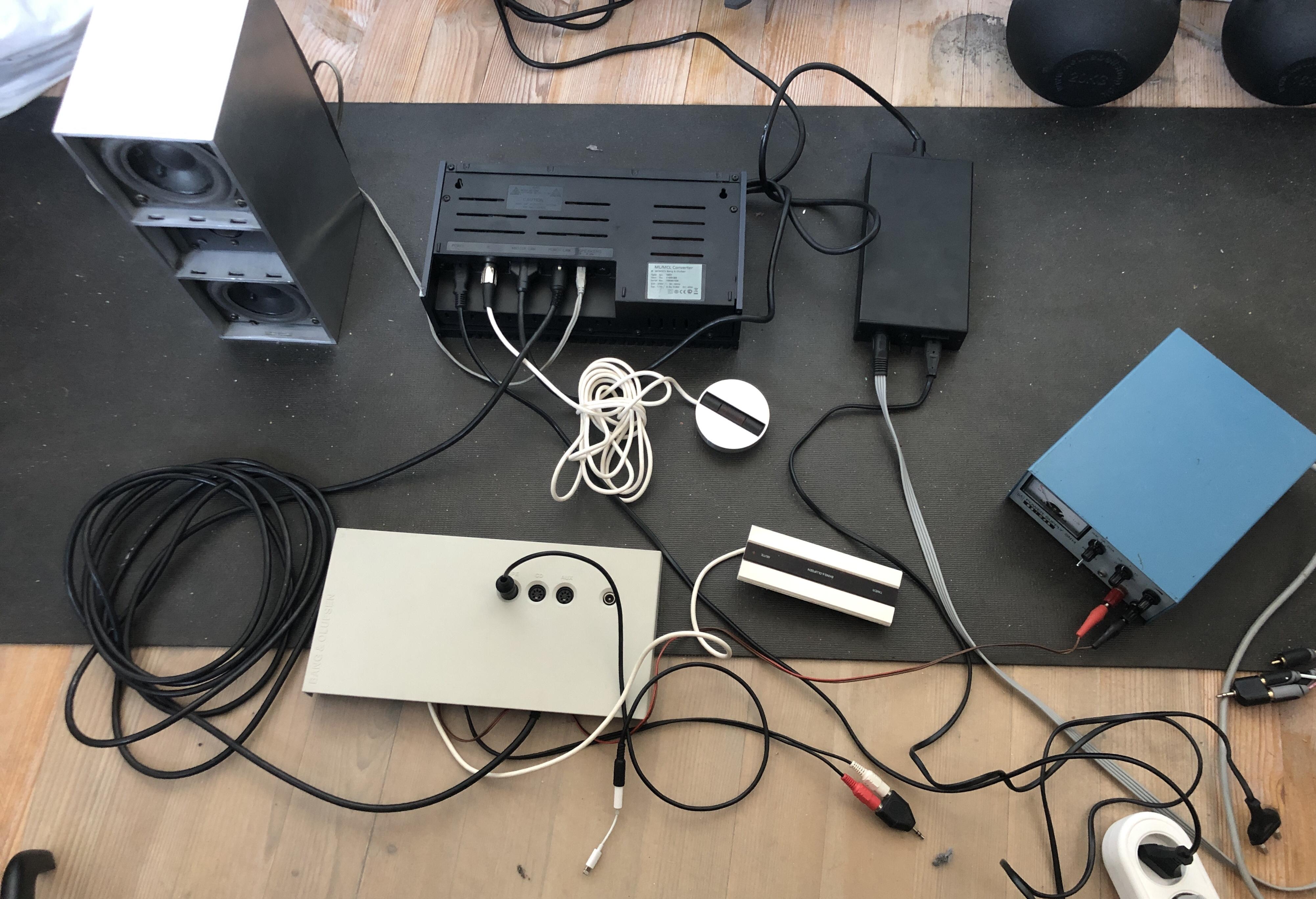
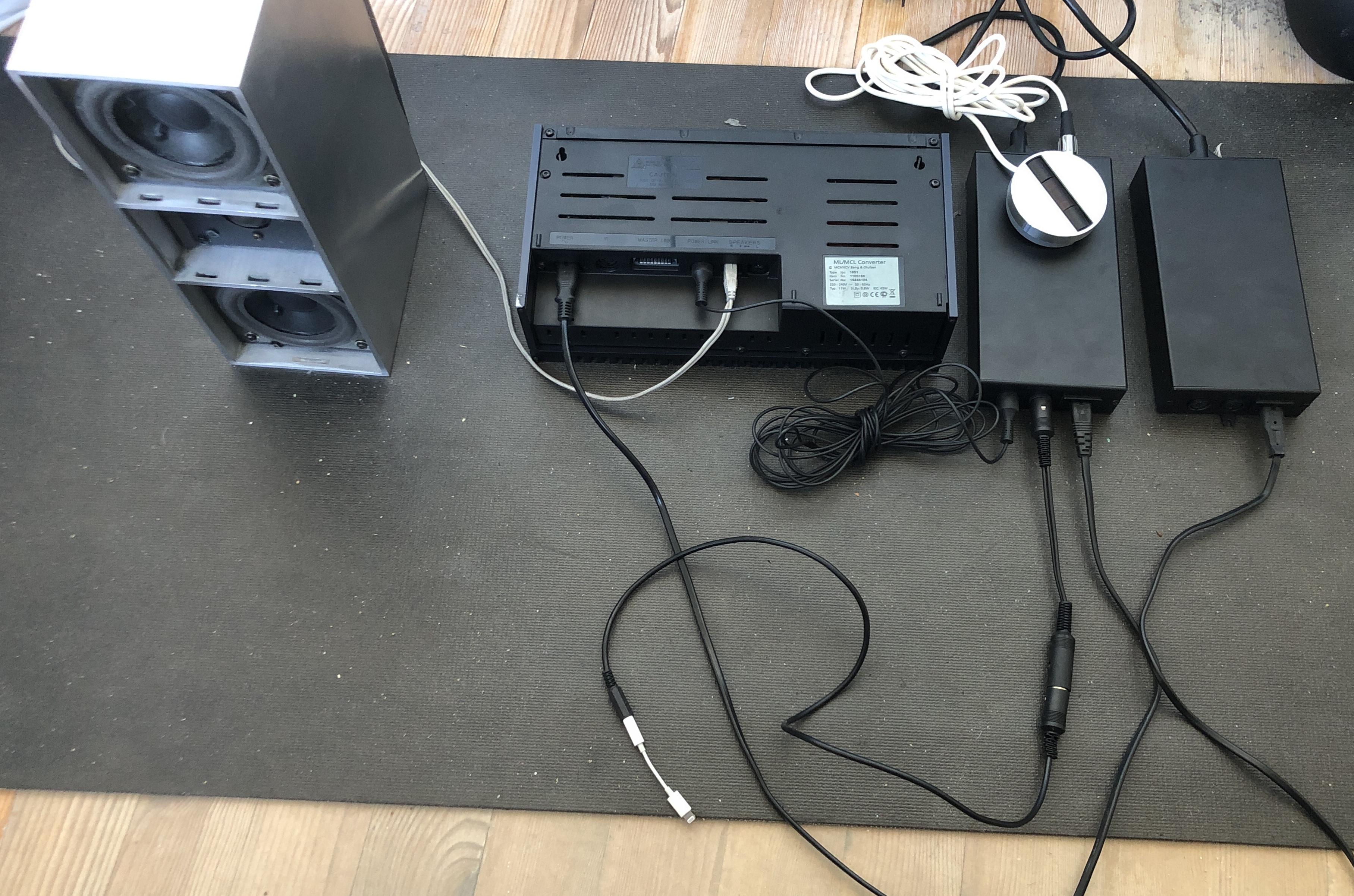
And that lead my to another thought. Can the powerlink input in the Beolink passive be used while it is connected to Masterlink. So I made this setup:
1611 converter as Audiomaster – ML – Beolink passive – speaker cable -Passive speaker
And connected the PL output of an MCL2AV to the PL input on the BL passive.

MCL2AV in option 1.5 with iphone as input on the tape connector.
No response from the BL passive when activating the MCL2AV. Disconnecting ML from the PL passive and then it works, but the IR eye seems to be disable apart from the red LED.
Location: Denmark
MadskpGOLD Member
@madskp. Any chance you could check whether the Active’s PL output will turn a connected Passive on/off? This could be useful if wanting a local ‘PC’ input in a room with passive speakers.Just did a test of this. Setup 1611 converter as Audiomaster – ML – Beolink Active – powerlink – Beolink Passive – speaker cable -Passive speaker

An adapter cable from the PC input of the BL active PC connector to a minijack conencted to my iphone as input. BL active in opt. 6.
Selecting PC on BEO4, and sound going through to the passive speaker.
Also tried with the inputs on the 1611 with the same result.
So yes this is a possible solution, although it would be more simple if the beolink passive had an input.
Location: Denmark
MadskpGOLD Member@madskp. Any chance you could check whether the Active’s PL output will turn a connected Passive on/off? This could be useful if wanting a local ‘PC’ input in a room with passive speakers.
yes, of course I can do a test on that. Will come back with the result
Location: Denmark
MadskpGOLD MemberThats rigtht 😉
Location: Denmark
MadskpGOLD MemberBtw I have a similar tester for network cables (RJ45 plugs) which with the right adapters would be able to provide the same functionality. Just as an idea for those that might need a tool like this but can’t get hold of it.
Location: Denmark
MadskpGOLD MemberAnyway, it worked fine as a sensor (light coming on with IR transmission), and the mute button worked. However, despite the Timer light going on/off, I could not get it to initiate when the BC9500 was programmed with a timer event. So it looks like the timer does not work with just the three wire connections in this setup.
OK, so now we know that the timer function is not enabled via the IR data, at least on the Beolink active. However on the MCL 2 the 2 extra wires are only connected to each other, so no connection to the microcomputer in the MCL 2 that talks with the master besides the IR data connection.
Must be a test for another time.
The mute function on the MCL sensor must be somehow part of the IR signals since it also working on the Beolink Active and Passive. Funny that they not implemented that in the ML sensors, but that could be a design choise as to not overcomplicate the controls on the IR sensos
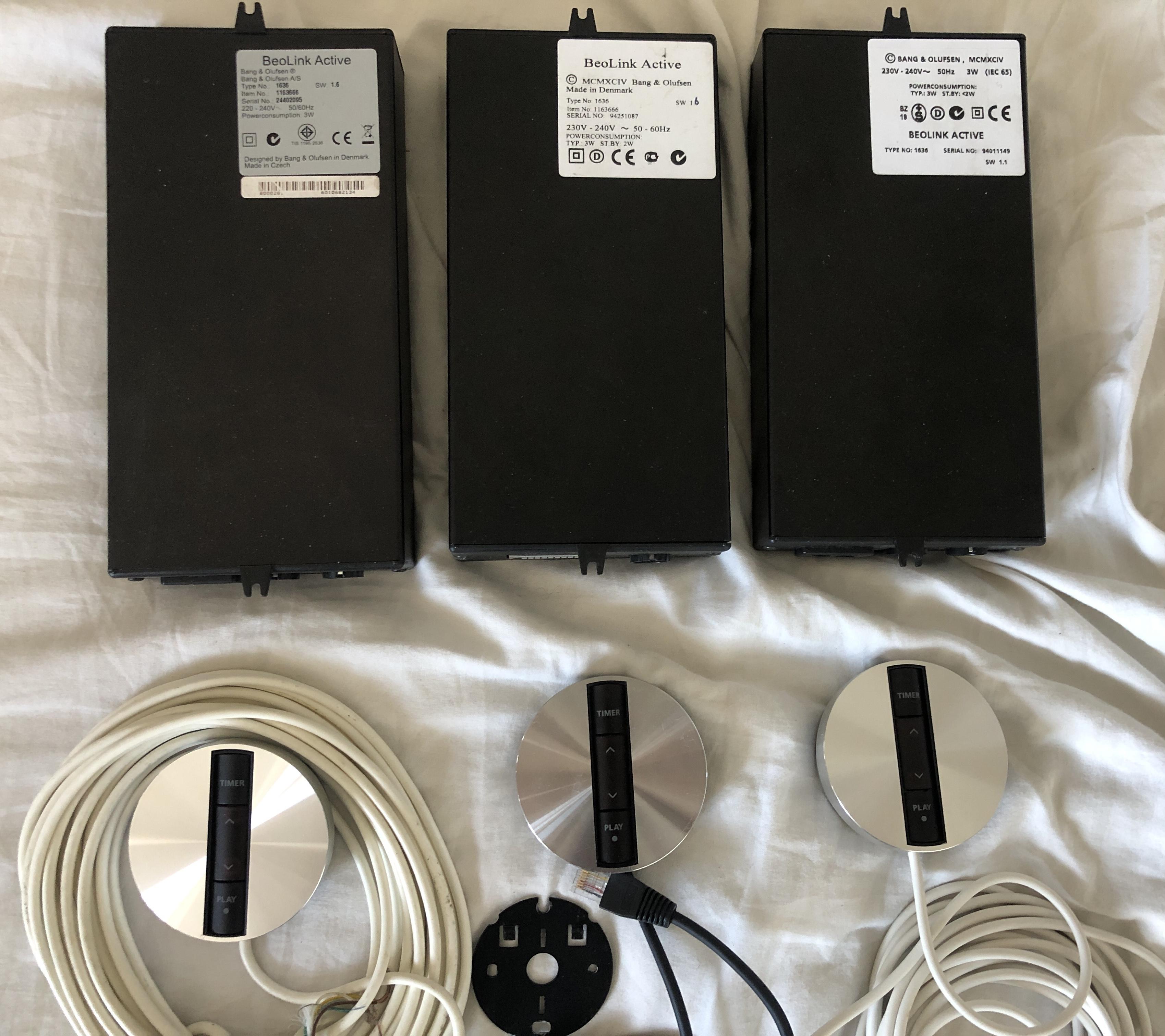
Madskp wrote: Apropos Beolink Active I just got a good deal on three of the including IR sensors and some ML cable and not related adapter cables.
A very useful acquisition and I look forward to more experiments including with the PC input!
Yes, I have already tested two of the for functionality including making an adapter for sound input on the PC connector. I would wish however that a servicemanual for the 1636 was available. But maybe it will be in the new library
Location: Denmark
MadskpGOLD MemberVery handy unit indeed. Have seen one advetised locally at one time for around 66€ which was to expensive for my taste though
Location: Denmark
MadskpGOLD MemberGreat testing of the different IR sensors. It makes sense that they are compatible over the different versions as the remote signals has been the same over time.
Apropos Beolink Active I just got a good deal on three of the including IR sensors and some ML cable and not related adapter cables.

Interestingly on of them seems to be updated to SW 1.6 as the 6 is handwritten on it.
The IR sensors are in very nice cosmetic condition. For some reason one of them is wired up with an RJ45 cable. Have to figure out what pinout is used.Location: Denmark
MadskpGOLD Memberand on the MCL2AV the yellow and the grey wire seems to be connected on the screw terminal (will have to double check that on the actual unit)
Just did check this. The terminals are connected when measureing with a multimeter. Can’t see the trace on the PCB though
Location: Denmark
MadskpGOLD MemberIn the process of soldering adapters to use the round IR eye with the BLC NL/ML (which works with ground, +5V and IR, but no the other wires) I came to think if the round IR eye could work with for example volume buttons if connected to a MCL2AV.
Tried that out this evening, and no. It works as an IR sensor with ground, +5V and IR, but no lights, and no button functions, so no cross comptability there either except for the IR functions.
Location: Denmark
MadskpGOLD MemberExcellent – control of a datalink device from NL without a datalink audiomaster! I am sure NL users who want remote control of a BeoGram turntable will be very interested.
Yes indeed. I’am also looking for a reasonable priced Beogram with datalink for myself.
I am looking forward to the new BLC thread. I did ask a few NL/ML converter questions here, so perhaps you’ll be able to provide new information once you investigate more: https://forum.beoworld.org/forums/topic/app-control-of-masterlink-products-using-beolink-converter-nl-ml/
I will defenetly look into the app control part and see what is possible.
Location: Denmark
MadskpGOLD MemberI just found that I still sort of have the sensor IR eye. It’s been lying in a box with other electronic stuff, so it’s a little scratchy:

And the inside is not what it used to be.
 The original PCB has been replaced by a USB hub, and an USB IR sensor (B&O compatible) and was used for a hidden mediacenter PC I had at one point connected to a LX 5500. The button on the side is for turning on the mediacenter PC.
As far as I remember the IR sensor software is only for windows, so when i replaced the mediacenter PC with a Mac mini it was not usefull anymore, and ended up in a box where it has been for the last 12-14 years.
I think I will keep it even though it will not be usefull for it’s original purpose anymore
Location: Denmark
MadskpGOLD MemberJust a quick update to this thread. I recently bought a NL/ML converter and today I had half an hour to play a little arround with it. So I set it up as ML source center, and made integration with my Beoplay V1 on the NL side, and connected the Beolink converter 1611, MCL2AV and my Beocord 3500 on the ML/datalink side:
Beoplay V1 – NL – BLC NL/ML – ML- BLC 1611 – datalink -MCL2AV – datalink – BC3500
I setup the Beoplay V1 to use A.MEM for the A. MEM on the BLC NL/ML, and what do you know. Full control of the BC3500 from my Beoplay V1 in another room.
There might be many detail I have overlooked in my short testing, but generally it seems to work through the whole chain.
I will of course make some more extensive experiments, but I will put that in a separate thread as it might be more focused about the settings in the BLC NL/ML
Location: Denmark
MadskpGOLD MemberGlad to help and great that this was an easy solution for you
Location: Denmark
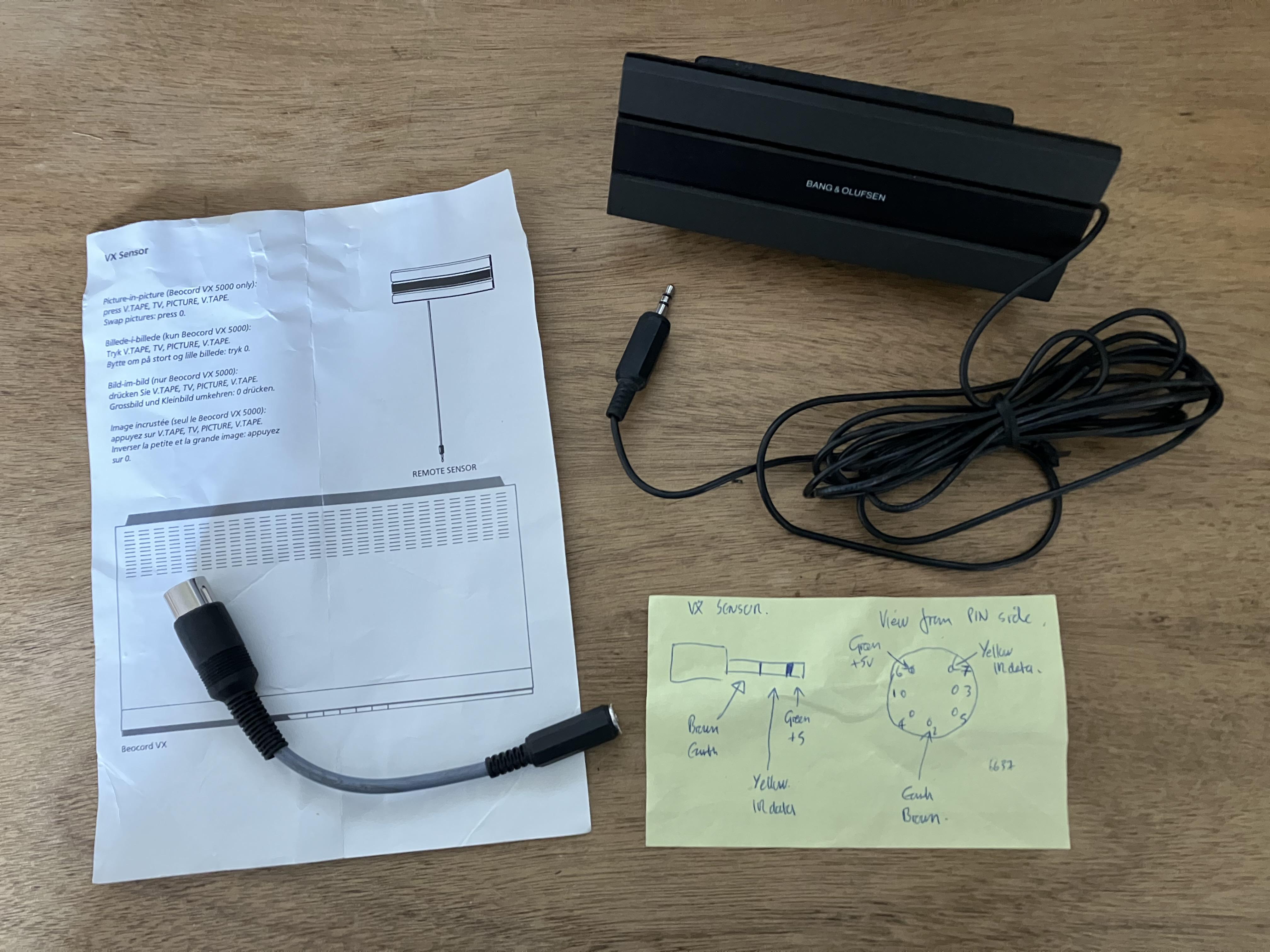
MadskpGOLD MemberI also found this in a box – the VX sensor that I had previously used with my Beoport (see earlier photo). It seems that I also kept the useful yellow Post-it from when I made the little adaptor. I think that the connections are even correct!

interesting that they kept the pinout on the minijack the same for the VX and BS3/Beoport sensor even though the wire coloring is different
Location: Denmark
MadskpGOLD MemberSo despite hurting my back yesterday mowing the lawn I have today commenced the great box search! After four hours of careful extraction, unwrapping and disappointment, I have uncovered the very last box and saw this red writing on the top: (I was organised after all!)
great that you found the part even if it was the last box. Hpefully it wasn’t all disapointment looking through the boxes? At least you find the two IR eyes we were taking about in the other thread.
Location: Denmark
-
AuthorPosts
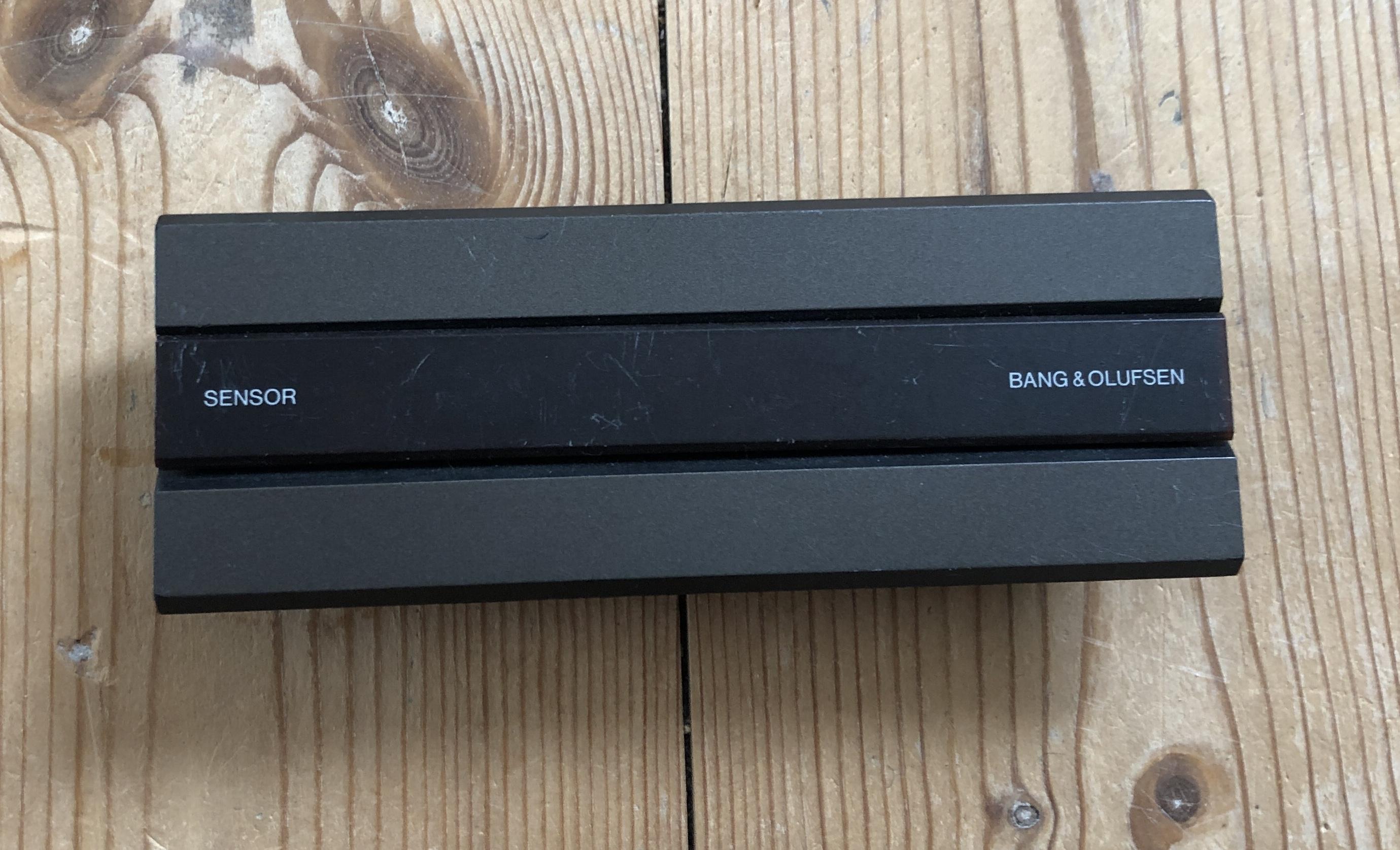
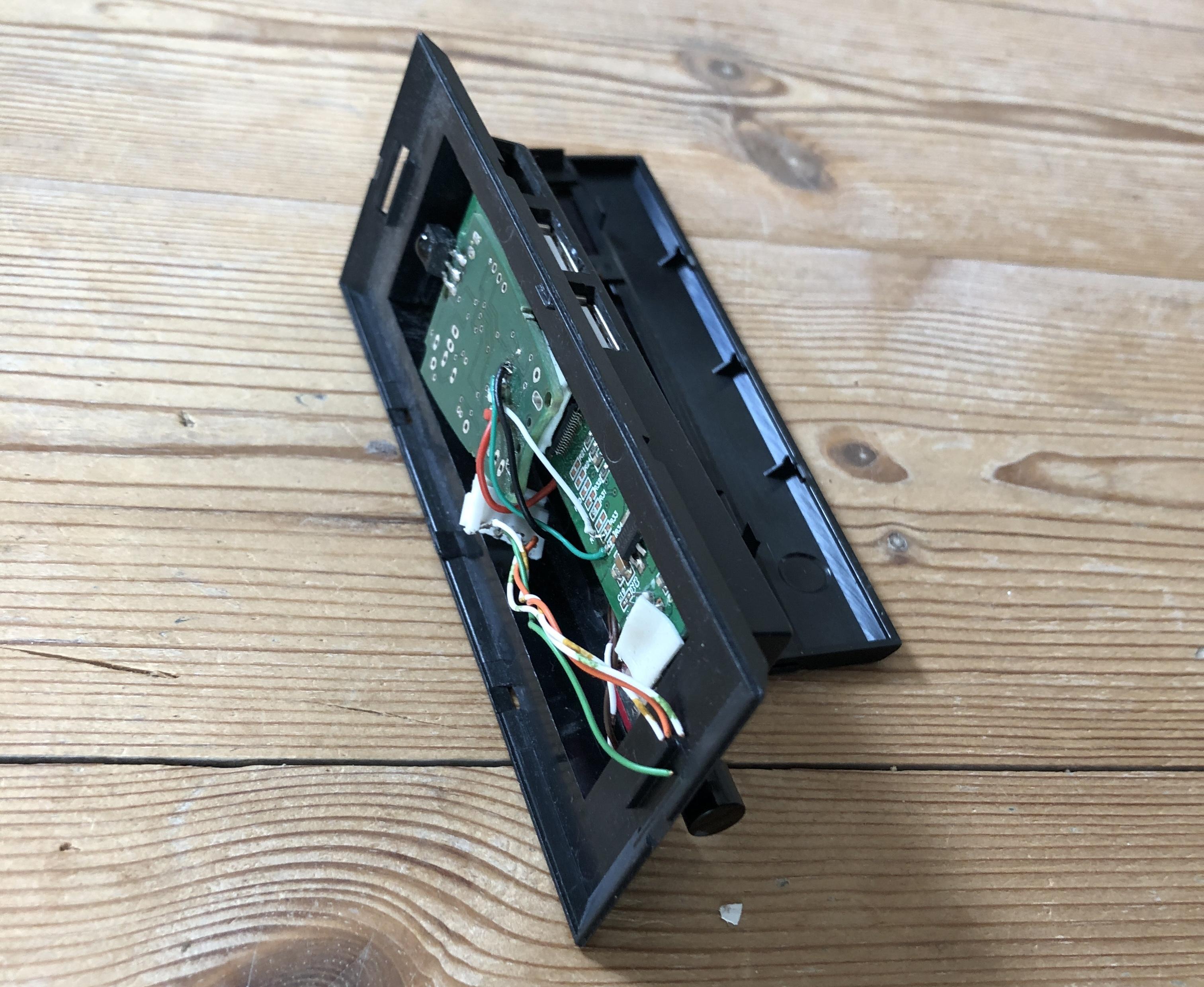 The original PCB has been replaced by a USB hub, and an USB IR sensor (B&O compatible) and was used for a hidden mediacenter PC I had at one point connected to a LX 5500. The button on the side is for turning on the mediacenter PC.