Forum Replies Created
-
AuthorPosts
-
 TKBRONZE Member
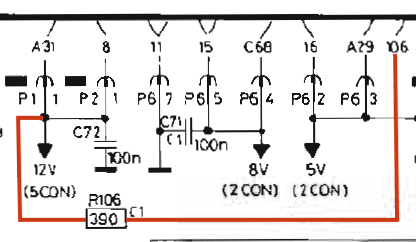
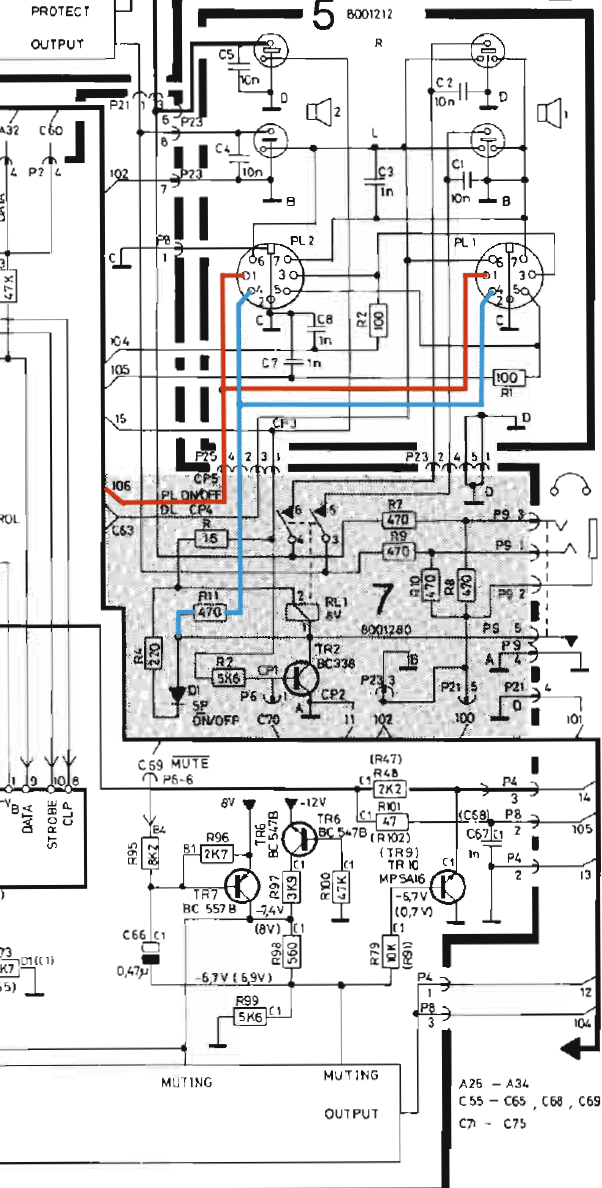
Just for kicks, I spent an hour today tracing some of the signals for Pin 1 (PL On/Off) and Pin 4 (Speaker Relay). Pin 1 piggybacks off a pre-existing +12v power-on and a 390 ohm resistor. Pin 4 connects to the SP On/Off logic via a 470 ohm resistor. I’m still thinking that I could use the 5500 Sensor Pin 1 (which has a 470 ohm resistor) as the input for Powerlink pin 1, as the voltage drop difference between the two resistor values is probably negligible. I don’t think there is an externally accessible speaker on/off relay available via an external pin, so that is still a work in progress.
[EDIT] Just thinking this morning that the sensor 12V output may not be switched with power up, as it also needs to power sensor circuitry. I should do a bit of testing.

-
This reply was modified 4 days, 2 hours ago by
 TK.
TK.
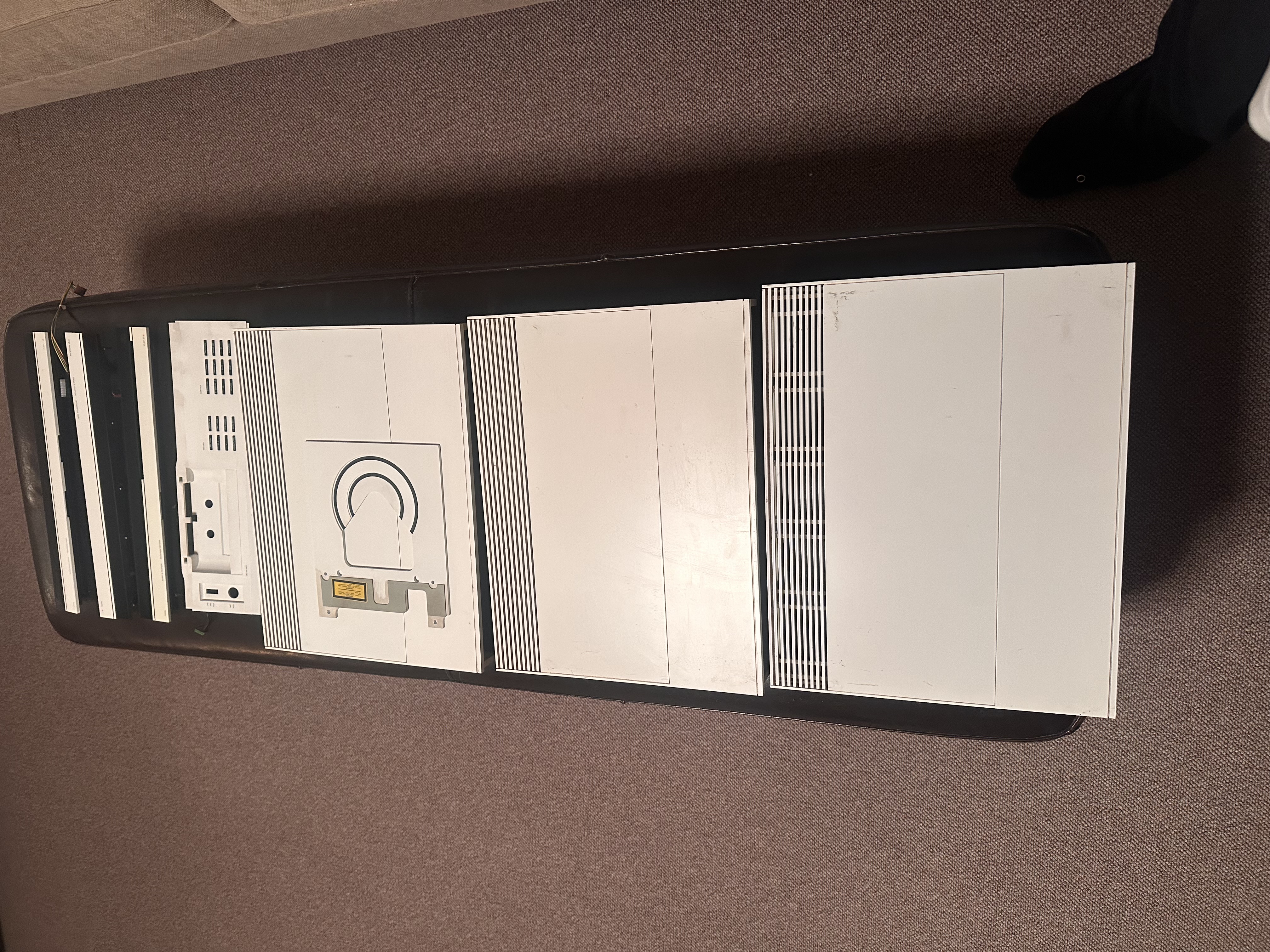
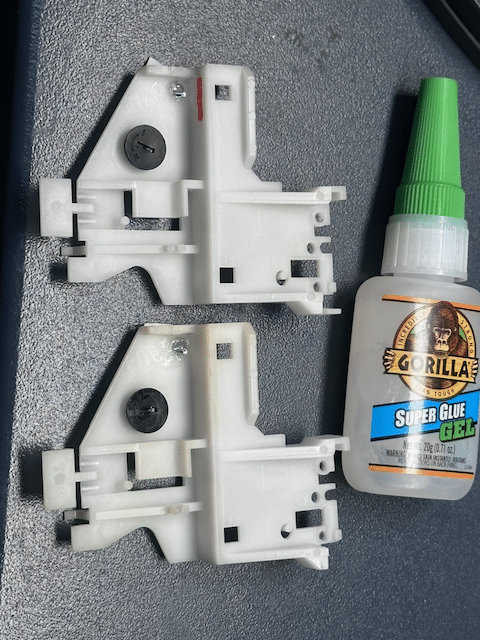
TKBRONZE MemberPulled these white pieces off of a nonfunctional Beosystem 5500 in prep for packing them in my suitcase for the trip home to USA. On the whole, they are not in the prettiest condition, but I’m confident I can make them look decent. Im planning on retrofitting a silver 5500 system for personal use. I’ll still need to paint the Beocord tray white, but apart from that, the color change should hopefully be fairly straightforward.
Yeah, yeah, I know – the stickers on the back will reveal my slight-of-hand. That being said, I’ve never come across a white 120v 5500 for sale stateside, so this was the next best thing I could think of.
TKBRONZE MemberThe internal protocols for both the BM5000 and CD5500 are based on Datalink ’80, so it should work fine. That being said, the CD control on the MCP5000 remote is a wee-bit unrefined for accomplishing things like individual track indexing, if memory serves. But it does work.
TKBRONZE Member0011000111100111111100000000100
This is a curious command. If I’m decoding it correctly, this reads as follows:
00:1100:01111:0011:1111:1000:0000:0100, or “Send to ‘All’ an ‘AND’ command with N-Count of 4” + data. ‘N-Count of 4’ is a reserved command space listed as dedicated IR test data in the original specification for Datalink. Perhaps it has some other benefits in this scenario.
20 August 2026 at 06:41 in reply to: Beomaster 7000 audible ticks when display changes value #125096TKBRONZE MemberPretty much every command you execute causes a status update to be sent over datalink, but not all signals are displayed on the Beolabs. Bass and Treble changes will also send status updates, which are primarily intended to update the MCP. You can see in this video I made how many signals are sent over datalink reporting system status through regular use:
19 August 2026 at 15:41 in reply to: Beomaster 7000 audible ticks when display changes value #125079TKBRONZE MemberPossibly sounds like you are hearing the datalink signals that are sent via the powerlink cables to alter the display on a datalink-enabled speaker. How about when you change the source input – does that also create a “buzz-buzz” sound?
Just to geek out a bit – The electrical pulses (representing the inverse binary of the number) are picked up by the music signal in cheap wiring. Interesting that “8” is louder than “1” – probably has to do with the signal pattern. In the actual signal, “8” would be a bitstream of “0111” and “1” would be represented as “1000”. I’ve read that buying higher quality shielded cables helps with the problem, but it could also be a fun project to alter the datalink transmission protocol via a series of dongles so the datalink signal is sent via some other means, perhaps over WiFi.
-
This reply was modified 1 month, 3 weeks ago by TK.
10 August 2026 at 14:07 in reply to: Adding wifi control to my Beogram RX2… sanity check my approach? #124924TKBRONZE MemberReally nice job! Looks like a very clean and simple install. I’m looking forward to seeing more of your projects.
30 July 2026 at 22:21 in reply to: Beomaster 5000 and later remote commands – early datalink? #124762TKBRONZE MemberEchoing madskp, the MCL82 Protocol used by the Beomaster 5000 does not remotely resemble the later Datalink 86 command structures sent by the Beolink 1000 or Beo4. There is no shared command protocol between the two systems, so an instruction conflict is not really possible. That being said, you may not be able to broadcast two simultaneous commands on both systems without causing interference.
27 July 2026 at 22:17 in reply to: Adding wifi control to my Beogram RX2… sanity check my approach? #124716TKBRONZE MemberYour approach seems quite sane given the Beogram you have. AFAIK, the RX2 microprocessor was not encoded with Datalink ’86, so the “keypress simulation” you’ve employed is an effective alternative, provided you’ve taken care to verify that you are protecting the microprocessor’s circuitry. Alternatively you could spring for a TX2 or other 59XX tangential Beogram (maybe $150 w/o cartridge), and tap into the Datalink control line, which is an alternate approach. This would offer similar control to what you have, and adds a few extra commands, with a few bonuses such as status updates (“Playing”, “Paused”, “No Media”, etc) but does require a microcontroller that can handle a 5V circuit. An ESP32 is a 3.3V microcontroller, AFAIK.
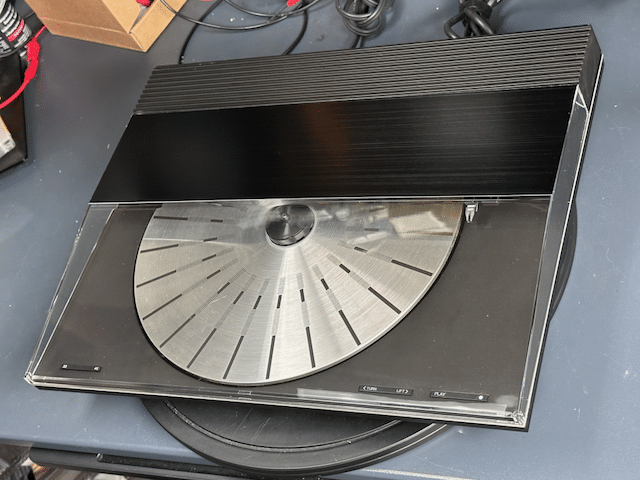
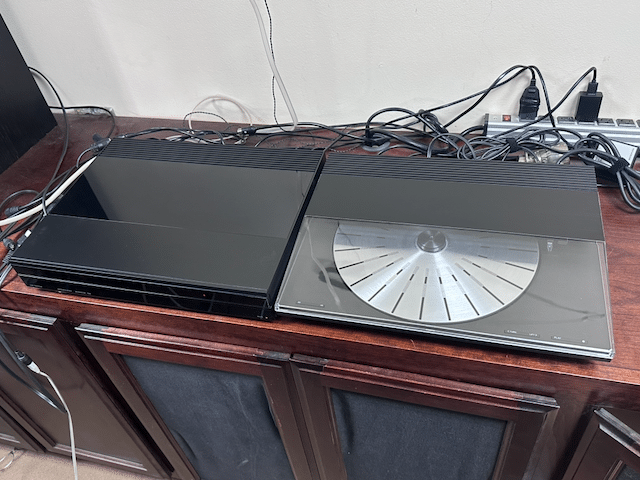
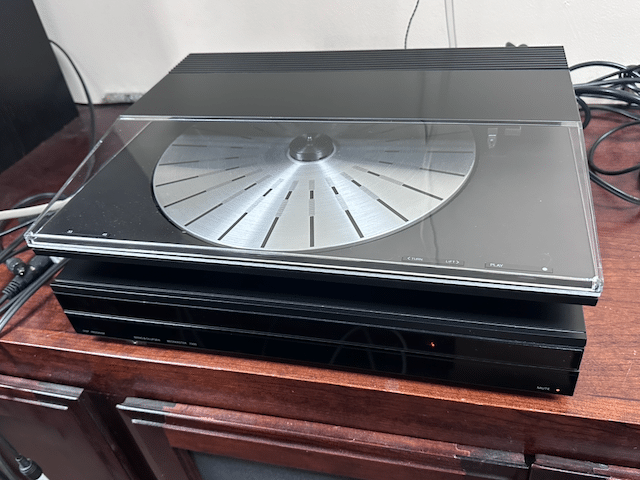
TKBRONZE MemberI have a black Beosystem 7000 which lacked a turntable, and instead of spending $1000+ to find a matching Beogram 7000, I set about retrofitting a old BG 3000 to match the look, using available parts I could buy online.
The original 3000 lid was cracked, so I opted for a clear replacement from DK Sound Parts, along with a black metal decorative top plate. In the end, IMHO it’s an ‘ok’ match with the BM7000, but not perfect – I give it a 7/10. Perhaps if I had selected the dark grey lid option, it would bland a bit better, especially since the platter is not black.
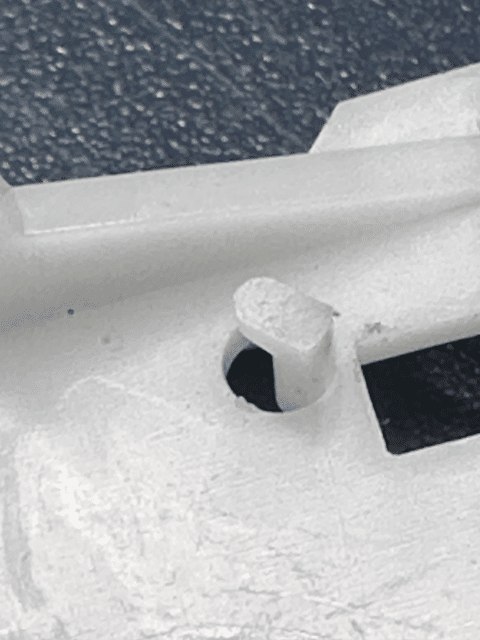
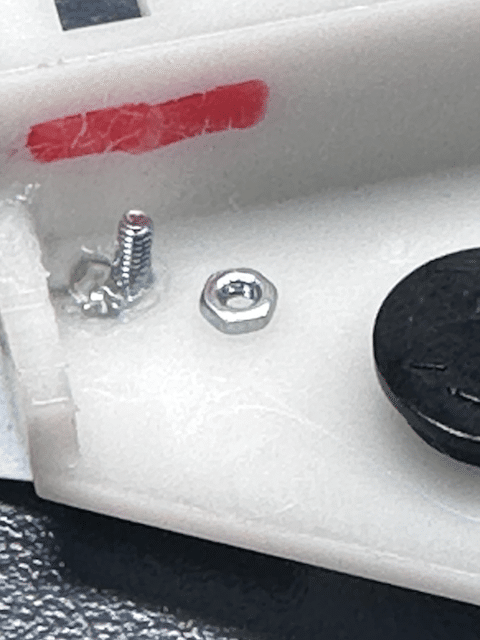
Here are my costs, including delivery:Beogram 3000 – $75RIAA card – $1254500 lid – $120Top Plate – $20Misc parts – $40———————-Total: $380I think I got a bit fortunate on the purchase price of the BG 3000, so I’d venture to say that a more typical budget would be in the $450-500 range. In the end, I’m pleased with the results, although I’m not sure I’m really saving all that much in comparison to buying a good-condition stock 4500. All that being said, I’m a bit of a purist, so if a black Beogram 7000 comes up for less than $1000 delivered, I’ll probably still look to acquire it.TKBRONZE MemberHere’s a solution that no one really was asking a question about. The tiny tab that holds the thread ends which move the tone arm sled tends to snap when things bind up. This morning I took a stab at a remedy.
For starters, the bottom of the sled appears to contain an extra tab that does not appear to be used for anything, so my first thought was to carefully slice this off and find a way to graft it in place of the missing one.
I decided to forego that option, and opted instead to head to the hardware store to purchase a few 1.6mm bolts with nuts. This would provide a bit more holding surface and friction. The idea is to place the string and spring in place, and thread the nut onto the rod as a “keeper”, which would prevent the string from falling off. This new plan of action involved generously epoxying over the holes, and drilling a pilot hole I could thread with the bolt, which I thought would be stiff enough to provide a robust holding point to the thread. Alas, laziness prevailed- I went with super glue, and simply positioned the bolts during the curing phase.
We’ll see if this provides enough durability to create a lasting solution to the problem.TKBRONZE MemberPlatters also come up for sale quite frequently in various marketplaces, ranging from USD $50 to $100. In the mean time, you might consider milling two solid discs with a diameter of 10cm each. Place a layer of rubber on the bottom one for a bit of grip. Place the bottom disc on the spindle with the rubber facing up, next the record, last the top disc as a weight to hold the record in place and level to the bottom disc surface. You might need to make the top disc a bit heavier to provide additional stability. I haven’t tried this myself, but I feel like it would work fine, provided it is balanced properly, and can compensate for the 1.5g of downward pressure provided by the tone arm.
8 June 2026 at 23:59 in reply to: First look – CMM-10 type 5103: a 10-disc CD changer from 1990 #123962TKBRONZE MemberI’ve got a Sony CDX-A55 inbound that I bought for $30 off eBay which has the same pinout at the A20 – a slightly newer configuration to the original setup. I’d like to definitively know how easy it would be to add a 10-disc CD changer to an 80’s – 90’s Beosystem. Controllers tend to run $60 or so on eBay, so for under $120, you can add a 10-disc changer to your pizza box system for parties.
Clearly it would not have the panache of a 9000, but it would retain most of the function. On that note, I can report that the system works just fine on a Beomaster 5500 Tape or Tape 2 input with fully functional control via a Beo4 or MCP 5500, as I had expected. I have not attempted it yet, but I’d expect it to work with a 5000/MCP5000 as well, as the Datalink ’80 commands required to make it respond should be identical.
The Sony packaging is basically a metal endo-skeleton surrounded by a molded-plastic shell, with large rubber suspension bushings to deal with rough roads – something unnecessary when installed in the home. Unfortunate that B&O didn’t really bother to repackage everything in something a bit more B&O-ish. There’s absolutely no reason why the system & controller together could not fit in a form factor similar to the pizza boxes (it would admittedly need to be slightly taller) with a metal sliding door to cover the carousel – even the eject button in the usual left corner location would be compatible, and require nothing more than a wire extension to function.
Add a switch to choose between Aux and Tape 2 communication – a trivial addition for a competent programmer, and the system would have been quite versatile. Shoulda coulda woulda.
TKBRONZE Member… yet.
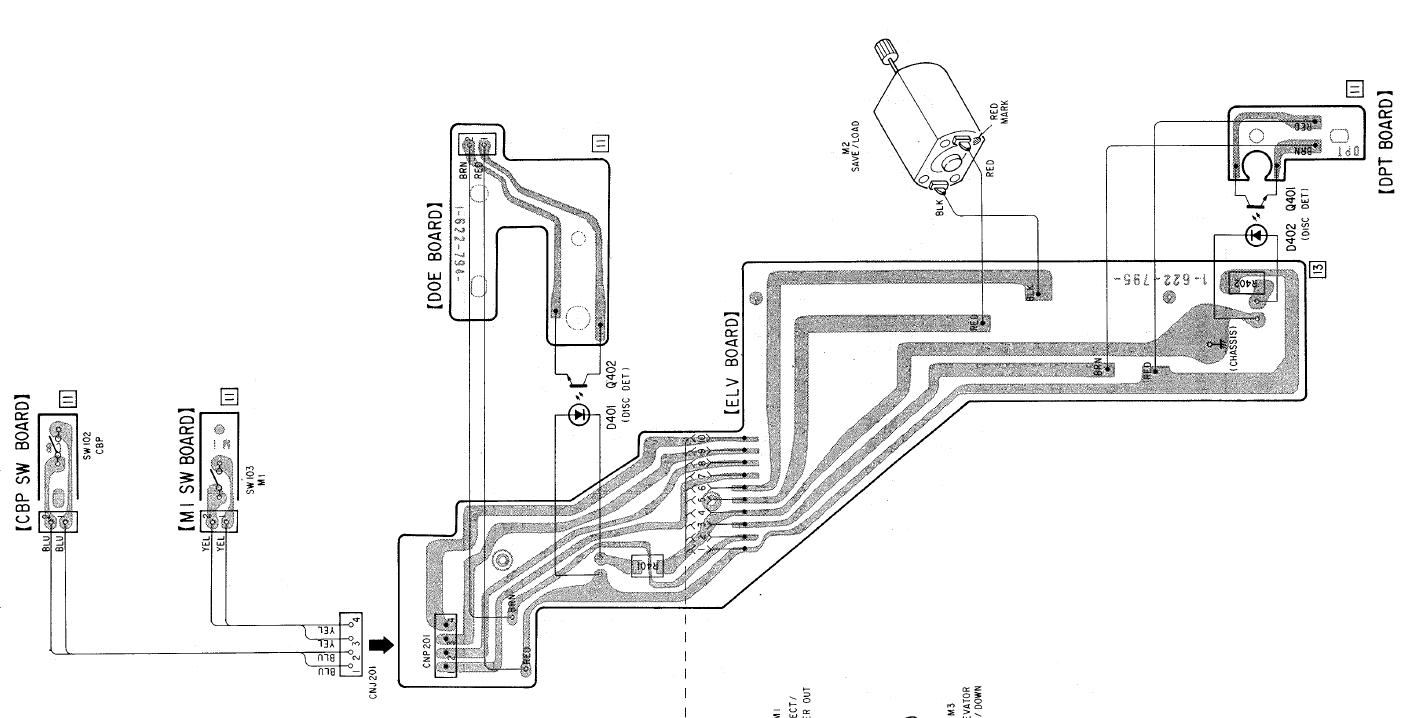
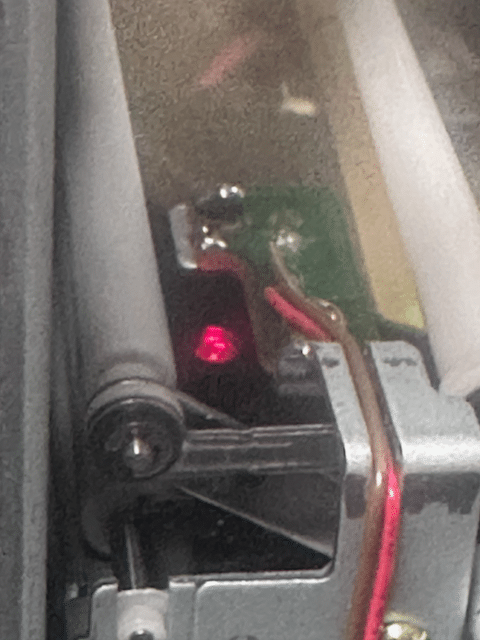
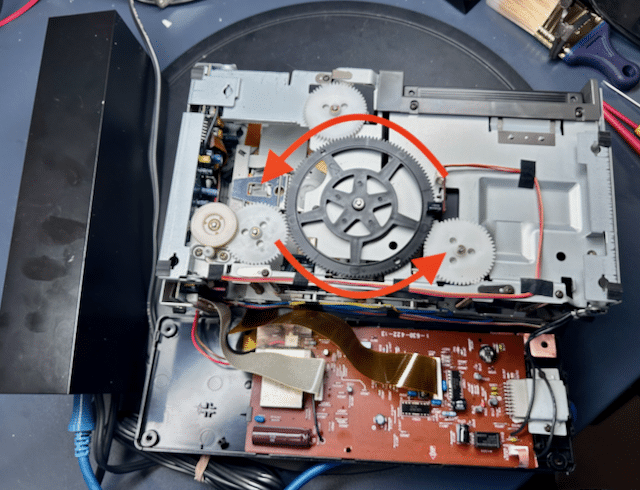
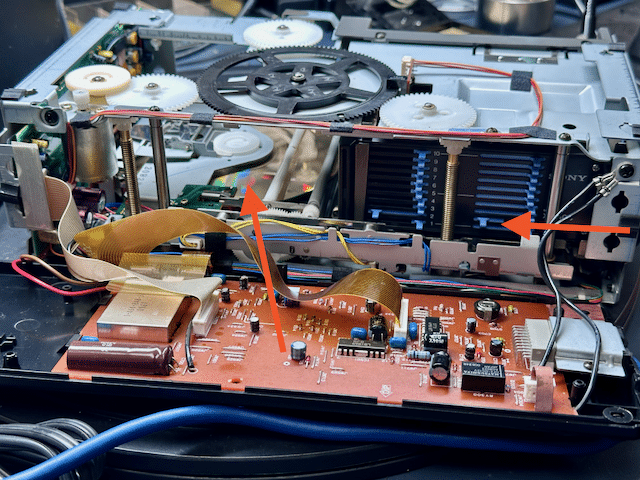
4 June 2026 at 05:31 in reply to: First look – CMM-10 type 5103: a 10-disc CD changer from 1990 #123912TKBRONZE MemberI’ve spent the last few days pulling my hair out trying to figure out all of the mechanical switches and levers on this thing. After several “one step forward, two steps back” moments (I had to disassemble the carousel twice because the elevator kept trying to shove CDs into already occupied spots) I finally got to the point where it could reliably once again cycle through a tray of CDs – loading and unloading, but failing to play anything – even failing to play with my prior hack of “upright position”. So with nothing playing, I was consigned to spending a few hours looking at ribbon cables, cleaning any mechanical switch I could find, and scouring the Sony service manual for clues as to why it wont accept a CD as “Loaded”. I finally zeroed in on this board, which handles the elevator mechanism.
Perhaps a bad seating or broken trace was the issue. Among other things, the board has 2 photo sensors – one to determine if a CD is in the player, and one to determine whether the CD is fully seated in the player tray.
I concluded that one or the other of these sensors was likely intermittent, causing the controller to determine that there was a CD jammed in the system. The readings for the “CD inserted” was indeed reading a medium short. And yet, it appeared to always be working for a specific dark-gold-colored CD, no matter where it was placed in the carousel. Odd!
… and then it hit me. These photosensors are designed to operate in total blackness. And here I was – for days – trying to poke and prod and shine my 3000 lumen desk light inside the internals to try and discern why the darn thing was not working, all the while causing the “CD Inserted” photoreceptor to constantly report a CD jam.
Ugh – I’m an idiot! I switched off my desk light, and everything began to function properly. For now – I have a hunch there are still a few gremlins left to be discovered. And they don’t like bright lights either.
-
This reply was modified 4 months, 1 week ago by TK.
2 June 2026 at 01:17 in reply to: First look – CMM-10 type 5103: a 10-disc CD changer from 1990 #123811TKBRONZE Member@madskp, I have not investigated whether the two datalink channels have slightly different implementations – my guess would have initially been that the code and routines are identical, but perhaps there was not room for everything on the ROM, and DL2 was sacrificed.
For kicks, I hooked up the CMM-10 to the ‘Tape’ input, and it works just fine as I expected. Unfortunately, I still don’t see any status updates on Datalink, so DL1 and DL2 are both not providing updates. I did a quick check to verify that the carousel was broadcasting data – and it was sending a status update once every second that a CD was actually playing – so it appears it’s more likely a case of B&O electing not to spend the extra few days to write the firmware to make player status visible. I have not spent the time to decode the Sony messages, so I’m not completely sure what is being broadcast.
I have to admit, after using the system for a while, it’s kind-of a nice-to-have product. Perhaps I can motivate myself to bump up a tighter integration implementation.
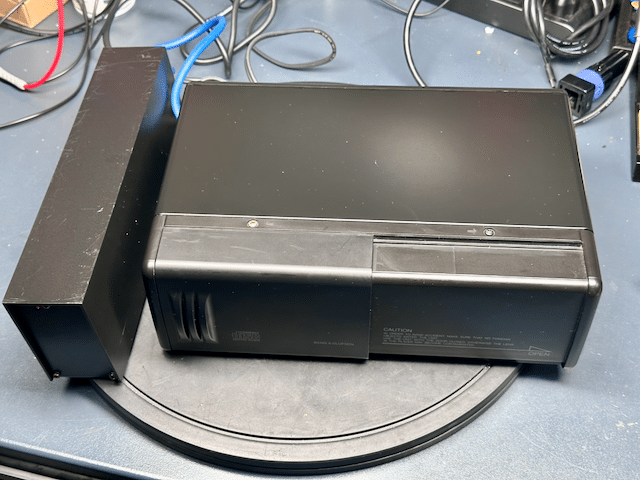
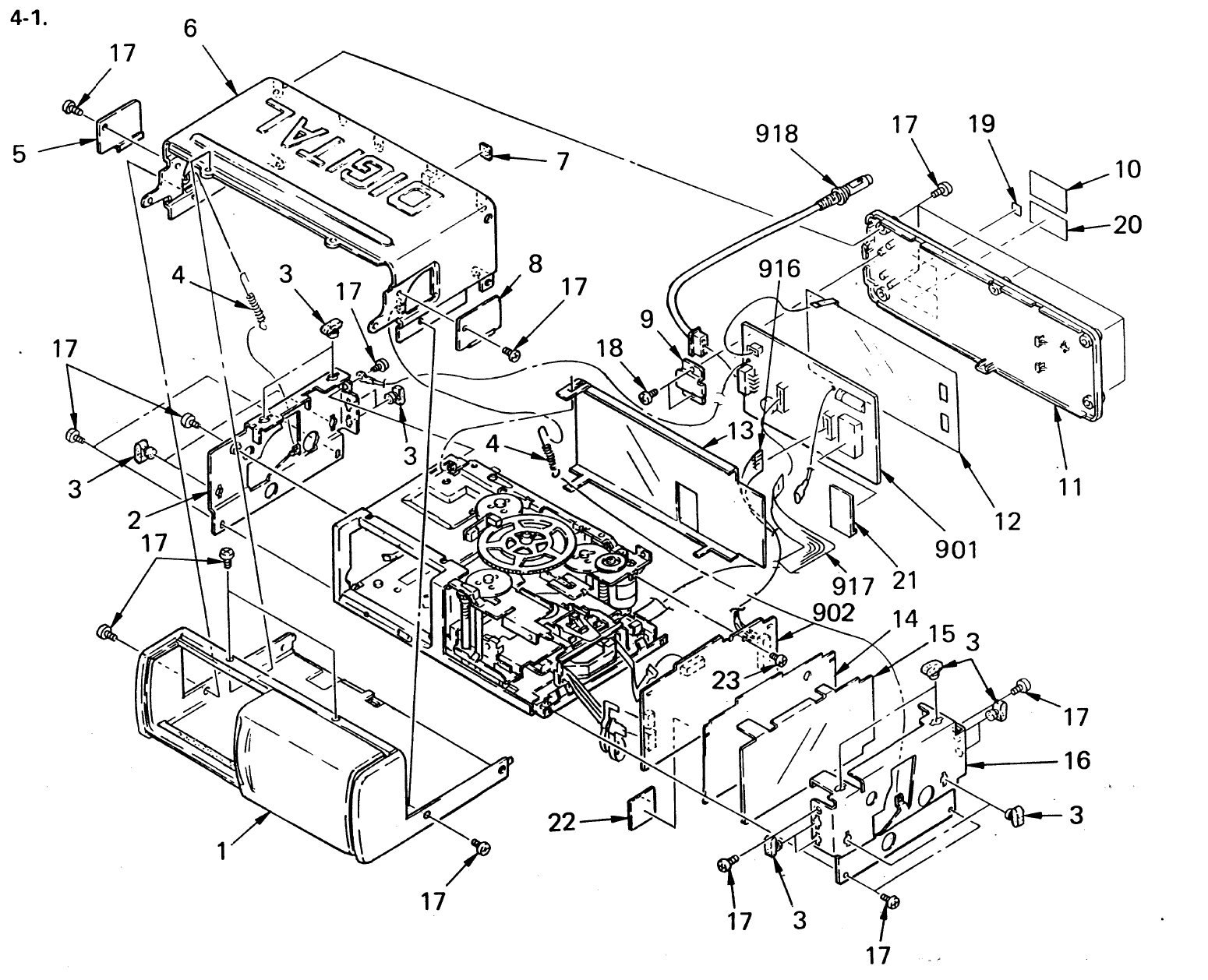
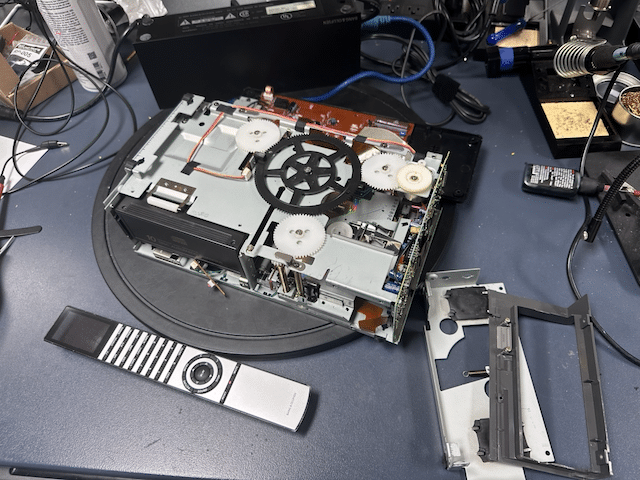
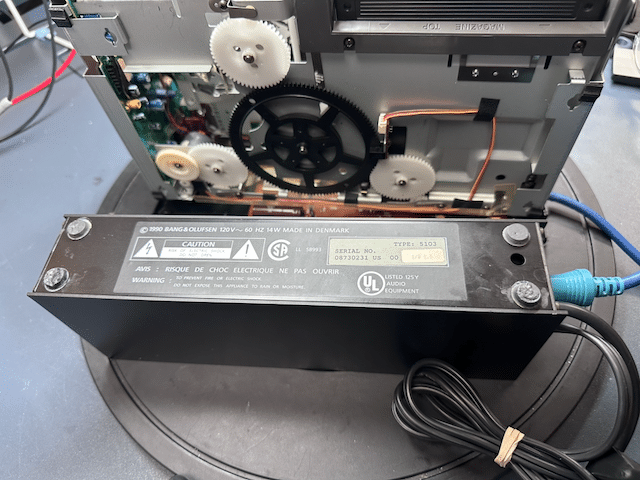
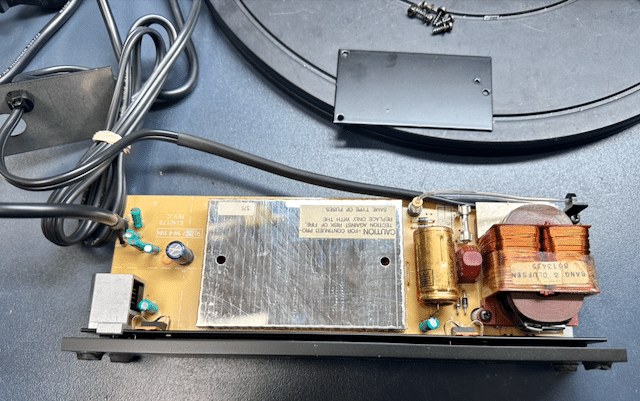
1 June 2026 at 18:18 in reply to: First look – CMM-10 type 5103: a 10-disc CD changer from 1990 #123809TKBRONZE MemberHere’s a cursory look at the 5103 internals.
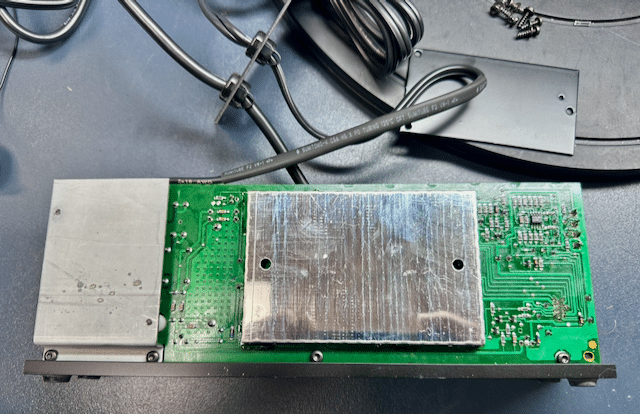
It’s a fairly straightforward design, with a plastic light “Power” rod that I managed to snap the end off by not noticing it as I was disassembling the panel. Much of the logic is buried behind shielding, with a smattering of capacitors, including one huge 2200uF capacitor. For those individuals in 240V communities, the transformer does appear to be a dual-voltage transformer, part #8013435, which would make a voltage conversion simple. It also appears to share the same mounting points as several Beogram transformers I’ve been working on as of late, so a simple switch to an already-wired one would also be a possible solution. The transformer supplies +25V though a rectifier to two IC regulators, one producing 5v for internal logic, and the other producing 12V for the CD carousel.
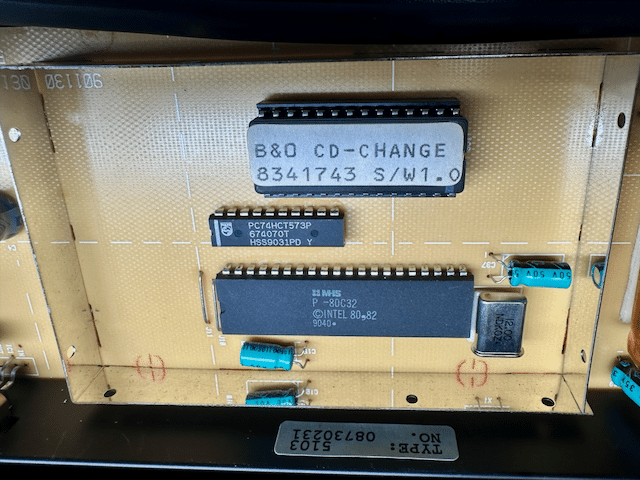
Although there are shields on both sides of the board, the chipset is only on one side, with the shield on the other side covering the pin outs. Hiding inside the shield is a ROM chip encoded as 8341743 S/W1.0 and an MHS microcontroller – basically, the 1980’s version of an Arduino!
All-in-all, it looks like a straightforward solution from B&O to quickly address an apparent hole in the product lineup, and also reasonably well made. The capacitors all tested quite excellent, so if there’s an issue with corrupted status messages, it’s not a simple capacitor swap that will right the ship. If I had more time and patience (and interest, frankly), I’d look into updating the ROM with more capabilities. The easier solution will instead be to intercept status signals coming from the carousel, and interject proper status messages onto the Datalink bus, which the Beomaster will happily interpret as being valid. This would also be the spot to activate pin 6 with Datalink ’86, and code for DL ’86 interoperability. All doable, but admittedly well down in my list of priorities.
-
This reply was modified 4 months, 1 week ago by TK.
1 June 2026 at 15:01 in reply to: First look – CMM-10 type 5103: a 10-disc CD changer from 1990 #123800TKBRONZE MemberI’ve also read that it is a NA-market product.
The bits of research I’ve done on Sony suggests that any early carousel unit with a 13-pin interface may work with the 5103 controller, so that would include the A10, A2001, and A30. There may be more models out there, but the Sony CDX product line details I’ve found are relatively minimal. It would be nice to find a Sony CDX protocol specification, which highlights the command set and status feedback, if only to weigh the idea of enhancing the interoperability of the carousel with Datalink. One interesting side note is the discovery that the service manuals for these units also contain Danish warning labels about the lasers, which I would not have expected.
With respect to Beomaster “Tape” vs “Tape2” inputs, its worth considering that the Datalink ’80 protocol does not contain source-specific encodings, as it simply assumes there is “One Beogram” and “One Beocord” per channel, and it doesn’t care which specific sub-type. So apart from stated conventions in the user manual, there’s nothing stopping a user from plugging the 5103 into the ‘Tape’ port of any Datalink ’80 machine and have it be fully functional, AFAIK. I can put it on BeoBabble and see if any additional information intended primarily for the 6500/7000 units is broadcast as well, but I suspect the answer is no.
1 June 2026 at 02:50 in reply to: First look – CMM-10 type 5103: a 10-disc CD changer from 1990 #123794TKBRONZE MemberSo, what can this unit do? For starters, it does work with a subset of basic Datalink controls. ‘Play’ plays, ‘Stop’ pauses, ‘< Step’ and ‘Step >’ work as they would with a standard Beogram CD player. ‘<<‘ and ‘>>’ have been commandeered to advance and return from one CD to the next, instead of used as ‘FF’ and ‘REW’ through a song (which may be commands that the A20 doesn’t support anyways). Although I have not tried it, ‘>>’ + number will skip to the CD in that position in the carousel. When one CD finishes, the next one is automatically loaded and played in sequence. On the plus side, the system is quite responsive, on par with or slightly more quick than the standard CD5500-7000. Unfortunately, on my unit, no current status information is transferred via Datalink, such as ‘Track number’, or even ‘transport status’, either via the Beolink 7000-specific protocols, a MCP 5500/6500, or a Penta status update. So in that sense, it’s a bit of a one-way system that responds to commands, but offers no listener feedback.
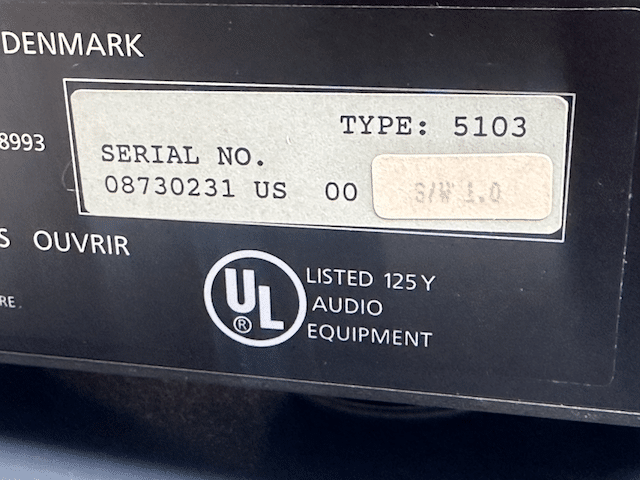
So herein lies my disappointment. the Sony CDX-A20 is designed to be used with a head panel on a vehicle dashboard, and has a dedicated pin for transmitting CD data to a display. But I get zero status on any B&O controller or Powerlink speaker- a wasted opportunity for a reasonable integration solution, which would have taken only a minimal effort to program.So there are a few places yet to explore for some definitive answers as to where any fault in the status reporting may lie. 1) Check the Sony data-out line for a signal denoting the sending of data. If present, then either 2) the B&O firmware is not responding as expected, or 3) hasn’t been programmed to pass on the Sony display status data via Datalink. My unit has firmware version 1.0 – I have seen a picture of a 5103 controller with firmware version 1.1, but without more knowledge, I cant speak to what changes are included in the later revisions of the controller.
Given the CMM-10’s limited integration, I can’t imagine that these sold all that well. For starters, the use of Datalink ’80 as a control protocol means that the CD changer has to reside reasonably close to the Beomaster, with it’s own exclusive 7-pin connection tied directly to the Beomaster in order to function, instead of in a cabinet somewhere, perhaps in another room – IMHO a clear limitation that lies in the chosen implementation. To me, any perceived market need by B&O was an opportunity to put a DL’86-enabled unit (or series of units – up to 7 total!) on the Aux MCL, and have it addressed via the Source “Unit” designation that the DL’86 protocol was designed for.Perhaps they were simply intended as a stop-gap solution for those customers who asked for multi-CD changers for background music, or commercial customers who simply wanted an un-managed 10-hour playlist. If anyone has more information on these strange-and-likely-rare-for-a-reason units to help me better understand the what/why/when/where of their genesis, feel free to add to the discussion.-
This reply was modified 4 months, 1 week ago by TK.
1 June 2026 at 02:03 in reply to: First look – CMM-10 type 5103: a 10-disc CD changer from 1990 #123790TKBRONZE MemberAfter some gentle prodding of the main elevator gear, I managed to free the elevator from the grease-turned-glue that had bound it in place, and the unit began responding to ‘Tape Play’ commands. By ‘responding’, I mean it would pull out a CD and position it correctly, then fail to detect that the step had completed properly, and promptly return the CD to it’s holder. It would next raise the elevator to the next CD in sequence, and do exactly the same thing again, until it had gone through all ten slots, without playing a single CD. At least there was some progress.
After verifying the function of the light detection sensors, I began looking for some kind of mis-calibrated spring-loaded switch, or some other sensor that I had not yet seen. A bit more fiddling led me to the discovery that when I positioned the player in the upright position (remember from earlier that it can be mounted in 2 main positions), the sensors correctly detected the CD and promptly lowered it into position over the laser and began to play it – the unit was now working!
… ‘Ish’. Clearly I’m going to have to examine the capacitors and adjust the laser strength/focus, as some of the CDs were prone to skipping and/or getting stuck on sections of the CD. I’ll have to do some research on the laser adjustments for these Sony lasers, and find out of they are prone to the same issues that plagued the old Philips servo boards. My initial examination of the capacitors revealed a few familiar Sanyo units, which I tend to replace in the Beolink 7000 units.-
This reply was modified 4 months, 1 week ago by TK.
-
This reply was modified 4 days, 2 hours ago by
-
AuthorPosts