Forum Replies Created
-
AuthorPosts
-
 swoGOLD Member
have you tried if any of them work when ML is ON in the MENU+0+9+GO setting?
if so this could be a great way to utilize an extra input on the Bl3500 while keeping it in a Masterlink setup.
I didn’t try out , it seams that the MK1 must not set to “ML No” to open the MCL port.
However if you want an additional local source on BL3500 connected to a ML net, I suggest to use an Beolink Active using the PC plug. You get Beolink Active sometimes for 20€ ( have in mind the PC plug has uniq pin connection)swoGOLD MemberAll 3 variantsPL → MK2 Aux ⇒ MK1 Aux → MK2
In case the PL ⇒ MK2 implementation does not fit into the current wolfgangschneider/Beolab3500-Standalone source, I will create its own GitHub repository.
-
This reply was modified 1 month, 3 weeks ago by
 swo.
swo.
swoGOLD MemberUnfortunately the PL power lines (Pin 1 and Pin 4) don’t provide enough current. However, with an external 5 V supply it becomes feasible.
This is only true for my current microcontroller, the ESP32‑S2. There are other boards with lower power consumption, such as the Digispark (ATtiny85).
-
This reply was modified 1 month, 3 weeks ago by swo.
swoGOLD MemberThat could be usefull for some pepople. There have from time to time been questions on the forum on how to use the BL3500 as a center speaker for a TV where that solution could be used
Unfortunately the PL power lines (Pin 1 and Pin 4) don’t provide enough current. However, with an external 5 V supply it becomes feasible.

Of course the code must be adapted — but I streamlined it so it’s now under 100 lines.
/*BeoLab3500_MKII-PowerlinkMinimal trigger board for a Beolab 3500 MKII on the B&O PL bus:hold GPIO5 HIGH and it sends the captured MKII power-on/init frameonce on GPIO1 – nothing else. No RX, no MK1 support, no othercommands. Split out of Beolab3500-Standalone’s MclBusWriter (seewolfgangschneider/Beolab3500-Standalone ) – only sendInit() isneeded here, so it’s inlined directly instead of pulling in thewhole class/enum/MclData hierarchy.Per B&O MCL-2 Service Manual (“Datalink ’86”): the transmitting unitpulls the bus LOW for a fixed strobe width then releases it; thetiming symbol (t1..t5) is the FULL period (LOW+HIGH), not the LOWwidth alone. t1=3.125ms t2=6.250ms t3=9.375ms (data), t4=12.500ms(Stop), t5=15.625ms (Start). MKII traffic has one extra trailing t1pulse after Stop.*/#include <Arduino.h>constexpr gpio_num_t TX_PIN = GPIO_NUM_1;constexpr gpio_num_t TRIGGER_PIN = GPIO_NUM_5;constexpr uint32_t T1_US = 3125;constexpr uint32_t T2_US = 6250;constexpr uint32_t T3_US = 9375;constexpr uint32_t T4_US = 12500; // Stopconstexpr uint32_t T5_US = 15625; // Startconstexpr uint32_t STROBE_LOW_US = 1562;// Captured MKII power-on frame (Command=49, unrecognized/literal –// see Beolab3500-Standalone’s main.cpp file header for context).constexpr const char *INIT_BITS = “0011000111100111111100000000100”;void pulse(uint8_t tcode) {uint32_t period = tcode == 1 ? T1_US : tcode == 2 ? T2_US : tcode == 3 ? T3_US : tcode == 4 ? T4_US : T5_US;digitalWrite(TX_PIN, HIGH); // transistor on -> bus pulled lowdelayMicroseconds(STROBE_LOW_US);digitalWrite(TX_PIN, LOW); // transistor off -> bus released, pull-up brings it back highdelayMicroseconds(period – STROBE_LOW_US);}// which timing symbol encodesbitgiven the previous bit (differential code)uint8_t encodeBit(int lastBit, int bit) {if (lastBit == 0) return bit ? 3 : 2;return bit ? 2 : 1;}void sendInit() {Serial.println(“-> sending init”);int lastBit = 1; // Start acts as an implicit “1” referencepulse(1); // AGCpulse(1); // AGCpulse(5); // Startfor (size_t i = 0; INIT_BITS[i] != ‘\0’; i++) {int bit = INIT_BITS[i] – ‘0’;pulse(encodeBit(lastBit, bit));lastBit = bit;}pulse(4); // Stoppulse(1); // MKII trailing pulse}void setup() {Serial.begin(115200);delay(500);Serial.println(“BeoLab3500_MKII-Powerlink”);pinMode(TX_PIN, OUTPUT);digitalWrite(TX_PIN, LOW); // idle: transistor off, bus releasedpinMode(TRIGGER_PIN, INPUT_PULLDOWN);}void loop() {static bool wasHigh = false;bool nowHigh = digitalRead(TRIGGER_PIN) == HIGH;if (nowHigh && !wasHigh)sendInit(); // edge-triggered – one send per LOW->HIGH transition, not a flood while held highwasHigh = nowHigh;}-
This reply was modified 1 month, 3 weeks ago by swo.
swoGOLD MemberMadskp wrote:
Just to clarify from my own and other peoples testing the BL3500 MK II can only work as a normal Powerlink speaker when used with a Beolink Wireless 1 which send the correct signal to wake it up. I have not been successful at getting the BL3500 MK II going with other Powerlink sources.That brings me to one more use case.
If I connect the MK2 version of this project between a Powerlink source and the BL3500, and PIN 4 (5 V+) is enough to power the ESP32, I can transform a BL3500 into a normal Powerlink speaker. just send the init sequence to BL3500 when ESP32 boot. (and it boots every time Pin4 gets +5v 🙂 will test it soonswoGOLD Member0011000111100111111100000000100
It looks like this is a secret between Beolink Wireless 1 and Beolink 3500 MK2 (also the additional t1 after t4) sorry i forgot this in the description above (will change)
25 August 2026 at 08:08 in reply to: BGAdaptor – Control a Data Link source with Connected Audio #125204swoGOLD MemberHi @cklit,
for a similar project, could you please tell me where I can get this little case?
https://forum.beoworld.org/forums/topic/bl3500-and-the-mcl-pl-connector/page/7/#post-125031 wolfgangschneider/Beolab3500-Standalone
Best regards, Wolfgang
-
This reply was modified 1 month, 3 weeks ago by swo.
swoGOLD MemberJust to clarify from my own and other peoples testing the BL3500 MK II can only work as a normal Powerlink speaker when used with a Beolink Wireless 1 which send the correct signal to wake it up. I have not been successful at getting the BL3500 MK II going with other Powerlink sources.
Yes, and the device (ESP32) does exactly the same as the BeoLink Wireless 1. See the post: https://forum.beoworld.org/forums/topic/bl3500-and-the-mcl-pl-connector/page/8/#post-125117.
What I wanted to point out with that post was that with the MK1 you have volume control / source selection, but with the MK2 you don’t — just like with the BeoLab 6000.
BR
swoGOLD Member@Klaus thanks
and
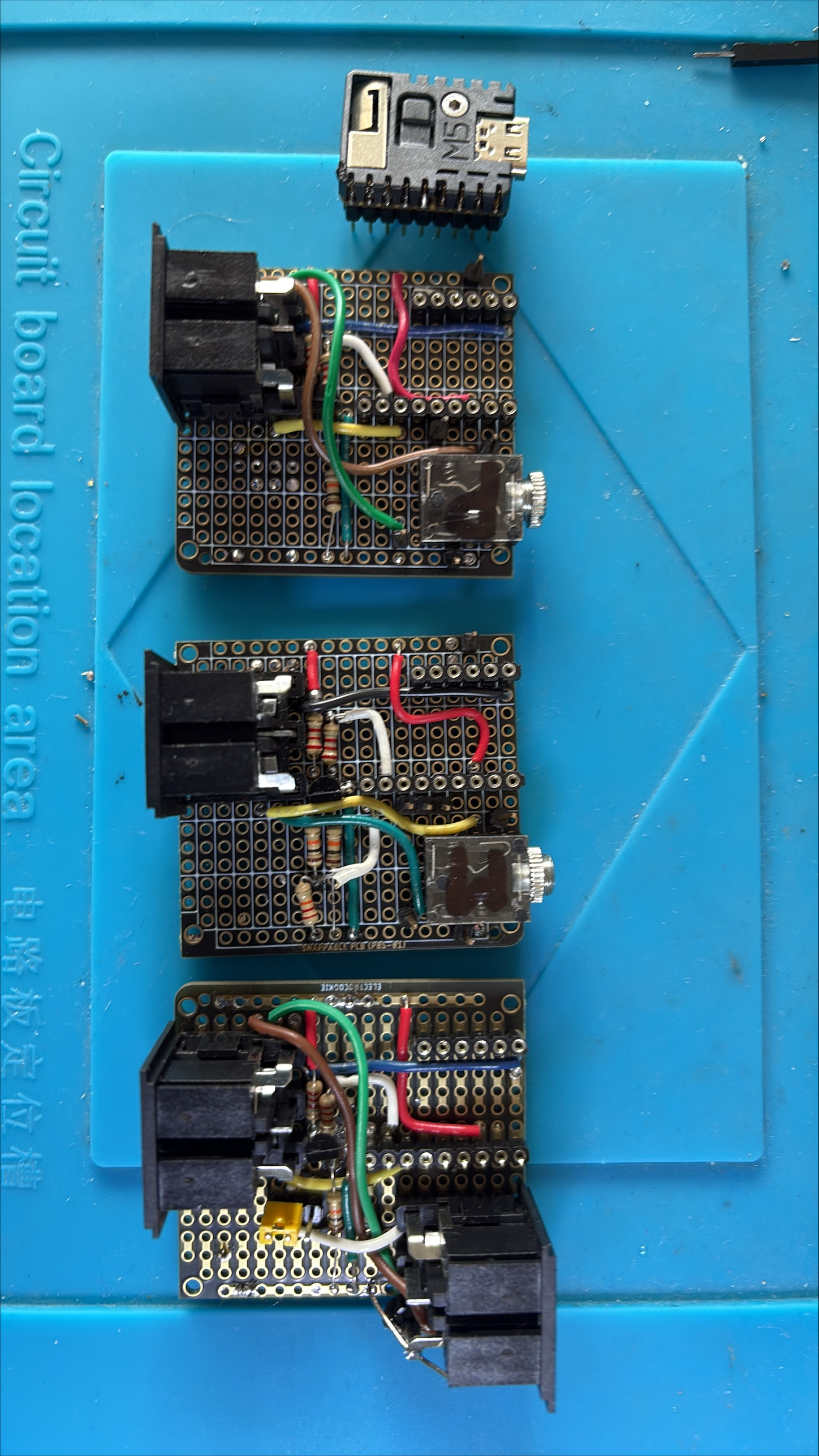
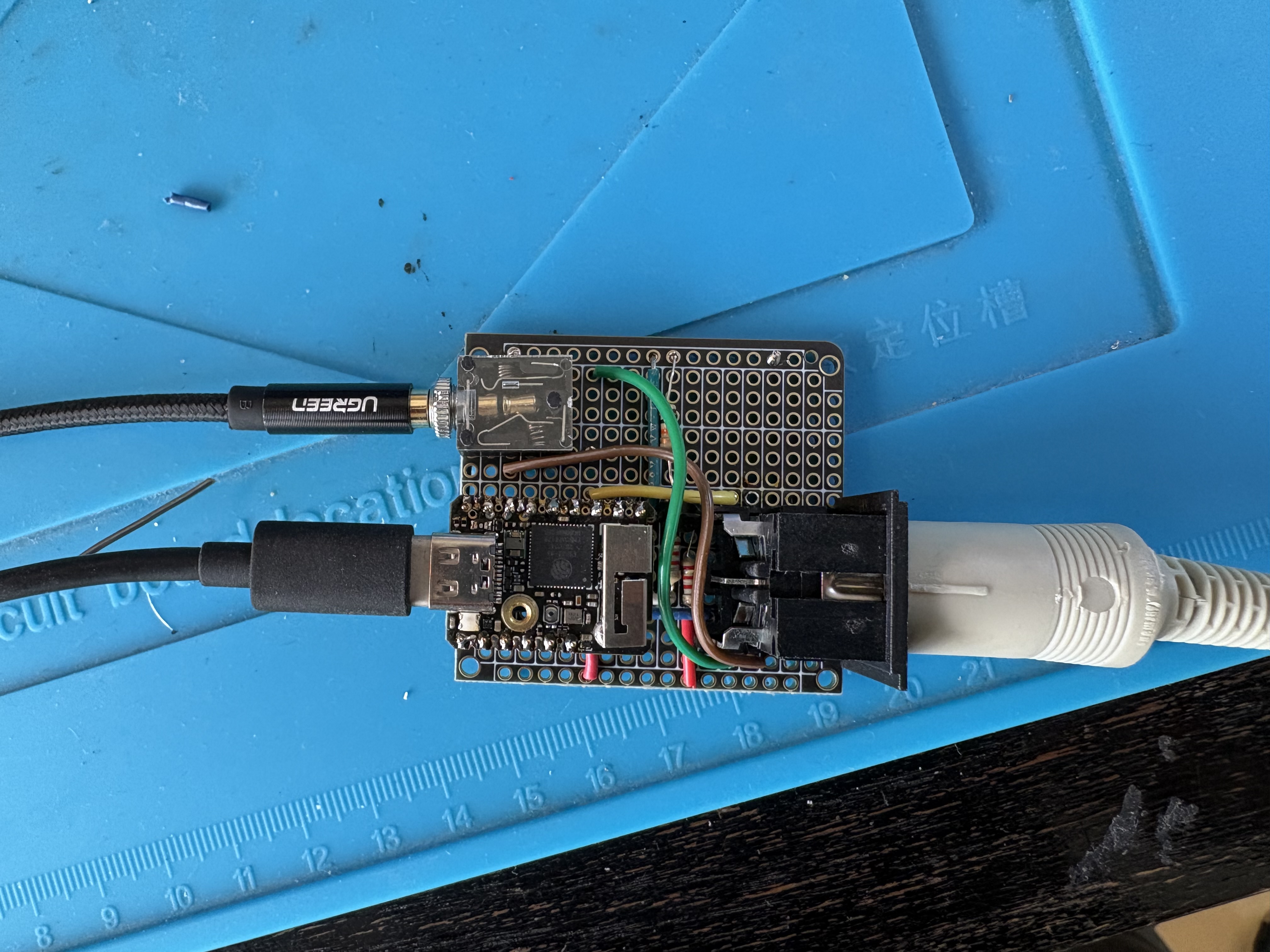
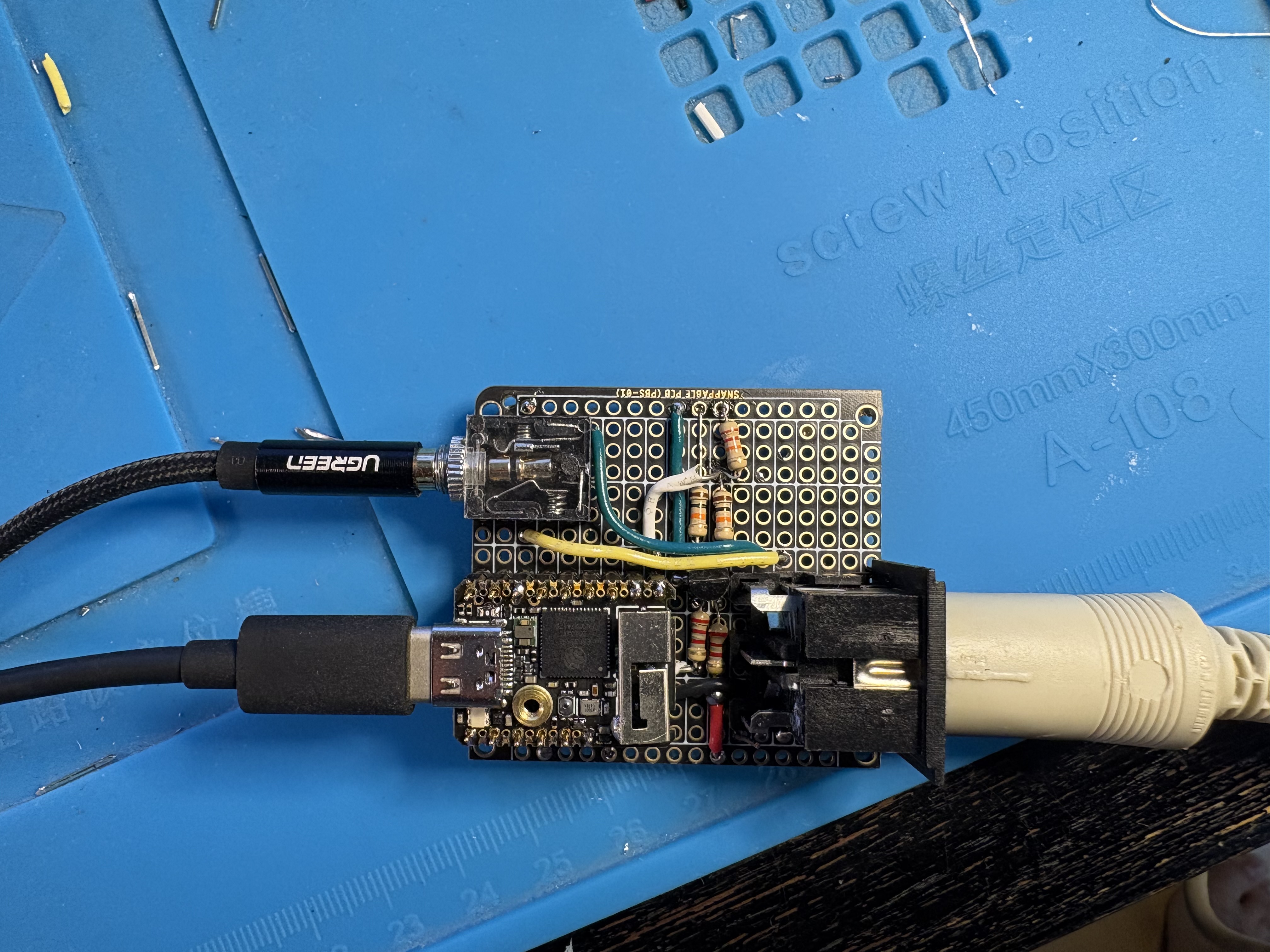
Made the first Beolab 3500 MK2 (PL) standalone
looks the same than the MK1 🙂 but it isn’t
-
This reply was modified 1 month, 3 weeks ago by swo.
swoGOLD Member
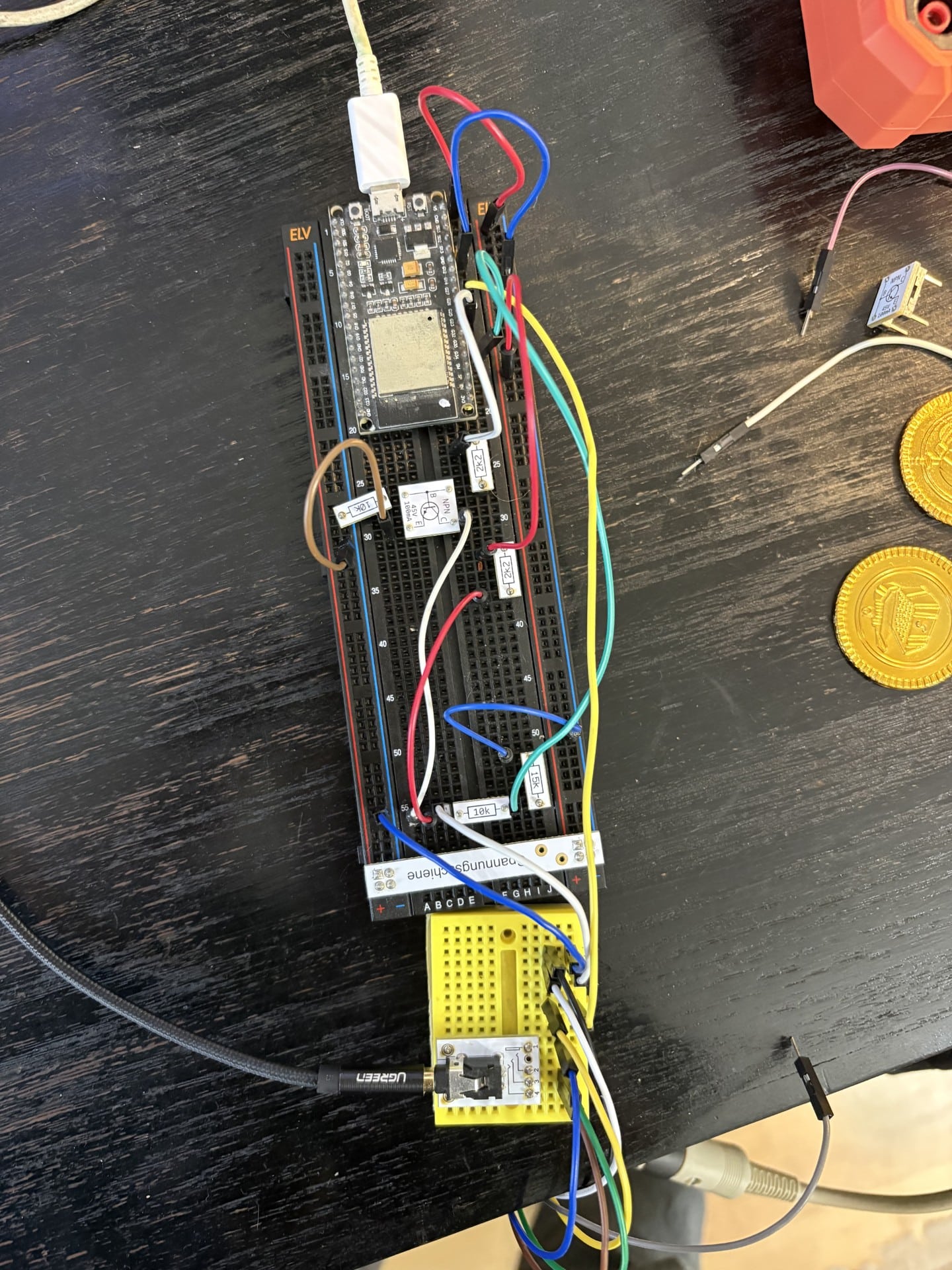
Made the first Beolab 3500 MK1 (MCL) standalone
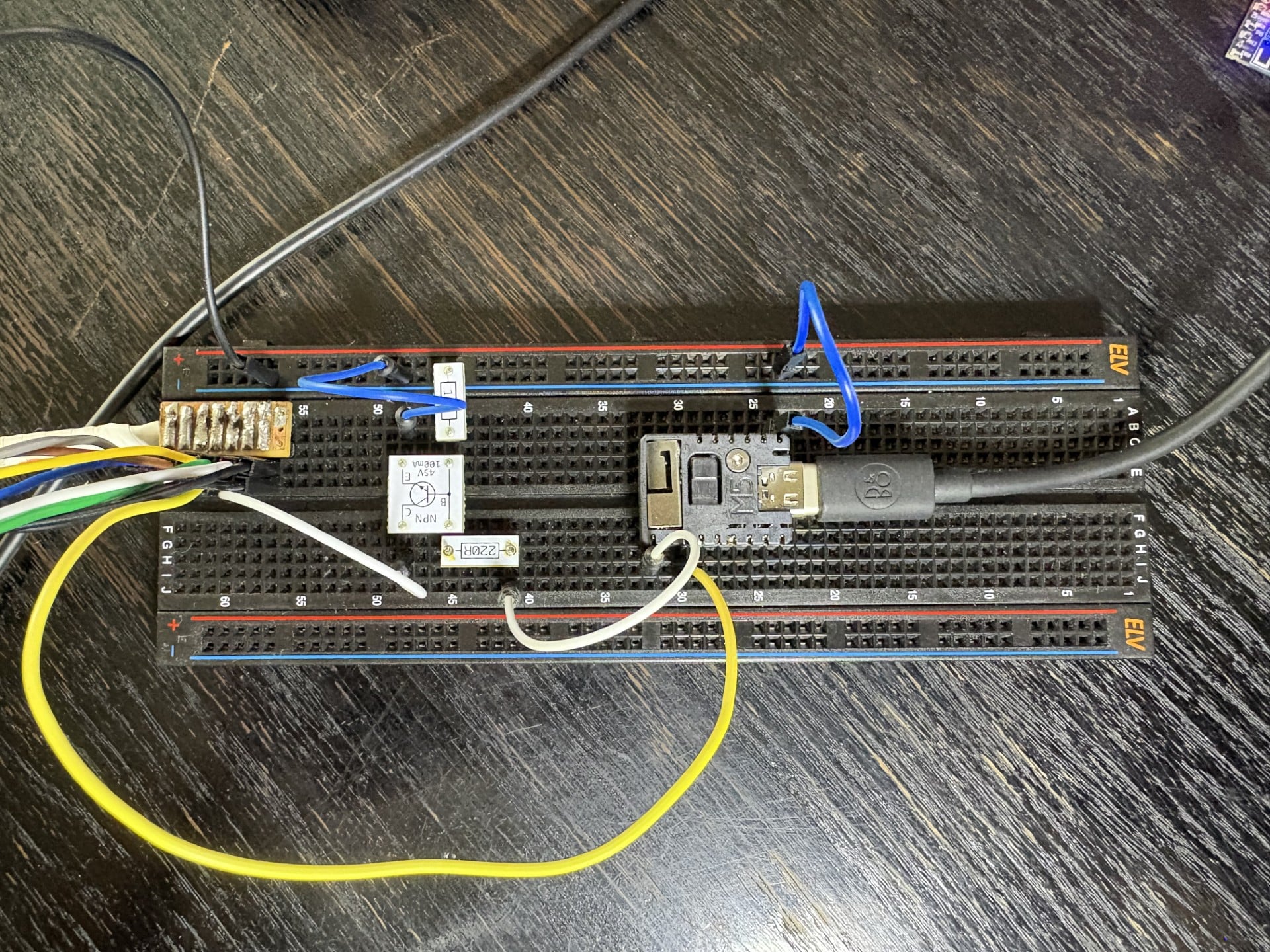
swoGOLD MemberAn ESP32 firmware that lets a Bang & Olufsen Beolab 3500 (MkI & MKII) satellite speaker activate a source without its real Master unit present. Unlike the Menu-0-0-4 trick, this stays permanent even after a power loss — and on MK I it also gives more possibilities, like selecting different sources.
Next steps
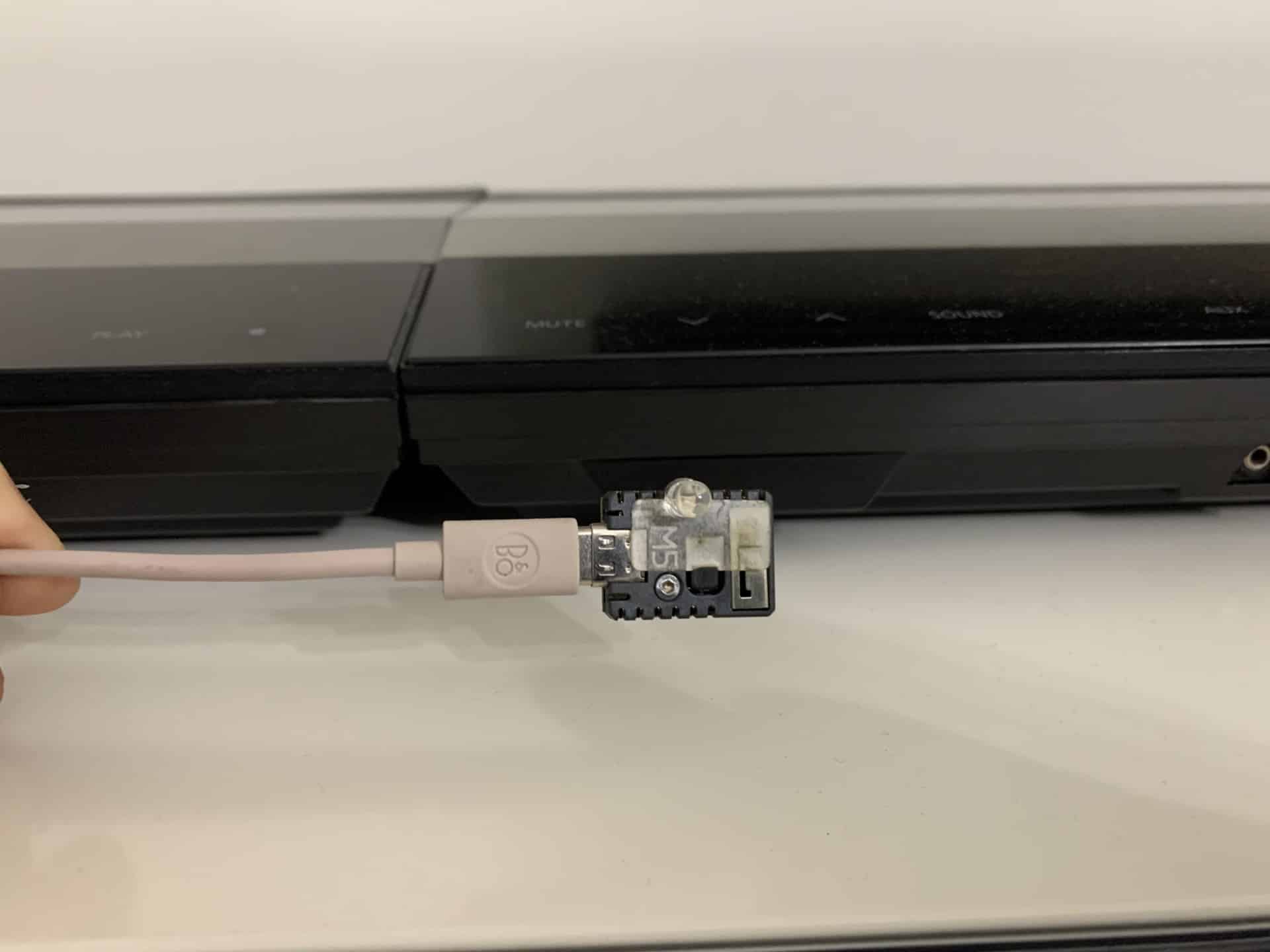
- Use the M5Stack Stamp as the microcontroller
- Soldering it on a PCB
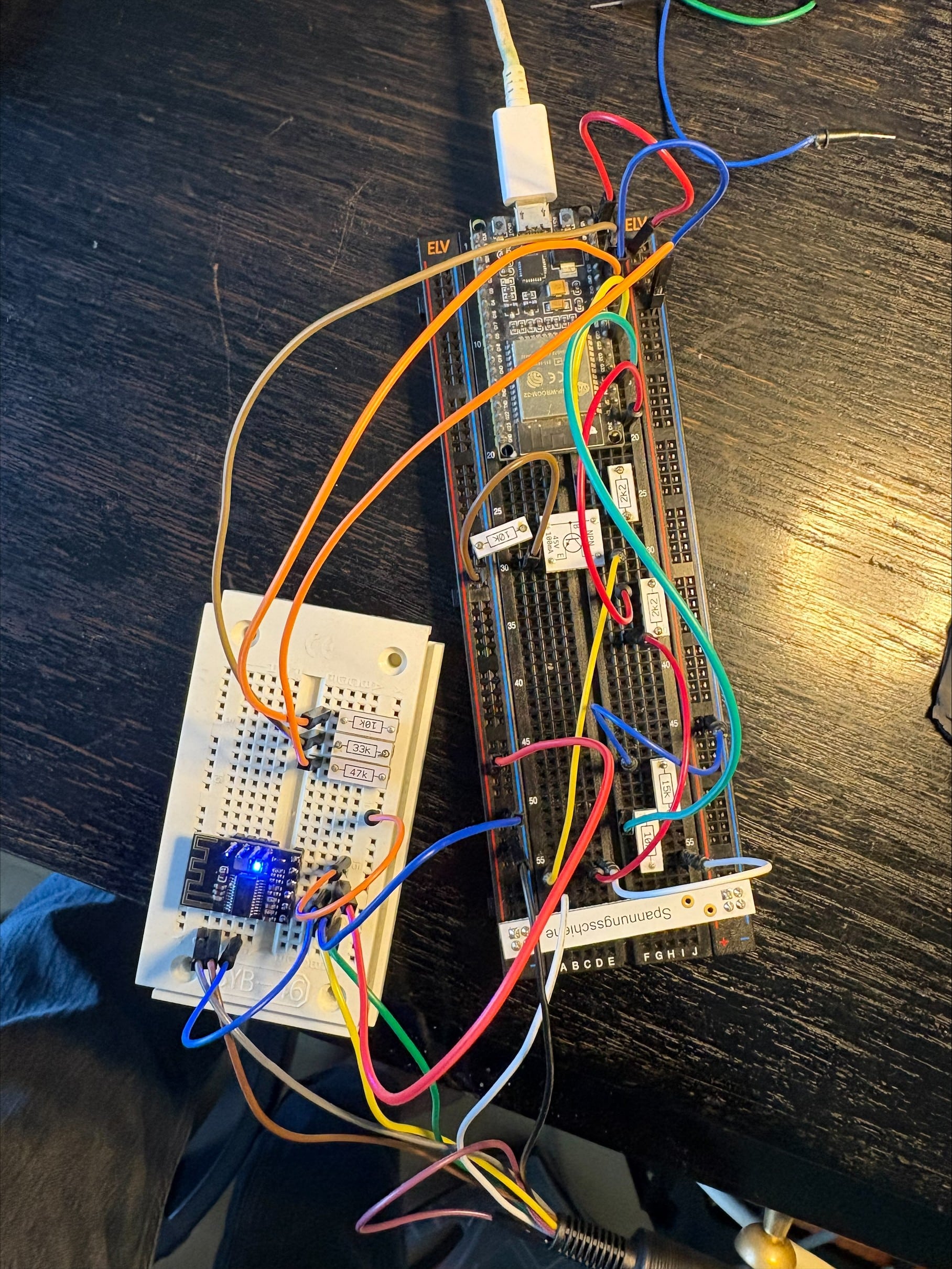
Optional Include a Bluetooth audio module
swoGOLD MemberBeolab 3500 Mk II
Tested with SW 3.33When the Beolab 3500 Mk II is in PL mode, it behaves like a normal BL speaker (BL6000, BL8000): no IR reception, no SelectSource, and also no Vol+/Vol-. A speaker like that having its own display doesn’t really make sense in the first place.
⚠️ Big warning: PL-level audio signals are much lower than a typical Line In / audio jack level. Since the Beolab 3500 Mk II’s volume can’t be controlled over PL (see above), feeding it a normal Line-In-level signal directly risks destroying it. Attenuate the input first — a voltage divider, or a level control on the source device — before connecting it.
The basic idea
Without display
Simple, two things needed — tie PL4 to +5V, and send 0011000111100111111100000000100 on PL6 / PL7.With display
It gets more complicated — two additional requirements:
Mute BL Pin4 must only go HIGH after that init sequence (0011000111100111111100000000100) has finished sending — it has to stay LOW for the whole duration of the sequence.⚠️Remark : Sending PL commands to BL3500 its different than usual PL commands:
After the frame’s normal Stop (t4), one more t1 pulse (3.125ms) is required!During dev Beolab3500MKII_PL i recognize that the additional t1 in only needed for the init sequence. All other PL commands are as usual
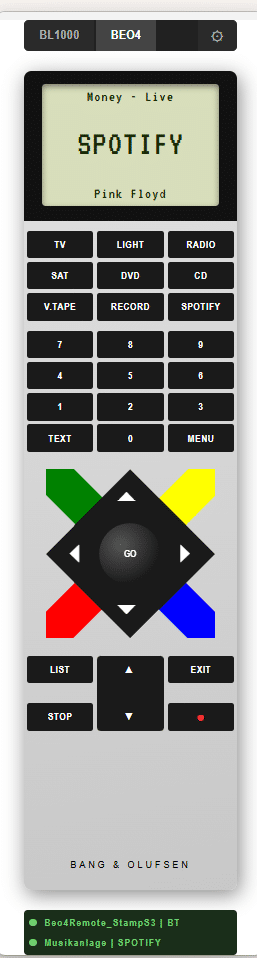
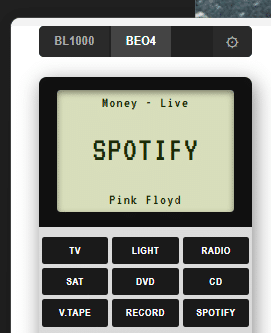
swoGOLD MemberI added a Bluetooth input device. The Left/Right keys on the Beo4 / Beolink 1000 are stepping through the Spotify (or any player on pc) playlist.
swoGOLD Member@Madskip Deepened on source selection on BL3500 a ESP32 pins switch on. you can control extern devices source input or whatever with this pin
`</div>
<div>ESP32 — wrover⚠️ work in progress, will change</div>
<div>
<div>
<div>ESP32 — wrover ⚠️ work in progress, will change</div>
<div>┌───────────────────────────┐</div>
<div>│ GPIO4 (TV) ●───────┼──► HIGH while TV is the active source</div>
<div>│ GPIO5 (Radio) ●───────┼──► HIGH while Radio is the active source</div>
<div>│ GPIO17 (PC) ●───────┼──► … ──► to a separate audio-switch board</div>
<div>│ GPIO19 (CD) ●───────┼──► … (not part of this project)</div>
<div>│ GPIO22 (Phono) ●───────┼──► …</div>
<div>└───────────────────────────┘</div>
<div>`@Madskip II yes I saw . MK2 is on the list – coming soonIn case I add navigation (Next/Prev/pause) support for possible Bluetooth device I reduce that list.@Klaus: I’m not finished so far and currently it looks -> see next post
swoGOLD MemberBeolink3500-Standalone (only MK1 so far)
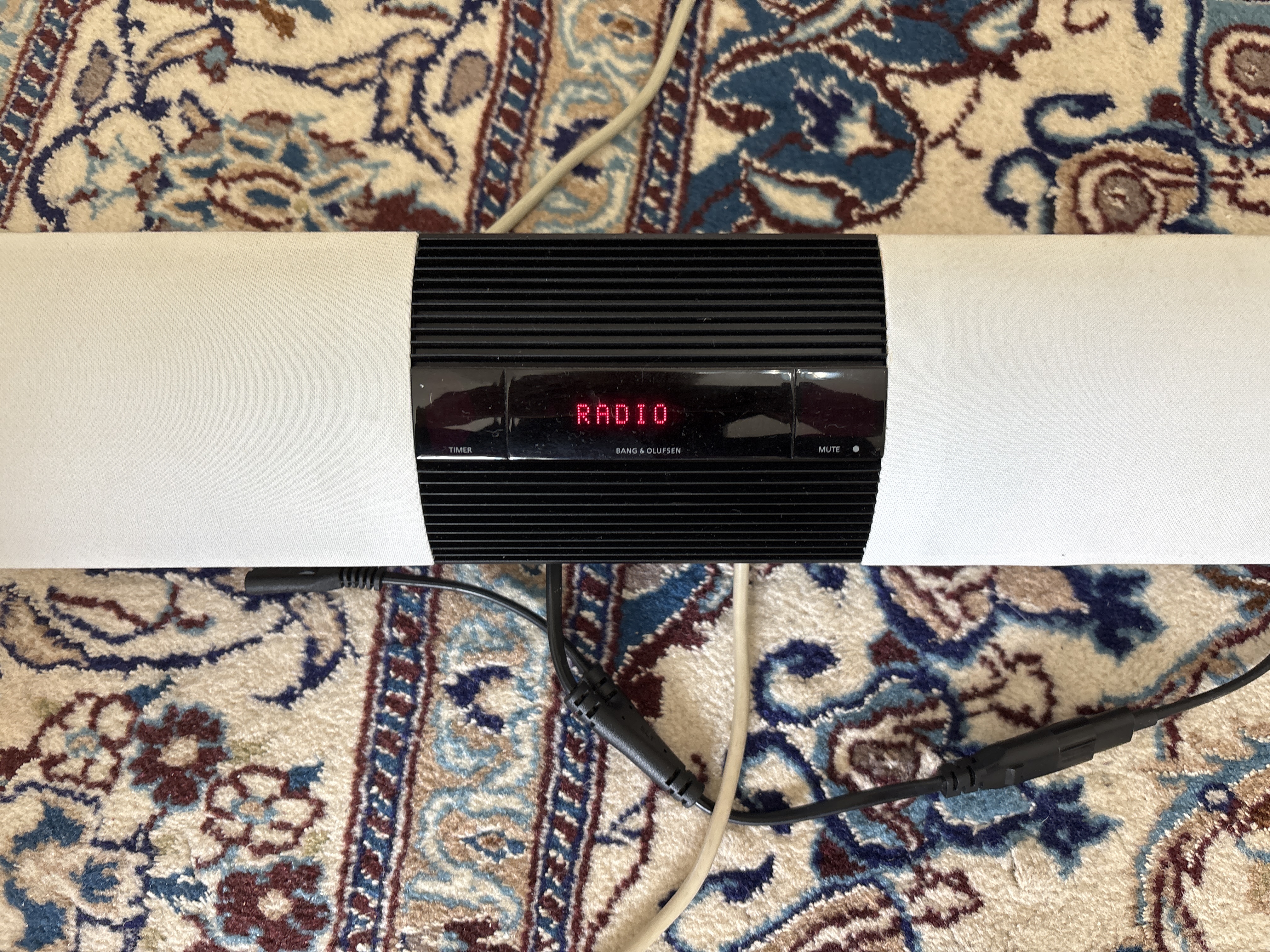
With the help of this project and AI, I created an ESP32 that simulates an MCL/ML master via PL. With this solution, the trick Menu 004 is not necessary. That means after power off you do not need to open MCL anymore. Theoretically it’s possible to connect several sources and switch between them. In other words you can use Beolab3500 as Soundbar or Standalone Speaker.
for more info see github.com/wolfgangschneider/Beolab3500-Standalone
swoGOLD MemberAd Spotify to BeoControl
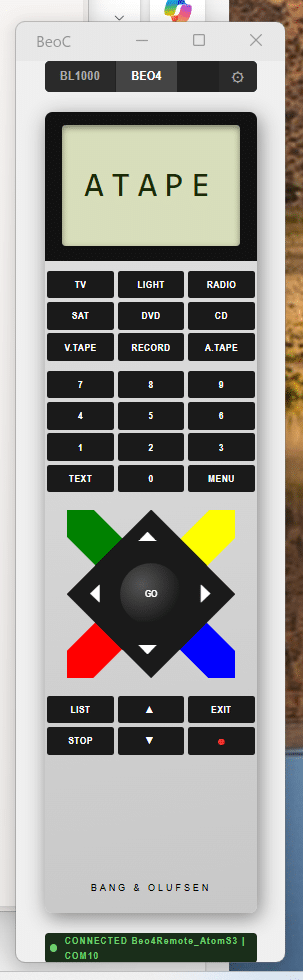
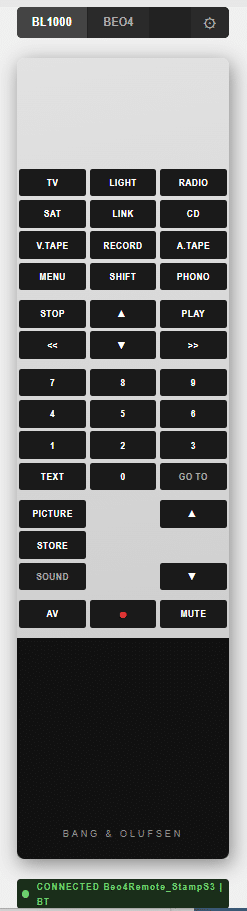
A .NET 10 control system for Bang & Olufsen audio equipment via the Masterlink bus. BeoControl bridges legacy B&O hardware with modern software, supporting both USB PC2 controllers and ESP32-based Beo4 remote emulators over Serial/USB or Bluetooth LE.
wolfgangschneider/BeoControl: Unified B&O controller (ESP32 serial · ESP32 BLE · PC2 Masterlink)
swoGOLD Memberthx
swoGOLD Member<h3>Another project nobody really needs — but it’s a lot of fun.</h3>
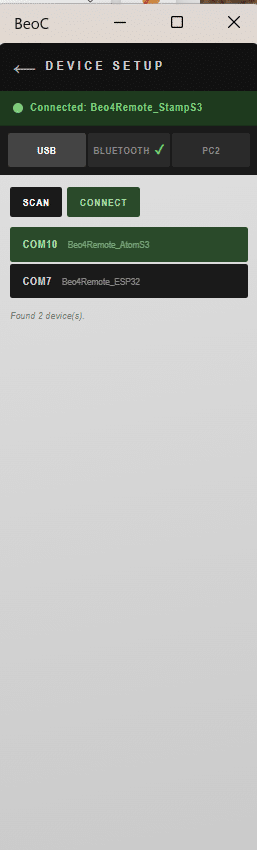
Control your old BeoLink PC2 / BeoPort on Windows 11, Linux, and probably macOS as well. You can also hook up a small ESP32 with an IR transmitter to control your BeoMaster. The ESP32 can connect via USB or Bluetooth, giving you plenty of flexibility.Multiple user interfaces are available: Terminal / GUI / Web (a mobile version is on the way).
wolfgangschneider/BeoControl: Unified B&O controller (ESP32 serial · ESP32 BLE · PC2 Masterlink)
PS: I’d love to connect directly to the Masterlink, but unfortunately I can’t read the old forum posts anymore.
Links to the archived discussions: http://archivedforum2.beoworld.org/forums/p/641/5328.aspx#5328 http://archivedarchivedforum2.beoworld.org/forums/t/28687.aspx http://archivedarchivedforum2.beoworld.org/forums/t/30181.aspx
swoGOLD MemberHi Rainer
zur Sicherheit: hast Du C5 oder C50 gewechselt?
dazu noch Batterie und Lichtscranke.
Sonst noch etwas?
danke Wolfgang
swoGOLD MemberCould you please so kind and provide a Link? or your search words
Thanks
-
This reply was modified 1 month, 3 weeks ago by
-
AuthorPosts