Forum Replies Created
-
AuthorPosts
-
 BRONZE Member
Anyone knows how to mute/turn off the picture/screen on an LG/THEATRE combo using the Beoremote One? I haven’t come across any options yet (not on remote nor in the app). MM
————
Really noone???
Additional question.
How do I access my CD6500/Master6500/NL/ML Converter on the Theatre?
This was possible with my previous BV Avant 1.st gen setup.
And it is accessable from my other (ASE) Network Linked products.
There does not seem to be a menu on the Theatre for this.
Is this a ‘Theatre-thing’, something that has not yet been implemented or is it a general ‘Mozart-thing’ (a bug, then)?N.B. Beolink is activated in the Theatre menu!
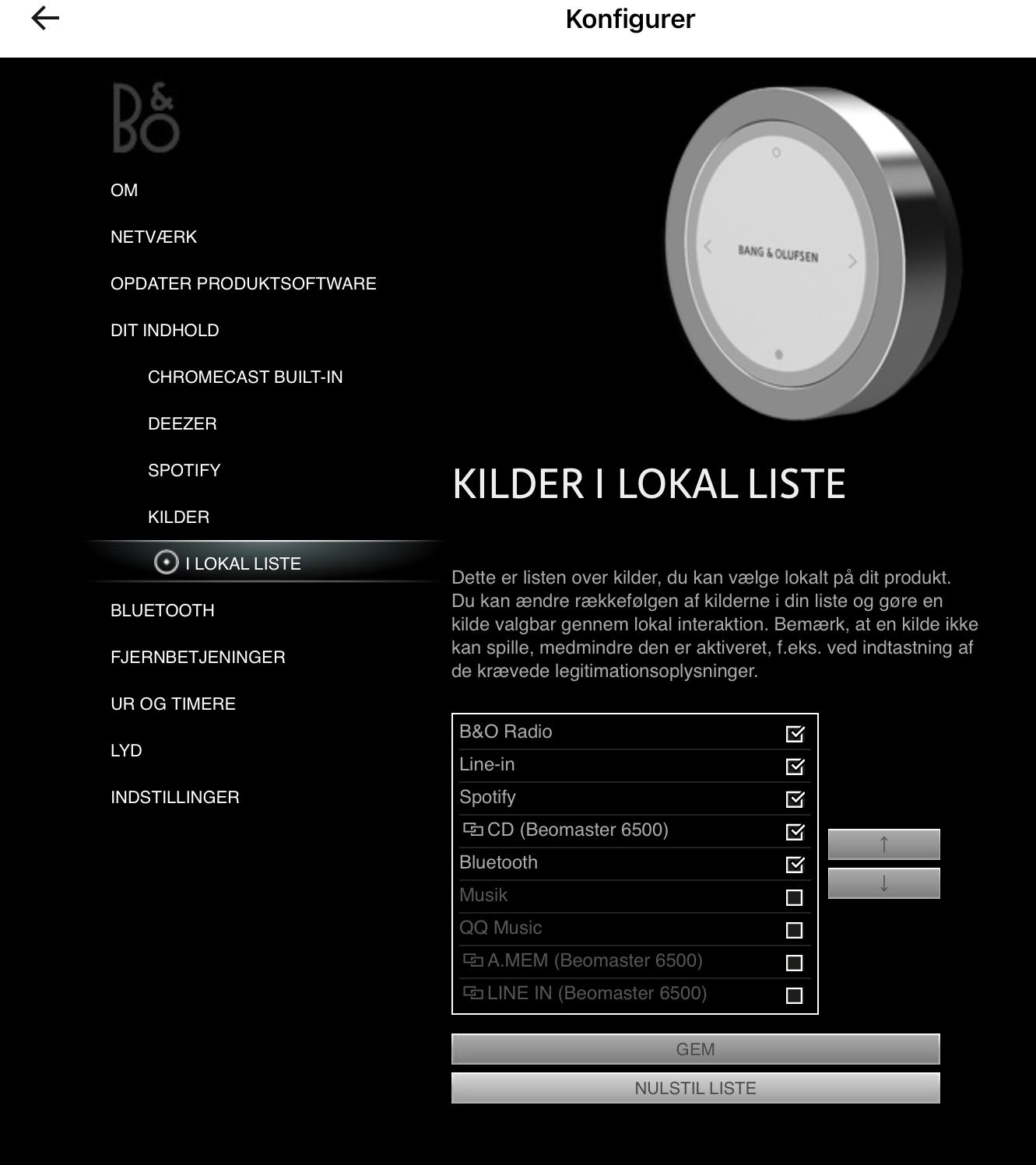
Here is how it looks in the setting for one of my Essence boxe’s:

Location: Flensborg————Danmark
Get a Beolink 1611 Converter…..and you are good to go.
MM
Location: Flensborg————Danmark
Does anyone know if it is possible to set a volume level when changing source? I know there is the default volume setting when you turn it on, but I would like to have different levels when I change to the various HDMI ports
————
Only way I know of to set different startup volume values, is to use the MyButtons as the source starter.
However, I also would like to be able to set an individual start up volume for each source (or even for each Listening Position).
When I get an overview of ‘my wishes’ for the Theatre, I’ll include this…..and will send it through the (beta) app to the support team.
You could do the same….the more the better.MM
Location: Flensborg————Danmark
Anyone knows how to mute/turn off the picture/screen on an LG/THEATRE combo using the Beoremote One?
I haven’t come across any options yet (not on remote nor in the app).MM
Location: Flensborg————Danmark
I would like to be able to stream audio to the Horizon, while the Horizon is turned off. Ideally via Spotify Connect, but anything else would be a fine substitute. Not sure that’s doable though with any of the solutions you lay out? Also, I don’t think the B&O APP supports streaming to non-B&O Spotify-Connect implementations?
—————
The Horizon will have to be on…..that is the brain of the setup.
However, if I am not mistaken you can mute the picture, when just listening (I know….an additional step, but doable).Spotify Connect is not a fully integrated part of the Bang & Olufsen app – choosing Spotify will always redirect to the Spotify app.
So no matter which Spotify endpoint/receiver you use, you will have to use the original Spotify app.Tip: If you airplay from the Spotify app to the ATV box (assumed this is Puc-controlled), you will be able to play/pause and skip tracks with the Beoremote.
MM
Location: Flensborg————Danmark
oh boy I want to avoid doing that as its a mess and I want the TV to get software updates. Something else I don’t know if it is a bug or not… I have the theatre connected to the LG by the special ethernet TV port. The B&O app on the TV says it’s connected fine and using any internet services on the TV also works fine. The weird thing is in network setting on the LG it says ethernet is disconnected (and wifi is set to off). Anyone else have this?
—————
I won’t be able to say much about that (and the notifications), since my goal is to see as little of the LG/WebOS as possible.
I use (as previously with my Avant 1st gen) the ATV4K box, a (UHD/SACD) Bluray player, a Chromecast Ultra dongle, all connected to the Theatre/HDMI…..and from the LG occationally the build-in tuner.
How well that will succeeed, I won’t be able to tell until after a few more days of use (did not quite finish the install yet).Those, who want to use the apps on the LG will have a hard time to get rid of all unwanted stuff, I guess ☹️
P.S. The tv – of course – is connected with the ethernet cable from the Theatre……..I want the tv updates, too – and the control of the LG/UI, if needed.
So far no issues with network notifications like you described.MM
Location: Flensborg————Danmark
my Theatres are being installed in 3 weeks time, both wall mounted. The installers have a lot of wiring going into the back of my living room theatre – lord knows how they’ll make the whole thing perfectly flush to the wall! Gaps will not be tolerated! Congrats by the way, and enjoy.
—————
Will be interesting to see how good they will get it.
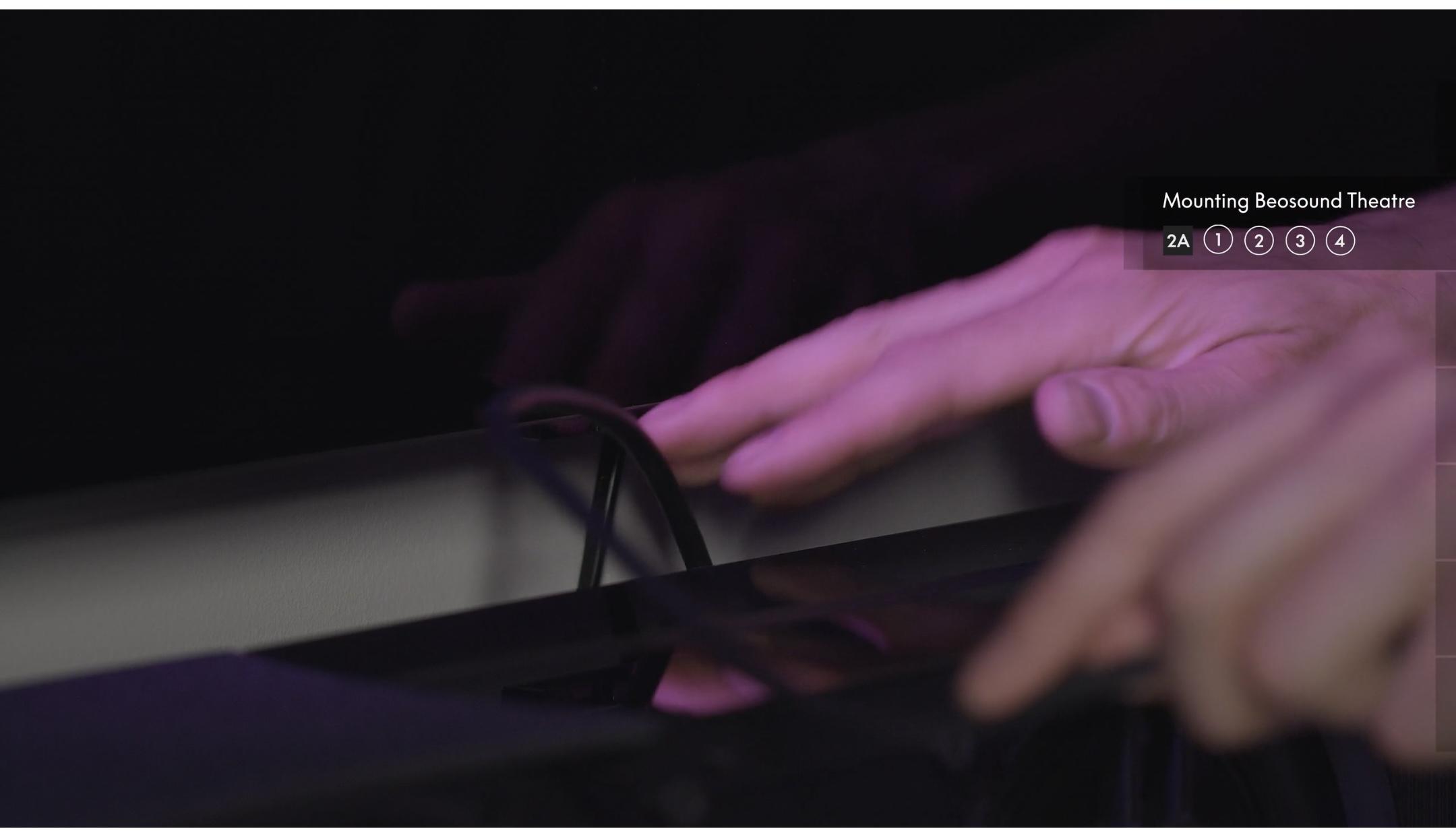
The pic (from the install video) shows some, but not much space behind the wallmounted Theatre.

My own tablestand (with the SMI) mounted combo standing on a lowboard is pushed as far as goes against the wall…….not much space there either.
And no way to get the rear cover in place.MM
Location: Flensborg————Danmark
ok im THRILLED someone posted the tip on how to get rid of the LG logo on shutdown for the G2. Can anyone figure out how to get rid of the notifications the TV gives you about sports and app updates? I get 4 popup notices every time the TV turns on and its annoying.
—————

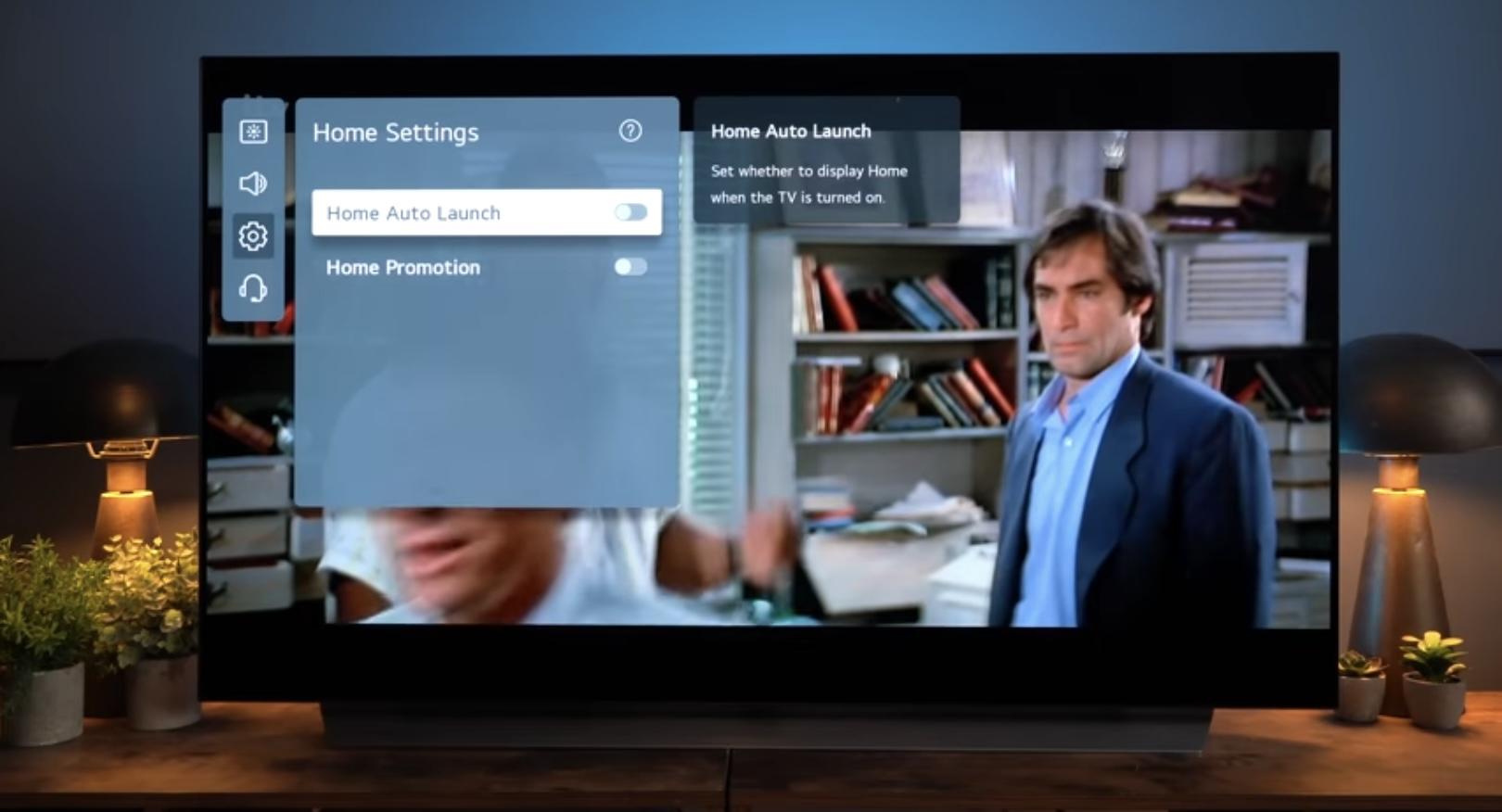
Maybe this helps (go to 9.00 ->)
MM
Location: Flensborg————Danmark
The Horizon is what it is – you can complain about it or not….it won’t change anything.
I’d follow the advice from the dealer, to add an AppleTV…..maybe a Chromecast (or both).
I’d say, make the best of what you have!
If you need Spotify just cast to the Chromecast dongle.
On the AppleTV you can install the Spotify app…..this works well as a Spotify Connect receiver.
Also there are also small Spotify Connect capable devices, that you could connect to the analog line-in of the tv.Streaming your own DLNA/NAS based content (if you have such) can be done using one of many apps on a mobile device to cast or airplay.
(I know….this is not “Moment-like”, but the option of listening to music is there).As you know – you can still have internet radio, when the Moment is integrated with the Horizon.
MM
Location: Flensborg————Danmark
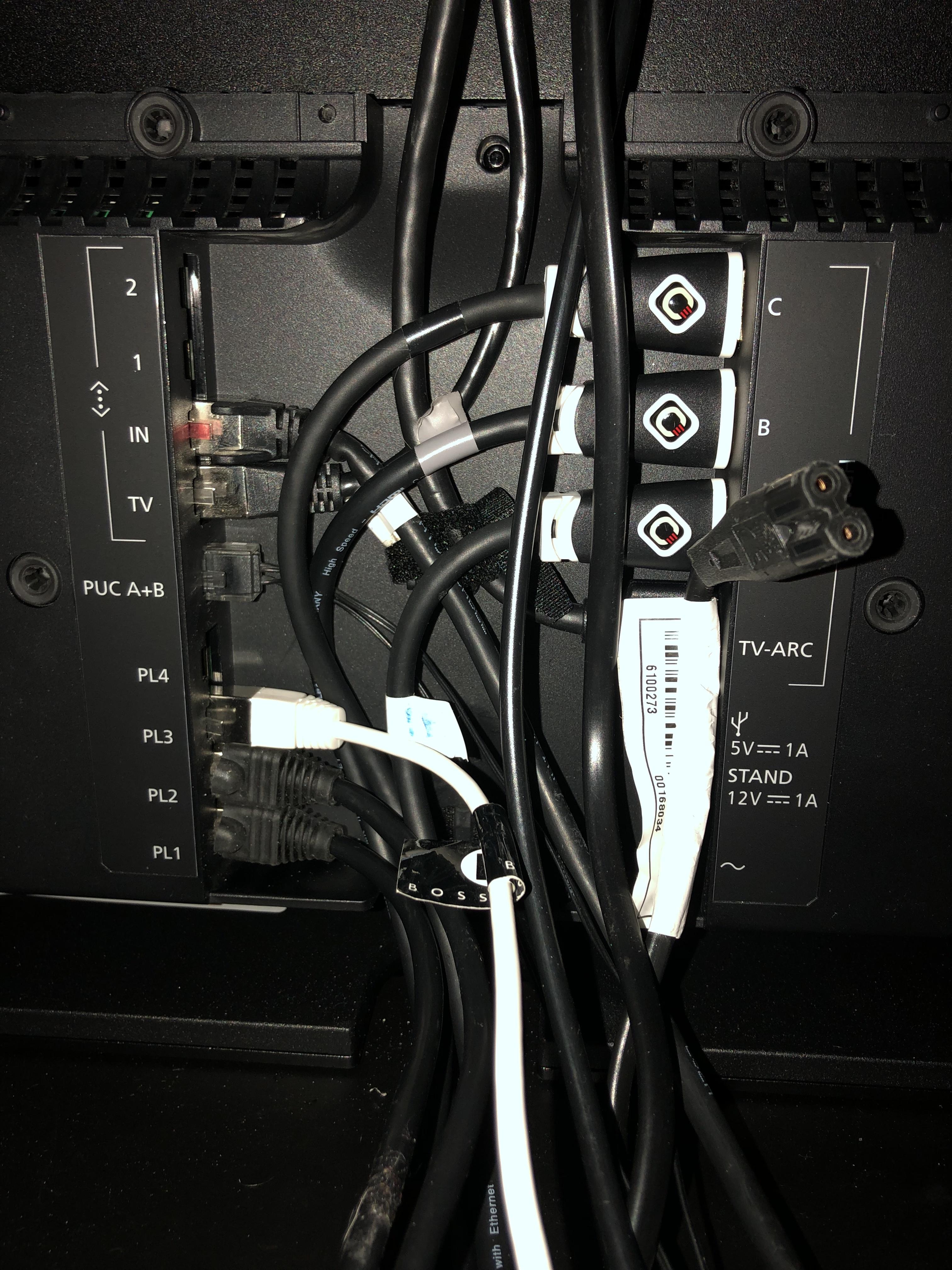
yikes! wired all the way, but that is fairly cramped! Did you do it yourself?
=====
Sure, but haven’t finished it yet.
The fun part (of making Listening Positions) will have to wait untill tomorrow.
Also I am looking for a way to get rid of the WebOS logo at startup.I do wired whenever I can, but it seems that the Theatre was not quite designed for wire guys.
Guess what…….I left the back cover off – no way to make that fit ☹️
Since the unit is placed right up against a wall, I don’t see it anyway.MM
Location: Flensborg————Danmark
To my knowledge there are no ‘position’ settings on the 6000.
https://bangolufsenassistentgohe.blob.core.windows.net/manuals/SPEAKERS/BEOLAB_6000/beolab6000_userguide_english.pdfHowever, on the 6002 there are.
Any Beolab with these setting options should always be set to ‘Free’.
This is how they were measured for the Theatre.MM
Location: Flensborg————Danmark
To wire or not to wire….that is the question ?

Location: Flensborg————Danmark
Yes – you’ll need a ML driver to get that working.
Just connect a 1611 Beolink Converter to the ML chain or use the USB Powerbox, that B&O made for the use cases, where no audio/video master is in the setup anymore.
MM
Location: Flensborg————Danmark
In order to use WiSA with a speaker, that is not WiSA compatiple per default, you would have to use a Beolab Receiver 1.
These however, do not work with the BL5’s.MM
Location: Flensborg————Danmark
The probably coming version was discussed in the Beotalk 239 on sunday:
Scroll to 1.42
MM
Location: Flensborg————Danmark
This is the official B&O suggestion:

As for ‘new hub’, there is nothing official yet.
However, rumour says there will be a Mozart platform based version of the BS Core at some point.MM
Location: Flensborg————Danmark
Please note the ‘workaround’ that Steve mentions here:
https://archivedforum2.beoworld.org/forums/p/25222/201651.aspx#201651MM
Location: Flensborg————Danmark
Thank you so much for caring.
However, this is not quite what I am looking for.
I do know the document……that Handbook is a must for all Beofans ?Lucky me, I just had a message from a dear friend of mine.
He might have one for me.P.S.
When/if I get it, I’ll post a picture here – just in case others should be interested in knowing, how it looks.Edit!
The solution could be to keep one of the jacks and find someone with a crinping tool (or buy one) to exchange the other with a regular ir blaster (I have plenty of those laying around).MM
Location: Flensborg————Danmark
Congrats!
Mp3tag is a mighty piece of software….used it a lot earlier on.
MM
Location: Flensborg————Danmark
I don’t…
….but if I had to – on a PC – I’d rip with dBpoweramp CD Ripper.
(There is a free 21 days trial).And I’d tag the files with Mp3tag.
MM
Location: Flensborg————Danmark
-
AuthorPosts