Forum Replies Created
-
AuthorPosts
-
 GOLD MemberPerhaps you thought I was asking for your advice? I wasn’t.
Sure no – it was just a general statement.
I guess you’d ask for an advice, if you’d need one ?
MM
Location: Flensborg————Danmark
I suspect that the tv’s internal speaker could be used for the center channel. Such a speaker could hardly keep up with the quality of beolabs, though.
This will not be possible and even if, a really bad idea soundwise.
These internal speakers would still be a set of L/R speakers and there would be no option to adjust for level matching or for setting up speakers distance etc.Personally – if I would need a non-B&O tv for the kitchen – I’d still go for a Stage, despite it being a bit older now and not a Mozart platform device.
IMO, if you go for a 2 channel setup for a tv, you should place the speakers on either side very close to the screen in order to maximize the illusion of a phantom center.
How about a set of the BL12’s ?if you use a tv as a computer monitor, you can get away with a 2 channel setup, since you probably are the only person and you are sitting right in front of the screen.
MM
Location: Flensborg————Danmark
I do think that B&O is going a little overboard in hyping it as a solution for a home theater. It’s certainly no Beosound Theatre. Still, the added HDMI connectivity is a nice feature for the slight price increase. For me, I could see it as a solution for a non-B&O small tv that I have in the kitchen. I currently have it connected to a Beosystem 3 for connection to 2 Beolab 4000 speakers and an Apple TV. That’s then connected to an NL/ML converter to integrate with the rest of my B&O. This small box could replace all of that and allow control via CEC of an Apple TV connected directly to the non-B&O tv. It has its place for a simple setup solution.
As you might have noticed, I am an advocate for a center channel with a tv.
Having only L and R speakers corrupts the sound image, when you are off axis….when you are more people than ‘the one guy without friends’ sitting in the money seat.
If I were to use it with a tv, I would get the BL7.x, which would be more suitable with a screen (and also is a good speaker for music in a kitchen).The ability to use the BROne for controlling the tv/AppleTV (CEC) still has to be proven!
MM
Location: Flensborg————Danmark
But what disappoints me the most… No optical or aux output whatsoever.
It has USB Audio out….which is digital.
MM
Location: Flensborg————Danmark
My Beoplay A8 – upcycled – setup is somewhat simpler.
I use the PL-out of an Essence MK2 to the R/L line-in on the A8.
The line-in has autosense, which means that the A8 is activated, when starting playback on the Essence – both go into standby after a while of not being used.The Essence is controlled by a BROne or by the B&O app.
The A8 has a fixed startup level and the volume is controlled via the Essence.
The A8 is basicly ‘just’ a set of speakers.The big advantage is that the setup this way is part of my B&O Link setup in the house.
MM
Location: Flensborg————Danmark
Oh no!
A (Mozart) Core with a HDMI/eARC connection.
With only 2 channels support ?
Where did the most important speaker for tv viewing – the center – go?
Not that I expected TrueImage processing built-in – but this really is too ordinary.And the CEC support – will that bring control of the tv/the connected AppleTV….
….as Mbee asks?
Or is the future two remotes on the table?
Only a visit in a B&O store can clarify that…I guess.P.S.
I’ll stick to my trusted Essence MK2 boxes for 2 channel music/radio listening and my Theatre for tv/movie watching with great multichannel sound.MM
Location: Flensborg————Danmark
The volume gain for individual sources is accessible under “… / Sources / Source Behaviour /”.
The select a source, scroll down the resulting page and there is a Volume Gain setting.
I’ve tried it, and it’s not obviously making much difference (I’ve set gain to +4 for one specific source so far).
Thanks Sandyb
Got it now!
MM
Location: Flensborg————Danmark
3.4.1(8) update for my Theatre today – the regular update.
Can’t say much yet – had to restart my AppleTV (unplug/replug) to have it activated as I started watching this evening.
I guess the ‘individual start up volume for sources’ thing is only relevant, if you use the app of the LG-tv (which I do not do), or?
By the way, I do not see where this should be handled in the app.MM
Location: Flensborg————Danmark
Should not be hard to find in Denmark.
But the shipping costs would be gigantic, I guess.
Have a look on this site (equivalent to ebay in Denmark).
MM
Location: Flensborg————Danmark
Very well, yes!
I have done that for 30 years now.No going back…..it has gotten better and better – especially since I got the BS Theatre.
And, by the way – music is not limited to two channels (usually called stereo)……the more channels, the better ??????
MM
Location: Flensborg————Danmark
Please send my regards to the ‘she’….getting rid of the door is an excellent idea.
The setup needs more room to ‘breathe’.
You (and ‘she’) won’t regret it!MM
Location: Flensborg————Danmark
Maybe 8s as front and 8000 as rear will perform better in the surround system , 80% sound come from L C R,and 8s is technically better than 8000
I’d second that…..didn’t you think of that?
I guess that would also be a better solution optically, since the setup is pretty squeezed in the front due to the placement.Only reason not to do so, could be that you’d have to have a PL cable running to the back.
That might be doable, though (?)
Otherweise you could use a Receiver 1 for WiSA connection to the BL8000 in the back.MM
Location: Flensborg————Danmark
11 March 2024 at 10:52 in reply to: 3 generations of the B&O app – which one would you prefer? #50559While each version brought improvements, the latest iteration stands out. Its sleek interface, intuitive navigation, and seamless integration with B&O products make it my top choice. With enhanced functionality and a user-friendly design, it truly enhances my audio experience.
That could be a quote from an official B&O PR announcement!
Can you really ignore the flaws, that a lot of users have described?
However – if it is true in your case – no doubt, you are one of the very few content app users.
MM
Location: Flensborg————Danmark
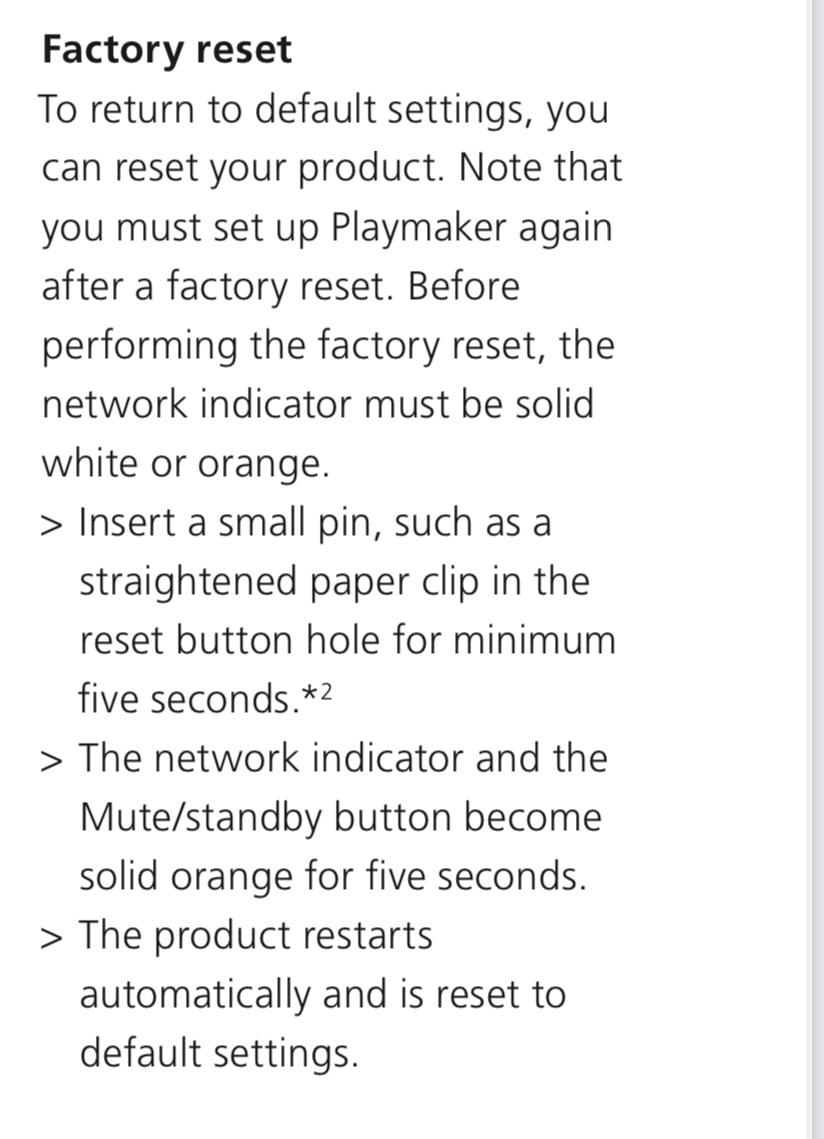
Did you do a reset?

MM
Location: Flensborg————Danmark
IMO streaming via BT is a handy solution, when you e.g. have guests in the house and you are not interested in giving them the password for your home wifi network.
Streaming via Airplay or Chromecast / Deezer, Spotify Connect (or Tidal Connect) is the better solution.
MM
Location: Flensborg————Danmark
but now I have a question :
I’ve been through eclipse settings , and beolab settings on app , and can find no setting for using the 19 sub with the 8s for music streaming .
is it possible to do this ?
or will the sub only turn on when the tv is on , and the 8s will only stream Bluetooth when tv is off ?
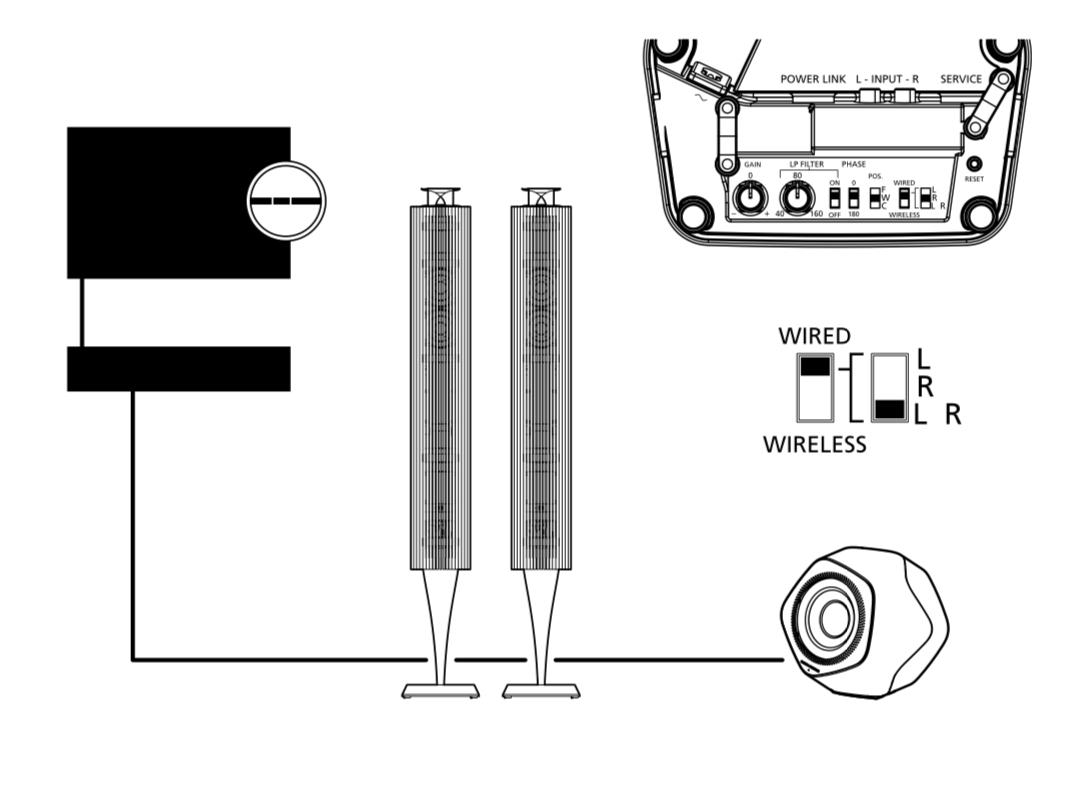
You can not add a sub to the BL8’s.
Only way is to make a Speaker Group with the BL8’s and the BL19 in the BV Eclipse – which means that the BV Eclipse will turn on for processing the sound.
You can not use the BL8’s for BT, when set up with the BL19 as a Speaker Group.As far as I remember you can stream via BT to the BV Eclipse directly and this way use the BL8/19 Speaker Group for listening.
MM
Location: Flensborg————Danmark
A lot of NL/ML Converter users have this question.
I haven’t heard of any explanation yet.MM
Location: Flensborg————Danmark
You could use airplay and technically they will be fully in sync ?
That would be the most expensive Airplay device ever ?
MM
Location: Flensborg————Danmark
-
AuthorPosts