Forum Replies Created
-
AuthorPosts
-
 BRONZE Member
Please notice that in the link that goes to Origin Acoustics (and on their website) there is no mentioning whatsoever of Bang & Olufsen.
Also the name there is SEASONS LSB64 and The Landscape Bollard Loudspeaker.I am not so sure that it was someone at B&O, who had ‘a sense of humor’.
It seems more like a product (with an included BS Core) that they also brand Bang & Olufsen – but in reality was something that Origin Acoustics came up with for the most part.
Would be interesting to know, if the amp that they mention is the same as what B&O calls Beoamp 125.4.MM
Location: Flensborg————Danmark
It seems that they will be demoed at the Cedia in Denver during the next couple of days – watch out for YT videos from there!
MM
Location: Flensborg————Danmark
I know – I too will have to dig deep into my pockets to find the money……..if I want a pair of these (for ceiling/hight speakers with my Theatre).
Certainly a bit more expensive than I would have guessed (compairing e.g. to a pair of the A5’s) ?
But still reachable for a lot – just remember the original prizes of previous smaller Beolabs.However – apart from the prize especially for the wooden frets – I guess they are all a lot of the Beoworlders have asked for – including PL and WPL/WiSA – form factor and placement options.
Personally I would not need the multiroom/included sources etc functionallity. But making two versions (just a speaker and the Mozart/multiroom version) probably would not be possible saleswise.Will be interesting to see/hear how it delievers – hopefully the SW will be finished/stable at the launch
I do not really see any alternative for me (as hight speakers etc)….except for a pair of preowned BL3’s, 17’s or maybe the BL4’s.
Which other company could deliever there??MM
Location: Flensborg————Danmark
The listed pair prizes I see are 5000 € (with the regular cloth cover) and 6000 € (with the lamellas) including the table stand.
MM
Location: Flensborg————Danmark
https://www.bang-olufsen.com/da/dk/hoejttalere/beolab-8
Location: Flensborg————Danmark
In case you are only using chromecasting with your devices, you – per definition – are not using B&O multiroom.
In that case any chromecast device (with a newer cast version) could replace the BS Core…..apart from the fact that the connection to Beolabs is far easier with the Core.
No news about a possible Core 2 or successor based on the Mozart platform.
MM
Location: Flensborg————Danmark
Big!!!

Location: Flensborg————Danmark
Great – I hope that also means that your family member is doing better!
—
Now just wondering, how deliveries from the UK to countries in the EU will be handled – concerning duty, taxes etc.
Would be great to hear about the experience from your EU costumers – often post from the UK also takes longer nowadays than before.MM
Location: Flensborg————Danmark
I am with the admins – Beoworld should avoid distributing rumour and leaks.
Also leaked pictures of coming products are mostly of minor quality and hardly reveal the porential of these new products.
Also it won’t be long after the leaks appear before we get genuine information from B&O.
Shouldn’t it be possible to wait for that?
100% MM
Location: Flensborg————Danmark
I’d say, yes!
However, you will have to volume control via the connected non B&O amp, since in that case the output from the Essence is at a fixed level.
MM
Location: Flensborg————Danmark
Simplink is a term used for CEC – different companies use different terms, but basicly it is the same.
MM
Location: Flensborg————Danmark
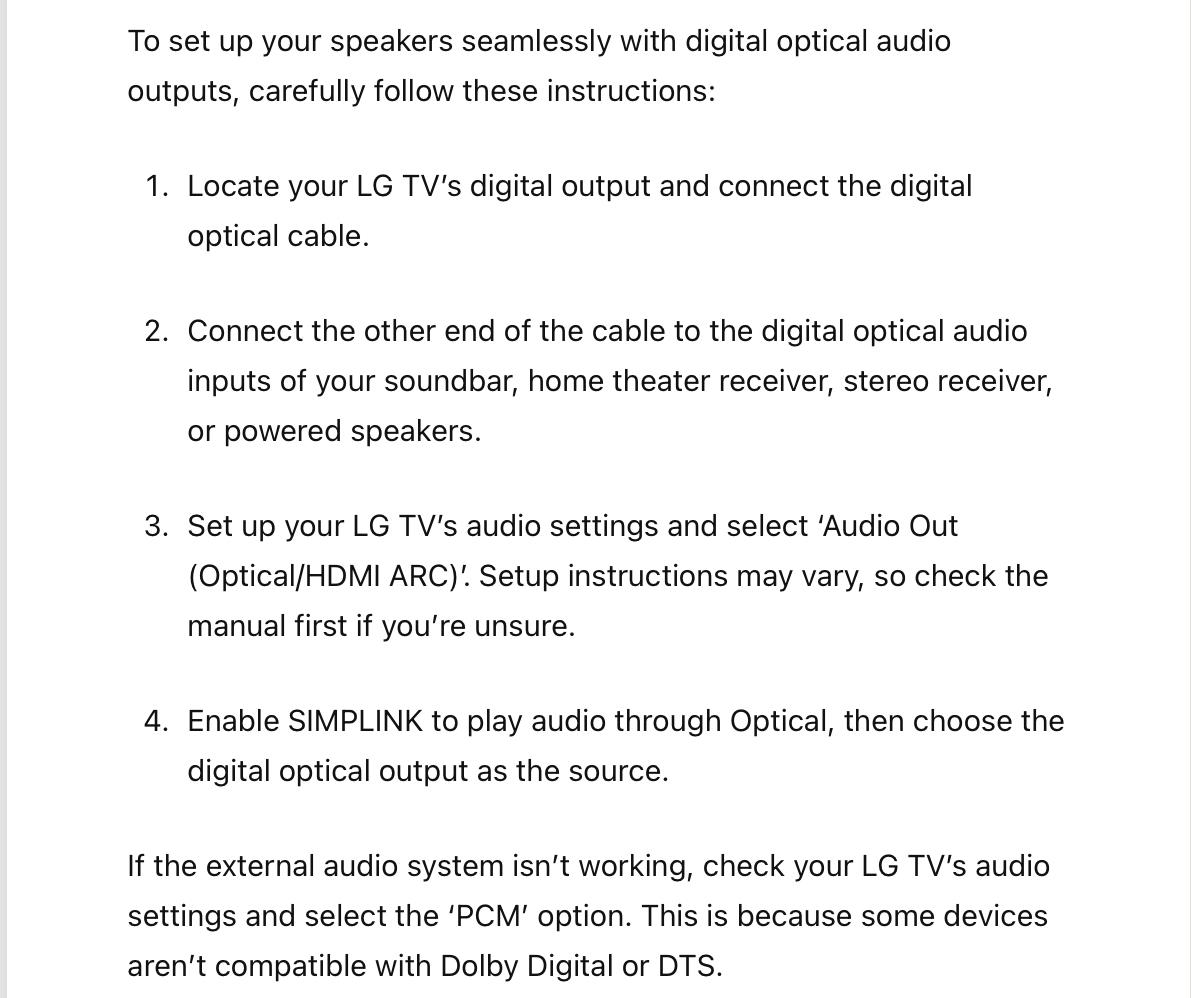
How to Connect External Speakers to LG TV — A Quick and Easy Guide Last Updated: October 7, 2022

MM
Location: Flensborg————Danmark
If you really need more connetion possibilities, you could use a small (manual) switch before connecting to the Essence.
In any case that would be easier to handle than plugging/unplugging cables by the 6000.MM
Location: Flensborg————Danmark
Another option is to connect to the BL2, then go from there to one BL6000 and daisychain from there to another ——- or go from the BL2 to each of the BL6000 with seperate cables.
No external switch needed.Either option is possible – depends on how the placement of the speakers in the room is.
MM
Location: Flensborg————Danmark
Again no worries….when you connect both using Powerlink cables, the right setting is there.
There is no way to use the optical/digital out from the Core, since the speakers have no digital input possibility.MM
Location: Flensborg————Danmark
It is either or!
If you really also want to use the line-in, you will have to unplug/plug the cables each time you want to change from one to another – unplugging the power also would be wise.
Also you must set the switch accordingly, when you change.N.B.
The Essence has a line-in connection…..why not just use that, if you have additional sources to connect?P.S.
From the Essence you will need a RJ45 adapter in case the 6000 come with regular PL cables. If not, you will have to get RJ45 to DIN male Powerlink cables.MM
Location: Flensborg————Danmark
No worries.
You are feeding the Core with the optical signal.
This the sends the audio through the Powerlink output to the speakers.
MM
Location: Flensborg————Danmark
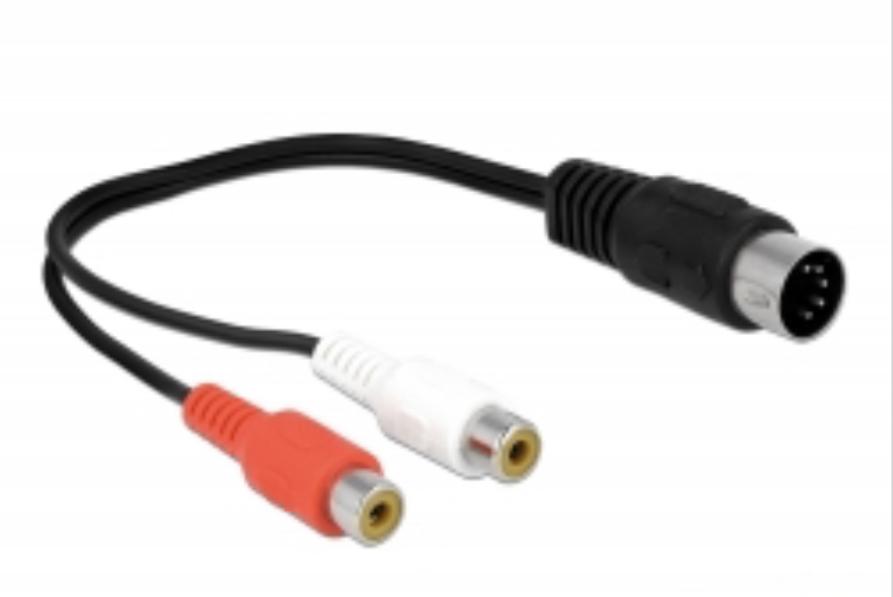
Something like this – assuming your turntable has a L/R cable:

Location: Flensborg————Danmark
Sorry Steve.
Pindsen seems to live in Denmark…..and can not buy from you – unless this has changed recently.
MM
Location: Flensborg————Danmark
-
AuthorPosts