Forum Replies Created
-
AuthorPosts
-
 MadskpGOLD Member
Yes it is probably the same one for a group of different products, but with different wirering and button front.
Of course there is the mute anomily but I wonder if that could be related to my Audiomaster not being ML, and/or new enough software version. It was the type 2020 MCL2AV I tried with, so might also try with the newer on to see if the behaviour is any different.
Location: Denmark
MadskpGOLD MemberHis connection drawings is inded great for inspiration, and will hopefully continue to be.
To his credit many of them show up in google picture search even when I search in english.
I did not know him only followed his thread when he had one in the Nordic forum here on Beoworld.
May he rest in peace
Location: Denmark
23 April 2023 at 12:30 in reply to: The Future of BeoWorld Membership Levels – Your Thoughts? #45911MadskpGOLD MemberHello Lee and Keith
Im fine with the idea of reducing the memberships types to two, maybe it will make it more transparent what you pay for. No great ideas for naming.
I think it could be a good idea to have information about paying membership benefits presented up front, so it’s easy to see what you can get by paying, and prefereable also on the forum pages as a lot of people may not get to the forum by the main page but by Google.
It could also be worth to make mention that it is not only about benefits, but also the support of running Beoworld and keeping it alive.
I think someone mentioned it in the other thread, but I also think that a visible donation button on both the main page, and on the forum pages with a note about supporting Beoworld could be a great idea.
An other idea for added benefit for paying members could also be acces to unofficial solutions developed by the users. As an example of that is Matadors exelent diagram in this thread https://forum.beoworld.org/forums/topic/beolab-3500-and-1611-converter-settings/page/4/#post-14017
Of course that one is out in the wild, but I am working on something alike to document other solutions from that thread. This way people can choose not to pay and find the solution the hard way by going through the thread, or pay to get a nice and easy understandable (hopefully) page where it’s all shown.
Let me know if that is something that could be interesting?
Great idea about the hard copy manual’s. There will probably be something interesting in that archive.
Location: Denmark
MadskpGOLD MemberTried to disconnect the yellow and grey wire SCL,I2C and SDA,I2C in the round IR eye.
All remote control functions still working, but no lights, and no button functions working, so thats what they are for in the round version.
Location: Denmark
MadskpGOLD MemberI also remembered I had a round IR eye that is used wtih my Beoport without any markings on the buttons. Will try to connect that and see if that also works.
Tried to wire the round IR eye up today with all 5 wires on it. Tried it with both the 1611-MCL2AV-BC3500 combination and also with 1611-BM5500-BC3500.
All functions from the remote works. The volume control buttons on the IR eye works, The timer button turns the red light on. The play button will put the whole system in standby with a single press regardless of the two setups.
On the setup with the MCL2AV pressing the play button on the round IR eye again will activate the Beolink passive, but not the BC3500.
Doing the same in the combination with the BM5500 will also reactivate the BC3500 as described in the manual (start playing the last source that was used)
Location: Denmark
MadskpGOLD MemberAssuming it is Beosound 3000 you mean?
The pin numbers are correct for AUX input, and that is the case for all B&O AUX inputs, so that should not be a problem.
what is your AUX source? A mobile device usually has to have the volume turned up to max for the best result.
just to be sure, have you double checked that you have connected the cable to the AUX connector and not a Powerlink connector?
regarding the remote button you should be able to use A.MEM or A.TAPE depending on the model of remote
Location: Denmark
MadskpGOLD MemberOk, took some time to get here, had resolder some adapters to get hold on some 7Pin din connectors that wasn’t nessecary where they was used.
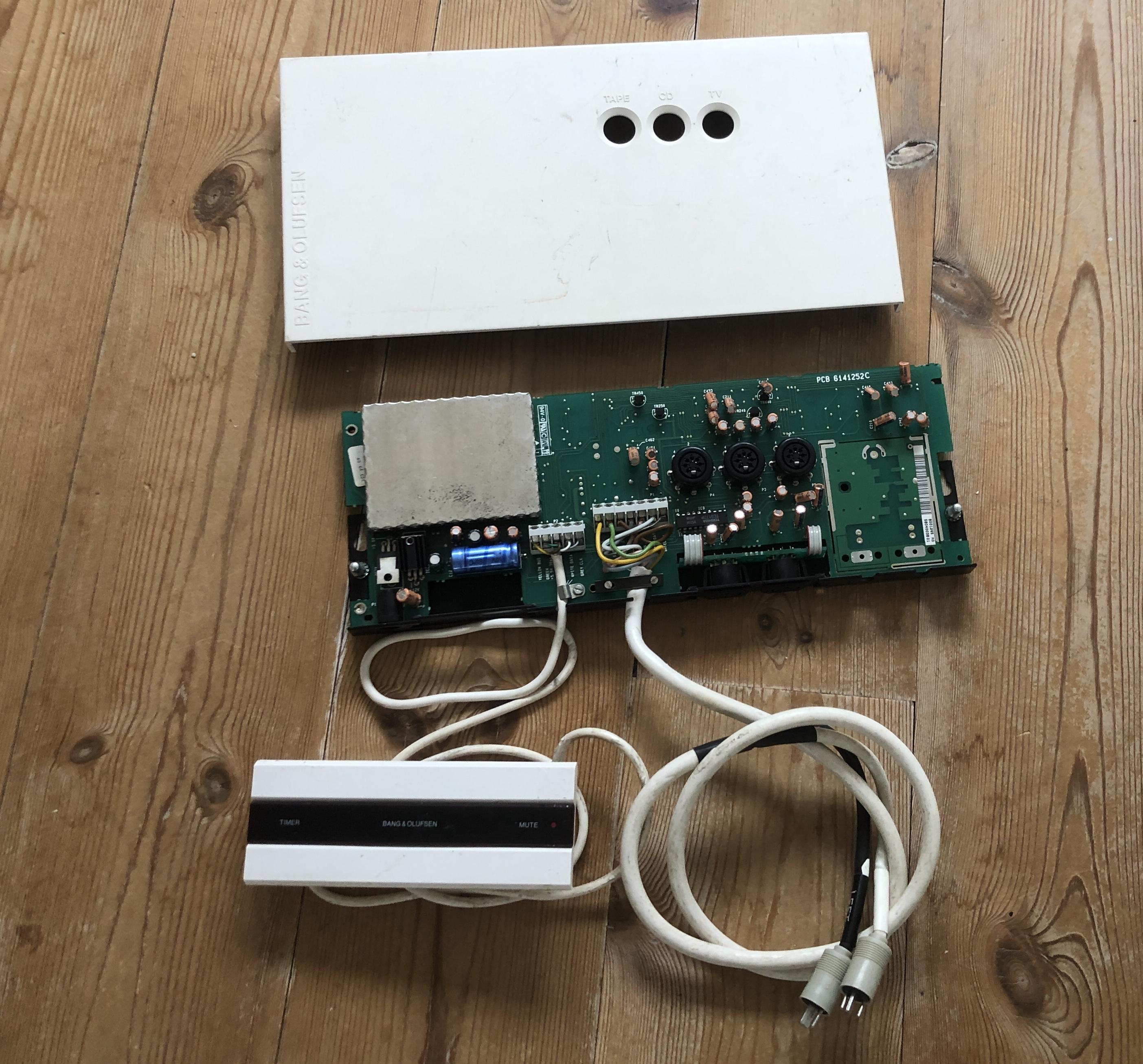
Tried hooking the rectangular IR eye from the MCL2AV up with just the three wires for ground, 5V and IR. And it’s working.
I can control my Beocord 3500 through 1611 + MCL2AV (with no IR eye), the mute button on the IR eye works, and holding it in for a couple of seconds make the system go to standby. The time butto makes the red light turn on, so I suppose this function will also work?
Tried hooking up the 2 remaining wires, but had no effect on the functionality from what I could test. I wonder if they only are for 2 way functions?
I also remembered I had a round IR eye that is used wtih my Beoport without any markings on the buttons. Will try to connect that and see if that also works.
Location: Denmark
MadskpGOLD MemberHello again
Another NL/ML converter showed up today at a local seller for 160€. The seller could tell that he hd used it himself recently in a larger system setup by a local B&O dealer, so I was not that afraid of the SW. version. At home now testing it, it has the newest SW onboard.
So n ow it’s time to play with this little box 🙂
Location: Denmark
MadskpGOLD MemberIn the OP, your first schematics are for Beogram 1800 (= Beogram 2000 but no datalink), and the next is for Beogram 2000 & 5000.
Ok it seems like the IC on the diagram for Beogram 1800 in the start of the servicemanual is a COP 410 where the diagram for the RX2 in the end of the servicemanual shows a ETL 9410 N. But other than that the two diagrams look very similar.
The RX-2 schematics shown in the same manual is wrong. It should’ve shown RCA plugs.
Yes I also see now when looking at pictures of the RX2 that it indeed has the RCA plugs.
Thanks for pointing it out.
Location: Denmark
MadskpGOLD MemberThe Beogram RX and TX (R for Radial. T for Tangential) models were intended primarily for customers having a non-B&O receiver/amplifier. They have twin RCA plugs from factory and none of them have datalink support. Martin
ok, but the diagram in the servicemanual shows the 5pin plug, but that might just be how it was shown on the diagrams at that time
Location: Denmark
MadskpGOLD MemberVolume control seems a little unstable, but I think I have narrowed it down to the units not responding if I press the volume button to fast repeadetly , thus skipping the actual volume steps., but will have to look more in to this.
This I never experienced with the setup with the 1611 involved. Might have to do with the unoficial combination of communication protocols between the BL3500 and the MCL2AV
Location: Denmark
MadskpGOLD MemberAlso added data in form of >> and << on the BL3500 display when using FFW and RW on the Beocord. Might be due to the newer software version on the 2026. Will also check if this is the case when used with the 1611 converter and the BL3500.
Just tried a test with BL3500 – ML – 1611 – AAL – MCL2AV – AL -Beocord 3500.
For the older type 2020 MCL2AV A.TAPE is just shown on the BL3500 display.
For the newer type 2026 MCL2AV << or >> or <> is shown next to A.tape when in RW, FF or stop mode. So it’s defenatliy something in the software of this MCL2AV that gives this information.
Location: Denmark
MadskpGOLD MemberThanks for the input. Will try to wire up a cable, and great Idea with and adapter, Have actually also thought of making something for easy unplugging of the IR eye on the MCL2AV boxes, so might as well make a solution that works for more units.
Location: Denmark
MadskpGOLD MemberMadskp wrote: Can the BL3500 work on the AUX conenctor on other Audimasters? Or the MCL2AV? I have made a test with the MCL2AV that I have, although it’s unstable at the moment, so the result will have to be verified. But using the same cable that I used for the BM5500 I tried to connect the BL3500 directly to the MCL2AV’s AUC connector, and my Beocord 3500 to the tape connector of the MCL2AV. No IR eye or speakers connected to the MCL2AV. I was then able to start the Beocord 3500 through the BL3500 and play/stop/FF/RW/step forward and backward, so datalink commands was passed through from AAL to AL signals. However I got no sound through. Tried again with the BM5500 just to check that my cables were ok and it still worked. I have to get my MCL2AV going stable again or get another one, but I think the control signal part is interesting.
So after the repair of my MCL2AV Type 2020 and the addition of and type 2026 it is time to revisit this test.
Again with the type 2020 no sound, but I could control the Beocord 3500.
However trying the same setup with the type 2026 gave me sound, control. Also added data in form of >> and << on the BL3500 display when using FFW and RW on the Beocord. Might be due to the newer software version on the 2026. Will also check if this is the case when used with the 1611 converter and the BL3500.
Volume control seems a little unstable, but I think I have narrowed it down to the units not responding if I press the volume button to fast repeadetly , thus skipping the actual volume steps., but will have to look more in to this.
Location: Denmark
MadskpGOLD MemberI just found a Type number 2076 on UK eBay: https://www.ebay.co.uk/itm/255750627132 From reading the instruction page in the advert, it seems to have been originally packaged with a mains adaptor and a wall unit/transceiver that also served as a charging unit for a BL7000. I vaguely remember reading about this rare item in the old forum.
Yes it seems to be for the LCS 7000 that could also act as a wall charger for the Beolink 7000
manuals here https://www.beoworld.org/manuals_view.asp?pid=975
But I think that just confirms that the MCL2AV got different type numbers depending on what kind of kit it was used for.
Location: Denmark
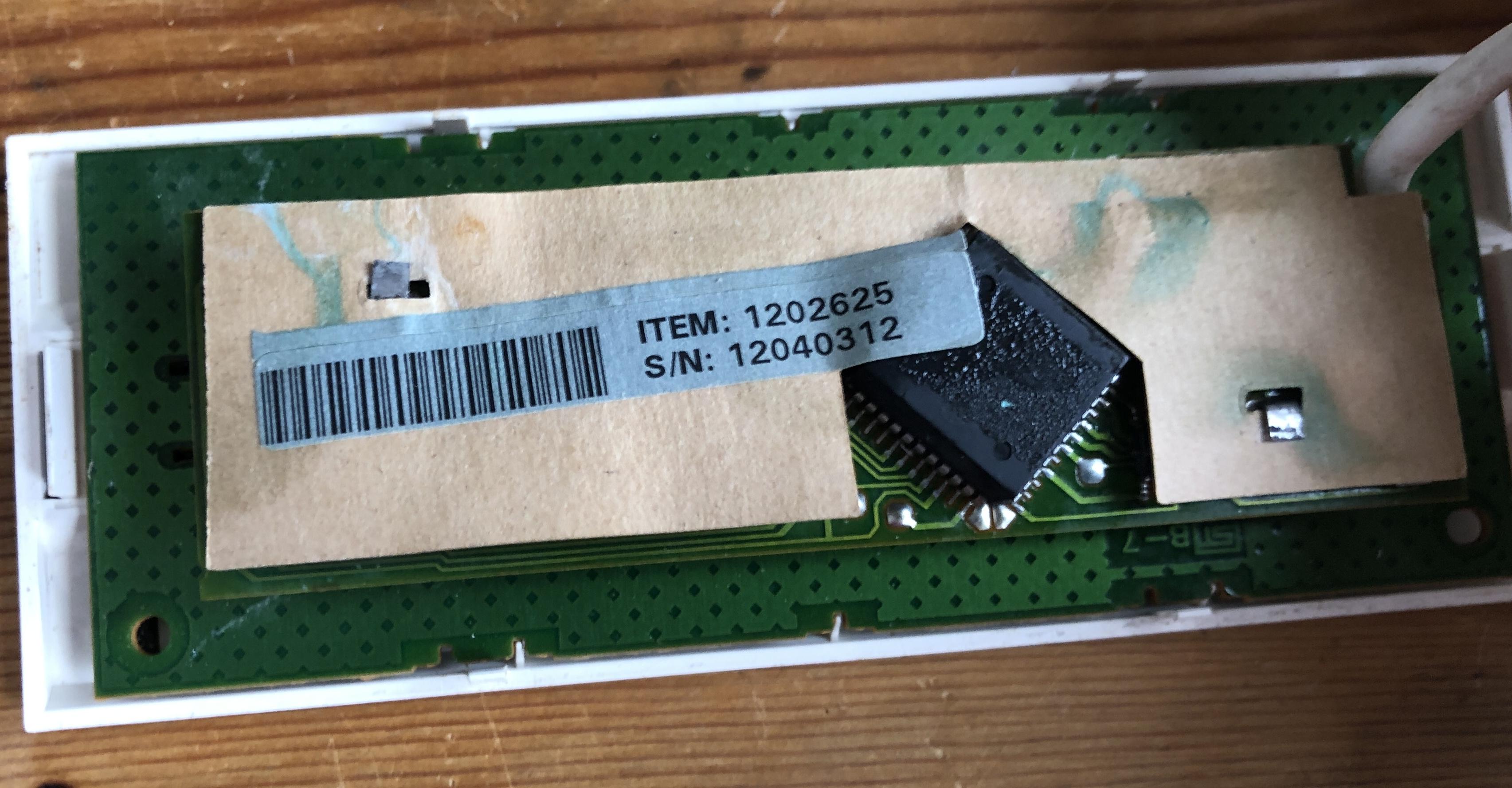
MadskpGOLD MemberAlso had a look insidd the IR eye. Some signs of corrosion, but most of it could be scrubed of with a brush and some IPA.

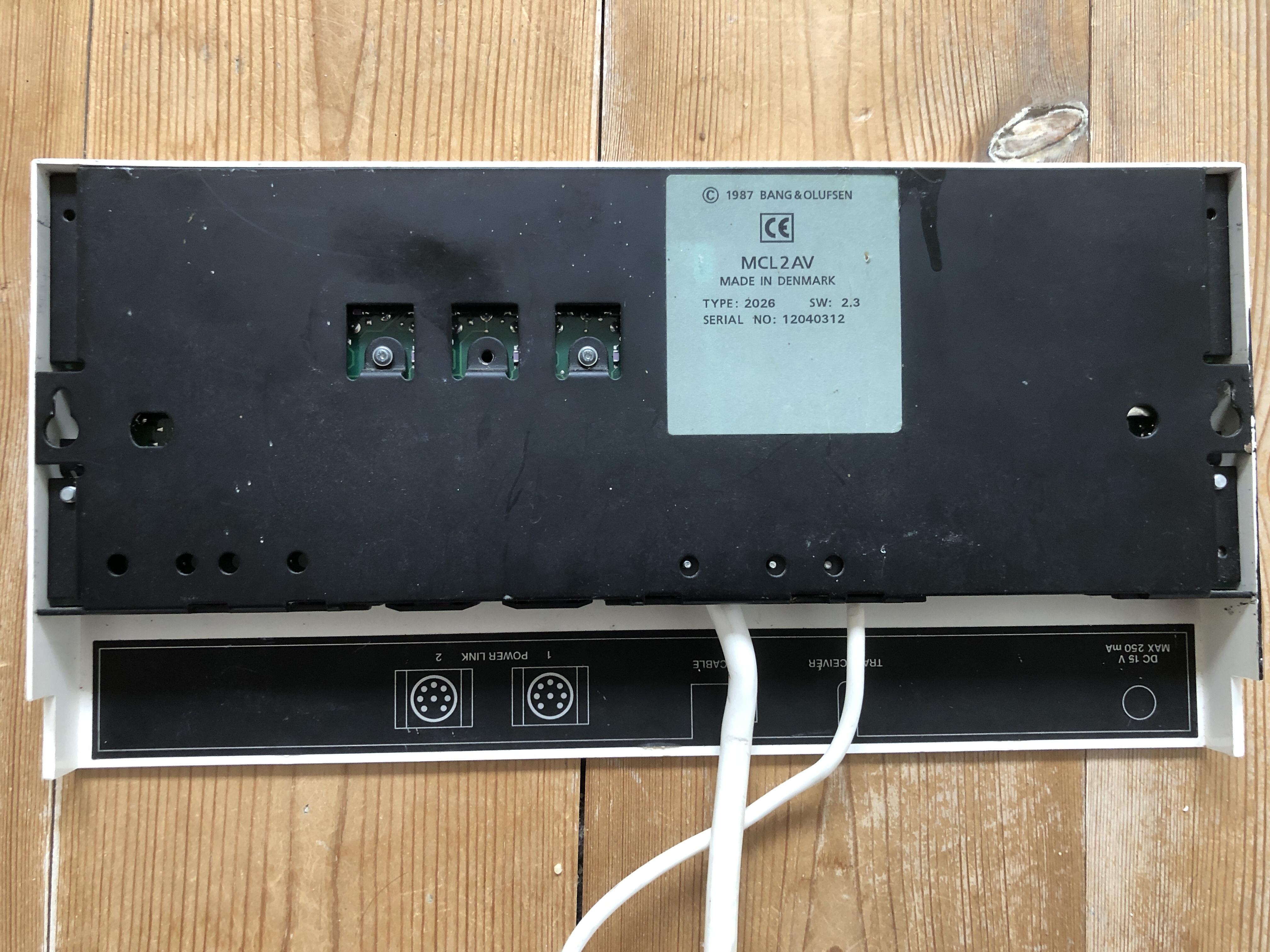
the item numbe on this one is 1202625 so it seems to corrospond with the type number on the MCL2AV. Also the serial number is the same.Location: Denmark
MadskpGOLD MemberNo problem, just post again if you need more info
Location: Denmark
MadskpGOLD MemberPerhaps like mine but packaged with EU power lead.
Oh yes things like that could also be the reason for different numbering.
Location: Denmark
MadskpGOLD MemberI did mistakenly call mine a 2023 earlier in the thread, but I just re-checked the photo and it’s actually a 2032
Ok that also makes more sense as the type number 2023 is used for the power supply for the MCL2AV type 2020 in some of the B&O documentation.
I wonder if the difference between type 2026 and 2032 could just if the were part of and extra active speaker kit or a extra TV kit, and maybe being preprogrammed for the correct options in theses setups
Yours appears to have a screw missing at the back of the CD socket – this probably makes the socket more secure when pulling leads out
Yes, I’ll have to see if I can find some replacements as an other one of the screws is also not in a very well condition.
Location: Denmark
MadskpGOLD MemberA little update to this thread. I just bought an extra MCL2AV, and it’s type 2026 SW 2.3. It costed less than 20 Euros including shipment, so I couldn’t resist, and then I also have a backup if the other on fails again.
@Guy: You have called one of yours type 2023 with SW 2.3 also. I wonder if its actually the same box just for different markets?


Let me know if you come up with any scenario to test out with this unit.
Location: Denmark
-
AuthorPosts