Forum Replies Created
-
AuthorPosts
-
 MadskpGOLD Member
Related to the accessorie, I was happy to find this desktop mount for the ‘oblong’ transceiver (in this case a white one) some years ago. I think it looks quite nice sitting on an angle.
Yes thats a nice assecory. I also have one of these in my collection
Location: Denmark
MadskpGOLD MemberThat’s got to be a 3rd-party electrical box, B&O probably made only the foam inserts themselves
I agree looks like a very generic box
Not very practical either to be disconnecting the outdoor units if the temperature falls below 0° (as the instructions say!).
No, but I think there is a circuit description of how to make a switch for that in some of the MCL documentation, so B&O did something to make this solution plausible.
I like how they call the older rectangular MCL transceiver the “oblong” one 😀
I did not notice that myself, but I can see what you mean. Not the word I would choose for it, but the translater might have had a limited vocabulary.
Location: Denmark
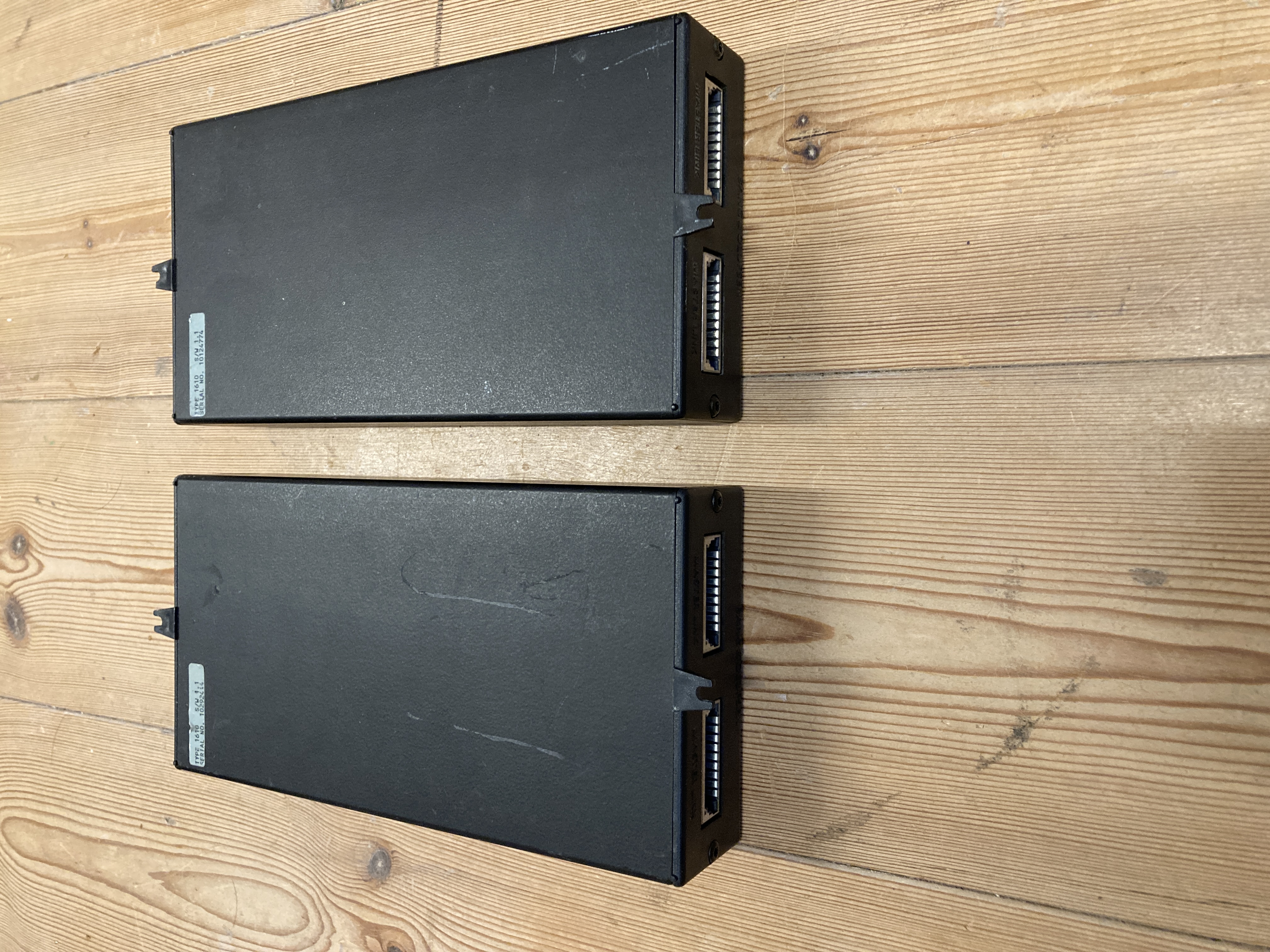
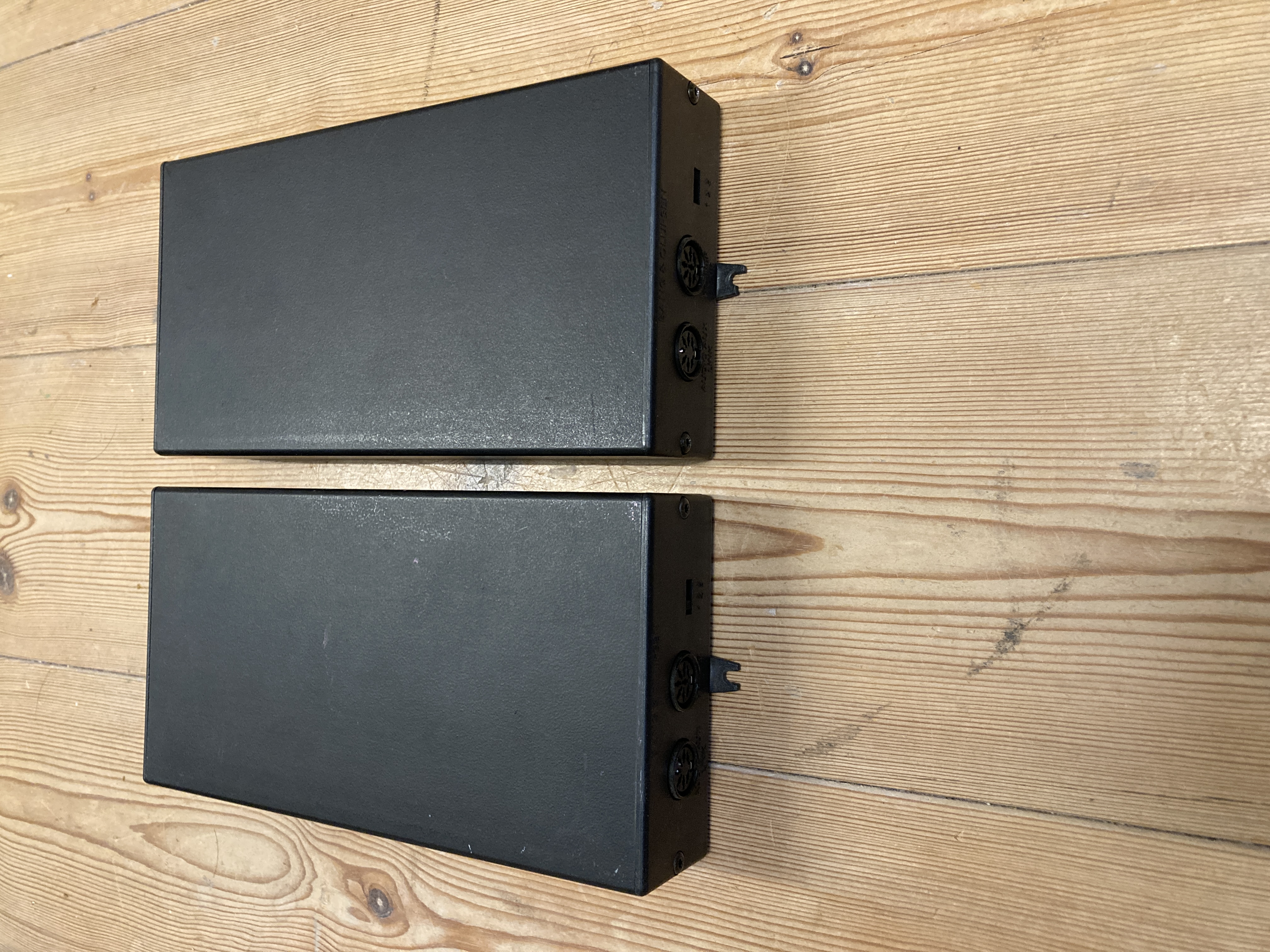
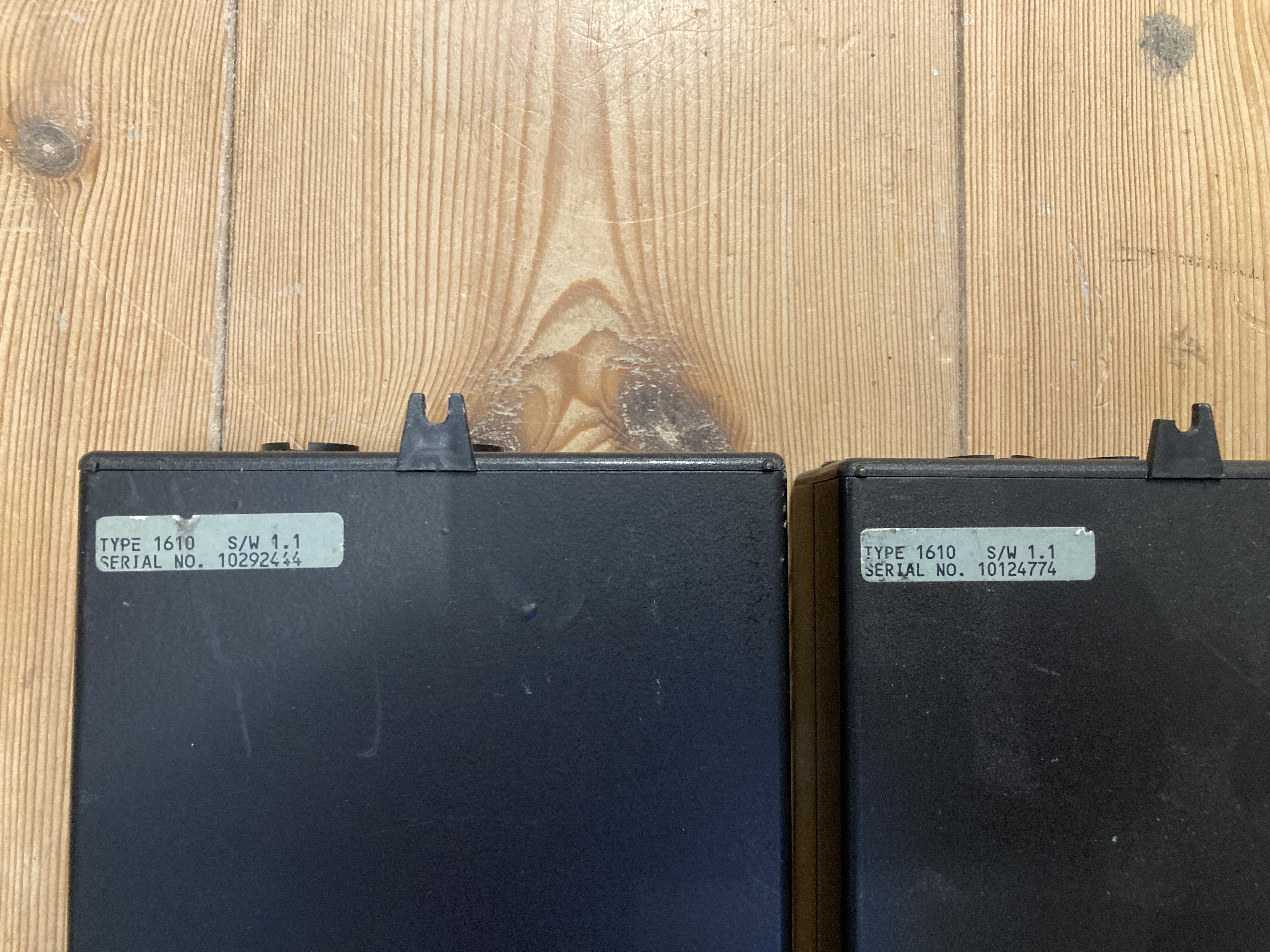
MadskpGOLD MemberHere is another item I will give away for the price of postage
2 pcs. AV9000 Audiokit type 1610
I have no way to test them, so for trial and error for a AV9000 owner

Location: Denmark
MadskpGOLD MemberYou can see the pinout for the 7 pin DIN here https://beoworld.org/wiring-diagrams/
Its the one called datalink
Location: Denmark
MadskpGOLD MemberI’ve tried every other conceivable option setting but none of it works – I either get nothing, or limited functionality. It seems so strange the B&O would build IR mapping into the Beolink Converter, but not allow for the full setup to work via only that one IR Eye?
I think the reason for that is that the Beolink Coverter (besides being a converter between NL and ML ) works more like a link room with it’s own speakers. So when you activate a source from it it activates that source directly through the link cables (in your case the Aux input on the BS4) and has no need to activate the BS3 for this function to work, and also do not need to activate the BS3 speakers.
Your option settings on the products mostly has to do with what type of IR commands your product accept (no IR/audio/video/audio and video/link+), and does not define how it reacts to commands from a link room.
Location: Denmark
MadskpGOLD MemberI tried having both the BLC and the BS3 in Opt.1, but that way the BS3 only responds to Video sources, not Audio sources. My speakers need to be connected to the BS3 because I have a full set of surround speakers (front, surround, centre, sub).
What exactly do you mean by ‘Powerlink Switch’?
Both Almando and Onermote has these. They have two powerlink inputs and one output for the speakers. One of the connected inputs is always connected to the speakers, but when the other product is turned on it will switch to that product instead.
In your case it could be inserted between the front speakers and the TV/Music system
Location: Denmark
MadskpGOLD MemberI have however experienced another issue. Because both my BS3 and the NL/ML Converter have IR eyes connected, both are responding to remote commands, so for example if I hit 1, I get 11. I tried setting the BS3 to Opt.0, but if it’s in Opt.0, it does not come out of standby at all when I select a source. If I set it to Opt.1, it only responds to video sources, not audio sources (My Beosound 4 is set to Opt.0, and I’m sure that’s the only right option to use there, as my speakers are connected to the BS3). This feels like something there should be a solution to, but I haven’t found it yet!
One possibility could be to connect the speakers via a Powerlink switch and set both the BLC and the TV to option 1. This way the speakers can be shared between the TV and the music system and none of them react to commands form the other.
Location: Denmark
MadskpGOLD MemberGreat to hear that you finally got a working solution for this, although a complicated one 🙂
I also connected a Chromecast Audio to the TV/Aux input of the BM7000, so that if I do select A.Aux by remote, both the BS4 and the BM7000 go to A.Aux as a source and I can cast music from my phone or tablet. The BM7000 has therefore also allowed me to add an extra source too.
But how are the A.aux command mapped in this situation? Or is that not going through the NL/ML converter?
My Beomaster 5 remains connected (set as an audio slave) and it does not seem to have been adversely affected – it still responds to the N.Music command from my remotes.
But what about N.radio? Is the BS5 not responding when you use that for the redcord player scenario?
I’m guessing that means that the N.Radio signal from a Beoremote One is different somehow?
Yes something must be different, although I cannot say what that could be.
Location: Denmark
MadskpGOLD MemberDisregard – I solved it, but I don’t know how. I disconnected everything, reconnected everything, changed a few settings, and I’m pretty sure I ended up with the same as I started with, but now it’s working! Maybe I just had a loose connection somwhwre.
Then nevermind my comments. But I would be interesting to hear the settings you did to achive this?
Location: Denmark
MadskpGOLD MemberIf I should guess you are trying to get the BS4 Aux input activated with the PHONO/N.RADIO command by trying to change the command in the NL/ML converter?
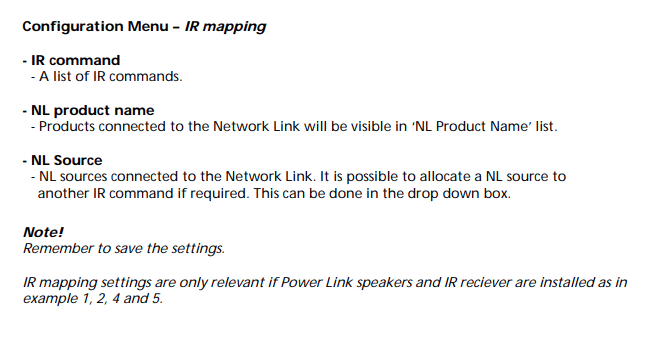
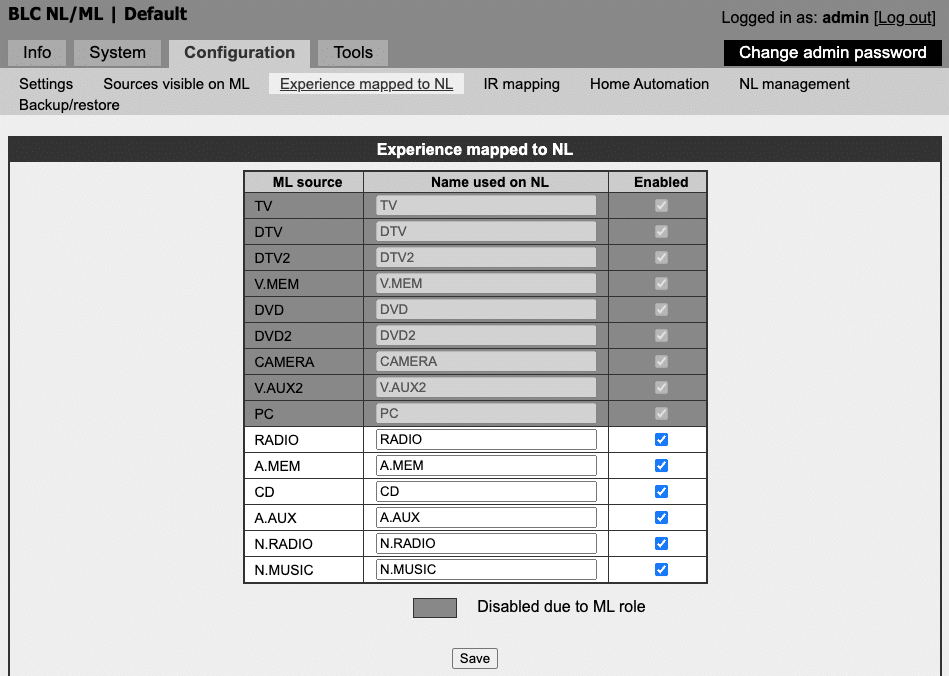
Good thinking, but I am not sure that it is possible. If I understand the manual for the NL/ML converter correctly the IR mapping features is for choosing which source name a ML source should have on the NL network:
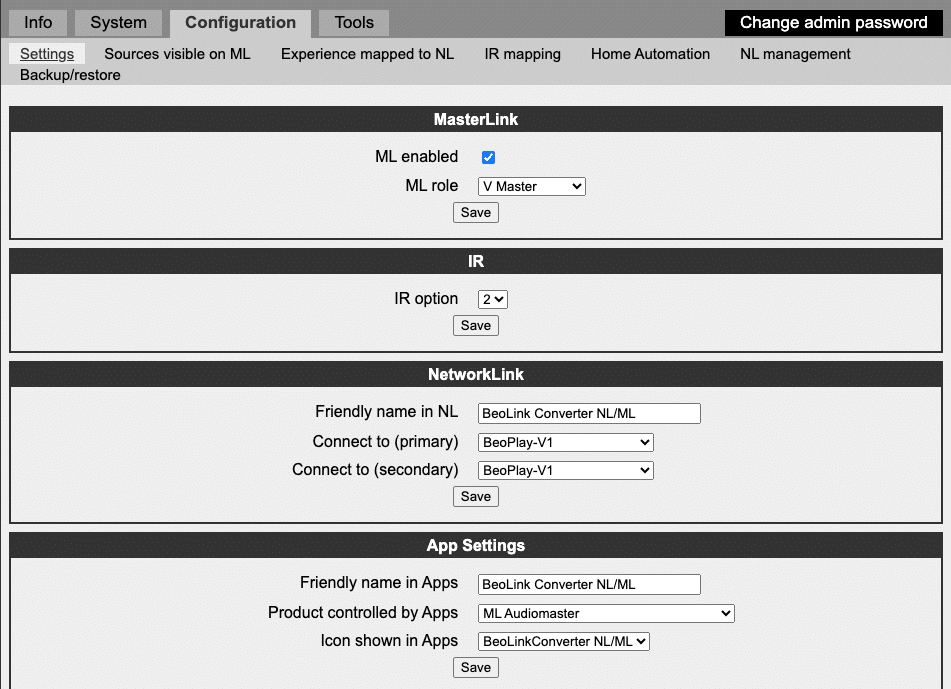
Not sure if that also applies for the Converter IR eye too. Others might know better. I can also try to test it at one point, but it might take some days before I have the possibility to do so.Just to be sure what you are doing:– What role have you setup the NL/ML converter to have?– Is the IR mapping setting you are mentioning like this:Location: Denmark
MadskpGOLD MemberYou are welcome, and great that it worked.
Btw. you mentioned in your first post that you had to press link CD on the remote to get the CD playing. Can you do that by pressing just CD now?
Location: Denmark
MadskpGOLD MemberI have now tried to test with the Beoplay M3 instead of the Beoplay V1, and with Both the BC2 and BS Ouverture I can get the Beoplay M3 to start playing. The sound is for some reason very bad (it works great when I do airplay), but the functionality is there.
Only thing I changes was to make the Beoplay M3 the primary and secondary product to connect to in the NL/ML converter setup.
Please let me know if this calls for any other testing scenarios
Location: Denmark
MadskpGOLD MemberI have now tried the same test with my Beocenter 2. At first it did not work. I could start it from the Beoplay V1 and control it, but if I used the buttons on the BC2 it could not start the TV. Later I found out that was because I had speakers connected to the BC2. When I disconnected them I could start the Beoplay V1 TV by pressing the DISC button on the BC2.
In my previously testing with the BS Ouverture there was speakers connected to that, but that did not seem to matter for this functionality, so there might be some differences in how different systems do this feature.
I also checked settings on the TV again, and I am not sure if this is something I have set manually, or if it wast automatically set based on the settings in the NL/ML converter, so here goes (disclamer my menu language is Danish, so translation might be different with english menus):
In the menu Product integration ->Connect to other products
Product 1: Beolink Converter NL/ML
Speakers to: Beolink Converter NL/ML
If this has to be set manually it might make a difference in behaviour
BS7000 – BLC – NL : start cd with button on BG CD7000 – NL source doesn’t start this evening (but I’m not sure this was the same before I powered everything down this afternoon, but forgot the Beosystem 7000 and the T1611
Do you have a Powerlink cable between the Beomaster 7000 and the T1611 along with the 7 pin DIN cable? That is required for buttons on the music system to control connected Video Master in ML systems.
And for your setup that might be the problem since this feature is from the ML world where it would activate the TV in the setup. But you connect to a music systems (the Core) in the NL world. Not sure if this has impact when the NL/ML converter is translating. I will try later to see if I can do the same with my Beoplay M3.
Location: Denmark
MadskpGOLD MemberYes it is. You will have to use the connectors marked Powerlink and connect to the speakers with Powerlink cables
Location: Denmark
MadskpGOLD MemberI have just tried now with Besound Ouverture (A.opt. 0) – NL/ML converter – Beoplay V1 (V.opt. 2)
The setup of the NL/ML converter is as follows:
Pressing CD on the BS Ouverture starts the Beoplay V1 and the music is playing through it’s speakers. So it works, at least with the Ouverture.
I have quick start timers activated on the Beoplay V1, not sure if that makes any difference, but just for the full picture.
I might be able to do some more testing later in the week with other music system, and also with a Beoplay M3 as the NL source to see if that works just as well.
Location: Denmark
MadskpGOLD MemberWhen using just an ML connection there is no ‘speaker on’ signal that I am aware of, but you would think that the ‘data’ connection would cover this requirement.
I have not tried this with a Masterlink music system, so agree that it could function in another way. I can try to do a test later thisweek with my BS Ouverture and/or my Beocenter 2 to see if they can activate the Beoplay V1 via the NL/ML converter
Location: Denmark
8 September 2025 at 15:47 in reply to: Beocenter 1 with Suspicious Display and IR Board (PCB58) #69479MadskpGOLD MemberYes very good to know what the issue was. Thanks for getting back as that can be usefull for the next person having this issue 🙂
One more of these detoriation of materials issues to the list of rubber belts, speaker foam and what have you.
This kind of issue can not be predicted by anyone even if they had both the servicemanual and the schematics of the TV set.
Location: Denmark
MadskpGOLD MemberI got this functionality working with a Beocenter 9300 – 1611 converter – NL/ML converter -Beoplay V1 where I could activate the Beoplay V1 with a press on one of the buttons on the BC9300. It was discussed in this thread https://forum.beoworld.org/forums/topic/beolab-3500-and-1611-converter-settings/page/24/ where the goal was to find out if the same functionality could be had with a MCL2AV with a connected Beogram. The thread might be a littl messy, but I know I had it working.
I don’t know if the Beosound 9000 does have any limitations in this regard, but in theory it should work.
My NL/ML converter is the latest software version.
I can select link->CD on the TV and play CDs and use the Beoremote remote to control the 9000.
I am wondering why you would have to press link – CD. It should be possible to assign the CD source on the BV11 to the CD player on the Beosound 9000 if they are setup as linked products
Location: Denmark
6 September 2025 at 07:07 in reply to: Integration of BeoSound 3000 without speakers in to BeoVision 11 #69417MadskpGOLD MemberHello again. Your pin numbering on the 7 Pin DIN is not correct. The numbering shouldbe like the 8 Pin, but without pin 8.
hope this helps
Location: Denmark
5 September 2025 at 17:38 in reply to: Integration of BeoSound 3000 without speakers in to BeoVision 11 #69390MadskpGOLD MemberI have drawn up (what I understand) is the correct configuration for a cable from Power Link to AV and a cable from BS 3000 AUX to AV. Please check for me if they are correct (see files attached).
I do not see the attached file. Could you try to attach it again?
One question remains: Which pin should I solder the breaded wire to at the AUX end? Or should I not need to bother with that?
Pin 2 i also ground in the AUX connector like in the Powerlink connector
Location: Denmark
-
AuthorPosts