Forum Replies Created
-
AuthorPosts
-
 Moderator
Are you sure that’s a BV11, and not a later model such as Eclipse or BV14? I thought that all BV11s had the Mini-AV input.
If that 3.5mm socket is indeed a LINE IN and OPTICAL, then you should be able to use Steve’s cable that you linked to on 16 Jan. This will connect between the BC2300’s PL output and that LINE IN socket.
You will probably have to set up the LINE-IN socket in the TV’s connections menu. You will also probably have dual volume control (i.e both the TV and BC2300 will be able to adjust the volume). You will need to experiment with levels, starting at a medium volume setting for both.
Location: Warwickshire, UK
My B&O Icons:

Guy wrote: The other bit of the bracket came with it thanks.
Like we said here, you seems to have your bottom in a plate of noodles…
So the lovely lady that I bought the Beolabs from explained that they belonged to her father. He was an avid B&O fan for many years, but has just had to move into a Care Home due to advancing age. He kept hold of his Ouverture and (Original) Avant – apparently it took three people to carry it into the nursing home! That will be me one day!
Location: Warwickshire, UK
My B&O Icons:
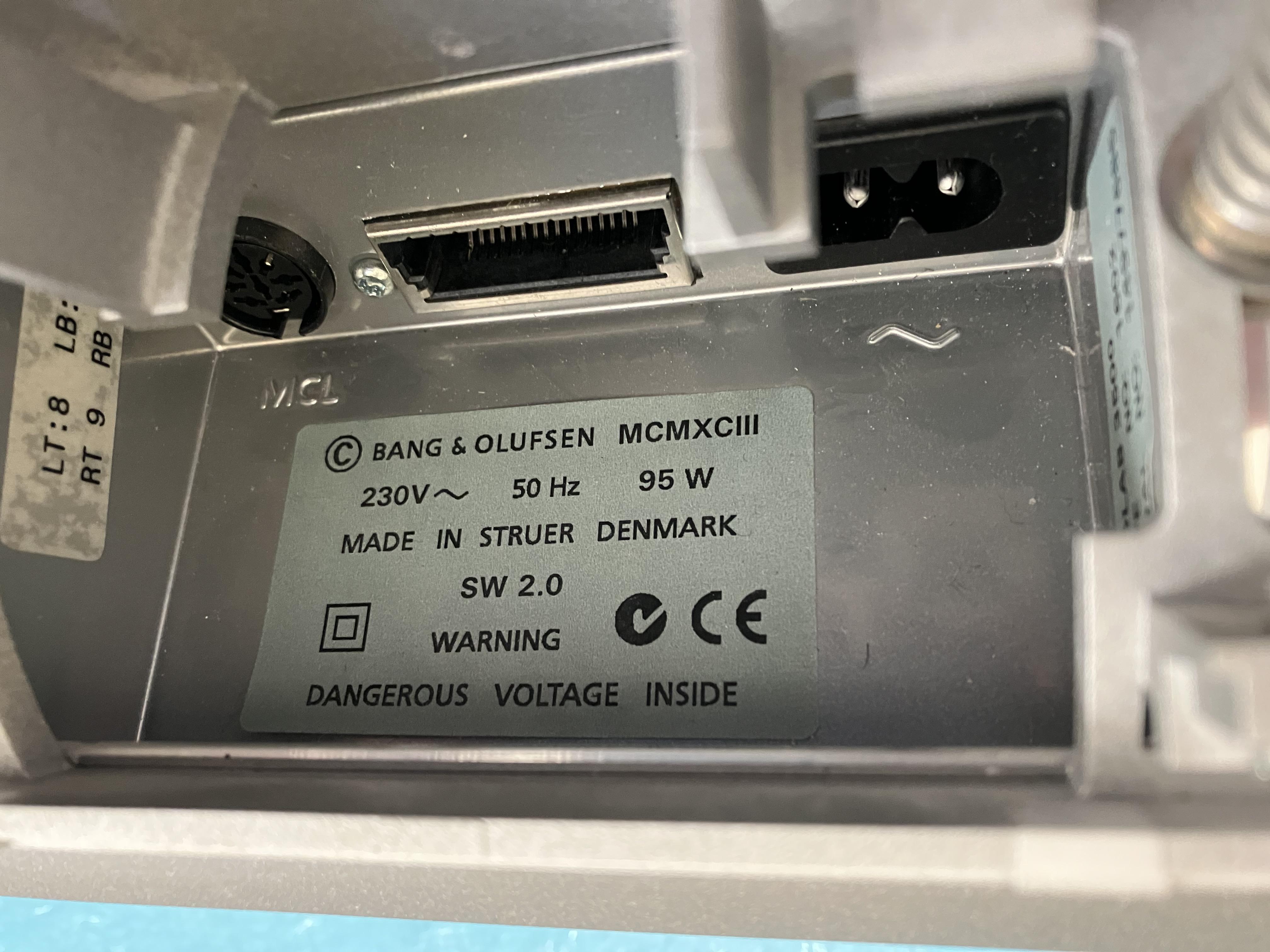
ok these 2 informations combined indicate that you have a MK1 with the MCL connector. Good to know
Oh yes. And I thought I had a Mk2!
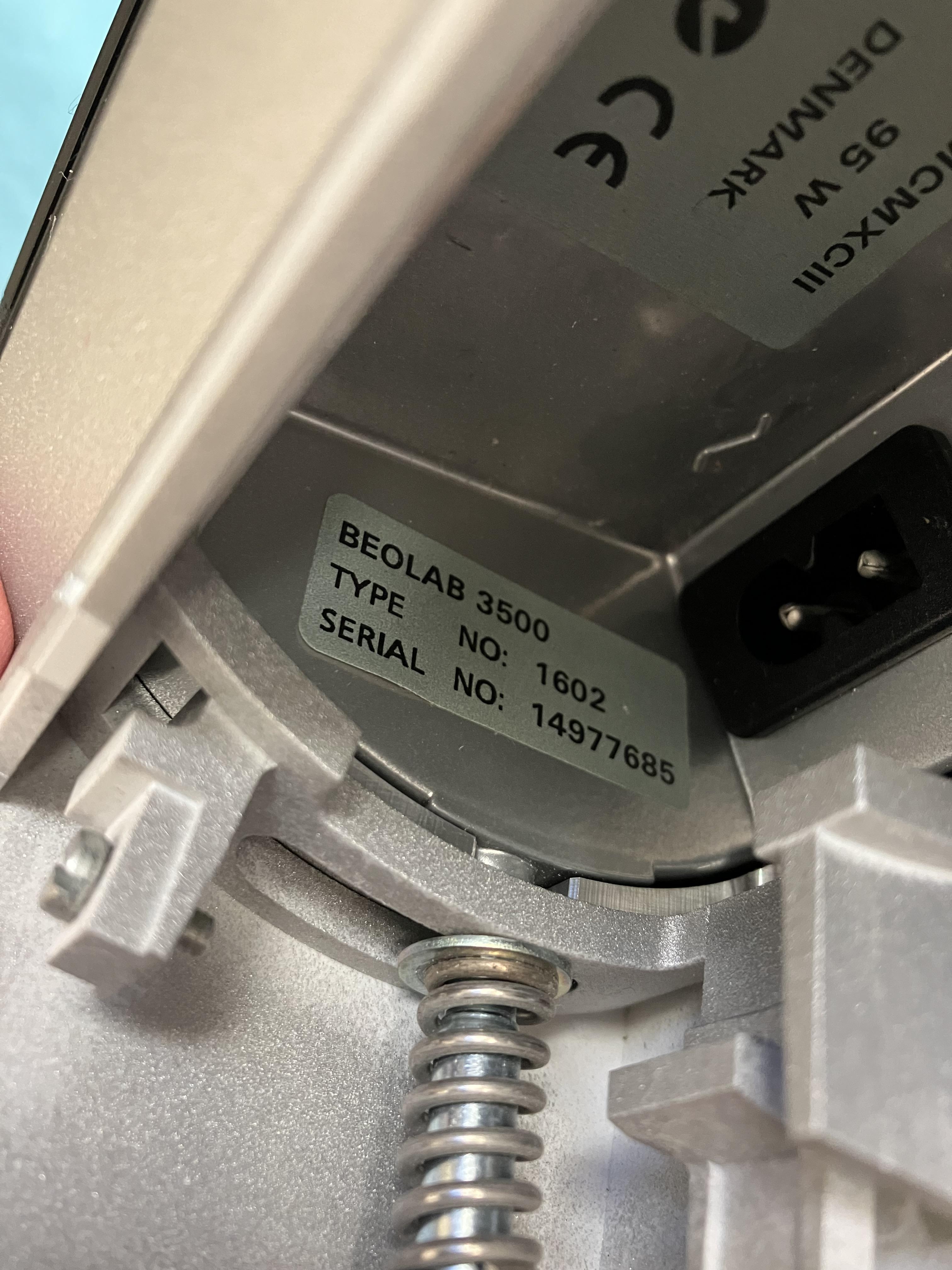
Yours is 1602. Mine(s) is(are) 1601.
Only difference is that 1602 comes with a UK power lead and three pin plug. EDIT: and yours is 230V, mine 240v.
(BTW, do you have the wall part of your wall bracket (because I’m working on a replacement trick if you’re interested.)
The other bit of the bracket came with it thanks. It will need some large screws and a solid wall if I do ever mount it!
Location: Warwickshire, UK
My B&O Icons:
OK now looking in the back of the BL3500 – photos first to give you serial number:

And this one partially shows a useful sticker (on the left) that allows you to check the speaker setup in the service menu – will do that later!

one thing to look for without opening it could be to measure if pin 2 in the MCL/PL connector is connected to other ground pins or not
OK so no continuity between 2 and 7, or 2 and anything else!
Measuring approx 400 kOhms between 5 and 7, and 3 and 7 so let’s assume 7 is ground , and pin 2 is not connected.
Location: Warwickshire, UK
My B&O Icons:
One should think this was supported as the official drawing from B&O shows the dual input, and a Beoport should be able to coexist with another audio master in the same installation. But of course if that drawing is before the Beoport was made things could have changed.
That’s what I thought! However, perhaps the BL1611 needs to ‘recognise’ a connected product (older TV or BeoCenter) via the AAL socket (pin 6) so that it knows what sources are available.
I ran the setup through the PCG as if connected to a BL1611 and BC2300 in the main room, Beoport and BL3500 in two link rooms: This told me to put BL3500 and Beoport in Opt 6. The was no conflict or lockup with this, but I just couldn’t select (eg) TV or RADIO like I could when Beoport isn’t present. When I tried, the BL3500 just turned quickly on and off (as if looking for a source and not finding it).
OK cancel all that from my last two posts!!!
I just re-programmed (both Opt 6) and re-connected. This time I was much stricter about Option settings, then powering off, reconnecting ML and then powering back on, with the BL1611 last.
Now it works! From either the PC or the BL3500 I can select either of the BL1611’s dual inputs as before. Only downside with this setup is that the Beoport is now only a local source, and cannot be accessed from the BL3500. Selecting (eg) N.RADIO on the BL3500 just opens the BL1611’s audio input.
Anyway, that’ll teach me to be more careful with re-programming and re-connecting!
Location: Warwickshire, UK
My B&O Icons:
One should think this was supported as the official drawing from B&O shows the dual input, and a Beoport should be able to coexist with another audio master in the same installation. But of course if that drawing is before the Beoport was made things could have changed.
That’s what I thought! However, perhaps the BL1611 needs to ‘recognise’ a connected product (older TV or BeoCenter) via the AAL socket (pin 6) so that it knows what sources are available.
I ran the setup through the PCG as if connected to a BL1611 and BC2300 in the main room, Beoport and BL3500 in two link rooms: This told me to put BL3500 and Beoport in Opt 6. The was no conflict or lockup with this, but I just couldn’t select (eg) TV or RADIO like I could when Beoport isn’t present. When I tried, the BL3500 just turned quickly on and off (as if looking for a source and not finding it).
********* EDIT: Ignore above, Options 6 and 6 work – see below! **********
Location: Warwickshire, UK
My B&O Icons:
I haven’t yet tried connecting the dual-input BL1611 to the same ML system as the Beoport and BL3500, there may well be audio-master conflicts if I don’t get the Options right.
I tried this and couldn’t find any way of selecting either of the BL1611’s dual-inputs when the Beoport is also connected to ML. I tried various combinations of Beoport Option (0, 2, 4, 6) and BL3500 L.Option (0, 1, 2, 4, 5, 6) but had several conflicts as far as I am aware. At one point Beoport even locked up (the PC screen controls disappeared) and I had to do a complete re-install of the SW!
********* EDIT: Ignore above, Options 6 and 6 work – see below! **********
It was not a totally wasted exercise because I did notice that BL3500 can also be set to L.OPT 1 and 2 which are not in the manual. I may look into this further in the future.
Lunch now and then I’ll look at those BL3500 input pins.
Location: Warwickshire, UK
My B&O Icons:
Hi Guy, I have open a new thread on this and if you know howw to do this, it could be good to move your post over there (I dont know how to).
I just want to try one more Beoport thing on this thread (because it relates to the dual-input BL1611 and BL3500): I haven’t yet tried connecting the dual-input BL1611 to the same ML system as the Beoport and BL3500, there may well be audio-master conflicts if I don’t get the Options right.
So I’ll check that and report here, and then put any future Beoport thoughts in your new thread if I think that they will be useful for the stand-alone mac project.
Location: Warwickshire, UK
My B&O Icons:
I am looking forward to this thread!
(I’d also much prefer for you to buy a Beoport than for me to buy a mac! ?)
Location: Warwickshire, UK
My B&O Icons:
With regard to ‘selecting specific albums’ – I think Beoport does at least enable you to access playlists. Next time I have it up and running I will check how easy this is to do from the Beo4.
I just had a quick look at how easy it is to access Beoport/BeoPlayer N.MUSIC Playlists from a Link Room. Tested with BL3500 (L.OPT 6) connected by ML to Beoport (OPT 2).
Basically if you have four N.MUSIC playlists (Green, Yellow, Red, Blue) then it is easy to move between them. As long as the Beoport and PC are up and running, simply select N.MUSIC from the link room BL3500, and then on the Beo4 press (for example) RED 5 to move to track 5 of the Red Playlist. You can then use the arrows to move to the next track etc.
Any more than 4 playlists and you would be operating blind!
In a similar manner, you can group N.RADIO stations into playlists and move between them using Beo4 colour buttons in the Link Room. Note that Beoport with Win 10 PC is still exhibiting a strange characteristic where it ‘mutes’ the BeoNet Radio audio output when you change stations! This is a little annoying.
There is one other difference when using N.RADIO from a link room: When I change radio stations a female voice says ‘connecting’ – this doesn’t happen when changing stations from the PC screen or the Beoport’s IR remote!
I am now trying a few other things on the Beoport and will then do those BL3500 MCL socket pin measurements.
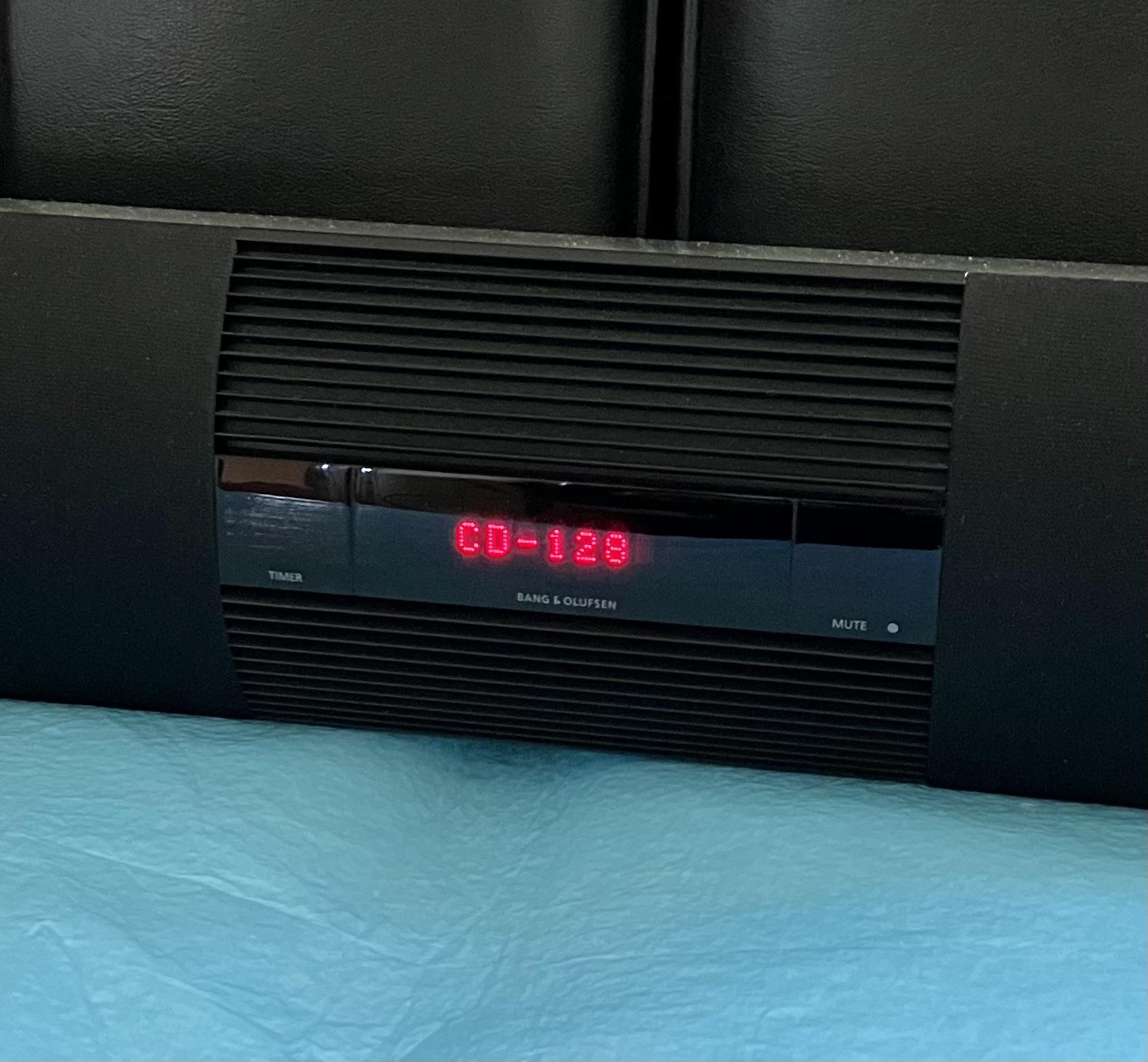
EDIT: One other ‘funny’. If I put a CD (remember them?) in the PC and then select CD from the BL3500, it will play and can be controlled, but the display just shows ‘CD-128’ – there is no indication of track number. This was observed by someone in the old forum, but when using Wireless 1 – I think it is SW related.

Location: Warwickshire, UK
My B&O Icons:
This might work with the Aux as well – however I am not 100% sure that the Aux port on the 2300 is output as well as input (this can be easily tested…….with the right cable).
The BC2300 AUX is also an output, but it is different pins to the PL output, hence requires a different cable.
Location: Warwickshire, UK
My B&O Icons:
The ‘Steve cable/solution’ uses the Powerlink output to get the sound out of the audiosystem.
Yes I just realised that! But the BC2300 has PL outputs also.
MM perhaps you could explain to the OP auf Deutsch?
EDIT: And if Steve no longer supplies them, there is a suitable ‘Pin 9 to Powerlink’ cable half way down this page:https://www.powmascables.com/contents/en-us/d101_BEO-Speciale-kabels.html
Location: Warwickshire, UK
My B&O Icons:
The cable was shown on Steve’s video here about 4min30sec in: https://youtu.be/Xrcm5WRbqvg?t=273
Location: Warwickshire, UK
My B&O Icons:
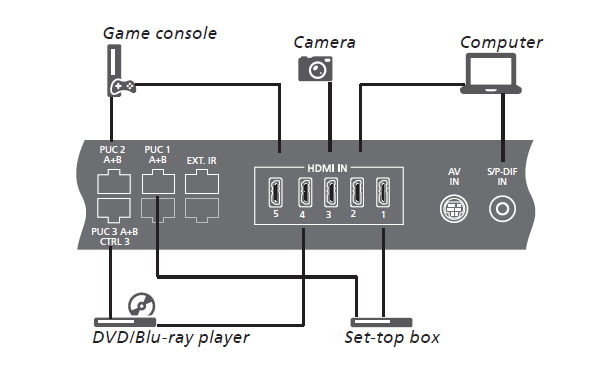
No, the ‘mini-AV’ is the one marked ‘AV-IN’ to the right of the hdmi sockets on the connections panel.

I don’t think Steve does a suitable cable any more, but it would be worth contacting him at his website for suggestions.
Location: Warwickshire, UK
My B&O Icons:
Hi again Luke,
I emailed OneRemote a few days ago about a similar sized item and they said that they could do ‘letter sized’ UK postage for about €21. They even added a checkout box for me, but in the end I didn’t buy the item anyway.
It’s probably worth getting in touch with them by email.
(They did also say that they can send stuff anywhere in mainland China far cheaper than to UK!)
EDIT: You could also try https://www.avaservices.co.uk
Location: Warwickshire, UK
My B&O Icons:
one thing to look for without opening it could be to measure if pin 2 in the MCL/PL connector is connected to other ground pins or not
That sounds straightforward – I’ll give that a go tomorrow!
(EDIT: I’ll also look for a serial number.)
Location: Warwickshire, UK
My B&O Icons:
Test 11 – Beolink Active 1636 (SW 1.1)
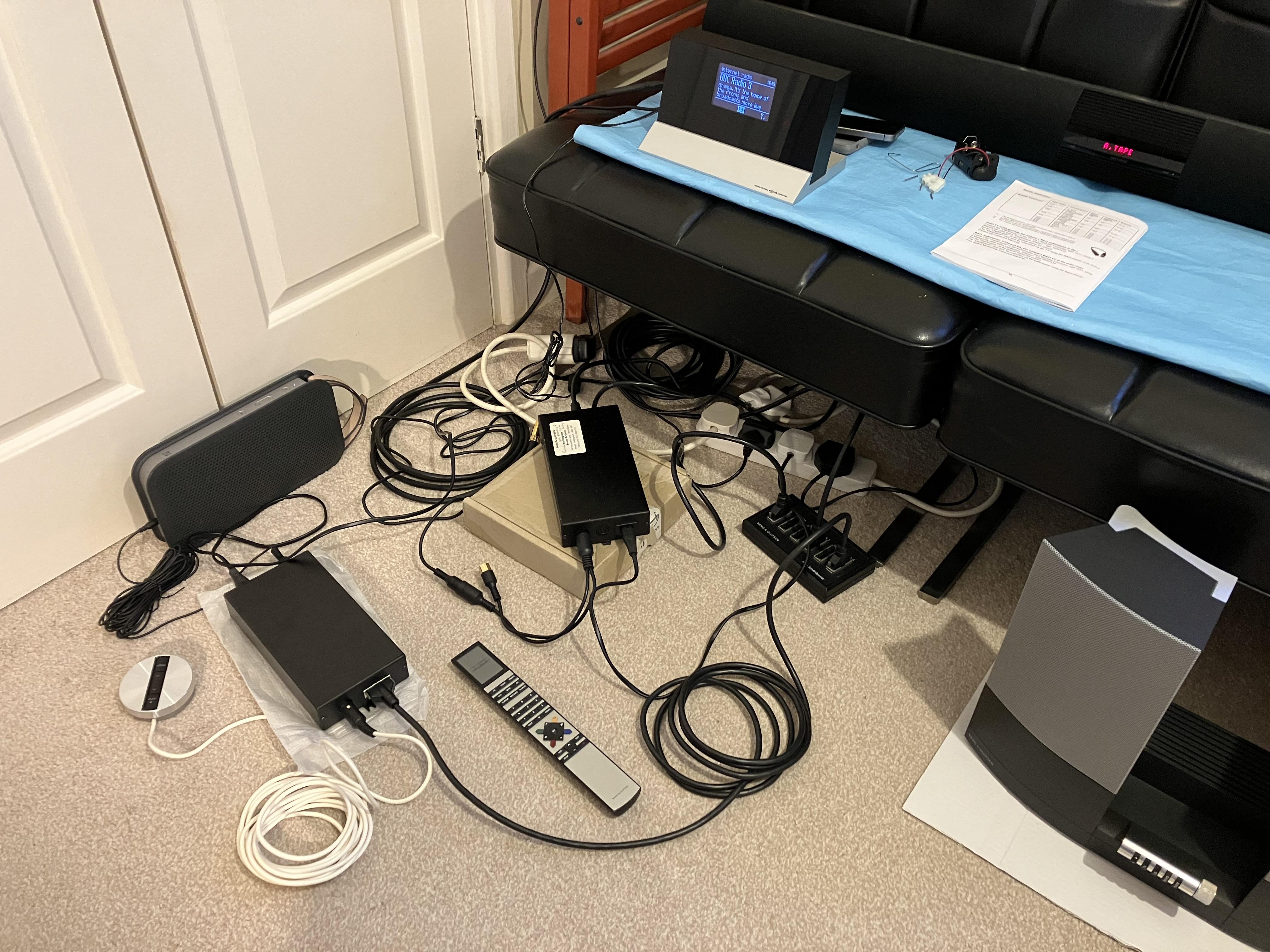
So today I added a BL Active 1636 (in L.OPT 6) to my little ML ‘system’ in parallel with BL1611 and BL3500 (L.OPT 4). I initially tried my OneRemote connected as an audio source to BL1611 AAL socket. Here’s the photo (starting to get messy again!)
As you can see above I used an A2 Active as a ‘Powerlink speaker’ using DIN connection from the BL Active’s PL socket, to a 3.5mm plug into the A2 Active’s aux input. (I often use this setup to test PL outputs)
The result: Full control of the OneRemote is available from BL Active using Beo4 to the IR sensor. ‘Close-up’ control of volume using buttons on IR sensor is possible, and you are able to switch off by pressing PLAY button (long press for whole system). You are also able to ‘Join’ using the IR sensor PLAY button if the BL3500 is already playing.
All the above was repeated with dual audio/video sources connected to BL1611 AAL socket. Basically, the BL Active behaves exactly like BL3500 apart from:
- No response to A.AUX (this needs SW > 1.5?)
- (As expected) Pressing PC on remote does not select an audio source – the speaker just pops slight as the PC input socket (not tested) is activated.
So basically, when the BL1611 is acting as an audio/videomaster, the BL Active behaves exactly as I would expect it to in an ordinary ML system.
With regard to the remaining tests:
- Test 10 (BL3500 activation from PL socket) is on pause for the reasons mentioned in my above response to Madskp.
- Test 14 (BeoLink Passive) and Test 16 (BeoLink Video) on hold unless anyone thinks that I should try something specific.
That’s pretty much it for now – I will attach yet another updated test schedule (Amdt 4).
As always, happy to try other variations while all the equipment is out!
Location: Warwickshire, UK
My B&O Icons:
@ madskp.
That all looks very promising. I may well have a look in the back of my ‘new’ BL3500 in the coming days and see what can be achieved, but I am worried about mucking it up! When I was playing around with injecting voltage into the BL1611 there were a couple of times that the ‘system’ seemed to lock up, and I had to unplug all the mains power for a few seconds to get it all to reset.
Nevertheless now that I have seen how well BL3500 works, I am keen to find the parts to update its SW from 2.0 to 2.1. Basically I want the newer sources to be shown on the display, and it would be nice to have N.RADIO (rather than PHONO) showing when I connect my OneRemote.
If I do find the SW upgrade Processor/PCB (as listed in the FAQ) I’ll be digging into the back of the BL3500 then, and will look at those old ‘MCL’ connections.
We know Matador has looked for a BL3500 ‘on’ trigger in the past. One thing I would be keen to explore is whether turning ML off (using MENU MENU 0 9 GO, then up/down arrows) changes the behaviour when trying to trigger the BL3500 from the old MCL socket.
Anyway all this is listed as ‘Test 10’ on my schedule, and I will report back here if I discover anything. The diagrams to which you have linked will be a good start!
Location: Warwickshire, UK
My B&O Icons:
Ok, so here is my question that maybe worth a thread on its own: Iv’ got a spare 3500, I’ve got a spare old Mac mini and I can find a not so expensive Beolink PC2. Would it be possible to have something like MAC (VNC but no screen) > Beoport or PC2 > 3500, be an standalone whole unit where Mac would be music server through iTunes, the sound would go out of the 3500, and the whole thing would just need a Beo4 to start, play and skip? Ok as I was writing I got that you would not be able to select a specific album. But then there is the iTunes remote app for iThing that could be use as remote for browsing and playing. Then bonus question: if yes. would BM-link be enough or Link player (deprecated) be better? *The Mac mini is an old one with whatever system that show some sort of cat on it. You have 2 hours…
Gosh yes maybe a new thread. And more than two hours!!
I have never played with a mac or BM-link (or Link player) hence I don’t really know the differences between that and its use with Beoport SW on a PC. However, with the PC the computer needs to be up and running for the Beoport and BL3500 to be able to access any functionality. So your Mac music server would have to be up and running and controlling Beoport permanently in order for Beo4 ML access to be possible – otherwise the bit in bold above would be difficult.
With regard to ‘selecting specific albums’ – I think Beoport does at least enable you to access playlists. Next time I have it up and running I will check how easy this is to do from the Beo4.
Wasn’t there someone else using a standalone mac/Beoport system? I will have a think about this over the coming days, and maybe a search of the archived forums (although I am sure that you have done the latter!).
It’s re-assuring that there are a few of us who are determined to use Beo4 as much as possible and avoid picking up an iDevice to operate our AV systems (and the rest of our houses) Long may this continue!
Location: Warwickshire, UK
My B&O Icons:
You need to find an MX!
The funny thing is that I used to have several! Back in about 2013, when I moved from Denmark to Germany I had a bit of a clear-out and took them to the local re-cycling centre!! That was before they became popular for retro-gaming.
Location: Warwickshire, UK
My B&O Icons:
-
AuthorPosts