Forum Replies Created
-
AuthorPosts
-
 Moderator
I have just started to do some testing with MCL2AV.
The first thing I realised (after several false starts!) is that the ‘SHIFT RADIO’ command does not work on the Beo4. I was trying to get an MCL2AV to work stand-alone but couldn’t get the CD or TAPE inputs to activate with Beo4. In my frustration I dug out a good old BL1000 and it worked perfectly!
Then I remembered that Beo4 won’t let you use SHIFT functions if the transmission can be done more simply. Given that A.AUX can be added to the LIST button, what you have to do with the Beo4 is use LIST to find A.AUX, press GO and then press 6 or 7. It was annoying that I forgot this earlier, and I will amend one of my earlier posts accordingly.
The next thing I noticed is that the MCL2 Handbook has the SHIFT RADIO 6 and SHIFT RADIO 7 the wrong way around. SHIFT RADIO 6 is the TAPE input and SHIFT RADIO 7 is CD.
I have now switched to an older MCL2AV Type 2020 SW1.3 (same as Madskp’s) and am trying to experiment with connecting from the AUX socket to BL1611 and then BL3500. I too am getting a bit confused with Option settings hence will try to get a little better organised before reporting back here.
For some reason once in a while I am able to activate the CD input with the CD button, but sound will only come through for 5-10 seconds and the cut out. Don’t know what that is about, but is shouldn’t work at all according to the documentation.
I too have already experienced this from both CD and A.TAPE. It seems as if the MCL2AV will play it for a while until is realises that there is no datalink-compatible product connected.
More later.
Location: Warwickshire, UK
My B&O Icons:

It was there for me too, but has now disappeared. Thanks Keith!
Location: Warwickshire, UK
My B&O Icons:
The new name has an hyphen.
I just found my very old post on the subject – it was specifically the ‘&’ sign that another app had problems seeing:
https://archivedforum2.beoworld.org/forums/p/8941/78595.aspx#78595
Location: Warwickshire, UK
My B&O Icons:
I seems to remember that I had problems renaming the PlayMaker if I included symbols (such as &) in the new name. It was a few year’s ago so I could be wrong!
Location: Warwickshire, UK
My B&O Icons:
I am happy though that it worked as a proof of concept on my first try so I didn’t gave up on it too early
Yes it’s a great discovery! I’ll probably test MCL2AV to BL1611 to BL3500 first to see what the similarities are, and then introduce the OneRemote radio.
Location: Warwickshire, UK
My B&O Icons:
I am not sure how relevant it is, but the ‘SHIFT RADIO’ followed by a number (or AUX followed by a number), is also used by other B&O eqpt to select various aux inputs. For instance, or my BC9500 I can select the following from its front panel:
AUX 1 – TV
AUX 2 – V.TAPE
AUX 3 – SAT (or DTV)
AUX 4 – CDV (or DVD)
AUX 5 – V.TAPE.2
AUX 8 – MICROPHONEGiven that 6 and 7 are missing, it would seem logical that they have been allocated to the MCL2AV input sockets.
Location: Warwickshire, UK
My B&O Icons:
Today I tried to connect a powerlink cable from the MCL2AV to the 1611 as well as the datalink cable. Pressing play on the Beocord didn’t make the TV turn on.
Did you try various option settings? I see from the MCL Handbook that older versions of the MCL2AV have double option settings: You set L.OPT 0, 1 or 2 and then L.OPT 5 of 6 in addition. These are then expressed in the manual as L.OPT 1.5 etc, with factory (default) being L.OPT 2.5.
It seem that the IR sensor on the MCL2AV is disabled when a connection with a TV is made on the Aux socket. Having the IR sensor connected to MCL2AV I tried blocking the TV’s IR sensor resulting in no control. When I removed the blocking all control was there again. When I use the MCL2AV stand alone the IR sensor work fine. This result corrospond fine with the description from the MCL2 installation Manual.
I find this a bit strange because I have seen setups in the manual where PL speakers are connected direct to the MCL2AV and there is also a linked TV. Also the last note in the paragraph from the manual said that addition of a sensor would allow operation via MCP.
Did you try the TV in V.OPT 0 so you don’t need to cover the sensor (and this might make the TV behave differently.) Again you could try different Options on the MCL2AV.
I both scenarios I tried both the Shift Radio 6 and 7 on both the Tape and the CD connector but no go. The BC6 is starting up when I use the combination, but dont know if its just taking the Radio command and open the right connections in the 1611.
If SHIFT is pressed first, then then is a single SHIFT RADIO IR transmission (the same command as A.AUX), so it looks like the TV is responding to this, but not the digit that follows (6 or 7).
IMPORTANT EDIT: On Beo4, you cannot use SHIFT RADIO because the required A.AUX command can be added to LIST. Thus on the Beo4 you select A.AUX, press GO and then 6 or 7.
It all looks straightforward when just connecting boxes together, but when you look at all the permutations of software levels, option settings and remote button sequences it all gets a bit complicated! I am looking forward to having a play next week, probably sing my OneRemote Radio as a datalink source connected to MCL2AV TAPE or CD socket.
Location: Warwickshire, UK
My B&O Icons:
Great news – thanks to Google Translate also!! ?
Location: Warwickshire, UK
My B&O Icons:
Sorry for reply in English!
There could be a relay problem. Try plugging headphones in and out several times – this may operate the relay correctly again.
What type of BeoSound are you referring to?
Location: Warwickshire, UK
My B&O Icons:
10 February 2023 at 18:08 in reply to: Beovision 7 40 mk6 and Master Link – Strange behaviour – Volume levels #43642That makes sense. I used to have my BC9500 in the same room as my BV3-32 and also wanted to keep the BeoCenter in A.Opt 1 to keep the two-way IR for my BL5000. This also allowed me to relay light commands from link rooms to the JBMedia Lightmanager in the main room.
A further thought: Is the ‘system modulator’ (designed to send the TV signal to link TVs) switched on? Perhaps this could be interfering with the TVs ML audio output. The manual explains how to switch it off but let me know if you can’t find it.
Location: Warwickshire, UK
My B&O Icons:
Very interesting – so effectively using the MCL2AV to convert between Datalink and Audio Aux Link so that it can be connected to an ML system using the BL1611.
I have often thought that the fact that the MCL2AV’s DIN sockets are line outputs as well as inputs would be useful, but never got around to testing anything like that, especially also making use of data.
Perhaps if you also add a PL cable from MCL2AV to BL1611 you could activate the TV by pressing play on the Beocord? You may have to change option settings to make this work, if indeed it is possible!
And I wonder if connecting an IR sensor and PL speakers to the MCL2AV will allow you to control and listen to the BC6?
All my ‘test’ equipment is packed away at the moment as our grandson is coming to stay, but I may well experiment with something similar next week.
PS: I like the power supply ‘workaround’ after the fault diagnosed in the other thread!
EDIT: And don’t you have a Beo4 to which you can add SHIFT to in order to test the non-datalink input selections? (Correction – on Beo4 SHIFT RADIO will not work. You need to add A.AUX, select using LIST, press GO and then number 6 or 7)
Location: Warwickshire, UK
My B&O Icons:
10 February 2023 at 12:41 in reply to: Beovision 7 40 mk6 and Master Link – Strange behaviour – Volume levels #43640HI and welcome to Beoworld! Great system you have there, despite the little problems.
Can I ask if the connection between the BM7000 and BL Converter 1611 is just an Audio Aux Link (7-pin DIN) cable, or have you also connected a Powerlink between the two. If the Powerlink is also connected, have you tried disconnecting it and see how the system behaves then?
Are the TV and BS7000 in the same room, and if so have you considered connecting the Pentas to the TV to see how it behaves then?
Location: Warwickshire, UK
My B&O Icons:
A further thought: In the main room is the ML cable connected directly to the BS9000?
(I only ask this because you have a Passive in the Main Room, but I assume that this is just acting as an amplifier and should only be connected to the BS9000 by a Powerlink cable)
Location: Warwickshire, UK
My B&O Icons:
Maybe try checking the ML connections:
- Power down the complete system (unplug from mains, including main room BS9000 and Passive).
- Unplug all the ML connections.
- Make sure all the ML plugs are clean and undamaged and that there is no dust or fluff inside the sockets.
- Reconnect the ML cables
- Power the system up again.
- Re-do the option settings (put the main room in A.OPT 1, and each link room in L.OPT 6). If you need instructions for this, let me know.
Then try control again.
Location: Warwickshire, UK
My B&O Icons:
Hi and welcome to Beoworld!
Have you tried swapping the IR sensors between the two passives, to see if the fault follows?
I would suspect cabling of one of the IR eye’s to be either incorrect or disconnected, either inside the sensor itself, or inside the DIN connector.
Location: Warwickshire, UK
My B&O Icons:
Strange – I would expect it to behave as Carolpa describes above.
A longshot, but is there a chance that the BS9000 could have been put in A.OPT 5 or 6 which may stop it working correctly as an ML audiomaster?
Try using the Beo4 to put the BS9000 in A.OPT 1. As before, with the system in stand-by, press the POWER button and LIST together. Then press LIST until OPTION is shown, press GO (centre button), and then press LIST to show A.OPT. Then press 1.
Then try Carolpa’s workaround again.
Location: Warwickshire, UK
My B&O Icons:
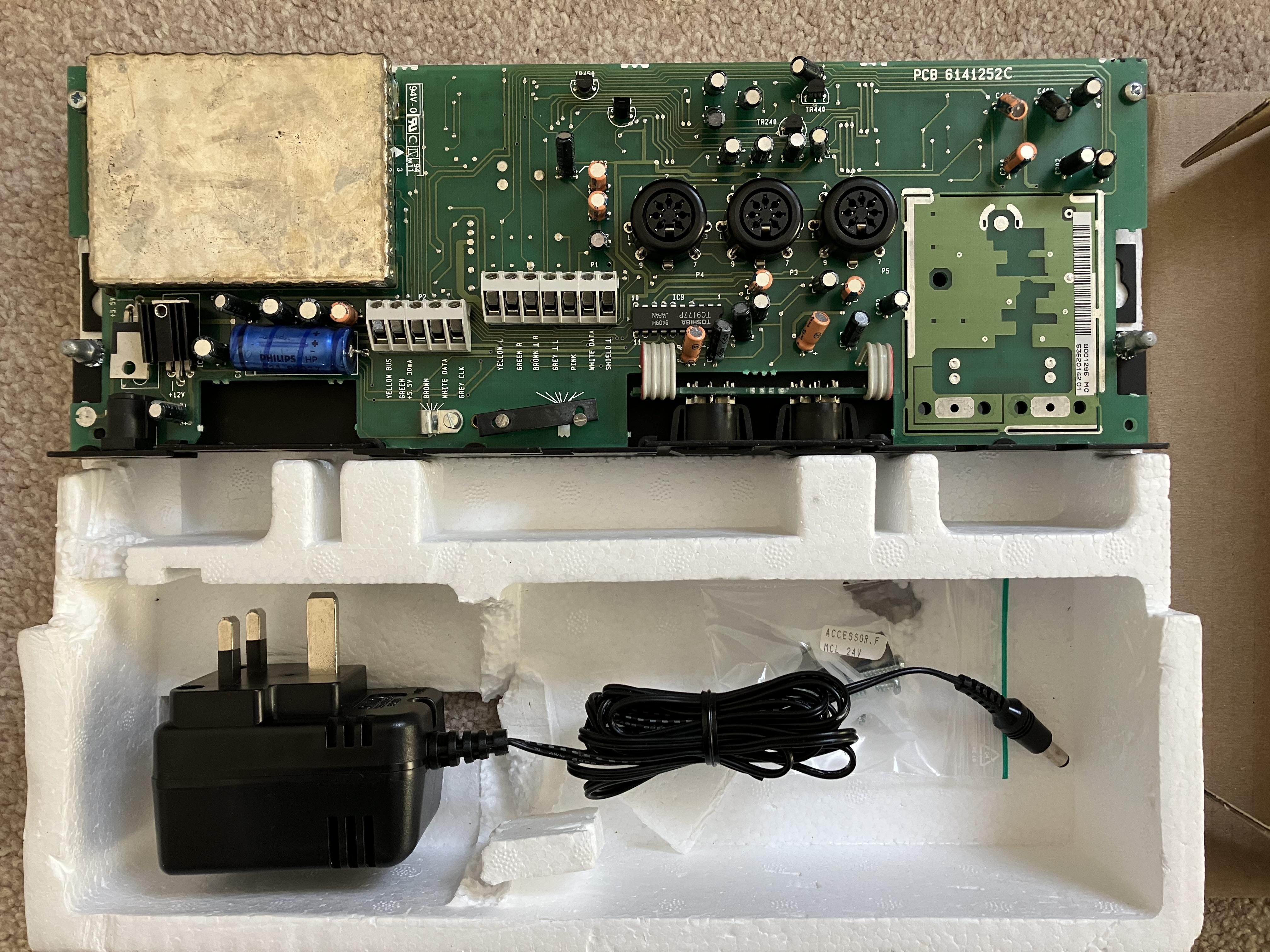
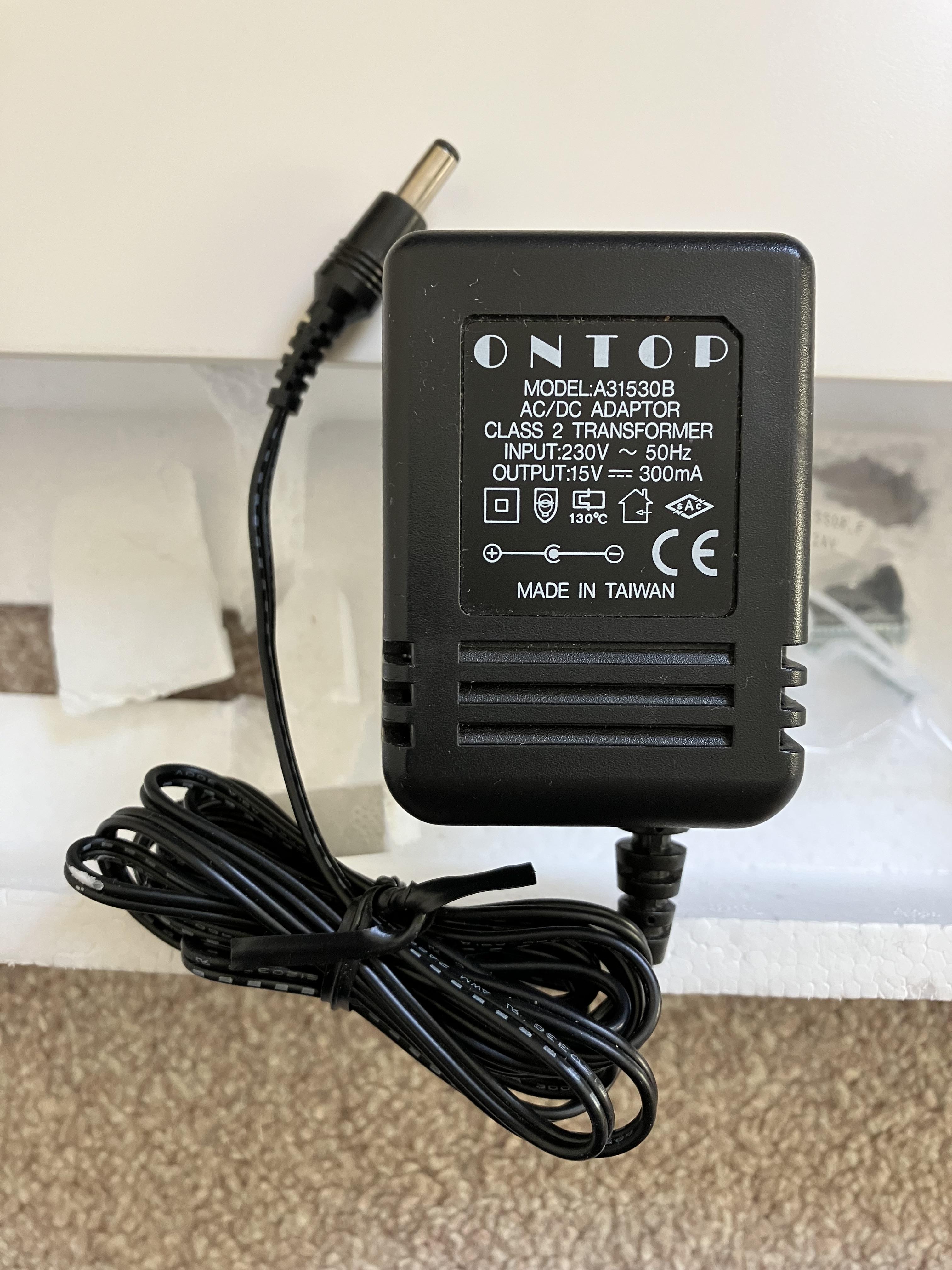
With the PSU connected to my Type 2032:
Input leg of IC21 is reading 20.4V
I get the correct 12V and 5V readings at IC21 and IC20 outputs respectively.
Maybe carefully increase your supply voltage?
Location: Warwickshire, UK
My B&O Icons:
The one that I used as a stand-alone was also Type 2020 – you can see the TV co-ax socket in my first photo.
I suppose that the 2020 is older therefore has more chance of a fault. Perhaps someone has connected an incorrect PSU in the past, or reversed the polarity and damaged IC20 (or one of the many extra components in the earlier model).
I just checked my PSU with no load and it measured 23V.
Location: Warwickshire, UK
My B&O Icons:
Not sure if this helps – I think this is quite a late model without the passive speaker or RF connections. The label says Type 2032.

Location: Warwickshire, UK
My B&O Icons:
Here you go: (I am getting better at finding things!)

Location: Warwickshire, UK
My B&O Icons:
-
AuthorPosts