Forum Replies Created
-
AuthorPosts
-
 GOLD Member
Rob,
You have a PM.
Yann.
Location: Brittany, France
My B&O Icons:

Hi Keith,
All is OK now, thanks for your help.
Best regards,
Yann.
Location: Brittany, France
My B&O Icons:
Hi,
Did you add your grey M5 in your B&O account?
Just my 2 cents if it can help.
Yann.
Location: Brittany, France
My B&O Icons:
Rob,
I found this work-around.
In your TV, you may remap the firestick input to the one used by Blu-Ray key.
https://archivedforum2.beoworld.org/forums/t/50339.aspx
Yann.
Location: Brittany, France
My B&O Icons:
Rob,
There is another Beo5/6 sub-forum here: https://archivedforum2.beoworld.org/forums/9.aspx
You can read this topic :
https://archivedforum2.beoworld.org/forums/t/12278.aspx
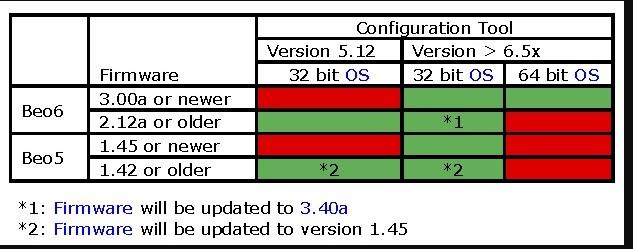
where I found this table from Keith, Beoworld’s living memory, showing that a 32 bit OS is necessary to use the software with Beo5.

Location: Brittany, France
My B&O Icons:
Rob,
The key is maybe hidden and there is a way to check this:
First StdBy + Goto, then press Edit.
Enter in the zone by tapping its button.
All buttons available appear, whatever they are hidden or not on normal use.
You can navigate between keys and screens as normal.
If you see the V-Aux key, navigate to it with the keyboard’s arrows , press Go and choose “Show”.
Hope it helps.
Yann.
Location: Brittany, France
My B&O Icons:
The software was reserved to dealers.
Other members may help you to get it, the problem is to have the version which suits with your Beo5.
I suggest that you post a picture of the “informations” screen of the remote (StdBy+Go, go to Info then press Go).
Yann.
Location: Brittany, France
My B&O Icons:
Hi Rob,
The best solution is to use the Configuration Tool software.
You should first switch to the archived forum 2007-2012, there is a dedicated sub-forum very well documented:
https://archivedforum.beoworld.org/forums/48.aspx
Be aware that Beo5 software version, Configuration Tool version and Windows version especially 32/64 bits) must be aligned.
Kind regards,
Yann.
Location: Brittany, France
My B&O Icons:
Thank you Martin.
Have a great week-end.
Yann
Location: Brittany, France
My B&O Icons:
Sure 🙂
Location: Brittany, France
My B&O Icons:
Geoff,
Sure, but how to listen to it?
Yann.
Location: Brittany, France
My B&O Icons:
Hi Eldrup and Martin,
Thank you for this lovely “ritornello”.
A bit kitsch for everyday listening but so fresh anyway.
Yann.
Location: Brittany, France
My B&O Icons:
Congratulations 🙂
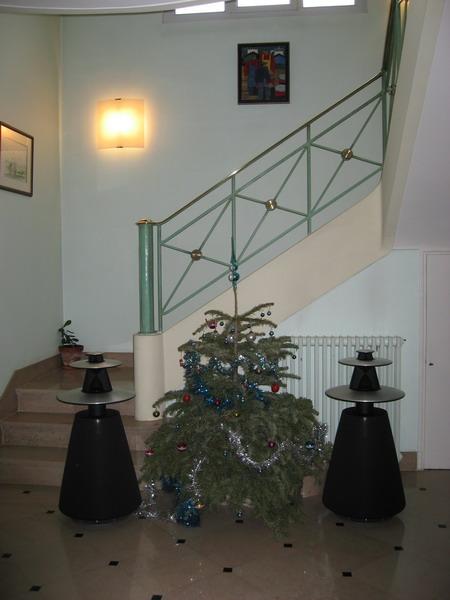
Your enthousiasm remind me 2006 christmas, when 2 BL5 arrived at home.

Enjoy your BL5s, they are fabulous speakers either for music and video.
Kind regards,
Yann.
Location: Brittany, France
My B&O Icons:
Bonjour Christophe,
J’ai répondu à ton message sur le bon coin.
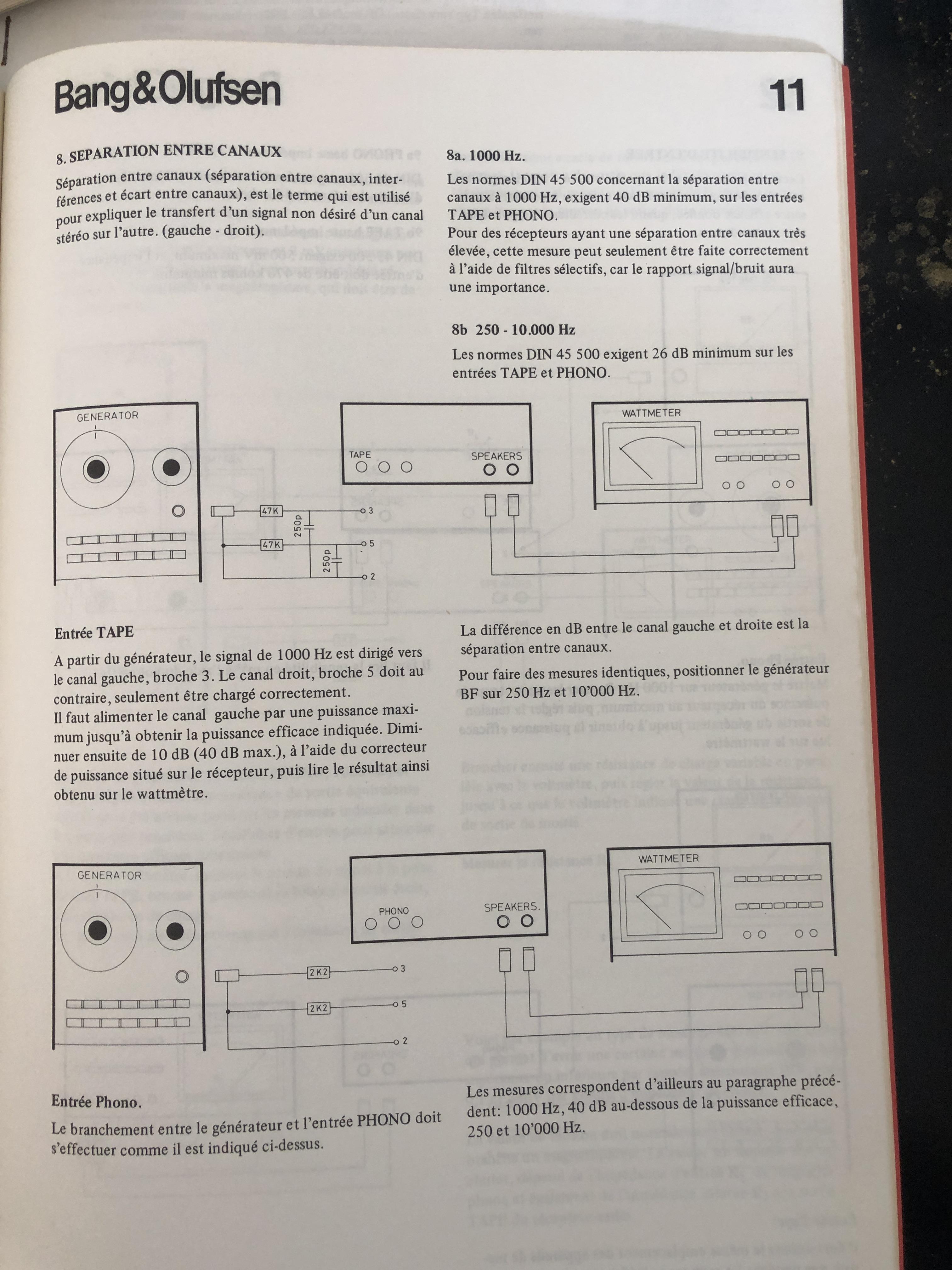
“Méthodes de mesure” est un petit (18 pages) manuel destiné aux techniciens.
Il décrit des procédures de test génériques pour amplificateurs et tuners FM.
C’est théorique mais intéressant.

Bon week-end,
Yann.
Location: Brittany, France
My B&O Icons:
Looking to the pictures of B&O’s website, I am rather mixed on the floor-stand.
Too imposing for my taste, it seems less airy and sophisticated than the Eclipse’s one.
While Eclipse floats in the air, Theater seems to be painfully extricating itself from the soil.
I agree, that’s a purely personal and subjective feeling which needs to be confronted to the in-the flesh product.
At last and if I read the specifications correctly, it can only control 2 products via the PUCs. It’s unfortunately too short for my current needs.
Location: Brittany, France
My B&O Icons:
Hello Mathieu,
Many thanks for your advice.
I do not have the CMD2 anymore, as I sent my Beocenter to be fixed by a professional.
But I still have my 2nd Beocenter’s CDM4 drive.
If you have any clue, I’m interested.
Kind regards,
Yann.Location: Brittany, France
My B&O Icons:
Thumbs up, Matador!
Location: Brittany, France
My B&O Icons:
Hi Martin,
I completely agree with you.
That’s why I only did short tests and don’t plan to use this hybrid solution.
By chance, once the servos and lasers were paired properly, no further issues arose.
For now, I can’t go further without the help of someone in the know.
Kind regards,
Yann.
Location: Brittany, France
My B&O Icons:
Hello Beoworlders,
Following Matador’s advice, I tested the still “functional” drive with several discs.
There is no logic in the results, as some CDs with a lot of tracks work fine and some don’t.
On a few of them, the discs is read for a few seconds then stops.
In one case on a short disc, the sound was highly distorted.
I suspect that tuning of the CDM2 laser is not adapted to the CDM4 servo board.
Any advice?
Kind regards,
Yann.
Location: Brittany, France
My B&O Icons:
Hello Beoworlders,
To Matador: I did not test a lot of CDs as I was unsure that the mix between lasers and servo boards was safe.
To all: I went further on the CD150 alternative solution and found that the grey 14 pins connector of the Beocenter’s drive is split in two separate connectors (9 + 4 pins) on the Philips one.
The last option is to send my drives to someone who is able to repair them.
Anybody interested?
Kind regards,
Yann.Location: Brittany, France
My B&O Icons:
-
AuthorPosts