Forum Replies Created
-
AuthorPosts
-
 GOLD Member
Hi, I am assuming that then the BR1 will show the (in the app selected) NL sources (with the names given in the BLC settings) under the MUSIC button.
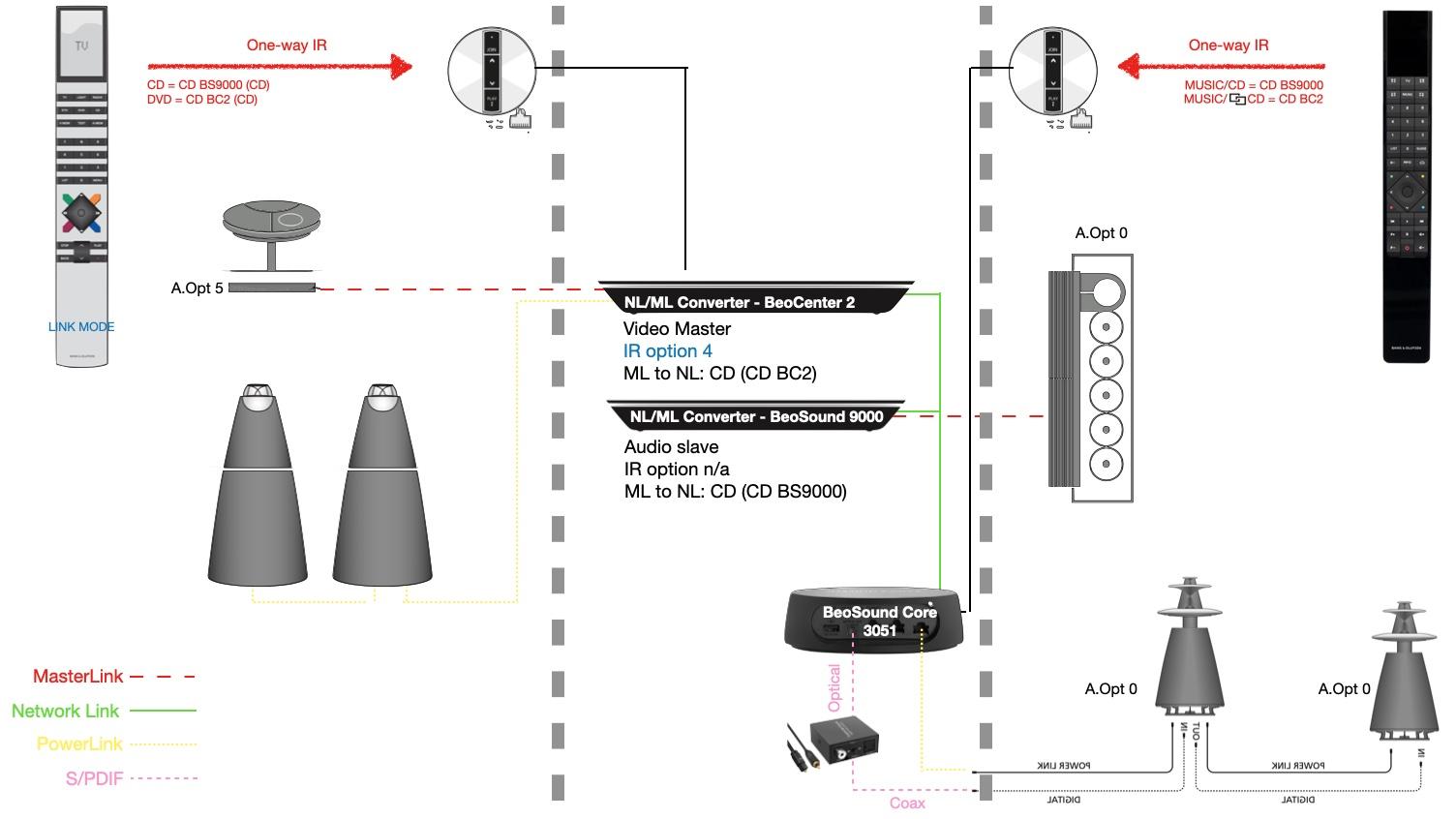
To your other question on the IR based communication in the diagram – the expectation is that ‘CD’ will start the Bs9000 and ‘[Link symbol]CD’ will start the BC2.
It is a pity that the Core does not have the settings page to link IR commands to NL sources as the BLC has!
Maybe something for the development team?
Regards, Johan
Location: Netherlands
My B&O Icons:

Hi,
It is not installed yet – for now it exists only in the above chart :-). We will have to wait a little before testing this.
I do actually hope the Bluetooth connection between BR1 BT and Core is so strong that the above is not necessary. (Will investigate ‘bridging/meshing’ Bluetooth in the meantime).
B&O support actually hinted that what we want to achieve is complicated, and a B&O installer should be consulted.
We will have to be a bit patient I guess.
Thanks for thinking with us! Regards, Johan
Location: Netherlands
My B&O Icons:
Hi all, after a dialogue with B&O support on the meaning of the sources ‘CD’ and ‘[Link symbol]CD’, we came to this outcome:

where the trick lies in Option 5 setting of the BC2.
The proof will be in the pudding I guess. For now it seems that this enables:
- Using a Core for PowerLink and S/PDIF signal paths
- Tucking the Core far away by using an IR eye
- Using two ‘CD’ commands for two CD sources under the MUSIC button of the BR1 in ‘BeoSound’ mode
Regards, Johan
With ‘Link symbol’ I mean this:

Location: Netherlands
My B&O Icons:
With those metal grilles, it looks timeless to me! Really nice. Regards, Johan
Location: Netherlands
My B&O Icons:
Hi MM, your observations are correct (and appreciated). The remotely positioned Core will require much longer S/PDIF and PL cables indeed. But having no cable clutter in the Living room is priority. Hence the IR eye (with BR1 limitations) or the above idea (unsure if feasible). Thanks! Regards, Johan
Location: Netherlands
My B&O Icons:
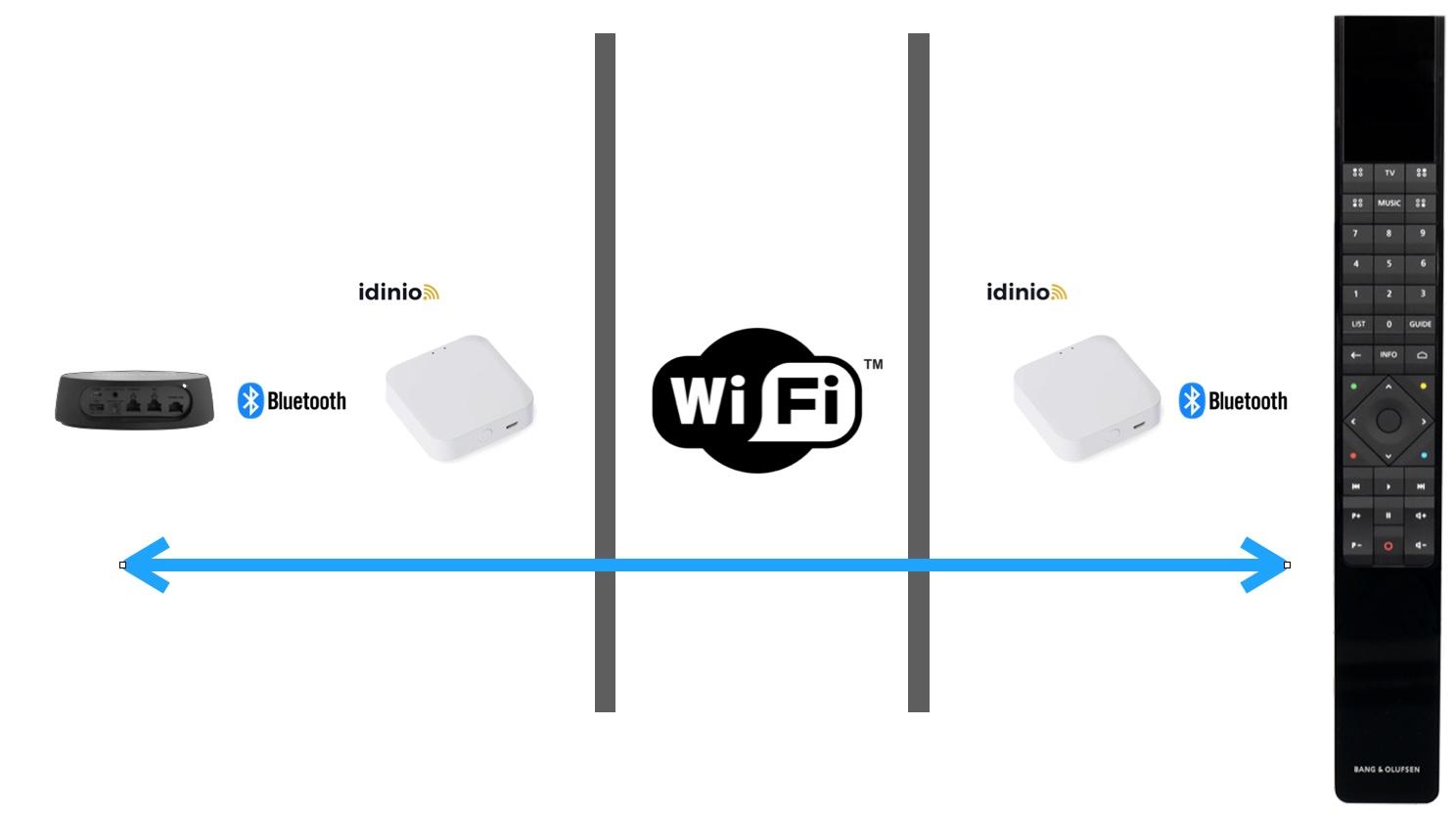
This made me thinking – could I bridge BlueTooth communication over Ethernet, something like this:
 Has anyone attempted something like this?
Thanks, Johan
Location: Netherlands
My B&O Icons:
@Tignum I do not understand the need/wish for an ir eye in this case. You (he) would need to have the eye some where reachable for the Beo4 including cabling. If someone want to hide a Core away, he IMO should go for a BROne/BT instead. Or is there something, that I don’t understand in the setup? MM
Hi MM, the Core will be placed in a utility room, easily 10-15m away from the living room, one level down. I am not expecting the Bluetooth signal to cover that distance. That is the reason to bring a wired (IR) sensor to the living room. I expect a much more reliable control this way. We already made peace with the idea that the CD command of the BR1 will be reserved for the BeoSound 9000. Still, playing from the BeoCenter 2 CD should be possible using the app. Thanks as always! Johan
Hello again MM, yesterday I played a bit with the Core and the BR1 BT (never really did that before – I bought the BR1 to control my BS3 with ‘navi’ in the first place). But it is really nice! With the radiostations in the screen, all source names etc. Hmmm – let at least keep all options open.
Regards,
JohanLocation: Netherlands
My B&O Icons:
Hi Paul, are you a magician? :-). That must have been the system logging that time I guess.
How many do you have?! Me four…
Johan
Location: Netherlands
My B&O Icons:
@Tignum I do not understand the need/wish for an ir eye in this case. You (he) would need to have the eye some where reachable for the Beo4 including cabling. If someone want to hide a Core away, he IMO should go for a BROne/BT instead. Or is there something, that I don’t understand in the setup? MM
Hi MM, the Core will be placed in a utility room, easily 10-15m away from the living room, one level down. I am not expecting the Bluetooth signal to cover that distance. That is the reason to bring a wired (IR) sensor to the living room. I expect a much more reliable control this way. We already made peace with the idea that the CD command of the BR1 will be reserved for the BeoSound 9000. Still, playing from the BeoCenter 2 CD should be possible using the app.
Thanks as always! JohanLocation: Netherlands
My B&O Icons:
Hello Ryan, great that you found the issue, and thanks for sharing that. These DIN to RCA adapter cables can look the same, but can be wired very differently. Many of us found that out I guess 🙂
Regards, Johan
Location: Netherlands
My B&O Icons:
Hi Johan could you post or PM me some settings of your Core/BLC? Everything I try/change ends with the same outcome…… only one connected device is visible! thx in advance Paul
Hi Paul, is there something specific you want to see? Let me know, J.
Location: Netherlands
My B&O Icons:
Hi Paul,
Various dates here. And funny enough I did reset the BV10 and the BS5 ones a few days ago (for a stupid reason).

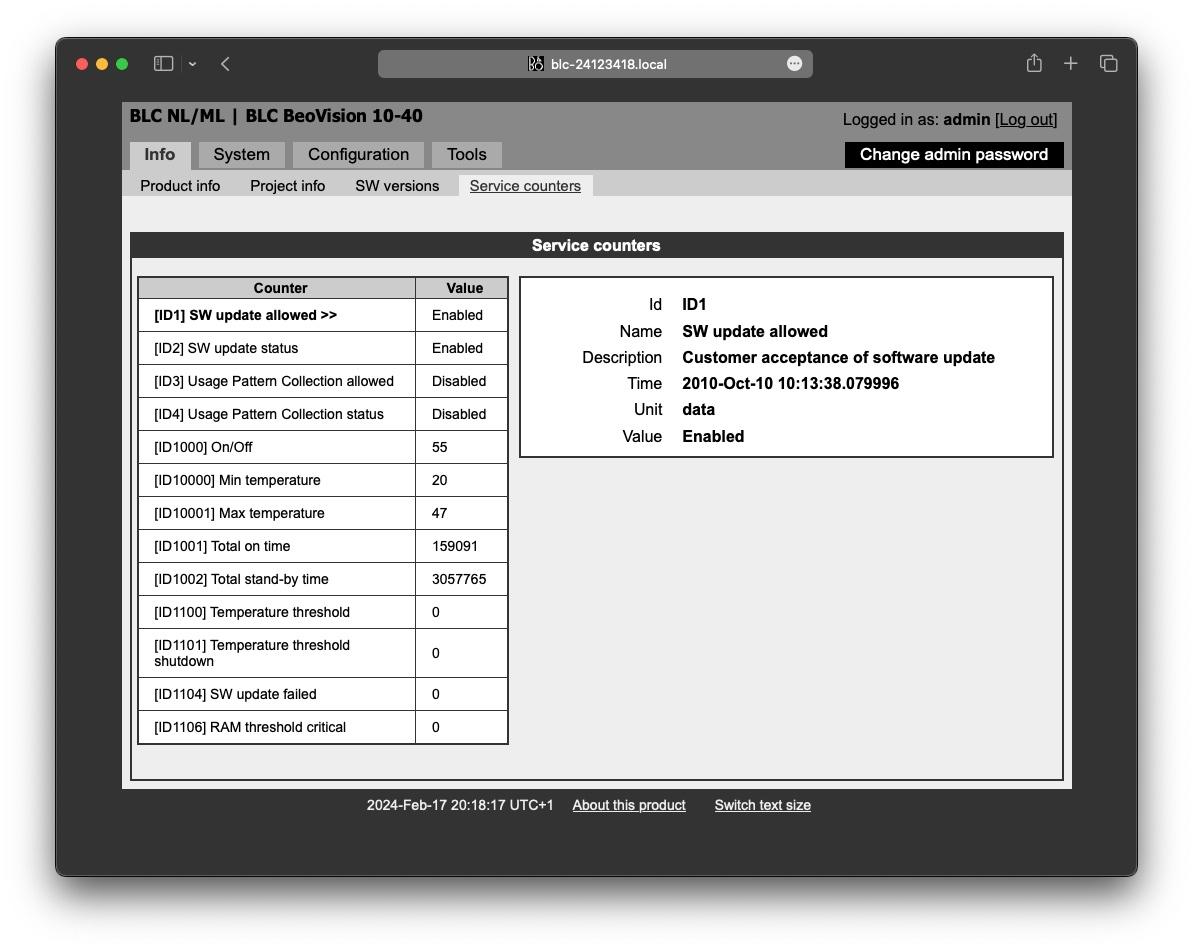
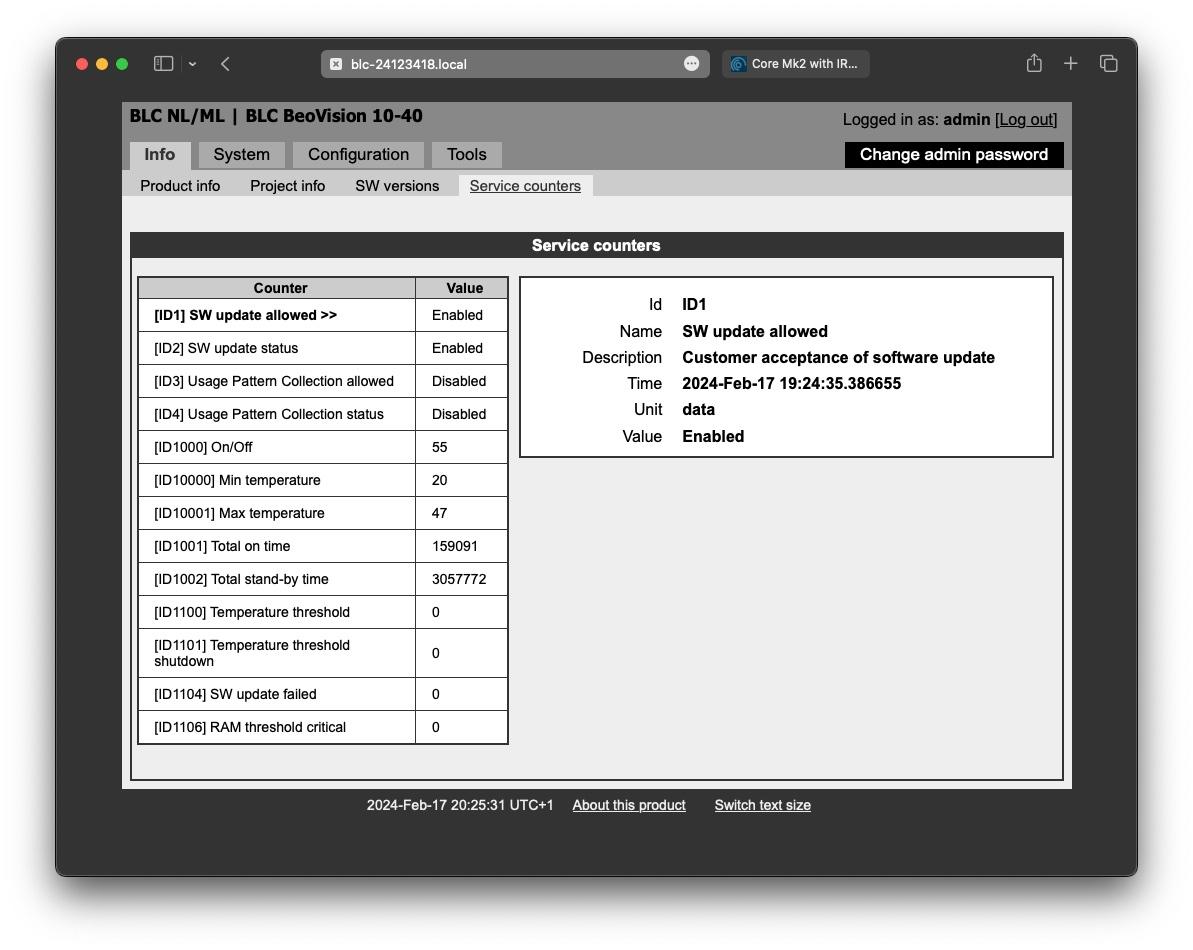
But these dates are the logged moment when you (or a previous owner) ticked the ‘automatic software update allowed’ tickbox. I just did that to that same one:
So we need to dig somewhere else I reckon. Regards, Johan
Location: Netherlands
My B&O Icons:
Hi Carolpa,
That is strange indeed. Happy to help with anything!
One thing I did not state maybe – the Core will have the speakers connected. They are BL5s. They are to benefit from the digital out of the Core (something the BLCs do not have).
Simply stated:
- Core: because of digital out to BL5
- IR: because of hiding the Core out of Bluetooth range
- BR1: because of the better control of the Core
Regards, Johan
Location: Netherlands
My B&O Icons:
Thanks for this Carolpa, it is actually good to know that with the app all functionality is available (over wifi), we also want to try and make control with a remote as simple and logical as possible.
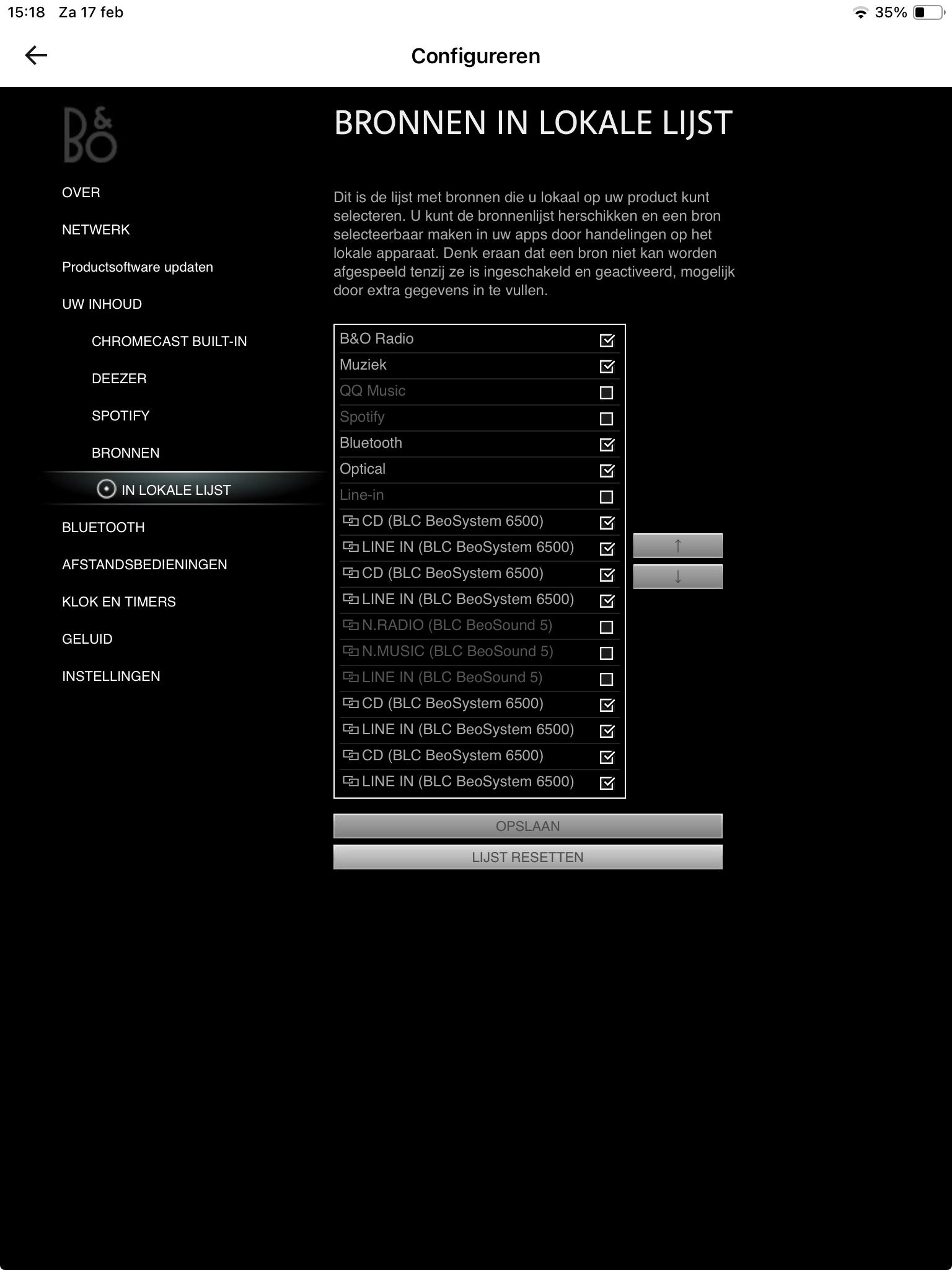
I tried what you asked, but before that I set the two BLCs to ‘Connect to (primary) – BeoSound Core’ in the ‘Configuration / Settings’ page.
See screenshots of the app here:

They can all be (un)ticked. Some even twice?
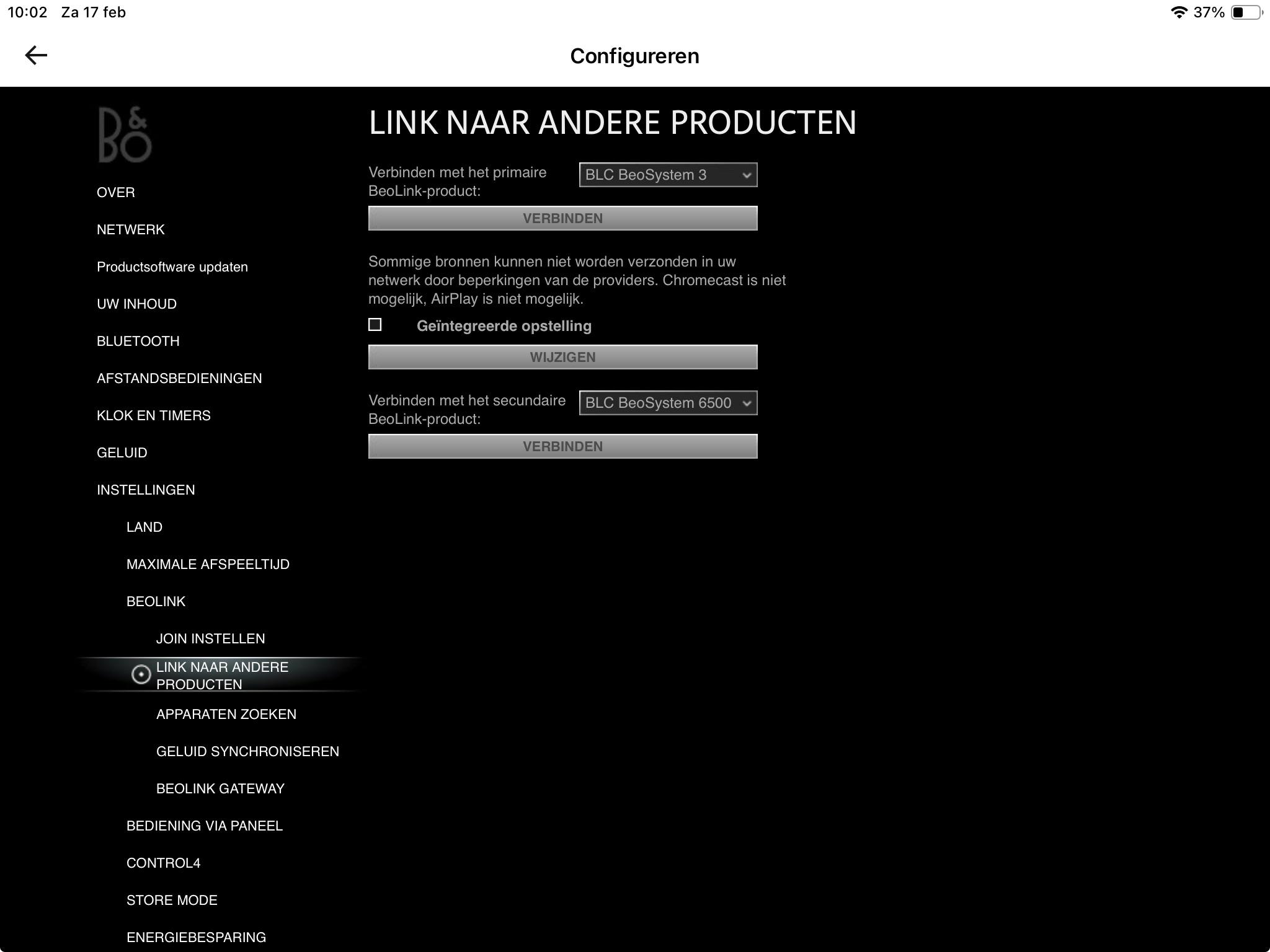
When in the Core I set the ‘Link to other products’ to ‘none’ – see below:

I can still see all sources of both BLCs.
What I am after (for my friend) is that I can list 2 commands (under the Music button of the BR1) that can either control/play CD from a BC2 and CD from a BS9000. Probably DVD can activate the BC2 (that than realises it has a CD loaded), but I reckon that command is only to be found under TV sources of the BR1. Which is not logical :-).
I know I am picky, and hope things are simpler than I think.
Your help is appreciated! Regards, Johan
Location: Netherlands
My B&O Icons:
Hi Carolpa, was hoping for you posts! The planned set-up is not for me, but for a very friendly gentleman building a new house, that I am helping a bit to get all cabling (and user experience) right. The Core for that home is not yet purchased.
(Here is an image of my own Core, that still seems to have the primary/secondary split still:
Software is 2.4.55189.229090071, let me now what other settings you would need. Again, this is my (older) Core, that I do not control with a BR1, but use (only) to feed B&O radio and DLNA Music to two ML networks. The other Core will be bought later.)
I think it will not be the end of the world if it is not possible to play from 2 different CD players. I expect the BC2 to be used way less often than the BS9000. Priority is that the Core is away in quite remote utility room to bring all technical cable clutter out of the living space. But if there is way, why not!
Location: Netherlands
My B&O Icons:
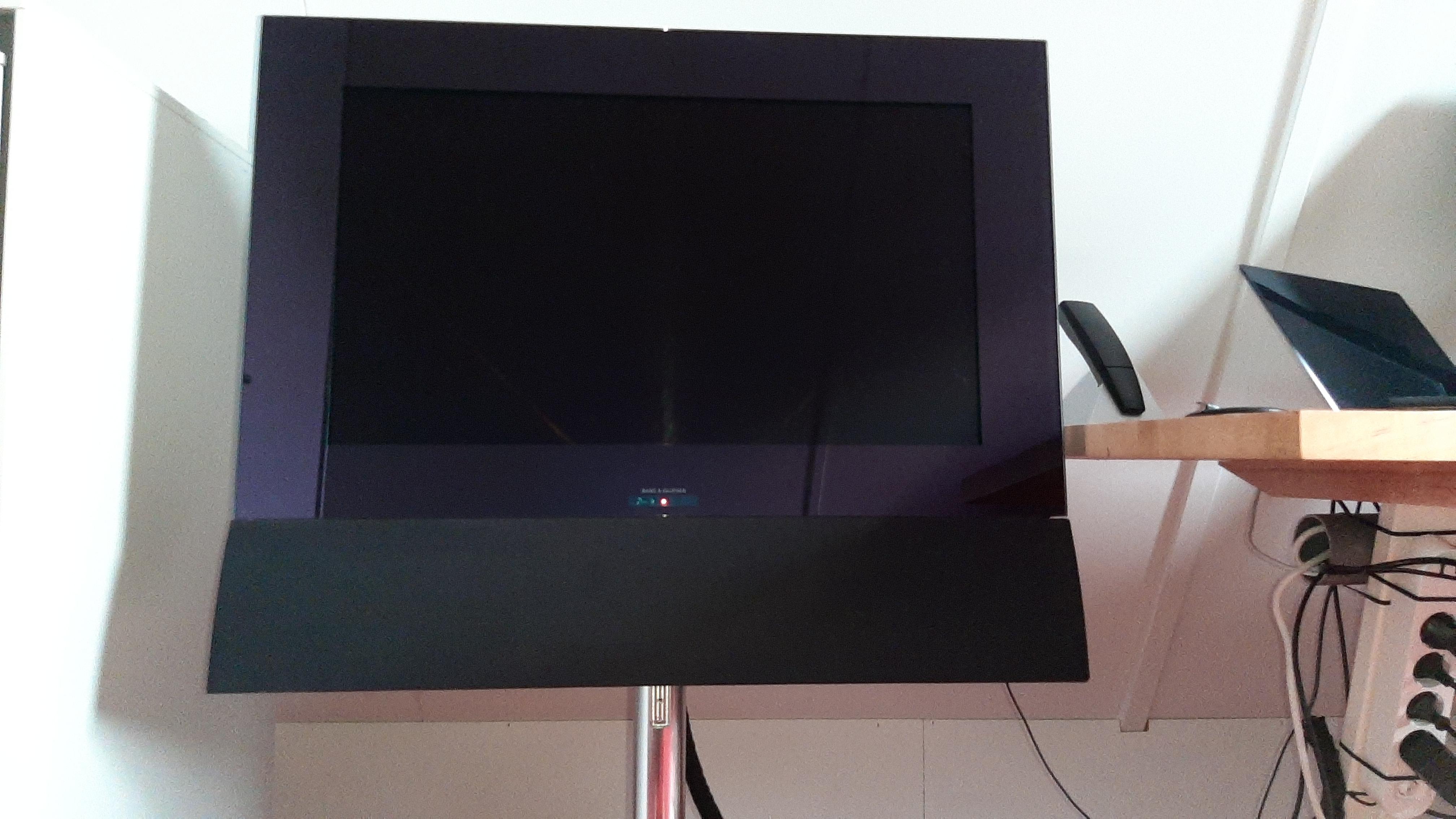
Hi Madskp, hi Guy, the BC6-26 does just not cover the BeoLab bracket cavity. It is very unobtrusive though. See below image of my 6-26 on a BV7 motorized stand. I sat on the floor taking the picture.

Hopr this helps, J.
Location: Netherlands
My B&O Icons:
It sure helps! I have to figure out, without having all the equipment, how this is all working.
The plan is to connect a BC2 with ML to BLC (audioslave) plus BS9000 with ML to BLC (audioslave) to allow a Core to play from either CD player! I know I can rename the sources in the BLCs, but I am not sure now if I can teach a (non BT) BR1 to distinguish them.
Hope someone fixed a similar problem and can help me.
Thx, Johan
Location: Netherlands
My B&O Icons:
Hi B3OHACK3R, the idea is to hide the Core quite far, maybe 20m. I was hoping that the connected IR eye would allow full BR1 functionality, incl showing specifically named sources from two BLCs. It seems not. The setup will not be very complicated, and perhaps standard Beo4 source names will do (or can be renamed even).
Location: Netherlands
My B&O Icons:
Hello MM, I agree the BeoRemote One is better for operating a Core. And the (standard, no BT) BR1 manual says that linked sources (in ‘my’ case from two BLCs) are visible in the source list of the remote. I am assuming they get there through 2 way IR then. I am seeking confirmation of that working with the Core and an IR eye, as the Core needs to be hidden away. Thanks! Johan
Location: Netherlands
My B&O Icons:
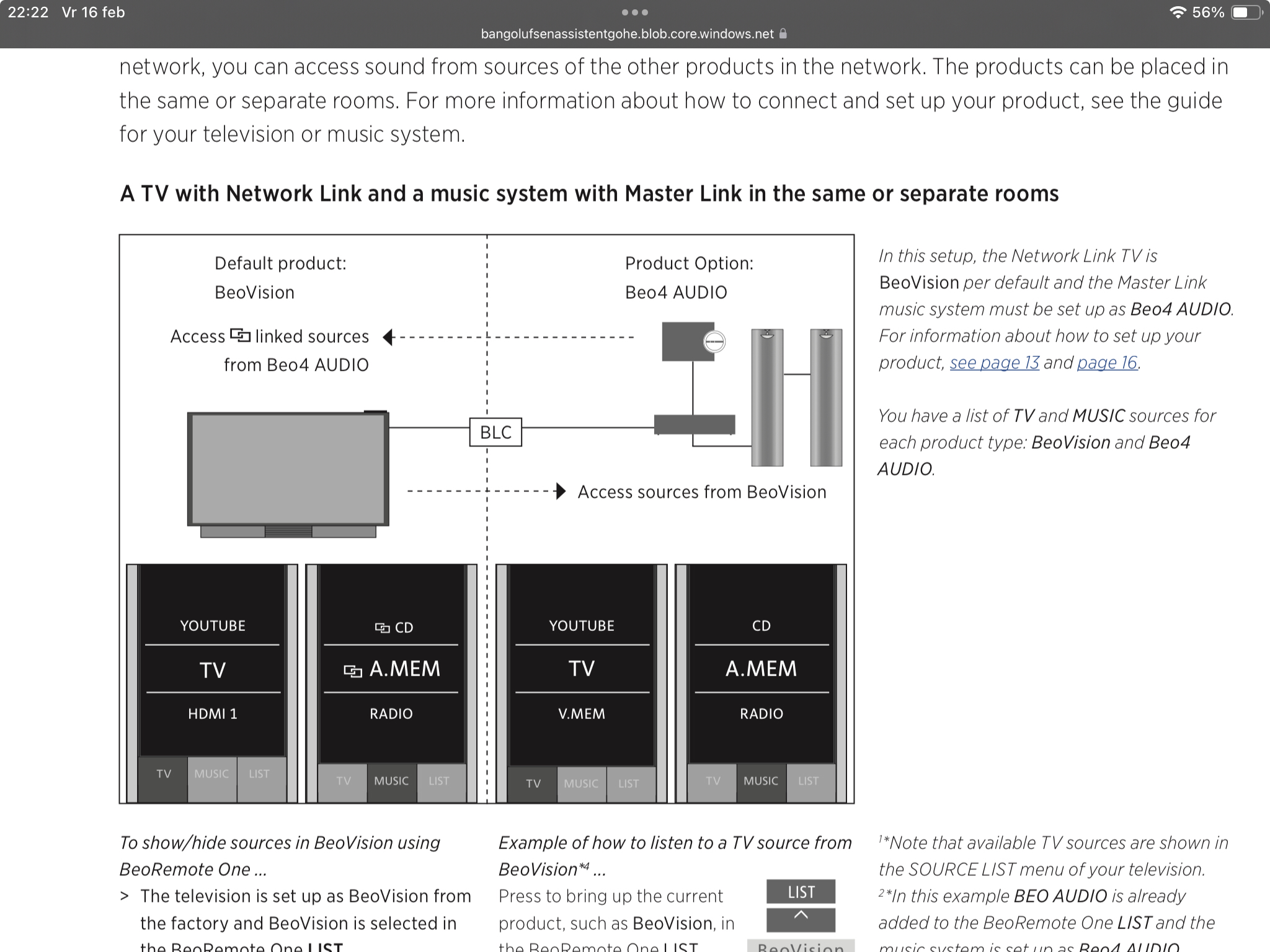
Hello, can someone from experience tell if the IR eye for the Core provides 2-way IR communication with the BeoRemote One? I expect the Core does this, seeing below chart at ‘link sources’. I am curious to know if the IR eye does it too, when the Core is out of IR sight.
Thanks, Johan

Location: Netherlands
My B&O Icons:
-
AuthorPosts



 Has anyone attempted something like this?