Forum Replies Created
-
AuthorPosts
-
 GOLD Member
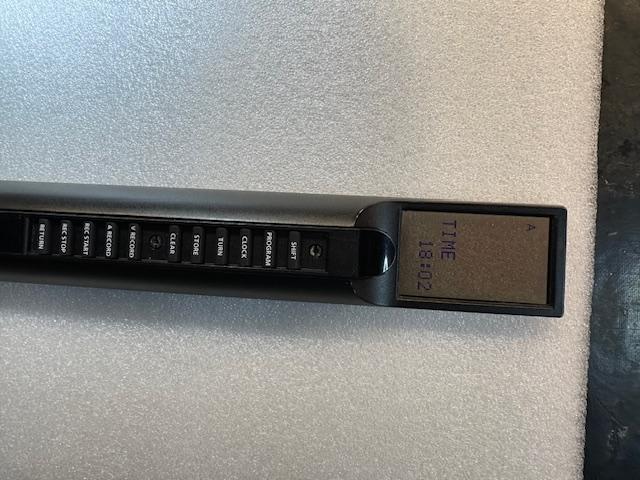
Hi Filip, that is a great job, did you have to create new contacts from the solid mount of the remote to the glass of the display?
Hi Kirin,
For more information on how to repair the old Beolink 5000, please look here:
https://forum.beoworld.org/forums/topic/beolink-5000-finally-a-solution/#post-58236
/steffen
My B&O Icons:

Hi Christian,
That’s new. I used PM for a couple of weeks ago.
Any way I’ll contact you. But as I’m vacation it will take some time.
/steffen
My B&O Icons:
Hi Christian,
For a start you could send me an PM 🙂
/steffen
My B&O Icons:
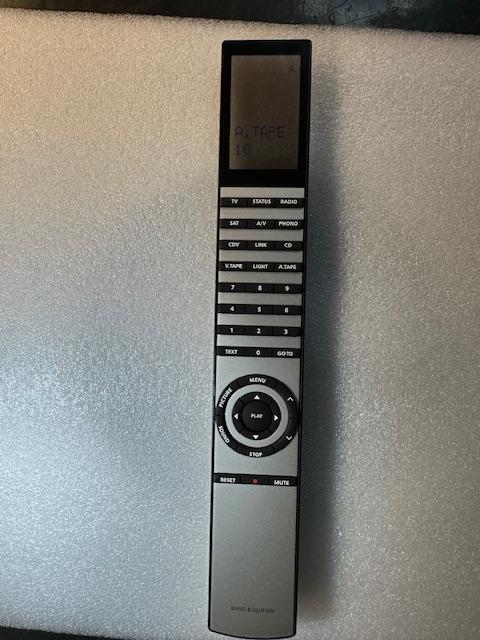
I’m so glad on your behalf Fillip, that every thing turned out great with your Beolink 5000.
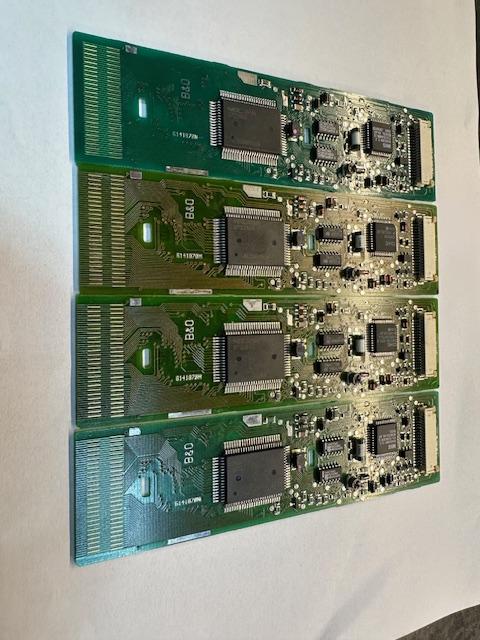
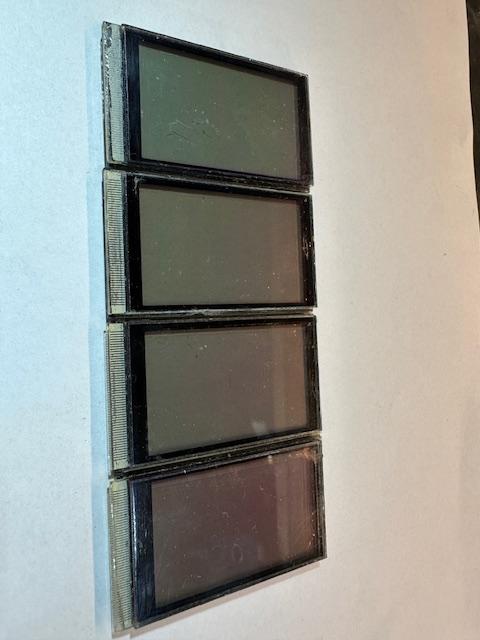
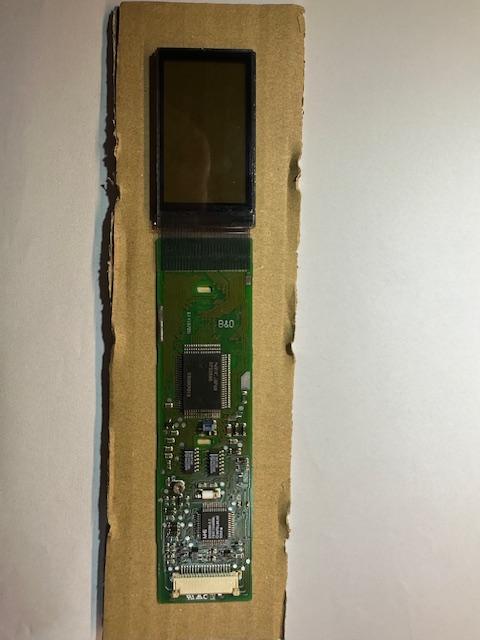
It was me who got in contact with Filip, as he has for a long time searched for a solution to replace the old display ribon and I actually have contact to a guy who can do the job.
The process is to strip down and clean the display and PCB for old glue.

Then send all the pieces the guy and this is what you get returned.
Then is just to reassemble the Beolink 5000 after a recap of the IR PCB and the enchanting result is a fully functional Beolink 5000.


/steffen
My B&O Icons:
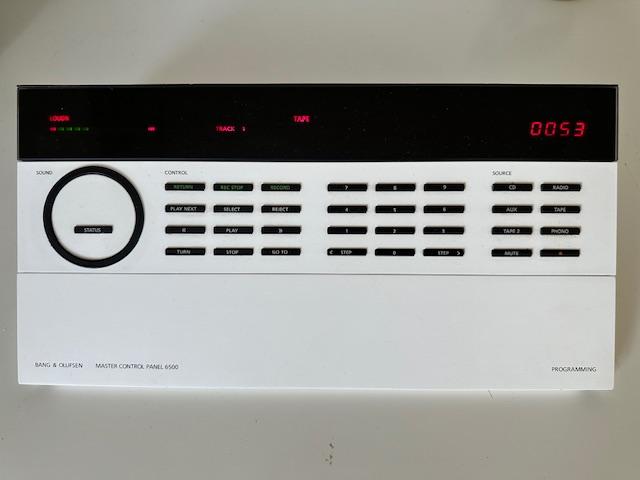
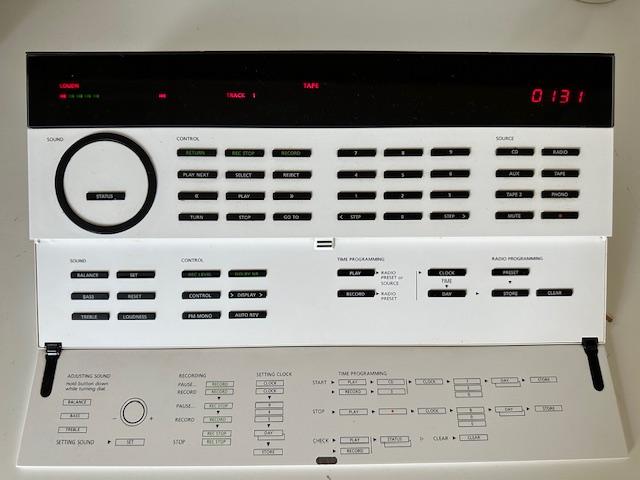
For arround 7 years ago I purchased a complete Beosystem 6500 in white. The MCP 6500 main PCB was in bad shape due to leaking batteries and had been stored away until now.
Thanks to fellow Beoworld member Madskp who has supplied me with a doner MCP, I now have a fully functional mint white MCP complementing my Beosystem 🙂

My B&O Icons:
That’s normal behavior for the MCP series (5000/5500/6500) and the blanking time can’t be adjusted.
/steffen
My B&O Icons:
It seems that someone has cracket the problem. In the facebook group Bang & Olufsen there is a thread where a solution is shown
https://www.facebook.com/groups/2263448640/search/?q=beolink%205000
/steffen
My B&O Icons:
Hi Multicare,
Thanks for the new forum.
Please add PM as its a good way to contact other Beowold members for a offline discussion.
Regards
Steffen
My B&O Icons:
Received my Beotooth 5500 kit in the mail today and have assembled it.
First test om my BM 7000 was impressive. Connected with my iPhone on bluetooth with no problems.
As player I’ve tested both my iPhones own player and the spotify app with success and could control the playlist as Pilatomic have shown in his videos.
Thanks Pilatomic for a fantastic project. It gives the tape input on our beloved B&O systems a new life 🙂
/steffen
My B&O Icons:
Currently I can send and receive Datalink commands on the TV/AUX Port of the BM and I was able to retrieve commands from a MCL Sensor I bought for this Project. But unfortunately the commands only startup the BM in muted state and I can´t get it to unmute (See my post here).
Please start a new thread in order not to “hijack” Pilatomic original thread.
However it is normal behavor from the BM when it is “turned on” via MCL command. BM starts with muting speaker 1/PL and unmuting speaker 2 (MCL).
/steffen
My B&O Icons:
Dear Boarcastle,
I found the attached file in my archive that I downloaded for a long time ago from the old forum. Hope it can be for some help when you start programming your Beo6.
/steffen
My B&O Icons:
I’m ready. Hope luck is on my side tonight 🙂
/steffen
My B&O Icons:
Hi RafH,
No pic. is attached.
But as silver member you can download the service manual from the main page. And as I remember the tape mechanism is the same as the BC9000.
/steffen
My B&O Icons:
Lovely, count me in as well if the price is right.
I still daily use pilatomic previous Beolnik 5000 upgrade project.
My B&O Icons:
As I recall from from recaping my two Beolink 7000 it is the two 22uF/16V SMD cap that need to be replaced.
You can get inspiration here:
https://archivedforum2.beoworld.org/forums/p/3595/32375.aspx#32375
/steffen
My B&O Icons:
I have a pair of BS A1 2nd gen.
1 Yes
2 When I have set up the stereo mode I can connect my computer via BT to the “master” A1 and use both i stereo.
/steffen
My B&O Icons:
To check that the TX IR LED is active (transmitting) you can use the front camera on a iPhone or iPad.
/steffen
My B&O Icons:
I’m joining the choir of Gold members showing as Bronze member in the forum.
/steffen
My B&O Icons:
Quality Dream Audio make replacement glass panels for 3500/4500 system.
I’ve used them before.
https://www.quality-dream-audio.co.uk/replacment-glass-panels/replacement-glass-panel.html
/steffen
My B&O Icons:
-
AuthorPosts