Forum Replies Created
-
AuthorPosts
-
 BRONZE Member
Sia43 wrote
I, for one, acquired a pair of Levels and a Pair of Emerges and will not buy another B&O product until they fix the mess they created with their Mozart system.
———
- I see no mess there!
They never promised anything regarding use of Mozart based speakers with the Theatre as you both your.
Be happy, if – and when – they come up with such a solution.
B&O is a small company, where things takes time…..you probably knew that when buting.MM
Location: Flensborg————Danmark
The physical connection is not the problem.
Every new (B&O) speaker/sound system has some kind of sound processing going on.
With the ‘common’ Beolabs the Theatre knows about the characteristics of each speaker – not so with systems like Level etc.My guess is, that we will have to wait for a new connection via Mozart in order to have a proper integration with speaker roles etc.
The interesting question thereafter however, will be if we will be able to mix and match speakers connected with Powerlink, WiSA and a new Mozart-based connection on the Theatre.MM
Location: Flensborg————Danmark
MM
Location: Flensborg————Danmark
What would you possibly gain with a Hifi Plus stream on a Mozart product compared to the lossless 16/44.1 variant — other than paying more….if that could be a gain?
MM
Location: Flensborg————Danmark
Well, thanks – I’ll have to test that…..once I am back home from vacation.
MM
Location: Flensborg————Danmark
My LG remote is in the original box, which is in the attic.
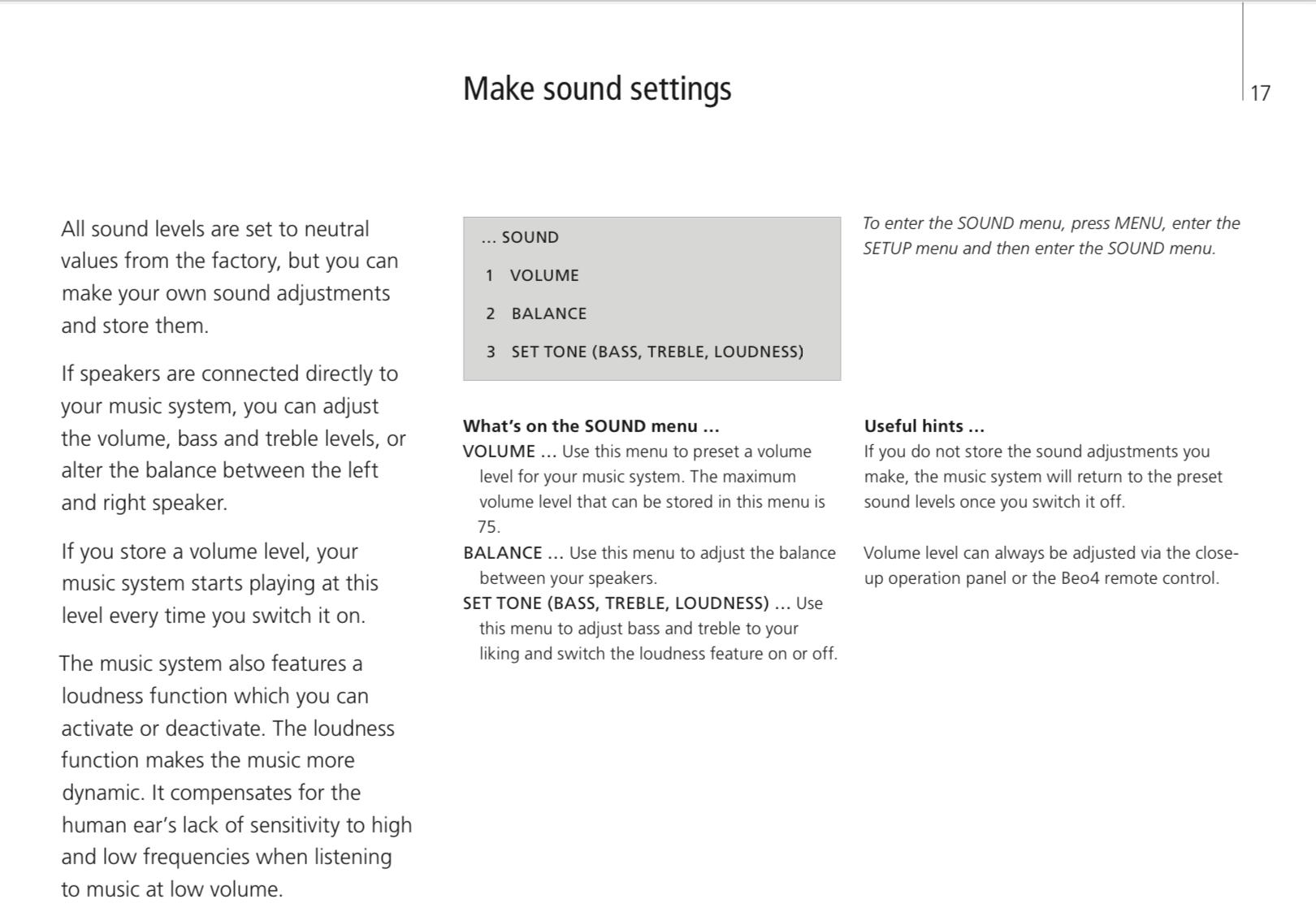
This is the method I am looking for – from the Support site for the Eclipse:

I do not find this in the List (of the BROne), when used with the Theatre.
MM
Location: Flensborg————Danmark
Sorry – I never see that screen….unless I have to update the LG tv.
What I am asking for is an entry in the List of the remote: ‘Picture Mute’ – something that has been possible previously and currently still is on the Harmony.MM
Location: Flensborg————Danmark
Thanks for the feedback and passing it through. Very kind and nice to know you are being heard to eliminate frustrations ? would be great to be able to rearrange listening positions while you are passing requests ?
————
?
And one more ? for the suggestion of being able to rearrange listening positions.
Furthermore it would be nice to be able to mute the picture, when playing music only (from Apple Music, Bluray player)……just like it was possible with previous BV’s.
MM
Location: Flensborg————Danmark
The support team got back to me – after the post with the power cycle recommendation from c-larsen.
Basicly they told me the same.Afterwards I suggested that such a recommendation ought to be part of the update notes….so that people affected know of the workaround.
And yes, I agree with you.
They ought to have more focus on fixing that bug.MM
Location: Flensborg————Danmark
Common desaster with the Avant 1st gen.
You will have to let a certified B&O technician do this job – the new DVE has to be programmed for the tv in case.
I have never heard of anyone doing this on his own.MM
Location: Flensborg————Danmark
The fact that MQA is literaly dead and the dozens of studies and articles that show that MQA/Tidal Master Audio is more a fraud than a way to get better sound quality should lead you to change the title of this thread.
If you want to discuss the audio quality of the B&O devices, it is fine – but that is not what the title indicates.
@Tim – update 18 may 2023
Thanks for changing the title.——
Furthermore, when you talk about ‘the best audio formats’, you will first have to define what you understand when you write ‘best……’.Also, it would be nice to know what you mean by ‘The core is not really great and has huge limitations’.
This kind of statement is not a decent starting point for a proper discussion.
Why is it not great and what are these limitations?MM
Location: Flensborg————Danmark
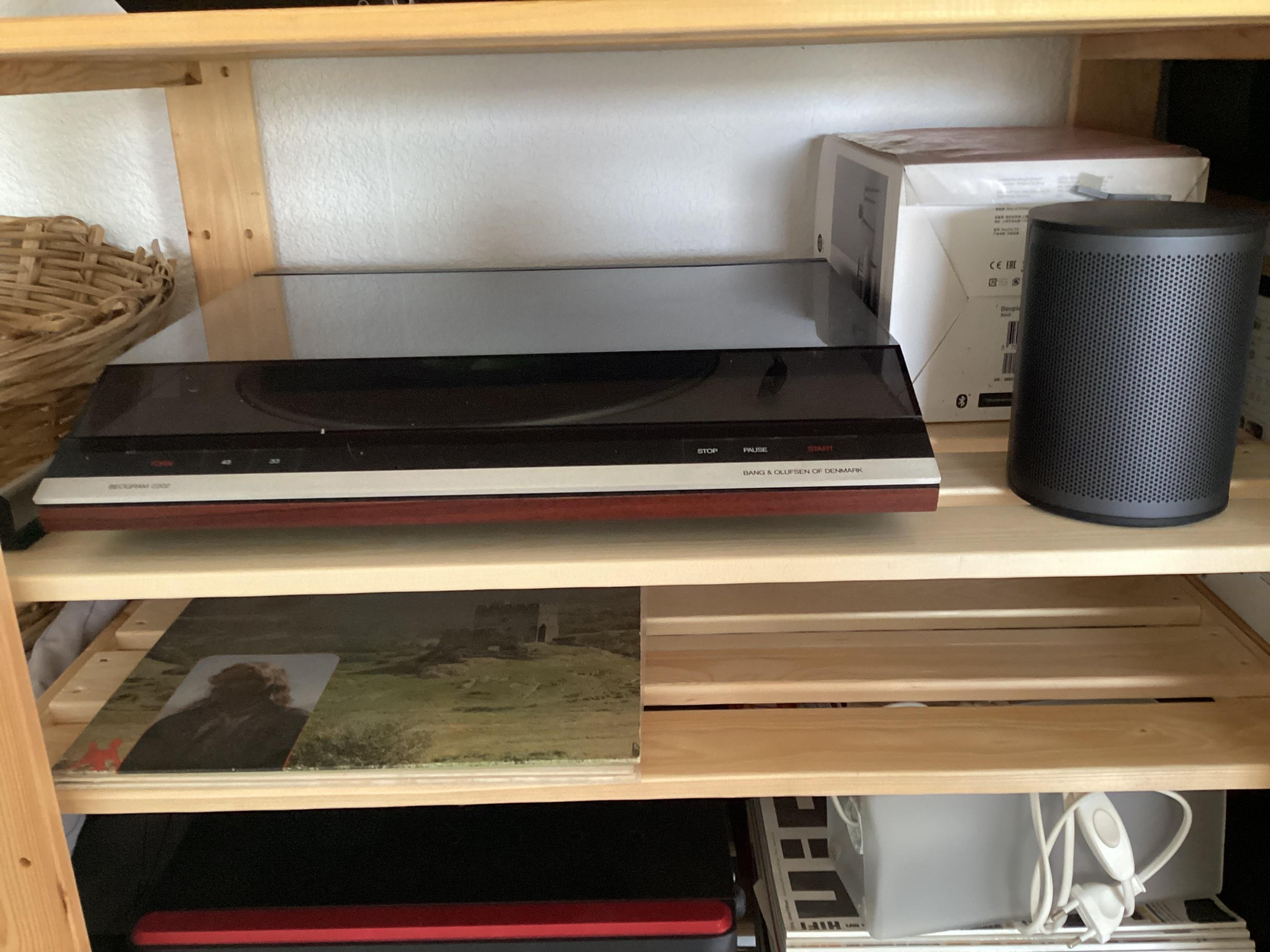
I must admit that I totally fail to see the point of playing music from a vinyl disc nowadays – now that we can get superiour sound from a digital file or a cd.
None the less – I still have a few LP’s and also a turntable from yesteryears (which a friend of mine kindly serviced for me), a phono preeamp and a spare M3.
Hardly used, but fully functional and ready to show what is possible with Beolink Multiroom, when friends are here.
This said – I find it totally ok, when B&O can make a profit from things like the 72-23.
Let people, who have that kind of money, spend it….no problem there.All die hard vinyl lovers surely can find a cheaper way to enjoy the popping and crackling of their vinyl discs whilst admiring the big coverart.
There are plenty of Beograms out there that can be restored to ones needs.Here is my Beogram…..in the closet.

MM
Location: Flensborg————Danmark
Hej Frederik
I had the Avant 55 1st gen for several years and have always been fond of that tv.
I changed to a Theatre/LG combo because the video engine died a second time….and because I wanted to experience the new audio options here at home.
I can not recall that I did anything other than using film mode (probably right from the start, never changed anything there).
As for ‘dynamic control kicking in’ etc – this did not seem to have been an issue during that time.
Could it be that you have already ‘been spoiled’ with having the OLED screen for a while ??
Maybe the change in the quality of the source material over the years does something.I enjoyed the Avant – but the LG (with the right settings) is better.
Somehow I – and definitely my wife – miss the Beo4/navi.MM
Location: Flensborg————Danmark
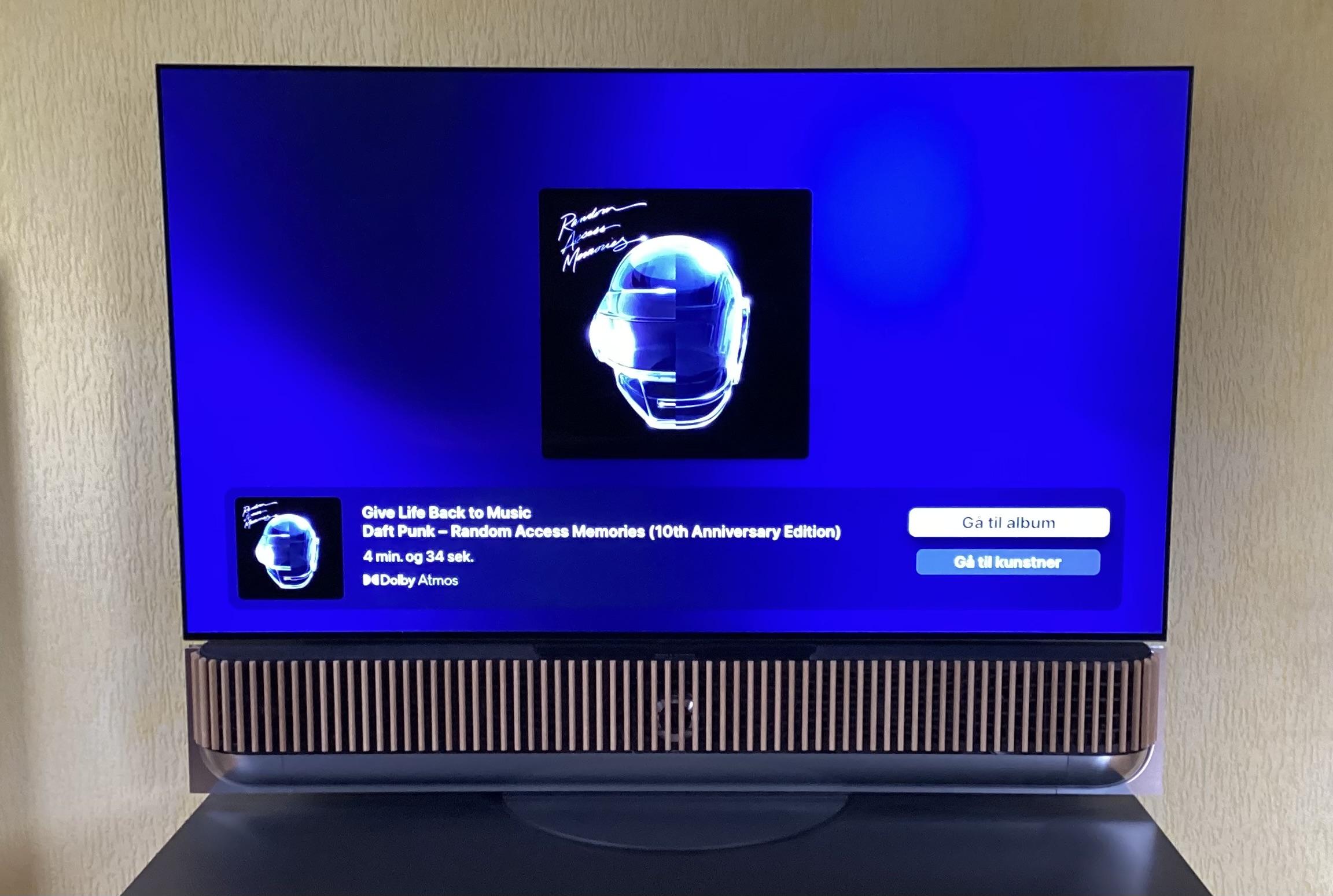
Daft Punk – Random Access Memories – 10th Anniversary Edition.
If there is one album that deserves an Atmos mix when reissued, it must be this.
This is an album that I always liked…….the Atmos mix does not change that – it is gorgeous.N.B.
It is not labelled as Atmos in the album list on Apple Music.
Probably because not all tracks are in Atmos – but the main album sure is.
If there will ever be a physical release/a Blu Ray version of this, I’ll definitely get it.
Sounds pretty good on Apple Music, though.MM
Location: Flensborg————Danmark
Well, that (workaround) solved it – both devices are now PUControlable with the Beoremote again.
MM
Location: Flensborg————Danmark
@millemissen Please try power cycling your device, then PUC should be working again. There is a bug currently that can cause PUC to stop working. Luckily a power cycle should fix it and should prevent the bug from re-appearing. We expect to have a SW fix out soon also.
Hej c-larsen
I saw your post after having written my previous.
Thanks – I will give that a try.
Reading this I somehow recall that that is, what I had to do last time this happened.
Maybe I will have to ‘teach’ my wife how to do that (the outlet is pretty much hidden away)…..if it should happen once again.I am glad and content that this a known bug – and wish you all the best killing this bug ?
Will report back once I am home and have done the power cycling.
MM
Location: Flensborg————Danmark
@10
I did not change anything.
My configuration has been the same for a long time – basicly from the start…..because I though out pretty much how I wanted it to be from day one and I know how to.
PUC/devices have been the same all the time.This occured after an automatic update.
I had that once before.
This time while I was away – so I got an annoyed text from my wife.
Unfortunately she did not remember where the Apple remote was.
Luckily she was clever enough to take her iPad to cast to the CC dongle, which does work, but is inconvenient in the long run.Resetting the entire Theatre setup in order to start from schratch is a h*ll lot of work, which I’d rather avoid. Also because the unit otherweise basicly does what I want it to.
The question is…..why does the PUC function stop working just because of an update?Anyway thanks for commenting – maybe a total reset (and turning off automatic update) eventually will be the solution.
Maybe some time when I have a lot of spare time.
However, I bought this combo to enjoy improved sound and picture and not to tinker with setting up procedures.MM
Location: Flensborg————Danmark
Once again, again………I am experiencing problems with the PUControlling on my Theatre.
It seems there was a (partial) update recently – anyway after that update controlling of my TV/Blu Ray player does not work.
I did reinstall the PUCs including restarting just to be sure.
Everything works fine with the original remotes.Anyone with this problem out there too?
It seems that PUControlling with the Theatre has no high priority.
Those who check the updates (before release) do not seem to use external devices with PUControl – maybe they just rely on CEC control or do not check with external devices at all (using only the LG apps).
Or they do not perform real life control.Personally I prefer PUC, because it – when it works – is better than just using CEC.
Furthermore it is a feature, that B&O offers and therefore it should work.
After all PUC has been used for decades, they should know how to do that.My wife keeps asking, why we had to have this unreliable tv – the former Avant 1st gen worked flawless.
Referring to the superiour sound qualities of the Theatre does not count much for her.
Would be sad to give up the Theatre/LG – but honestly I am very tempted.
It is a PIA ?Anyone?
P.S.
Of course I have send a report and the logs – now waiting for a reaction.
The current sw version is 2.5.3.141MM
Location: Flensborg————Danmark
To me it is the first portable Mozart-based speaker/soundsystem. MM
No, that was the Level!
You are completely right – I hang my head in shame ?
MM
Location: Flensborg————Danmark
-
AuthorPosts