Forum Replies Created
-
AuthorPosts
-
1 August 2026 at 16:05 in reply to: Master Control Link (82) compatible with Beomaster 5500 and Beolink 1000? #124797
 Gustav MSILVER Member
For more cheap fun, from your terminal block you can run another length of MCL cable out to a Beolab 3500 Mk1 active link room speaker and you’ve got volume- and tone-controlled Beolab sound in another room. I bought a BL3500 for £2.30 off ebay once, and it’s working happily in our conservatory even as I write this. The BL3500 is the bargain of the century.
@speedsixdave: Would the set up with the BL3500 require the MCLAV, given that it’s an active speaker? How would you rate the sound of this speaker? It seems you can still find them quite cheap.22 July 2026 at 08:23 in reply to: Master Control Link (82) compatible with Beomaster 5500 and Beolink 1000? #124623Gustav MSILVER Member@speedsixdave: thanks for the additional clarifications. Agreed that it sounds odd that the MCL2AV needs an additional power supply even if it’s only used as a MCL2A and connecting passive speakers directly. But it seems this is the case. It’s possible to buy a variable mains adaptor 5-24V DC (2.4A at 15V) here with various plugs that could work, but I guess it would be easier to get an MCL2P/Beolink Passive (though it adds quite a bit of bulk) for not that much more or just get active speakers and a cheaper 12v adaptor. I haven’t decided what to do yet but I might get an MCL2AV anyway just to try it out.
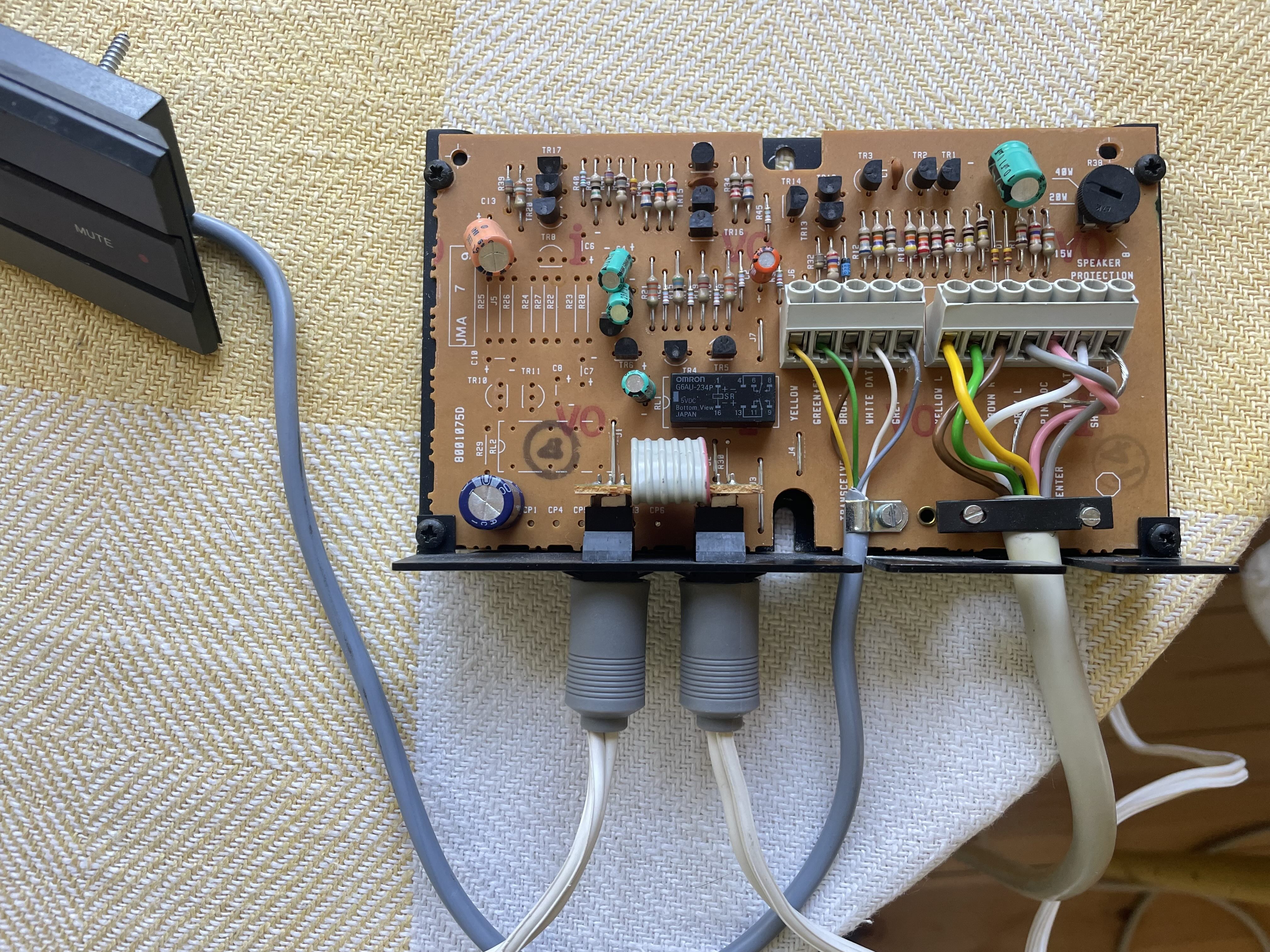
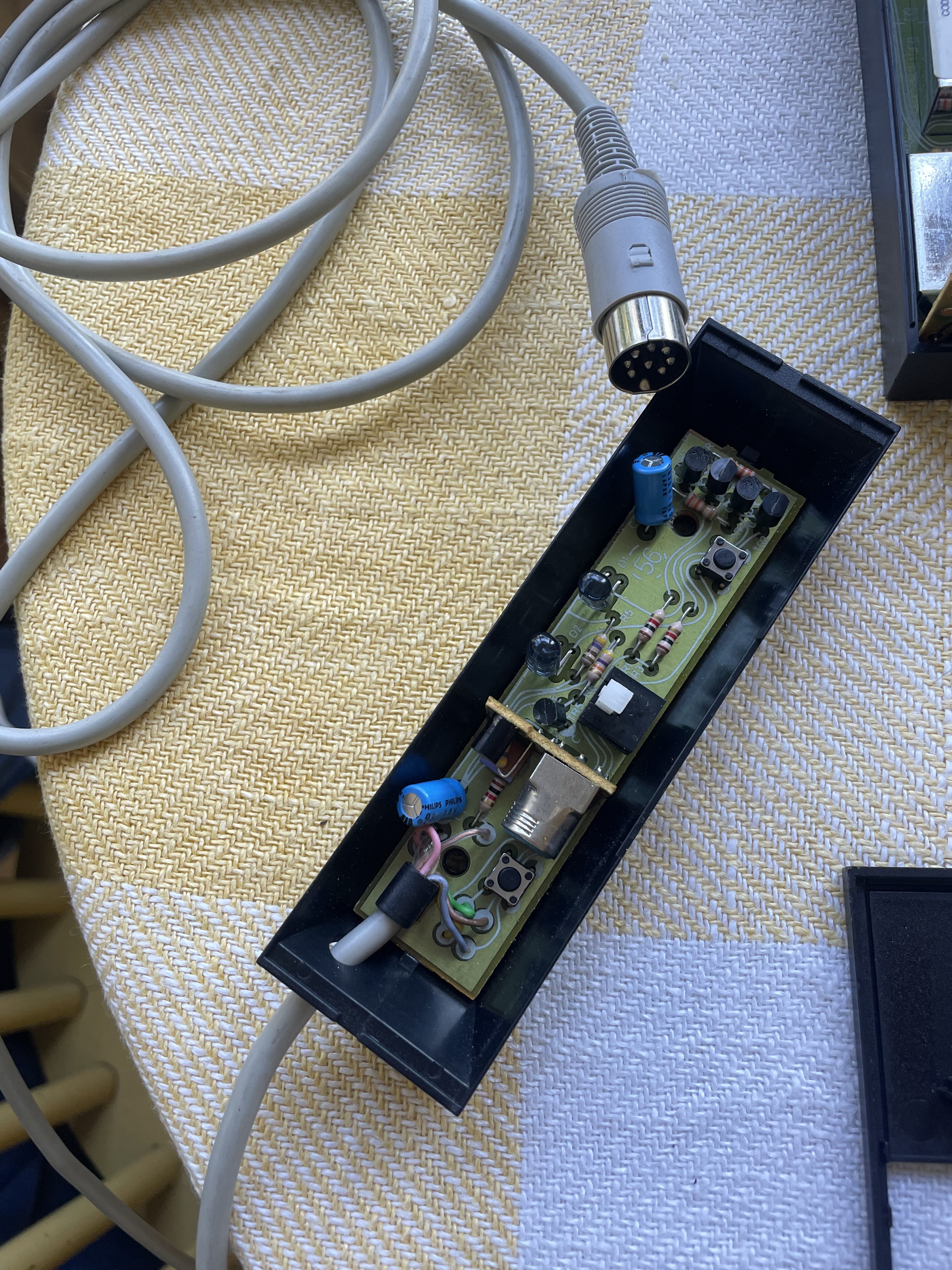
I got the MCL2A yesterday by the way and it works great with the Beolink 1000! The only issue is that the cable for the transceiver is very short. Do you think it would be possible to repurpose one of the longer cables that I have for the MCL82 transceivers for the MCL2A? The difference seems to be that seven cables (like MCL) are used for the MCL82 transceiver but only five for the MCL2A.
 20 July 2026 at 17:34 in reply to: Master Control Link (82) compatible with Beomaster 5500 and Beolink 1000? #124608Gustav MSILVER Member
Great, sounds pretty straight-forward. I should be able to get one of those terminal blocks easily from a local store.
Thanks also for clarifying how to get independent volume control for the MCL2AV using passive speakers, this clarifies things.
19 July 2026 at 20:40 in reply to: Master Control Link (82) compatible with Beomaster 5500 and Beolink 1000? #124591Gustav MSILVER MemberThanks guys for all your replies, it helps a lot.
@Guy: Regarding the connection box/terminal block, could you give some more details on how this would work as I’m not that experienced in wiring? I guess one wire in and two wires out for each of the seven wires of the MCL, right? What kind of terminal block would you recommend? I’ve got a rather long MCL cable with the speaker plugs in one end that I connect to the Beomaster. Not sure if it’s possible to cut some of this at the other end for the shorter connections. Otherwise need to find another MCL or make as suggested by speedsixdave (very good suggestions there!)
@speedsixdave & @Madskp: speedsixdave, are you saying that independent volume control wouldn’t work with passive speakers connected to a MCL2AV? I got the impression from the others and also elsewhere that this would work regardless if using passive or active speakers, but I may certainly be wrong. Currently I don’t have a MCL2AV, just a MCL2A (soon) that I will try first to see if works to control the Beomaster via the beolink 1000. I could also look into the Beolink converter option as suggested by Madskp.@All: good points regarding powering the MCL 2AV. If I end up getting one I will probably get the MCL2P as well and hook up two Beovox CX50 since this would be the cheaper option compared to getting Beolab speakers.
18 July 2026 at 12:28 in reply to: Master Control Link (82) compatible with Beomaster 5500 and Beolink 1000? #124575Gustav MSILVER MemberThanks, I’ve managed to buy an MCL2A (relay box +transceiver) online for a good price so will try this out when I receive it.
Noted on the volume control of the MCL2AV: I saw this in one of the MCL 2 Owner’s manuals. This could be a nice feature in one of my possible linked rooms. So if I understand it correctly, I could either connect two passive speakers such as my CX50s to an MCL2AV (in which case I need to get a Beolink passive to go between) or two active ones directly to the MCL2AV? If I manage to find an MCL2AV without the transceiver, would the MCL2A transceiver that I bought also support the independent volume control?
I’m hoping to connect two rooms linked to the main room: first the one mentioned above with either the MCL2a or the MCL2AV, and then another one on the other side which may not need its own remote control ability since there’s only a glass door in between which is most often open. In this case I can maybe use the old MCL82 relay box just to hook up the additional speakers (passive ones). But how do I set up this as a “star” network, i.e. splitting the MCL cable from the Beomaster in the main room and one cable going left and another right to each of the linked rooms? In the owner’s manual there is mention of a “connection box” for this purpose but I can’t seem to find this online. Or is there an MCL cable splitter that could be used for this purpose?
17 July 2026 at 11:04 in reply to: Master Control Link (82) compatible with Beomaster 5500 and Beolink 1000? #124565Gustav MSILVER MemberThanks!
I should be able to find an MCL2a somewhere. It’s just too bad that I have two MCL82 relay boxes and three transceivers that I can’t use, at least not with the Beolink 1000. Do you think it could work with some other, older B&O remote, provided the Beomaster 5500 could interpret the signal?
Gustav MSILVER MemberI finally managed to get it to work using this and this HDMI audio extractor, with the analogue L-R inputs on the Beovision. So far so good! With the Amazon basics one, it also works (somewhat surprisingly) with the SPDIF out (coaxial) to digital audio in (A4 coaxial) on the TV. Interestingly, however, there is only sound if I select the 5.1CH digital audio output, not the default 2.0CH option (which is annoying as the converter automatically resets to default if powered off). Even if all the content is produced in 5.1, which I don’t think is the case, surely the 2.0CH option should still work? I’ve checked the STB settings but I don’t seem to be able to find the source of this particular problem. Anyway, I’m happy that I got the sound to work!
Gustav MSILVER MemberHi Guy!
Thanks a lot for your help and suggestions. I’ve checked the TV settings for audio connections and the only options to choose together with the DVI input is either A1-A4 digital audio in or “NONE”, for analogue option. I have also checked the set-top box settings, and here the only relevant option is to turn on/off the optical audio output S/PDIF (which I have of course set to on). So it seems for digital audio I have tried all the possible options with this set-up. It would have been great to be able to test on another device if the set-top box is actually outputting digital audio but as mentioned I don’t think I have such a device/amplifier/speaker. Maybe someone else has been able to get the digital audio in option working on a BV 7-32.
I also tried testing the TV’s analogue inputs. I connected my laptop via the 3.5mm output to the L-R inputs and set the audio in for AV4 to “NONE”. I tried playing some music from the computer with the TV on and this worked well. So it appears the analogue inputs are working. So I have now ordered two of the suggested HDMI converters with analogue outputs (one also has digital output so could try this as well), so will try this out once they arrive.
Gustav MSILVER MemberI’m reviving this old thread to ask a follow-up question. I also have a BV7-32 MKIII with DVI-input, though with the standard Beolab 7.1 speaker. I’m trying to connect the Beovision to my modern HDMI set top box, which also has a optical digital audio out socket. Getting the picture through with a HDMI to DVI adapter works just fine. For the audio, I’ve tried a HDMI audio extractor from a different brand than the ones suggested on this forum, however this didn’t work (the picture becomes very unstable or drops off completely, and there is no audio despite following the instructions here on how to connect to the Beovision’s analogue L-R audio input sockets). I also tried the optical digital out route, getting an audio converter from Amazon to convert the optical audio out signal from the set top box to coaxial in order to connect to one of the Beovision’s digital audio in sockets. I made the corresponding changes in the TV’s settings, i.e. changing the audio input from none to A1-A4 for the AV4 on the Beovision. But there is no sound at all. I’ve tried all the different audio in sockets and the audio converter seems to be working (though I’m not able to test this with another device).
Any advice? I understand that not all HDMI audio extractors work so I could try to get one recommended here to see if this works better. But I don’t really understand why using the digital audio in sockets on the Beovision doesn’t work (this is even mentioned in the reference book as an option to use with the AV4). I suppose the converter could be broken but I think it’s unlikely. Because converting a signal from optical audio out to coaxial digital audio out shouldn’t affect the Beovision’s ability to receive the signal, right? I suppose I could also try to get a converter from digital audio to analogue, but that would defeat the purpose of using digital audio (surround sound, etc.).
-
AuthorPosts