Forum Replies Created
-
AuthorPosts
-
 GOLD Member
Hello Patrick, the regular 10-40 documents are on the B&O website too: https://support.bang-olufsen.com/hc/en-us/articles/360041518732-Beovision-10. For service manuals you need to be silver/gold member. Good reason!
Regards, Johan
Location: Netherlands
My B&O Icons:


Maybe you have not been talking to it in French enough lately? 🙂
Nice to see it works again!
Regards, Johan
Location: Netherlands
My B&O Icons:
Hello Cass,
Powerlink and Masterlink cables and -signals are not the same and cannot be mixed as such. So you will not find ML to PL adapters. Is it possible to run an ethernet CAT7 cable from the BS9000 to the Almando?
Regards, Johan
Location: Netherlands
My B&O Icons:
Beautiful! Nothing beats a pair of VU meters dancing to the music.
Thanks for sharing!
Regards, Johan
Location: Netherlands
My B&O Icons:
I feel a repair thread coming 😁. Nice find Matador, I could see one in my collection one day too!
Best of luck, Johan
Location: Netherlands
My B&O Icons:
Nice! Works now 🙂 I did not need to do anything.
Thank you,
Regards, Johan
Location: Netherlands
My B&O Icons:
Hmm, I played around that post a bit and found that Safari opens a tiny representation of the image, but I can somehow toggle to a better view also.
In Chrome it is not great either. Funny!
Location: Netherlands
My B&O Icons:
Hello!
Yesterday I made a reply (a silly one) with added screenshots, directly in the text (I am not a fan of the attachments). BUT they turned out tiny! What am I doing wrong?
The images used are (modest 57KB) JPGs and seem ok in my viewer. Am I doing something wrong? I think also Millemis tried to add screenshots that also show tiny (at least in Safari on Mac).
Thanks for any help 🙂
Regards, Johan
Location: Netherlands
My B&O Icons:
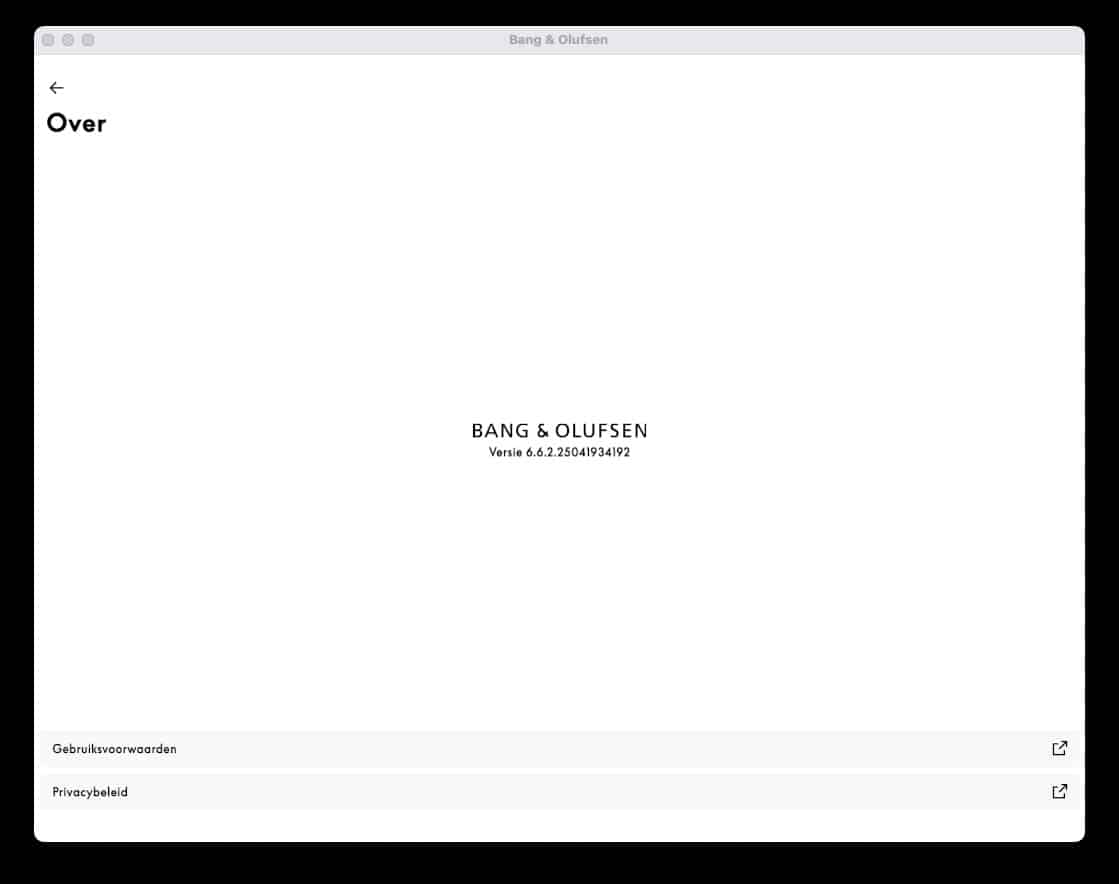
Shoot! I was too fast and did not read your question well, indeed my app version is 6.6.2.25041934192.
Location: Netherlands
My B&O Icons:
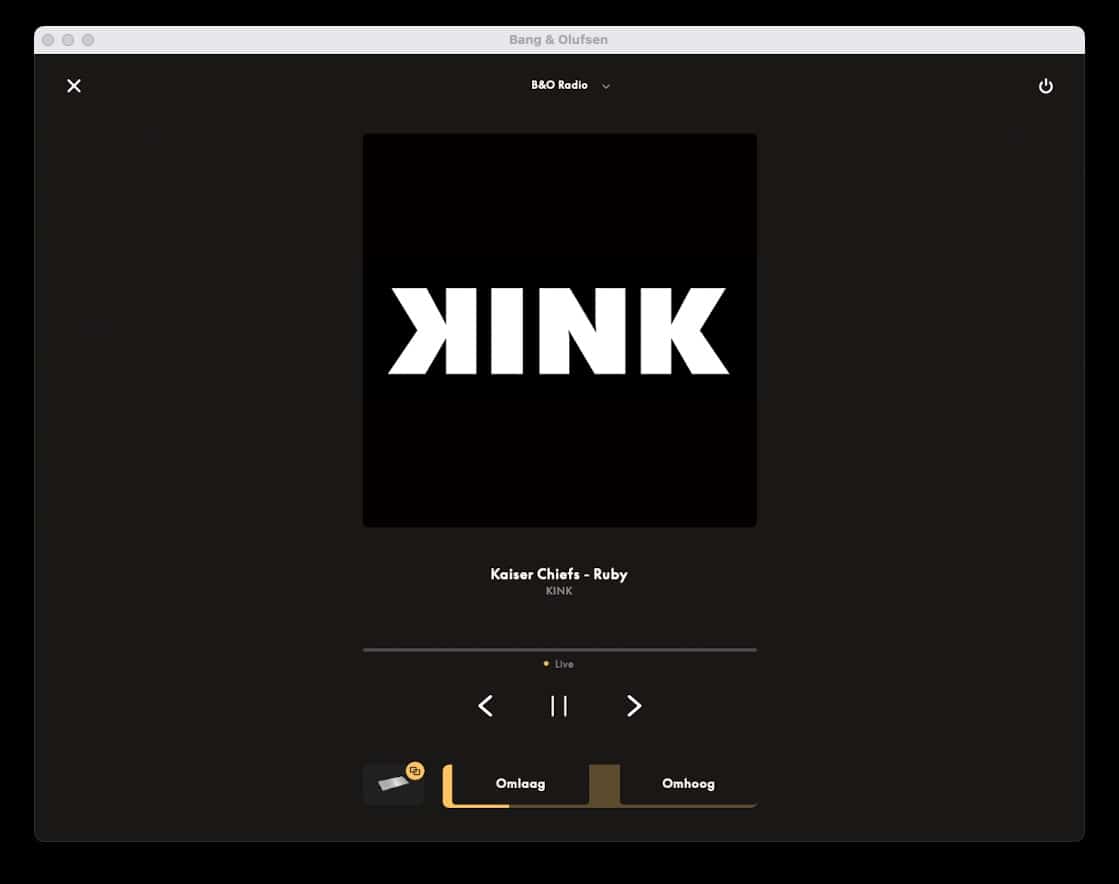
Hello Vedet, nope not for me.
My app is:
 and I do see the radio station and artist/song:
Hope this response (from a live forum 😁) helps!Regards, Johan
and I do see the radio station and artist/song:
Hope this response (from a live forum 😁) helps!Regards, JohanAttachments:
You must be logged in to view attached files.Location: Netherlands
My B&O Icons:
I hope the BV9 sounds even better now.
About the Pentas: no skills AND no time! I wish I had 😂. It is not me who is a Pentawhisperer.
You could try contact member Beobuddy (Utrecht, NL). He has worked on Pentas a lot.Regards, J.
Location: Netherlands
My B&O Icons:
Hi Beos, yes, you only need to add the 14 to the BeoSystem3. In the menu you will have to do role/distance/level settings. Hope this helps :-). Regards, Johan
Location: Netherlands
My B&O Icons:
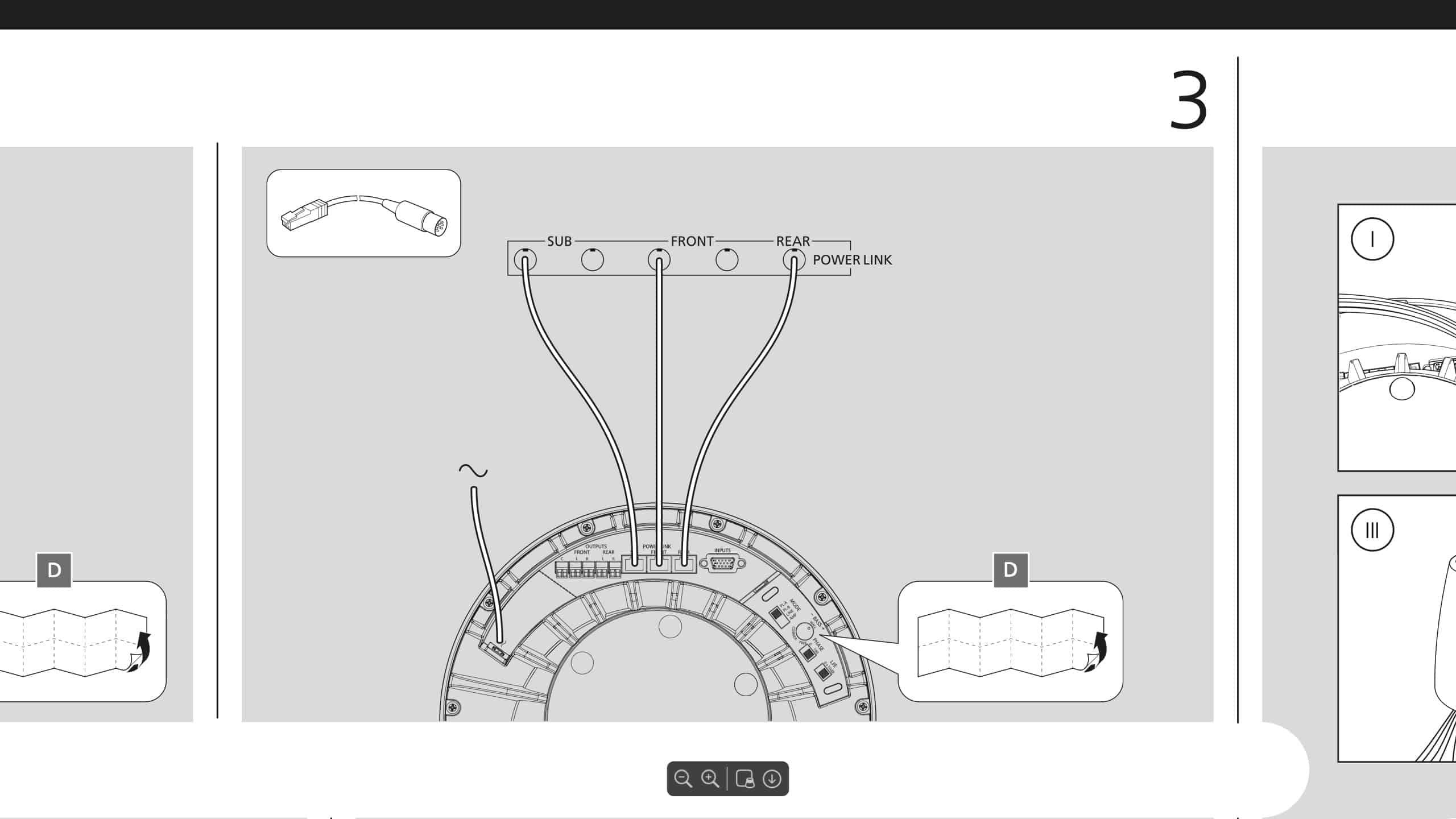
Hi Beos, you will need a PowerLink cable that has an 8 pin din connector on one end, and an RJ45 connector on the other end. Steve sells these as a standard product. See also below screenshot from the manual you can find on the B&O website. Good luck!
(I do assume you want to use the BeoLab 14! You then will not need the S8 connection hub, let me know if my assumption is correct).
Regards,
Johan
Location: Netherlands
My B&O Icons:
29 May 2025 at 11:41 in reply to: Beolab 7-1 als Mono-Center-Speaker an Ouverture anschliessen #65916Hey Daniel, thanks for the kind words! And for writing the manual too. Happy to see that you enjoy using these fine products so much. The BL7s are very good value now I would say. You get them with a TV and a stand (and sometimes a Beo4) for 100 euro, where the speakers alone were 3K! I have two 7-4s in my garage 😁.
Good luck in sorting the file quality challenge!
Regards from the Netherlands, Johan
Location: Netherlands
My B&O Icons:
Hi BOJ, the splitter is fully wired, so if one speaker gets it, both speakers will get it and turn on/off simultaneously. And also change volume simultaneously! But will one speaker ‘overshadow’ the other? Maybe just try :-).
Regards, Johan
Location: Netherlands
My B&O Icons:
Hi BOJ, if you manage to play from the LG to the 7-2 (and have a trigger signal somehow), this should not be a problem. Is this not something that you could use? https://soundsheavenly.com/bang-olufsen/26-129-powerlink-compatible-splitter-doubler-2-fully-wired-powerlink-compatible-sockets.html#/20-length-02m. Plug the male end in the 7-2 and both the source and the 7-4 in one of the female ends. How well it sounds will also depend on how loud these two speakers play relatively – you will have no separate volume control to have them ‘matched’.
Regards, Johan
Location: Netherlands
My B&O Icons:
Thanks for sharing the fix! I am sure someone someday will google this and benefit.
And enjoy watching :-). Regards, Johan
Location: Netherlands
My B&O Icons:
6 May 2025 at 19:14 in reply to: Beolab 7-1 als Mono-Center-Speaker an Ouverture anschliessen #65462Hi Daniel, wow that sounds like a success!
To your questions:
- there does not seem to be an ‘L-CD’ virtual button for the Beo4 button unfortunately (see the lexicon here: https://bangolufsenassistentgohe.blob.core.windows.net/manuals/APPS_AND_ACCESSORIES/BEO4_(W._NAVIGATION_BUTTON)/beo4-navbutton_lexicon_multilanguage.pdf)
- will it help to add the L-A.AUX virtual button under LIST? (I am not sure if all types of Beo4 have this though).
- after storing (with S.STORE) the right volume settings in both the Ouverture and the BeoLink Active for the best listening experience, you could try to put your BeoLink Active in option 6. My hope is then that both devices will react to normal Beo4 commands, as the IR receivers will accept remote control commands simultaneously. There is no need to use a ‘LINK’ prefix anymore, and it will also mean that you will listen to all speakers. Maybe worth a try?
Hope it helps! Regards, Johan
Location: Netherlands
My B&O Icons:
Hi Beos, you could contact forummember Beobuddy, who is quite experienced in this. He is in Utrecht, Netherlands. Regards, Johan
Location: Netherlands
My B&O Icons:
Sorry, my impatience made me click too many times, perhaps a moderator can take away two posts? Thanks! Johan
Location: Netherlands
My B&O Icons:
-
AuthorPosts