






Home › Forums › General Discussion & Questions › General Discussion & Questions › What are you working on now?
- This topic has 242 replies, 58 voices, and was last updated 1 day, 12 hours ago by
 TK.
TK.

-
AuthorPosts
-
21 March 2026 at 06:54 #99487
 MadskpGOLD Member
Received a complimentary Form1 with another purchase, it the usual condition – without foam. After reading the archives on the issues everyone was having with the original foam, I bought a cheap set of Logitech 150 foam replacements for $10-for-2-sets, and affixed them with trim adhesive. Not ideal nor exact replacements, but serviceable given the time and effort I was willing to put into it. If someone ever has a better solution, I can always shave them off. Unit seems to work fine without the upper cushions, but then, I’m not overly concerned with comfort, fit and finish of this particular headset. Hopefully someone else can find this information useful to repair their sets without foam.
Nice quickfix to get the useable again.
I was recently looking into a LOT that among other things also contained a set of Form 1, so did some research and found this old thread where different solutions where tried https://archivedforum2.beoworld.org/forums/t/2514.aspx?PageIndex=2
In some of the latest post’s in the thread Matador has posted several pictures of his solution, and in a later post also attached instructions for how to make them
Location: Denmark
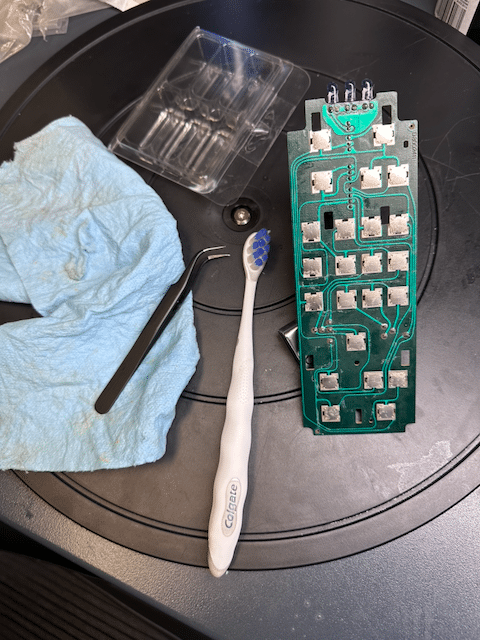
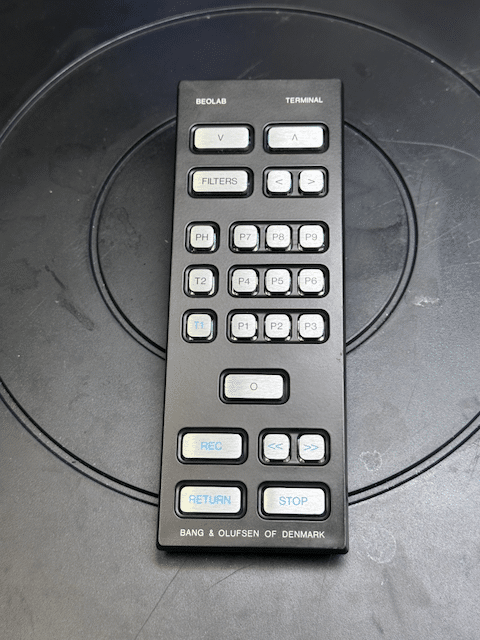
22 March 2026 at 02:43 #100845TKBRONZE MemberA Beolab Terminal that I bought for $50 had lost a battle with a glass of some sort of sticky cocktail. Half the buttons were non-responsive, so I took it apart and bathed the components in Iso. Luckily all the traces were undamaged and tested fine.

Everything looked and worked great after re-assembly.
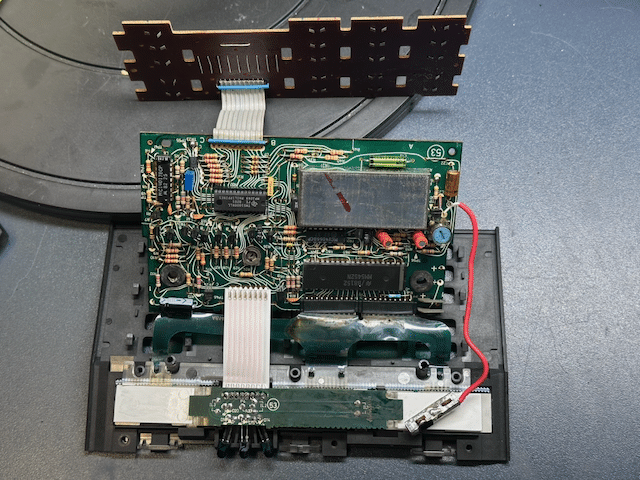
I still need to re-tape the button pad. The original is very much a one-time-use material. Does anyone have a “favorite tape-medium” they use for this purpose? I was just thinking clear or perhaps thin black packing tape would work fine, and provide a bit of protection.9 April 2026 at 06:47 #123244TKBRONZE MemberMore “remote” work – today it’s a Master Control Panel 7700, which may have been living in a moldy attic for a few decades. Seems to mostly function, with a few non-working buttons. I thought I’d try my hand at ribbon replacement, given the crusty and brittle original ribbon cables. I did the easy one first, just to see how it would go.
On to the more complex cable controlling the LCDs … big mistake. One dead LCD later, I concluded that there’s no obvious way that I can see to replace the connection to the LCD screens except to splice into the existing ribbon cable. The LCDs seem to be connected to the ribbon cable using some sort of random membrane that I cant make sense of. Oh well – thankfully this was just a poor-condition unit I acquired to verify the MCL output, which still works.
-
AuthorPosts
- You must be logged in to reply to this topic.