Forum Replies Created
-
AuthorPosts
-
 rjnicko93BRONZE Member
Yes, I selected ‘Other’ for my Beolab 3000s because they’re not listed, being much older than the TV. They work fine on that setting.
My Mk2 cables are skinny, but they are round Powerlink plugs both ends. I already had those cables, so when I bought the BV11, I bought some fully-wired (Mk2) RJ45-to-Round Powerlink adapters so I could connect them to the TV.
You’ve also got me thinking – I could add the ML/MCL Converter and my Beovox CX50s as ‘back’ speakers in my surround sound setup. I have centre, front, surround and sub speakers but could use that to add back-surround speakers too, creating a 7.1 setup.
The room isn’t really big enough to need back-surround speakers but I’m probably won’t be able to help myself from trying it! Come to think of it, I know I’ve got wall mounts for those CX50s somewhere…
Yes, I selected ‘Other’ for my Beolab 3000s because they’re not listed, being much older than the TV. They work fine on that setting.
My Mk2 cables are skinny, but they are round Powerlink plugs both ends. I already had those cables, so when I bought the BV11, I bought some fully-wired (Mk2) RJ45-to-Round Powerlink adapters so I could connect them to the TV.
You’ve also got me thinking – I could add the ML/MCL Converter and my Beovox CX50s as ‘back’ speakers in my surround sound setup. I have centre, front, surround and sub speakers but could use that to add back-surround speakers too, creating a 7.1 setup.
The room isn’t really big enough to need back-surround speakers but I’m probably won’t be able to help myself from trying it! Come to think of it, I know I’ve got wall mounts for those CX50s somewhere…
Just wanted to say Charlie new MK2 Cable arrived and all working brilliantly now as rear channels. The only unusual quirk was they were a bit quieter than the other speakers so I just had to increase their levels by 3.0 db and it seems fine. Also turns on when TV does and shuts off when the TV does. Just added a little bit more depth to the experience now.
Location: United Kingdom
Favourite Product: Beomaster 6000 Quad
My B&O Icons:
 rjnicko93BRONZE Member
Hi Charlie
Thank you very much for that thats great to hear. I honestly didn’t realise the MK3 cable wouldn’t have worked (pin out is different to trigger the power on process) I only bought it cos they are nice and skinny and would have easily fit in bit of conduit I run around my living room door frame.
In regards to adding the speakers within the settings on the TV. My BV has like a built in database of various Beolab speaker models. It has my Beolab 2 sub and Beolab 3 present, but I can’t imagine it will have the MCL/Converter or Beolink passive, I couldn’t see it anyway. I assume I would just need to select the “Other” option when adding the speakers. I assume it doesn’t really make any difference and is more of away of just identifying what is plugged into the TV, rather than it assigning the amp/speakers a particular sound profile?
Location: United Kingdom
Favourite Product: Beomaster 6000 Quad
My B&O Icons:
rjnicko93BRONZE MemberThanks I’ll have a good look tomorrow
Location: United Kingdom
Favourite Product: Beomaster 6000 Quad
My B&O Icons:
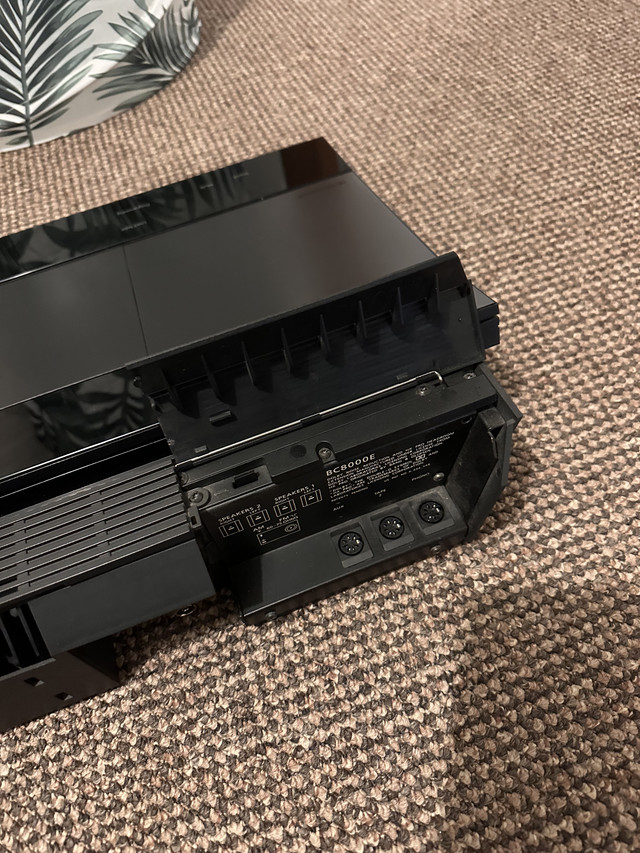
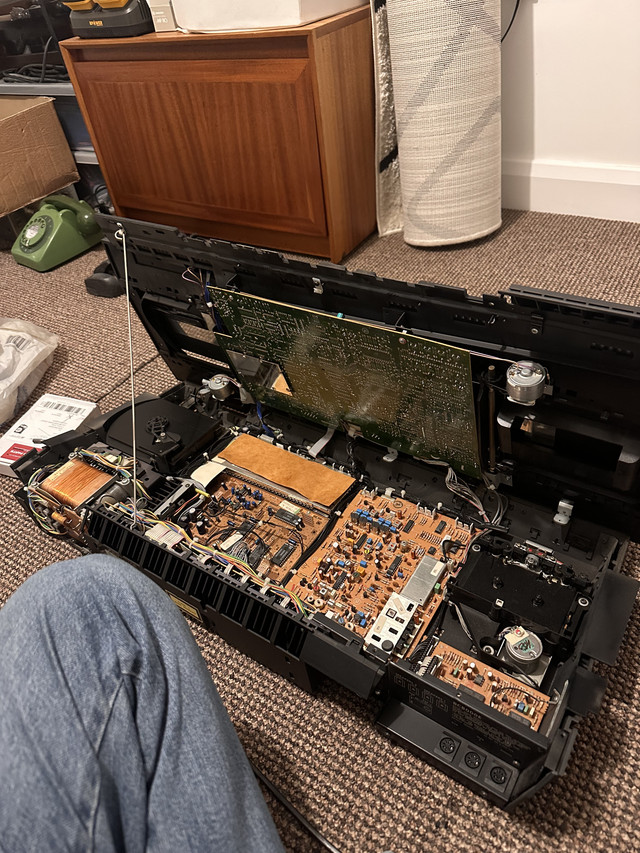
rjnicko93BRONZE MemberThe 5500 and the 8000 are not the same machine, so It won’t apply to my unit regarding any service mode I don’t think.
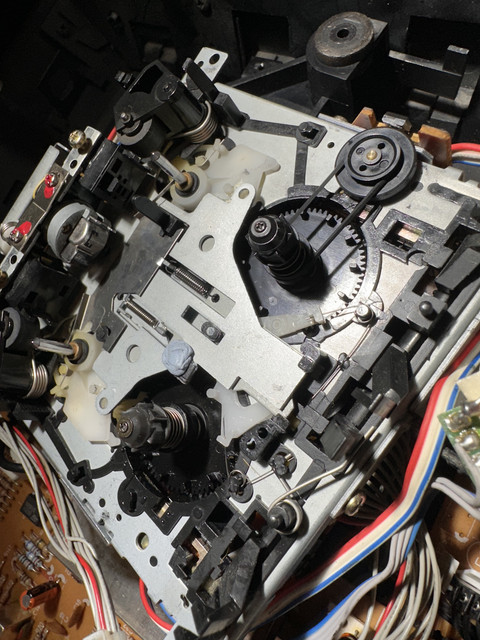
The 8000 was made in 1982 and is a large top loader type component. The 5500 came out in 1987 and there are two mechanisms it can use. Likely uses the the same transport as my Beocord 3500 known as a type II and that uses 3 belts, where as the Beocord 8000 uses two belts only.
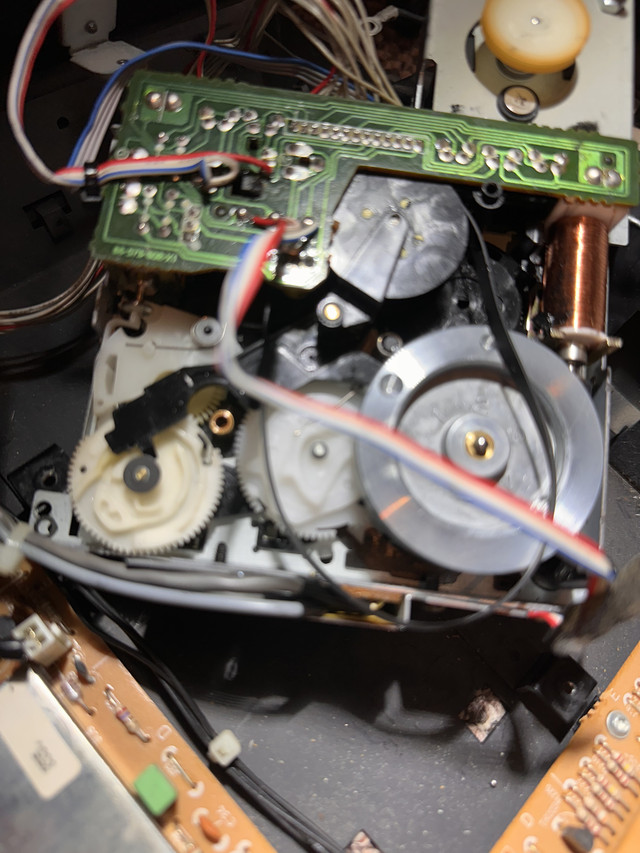
my best guess is something is up with the breaking mechanism, but its so difficult to see
Location: United Kingdom
Favourite Product: Beomaster 6000 Quad
My B&O Icons:
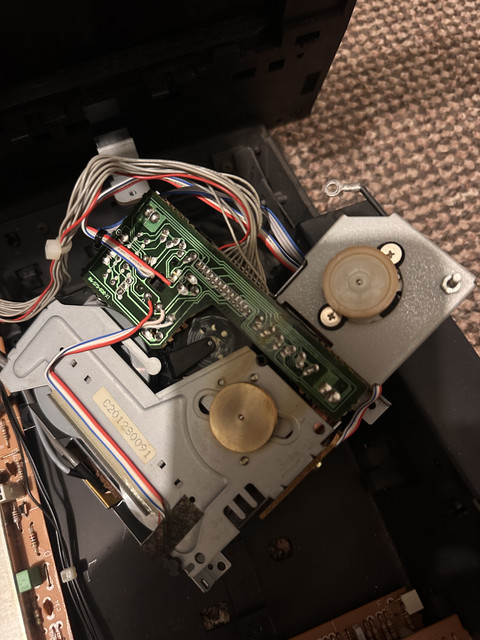
29 November 2025 at 06:18 in reply to: BeoCenter 8000 MK2 (Type 2) Cassette Deck Belt Replacement #71579rjnicko93BRONZE MemberThought I would post some pictures, used a bit of plastic with a ledge on it, glued it down and used blutak to hold it down whilst it dried. Now working perfectly.
Here is a video of it playing – https://youtube.com/shorts/r2hshdjFfBA?si=lE8IosIFmINAA4_W
Location: United Kingdom
Favourite Product: Beomaster 6000 Quad
My B&O Icons:
28 November 2025 at 22:44 in reply to: BeoCenter 8000 MK2 (Type 2) Cassette Deck Belt Replacement #71576rjnicko93BRONZE MemberWhen I glued a little price of plastic on to mine, I did not remove the metal part, I did it very careful with some quick drying glue specifically intended for plastic, and the piece of plastic was a bit of an old credit card I shaved thin (only a fraction of a mm was needed) with a scalpel. It took me three attempts. My first attempt the price of plastic I added was a bit too thick. The second attempt worked for a bit, but came loose. The third attempt I used more glue, and that worked. It took a good bit of patience with a pair of tweezers, but I got it glued on in the end.
You see the white plastic part that sits beneath the metal part, and it moves up and down? Well. that is moving to far down while the tape is playing, and it causes the little white cog connected to it to click, because it’s not quite in the right position, and it catches on another part (I’m saying this all from memory, mind!). I believe that same issue is causing the speed control issue when you play side 1 too.
Its now fixed and all working it sounds excellent for an all in one
Location: United Kingdom
Favourite Product: Beomaster 6000 Quad
My B&O Icons:
28 November 2025 at 10:44 in reply to: BeoCenter 8000 MK2 (Type 2) Cassette Deck Belt Replacement #71573rjnicko93BRONZE MemberIt’s a while since I fixed my BC8000 cassette deck that required that particular clicking fix, but re-reading my post in this forum aty the time, where I got the adice that allowed me to fix it, and did mention at the time that I got speed issues on side 1, but clicking on side 2. Your side 1 problem sounds a little worse than mine, but I think the same fault is causing both issues, so I would recommend that fix – Beocenter 8000 tape deck clicking issue – BeoWorld Forum.
Hi Charlie
thanks for this.
my plan tonight is take it a part again and go more to town with IPA on everything (thought I got the black gunk off) but maybe not and begin again with it
This clicking fix then does the little bit of card need to be glued & added to the metal portion (what slides up and down) with it remove from the transport itself or can it be glued in place in while situ? I am not sure if I wanna disturb all the little springs holding it in place if i can avoid that.
what exactly does it stop clicking btw?
best regards
Ryan
Location: United Kingdom
Favourite Product: Beomaster 6000 Quad
My B&O Icons:
27 November 2025 at 21:52 in reply to: BeoCenter 8000 MK2 (Type 2) Cassette Deck Belt Replacement #71569rjnicko93BRONZE MemberI have replaced the belts on that type of tape deck a few times, my first time being on a Beocenter 8000 like yours, and again only recently on a Beocord 6500. The only useful video I found was this one – Bang & Olufsen Beocord 4500 Cassette deck trouble shooting and new belts.
The video doesn’t go into exact detail but it should help. The large belt is the difficult one, and it took me a few attempts to get it to loop around the small plastic wheel each time.
Note that there is another common fault with that type of tape deck which I also experienced on the Beocenter 8000. Dillen helped me solve that a couple of years ago, see this post for the solution, in case you encounter it – Beocenter 8000 tape deck clicking issue – BeoWorld Forum
For that clicking issue, I used a shaving of plastic which was probably only about 0.25mm thick, and glued it on using plastic glue. I worked, and still works now.
Hi Charlie
thanks for the help and advice the other day. I swapped the belts this evening this is what issues I am having so far.
Side 1 – sounds dreadful, the speed is all over the place and it sounds very wobbly as if something for a millisecond is slipping somewhere in the transport??
When it gets to side 2 the clicking you advised of is present and is coming from the transport itself, but listening to the audio via a pair of headphones the audio quality is absolutely amazing, NO flutter or wow or anything at all. I even tried it with Piano music and I can’t hear it at all.
Is there anything else I need to look for I still have the top off and will carry on tomorrow after work.
It’s just a bit odd side 1 sounds so dreadful, but side 2 sounds good. At this point I was wondering if the pinch roller for Side 1 playback is maybe really warn, but it looks fine on inspection.
Location: United Kingdom
Favourite Product: Beomaster 6000 Quad
My B&O Icons:
rjnicko93BRONZE MemberI have managed to find someone who can help with the aid of a junction box.
Before I commit no one else has a cable they would sell price is going to be £120
Thanks
Ryan
Location: United Kingdom
Favourite Product: Beomaster 6000 Quad
My B&O Icons:
rjnicko93BRONZE MemberThank you.
i will see if Steve Can help i have emailed, failing that I will have a go myself with my volt meter.
So the wire does have a red and white cable in the centre after looking more closely. but all the outer wires appear to be black.
under the outer black PVC skin of the cable there is also like some sort of metal mesh that runs inside too. Is this just some sort of shielding or does it serve any other purpose?
also my 3500 issue was solved by pressing the glass down tight with double sided tape
Location: United Kingdom
Favourite Product: Beomaster 6000 Quad
My B&O Icons:
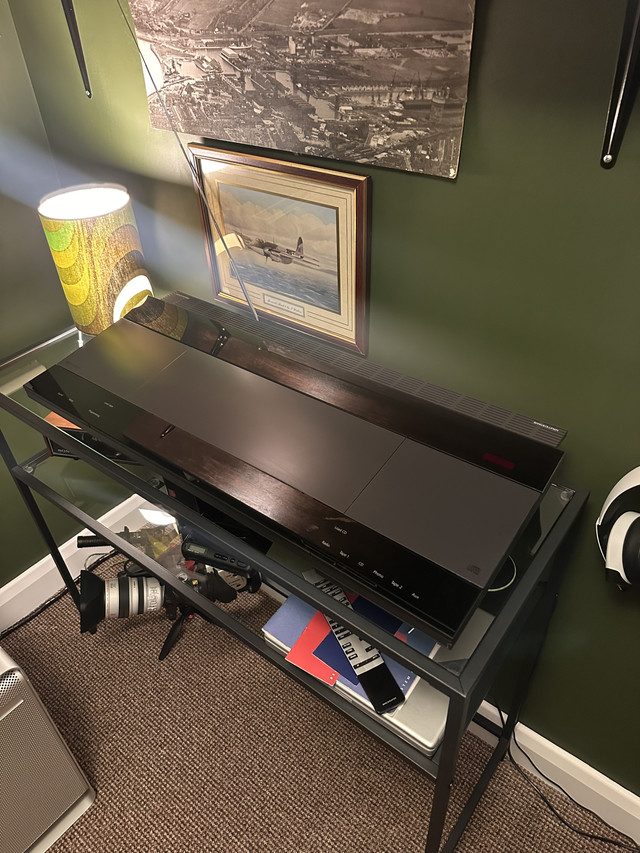
5 October 2025 at 15:00 in reply to: Can you control and remote operate a Beogram 3300 with BeoMaster 3500 #70166rjnicko93BRONZE Memberrjnicko93 wrote:
Even though not an exact match to my 3500 it looks quite nice. I made a little stand for it yesterday to tuck it under my Hifi stand.
Nice neat setup. And great to see a BeoCom 2000 – is it connected? I have one of those (in red) in a box somewhere.Yeah my friend gave me the BeoCom most of his house was B&O when they moved in and this was still in it. Works fine VOIP plugged into my router so it’s my emergency line should my mobile ever stop working.
Location: United Kingdom
Favourite Product: Beomaster 6000 Quad
My B&O Icons:
5 October 2025 at 06:24 in reply to: Can you control and remote operate a Beogram 3300 with BeoMaster 3500 #70153rjnicko93BRONZE MemberThanks both for clearing that up, I knew there would be some weird quirk.
Steve tells me he can make a datalink Din Bypass cable so hopefully this will solve the issue and I will have remote operation. Just waiting for him to get back to me and I’ll be placing the order.
Even though not an exact match to my 3500 it looks quite nice. I made a little stand for it yesterday to tuck it under my Hifi stand.
Attachments:
You must be logged in to view attached files.Location: United Kingdom
Favourite Product: Beomaster 6000 Quad
My B&O Icons:
rjnicko93BRONZE MemberMorning
all wired in I think i have the channels selected correctly for 3.1 unless someone knows anything better to do?
Attachments:
You must be logged in to view attached files.Location: United Kingdom
Favourite Product: Beomaster 6000 Quad
My B&O Icons:
rjnicko93BRONZE MemberA Powerlink connection (one cable) carries two channels.
This means that you can use the mentioned adapter for two speakers i.e. your left and right BL3.
That must be configured in the sound menu of the BV for the PL socket you use.However, the BL2 needs its own socket to be configured correctly.
Meaning that you will also need an adapter for that (a single RJ45 to Din female).
After connecting that to a PL socket on the BV that can be configured appropriately.
You then end up with a 3.1 setup (the internal speakers must be configured a the center speaker).In case you later on should want to expand, you just need another splitter (like the one mentioned) and – of course – the BL’s configured as surround L/R.
All set up you can create Speaker Group – for Movie typically the 3.1 configuration and for Music (radio etc) typically a 2.1 configuration.
If you want to dig deeper and learn about the multiple options of the BV11, please read here:
https://bangolufsenassistentgohe.blob.core.windows.net/manuals/TELEVISIONS/technical_sound_guide_televisions_2201.pdfMM
Thank you thats helpful the Beolab 2 is already wired to a RJ45 to powerlink so thats fine working great.
i hope the two 10 meter PL cables i ordered are going to be long enough sure it will be fine though.
that splitter adapter has now been ordered
thanks again
Location: United Kingdom
Favourite Product: Beomaster 6000 Quad
My B&O Icons:
rjnicko93BRONZE MemberCongrats!
When connected to a BV, you should definitely connect the BL3’s and the 2 seperately.
Otherweise you will not be able to configure the setup correctly.
Connecting the 3’s via the 2 is correct, when you connect to a Beomaster/Beosystem/Beosound (i.e. not the BS Theatre) such as a BS3000.
There you have no option for setting the distances etc etc.Please consult the userguide of the BV to find explanations of how you connect external speakers.
This said – it is possible to do what you have done – but it is certainly not the best way, and nothing that I would recomment.
So, yes – you will need adapters
Best set each speaker up seperately.MM
Thanks! So if I buy the splitter adapter I linked above from Steve, will that work — and will I be able to configure everything properly?
I’ve already spent around £70 on standard DIN Powerlink MK3 cables, so I’d really prefer not to have to buy two separate RJ45-to-Powerlink DIN connectors if I can make it work with the £19 RJ45 splitter in my case.
Many thanks
Ryan
Location: United Kingdom
Favourite Product: Beomaster 6000 Quad
My B&O Icons:
rjnicko93BRONZE MemberSo I collected the speakers yesterday they look great
They came with mains power leads, but no power link cables. I don’t know if I have cocked up though. I have bought two 10 meter white MK3 Power cables with the din plugs at each end as I thought it might be convenient to daisy chain them from the Beolab 2 sub as it has two outputs and very slightly closer to them instead of the TV itself.
However, someone elsewhere has advised if its plugged in this way TV > Beolab 2 > Beolab 3 L+R speakers you actually have no control over treble or bass from the TV if they are plugged into a sub instead of the TV directly. So I am not sure if I need to get one of these adapters instead?
Hope someone can assist I can’t wait to hear what they sound like in the coming days
Location: United Kingdom
Favourite Product: Beomaster 6000 Quad
My B&O Icons:
-
AuthorPosts