Forum Replies Created
-
AuthorPosts
-
 BRONZE Member
Ein Problem ja, wenn BV11 an der Wand hängt.
Wenn freistehend ist wohl Klettband (doppeltseitig) extern die Lösung.MM
Location: Flensborg————Danmark
If not already available, when you search, the station must be added by B&O….as far as I know.
MM
Location: Flensborg————Danmark
I did notice that (on my M5/M3, but not for the Essences)….and I thought, well that’s the new look.
I can’t say that I am impressed ?
I did not dig as deep as you did, though – but I see your points.
The Sound Settings – Startup Volume/Max Volume – are gone too.Again – where are the heading with the app?
What do they have in store for us?MM
Location: Flensborg————Danmark
One cool addition to my setup here. Have a modern LG OLED TV connected to a BS3 (which only handles audio) and a few BeoLabs. Once I switch on the LG TV, my little ML adapter box notices that and automatically switches on the BS3 on the correct source as well. If the LG turn off, it will also turn off the BS3…
Now, that could be a usefull feature for a lot of people.
Even if ‘the box’ only did that, it could be cool.
The BeoSystem 3 is a good machine, especially for those with a ML-based setup in the house.
Many might have one still or maybe someone is on a tighter budget (the BST has gotten pretty expencive now).MM
Location: Flensborg————Danmark
I updated, and can’t see a single meaningful or noticeable difference to the previous version to be honest.
Neither can I.
Why this is a version 5.5 is hard (for us) to see through.
There must be some under the hood changes.Honestly it is getting harder and harder to comment – where they are heading with the app is a mystery.
Isn’t it a bit funny that a Beosound has no audio sources in the list ?
I see only sources that are video related there.
MM
Location: Flensborg————Danmark
26 October 2023 at 19:34 in reply to: BeoVox 3000 (Flat Panel) Passive Loudspeakers: mounting advice please. #49675Yes, I also think that they are a bit too high up – get them inline with the doorway is a good idea.
And yes, also a bit in.Please note – once you have found the right placement – and the wallbracket is mounted – you can alway try to swap them out right<->left to see, what looks best.
MM
Location: Flensborg————Danmark
@Beouser66
Sure, you are right!
But gpapilaris asked for a solution for:
“connecting all the Link items with a non B&O TV”.MM
Location: Flensborg————Danmark
The short answer is No!
The possibility to link the BS9000 and have the speakers connected to the tv, is what makes a Beovision special.
MM
Location: Flensborg————Danmark
25 October 2023 at 21:46 in reply to: BeoVox 3000 (Flat Panel) Passive Loudspeakers: mounting advice please. #49672I suppose that you – at some point – will remove the boxes from there…
I suggest that you make a piece of cardboard/paper in exact the same dimentions as the speaker/s and try to place that on the wall, in order to have a more visual impression of how it may look.
P.S.
I’d move the cupboard to the left to have it in the middle of the wall.
Then the distances on either side could be approximately equal.MM
Location: Flensborg————Danmark
@Mr10%
“convert a multichannel audio output from a HDMI output”
Which B&O product has a HDMI output?“…that B&O devices that are WISA-enabled Beosounds (and not Beolabs)….”
There are no WiSA-enabled Beosounds.MM
Location: Flensborg————Danmark
You will need the remote to send the command A.Aux.
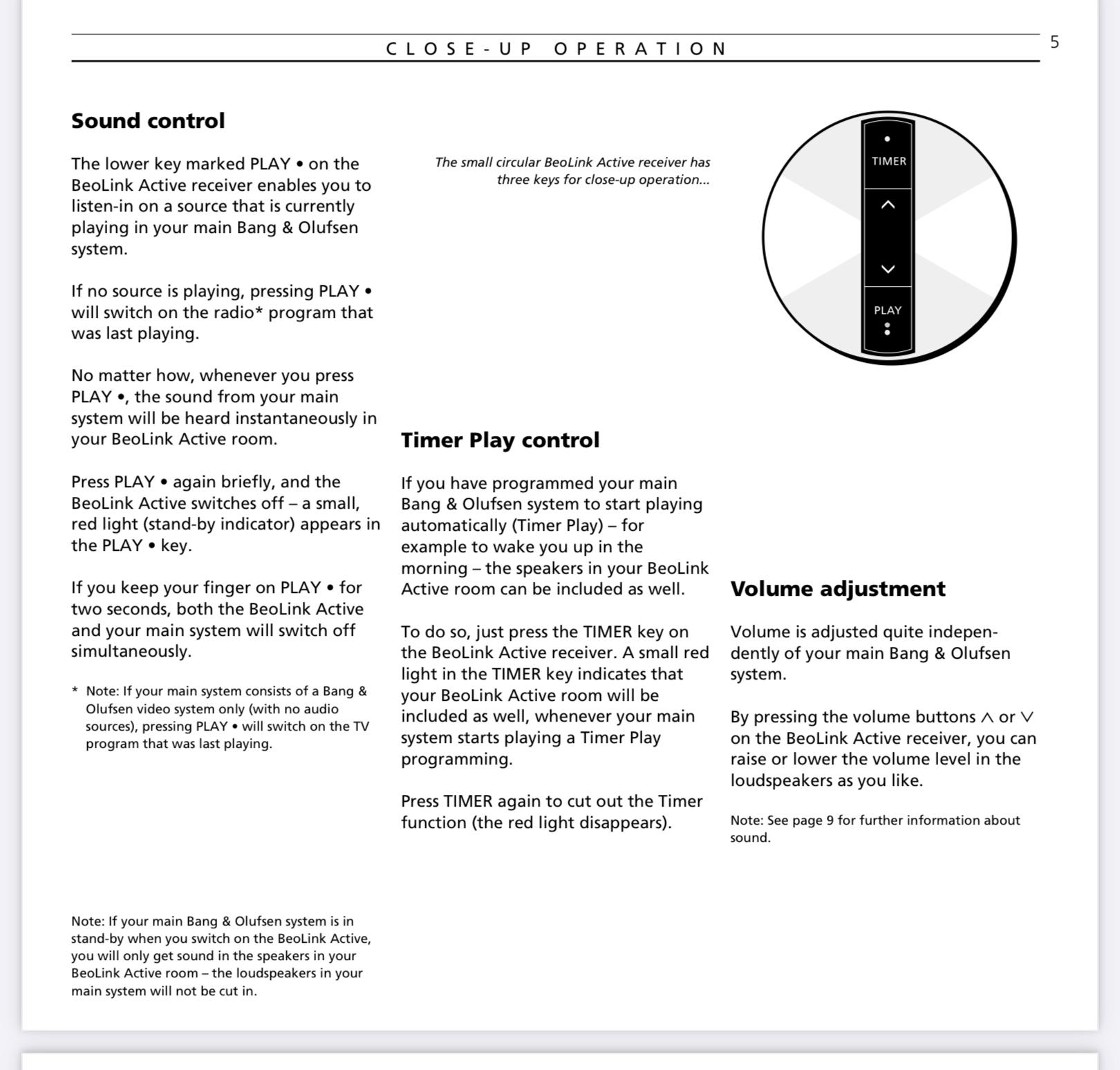
If you press the Play button (on the ir eye) it will send a Radio command, (with the system in Standby).
If another source was playing – which of course can not be in your setup without an Audiomaster – it will activate the sound of that source in the local room.
But – once active – you can control the volume and switch off the system manually on the ir receiver.
MM
Location: Flensborg————Danmark
That’s cool ?
MM
Location: Flensborg————Danmark
I dislike the beta version 5.4.1. It’s horrible and the changes from v5.3 seem unnecessary. And it doesn’t work well at all. I hate the ugly horizontal volume control; the previous circular one was easier to use, especially for fine tuning the volume. It also looked much nicer.
This can’t be stressed enough. The new volume control bar is tiny and is a major downgrade compared to the stylish and accurate bar of version 5.3.
I must agree to that.
That bar looks ordinary….and not special as we are used to from B&O.
A circle has been a design part of many B&O products.MM
Location: Flensborg————Danmark
@Geoff
You beat me on that!
Arrived a couple of days ago here, but I haven’t had the time for listening.Over the weekend Mrs MM is away….looking forward to that ?

MM
Location: Flensborg————Danmark
The best results I have had trying to update the sw of a Beolit 12 is to use a network cable to the router – and then to follow this guide.
You will never be able to integrate a Beolit 12 in an AP2 multiroom setup, since the AP receiver in the 12 is AP1 only.
Also it will not be able to integrate with other (newer) B&O speaker e.g. the M5 as a multiroom speaker.
If you want to workaround these facts, you could connect an Apple AirPort Express to the line-in of the 12. The APE has – when updated – support for Airplay 2.
If you’d connect a Essence MK2 box, you could use AP2 as well as let it be part of a B&O multiroom setup.
In these cases the 12 will serve as a speaker only.
MM
Location: Flensborg————Danmark
As of today my Theatre is on 3.2.1(150) from September 11.
Which version is of that you mention as ‘new…today’?
Do you have release notes?
MM
Location: Flensborg————Danmark
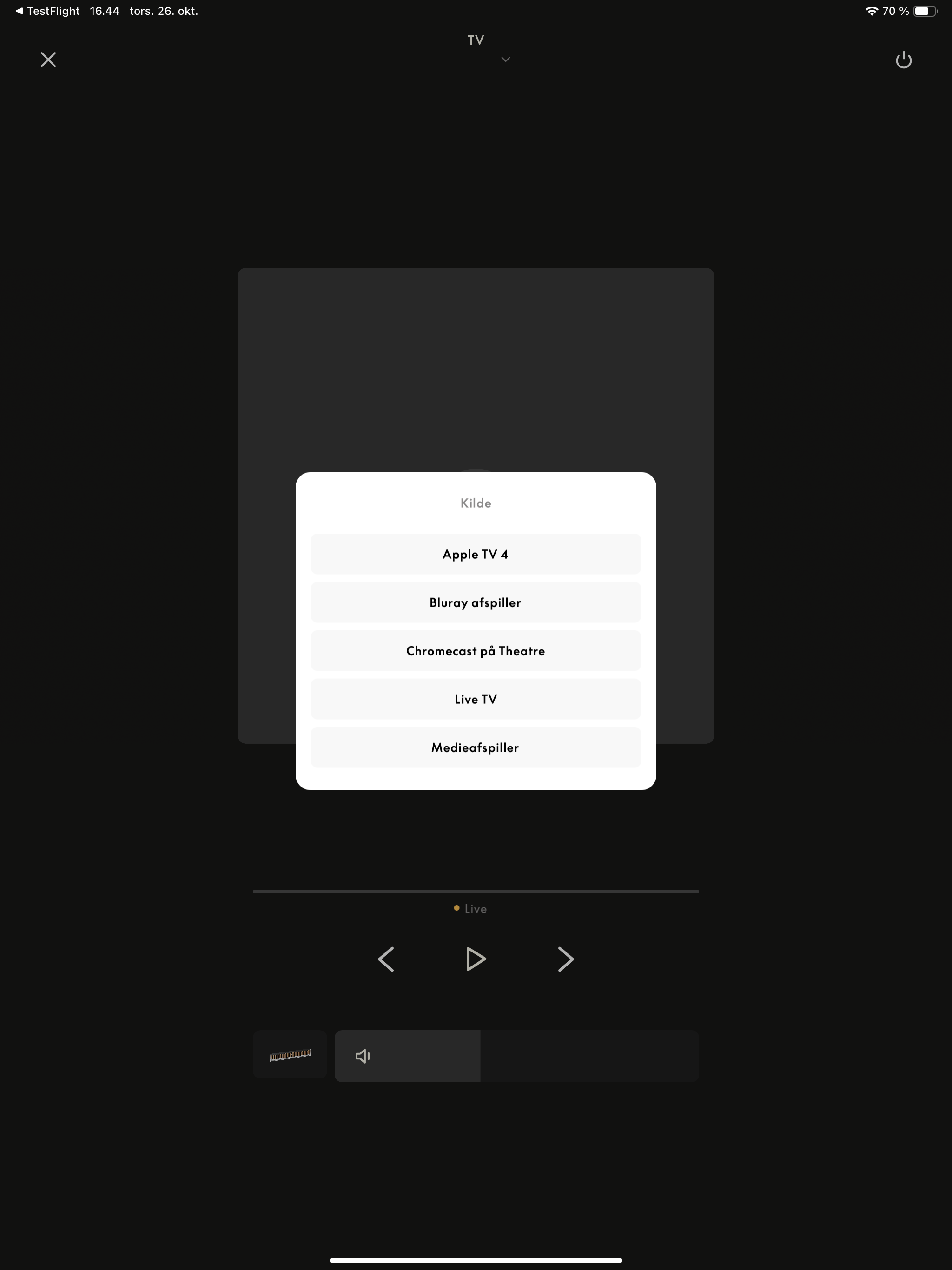
I still miss the Tv input as an option. Since this is essential e.g. for parties when you want to listen to music and show some vids on the tv, without having to reselect the soundbar in the tv menu.
Not sure I quite understand, what you want to do?
Do you just want to activate the tv without engaging the Theatre (control- or soundwise)?MM
Location: Flensborg————Danmark
Hello MM, I also use the 5.3 beta and followed the track shown by Sandyb. Here is what I found: Tap the 3 dots to open the settings of the theatre. Tap Beoremote (1st item of the list) Tap the remote coupled with the Theatre On the list at the bottom, tap “list of the remotes” or something like that. It’s there. Kind regards, Yann.
Thanks Yann – of course you are right!
I did not dig deep enough.
That is how I organized my sources a year ago – and had forgotten all about it ?MM
Location: Flensborg————Danmark
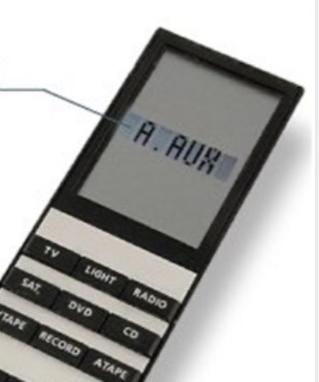
As you may have noticed there is no A.Aux button on the displayed remotes.
However, the Beo4 contains a list of additional ‘buttons’ that you can add to the List button – as described in the User Guide.Here is a picture that shows the added A.Aux item from the list – when that is shown in the display, you simply push the GO button to activate the A.Aux source in the system.

MM
Location: Flensborg————Danmark
When you describe the a.tape a.aux commands etc. Is this a remote control? I don’t have that remote if it is. Presumably same remote works in each room? What remote would I need? Many thanks
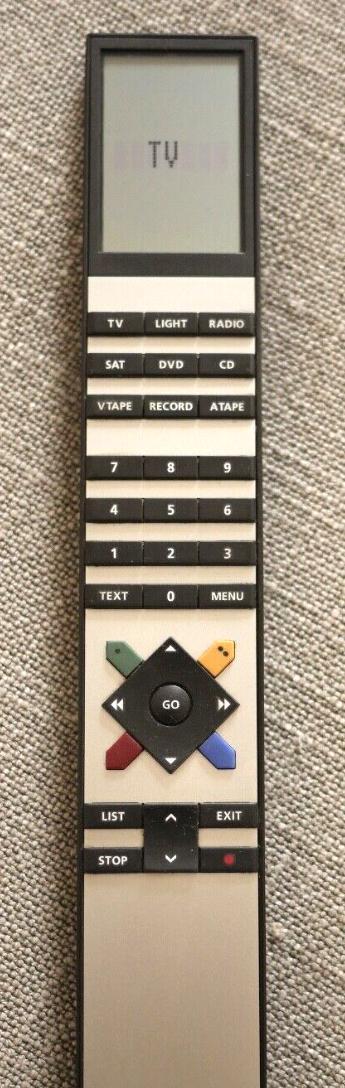
You will need a remote like this:

This is a User Guide for one of the versions of the Beo4….there are several versions/generations.
Note – the previous remote, the Beolink 1000 could also do the job, if needed.The remote will work in every room, but one for each is better.
These can be different versions (or the Beolink 1000).MM
Location: Flensborg————Danmark
-
AuthorPosts