






Home › Forums › Product Discussion & Questions › BeoVision › BeoVision MX4000 – Unstable brightness & occasional retrace lines
- This topic has 7 replies, 2 voices, and was last updated 17 hours, 8 minutes ago by
 Roberth Magnusson.

-
AuthorPosts
-
3 September 2025 at 15:42 #69338
 David HeatonBRONZE Member
Hi all,
Hoping the clever folks on here can help me with this! I recently bought an MX4000 sold as spares / repairs which wouldn’t come out of standby. Having recapped and reflowed the main board it powered up and I was using it perfectly for around a week or so. I was delighted! The neckboard / coil area did seem quite noisy, but my MX7000 is also quite buzzy so I didn’t really think much of it.
Since then however, the picture’s brightness is totally unstable, and sometimes retrace lines appear momentarily on the screen.
I’ve adjusted the G2 pot on the neckboard, and also gave this a good clean with contact cleaner when I was working on the boards, but it’s not improved it. Even turning the G2 way down still results in this constantly flickering brightness.
I’ll upload a video to this post which hopefully helps, but has anyone got any ideas where I could potentially look to fix this fault? Is it potentially a failing flyback?
Thanks so much for any help.
Attachments:
You must be logged in to view attached files.1 October 2025 at 11:31 #70021David HeatonBRONZE MemberNot sure if anyone has any ideas, but still looking for help with this! Have recorded another video which can be viewed here:
7 January 2026 at 13:48 #72394Roberth MagnussonBRONZE MemberHi David,
I have the exact same issue on my mx4000 according to what I saw on your video. Did you resolve the issue?
Regards
7 January 2026 at 13:50 #72395David HeatonBRONZE MemberHi Roberth, I did yes! Turns out it was a transistor on the neckboard that had a badly cracked solder joint. As soon as that was resoldered, it’s worked perfectly ever since. So would definitely be worth closely checking everything on the neckboard as a first step.
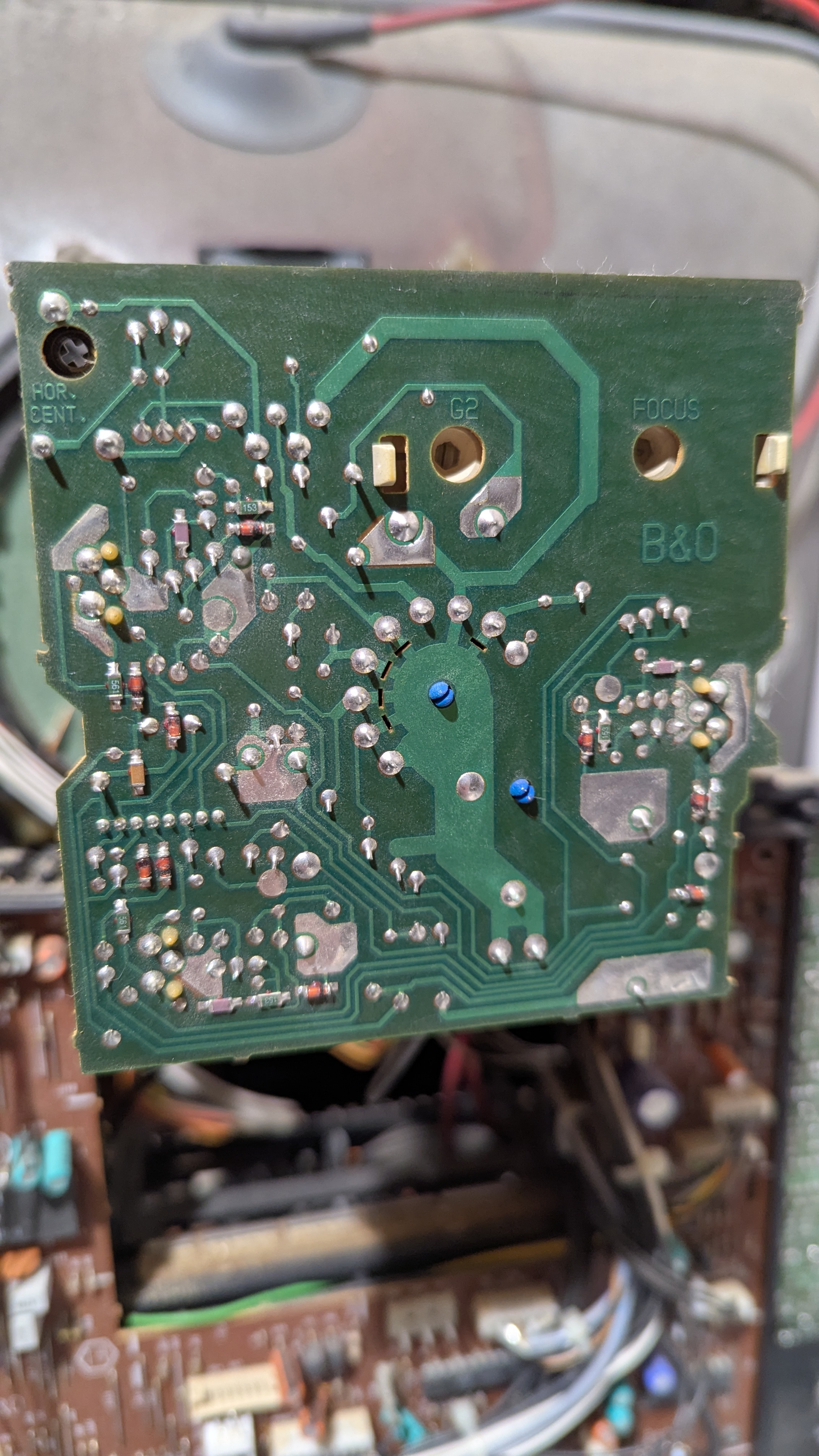
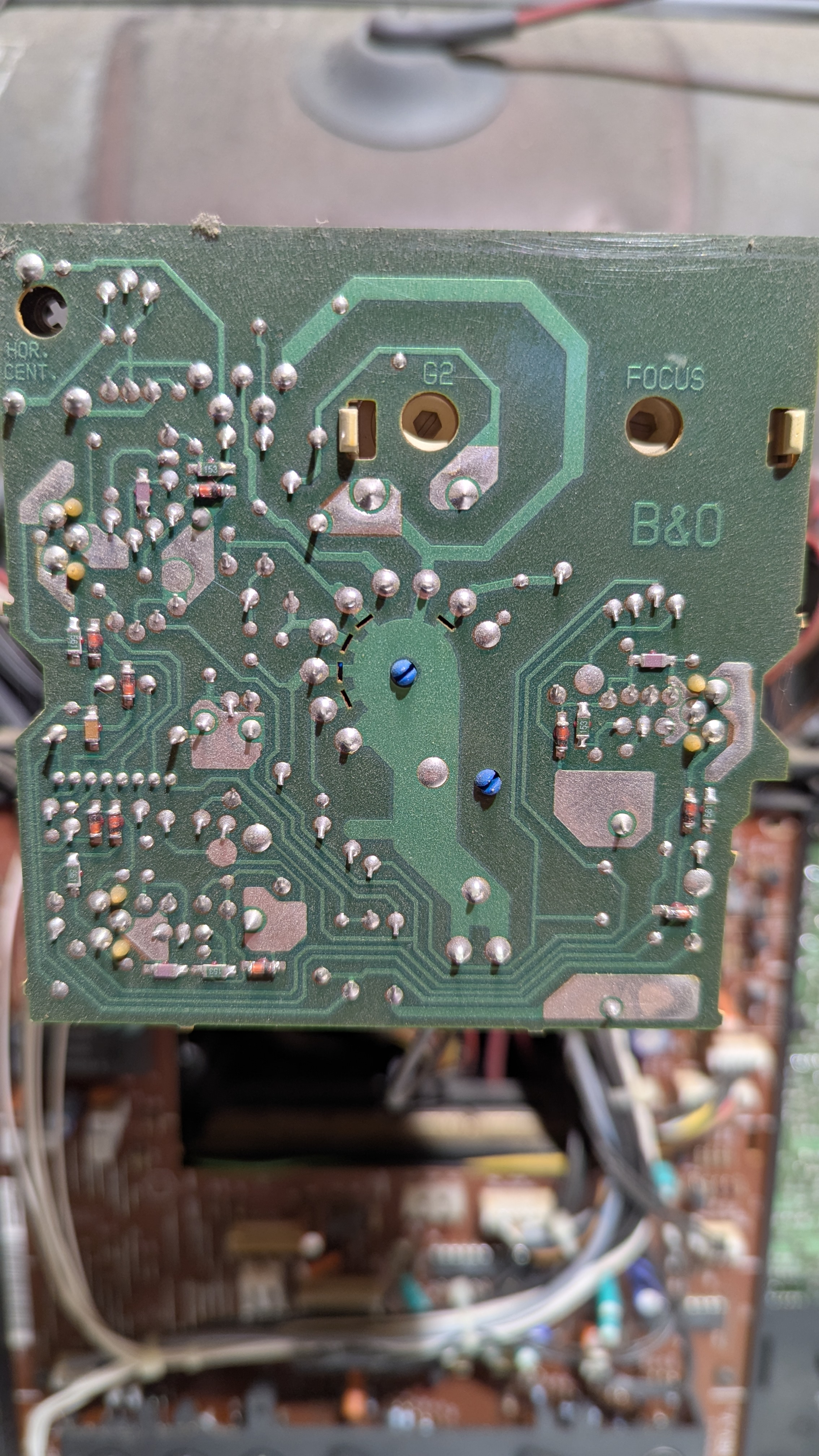
7 January 2026 at 15:39 #72398Roberth MagnussonBRONZE MemberDo you remember which of the joints it was for you. Also do you see anything bad here? They look good to me, but yeah maybe worth resolder all. Do I need to discharge it before I do that? Sorry total novice here.
 7 January 2026 at 16:10 #72404David HeatonBRONZE Member
I seem to remember it was TR2 on the neckboard, but definitely worth reflowing everything on there as a belt and braces job 🙂
Attachments:
You must be logged in to view attached files.7 January 2026 at 16:13 #72406David HeatonBRONZE MemberAlso, the only joint that looks a bit weird is this one, but it’s difficult to tell from photos really. Best idea is to give everything a wobble and see if anything moves. The way I discovered where my fault was, was by prodding areas on the neckboard with a chopstick while the set was running!
Attachments:
You must be logged in to view attached files.7 January 2026 at 17:34 #72410Roberth MagnussonBRONZE MemberThanks for the helpful tips! I will try your method by poking with chopsticks. Any good advice for discharge before resoldering? Also, do I need to remove the neckboard to resolder or can I keep it as it is when I resolder?
Update: nothing moved or changed while poking the parts and soldering. But it must be something wrong with my TR2 as well as my flickering is green. Either dry joints or the transistor is about to die, is my best guess. I will resolder on Friday with the help of a friend. I’ll let you know if it worked. Thank you so far!
-
This reply was modified 12 hours, 33 minutes ago by Roberth Magnusson.
-
This reply was modified 12 hours, 33 minutes ago by
-
AuthorPosts
- You must be logged in to reply to this topic.