Home › Forums › General Discussion & Questions › BeoWorld Feature / Problem › Beovision 11/46, motorized wall bracket
- This topic has 3 replies, 2 voices, and was last updated 1 week, 6 days ago by
vikinguk.
-
AuthorPosts
-
6 May 2026 at 06:09 #123490
Herbert Brantl
BRONZE MemberGood morning,
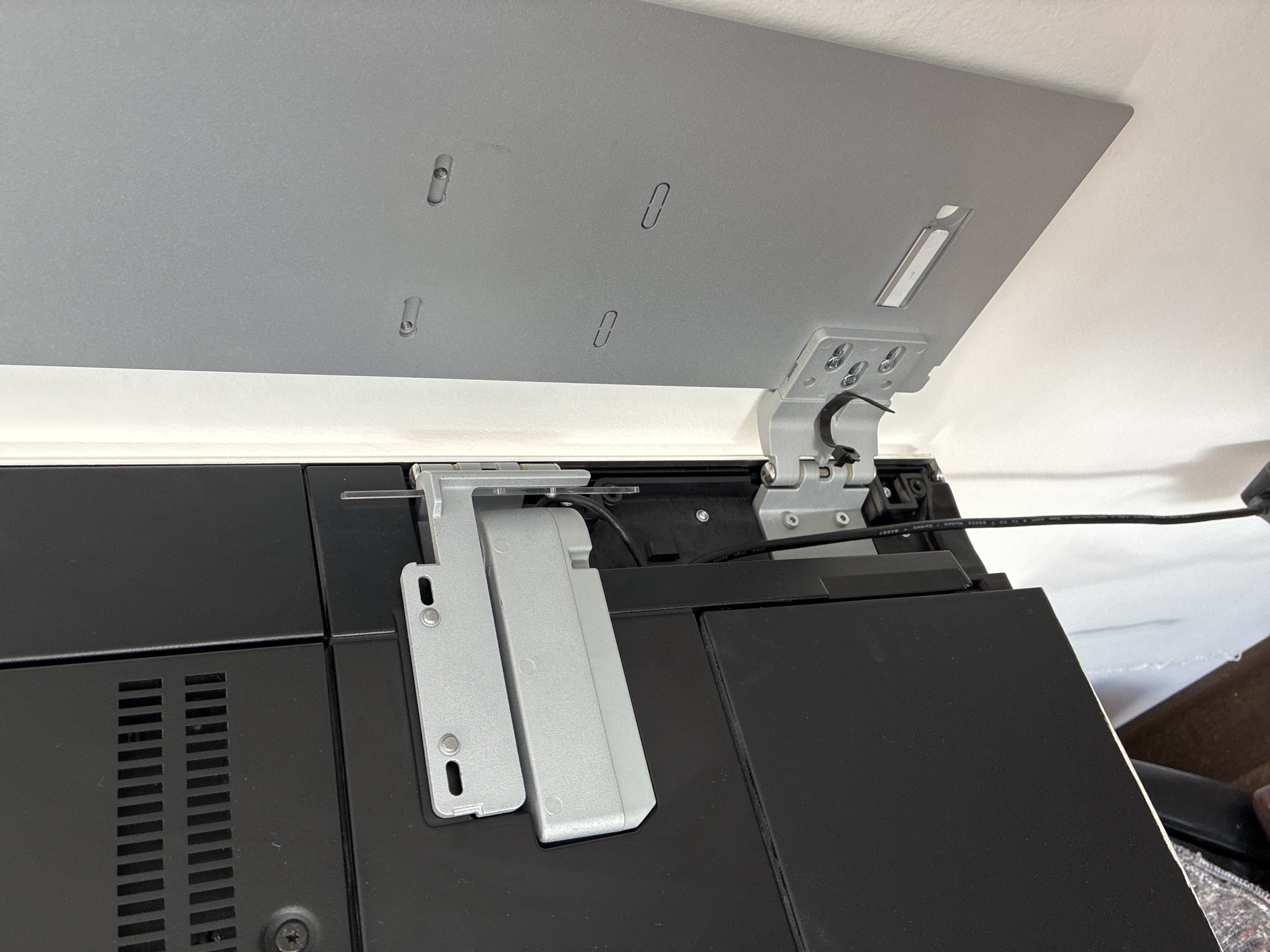
I recently acquired a Bang & Olufsen BeoVision 11-46 with a motorized wall bracket. The television works perfectly; however, there is an issue with the wall mount. The motor appears to have moved to its end position and can no longer be controlled using the remote.
I have tried to resolve the issue through the settings, but without success. I receive a message prompting me to set the end positions (maximum angle and parallel to the wall), which I enter and which the television confirms. After that, nothing happens—there is no prompt or response to control the motor.
As I am new to Bang & Olufsen, I was wondering if there might be something simple I have overlooked or a trick to reactivate the motor.
I would appreciate any help.
Best regards,
Herbert Brantl-
This topic was modified 2 weeks, 6 days ago by
Herbert Brantl.
12 May 2026 at 23:20 #123543 vikinguk
BRONZE MemberDid you fold the TV manually back to its parallel wall position? (The motor makes a ratcheting noise when you do this).
Graham
13 May 2026 at 06:47 #123544Herbert Brantl
BRONZE MemberHi Graham,
No, not at all. I bought the TV after it had already been removed from the wall, and the hinge was fixed in its current end position. In my opinion, the motor needs to be activated so the arm can move back toward the wall bracket. That is exactly the issue — I cannot get the motor to respond at all.
During my research, there was always a “Transport Lock” mentioned. Any idea, if ever this is activated, how to unlock???13 May 2026 at 09:34 #123546 vikinguk
BRONZE MemberHi Herbert,
I can’t really help further. Presumably the hinge is plugged into its power socket on the TV?
Graham -
This topic was modified 2 weeks, 6 days ago by
-
AuthorPosts
- You must be logged in to reply to this topic.