






Home › Forums › Product Discussion & Questions › BeoVision › BeoMedia 1 (Beovision 9)
Tagged: Support
- This topic has 9 replies, 3 voices, and was last updated 2 months ago by
 Noel Haygarth.

-
AuthorPosts
-
23 January 2026 at 20:59 #72782
 Noel HaygarthSILVER Member
Does anyone know how I can get hold of the Beomedia 1 Service manual. The Beomedia can with my Beovision 9 and stopped working years ago. I removed it recently and the caps in the 20pin ATX power supply were blown. I have replaced them, but I need to find out where the two cables that go from the PCI Masterlink card plug into the to the mainbaord. Thanks
Attachments:
You must be logged in to view attached files.24 January 2026 at 06:24 #72787MadskpGOLD MemberTry to take a look in this old thread that has some pictures of the inside of the Beomedia 1 https://archivedforum2.beoworld.org/forums/t/16279.aspx
Hopefully that can help you locate it. If that is not enough to locate the connection point I have a Beomedia 1 that I can open up when I am home again
Location: Denmark
24 January 2026 at 11:33 #72792Noel HaygarthSILVER MemberThat is brilliant. Thank you. The photos unfortunately do not show the power supply removed which is above where the cables go. If you can open up your Beomedia 1 when you get the chance and have a look, I would be extremely grateful. I am annoyed I was not more careful when removing the power supply and the mainland manual does not give me any hints, unfortunately.
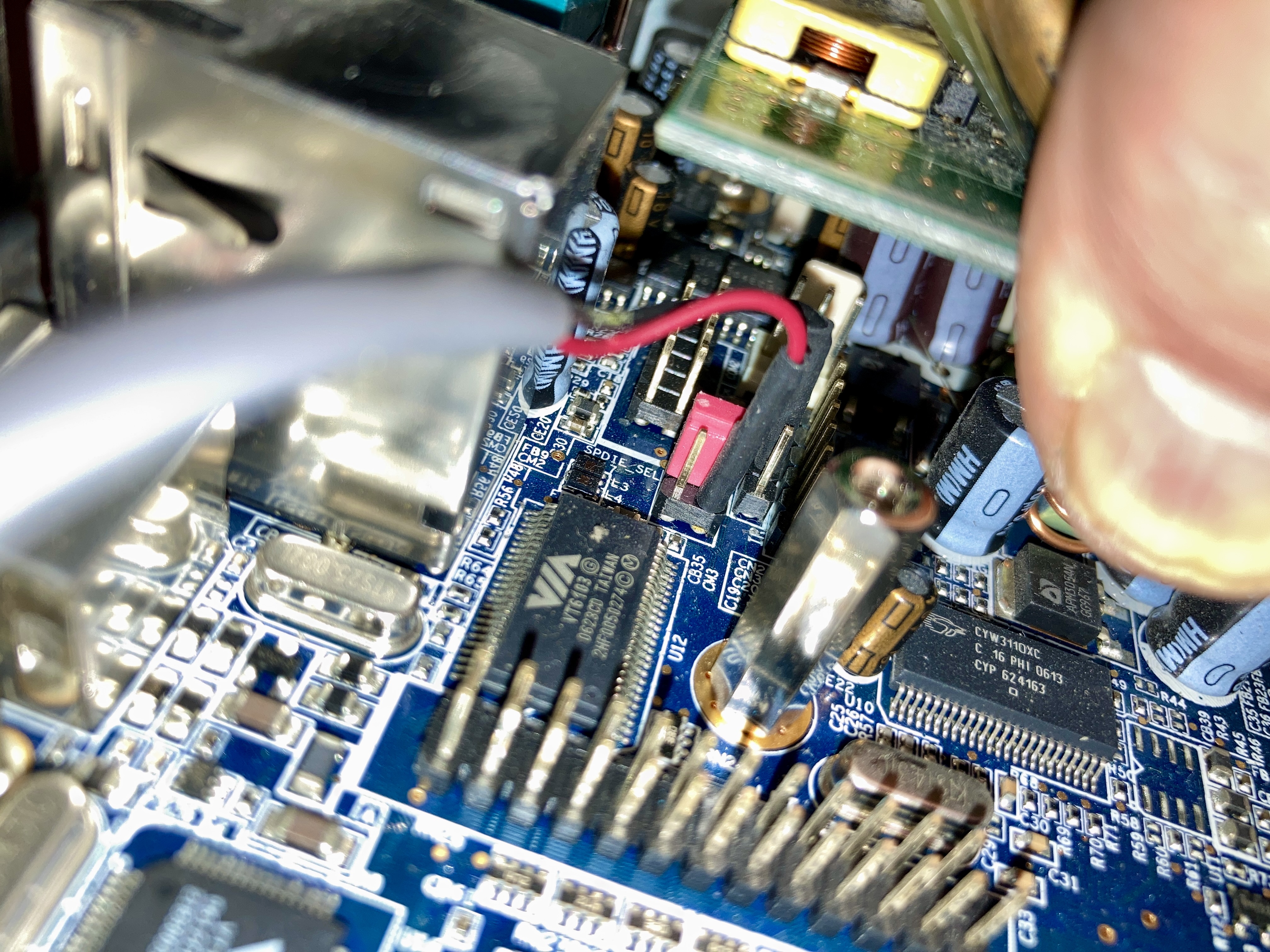
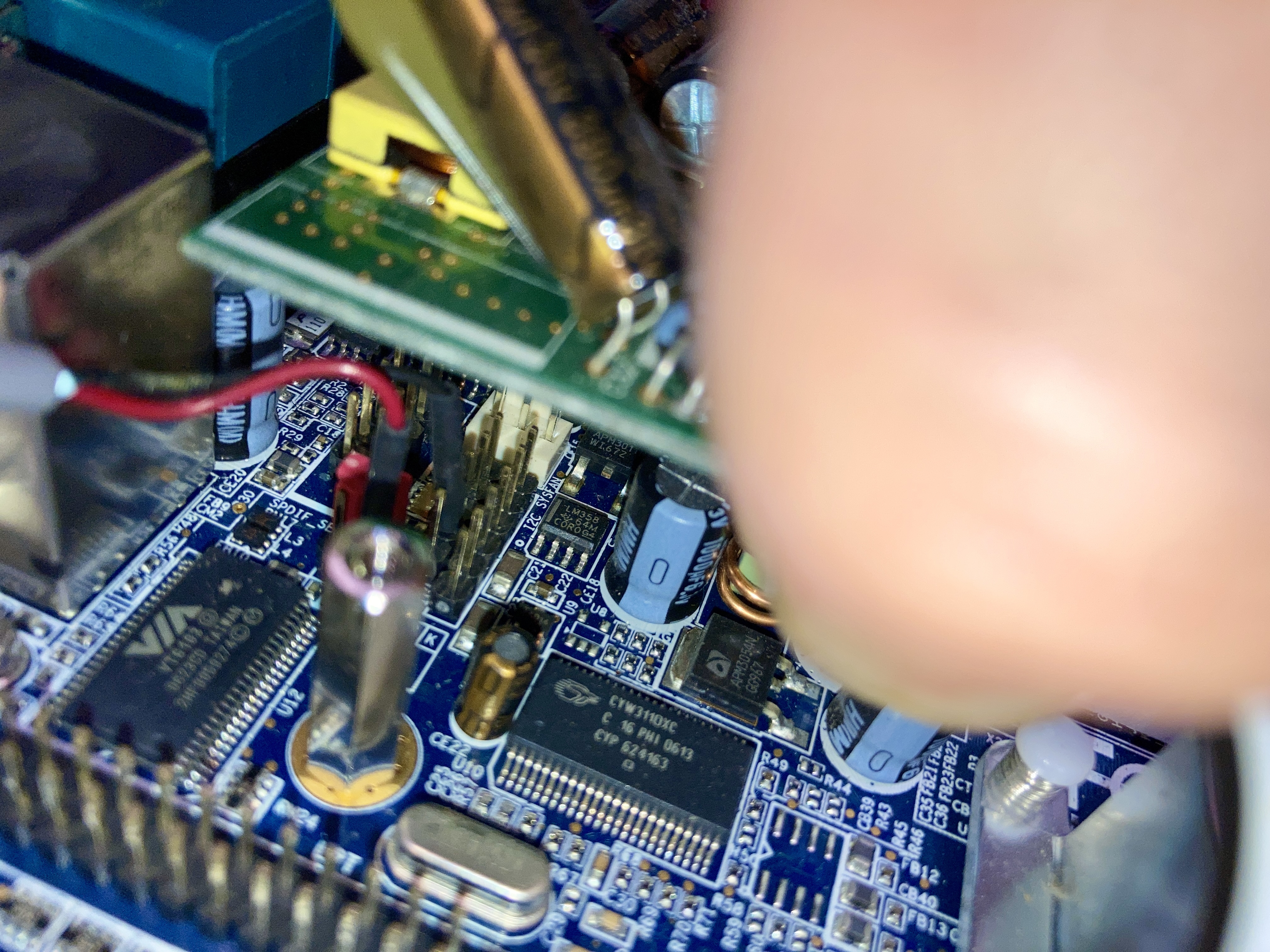
25 January 2026 at 14:12 #72829MadskpGOLD MemberI have no opened up my Beomedia 1. The engieneers that desinged this did not have servicability as the main priority for sure. Man this thing is cramped, and I can,t belive the amount of hot glue used.
I have not yet been able to take the power supply of the ATX conencter. Maybe you have a hint for that?
But I have taken these pictures for now that might helt you placing the wires

Location: Denmark
26 January 2026 at 17:24 #72872Noel HaygarthSILVER MemberYou’re right, the B&O engineers did not think to make it easy on us, but your pictures are exactly what I need, so thank you. To get the power supply off you need a very long but narrow flat headed screwdriver to gently push the clip that hold in outwards. You can then gently rock and pull the powersupply off.
27 January 2026 at 17:29 #72884MadskpGOLD Memberbut your pictures are exactly what I need, so thank you
Great to hear that they are usefull, and hopefully that will get it going again
To get the power supply off you need a very long but narrow flat headed screwdriver to gently push the clip that hold in outwards. You can then gently rock and pull the powersupply off.
Thanks. I will try to see if I can do that without to much damage. I wonder if another ITX power supply with a cable can be used instead. That would make future service much easier
Location: Denmark
1 February 2026 at 00:16 #73001Noel HaygarthSILVER MemberThanks again. I now have a repaired and working Beomedia. I took a ghost image of the installation and also a copy to another hard disk for back-up, upgraded the RAM to 1GB and put a larger 500gb SATA hard drive inside the unit, using an IDE to SATA converter. If you get Microsoft DART V5 you can create a bootable USB and use Ghost 11.5 to make a copy of the installation. What a week it has been but nice to have it working. If yours is the same main board as mine, look at this manual for power supply options: https://theretroweb.com/motherboard/manual/um-epia-mii-162-63cd39724e43c965057015.pdf
Ironically there is no reason the whole system could not be ported to a different PC.
2 February 2026 at 08:24 #73094MadskpGOLD MemberThanks again. I now have a repaired and working Beomedia.
Great to hear 🙂
I took a ghost image of the installation and also a copy to another hard disk for back-up, upgraded the RAM to 1GB and put a larger 500gb SATA hard drive inside the unit, using an IDE to SATA converter. If you get Microsoft DART V5 you can create a bootable USB and use Ghost 11.5 to make a copy of the installation.
Thanks for the input. I might look into putting an SSD in to it instead. I think there is some inspiration in some Beosound 5 threads about preparing the SSD for correct allignment.
If yours is the same main board as mine, look at this manual for power supply options: https://theretroweb.com/motherboard/manual/um-epia-mii-162-63cd39724e43c965057015.pdf
Nice. I also came up with another idea to use an ATX extender cable and just move the existing power supply to another location in the case (it will need some sort of mounting bracket) as there is lots of space in the case
Ironically there is no reason the whole system could not be ported to a different PC.
I had the same thought. The connections you were i doubt of is digital sound, so a motherboard with that will be needed. Also there might be some drivers issues, but I wonder if it is more or less like a PCI version of the Beoport which has prooven to work under windows 10, and therefor should be possible to use in anothjer system. But that is a test for another time
Location: Denmark
2 February 2026 at 12:11 #73095I had the same thought. The connections you were i doubt of is digital sound, so a motherboard with that will be needed. Also there might be some drivers issues, but I wonder if it is more or less like a PCI version of the Beoport which has prooven to work under windows 10, and therefor should be possible to use in anothjer system. But that is a test for another time
Beoport also works with Win11 – trialled and discussed here: https://forum.beoworld.org/forums/topic/beolink-pc2-beoport-beoplayer/
I have since installed Beoport and tested with my new Win11 desktop and all the functionality is there, but I didn’t connect additional ML devices. It still has the annoying bug of muting the audio when you change radio stations – I’d be interested to hear whether your Beomedia(s) do the same.
Location: Warwickshire, UK
My B&O Icons:
4 February 2026 at 23:34 #73237Noel HaygarthSILVER MemberThe idea of the ATX extender is a great idea, as is the SSD. Be good to know if the SSD would work. If I see a cheap Beomedia 1, I will but it to do some tests on. Like yourself, I can see no reason why it will not work on Windows 10 or 11, as long as the driver works. I will keep an eye out for a cheap unit.
Thanks for all your help.
-
AuthorPosts


- You must be logged in to reply to this topic.