






Home › Forums › General Discussion & Questions › General Discussion & Questions › Added additional NL/ML converter to system – Part 2
- This topic has 4 replies, 3 voices, and was last updated 3 weeks, 3 days ago by


-
AuthorPosts
-
20 September 2026 at 18:42 #125612
 patcherleyGOLD Member
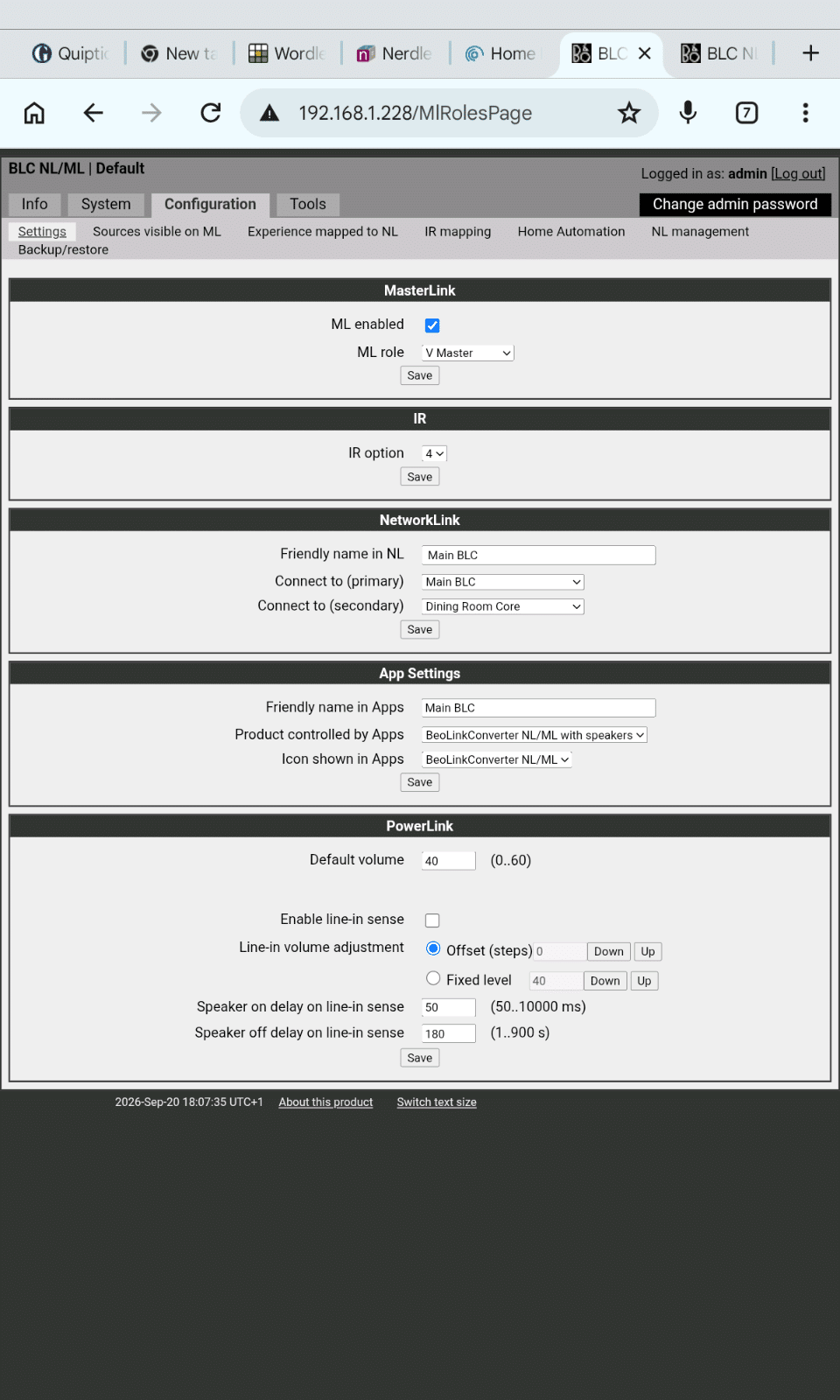
For my main ML system I have this NL/ML Converter set up
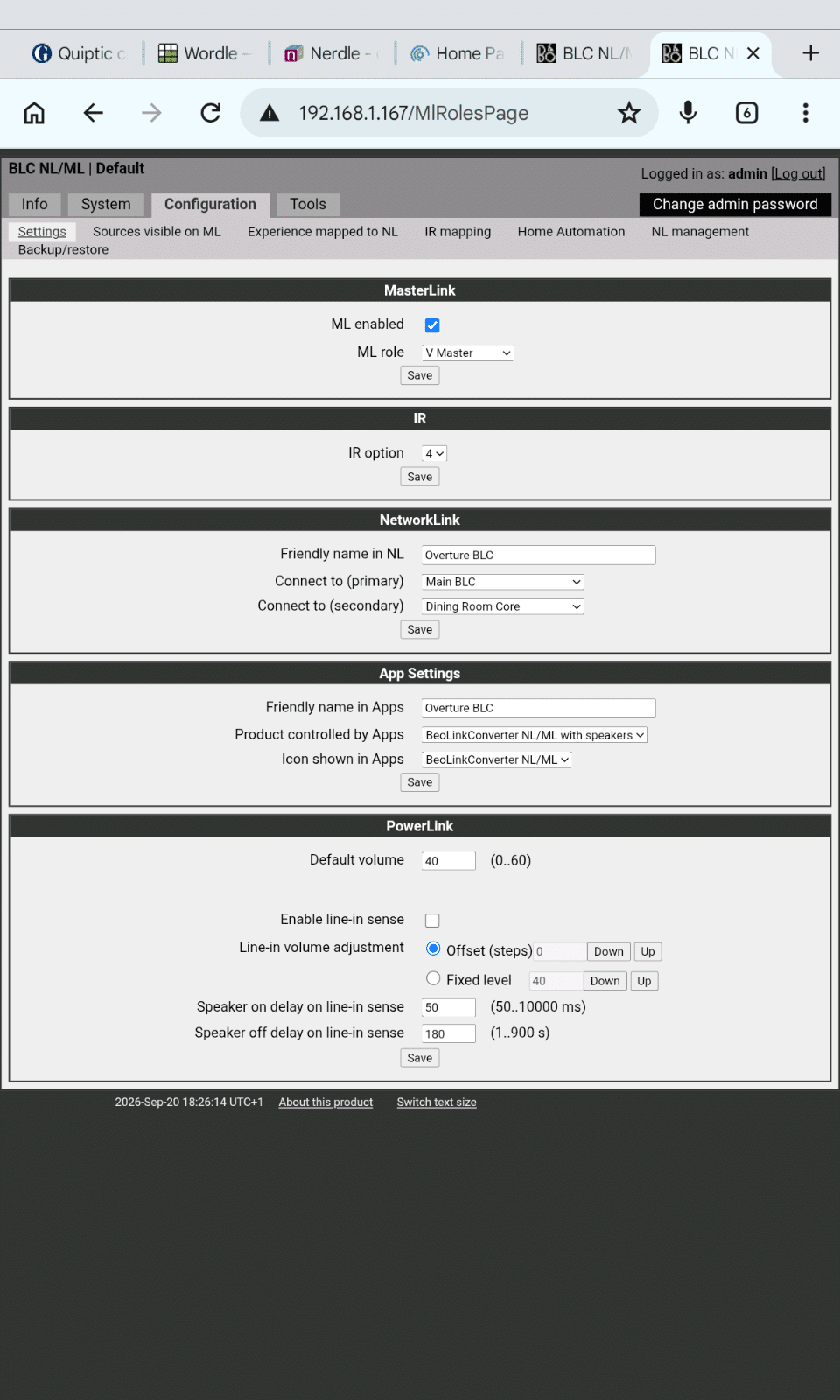
 My additional ML system with its own NL/ML Converter, connected to a Beosound Overture, has this setup.
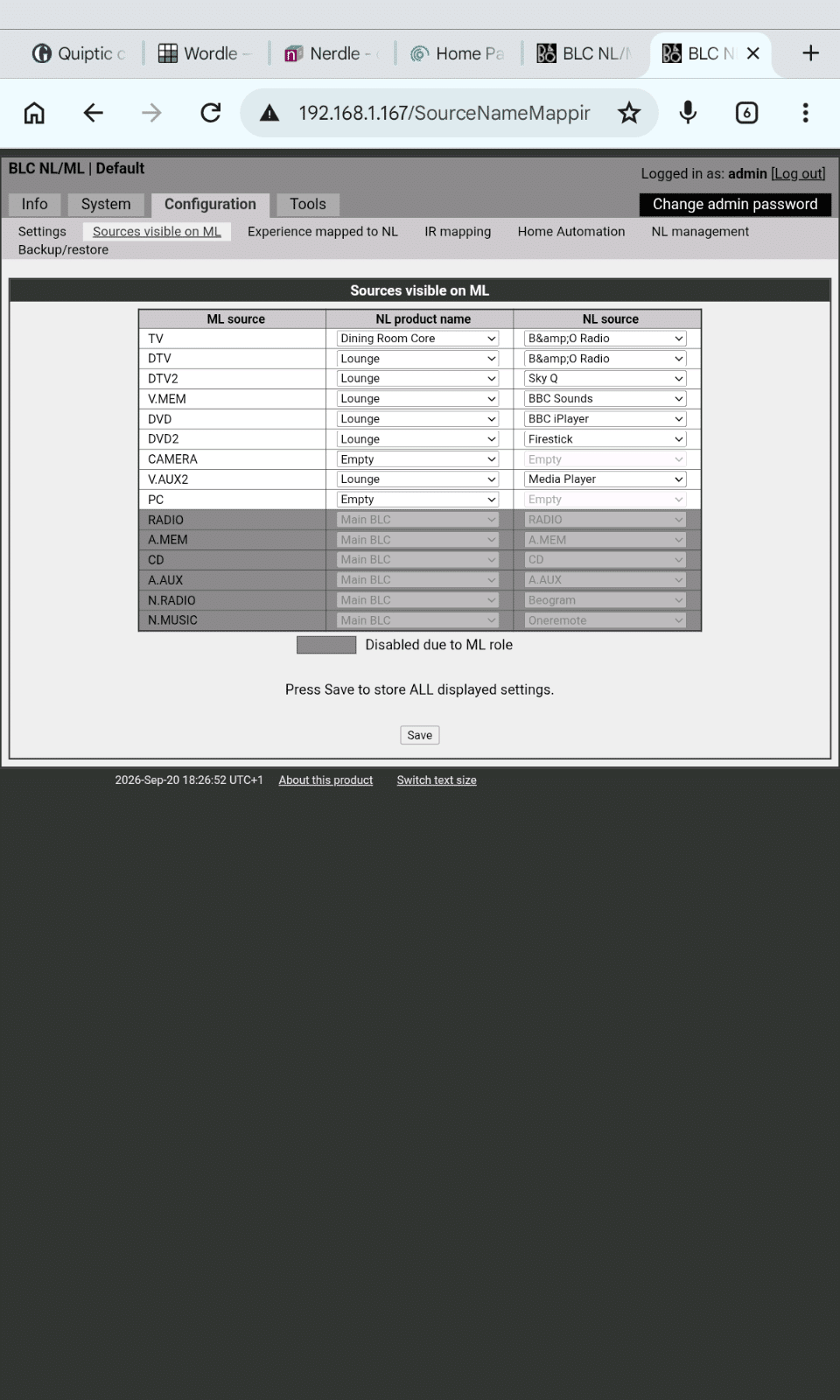
This leads to the following sources visible on the ML network.
This allows me to play the NL sources on the Overture but I have to prefix the command with AV. I cannot play any of the BM7000 sources.Is this correct or do I need to change the option settings on the Overture?Regards Paul
My additional ML system with its own NL/ML Converter, connected to a Beosound Overture, has this setup.
This leads to the following sources visible on the ML network.
This allows me to play the NL sources on the Overture but I have to prefix the command with AV. I cannot play any of the BM7000 sources.Is this correct or do I need to change the option settings on the Overture?Regards PaulLocation: Hampshire
Favourite Product: Beolink 7000
My B&O Icons:
21 September 2026 at 09:57 #125617benjnzBRONZE MemberI feel the pain of NL/ML convertors, I have 3. TBH the best thing I ever did was throw it at chatgpt and ask it how to configure the NL/Convertors. I said what was in each room, what I wanted to listen too and after a few queries it told me exactly how to configure them to work properly.
My B&O Icons:
21 September 2026 at 15:12 #125619I feel the pain of NL/ML convertors, I have 3. TBH the best thing I ever did was throw it at chatgpt and ask it how to configure the NL/Convertors. I said what was in each room, what I wanted to listen too and after a few queries it told me exactly how to configure them to work properly.
And where do you think the origin of Chatgpt knowledge lies 😁
But in my experience with B&o in Chatgpt, Chatgpt regular gives you info which is 80% correct but 20% bollocks. For example it recently told me that the Emerge, the A5, the Level and the A9 have (cabled) PL connections .
21 September 2026 at 16:43 #125622patcherleyGOLD MemberI went back to the manual, and took my own advice about Option setting. Setting the Overture to audio option 6 removed the need for the AV command. Still no ability to play BM7000 sources from the Overture.
Paul
Location: Hampshire
Favourite Product: Beolink 7000
My B&O Icons:
21 September 2026 at 17:03 #125623I went back to the manual, and took my own advice about Option setting. Setting the Overture to audio option 6 removed the need for the AV command. Still no ability to play BM7000 sources from the Overture.
Paul
Please answer my questions op part 1.
But do I understand this correctly you want to listen to an Ouverture source on the BM7000?
-
AuthorPosts



- You must be logged in to reply to this topic.